
You’re staring at a release that can’t all happen the same way. A web-layer bug needs a fast live fix, a native change needs a signed store build, testers need a pre-release version, and product wants a staged rollout that won’t light up support. Those are different jobs, so the right choice among mobile app deployment tools depends on the framework, update policy, store rules, testing model, rollback needs, and enterprise governance, not just on feature lists. For a useful framing on deployment paths, the Cloudvara software deployment guide is a solid companion read.
The biggest mistake teams make is treating OTA as a replacement for everything. It isn’t. Over-the-air tooling can ship JavaScript, CSS, copy, and assets fast, but native code, permissions, and plugin changes still need a store release. That split is why this comparison groups tools by the deployment problem they solve, live updates, native builds, testing, and store release control.
Table of Contents
- 1. Capgo
- 2. Apple App Store Connect
- 3. Google Play Console
- 4. Expo Application Services
- 5. Ionic Appflow
- 6. Microsoft CodePush
- 7. Firebase App Distribution
- 8. Bitrise
- 9. Codemagic
- 10. Appcircle
- Top 10 Mobile App Deployment Tools Comparison
- Build a Deployment Stack That Matches Your Risk
1. Capgo
Capgo is the strongest fit when the problem is live remediation. If you’re running CapacitorJS, Ionic, or Electron, it lets you publish signed web bundles to targeted channels and push JavaScript, CSS, copy, config, and asset fixes to users without waiting on App Store or Play review. The platform combines an open-source updater plugin, cloud-signed native builds, differential updates, rollback protection, and audience-based rollouts, so it’s not just a patch pipe, it’s a controlled release system.
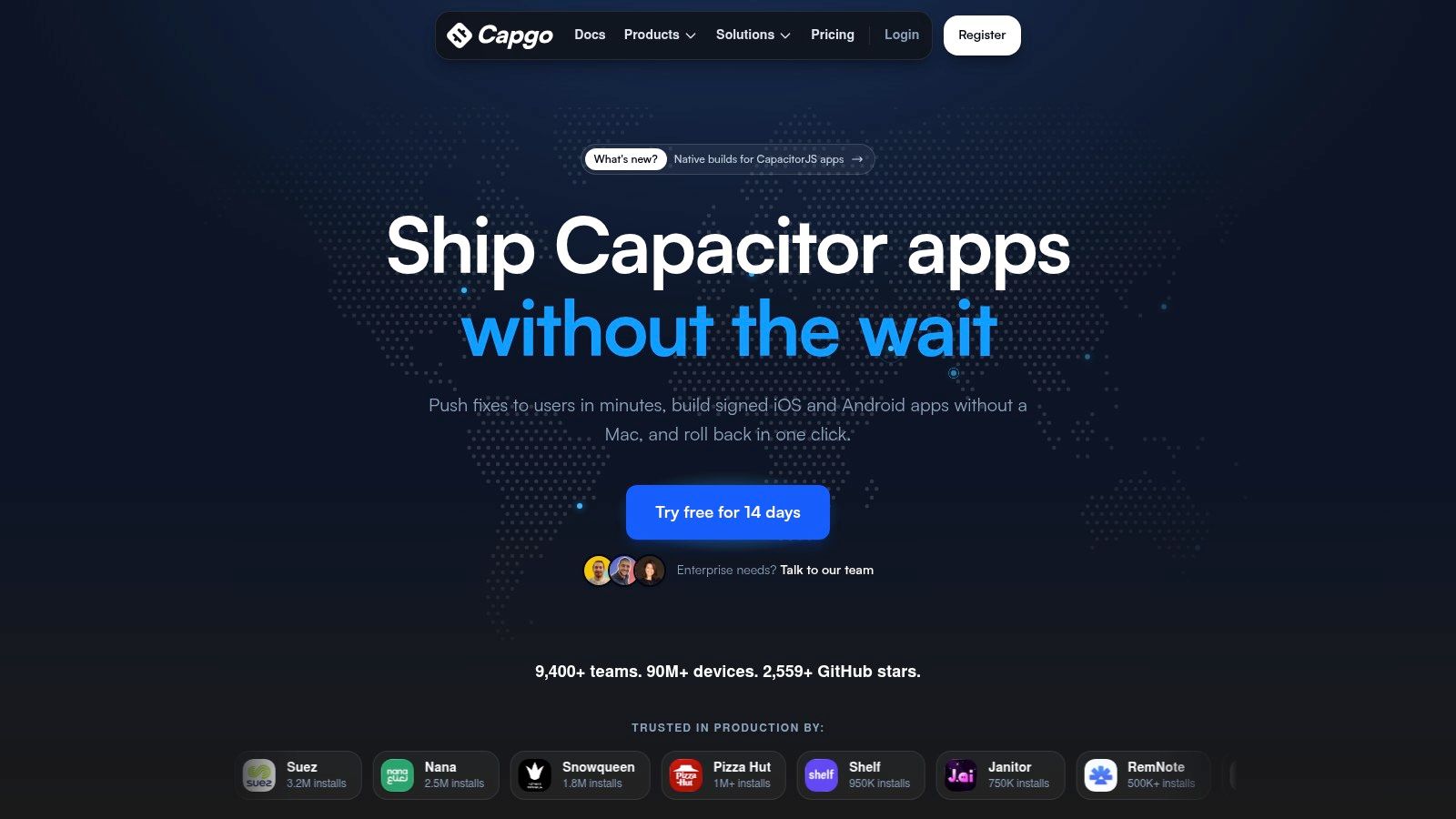
Capgo’s practical advantage is observability. Per-device logs, adoption and failure metrics, version history, and channel guardrails make it much easier to answer the question support always gets after a release, “What changed, who got it, and did it stick?” The platform also exposes a public API, CI/CD integrations, and support for automation from terminal workflows or AI agents, which matters when release work shouldn’t depend on a human clicking through a dashboard.
Practical rule: use OTA to fix the web layer quickly, but keep store releases for anything that changes native behavior. Capgo enforces that boundary instead of pretending it doesn’t exist.
For enterprise teams, Capgo stands out because the operational posture is transparent. The site highlights SOC 2 Type II and SOC 3 mentions, ISO 27001 and GDPR alignment, a public security advisory history, and paid enterprise SLAs. It also adds a cloud build path without requiring a Mac, which is useful when release speed and build infrastructure are both bottlenecks. If you’re evaluating store-safe live updates, the Capgo guide to App Store safe OTA updates is worth reading once you’ve got the basics down.
Pros
- Instant web-layer hotfixes for JS, CSS, assets, and copy, without store-review delay.
- Native build signing in the cloud, so teams can produce signed iOS and Android builds without managing a Mac farm.
- Strong observability and control, with adoption metrics, per-device logs, version history, channel guardrails, and rollback.
- Developer-friendly automation, including CLI, public API, CI/CD integration, differential updates, and open-source plugins.
- Enterprise readiness, with transparent security and compliance messaging, paid support, and status visibility.
Cons
- Not a substitute for store releases when native code, permissions, or plugin changes are involved.
- Enterprise pricing isn’t public, so teams need a sales conversation to budget it.
- Operational success still depends on workflow design, so teams need discipline around channels, signing, and release policy.
Website: Capgo
2. Apple App Store Connect
Apple App Store Connect is the essential tool for any team shipping on Apple platforms. It handles submission, phased release, user roles, analytics, financial reporting, and beta distribution through TestFlight, which makes it the control plane for iOS, iPadOS, macOS, tvOS, visionOS, and watchOS releases. If your product lives in Apple’s ecosystem, this is the tool that governs production distribution.
The value is that App Store Connect matches Apple’s release model instead of fighting it. Internal testing supports up to 100 App Store Connect users, while external testing supports up to 10,000 testers, although external TestFlight builds require App Review. That extra review step is exactly why many teams use Apple’s portal alongside faster internal deployment tooling, not instead of it.
If you’re running an enterprise beta, the platform’s tester management and public invite flow are useful, but they don’t remove governance work. You still need to think about who can see what, what version is approved, and when a phased release should stop. For Apple-only workflows, that control is a feature, not a burden.
Store tooling should be treated as governance, not just distribution. If you skip that mindset, release coordination gets messy fast.
The downside is obvious. This is Apple-only, and it won’t help with Android at all. It also won’t give you the web-layer hotfix path you get from an OTA platform, so teams usually pair it with live-update or CI/CD tooling rather than expecting it to solve the whole release stack. The Capgo article on iOS app submission is useful if you want a practical view of how Apple release steps interact with update automation.
Website: Apple App Store Connect
3. Google Play Console
Google Play Console is the Android counterpart that every production Android team has to respect. It supports internal, closed, and open testing tracks, staged rollouts, performance dashboards, and policy workflows, so it’s the place where Android releases become official. If the app ships through Google Play, this isn’t optional.
The strongest reason to use Play Console well is testing granularity. Device and country targeting let teams limit exposure before a broader rollout, which matters when you’re validating build behavior, store listing changes, or policy-sensitive updates. That’s especially useful for larger catalogs or products with multiple app variants, because release control becomes a practical necessity rather than a nice-to-have.
Commerce and subscriptions are another reason Play Console matters. For monetized Android apps, the store is also part of revenue operations, not just deployment. That means release, pricing, and compliance all sit in one place, which is efficient when handled carefully and painful when it isn’t.
The limitation is that the console is still a store workflow, not a live-update system. It doesn’t solve the problem of urgent JavaScript-only remediation, and policy shifts require close attention. Teams that try to use it as if it were a generic deployment pipe usually end up frustrated.
A useful way to think about Play Console is this, it controls Android production truth. Everything else, CI, OTA, tester distribution, has to feed into that truth rather than replace it.
Website: Google Play Console
4. Expo Application Services
Expo Application Services, usually called EAS, is the cleanest fit for React Native and Expo-first teams that want one hosted workflow for builds, submissions, updates, and telemetry. EAS Build and Submit handle store-oriented pipelines, EAS Update delivers OTA JavaScript and asset changes, and EAS Observe surfaces production behavior such as startup and navigation signals. That combination makes it unusually coherent for teams already in the Expo ecosystem.
What I like about EAS is that it reduces the number of moving parts without pretending mobile release work is simple. Expo’s own mobile CI/CD comparison notes that mobile pipelines often involve painful YAML sprawl, and EAS aims to compress that complexity into mobile-specific jobs. For teams that want one place to manage build, submit, and update behavior, that’s a real operational gain. The Capgo alternative to Expo EAS guide is helpful if you’re weighing how OTA fits into an Expo workflow.
Where EAS fits best
- React Native and Expo projects that want one vendor across build, submit, and update.
- Teams that value telemetry tied to production app behavior.
- Groups that need a modern developer experience without wiring a lot of custom mobile CI plumbing.
The trade-off is scope. EAS is best inside the Expo world, and it’s less compelling for teams on Swift, Kotlin, or non-React Native stacks. Pricing also becomes part of the decision because update usage scales with activity and bandwidth, so it can move from comfortable to expensive as an app grows. For a focused RN or Expo team, though, the workflow fit is excellent.
Website: Expo Application Services
5. Ionic Appflow
Ionic Appflow is the classic turnkey option for Capacitor and Cordova teams that want cloud builds plus live updates in one service. It covers native builds, app-store submission helpers, and Live Updates for JS, CSS, and assets, so it maps neatly to teams that ship web-heavy mobile apps and want a guided release path. For Ionic projects, the attraction has always been convenience.
The catch is lifecycle risk. The enterprise plan sales are discontinued and Appflow is scheduled for end of life on December 31, 2027, so this is not a platform I’d standardize on without a migration plan. If your team still depends on it, the release conversation should include a timeline for transition, not just a feature review. The Capgo alternative to Appflow is relevant if you’re mapping that path now.
Appflow’s strength is that it understands web-based mobile projects well. The weakness is that its Live Updates only cover Capacitor and Cordova, so native changes still go through the store. That makes it a strong fit for older Ionic stacks and a weaker fit for teams that want a long-term, current platform to build around.
If a deployment tool is nearing end of life, migration planning becomes part of the product decision. Waiting until the last quarter is how release teams get trapped.
Website: Ionic Appflow
6. Microsoft CodePush
CodePush is a focused OTA mechanism for React Native and Cordova teams that need quick JavaScript and asset updates without switching their whole release stack. It’s familiar to many teams that used App Center, and the standalone guidance from Microsoft gives it a practical place in the post-App Center world. For teams that already know the update model, it’s a straightforward way to keep shipping web-layer fixes.
The value here is narrow but real. You can stage releases, promote them, and roll back quickly when a JS update goes wrong. That makes it handy for hotfix workflows where the native app binary doesn’t need to change. If you’re migrating from App Center, the learning curve is low because the mental model is already known.
The limitation is equally clear. CodePush is not a full CI/CD system, and it doesn’t handle app store submission. It also doesn’t solve governance, observability, or enterprise release coordination by itself. In practice, it sits inside a bigger stack rather than replacing one.
For teams with older React Native or Cordova apps, that narrowness can still be enough. The tool does one release job well, and sometimes that’s exactly what the workflow needs.
Website: Microsoft CodePush
7. Firebase App Distribution
Firebase App Distribution is the easiest pre-release delivery path for many cross-platform teams. It’s built for distributing Android and iOS builds before store review, and it fits naturally into teams already using Firebase, Crashlytics, Gradle, fastlane, or the Firebase CLI. For QA and stakeholder review, it’s a very practical bridge between local builds and formal store release.
Its strength is tester management. Email invites and tester onboarding are simple enough that teams can get builds into people’s hands without creating a lot of process overhead. Crashlytics integration also gives release teams stability context for pre-release builds, which helps when a build is technically installable but still risky.
The limitation is that this is not production distribution. You still need App Store Connect or Play Console for production release, and iOS ad hoc installs still depend on device provisioning. That means Firebase App Distribution is best used as a pre-store utility, not as a public delivery system.
Best fit scenarios
- Internal QA loops where teams want a fast path to testers.
- Android-heavy orgs that already live in Firebase.
- Cross-platform teams that want one distribution lane before store review.
The best way to use it is alongside store tooling, not instead of it. It reduces tester friction, but it doesn’t replace governance.
Website: Firebase App Distribution
8. Bitrise
Bitrise is a strong choice when you want mobile-first CI/CD with reliable macOS capacity and a deep ecosystem of steps. It supports iOS, Android, React Native, and Flutter, and it’s particularly good for teams that need managed signing, store submission integrations, and release coordination without building everything from scratch. If your release pain starts at build infrastructure, Bitrise deserves attention.
The reason teams like it is simple, it feels designed for mobile operations. The visual workflow approach lowers the entry barrier for teams that don’t want to maintain a pile of custom scripts, while the prebuilt step library covers many common mobile tasks. For organizations shipping across more than one mobile stack, that flexibility matters.
Bitrise does not solve OTA updates by itself, so it usually needs to sit next to a live-update provider if web-layer hotfixes are part of your workflow. That’s an important planning detail, because some teams buy CI/CD thinking it will cover every release need and then discover they still need a separate update mechanism.
For enterprise mobile teams, Bitrise works well when the priority is build reliability, macOS access, and a mature ecosystem. The main trade-off is cost at higher concurrency or heavy macOS usage, so it pays to model actual pipeline load before standardizing on it.
Website: Bitrise
9. Codemagic
Codemagic is a good fit for teams that want clear mobile CI/CD with straightforward pricing and strong Flutter support. It handles iOS and Android builds, signing, publishing, artifact hosting, and build insights, which makes it especially appealing to teams that value predictability in both workflow and budget. It’s also widely used across Flutter, Ionic, and React Native communities.
The practical upside is simplicity. Codemagic is easy to budget compared with some usage-heavy CI systems, and its mobile focus keeps the workflow closer to what app teams do. If your team wants cloud builds and publishing without a lot of platform ceremony, that matters.
It’s not an OTA service, so if your app needs live JavaScript or asset hotfixes, you’ll need another tool in the stack. That’s not a flaw so much as a reminder that build automation and live updates are different categories. The Capgo article on automatic Capacitor iOS build with Codemagic is useful if you’re pairing the two kinds of tooling.
What Codemagic is good at
- Flutter-heavy teams that want a mobile-oriented CI/CD vendor.
- Straightforward budgeting, thanks to pricing that’s easier to reason about.
- Publishing workflows that stay close to the app team’s day-to-day work.
The main caution is scale. Heavy parallelization or very large pipelines may push you into higher tiers, so it’s worth checking how much concurrency you need before you commit.
Website: Codemagic
10. Appcircle
Appcircle makes sense when enterprise governance matters as much as build speed. It offers cloud and on-prem or self-hosted options, hosted runners, signing management, artifact storage, tester distribution portals, in-browser previews, and deployment to test and production targets. That mix is especially relevant for teams that need more control over where artifacts live and how they move.
The enterprise appeal is obvious. If your release process needs traceability across builds, testers, and production deployments, Appcircle gives you a structure for that. It also lets teams choose deployment targets more flexibly, which helps when internal QA, external testers, and production pipelines all need different handling.
The trade-off is ecosystem depth. It’s not as broad as some competitors, and advanced workflows can take time to learn. It also doesn’t include dedicated OTA JS or asset updates, so teams that need live remediation still need another platform alongside it.
For regulated or high-stakes environments, Appcircle is strongest when deployment governance is the priority. It’s less about flashy velocity and more about predictable mobile DevOps.
Website: Appcircle
Top 10 Mobile App Deployment Tools Comparison
| Product | Core features | Reliability & UX (★) | Value & Pricing (💰) | Target audience (👥) | Unique selling points (✨/🏆) |
|---|---|---|---|---|---|
| Capgo 🏆 | Live web‑layer OTA (JS/CSS/assets), cloud‑signed native builds, differential updates, staged channels | ★★★★★ • 99.9% uptime • per‑device logs & automatic rollback | 💰 14‑day trial; enterprise pricing (contact sales); efficient bandwidth via diffs | 👥 Capacitor/Ionic/Electron teams, enterprise mobile/web hybrid apps | ✨ Typed TS APIs, CI/CD & public API, global edge (300+ cities), open‑source updater |
| Apple App Store Connect (TestFlight) | App submission, phased releases, TestFlight beta distribution | ★★★★★ • First‑party stability; strong review & feedback UX | 💰 Free to use (Apple dev program fee required) | 👥 iOS/macOS/tvOS/watchOS teams & enterprise beta programs | ✨ Deep Apple platform integration; in‑app tester feedback |
| Google Play Console | Play store publishing, staged rollouts, testing tracks, vitals | ★★★★☆ • Robust analytics & policy workflows | 💰 Free to use (one‑time developer fee) | 👥 Android teams, apps with commerce/subscriptions | ✨ Fine‑grained country/device targeting; commerce tooling |
| Expo Application Services (EAS) | EAS Build/Submit, EAS Update (OTA), EAS Observe telemetry | ★★★★☆ • Good DX for RN/Expo; production telemetry | 💰 Usage‑based pricing; free quotas but can scale costly | 👥 React Native / Expo teams prioritizing OTA updates | ✨ Bundle diffing, integrated RN/Expo toolchain, hosted builds |
| Ionic Appflow | Cloud builds, Live Updates for Capacitor/Cordova, store helpers | ★★★★ • Turnkey flow for Ionic/Capacitor projects | 💰 Tiered plans (enterprise sales discontinued; EOL date) | 👥 Ionic/Capacitor teams needing turnkey CI/CD | ✨ Tight Ionic integration; turnkey build→deploy→update flow |
| Microsoft CodePush (standalone) | OTA JS/asset pushes, staged releases, quick rollbacks | ★★★★ • Proven OTA model for RN/Cordova | 💰 Free / open source (self‑managed expectations) | 👥 React Native & Cordova teams migrating from App Center | ✨ Simple CLI/SDK OTA workflow; familiar to RN teams |
| Firebase App Distribution | Pre‑release distribution, tester invites, Crashlytics integration | ★★★★ • Smooth tester onboarding; strong Android tooling | 💰 Included in Firebase plans; some features depend on plan | 👥 QA teams & early testers on Android/iOS | ✨ Crashlytics linkage for stability before release |
| Bitrise | Mobile CI/CD, hosted macOS builders, signing & store submission | ★★★★☆ • Reliable macOS capacity; mobile‑focused UX | 💰 Tiered pricing; concurrency affects cost | 👥 iOS/Android teams needing scalable cloud CI | ✨ Large step ecosystem; managed signing & caching |
| Codemagic | Automated mobile builds, signing, publishing, artifact hosting | ★★★★ • Clear pricing, Flutter/RN/Ionic support | 💰 Predictable tiers + concurrency add‑ons | 👥 Flutter, Ionic, React Native devs needing CI/CD | ✨ Straightforward pricing; strong Flutter support |
| Appcircle | Cloud/on‑prem runners, signing, tester portals, artifact governance | ★★★★ • Enterprise packaging & governance focus | 💰 Tiered; on‑prem options for enterprises | 👥 Enterprise mobile DevOps teams | ✨ On‑prem runners, in‑browser previews, artifact governance |
Build a Deployment Stack That Matches Your Risk
The right deployment stack starts with the kind of change you’re shipping. Choose Capgo or another OTA-focused option when the priority is controlled web-layer remediation, because those tools are built for rapid JS, CSS, copy, config, and asset updates without forcing a store review. Choose App Store Connect or Google Play Console when the release is mandatory production distribution, because platform-native rollout controls still matter for official shipping.
Use Expo Application Services when your team is already in the Expo or React Native world and wants a tighter build, submit, update, and telemetry loop. Use Bitrise, Codemagic, or Appcircle when your main pain is cloud CI/CD, signing, artifact governance, and reliable mobile build infrastructure. Use Firebase App Distribution for pre-release tester delivery, because it’s a practical bridge between internal QA and store review.
The decision is not “which tool is best.” It’s “which tool belongs at each point in the release lifecycle.” Map the tools to the exact changes you make, define which changes require store review, test rollback paths before you need them, and check framework fit, governance, support, pricing, and enterprise requirements before you standardize.
That discipline pays off fast in mobile, because the store model doesn’t forgive sloppy release design. If your team keeps mixing live updates, tester builds, and production deploys into one vague process, you’ll feel it the first time a release needs to move quickly and safely at the same time.
Capgo gives mobile teams a practical way to ship live fixes, manage rollout channels, and keep visibility on every update without waiting on store review for web-layer changes. If your release process needs faster remediation with stronger control, take a look at Capgo and see how it fits your mobile deployment stack.





