

Verwenden Sie Capgo Cloud mit EU-Endpunkten
Route Capgo-Updates, -Statistiken und -Kanalanfragen über den EU-Host, wenn Ihre Überprüfung Hosted Capgo Cloud mit regionaler Datenverwaltung zulässt.
HIPAA-konforme Live-Updates
Capgo unterstützt Teams dabei, Live-Updates verfügbar zu halten, während die gehosteten Telemetrie-Pfade, die nicht einer HIPAA-Überprüfung entsprechen, reduziert oder entfernt werden. Verwenden Sie das gehostete Capgo-Cloud mit regionalen Kontrollen, deaktivieren Sie Statistiken, hosten Sie Statistiken selbst oder wechseln Sie zu einer lizenzierten selbst gehosteten Konfiguration.
Standardhostete Daten
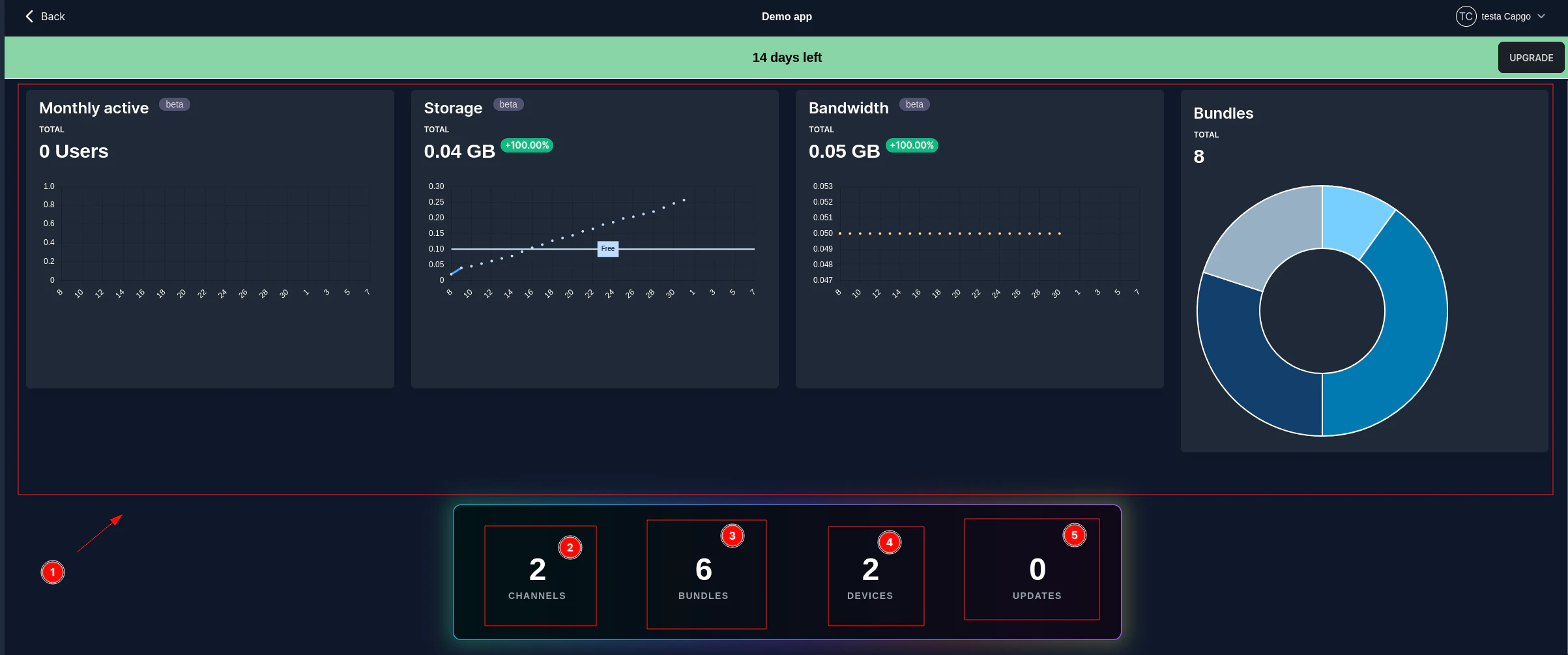
Capgo's Updater-Telemetrie ist für die Update-Übermittlung und die Betriebsüberwachung konzipiert. Die gehostete Statistik-Payload ist dem App-Benutzer standardmäßig anonym: keine Namen, E-Mails, Anmeldeinformationen, Benutzerinhalte, medizinische Aufzeichnungsnummern oder Verhaltensanalytik werden gesendet.
Die einzige stabile Identifikationsnummer ist eine zufällige, app-gescoppte device_idEs ist nicht an einen bekannten Benutzer gebunden, es sei denn, Ihre App custom_idDedizierte Statistikberichte können durch Einstellung deaktiviert werden.
statsUrl: ''.
app_id - Capacitor Anwendungs-Identifikator
app_id - __CAPGO_KEEP_0__ App-Identifikator
device_id - zufällige app-gescoppte Geräte-ID
platform - iOS, Android oder Electron
version_build und version_code - native App-Version
version_os und plugin_version
aktion - installieren, herunterladen, fehlschlagen, rückgängig machen, app-bereit Ereignisse
ist_emulator und ist_prod wenn verfügbar
IP-Adresse für Routing, Missbrauchsvorbeugung und CDN-Optimierung
custom_id nur, wenn Ihre App es explizit festlegt
Setzen Sie keine benutzerdefinierte ID für HIPAA-sensitiven Bereitstellungen.
setCustomId Kann den Updater-Telemetrie zu einem Benutzer, Patienten, Mitarbeiter oder Konto-Record aus Ihrer eigenen App verbinden. Lassen Sie es ungesetzt, wenn die Überprüfung eine Geräteskopelei-Telemetrie erfordert.
Müssen Sie die dedizierten Statistikberichte deaktivieren?
Setzen Sie statsUrl: '' im Konfiguration des Updaters. Dies deaktiviert spezielle Statistikberichte; Update-Überprüfungen können weiterhin verwendet werden updateUrl and
channelUrl Wenn Sie sie aktivieren lassen, senden diese Anfragen weiterhin Geräte-basierte Daten an Capgo.
Steuerungsoptionen
Mit der am einfachsten zu handhabenden Option beginnen, die Ihr Rezensent akzeptiert. Erst dann auf Selbsthosting umsteigen, wenn die bereitgestellten Hosted-Optionen nicht ausreichen.
Route Capgo-Updates, -Statistiken und -Kanalanfragen über den EU-Host, wenn Ihre Überprüfung Hosted Capgo Cloud mit regionaler Datenverwaltung zulässt.
Setzen Sie statsUrl auf einen leeren String, wenn Ihr Prozess Hosted Capgo Cloud für Update-Lieferungen zulässt, aber nicht für Geräte-Update-Statistiken.
Senden Sie Update-Statistiken an Ihren eigenen Endpunkt, damit Ihr Team die Aufbewahrung, Warnungen und Vorfallserkundung der Daten besitzt.
Führen Sie den Updater-Stack in Ihrem kontrollierten Umfeld aus, wenn die kontrollierten Wege nicht ausreichen, um Ihren Rezensenten oder Kundenvertrag zu erfüllen.
Telemetrie-Kompromiss
Disabling or redirecting statistics can be the right compliance decision, but it removes the hosted signal Capgo uses to explain what happened in the app after an update was checked, downloaded, installed, or rolled back.
Wenn eine Überprüfung mehr benötigt
Capgo arbeitet mit Unternehmen zusammen, die sich der Einhaltung der HIPAA-Vorschriften unterziehen, einschließlich US-Organisationen, die Capgo in HIPAA-konformen Programmen verwenden. Unternehmenspläne bieten eine Geschäftskundenvereinbarung (BAA) für Gesundheitskunden. Wenn der gehostete Service, die EU-Datensicherheit, die deaktivierten Statistiken oder die selbstgehosteten Statistik-Endpunkt immer noch nicht ausreichen, können wir Ihnen helfen, selbst zu hosten, mit einem Lizenzmodell.
Das Pfad bietet Ihrer Organisation Kontrolle über Infrastruktur, Protokolle, Aufbewahrung, Netzwerkgrenzen und Überprüfungsbelege, während der Capgo Updateprozess beibehalten wird.

Brauchen Sie zunächst Sicherheitsnachweise? Überprüfen Sie das öffentliche Vertrauenszentrum, dann verwenden Sie die HIPAA-technischen Dokumente, um das Bereitstellungsmodell für Ihre App auszuwählen.