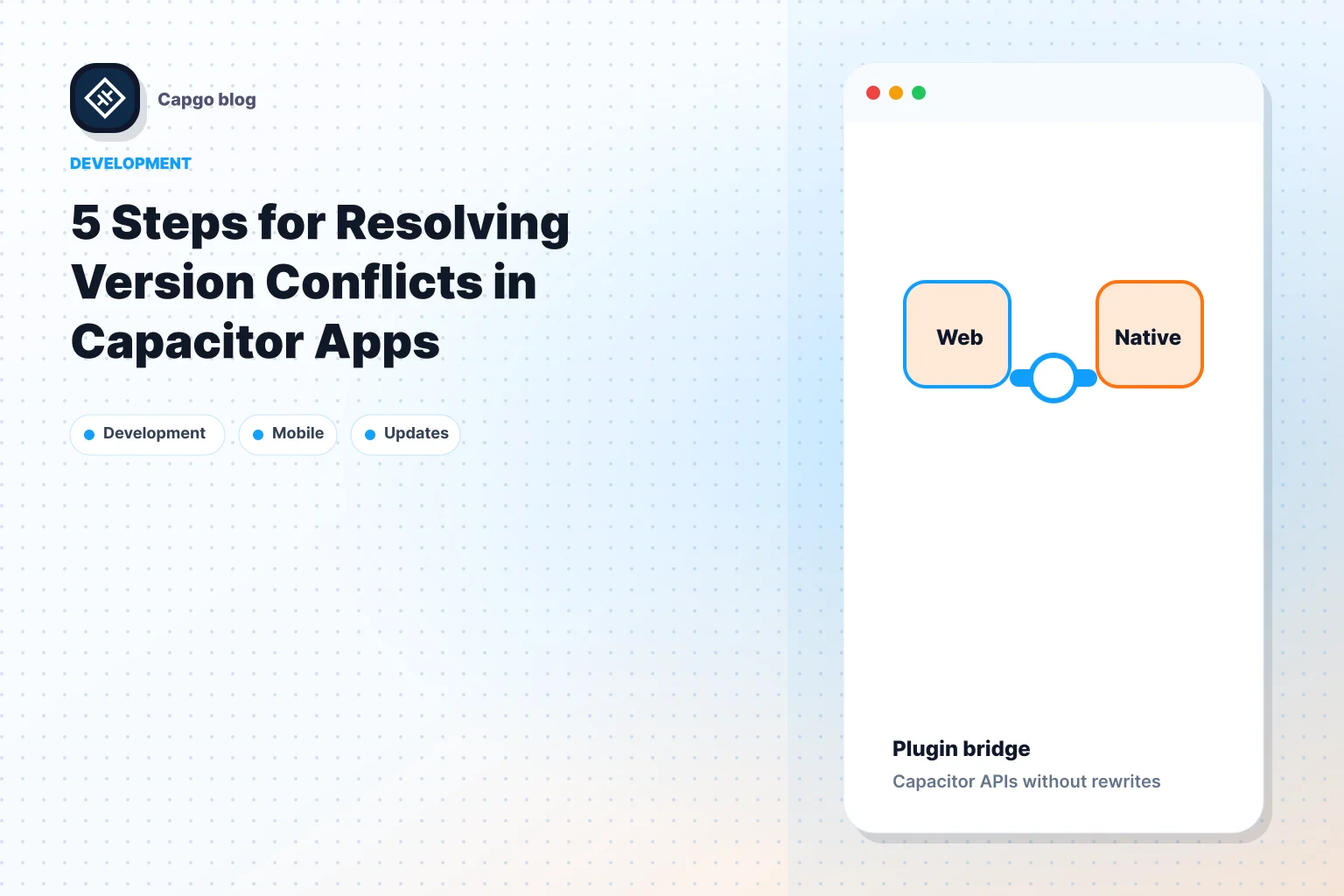
__CAPGO_KEEP_0__ 앱의 2중 통신 Capacitor __CAPGO_KEEP_0__ 앱은 웹과 네이티브层를 연결하여 실시간 데이터 교환을 가능하게 합니다. 이로써 웹 기술은 카메라나 GPS와 같은 네이티브 장치 기능에 접근할 수 있으며 네이티브层는 웹 요소와 상호작용할 수 있습니다. 그 이유는 무엇인가요?
- 즉시 업데이트: 앱 스토어 지연 없이 수정 및 기능을 배포하세요.
- : 웹 효율성을 네이티브 접근과 결합하세요.성능 향상
- 개선된 사용자 경험: 웹과 네이티브 기능의MOOTH 통합.
- 글로벌 접근성: 시스템들 중 Capgo 수백만 건의 업데이트를 82% 성공률로 제공합니다.
수백만 명의 사용자에게 82% 성공률로 업데이트를 전달합니다.
- Capgo 업데이트__CAPGO_KEEP_0__ 업데이트
- : 1,400 앱에서 947.6M 업데이트를 전달합니다.업데이트 속도
- Security: 데이터 전송을 안전하게 보장하는 끝-끝 암호화가 있습니다.
이 안내서에서는 두 가지 방향의 통신을 설정하는 방법, 사용자 지정 플러그인을 구현하는 방법, 앱의 성능을 최적화하는 방법에 대해 설명합니다. Capacitor 앱들.
Capacitor 앱을 만드는 방법 Capacitor Capacitor 플러그인
핵심 개념과 구조
Capacitor의 Capacitor 브릿지는 웹 애플리케이션과 네이티브 디바이스 기능 간의 단단한 커뮤니케이션을 위한 교차 플랫폼 앱의 근간을 담당합니다.
How the Capacitor Bridge Works
The Capacitor bridge acts as a middleman, facilitating communication between your web app and native device functionality. It uses a two-way message queue to ensure messages are delivered reliably, even during high traffic.
| Layer | Function | 데이터 처리 |
|---|---|---|
| 웹 Layer | JavaScript 호출을 시작합니다. | JSON 형식으로 데이터를 변환합니다. |
| 브릿지 코어 | 메시지 라우팅 및 큐 관리 | 데이터 유효성 검사 및 변환 |
| 네이티브 Layer | 플랫폼 특정 작업을 실행합니다. | 데이터 처리 및 역직렬화 |
교통을 보장하는 다리는 메시지 형식의 유효성을 검사하고 데이터 타입을 변환하고, 적절한 네이티브 핸들러로 호출을 라우팅합니다. 또한 promise 기반의 응답을 제공하여 비동기 작업을 처리하는 것을 더 쉽게 해줍니다. 이 시스템은 프로젝트에 성공적으로 통합하기 위해 주의 깊게 설정해야 합니다.
프로젝트 설정 단계
웹 네이티브 통신을 위한 프로젝트를 구성하려면 다음 단계를 따르세요.
-
프로젝트 구조 설정
프로젝트 디렉토리를 다음과 같이 조직하세요.
my-app/ ├── src/ │ ├── app/ │ └── plugins/ ├── ios/ ├── android/ └── capacitor.config.json -
네이티브 플랫폼 설정
각 플랫폼의 다리 설정을 Capacitor 구성 파일에서 조정하세요. 예를 들어:
{ "plugins": { "CustomPlugin": { "ios": { "bridgeMode": "modern" }, "android": { "messageQueue": "async" } } } } -
다리 구현
다리를 최적의 성능으로 설정하세요. 예를 들어, 안드로이드에서 'async' 모드를 활성화하여 속도와 안정성을 향상시키세요.
통신 방법
웹과 네이티브层 간에 데이터를 양방향으로 전송하기 위해 특정 메서드를 사용하여 무결한 두 방향 통신을 활성화하세요.
웹에서 네이티브로의 호출
Capacitor 앱에서 2-way 통신 구현하는 방법:
// Custom plugin implementation
const MyPlugin = {
  echo: async (options: { value: string }) => {
    return Capacitor.Plugins.MyPlugin.echo(options);
  }
};

// Usage in web code
await MyPlugin.echo({ value: "Hello Native!" });
구현 시 고려해야 할 사항:
| Aspect | Implementation | Best Practice |
|---|---|---|
| 데이터 타입 | JSON-serializable | 가능한 경우 기본 타입만 사용하십시오 |
| 에러 처리 | 프로미스를 반환하십시오 | try-catch 블록으로 호출을 감싸십시오 |
| 성능 | Batch operations | 효율성을 위해 관련된 호출을 결합하십시오. |
웹에서 네이티브 데이터 전송
Native code는 웹层로 데이터를 전송하고 이벤트를 트리거할 수 있습니다. 이 방법은 다음과 같습니다.
// Set up a custom event listener in web code
window.addEventListener('myCustomEvent', (event) => {
  const data = event.detail;
  handleNativeData(data);
});

// Trigger the event from native code (Swift/Kotlin)
notifyWebView("myCustomEvent", {
  "status": "success",
  "data": nativeResponse
});
비동기 데이터 흐름 관리
웹과 네이티브层 간의 비동기 작업을 관리하는 데 필요한 계획을 신중히 고려해야 합니다. 이 전략을 사용하세요.
- Queue Management: 여러 비동기 요청을 처리하기 위해 메시지 큐를 유지하세요.
- 상태 동기화: 웹과 네이티브层 간의 상태를 일관되게 유지하세요.
- 에러 복구: 실패한 통신을 처리하기 위해 재시도 메커니즘을 사용하세요.
이 예는 메시지 큐의 작동을 보여줍니다:
class MessageQueue {
  private queue: Array<Message> = [];

  async processMessage(message: Message) {
    await this.queue.push(message);
    await this.processQueue();
  }

  private async processQueue() {
    while (this.queue.length > 0) {
      const message = this.queue[0];
      try {
        await this.sendToNative(message);
        this.queue.shift();
      } catch (error) {
        await this.handleError(error);
        break;
      }
    }
  }
}
구현 가이드
커스텀 플러그인 만들기
무결성 있는 양방향 통신을 위해, __CAPGO_KEEP_0__ 플러그인을 만들 수 있습니다. 사용자 정의 Capacitor 플러그인:
// Define plugin interface
export interface MyCustomPlugin {
  sendMessage(options: { data: string }): Promise<{ result: string }>;
}

// Register plugin
@Plugin({
  name: 'MyCustomPlugin',
  platforms: ['ios', 'android']
})
export class MyCustomPluginImplementation implements MyCustomPlugin {
  async sendMessage(options: { data: string }): Promise<{ result: string }> {
    // Bridge to the native layer using a promise
    return await Capacitor.nativePromise('sendMessage', options);
  }
}
커스텀 플러그인을 만들었으면, JavaScript가 네이티브层와 직접 통신할 수 있도록 통합할 수 있습니다:
이 설정은 JavaScript와 네이티브 __CAPGO_KEEP_0__ 간에 신뢰할 수 있는 통신 채널을 보장합니다.
class NativeIntegration {
  private static instance: NativeIntegration;
  private messageQueue: string[] = [];

  static getInstance(): NativeIntegration {
    if (!NativeIntegration.instance) {
      NativeIntegration.instance = new NativeIntegration();
    }
    return NativeIntegration.instance;
  }

  async sendToNative(data: any): Promise<void> {
    try {
      const plugin = Capacitor.Plugins.MyCustomPlugin;
      // Convert the data to JSON format before sending
      const response = await plugin.sendMessage({ data: JSON.stringify(data) });
      this.handleResponse(response);
    } catch (error) {
      this.handleError(error);
    }
  }

  private handleResponse(response: { result: string }): void {
    if (response.result === 'success') {
      // Immediately process any queued messages
      this.processQueue();
    }
  }

  private handleError(error: any): void {
    console.error('Error communicating with the native layer:', error);
  }

  private processQueue(): void {
    while (this.messageQueue.length) {
      console.log('Processing message:', this.messageQueue.shift());
    }
  }
}
This setup ensures a reliable communication channel between JavaScript and native code.
네이티브 쪽에서 발생하는 이벤트를 처리하기 위해, 이벤트 매니저를 사용하여 이벤트 리스너와 데이터 전송을 관리하세요:
성능을 개선하기 위해, 이벤트를 그룹화하거나 전송되는 데이터의 크기를 줄이는 것을 고려하세요. 이 이벤트 관리 전략은 이전에 설명한 웹-네이티브 및 네이티브-웹 통신 방법과 함께 작동합니다.
class EventManager {
  private eventListeners: Map<string, Function[]> = new Map();

  registerListener(eventName: string, callback: Function): void {
    if (!this.eventListeners.has(eventName)) {
      this.eventListeners.set(eventName, []);
    }
    this.eventListeners.get(eventName)?.push(callback);
  }

  async dispatchEvent(eventName: string, data: any): Promise<void> {
    const listeners = this.eventListeners.get(eventName) || [];
    for (const listener of listeners) {
      await listener(data);
    }
  }
}

// Usage example
const eventManager = new EventManager();
eventManager.registerListener('dataReceived', (data) => {
  console.log('Received data:', data);
});

// Dispatch an event from native code
eventManager.dispatchEvent('dataReceived', {
  type: 'sensor',
  value: 42,
  timestamp: Date.now()
});
Technical Guidelines
Capacitor 앱에서 2 방향 통신
데이터 보안
웹과 네이티브层 간 데이터를 보호하기 위해 강력한 보안 프로토콜을 구현하고 종단 간 암호화를 사용하세요.
여기에는 TypeScript 예시가 있습니다.
class SecureDataTransfer {
  private encryptionKey: CryptoKey;

  constructor() {
    this.encryptionKey = this.generateSecureKey();
  }

  async encryptData(data: any): Promise<ArrayBuffer> {
    const stringData = JSON.stringify(data);
    return await window.crypto.subtle.encrypt(
      { name: "AES-GCM", iv: window.crypto.getRandomValues(new Uint8Array(12)) },
      this.encryptionKey,
      new TextEncoder().encode(stringData)
    );
  }

  private async generateSecureKey(): Promise<CryptoKey> {
    return await window.crypto.subtle.generateKey(
      { name: "AES-GCM", length: 256 },
      true,
      ["encrypt", "decrypt"]
    );
  }
}
이 접근 방식은 데이터 전송 중敏感 데이터를 암호화하여 잠재적인 취약점을 줄입니다.
Code 최적화
code 최적화는 앱 성능을 향상시키고 플랫폼 요구 사항에 맞춥니다. Capgo의 메트릭은 이러한 최적화의 영향을 확인합니다. [1].
다음은 효율성을 높이기 위해 프로세스를 배치하는 예시입니다.
class OptimizedDataTransfer {
  private static readonly BATCH_SIZE = 1000;
  private messageQueue: Array<any> = [];

  async batchProcess(): Promise<void> {
    while (this.messageQueue.length) {
      const batch = this.messageQueue.splice(0, OptimizedDataTransfer.BATCH_SIZE);
      await this.processBatch(batch);
    }
  }

  private async processBatch(batch: Array<any>): Promise<void> {
    const compressedData = await this.compress(batch);
    await this.send(compressedData);
  }

  private async compress(data: Array<any>): Promise<ArrayBuffer> {
    // Compression logic here
  }

  private async send(data: ArrayBuffer): Promise<void> {
    // Data transmission logic here
  }
}
이 방법은 리소스 사용을 최소화하고 심각한 부하에도 smooth한 작동을 보장합니다.
앱 스토어 규칙 및 업데이트
따라하기 애플 앱 스토어 그리고 구글 플레이 스토어 업데이트 중 발생할 수 있는 비준수 문제를 피하기 위한 지침
“앱 스토어 준수” - Capgo [1]
업데이트 관리를 더 잘 하기 위해 버전 관리와 롤백 기능을 포함하세요:
class UpdateManager {
  private currentVersion: string;
  private previousVersion: string;

  async applyUpdate(newVersion: string): Promise<boolean> {
    try {
      this.previousVersion = this.currentVersion;
      this.currentVersion = newVersion;
      return true;
    } catch (error) {
      await this.rollback();
      return false;
    }
  }

  private async rollback(): Promise<void> {
    this.currentVersion = this.previousVersion;
  }
}
로드리고 만티카가 말합니다:
“우리는_agile 개발을 실천하고 @Capgo는 사용자에게 지속적으로 제공하는 mission-critical입니다!” [1]
이 설정은 변경 사항에 빠르게 적응할 수 있도록 사용자 경험을 유지하면서도 빠른 수정, 빠른 기능 출시 및 전체적인 사용자 경험을 향상할 수 있도록 합니다.
결론
Capacitor 앱에서 양방향 통신은 빠른 업데이트와 안정적인 성능을 보장하는 데 중요한 역할을 합니다. 웹과 네이티브层 간의 smooth한 연결은 빠른 수정, 빠른 기능 출시 및 전체적인 사용자 경험을 향상할 수 있도록 합니다.
live update 플랫폼인 Capgo의 영향은 숫자에서 rõ ràng합니다:
| 지표 | 결과 |
|---|---|
| 업데이트 속도 | 24시간 이내에 95%의 사용자가 업데이트했다 |
| 글로벌 도달 범위 | 1,400개의 프로덕션 앱에서 947.6백만 건의 업데이트 |
| 신뢰성 | 세계적으로 82%의 성공률 |
개발자들은 이러한 결과를 경험으로 뒷받침한다. Rodrigo Mantica가 공유했다:
“Agile 개발을 실천하고 있으며 @Capgo은 사용자에게 지속적으로 제공하는 mission-critical 요소입니다!” [1]
웹 및 네이티브层 사이에서 데이터가 이동하는 동안 안전하게 관리되는 민감한 데이터는 이미 프로덕션에서 사용 중인 시스템의 많은 앱을 위한 정보의 안전성을 보장합니다. [1].
Capacitor 기술이 계속 발전하는 동안, 향후 앱 개발에서 안전하고 효율적인 웹-네이티브 통신 채널을 유지하는 것이 최우선 과제로 남아있을 것입니다.
FAQs
::: faq
How does two-way communication improve the connection between web and native layers in Capacitor apps?
Capacitor 앱에서 양방향 통신은 웹과 네이티브层 간의 상호 작용을 단순화하고 기능과 실시간 업데이트 통합을 가능하게 합니다. 이 접근 방식은 개발자가 앱 스토어 승인 기다리지 않고 사용자에게 바로 수정, 향상 및 새로운 기능을 푸시할 수 있도록 합니다.
개발자는 이 기능을 활용하여 앱 성능을 개선하고 사용자 피드백에 더 빠르게 대응하며 경쟁력을 유지할 수 있습니다. Capgo과 같은 도구는 라이브 업데이트, 종단 간 암호화 및 플랫폼 요구 사항 준수를 제공함으로써 개발_workflow의 smooth하고 효율적인 workflow를 보장하는 데 도움이 됩니다.
::: faq
Capacitor 앱의 성능을 향상시키기 위한 커스텀 플러그인 만들기 위한 최적화 방법은 무엇인가요?
커스텀 플러그인을 Capacitor 앱에 구현하면 성능이 크게 향상되고 앱의 특정 요구 사항에 맞게 기능을 조정할 수 있습니다. 다음은 몇 가지 권장 사항입니다.
- 자연적인 네이티브 구문으로 최적화된 네이티브 Code code을 효율적으로 유지하고 불필요한 계산을 피하기 위해 보장하세요. iOS("스위프트iOS (Swift) 및 Android (Java)코틀린).
- 통신 오버헤드 최소화 데이터 교환의 빈도와 크기를 줄이고 웹 및 네이티브层 간의 반응성을 향상하세요.
- 실제 기기에서 테스트: 실제 기기에서 플러그인을 테스트하여 성능 병목 현상을 식별하세요. 이 병목 현상은 에뮬레이터에서 나타나지 않을 수 있습니다.
업데이트를 스트리밍하고 앱 성능을 유지하려면 Capgo와 같은 플랫폼을 사용할 수 있습니다. Capgo은 즉시 업데이트를 푸시할 수 있으므로 플러그인과 앱이 최적화되어 앱 스토어 승인 없이 유지됩니다.
::: faq
Capacitor 앱에서 웹 및 네이티브层 간의 2중 통신을 활성화할 때 데이터를 보안하는 방법은?
Capacitor 앱에서 양방향 통신 시 데이터 보안을 보장하기 위해서는 Capacitor 앱에서 양방향 통신 시 데이터 보안을 보장하기 위해서는 몇 가지 중요한 절차를 준수해야 합니다. Capacitor 앱에서 양방향 통신 시 데이터 보안을 보장하기 위해서는 몇 가지 중요한 절차를 준수해야 합니다. __CAPGO_KEEP_0__ 앱은 또한 sensitive 정보를 저장하기 위한 안전한 저장소 솔루션과 모든 네트워크 통신을 위한 HTTPS를 사용하는 것이 좋습니다. 이 기사에서는 __CAPGO_KEEP_1__과 같은 안전한 라이브 업데이트를 위한 도구를 강조하지만, 이러한 기초적인 실천은 강력한 앱 보안을 유지하기 위해 중요합니다. 2중 통신을 활성화하여 __CAPGO_KEEP_0__ 앱을 계속 진행하세요.
Capacitor apps can also benefit from secure storage solutions for sensitive information and leveraging HTTPS for all network communication. While the article highlights tools like Capgo for secure live updates, these foundational practices are critical for maintaining robust app security. :::
Capacitor 앱에서 계속 진행
__CAPGO_KEEP_0__은 Capacitor 앱에서 2중 통신을 활성화하여 앱 성능을 향상하고 사용자 경험을 개선하는 데 도움이 됩니다. Capacitor 앱에서 2 방향 통신 Capacitor 앱에서 네이티브 플러그인 작업을 계획하기 위해 연결하세요. Capgo 플러그인 디렉토리 Capacitor 앱에서 제품 워크플로우에 대한 Capgo 플러그인 디렉토리 Capacitor 플러그인들에 의해 Capgo Capacitor 플러그인에서 Capgo 구현 세부사항을 위해 플러그인 추가 또는 업데이트 플러그인 추가 또는 업데이트에서 구현 세부 정보 아이오닉 엔터프라이즈 플러그인 대안 아이오닉 엔터프라이즈 플러그인 대안에서 제품 워크플로우 Capgo 원시 빌드 Capacitor 앱의 제품 워크플로우에서 Capgo 네이티브 빌드.