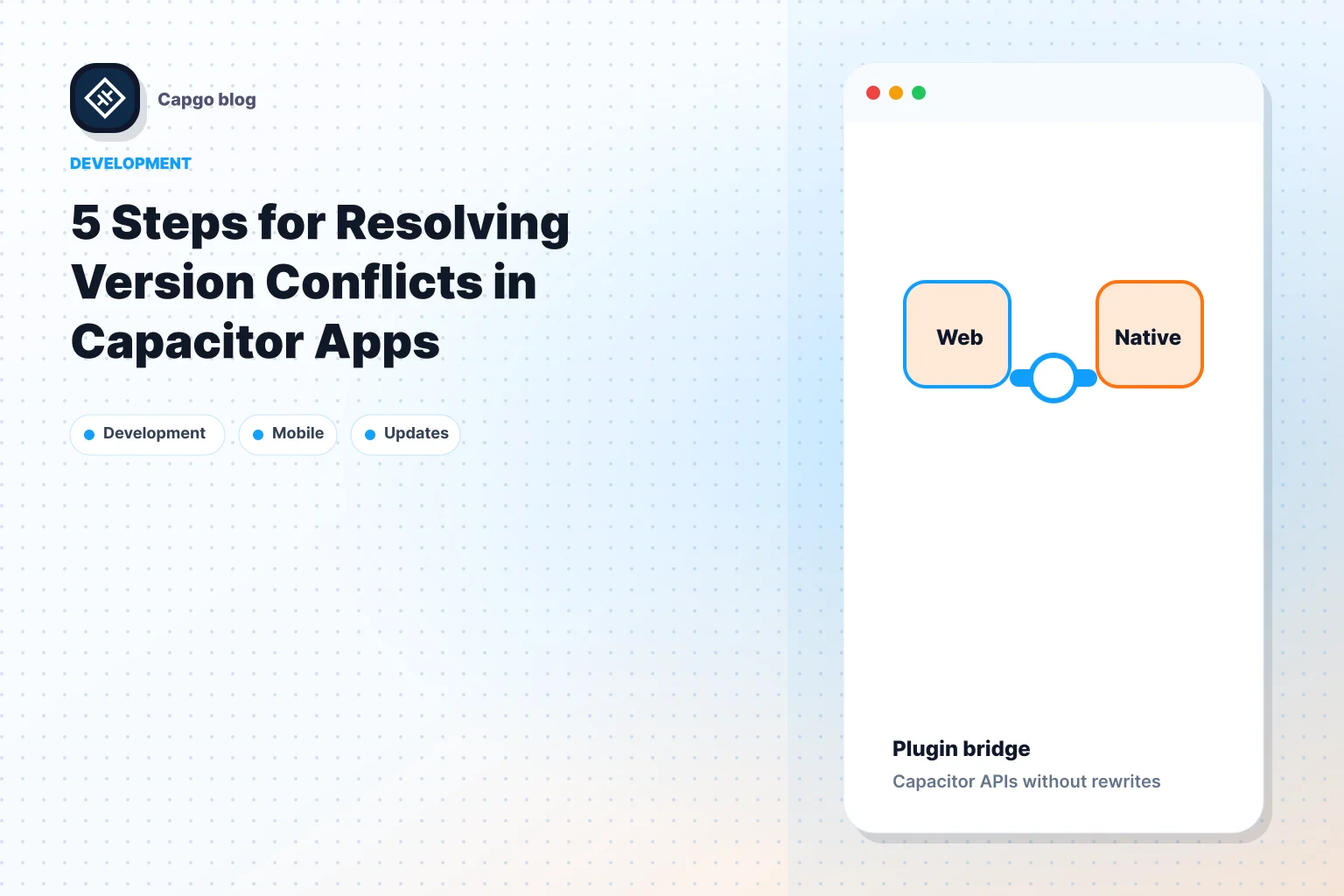
__CAPGO_KEEP_0__の2つの方向の通信 Capacitor __CAPGO_KEEP_0__のアプリは、ウェブとネイティブレイヤーを結び付け、リアルタイムデータの交換を可能にします。これにより、ウェブ技術はカメラやGPSなどのネイティブデバイスの機能にアクセスでき、ネイティブレイヤーはウェブ要素と相互作用できます。ここで、なぜこれが重要かを説明します:
- 即時更新: アプリストアの遅延なしで修正と機能を展開します。
- パフォーマンスの向上: ウェブの効率性と直接のネイティブアクセスを組み合わせます。
- ユーザー体験の向上: Webとネイティブ機能のスムーズな統合。
- グローバル・リーチ: システム Capgo 1,000万回のアップデートを82%の成功率で提供します。
Quick Facts:
- Capacitor アプリの Capgo Updates: 1,400アプリで947.6Mの更新。
- アップデートスピード: 24時間以内に95%のユーザーが更新。
- Security:暗号化により安全なデータ転送が保証されます。
Capacitorアプリの2方向の通信を設定する方法を説明し、カスタムプラグインの実装、パフォーマンスの最適化について説明します。 Capacitor アプリ.
Capacitor アプリで 2 つの方向の通信を実現する方法 Capacitor コンテキスト: Live updates product page. 役割: セクションまたはページヘッダー。見られる場所: page live-update.astro。Capgo製品/ブランドと開発者用語を完全に保持するようにしてください。
YouTube動画プレイヤー
CapacitorのCapacitorブリッジは、クロスプラットフォームアプリでウェブアプリケーションとネイティブデバイス機能間の平滑な通信の基盤を提供します。
Capacitor ブリッジは、クロスプラットフォームアプリ間でウェブアプリケーションとネイティブデバイス機能との間の平滑な通信の基盤として機能します。
How the Capacitor Bridge Works (Capacitor Live Update Platformの橋のしくみ) です。
| Layer | Function | データハンドリング |
|---|---|---|
| Web Layer | JavaScriptの呼び出しを開始する | データをJSON形式に変換する |
| ブリッジコア | メッセージのルーティングとキュー管理 | データの検証と変換 |
| ネイティブレイヤー | プラットフォーム固有の操作を実行する | データの処理とデシリアライズ |
橋梁は、メッセージのフォーマットを検証し、データの型を変換し、適切なネイティブハンドラーに呼び出しをルーティングすることで、Smoothなコミュニケーションを保証します。また、Promiseベースのレスポンスを提供することで、非同期操作を扱いやすくします。このシステムは、プロジェクトに成功して統合するために、慎重なセットアップが必要です。
プロジェクト設定手順
プロジェクト構成を設定するには、次の手順に従ってください。
-
プロジェクト構造の設定
ネイティブプラットフォームを設定する
my-app/ ├── src/ │ ├── app/ │ └── plugins/ ├── ios/ ├── android/ └── capacitor.config.json -
各プラットフォームの橋梁設定を __CAPGO_KEEP_0__ 設定ファイルで調整します。たとえば:
プラットフォームごとにブリッジ設定を、Capacitor 設定ファイルで調整します。例えば、
{ "plugins": { "CustomPlugin": { "ios": { "bridgeMode": "modern" }, "android": { "messageQueue": "async" } } } } -
橋梁を最適なパフォーマンスで設定するには、たとえば、Androidで‘async’モードを有効にすると、速度と安定性を確保できます。
コミュニケーション方法
Webとネイティブ層間で、データの両方向の転送に特定のメソッドを使用することで、Smoothな2方向のコミュニケーションを実現できます。
Webからネイティブへの呼び出し
ウェブからネイティブへのコール
Capacitor アプリの 2 つの方向の通信の実装方法
// Custom plugin implementation
const MyPlugin = {
  echo: async (options: { value: string }) => {
    return Capacitor.Plugins.MyPlugin.echo(options);
  }
};

// Usage in web code
await MyPlugin.echo({ value: "Hello Native!" });
実装の重要な考慮事項
| アスペクト | 実装 | ベスト プラクティス |
|---|---|---|
| データ タイプ | JSON からシリアライズ可能 | 可能な限りプリミティブ タイプに従う |
| エラー ハンドリング | プロミスを返す | try-catch ブロックで呼び出しをラップする |
| パフォーマンスの改善 | Batch operations | 関連するコールを組み合わせて効率を高める |
ネイティブからWebへのデータ転送
ネイティブ code はWeb層にデータを送信し、イベントをトリガーすることができます。ここではその方法を紹介します。
// Set up a custom event listener in web code
window.addEventListener('myCustomEvent', (event) => {
  const data = event.detail;
  handleNativeData(data);
});

// Trigger the event from native code (Swift/Kotlin)
notifyWebView("myCustomEvent", {
  "status": "success",
  "data": nativeResponse
});
非同期データフローの管理
Web層とネイティブ層間の非同期オペレーションを管理するには、慎重な計画が必要です。以下の戦略を使用してください。
- キュー管理:複数の非同期要求を処理するためにメッセージキューを維持する
- 状態同期:Web層とネイティブ層間の状態を一貫性を保つ
- エラー回復:失敗したコミュニケーションを処理するためにリトライ機構を使用する
Capacitorアプリの例では、メッセージキューの実行例があります。
class MessageQueue {
  private queue: Array<Message> = [];

  async processMessage(message: Message) {
    await this.queue.push(message);
    await this.processQueue();
  }

  private async processQueue() {
    while (this.queue.length > 0) {
      const message = this.queue[0];
      try {
        await this.sendToNative(message);
        this.queue.shift();
      } catch (error) {
        await this.handleError(error);
        break;
      }
    }
  }
}
実装ガイド
カスタムプラグインの作成
2方向の通信を実現するには、カスタム Capacitor プラグインの作成:
// Define plugin interface
export interface MyCustomPlugin {
  sendMessage(options: { data: string }): Promise<{ result: string }>;
}

// Register plugin
@Plugin({
  name: 'MyCustomPlugin',
  platforms: ['ios', 'android']
})
export class MyCustomPluginImplementation implements MyCustomPlugin {
  async sendMessage(options: { data: string }): Promise<{ result: string }> {
    // Bridge to the native layer using a promise
    return await Capacitor.nativePromise('sendMessage', options);
  }
}
JavaScriptとネイティブの統合
カスタムプラグインを構築した後、JavaScriptがネイティブ層と直接通信できるように統合することができます:
class NativeIntegration {
  private static instance: NativeIntegration;
  private messageQueue: string[] = [];

  static getInstance(): NativeIntegration {
    if (!NativeIntegration.instance) {
      NativeIntegration.instance = new NativeIntegration();
    }
    return NativeIntegration.instance;
  }

  async sendToNative(data: any): Promise<void> {
    try {
      const plugin = Capacitor.Plugins.MyCustomPlugin;
      // Convert the data to JSON format before sending
      const response = await plugin.sendMessage({ data: JSON.stringify(data) });
      this.handleResponse(response);
    } catch (error) {
      this.handleError(error);
    }
  }

  private handleResponse(response: { result: string }): void {
    if (response.result === 'success') {
      // Immediately process any queued messages
      this.processQueue();
    }
  }

  private handleError(error: any): void {
    console.error('Error communicating with the native layer:', error);
  }

  private processQueue(): void {
    while (this.messageQueue.length) {
      console.log('Processing message:', this.messageQueue.shift());
    }
  }
}
This setup ensures a reliable communication channel between JavaScript and native code.
ネイティブイベントのハンドリング
ネイティブ側から起因するイベントをハンドリングするには、イベントマネージャーを使用してイベントリスナーとデータの送信を管理します:
class EventManager {
  private eventListeners: Map<string, Function[]> = new Map();

  registerListener(eventName: string, callback: Function): void {
    if (!this.eventListeners.has(eventName)) {
      this.eventListeners.set(eventName, []);
    }
    this.eventListeners.get(eventName)?.push(callback);
  }

  async dispatchEvent(eventName: string, data: any): Promise<void> {
    const listeners = this.eventListeners.get(eventName) || [];
    for (const listener of listeners) {
      await listener(data);
    }
  }
}

// Usage example
const eventManager = new EventManager();
eventManager.registerListener('dataReceived', (data) => {
  console.log('Received data:', data);
});

// Dispatch an event from native code
eventManager.dispatchEvent('dataReceived', {
  type: 'sensor',
  value: 42,
  timestamp: Date.now()
});
パフォーマンスの向上のために、イベントをグループ化したり、送信されるデータのサイズを減らしたりすることを検討してください。このイベント管理戦略は、前述のウェブからネイティブとネイティブからウェブへの通信方法と組み合わせて使用されます。
技術ガイドライン
データセキュリティ
Web層とネイティブ層間でデータを交換する際に、強力なセキュリティプロトコルを実装し、エンドツーエンド暗号化を使用してデータを保護する。
以下のTypeScriptの例をご覧ください。
class SecureDataTransfer {
  private encryptionKey: CryptoKey;

  constructor() {
    this.encryptionKey = this.generateSecureKey();
  }

  async encryptData(data: any): Promise<ArrayBuffer> {
    const stringData = JSON.stringify(data);
    return await window.crypto.subtle.encrypt(
      { name: "AES-GCM", iv: window.crypto.getRandomValues(new Uint8Array(12)) },
      this.encryptionKey,
      new TextEncoder().encode(stringData)
    );
  }

  private async generateSecureKey(): Promise<CryptoKey> {
    return await window.crypto.subtle.generateKey(
      { name: "AES-GCM", length: 256 },
      true,
      ["encrypt", "decrypt"]
    );
  }
}
このアプローチにより、データの送信中の敏感データが暗号化され、潜在的な脆弱性が軽減されます。
Code 最適化
code の最適化により、効率が向上し、プラットフォームの要件に沿ったアプリのパフォーマンスが向上します。Capgo のメトリクスにより、最適化の影響が検証されます。 [1].
以下に、効率の向上を目的としたプロセスのバッチ処理の例を示します。
class OptimizedDataTransfer {
  private static readonly BATCH_SIZE = 1000;
  private messageQueue: Array<any> = [];

  async batchProcess(): Promise<void> {
    while (this.messageQueue.length) {
      const batch = this.messageQueue.splice(0, OptimizedDataTransfer.BATCH_SIZE);
      await this.processBatch(batch);
    }
  }

  private async processBatch(batch: Array<any>): Promise<void> {
    const compressedData = await this.compress(batch);
    await this.send(compressedData);
  }

  private async compress(data: Array<any>): Promise<ArrayBuffer> {
    // Compression logic here
  }

  private async send(data: ArrayBuffer): Promise<void> {
    // Data transmission logic here
  }
}
この方法により、リソースの使用量が最小化され、重負荷の状況でもスムーズな動作が保証されます。
アプリストアの規則と更新
続ける Apple App Store そして Google Play Store アップデート時の法的問題を回避するためのガイドライン
「アプリストアに適合している」 - Capgo [1]
更新管理の改善のために、バージョン管理とロールバック機能を含める:
class UpdateManager {
  private currentVersion: string;
  private previousVersion: string;

  async applyUpdate(newVersion: string): Promise<boolean> {
    try {
      this.previousVersion = this.currentVersion;
      this.currentVersion = newVersion;
      return true;
    } catch (error) {
      await this.rollback();
      return false;
    }
  }

  private async rollback(): Promise<void> {
    this.currentVersion = this.previousVersion;
  }
}
ロドリゴ・マンチカ氏の意見として:
「アジャイル開発を実践しており、@Capgo はユーザーに継続的に提供するmission-criticalな機能です!」 [1]
この設定により、ユーザー体験を維持しながら、迅速に対応しやすくなります。
結論
Capacitor アプリにおける2方向の通信は、迅速な更新と安定したパフォーマンスを確保するために重要な役割を果たします。ウェブとネイティブ層のスムーズな接続により、迅速な修正、高速な機能のロールアウト、そしてより良好なユーザー体験が可能になります。
The impact of live update platforms like Capgo is clear in the numbers:
| 指標 | 結果 |
|---|---|
| アップデートスピード | 24時間以内に95%のユーザーがアップデート |
| グローバルなアクセス | 1,400のプロダクションアプリで947.6百万回のアップデート |
| 信頼性 | 82%の成功率 |
開発者はこれらの結果を裏付ける実際の経験を持っています。ロドリゴ・マンチカは次のように述べています。
“アジャイル開発を実践しており、@Capgoはユーザーに継続的に提供するmission-criticalな機能です!” [1]
ウェブとネイティブレイヤー間でデータが動作する際に、敏感なデータは安全に管理され、既存のシステムを使用している多くのアプリの情報の安全性を確保しています。 [1].
Capacitor技術が進化するにつれて、安全で効率的なウェブネイティブコミュニケーションチャネルを確保することは、将来のアプリ開発のトップ優先事項となるでしょう。
FAQ
::: faq
Webとネイティブ層の間の接続を向上させるために、Capacitor アプリで2方向の通信はどのように機能するか。
Capacitor アプリの 2 つの方向の通信により、Web とネイティブ層の間のインタラクションが簡素化され、機能の統合とリアルタイムの更新が可能になります。このアプローチにより、開発者はアプリストアの承認を待たずに、修正、改善、または新機能をユーザーに直接プッシュできます。
Capacitorアプリで2方向の通信を実現することで、開発者はアプリのパフォーマンスを向上させ、ユーザーのフィードバックに迅速に対応し、競争力を維持することができます。ツールとしてはCapgoが活用できることで、ライブアップデート、端末間の暗号化、プラットフォームの要件に適合するなど、開発フローをスムーズかつ効率的に実現することができます。
::: faq
Capacitor アプリのパフォーマンスを向上させるカスタム プラグインの作成におけるベスト プラクティスは何か
Creating custom plugins in Capacitor apps can significantly improve performance and tailor functionality to your app’s specific needs. Here are a few best practices to follow:
- Optimize Native Code: iOS固有の最適化を使用して、ネイティブ code が効率的で、不要な計算を避けるようにします。Swift(iOSのObjective-C) と Android (Java/)Kotlin).
- コミュニケーションオーバーヘッドの最小化: データのやり取りを最小限に抑え、レスポンス性を向上させる。
- 実機でテスト: 実機でプラグインをテストして、エミュレータでは見られないパフォーマンスのボトルネックを特定する。
更新をスムーズに実施し、パフォーマンスを維持したい場合は、Capgoなどのプラットフォームを利用できます。Capgoを使用すると、即時更新が可能になり、プラグインやアプリの最適化が可能になり、ストアの承認を必要とせずに済みます。
FAQ
How can developers secure data when enabling two-way communication between web and native layers in Capacitor apps?
データセキュリティを確保するには、Capacitor アプリケーションにおける2方向の通信に必要なベストプラクティスを実装する必要があります。 エンドツーエンド暗号化 を使用して、敏感なデータを保護する必要があります。また、入力の検証とサニタイズを行って、インジェクション攻撃などの脆弱性を防ぐ必要があります。
Capacitor apps can also benefit from secure storage solutions for sensitive information and leveraging HTTPS for all network communication. While the article highlights tools like Capgo for secure live updates, these foundational practices are critical for maintaining robust app security. :::
Keep going from 2-Way Communication in Capacitor Apps
Capgoアプリを使用している場合 2-Way Capacitor Apps __CAPGO_KEEP_0__ を使用してネイティブ プラグインの作業を計画し、接続する Capgo プラグイン ディレクトリ Capgo プラグイン ディレクトリの製品ワークフロー Capacitor プラグイン (Capgo によって提供) Capacitor プラグイン (Capgo によって提供)の実装詳細 プラグインの追加または更新 プラグインの追加または更新の実装詳細 Ionic Enterprise プラグインの代替 Ionic Enterprise プラグインの代替の製品ワークフロー Capgo ネイティブ ビルド Capgo ネイティブ ビルドの製品ワークフロー