

Getting set up took less than a day. Channel-based rollouts let me test on my own device before anything hits production users.
Capgo CLI + MCP
One CLI + MCP to rule them all
One tool for live updates, native builds, compatibility checks, device runs, and AI-assisted Capgo automation through MCP.
Capgo CLI
Release checks, guarded uploads, and native builds in one terminal session.
Animated example — tabs switch the command flow
CLI proof
Release workflows people trust from terminal to production
Short notes from teams using Capgo for Capacitor updates, native builds, and release control.

Being able to add Device ID's to certain groups and push the changes to only certain groups is a life saver.
Honest comparison
Capgo CLI vs. the alternatives.
Same release work. Different automation.
| Capgo CLI | DIY / manual Scripts, Fastlane, and dashboard clicks | Competitor cloud | |
|---|---|---|---|
| Release CLI | One CLI. OTA uploads, native builds, channels, compatibility, device runs, and MCP from the same terminal. | Separate scripts, curl jobs, Fastlane lanes, and one-off API calls you maintain yourself. | No first-class CLI. Releases stay in the dashboard or git-triggered flows. |
| AI agent automation | Built-in MCP. Expose apps, bundles, channels, builds, stats, and diagnostics to Codex, Cursor, Claude Code, and other agents. | Nothing unless you build and maintain your own tooling. | No MCP server. Agents cannot drive releases for you. |
| OTA vs native decision | Explicit command. bundle releaseType tells you whether OTA is safe or a native build is required before you ship. | Manual review of native diffs and tribal knowledge. | Dashboard hints at best. Easy to guess wrong under pressure. |
| Guarded OTA upload | From CI. bundle upload with compatibility gates, delta support, encryption, and QR preview links. | Manual zip upload or custom API scripts with checks you wrote. | Portal upload or git hook. Limited preflight from the terminal. |
| Native build requests | Same terminal. build request with output records, QR links, and logs streamed back to your shell. | Open Xcode, Android Studio, or Fastlane on a Mac you babysit. | Push to git or click in the dashboard. No scriptable build record for CI. |
| CI integration | Scriptable output. JSON build records, exit codes, and QR artifacts your pipeline can gate on. | You glue together every step, secret, and artifact path. | Webhooks in places. Most teams still coordinate releases manually. |
| Compatibility checks | Before upload. CLI scans native dependencies and fails early when OTA would be unsafe. | No guardrails unless you built them. | Basic bundle validation. Native drift is easy to miss. |
| Try before you pay | Yes. 14-day unlimited free trial. No credit card required. | Cheap until you count the hours keeping scripts alive. | Tiered plans. Trials vary by vendor. |
Comparison reflects typical DIY/manual setups and public competitor cloud documentation.
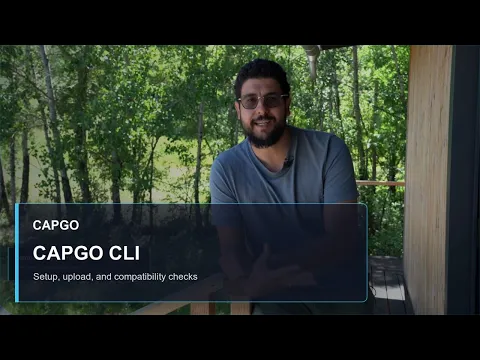
From Martin
Why the Capgo CLI matters
Capgo founder Martin on shipping Capacitor releases from the terminal, checking compatibility before you push, and keeping native builds in the same workflow.
Martin, Founder, Capgo
Command flow
From setup to the right release type
Capgo CLI commands make the important release fork explicit: live update when the web layer changed, native build when the app binary needs to move.
OTA path
Use compatibility gates and preview QR links when the web bundle can move safely.
Native path
Request a signed build when dependencies, permissions, or native code changed.
-
1
Initialize updates, upload, build, and verification flows
npx @capgo/cli@latest init -
2
Ask whether a release should be OTA or native
npx @capgo/cli@latest bundle releaseType com.acme.app --channel production -
3
Upload a guarded live update with a preview QR
npx @capgo/cli@latest bundle upload --channel production --fail-on-incompatible --qr-preview -
4
Request a native build and keep output for CI or PRs
npx @capgo/cli@latest build request com.acme.app --platform ios --build-mode release --output-upload --output-record .capgo/build.json
Automation
Scoped keys in, release events out
Give CI and agents a key that can only do its job, then push every bundle and channel change to the tools your team already watches.
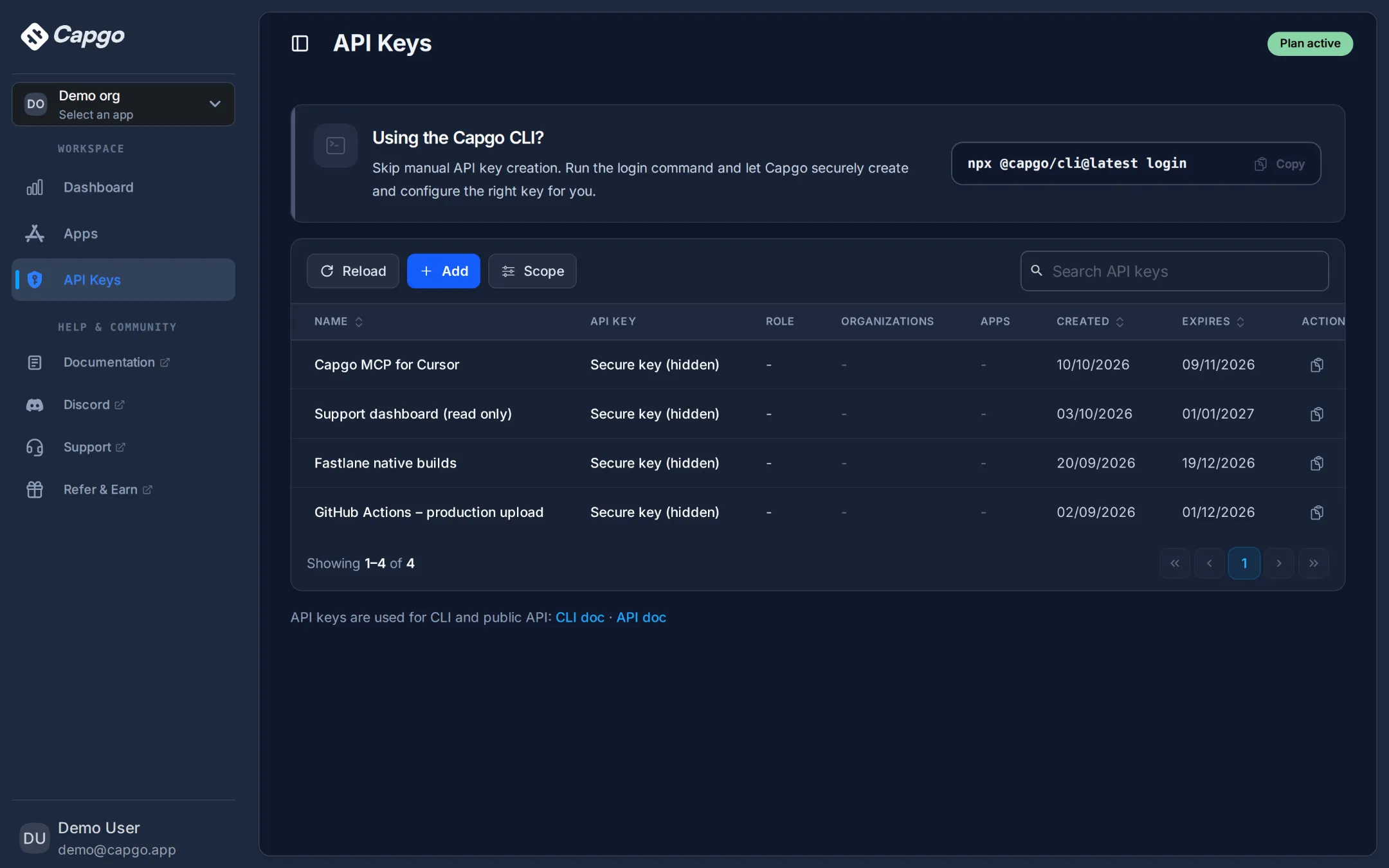
Scoped keys for CI, scripts, and AI agents
Create keys limited to one organization or app, with an upload, read, or write mode and an expiry date. Keys can be stored hashed and never shown again.
- Upload-only keys for CI pipelines
- An expiry date on every key
- Hashed storage when your org requires it
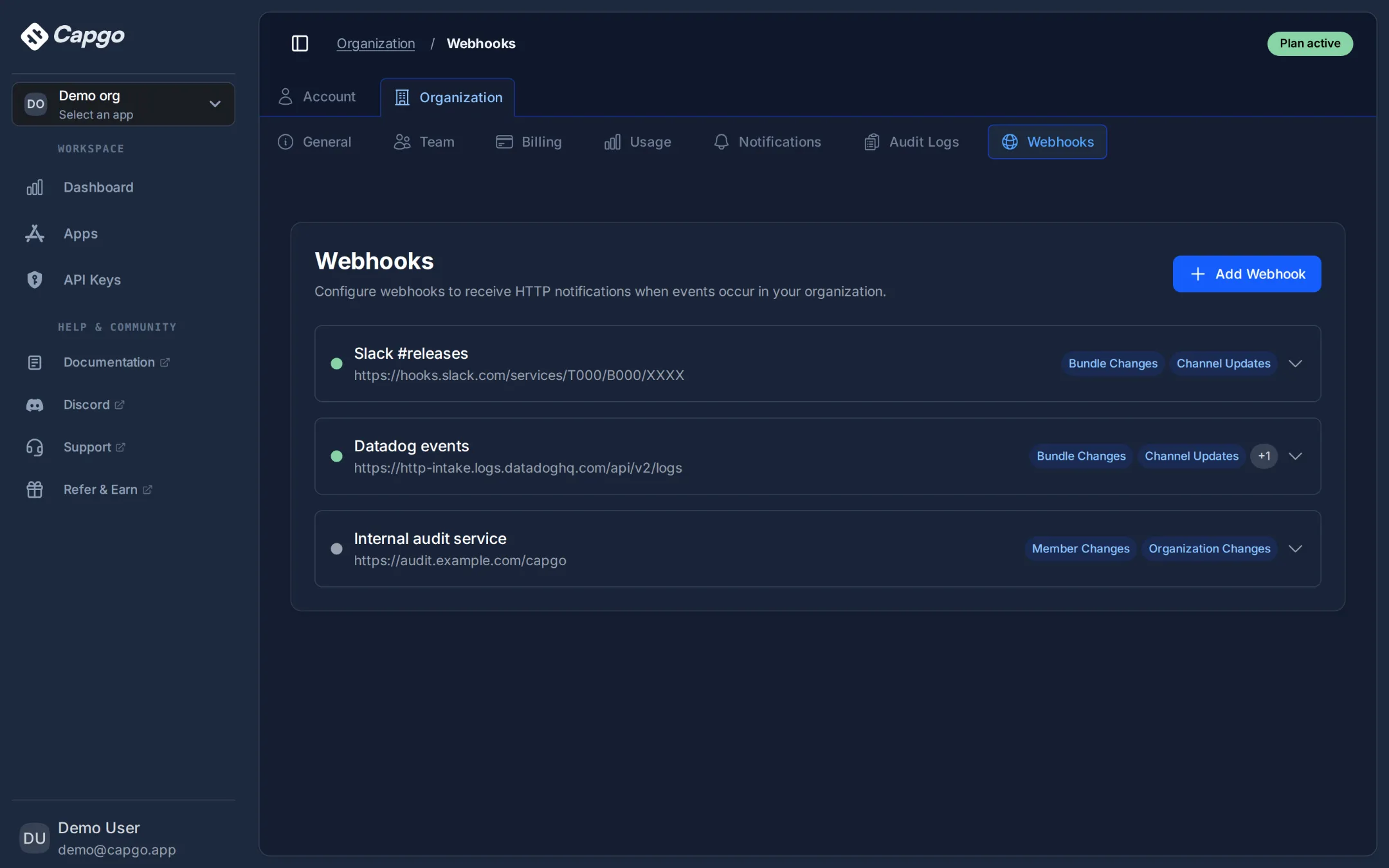
Send release events to Slack, Datadog, or your own service
Subscribe endpoints to bundle, channel, member, and organization changes, and inspect every delivery with its status and response.
- Pick the events each endpoint receives
- Delivery log with response codes and retries
- Send a test event before going live
Native builds and MCP
Let the CLI handle the release work your app actually needs
When compatibility says the change is OTA-safe, ship a guarded live update. When native code, permissions, or dependencies changed, request a native build and keep the output visible for CI, PRs, and reviewers.
Apps
Bundles
Channels
Compatibility
Native builds
Stats
Doctor
Delivery probe
Then ask your agent
- Upload this build to production and fail if it is incompatible
- Request an iOS release build and save the output record
- Run Capgo doctor and fix what it finds
Add Capgo Agent Skills so your agent knows each workflow:
npx skills add Cap-go/capgo-skills
MCP install
Install Capgo CLI MCP
Register the CLI server in Codex, Cursor, Claude Code, Windsurf, VS Code, Zed, or Gemini CLI.
npx install-mcp 'npx @capgo/cli@latest mcp' --client codex
Replace codex with the client your team uses.
Hosted MCP
Use Capgo from Claude, ChatGPT, or Cursor
Nothing to install. Paste the URL into any remote MCP client, sign in with OAuth, and manage apps, channels, rollouts, devices, and builds from chat.
https://api.capgo.app/mcp
Uploads and native build requests still run through the CLI MCP above. Read the hosted MCP setup guide
Build record
iOS release build
Saved output for CI, PR checks, and mobile review.
- Platform
- iOS
- Mode
- release
- Output
- IPA and install QR
- Record
- .capgo/build.json
npx @capgo/cli@latest build request com.acme.app --platform ios --output-upload --output-record .capgo/build.json
Status is visible before release notes are posted.
QR output stays available for device validation.
Errors can fail CI before a risky release ships.
Apps built with Capacitor
Capacitor apps need release tooling that respects native boundaries
Large Capacitor apps mix web changes with native dependencies. The Capgo CLI keeps that boundary visible before a production release goes out.
Apps shown are sourced from a public store app dataset used across the website.

WEATHER
Windy.com - Weather Forecast
32.9M installs
4.7 rating
View store listing

TOOLS
Mi Orange
9.3M installs
4.2 rating
View store listing

TOOLS
My Vodafone
11.1M installs
4.6 rating
View store listing
Use the CLI today
Add Capgo to your release scripts without waiting on a dashboard session.
Start with the CLI docs, then wire compatibility checks, bundle uploads, native builds, or MCP into the workflow your team already uses.