
Capgo Build helped us simplify our Capacitor app release process. We can build and ship iOS and Android apps from one clear workflow.
Signed iOS and Android CapacitorJs builds from any machine. Share with a QR from CI, or upload to the stores.
14-day unlimited free trial. No credit card required
One command, from any machine — to the stores or straight to your users
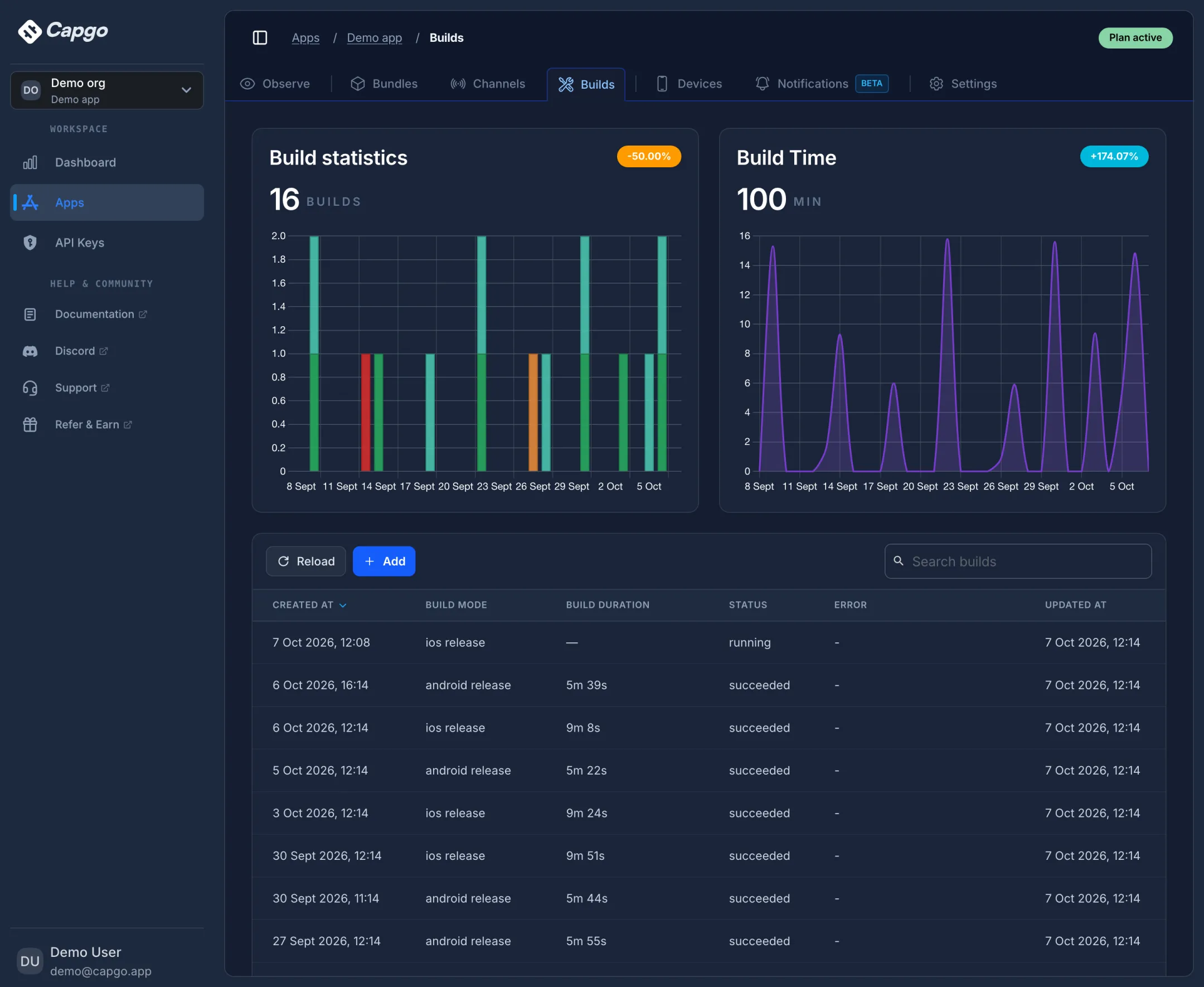
Builds you request from the CLI or CI show up next to your live updates, with failure reasons and build time per platform.
Cloud builds for both stores with status, duration, and failure reasons, plus the build time you used over the period.
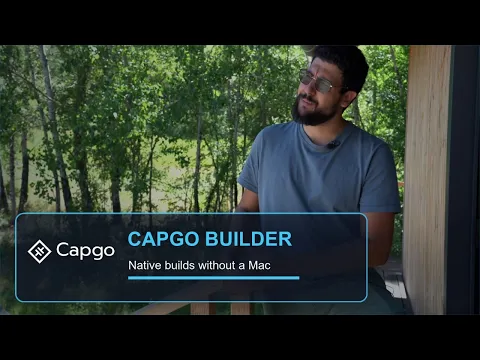
Capgo founder Martin on turning Capacitor projects into signed iOS and Android releases without asking you to hand over your App Store credentials.
Martin, Founder, Capgo
Short notes from Capacitor teams using Capgo for builds and releases.
Capgo Build helped us simplify our Capacitor app release process. We can build and ship iOS and Android apps from one clear workflow.

We originally discovered Capgo through its plugins, and that turned out to be a great entry point into a much more efficient release process for our team.
Click any tile to see exactly what's behind it.
$ capgo build request --platform ios      ✔ 2m 41s
$ capgo build request --platform android  ✔ 1m 22s
Same flag, both platforms. Build, sign, ship.
capgo build request --platform ios archives, signs and uploads to TestFlight. --platform android assembles, signs
with your keystore and uploads to Play. One CLI, identical UX.
M4 Mac runners for iOS and Android. Fast, consistent builds.
Credentials never stored. Deleted after every build.
~/.capgo-credentials/credentials.json, are sent only to ephemeral build envs over HTTPS, and are wiped the
instant the build ends. Logs stream to your terminal and are never written to Capgo disk.
Upload to TestFlight and Play — or skip and share a Capgo QR instead.
app_store distribution uploads to App Store Connect / TestFlight via Fastlane; Android goes to Play. Prefer a Capgo QR instead? Use
ad_hoc on iOS or --no-playstore-upload on Android with --output-upload. Stores stay
optional.
Stream logs, then hand testers a scannable QR download.
qr_download_link message renders a scannable QR + URL for APK / IPA downloads — share it
from CI to customers without TestFlight or Play.
Flavors, keystores, and Cordova plugins handled automatically.
--android-flavor production for any flavor your build.gradle declares. We auto-detect Cordova plugins from
capacitor-cordova-android-plugins/build.gradle. No manual config. Keystore + Play service-account JSON passed by flag.
Optional .p8 for iOS, or we create one for you. One Google sign-in for Android.
bunx @capgo/cli@latest build init --platform ios|android launches a wizard. iOS: drop a .p8 → CSR, certificate,
P12, bundle ID, provisioning profiles, all auto. Android: one OAuth click → Play Console project, service account, keystore, all auto. Resumable, Ctrl-C-safe, runs
the same in CI.
Works in GitHub Actions, GitLab and Bitbucket. No interactive input.
Tap any tile to expand, or use Tab then Enter.
One .p8 for iOS, one Google sign-in for Android. Capgo handles certs and keys.
              $ bunx @capgo/cli@latest build init --platform

                ios
Guided App Store Connect key creation runs on macOS.
Capgo MCP ships in the CLI. Install it in your editor, ask in plain language, and it runs keystore, signing, Play, and your first build. You only approve Google sign-in.
npx install-mcp 'npx @capgo/cli@latest mcp' --client codex
npx install-mcp 'npx @capgo/cli@latest mcp' --client cursor
npx install-mcp 'npx @capgo/cli@latest mcp' --client claude-code
npx install-mcp 'npx @capgo/cli@latest mcp' --client windsurf
npx install-mcp 'npx @capgo/cli@latest mcp' --client vscode
npx install-mcp 'npx @capgo/cli@latest mcp' --client zed
Your agent uses Capgo tools, stops at human gates, and cannot fake a passing build. It can debug failures too.
More things to ask
Add Capgo Agent Skills so your agent follows the right build setup: npx skills add Cap-go/capgo-skills
Explore AI tooling →
We build apps. We never store your credentials.
Stored locally at ~/.capgo-credentials/credentials.json. Capgo servers never persist them.
Credentials stream to a per-build env, are used once, and wiped at job end.
Build output streams to your terminal only. Nothing is written to our disks or retained.
Zero log storage by default. Zero artifact storage by default. Both are opt-in, with explicit TTLs.
Same builds. Less to trust.
| Capgo Builder | DIY CI/CD GitHub Actions / Bitbucket / GitLab | Competitor cloud | |
|---|---|---|---|
| Setup time | ~60 seconds. capgo build init takes one .p8 and creates CSR, cert, P12, bundle ID, and provisioning profile. | Days. Write the Fastlane lane, manage signing yourself, wire up secrets, debug runner failures. | Generate certs in the portal, upload .p12 and profiles, connect a Git repo. |
| Source code access | Zero. The CLI zips only the files needed to build and uploads them to a one-shot runner. We never see your repo. | Lives on your runner. Your control, your responsibility. | Required. Clones your full repo from Git hosting on every build. |
| Credential storage | Never persisted on our servers. Credentials stay on your machine, reach only the active build env, and are deleted within 24 hours, even after failed builds. | Stored in your CI provider's secret store (GitHub Secrets, GitLab CI Variables). One more vault to audit. | Stored on the vendor's servers, encrypted at rest. You trust their key management. |
| Build log storage | Not stored. Logs stream to your terminal over WebSocket and disappear when the build ends. | Retained by your CI provider for ~90 days. Visible to anyone with repo access. | Persisted in their database for 30-90 days depending on plan. |
| Try before you pay | Yes. 14-day free trial, no credit card. Sign up, run capgo build request, and ship. Plans from $12/mo with native builds and live updates included. | "Free" until runner minutes run out, then macOS billing adds up fast. | $19/mo minimum. Live updates are a separate add-on. Free tier needs their open-source program. |
| Cost per build | Plan minutes, then credits. Plan minutes included. Top up with prepaid credits in volume tiers. No surprise per-minute bills. | ~$4-5 in macOS minutes on GitHub runners alone, before engineer time. | Metered against monthly build minutes on your tier; overage policy not publicly listed. |
| Live (OTA) updates | Included. OTA JS, CSS, and asset updates ship with every Capgo plan. Same account, no add-on. | Not included. Build or buy OTA separately. | A separate paid add-on, billed on top of builds. |
| Time to maintain | Zero. We maintain the build system, Fastlane templates, runner images and certificate refresh logic. | Hours every month: cert renewals, API changes, runner drift, Gradle updates. All on you. | Zero. They maintain the platform. |
| AI build debugging | Right in the CLI. On failure, the CLI offers Capgo AI: reads the log and returns cause and fix without leaving your terminal. | You read the raw logs yourself and search the errors. | Dashboard AI only, not inline in the CLI where you build. |
Based on public competitor cloud docs and pricing, plus GitHub Actions macOS rates.
EAS Build compiles React Native binaries. EAS Submit uploads them to the stores. Capgo Builder does both jobs for Capacitor projects, with native build time on every paid plan. Keep EAS if the app is Expo.
Capgo AI, your AI, or skip. Always your choice.
Plain-language cause, not just the red error line.
The exact flag, file or setting to change, copy-paste ready.
On failure you pick: Capgo AI, a prompt for your own AI, or skip. Never forced, never automatic.
Capgo plans include native build minutes. Start with a 14-day free trial, then pick monthly or annual billing.
For indie developers shipping their first app
Billed annually at $146
$14 month-to-month
14-day free trialFor small teams with a growing user base
Billed annually at $396
$39 month-to-month
14-day free trialFor product teams shipping to 100,000 users
Billed annually at $998
$99 month-to-month
14-day free trialFor large apps that need SSO, SLAs, and compliance
Billed annually from $2,490
$249+ month-to-month
14-day free trialGuide: iOS ~5 build-minutes, Android ~2.5, both on M4 Macs. Typical builds take 2-3 minutes. iOS minutes bill ~2x Android. Plan minutes are free; price shows prepaid top-up cost.
Build minutes are included in every plan. Extra minutes use prepaid credits. Final tiers at capgo.app/pricing.
Yes. Pass --ios-provisioning-profile bundleId=path per target, including widgets, notification service, and share extensions.
Yes. We parse capacitor-cordova-android-plugins/build.gradle and bundle the right plugin sources. No manual config.xml work.
Yes. Pass --android-flavor production or any declared flavor. Keystore and Play JSON via flags.
Use --ios-distribution ad_hoc with --output-upload. Capgo skips App Store Connect, hosts a time-limited IPA download (1h–7d TTL), and returns a QR code you can share with registered devices, MDM, QA, or customers.
Yes. Pass --no-playstore-upload --output-upload. Capgo hosts the signed APK/AAB behind a download URL and QR. Read them back in CI with --output-record and build last-output.
Logs never stay on Capgo servers. They stream to your terminal, then disappear. Artifacts default to 1-hour TTL (up to 7 days). Credentials wiped when the build ends.
No. They complement each other. Live Updates for JS, CSS, and assets. Builder when native code, plugins, permissions, icons, or SDKs need a new signed binary.
Yes. Keep private JavaScript dependency setup, web builds, and Capacitor sync in your CI. Capgo Build receives the prepared native platform folder after that work is complete, then compiles and signs it; it can also submit the result to app stores when configured. Capgo does not need access to your Git repositories, private registries, or SSH credentials. Pass supported build configuration as environment variables when needed.
Read the build workflow →For Capacitor apps, yes: Capgo Builder compiles, signs, and can submit iOS and Android binaries, which is the EAS Build plus EAS Submit analog. EAS Build stays the path for Expo and React Native apps. Capgo cannot build Expo projects.
One command. iOS and Android, treated as equals. From any machine.


