
Since I started using Capgo everything is faster, and I can give my users the time they deserve without neglecting my daily life.
Preview builds directly on a real device, share QR tests with teams or users, follow native build status, and manage release decisions from your phone.
Preview

Share QR codes or deep links so teammates, QA testers, or users can open previews on their devices.
Test
Apply saved previews, update them, or reset to the live app.
Watch
Check native build status, duration, output, and errors.
Scan a preview, test on a real device, and track the release from your phone.
Preview ready
bundle 1.8.4
Apply this preview, keep it saved for QA, or reset to the production bundle.
Native build
successCompatibility
Dependency change detected. Review affected channels before shipping OTA.
Short reviews from people using Capgo to preview updates, share test builds, and keep production release decisions moving.
Since I started using Capgo everything is faster, and I can give my users the time they deserve without neglecting my daily life.

Being able to add Device ID's to certain groups and push the changes to only certain groups is a life saver.
Release control in your pocket
The mobile app is not just a companion view. It is the fastest way to prove a live update on-device, keep QA previews organized, and check whether a native build is still moving.
Open a bundle or channel preview from the dashboard or CLI, scan the QR code, and apply it directly inside the Capgo app for a real-device check.
Saved previews let testers switch between build candidates, update a preview, delete stale ones, and return to the main app without rebuilding.
The build view shows platform, build mode, status, duration, output details, and errors so you can react before the release window closes.
Compatibility events surface dependency changes, unresolved devices, rollback options, and the moment a native rebuild is the safer path.
Check apps, channels, bundles, and current release state from your phone when production needs a fast decision.
Send the same QR code or deep link to your team, QA group, or selected users so they can test the exact build on their own device.
From Martin
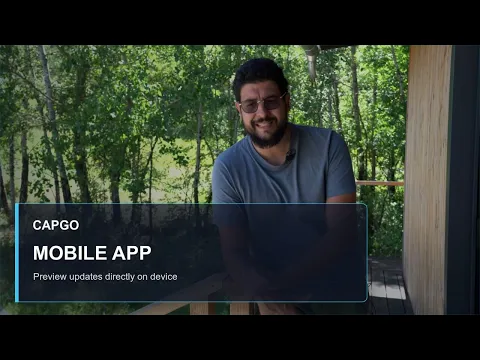
Capgo founder Martin on testing bundle previews on real devices, sharing QR tests with your team, and keeping release decisions close when you are away from your laptop.
Martin, Founder, Capgo
Preview workflow
Capgo preview links move from CLI or dashboard to the mobile app without a handoff. Share a QR code, let teammates or selected users test, and decide with the same release context.
Generate a bundle or channel preview from Capgo, the dashboard, or the CLI QR preview flow.
Send the QR code or deep link to teammates, QA, or selected users, then let them start the preview in the Capgo app.
Switch saved previews, inspect compatibility, watch build status, and either ship OTA or prepare a native build.
Apps built with Capacitor
Capgo is built for teams shipping Capacitor apps where real-device validation, fast rollback, and clear release state matter before every production move.
Apps shown are sourced from a public store app dataset used across the website.

WEATHER

EDUCATION
BUSINESS
Start testing on-device
Use it with preview QR codes, live update channels, and native build outputs from the rest of your Capgo release flow.
