Capacitor
Native live updates for iOS and Android apps built with Capacitor. Install @capgo/capacitor-updater and ship bundles with @capgo/cli.
Read more →Push web-layer fixes instantly for Ionic and Capacitor apps. Skip the App Store wait.
14-day unlimited free trial. No credit card required
Native rollback
JS failures recover outside JavaScript
99.9% uptime
Platform uptime
Dynamic channels
Canary, beta, support, and production tracks
300+ edge locations
Worldwide CDN
~50ms typical
Ultra-low latency
Device logs
Per-device update status and rollback history
Use the same channels, bundle uploads, rollback protection, and device logs whether your app runs on Capacitor, Cordova, or Electron.
Native live updates for iOS and Android apps built with Capacitor. Install @capgo/capacitor-updater and ship bundles with @capgo/cli.
Read more →Keep your Cordova toolchain and still get Capgo OTA on iOS 7+ and Android 13+ with @capgo/cordova-updater and the same JavaScript API.
Read more →Push HTML, CSS, and JavaScript updates to desktop apps without rebuilding installers. @capgo/electron-updater mirrors the mobile API.
Read more →Capgo gives mobile teams a release path for urgent web fixes, controlled rollout, and a clear audit trail, so a bad deploy does not become days of store-review waiting.
Use live updates for JavaScript, CSS, copy, runtime feature flags, and web asset fixes while native and Capacitor config changes continue through the stores.
Ship to internal, beta, canary, and production channels with rollback ready before a rollout becomes a support incident.
Use device logs, update status, bundle history, and adoption metrics to explain releases to engineering, support, and leadership.
Channels, progressive rollouts, native dependency checks, and per-device history, all in the console. Real screens from the Capgo demo app.
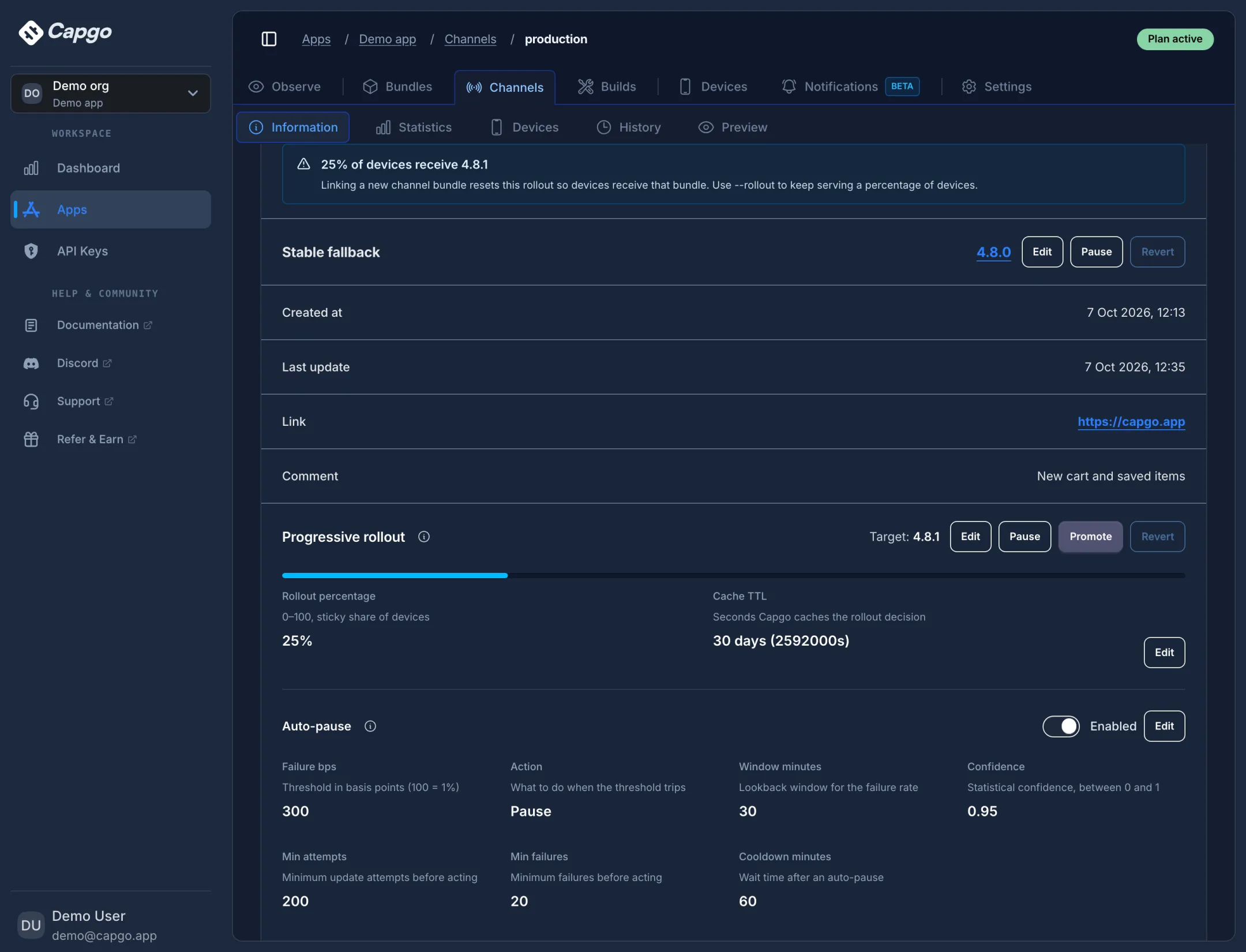
Serve a new bundle to a sticky percentage of devices while everyone else stays on a stable fallback. Auto-pause stops the rollout when the failure rate crosses your threshold.
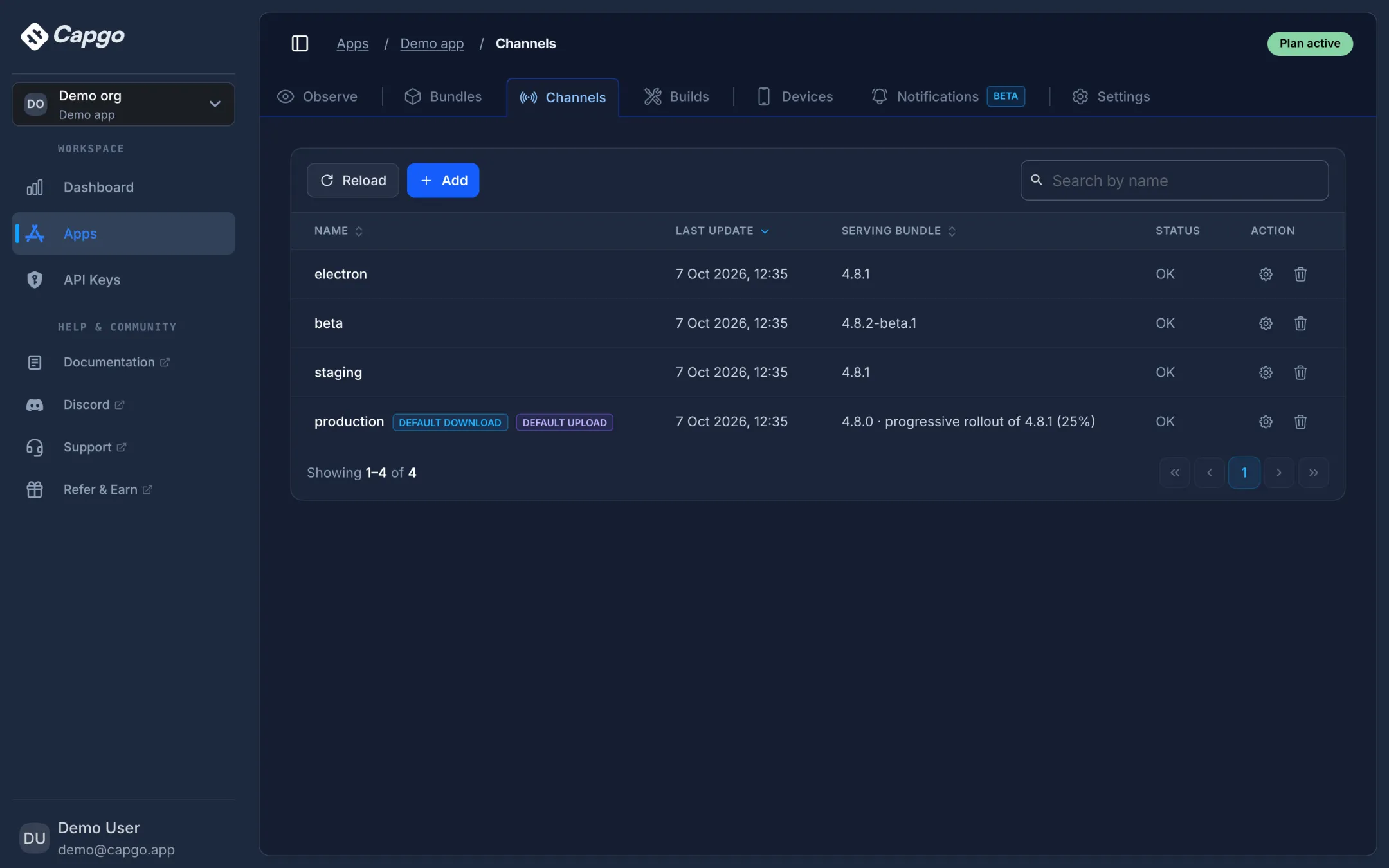
Production, beta, staging: each channel serves its own bundle to its own devices, and the list shows what every channel is serving right now.
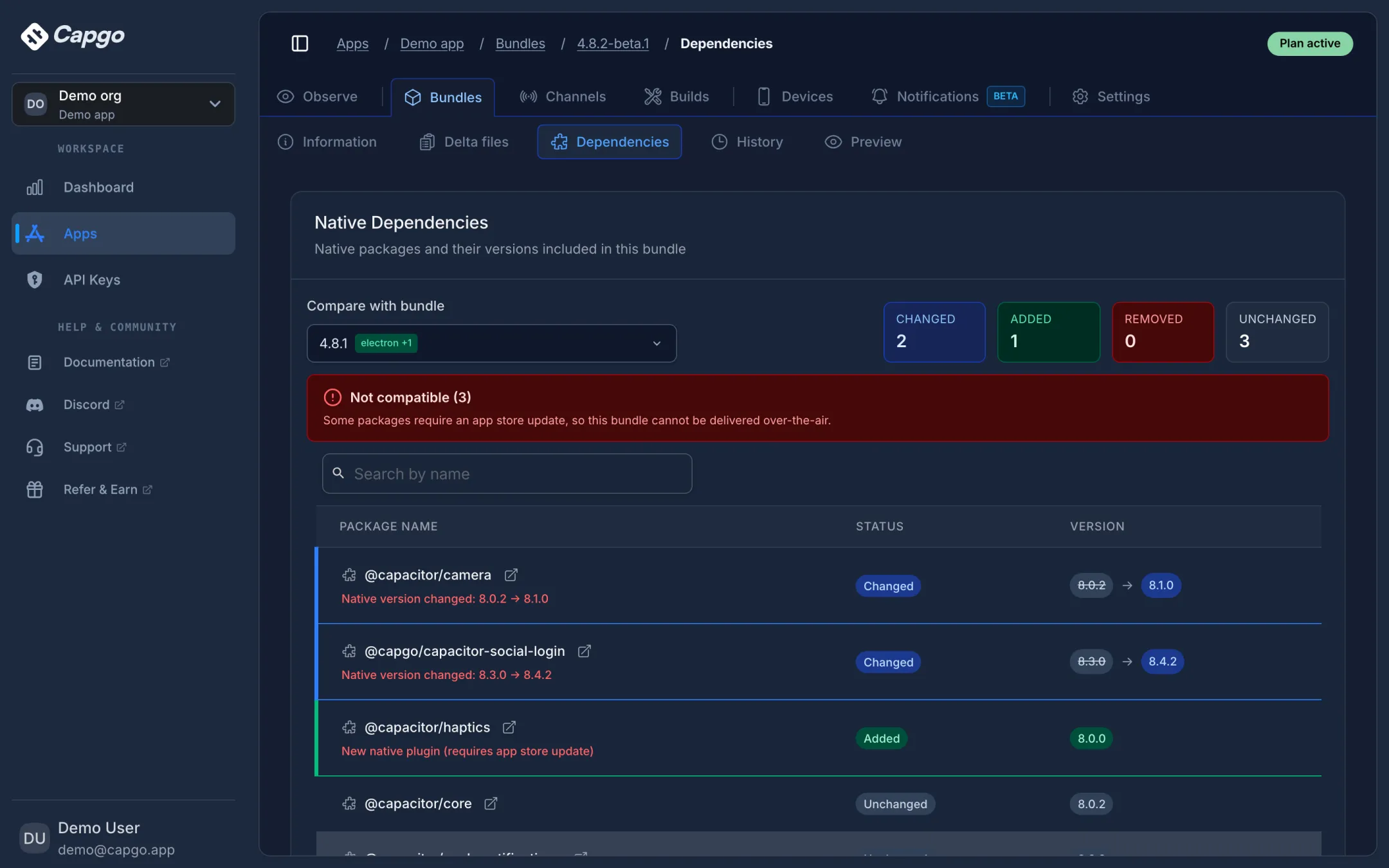
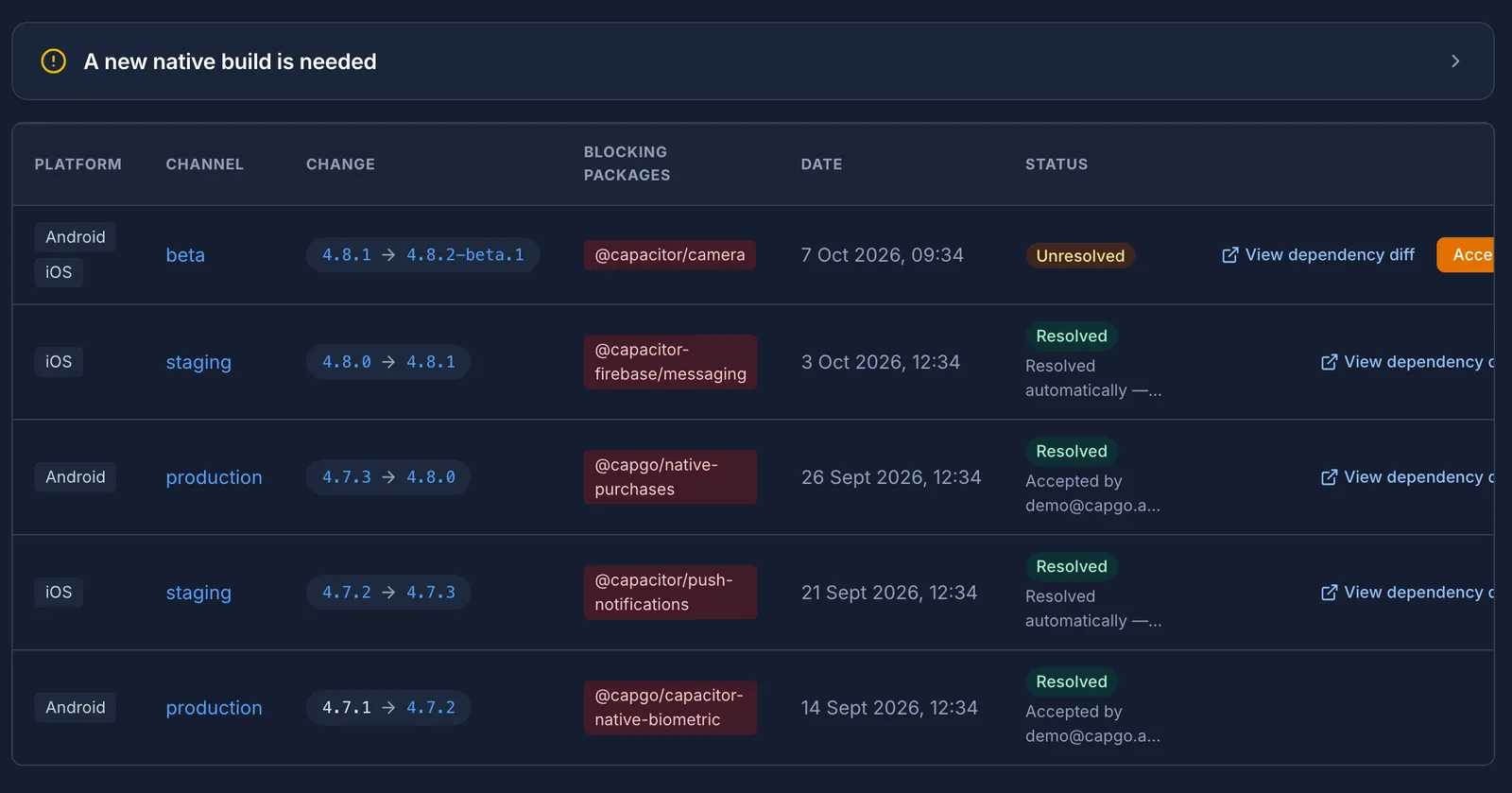
Compare any bundle with the one it replaces. Capgo lists changed, added, and removed native packages and tells you when an update cannot ship over the air.
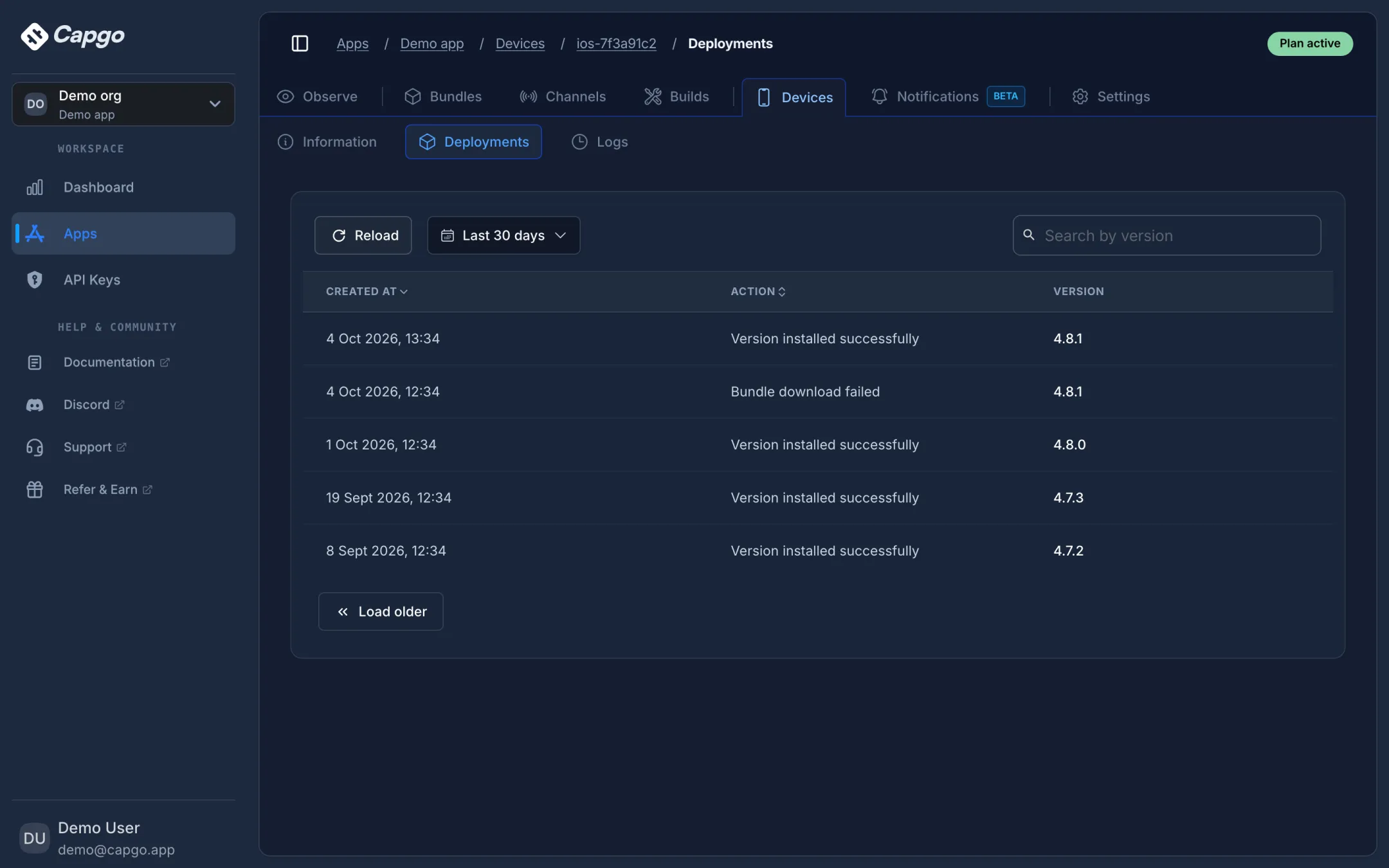
Look up any device by its ID or your own user ID to see the bundle it runs, its channel, and every install or failure it reported.
Every live update comes with a release view: installs and failures as they happen, failures grouped by cause, and a warning when a bundle needs a new native build.
The moment a bundle goes live, Observe tracks installs, failed attempts, adoption, and success rate for that exact version and channel in 5-minute buckets.
Explore Capgo Observe
Failed downloads, checksum mismatches, unzip errors, and rollbacks are grouped by cause, so you can tell a flaky network from a broken bundle.
Explore Capgo Observe
When a channel serves a bundle whose native packages differ from what installed apps were built with, Observe flags it, names the blocking packages, and links the dependency diff.
Explore Capgo Observe
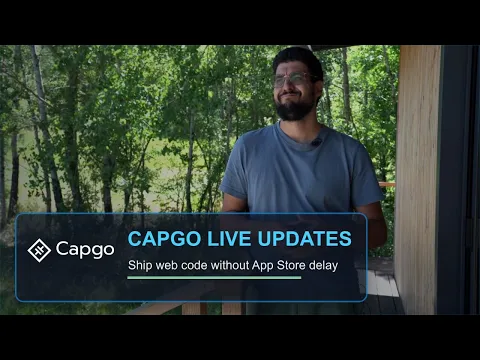
Capgo founder Martin on channels, compatibility checks, rollback, and shipping web bundle changes safely after store approval.
Martin, Founder, Capgo
Short notes from Capacitor teams using Capgo for production OTA updates.

The Capgo Capacitor Updater plugin completely transformed how we ship updates. What used to take days now takes just minutes.
Being able to push production OTA updates instantly without waiting for full App Store review cycles has been a massive operational advantage.
Native runtime, rollback, validation, and rollout control in one service.
$ npx @capgo/cli bundle upload
✔ validated · ✔ published · ✔ rolling out
CLI scans native dependencies and warns you before deploying incompatible updates. Ship web changes fast without pushing native-breaking code to customers.
If your app doesn't call notifyAppReady() within 10 seconds, we automatically roll back to the last working version.
Validates notifyAppReady(), index.html, bundle size limits, and checksums before accepting any upload.
Every update is checksummed, signed, and encrypted end-to-end. No one can tamper with updates - not even Capgo can see what's inside your bundles.
Fallback bundle mechanism always maintains a working version. Your users never see a broken app.
Capgo channels are live controls, not hardcoded. Move users between dev, staging, PR, canary, and production from your app UI or via API instantly.
Pair Capgo Notifications with Live Updates so a silent push can ask devices to check, download, and queue the latest bundle for the selected channel.
See whether an upload is OTA-safe, needs a native build, or should wait — before it hits production.
14-day unlimited free trial. No credit card required
$ npx @capgo/cli@latest bundle upload --channel production --fail-on-incompatible
warning: native-incompatible bundle
@capacitor/camera changed from 6.1.0 to 6.2.0
action: fail this upload or ship a native build first
SEE IT MOVE
Four short animations: how a fix reaches a phone, what can ship over the air, why downloads stay small, and how you recover from a bad release.
What's Possible
Choose the right combination of update types for your app's needs
Control when updates are applied: default (background), atInstall, onLaunch, or always
Wait for specific conditions: date, background, nativeVersion, or kill event
Control semver updates: none, major, minor, patch, or metadata
Full bundle (entire JS bundle) or Delta/manifest (only changed files for faster updates)
App Store & Google Play
Not for using live updates. Both stores let apps download interpreted code like JavaScript, HTML, and CSS, as long as each update stays within the app you submitted for review.
Our track record
0 rejections
Across 4.7K+ apps in production, we have never seen a store reject an app because it ships updates with Capgo.
Our splash screen auto-hide feature linked at runtime to the separate splash screen plugin. Apple's review flagged that dynamic linking as a dynamic code concern. It was unrelated to OTA updates, and we removed the dynamic link from the plugin.
Apps may download interpreted code if it doesn't change the app's primary purpose, create a storefront for other code or apps, or bypass signing, the sandbox, or other OS security features.
Official policy : AppleApps can't update their own native code outside Google Play. Code that runs in an interpreter or virtual machine, such as JavaScript in a WebView, is explicitly exempt.
Official policy : Google PlayReview decisions always belong to Apple and Google, so no vendor can promise approval. Capgo keeps you on the side of the policies they publish.
Read the store policy FAQAI-ready
Claude Code, Cursor, Codex, or any agent can set up Capgo, upload bundles, manage channels, and request native builds. Every action is one command or one tool call.
npx @capgo/cli@latest bundle upload
npx @capgo/cli@latest mcp
npx skills add Cap-go/capgo-skills
capgo.app/llms-full.txt
Same Ionic and Capacitor OTA promise. Different safety model.
| Capgo Live Updates | DIY / self-hosted Custom scripts and static hosting | Competitor cloud | |
|---|---|---|---|
| Update runtime | Fully native. Download, install, and activate on native OS threads. A JS crash cannot break the update pipeline. | Runs in your app JS context. A bad bundle can break updates too. | Mostly app-layer delivery. JS errors can block or corrupt the update flow. |
| Rollback recovery | Native rollback. Falls back to the last good bundle outside JavaScript, even when the new bundle crashes on launch. | You design and maintain your own rollback logic. | Rollback exists but often depends on the app layer still working. |
| Failed install guard | Automatic. Rolls back if notifyAppReady() is not called within 10 seconds. | You instrument and monitor it yourself. | Optional or manual, depending on product. |
| Native compatibility | CLI checks. Scans native dependencies before upload and flags breaking changes. | No guardrails unless you build them. | Upload validation only on most products. |
| Pre-upload validation | Deep checks. Validates index.html, bundle size, checksums, duplicate versions, and hub constraints. | Your CI rules, if you wrote them. | Basic bundle checks. |
| Rollout control | Dynamic channels. Canary, beta, production, support, and per-device channel assignment. | Multiple hosted URLs or custom routing. | Channels supported, depth and APIs vary. |
| Device visibility | Per-device logs. Install, failure, rollback, and policy events per device without Xcode or Android Studio. | Custom analytics or server-side download counts. | Dashboard aggregates, less per-device depth. |
| Try before you pay | Yes. 14-day unlimited free trial. No credit card required. | Cheap hosting until traffic grows. | Tiered plans. Trials vary by vendor. |
Comparison reflects typical DIY/self-hosted setups and public competitor cloud documentation.
EAS Update ships JavaScript fixes for Expo and React Native apps. Capgo does the same job for Capacitor web bundles: channels, rollback, and device logs. Stay on EAS if the app is React Native. Use Capgo if you kept the web UI.
Start automatic in 5 minutes. Switch to manual control when your release strategy needs it.


