Reach the right devices
Register devices with an external ID, tags, attributes, and consent so campaigns can target real product audiences instead of anonymous tokens.
Message users, update badges, and trigger live-update checks from the same Capgo release workflow. Notifications now connect native push with progressive deployments instead of leaving release teams to stitch it together.
14-day unlimited free trial. No credit card required 14-day money-back guarantee. Cancel anytime.
Native notifications work alongside Capgo Live Updates and channel rollouts.
iOS + Android
Native push delivery
External ID
Target known users
Badge + events
Track opens and state
Update checks
Silent push companion
Next or set
Install mode control
Channel-aware
Guide live updates
Animated illustration: a Capgo console card composes an alert for the external ID user_8421, sends it, and the push lands on an iPhone lock screen and an Android home screen. Delivered and opened counts tick up and the app badge moves from 2 to 3. The card then switches to a silent update check for the production channel, and both devices download bundle 1.4.1 to install on next launch.
Capgo Notifications gives product teams the messaging surface they expect and gives release teams a native way to wake devices for live-update checks.
Register devices with an external ID, tags, attributes, and consent so campaigns can target real product audiences instead of anonymous tokens.
Use a silent notification to ask opted-in devices to check, download, and queue the latest Capgo bundle for the channel you choose.
Track provider setup, campaigns, delivery events, opens, badge changes, and background update-check results from the Capgo console.
The notification plugin, Capgo console, and updater now work together for Capacitor apps.
Add Android and iOS push credentials in the Capgo console, then run the notification setup so the native plugin and updater are wired together.
Attach external IDs, tags, attributes, consent, and badges from your app so support, growth, and release workflows share the same device identity.
Broadcast alerts, send API notifications to one user, or push a background update check during a progressive rollout.
Capgo handles the surfaces that usually become one-off glue code around push, user targeting, and update nudges.
$ npx @capgo/cli@latest notifications setup
provider ready | recipients linked | update check enabled
Keep Android and iOS notification providers active from the same Capgo app settings screen used by your release team.
Create alert, background, badge, or update-check campaigns when you need to reach every matching device.
Send a notification to a known external ID and inspect the devices linked to that recipient before you trigger it.
Read, write, and sync app badge counts through the native plugin so notification state remains visible to users.
Handle foreground receives, notification opens, and background data notifications in your Capacitor app.
Follow campaign status, delivery results, opens, and update-check results without leaving the Capgo release workflow.
Silent notifications can ask devices to check for a new bundle, while Capgo channels, install mode, and progressive rollout rules continue to decide what each device can install.
human support from Martin
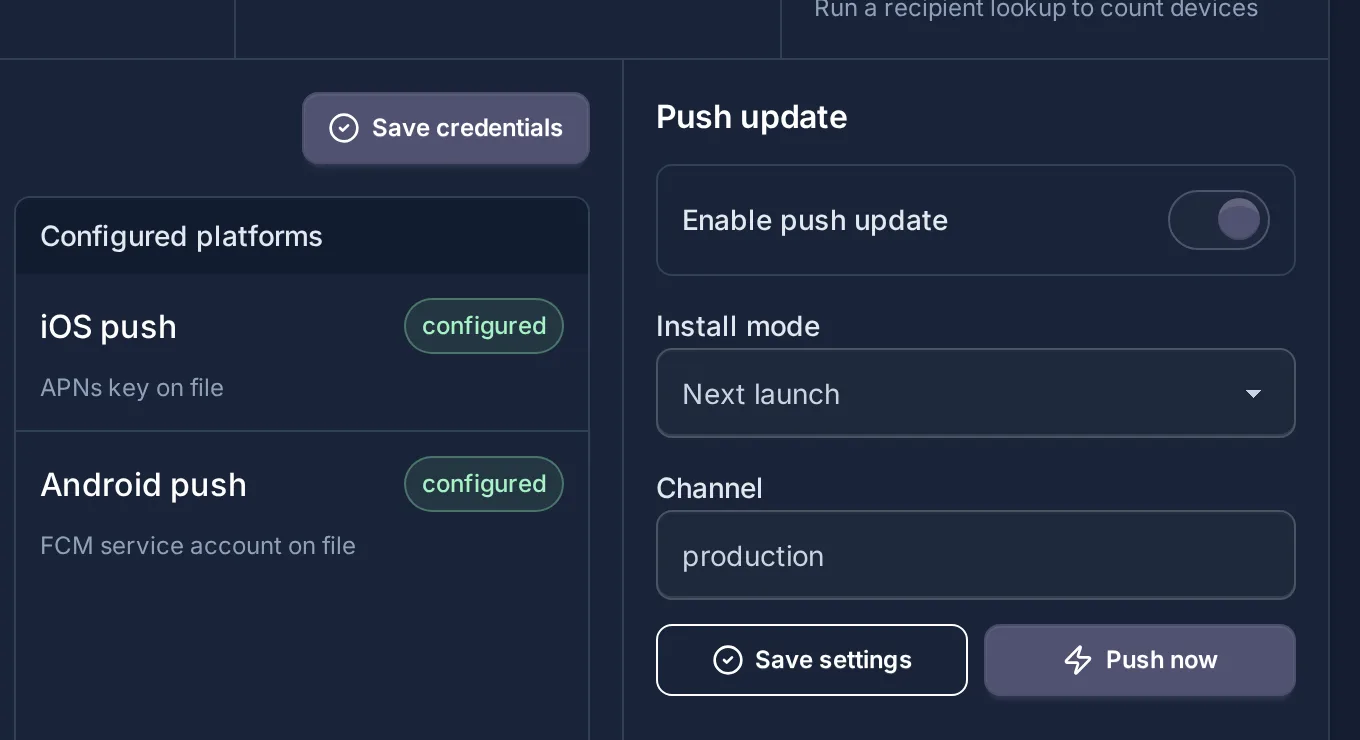
$ notification.kind = update_check
channel selected | install mode next
progressive rollout still controls eligible devices
devices check, download, and queue the bundle
Push notifications with AI agents
Capgo Agent Skills teach Claude Code, Codex, or Cursor how to install the notifications plugin, register devices, and handle background callbacks in your Capacitor app.
Try asking your agent
npx @capgo/cli@latest bundle upload npx @capgo/cli@latest mcp npx skills add Cap-go/capgo-skills capgo.app/llms-full.txt Notifications live in the same Capgo account teams already use for live updates and native builds.

Being able to add Device ID's to certain groups and push the changes to only certain groups is a life saver.
Being able to push production OTA updates instantly without waiting for full App Store review cycles has been a massive operational advantage.
Add native push, badge control, campaign stats, and silent update checks to your Capacitor release workflow.
human support from Martin
14-day unlimited free trial. No credit card required 14-day money-back guarantee. Cancel anytime.


