


2026년 4월 28일부터, 애플은 App Store Connect에 업로드하는 모든 앱과 앱 업데이트를 Xcode 26 이상 버전으로 빌드해야하며 iOS 26 SDK 또는 iPadOS, tvOS, visionOS, watchOS에 대한 26 SDK를 사용해야합니다. 만약 Capacitor 앱을 배포한다면 이 날짜가 중요합니다.
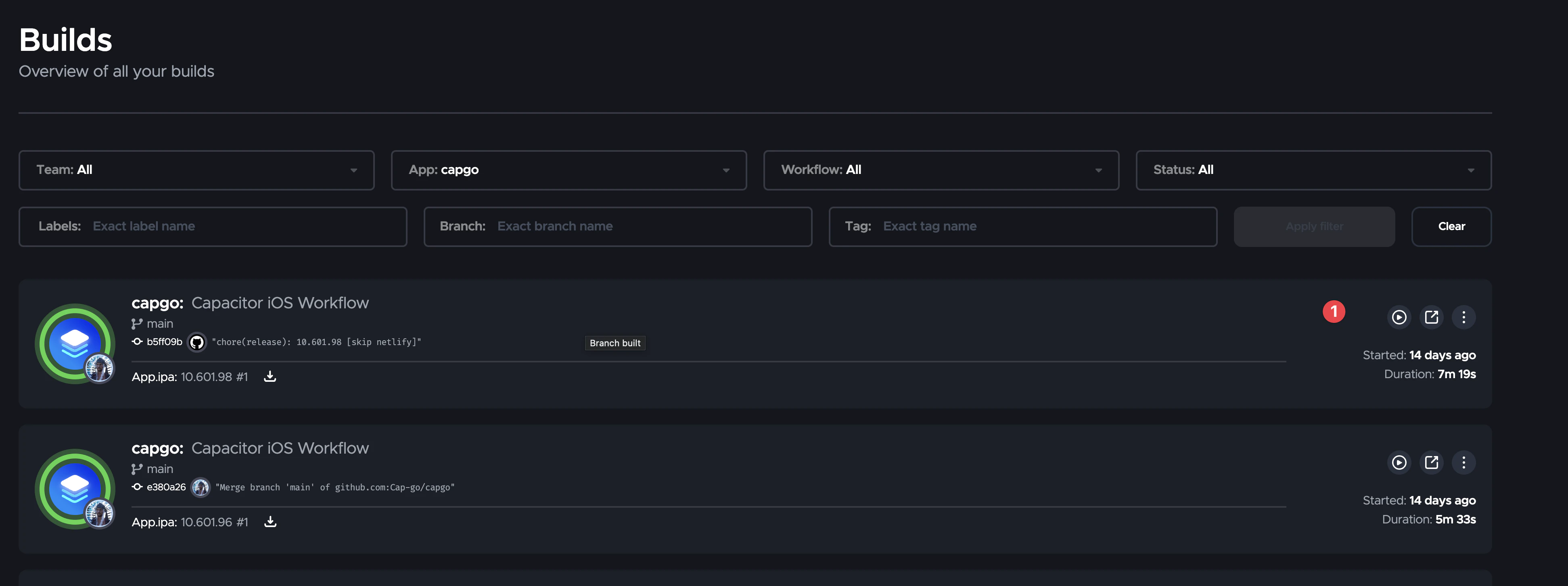
__CAPGO_KEEP_0__ 빌드 Capgo 빌드, iOS 빌드 시스템이 이미 Xcode 26에 있습니다.
애플이 변경한 사항
애플이 변경한 사항을 발표한 곳 애플이 변경한 사항 애플이 변경한 사항을 반복하는 곳 애플이 변경한 사항 2026년 4월 28일
Starting on 이것이 __CAPGO_KEEP_0__ 팀에게 의미하는 바대부분의 __CAPGO_KEEP_0__ 앱의 경우, 이건 앱을 빌드하는 방법에 관한 것이고 __CAPGO_KEEP_1__을 대체하거나 프로젝트를 다시 작성하는 것이 아닙니다.
Capacitor
애플리케이션을 빌드하는 방법에 대한 것입니다. Capacitor 앱의 대부분은 Capacitor을 교체하거나 프로젝트를 다시 작성하는 것에 대한 것이 아닙니다.
Xcode 26 이상을 사용하는 모든 빌드 경로를 보장하십시오:
- Local Mac 빌드: Xcode 26 이상을 설치하고 선택하십시오.
- Self-관리 CI: macOS 런너 이미지를 사용하여 Xcode 26 이상을 사용하십시오.
- 자연적인 의존성과 더 이상 사용되지 않는 플러그인: 새로운 SDK에서 다시 빌드하고 다음 릴리스 전에 최신 아카이브를 테스트하세요.
실패 모드는 간단합니다: 개발 환경에서 모든 것이 여전히 작동할 수 있지만, App Store Connect가 이전 Xcode 버전으로부터 빌드한 경우 업로드를 차단할 것입니다.
Capgo 빌드는 Xcode 26을 이미 사용하고 있습니다.
__CAPGO_KEEP_0__ 빌드 Capgo 빌드2026년 4월 29일부터 현재 iOS 빌드 시스템은 Xcode 26 이상을 통해 이미 작동하고 있습니다. Capgo 빌드.
이것은 팀이 Capgo 빌드를 사용하는 경우 Apple의 2026년 4월 28일 제출 요구 사항과 일치하는 것을 의미합니다. 로컬 Mac 업데이트, 런너 이미지 찾기, 마지막 Xcode 업그레이드가 필요하지 않습니다.
아직도 행동해야 하는 경우
아래의 조건 중 하나라도 해당된다면 변경이 필요합니다:
- iOS 앱을 로컬에서 빌드하고 아치하고 Xcode 26 이상으로 업그레이드하지 않았습니다.
- 자체 관리하는 CI PIPELINE이 Xcode 26보다 이전 버전의 이미지를 사용하고 있습니다.
- One of your native SDKs or plugins has trouble when rebuilt with the iOS 26 SDK.
이런 경우, 먼저 TOOLCHAIN을 업데이트한 후 CLEAN BUILD와 TESTFLIGHT 제출을 진행한 후 프로덕션 릴리즈를 계획하세요.
마지막으로
이것은 Apple의 정기적인 TOOLCHAIN cutoff입니다. 그러나 enforcement 날짜는 실제로 있습니다: 2026년 4월 28일부터이전의 Xcode 빌드는 더 이상 앱 스토어 업로드에 충분하지 않습니다.
If you use Capgo Build, you are already on Xcode 26 or later. If you build elsewhere, update your environment to Xcode 26 or later before your next iOS release.
Keep going from Apple’s Xcode 26 Requirement for Capacitor Apps
Capacitor를 사용하는 경우 애플의 Xcode 26 요구 사항을 위한 Capacitor 앱 CI/CD 자동화 계획을 위해 연결하세요. Capgo CI/CD Capgo CI/CD에서 제품 워크플로우 Capgo 네이티브 빌드 Capgo 네이티브 빌드에서 제품 워크플로우 Capgo 통합 Capacitor 앱의 제품 워크플로우에서 Capgo 통합에 대해 CI/CD 통합에서 구현 세부 정보 __CAPGO_KEEP_0__ 액션 통합 GitHub 액션 통합에서 구현 세부 정보 GitHub 액션 통합에서 구현 세부 정보





