


从2026年4月28日起,苹果要求所有上传到App Store Connect的应用和应用更新都必须使用Xcode 26或更高版本,使用iOS 26SDK或匹配的26 SDKs进行iPadOS、tvOS、visionOS和watchOS的构建。如果您发布Capacitor应用,这是截止日期。
好消息:对于大多数团队来说,这是一个构建环境的变化,而不是一个完整的应用迁移。并且,如果您已经使用 Capgo 构建,您的iOS构建系统已经升级到Xcode 26。
苹果的变化
Apple 在其 即将到来的要求 页面上发布了该要求,并在 App Store 提交 页面上重复它。
从 2026年4月28日开始,App Store Connect 不再接受使用早于Xcode 26或没有所需的26个SDK的构建上传。现有的应用程序仍然在App Store上运行,但您提交的下一个二进制文件必须来自新工具链。
对于Capacitor团队来说
对于大多数 Capacitor 应用程序来说,这主要是关于如何构建应用程序,而不是替换 Capacitor 或重写项目。
确保每个构建路径使用 Xcode 26 或更高版本:
- 本地 Mac 构建:安装并选择 Xcode 26 或更高版本。
- 自管理 CI:使用 macOS 运行器映像,带有 Xcode 26 或更高版本。
- 本地依赖项和旧版插件:在新 SDK 上重建并测试一个新的存档,然后再发布。
这里的失败模式很简单:在开发中,可能仍然会工作,但 App Store Connect 将阻止上传,如果构建来自较旧的 Xcode 版本。
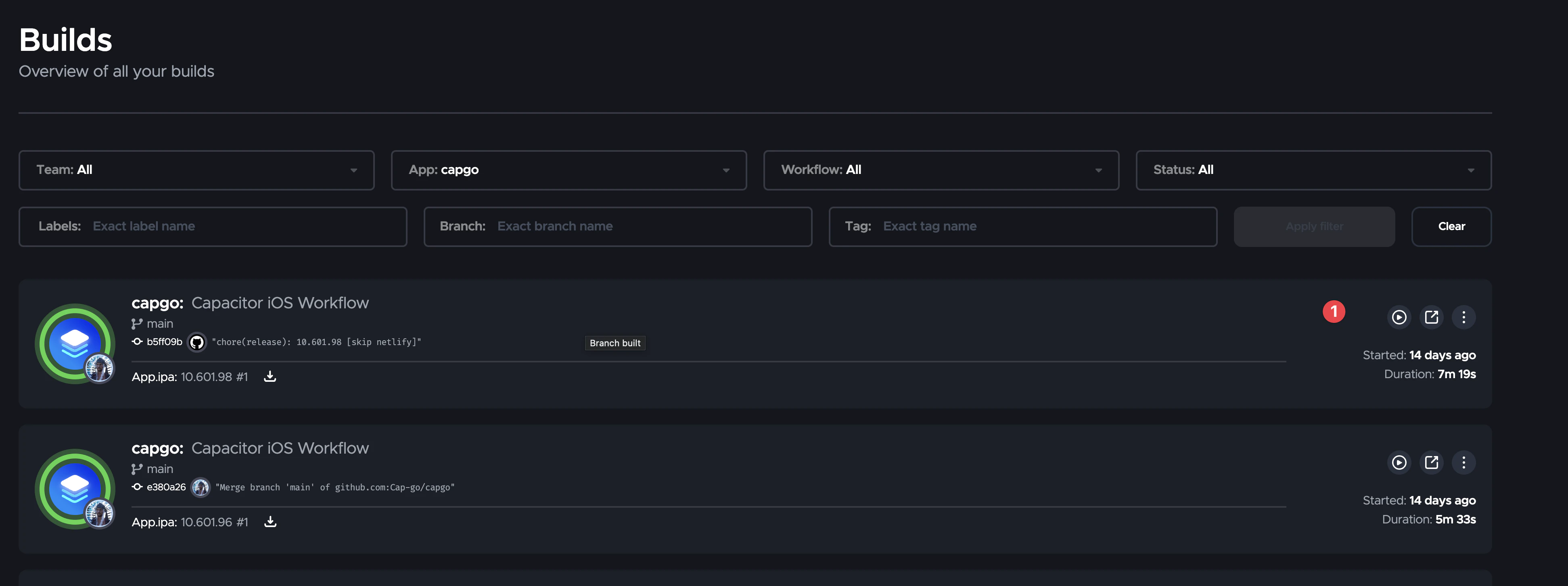
Capgo 构建已在 Xcode 26 上
如果您使用 Capgo 构建context Capgo 构建.
That means teams using Capgo Build are already aligned with Apple’s April 28, 2026 submission requirement. No local Mac refresh, no runner image hunt, and no last-minute Xcode upgrade just to keep shipping.
您不需要为苹果的截止日期更新您的构建环境。截至 2026 年 4 月 29 日,我们的当前 iOS 构建系统已经通过使用 Xcode 26 或更高版本来运行。
如果以下情况之一适用,您仍需要进行更改:
- 您本地构建和存档 iOS 应用,并且尚未迁移到 Xcode 26 或更高版本。
- 您的自管理 CI pipeline 固定在一个旧的 Xcode 图像上,而不是 Xcode 26。
- One of your native SDKs or plugins has trouble when rebuilt with the iOS 26 SDK.
如果这是您的设置,请先更新工具链,然后运行一次清洁构建和 TestFlight 提交,最后再计划生产发布。
最后的建议
这是 Apple 的正常年度工具链截止日期,但执行日期是真实的: 自 2026 年 4 月 28 日起旧的 Xcode 构建不再足以用于 App Store 上传。
如果您使用 Capgo Build,您已经在 Xcode 26 或更高版本上。如果您在其他地方构建,请在下一个 iOS 发布之前更新您的环境到 Xcode 26 或更高版本。
继续从 Apple 的 Xcode 26 要求适用于 Capacitor 应用
如果您正在使用 Apple的Xcode 26要求对Capacitor应用 为了计划CI/CD自动化,连接它 Capgo CI/CD 为了产品工作流程在Capgo CI/CD中 Capgo 原生构建 为了产品工作流程在Capgo 原生构建中 Capgo 集成 为了产品工作流程在Capgo 集成中 CI/CD集成 为了产品工作流程在Capgo Builder / 原生云构建产品页面中 GitHub 行为集成 GitHub 动作集成





