
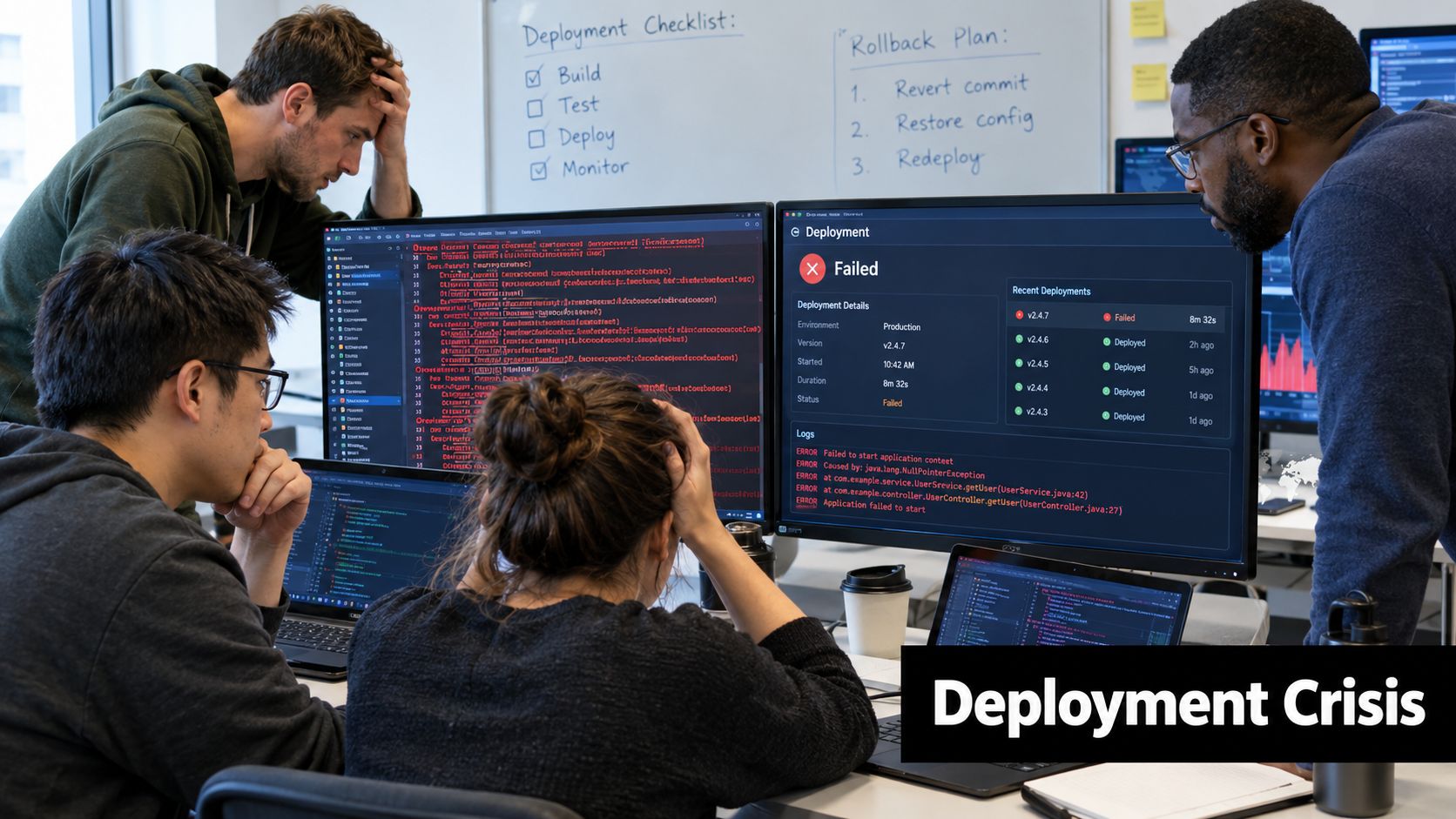
A release goes live, the first users open the app, and the incident channel starts moving faster than anyone can read it. Crash reports rise, authentication fails for a subset of customers, and support asks whether the team can “just undo” the deployment. Without a prepared roll back policy, engineers are forced to decide under pressure which version is safe, who can authorize the change, and whether reverting one layer will break another.
A rollback isn’t a magic undo button. In a hybrid application, the web bundle, native shell, backend schema, and cached local data may all have different release lifecycles. A practical policy must therefore control exposure, preserve evidence, and restore a compatible user experience, not merely redeploy an older artifact.
Table of Contents
- Why Rollback Protection Matters for Mobile Teams
- Understanding the Root Causes of Deployment Failures
- Essential Components of a Rollback Policy
- Automated Versus Manual Rollback Strategies
- Governance and Audit Requirements for Rollbacks
- Step-by-Step Rollback Execution Workflow
- Measuring Rollback Effectiveness and Failure Rates
Why Rollback Protection Matters for Mobile Teams
The first mistake teams make during a production fire is treating speed as the only objective. A fast reversal of the wrong artifact can create a second incident, especially when a JavaScript bundle expects native functionality that an installed binary doesn’t provide. The safer target is the fastest verified return to a known-good state.
A foundational empirical study examined 345 production releases at a large e-commerce web application over approximately 1.5 years. Among the 320 releases with complete outcome data, 248 releases, or 77.5%, completed without problems, while 72 releases, or 22.5%, were classified as botched because they caused abnormal behavior such as crashes, hangs, or poor performance shortly after deployment. The researchers identified 17 recurring root causes across four broad categories, which shows why rollback preparation can’t focus only on source-code defects. The release rollback study gives mobile teams a useful operational lesson: release risk is normal enough to require a designed response.
Exposure is not the same as restoration
Mobile distribution makes the word “rollback” ambiguous. Pausing a staged rollout stops additional exposure. Disabling a feature flag prevents a code path from running. Reverting a live web bundle changes what compatible installed binaries download. Forcing a binary update asks users to install a new native package, which may depend on store review, adoption, and the user’s willingness to update.
A store rollback can’t remove a binary already installed on a device. An emergency forward fix may take 24 to 72 hours to reach affected users because of review and adoption delays, according to the mobile release engineering guidance in this hybrid app rollback blueprint. That makes a live bundle rollback valuable for JavaScript, CSS, copy, configuration, or asset defects, but it doesn’t make the native shell reversible.
Practical rule: Define what your team means by rollback before an incident. Stopping delivery, reverting a bundle, disabling a feature, and shipping a binary update are separate actions with different risks.
A clear availability strategy should also identify which user journeys must remain usable during an incident. Authentication, payments, data synchronization, and app startup deserve their own checks rather than being hidden behind one general error threshold. Teams that document these distinctions before release day can reduce uncertainty when support tickets arrive, as practical mobile app availability guidance also emphasizes.
Understanding the Root Causes of Deployment Failures
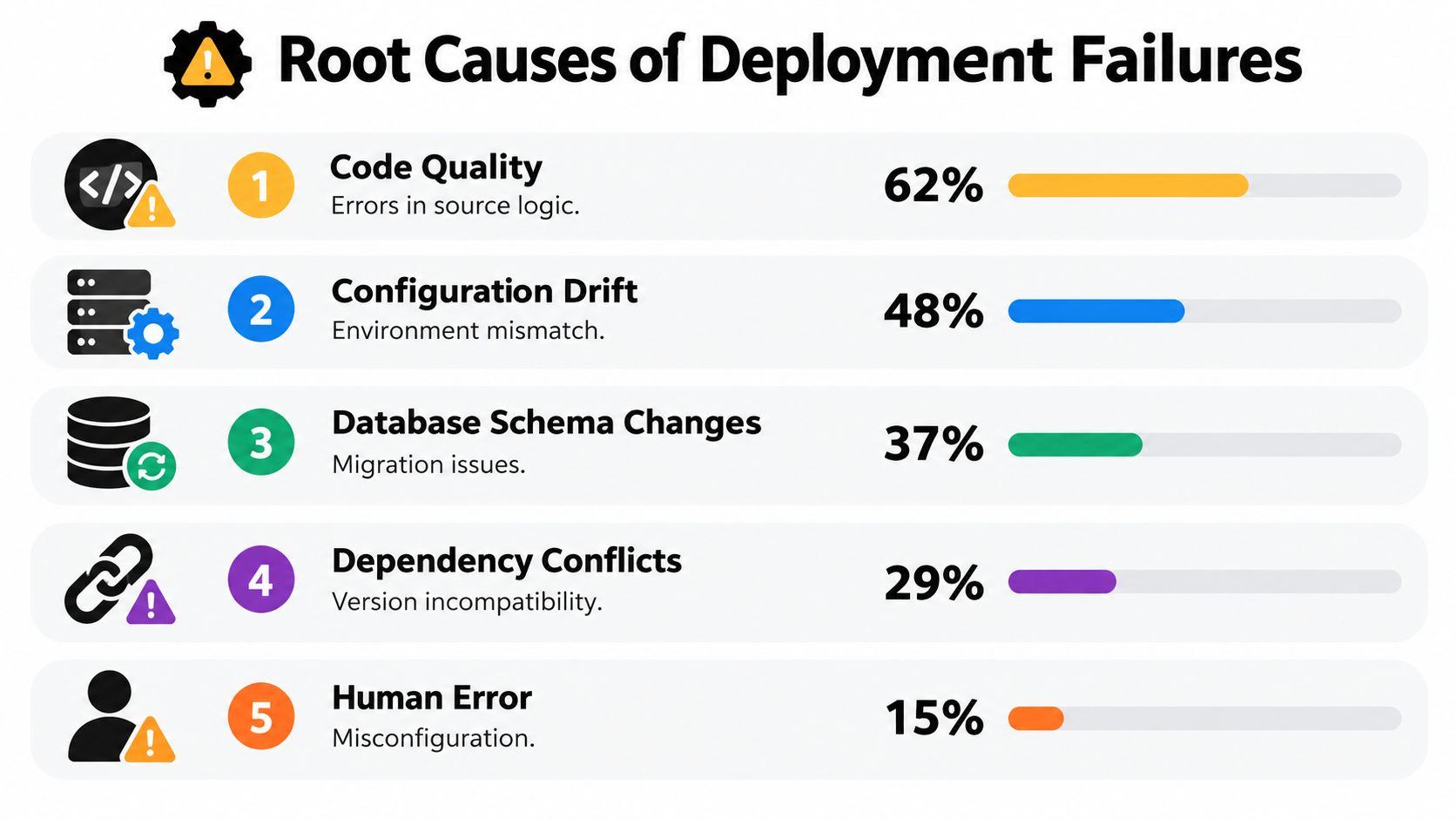
A rollback policy built around “bad code” misses common production failure modes. A 2022 empirical study of 152 high-severity production incidents found that code bugs caused 27.0% of incidents, dependency failures 16.4%, infrastructure failures 15.8%, deployment errors 13.2%, and configuration bugs 12.5%. Its broader grouping attributed 40% of incidents to code or configuration bugs, while 60% involved infrastructure, deployment, or service dependencies. The incident study supports a practical conclusion: rollback triggers must watch the delivery environment, not only the application binary or live web bundle.
Design triggers around failure classes
A dependency failure can leave application code unchanged while login, payments, or synchronization stop working. Infrastructure problems may cause slow startup or unavailable APIs. Deployment errors can deliver the wrong artifact to the wrong channel, while configuration defects can alter behavior without a new source commit.
Hybrid apps require one more distinction. A live web bundle can usually be withdrawn or replaced without changing the installed native shell. A native compatibility defect may require a binary update, which cannot be reversed by serving an older bundle. The trigger must therefore identify the failing layer before choosing a response.
The study found rollback was one of the most popular mitigation strategies. Configuration-related incidents were especially revealing: 47% were mitigated through rollback, compared with 21% resolved through an actual configuration fix, as the same incident study reported. That does not make automatic rollback suitable for every configuration incident. It shows that a known-good release state can provide a safer short-term boundary than editing a live value while users are affected.
A useful trigger matrix separates symptoms from likely causes:
| Signal | Likely concern | First response |
|---|---|---|
| Startup failures | Bundle, native compatibility, or initialization defect | Halt exposure and assess reversal |
| Authentication errors | Configuration, identity provider, or API incompatibility | Pause rollout and verify dependencies |
| Payment failures | Backend contract, client behavior, or feature configuration | Require human approval before changing exposure |
| Data corruption | Migration or persistence incompatibility | Protect data before reverting |
| Security incident | Compromised artifact or delivery path | Revoke exposure, preserve evidence, and follow security procedures |
The matrix does not replace thresholds. It defines which signals may trigger a mechanical action and which require investigation. Crash rates may support automatic response, while payment failures or suspected corruption usually need an explicit owner.
Failure analysis should cover channel targeting, artifact signatures, build identifiers, dependency lockfiles, schema compatibility, cache behavior, and detection time. In regulated fintech environments, preserve the decision, artifact version, observed evidence, approver, and resulting action so the rollback can be reconstructed during review. Teams formalizing this work can use failure analysis techniques for release incidents as a practical reference.
Essential Components of a Rollback Policy
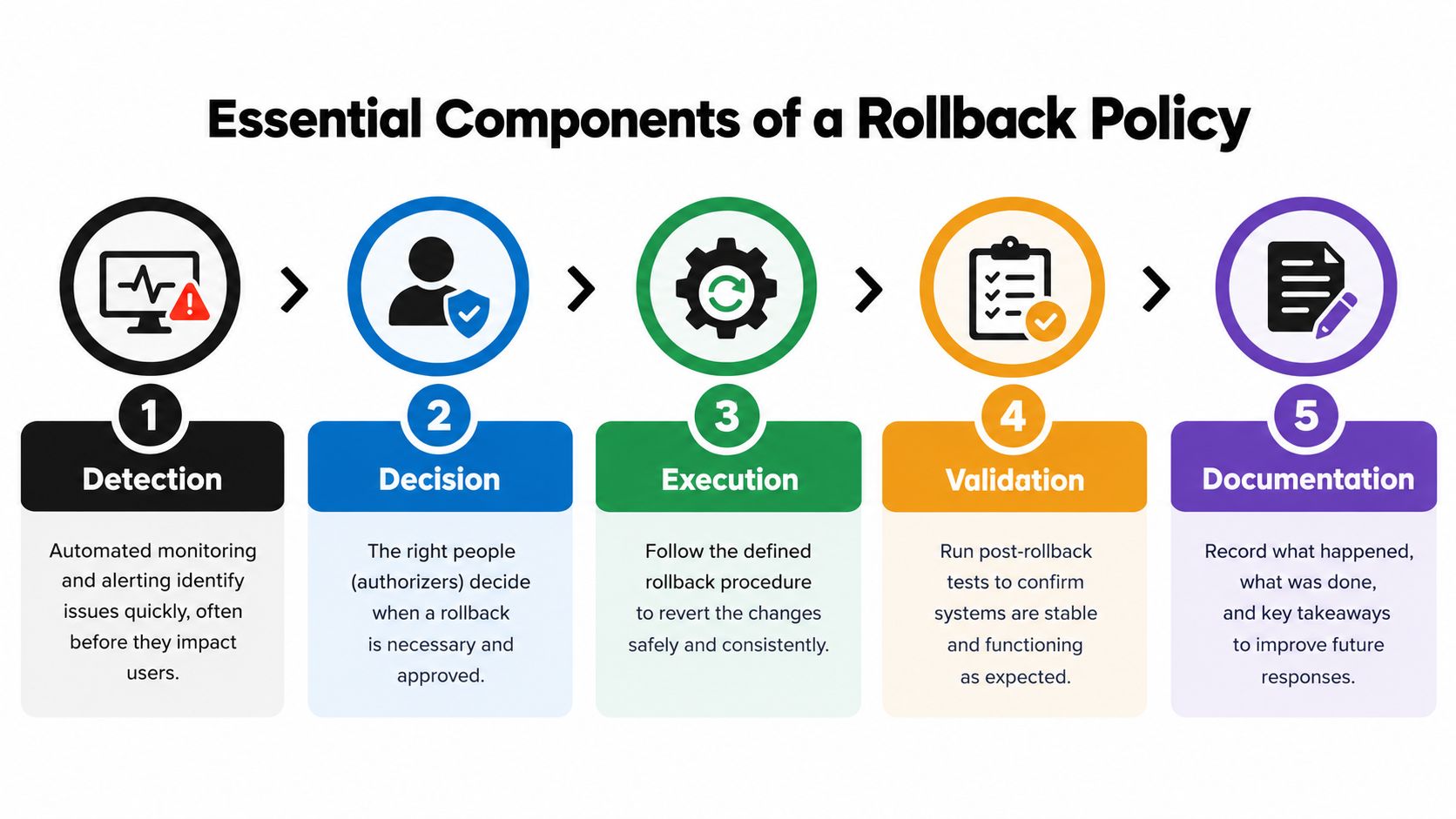
A mature roll back policy is an operating agreement between engineering, security, product, and support. It tells people what may happen automatically, what requires approval, which artifacts remain available, and what evidence must survive the incident. A single redeploy command doesn’t provide that control.
Detect with objective signals
Instrument every release with a build identifier, source commit, channel, cohort, and deployment timestamp. Monitor startup completion, crash behavior, authentication, critical API calls, and business workflows. Use thresholds that match the harm of the failure, not a generic error percentage applied to every feature.
Decide with named authority
Write down who can pause delivery, who can authorize a rollback, and who must be notified. During a low-risk startup regression, an on-call engineer may need authority to stop exposure immediately. A suspected data or security issue should activate incident command and preserve a clear approval record.
Execute an immutable version switch
Retain multiple previous deployable versions of application software, configuration, firmware, and supporting documentation. NIST SP 800-53 recommends retaining an organization-defined number of previous baseline configurations and requires contingency planning to define recovery objectives, restoration priorities, responsibilities, and measurable outcomes. Its contingency and configuration guidance supports storing immutable, versioned bundles rather than relying on an overwritten “previous” directory.
For hybrid apps, include compatibility metadata, cryptographic integrity verification, and atomic channel switching. Retention should account for delayed defect discovery and staged exposure, not only the last release. A rollback artifact that can’t be authenticated or doesn’t match the native shell is not a recovery asset.
Validate business-critical behavior
After the switch, test app startup, authentication, payments, synchronization, push handling, and any workflow tied to local data. Validation must use the affected channels and client versions, because a healthy staging test may not represent a customer-specific production stream.
Document the result
Record the trigger, decision, operator, artifact identity, affected population, timestamps, restored version, and validation outcome. For teams formalizing operational controls across sensitive environments, change management best practices for clinics provide useful context on approvals, communication, and traceability.
A rollback drill should exercise the whole chain. NIST recommends testing contingency plans, including recovery and reconstitution to a known state. The test should verify detection, authority, targeting, telemetry, user-session behavior, escalation, and evidence collection. Teams can also review Capacitor rollback configuration guidance when translating these controls into a live-update workflow.
Automated Versus Manual Rollback Strategies
Automation is excellent at responding to an obvious, measurable failure. It is poor at interpreting an ambiguous incident where reverting the client could worsen a backend incompatibility. The right choice isn’t “automated or manual” across the entire system. It is a risk-based split between actions that are safe to repeat and actions that require judgment.
Where automation earns its place
Automatic rollback works well when the signal is fast, specific, and closely tied to the new artifact. Examples include an app that fails its startup readiness callback, a critical initialization exception, a failed compatibility check, or a sharp regression in a controlled cohort. The system can halt the rollout, restore the previous compatible bundle, and alert the on-call engineer while the impact is contained.
Automation should be idempotent. Repeating the action must not create a sequence of unpredictable state changes. It also needs guardrails:
- Pin the target: Restore a signed artifact identified by an immutable version, not whichever build happens to be labeled “previous.”
- Limit the scope: Apply the action to the affected channel or cohort unless evidence shows a wider defect.
- Preserve the trail: Log the trigger, threshold, decision rule, and restored version automatically.
- Test the fallback: Confirm that the older bundle can initialize with the native shell and backend currently in service.
Automatic rollback can produce false positives. A temporary dependency outage may recover before a bundle reversal completes, and a regional telemetry gap may look like a client failure. An automated action should therefore pause exposure first when possible, then reverse only when the signal is sufficiently clear.
Where people must decide
Manual approval is appropriate for payment failures, possible data corruption, security concerns, irreversible schema changes, and incidents involving multiple client generations. An engineer needs to determine whether the older bundle can safely read data written by the new one, whether the backend still supports the older contract, and whether customer-specific channels have different dependencies.
Manual action is slower and more variable, but that friction can prevent a technically clean rollback from damaging records or breaking an already-migrated service. The policy should name the approver and provide a short decision record, not leave the on-call engineer searching through an access-control document during an outage.
A rollout pause is often the safest first move. It reduces new exposure while the team decides whether reversal, feature disablement, or a forward fix is the correct recovery.
For teams using staged delivery, distinguish between stopping a progressive rollout and reverting an already active version. This comparison of pausing a rollout and rolling back helps frame that difference. The policy should make the distinction explicit in both tooling and incident language.
Governance and Audit Requirements for Rollbacks
In a regulated environment, “the app is working again” is only one part of a successful rollback. The organization must also show what changed, who approved the response, which customers received the artifact, and whether the restored state preserved required controls.
A defensible evidence record starts with artifact identity. Store the signed bundle or binary digest, source commit, build metadata, release channel, compatibility declaration, and publication approval. Then connect that artifact to exposure data, including affected device or tenant populations, rollout status, and the time at which the team paused or reversed delivery.
Preserve the decision trail
The operator’s identity matters, but so does the reasoning. Retain the triggering telemetry, threshold evaluation, incident timeline, approval timestamp, action taken, restored version, and post-rollback checks. If the team chose not to roll back, preserve that decision and its justification as well.
Customer-specific channels need separate treatment. A fintech tenant may receive a configuration or feature combination that isn’t present in the general production stream. Reverting the global channel without checking tenant targeting can create inconsistent behavior, obscure who was affected, or leave one customer on a version that the incident response team didn’t validate.
Protect data and compliance workflows
A client rollback can’t reverse a database migration that has already changed production state. Before approving a reversal, check whether the older client can read current records, whether migrations are reversible, and whether cached local data contains fields or formats unknown to the older bundle. If compatibility isn’t guaranteed, the correct response may be to disable exposure and ship a forward fix rather than force a client downgrade.
Technical and compliance ownership must meet here. Payment records, patient data, access decisions, audit events, and data lineage need validation after recovery. A rollback that restores the screen but loses traceability is not a compliant recovery.
Supply-chain guidance also emphasizes controlled update gateways, approved channels, staged deployment, rollback triggers, and rapid revocation. The supply-chain advisory from Sygnia offers relevant context for organizations designing evidence and access controls around software updates.
Step-by-Step Rollback Execution Workflow
A rollback should read like a runbook, not a heroic improvisation. The sequence below assumes the team can separate exposure control from artifact restoration and can identify the compatibility boundaries before changing production state.
-
Declare the incident and freeze new exposure. Assign an incident lead, record the release identifier, and pause the affected rollout or channel. Don’t let additional devices receive an artifact while the team is still establishing scope.
-
Confirm the failure signal. Compare the affected cohort with a known-good cohort. Check startup, authentication, critical APIs, and user-session behavior. A telemetry spike alone may indicate an observability problem rather than a client defect.
-
Map the compatibility boundary. Identify the native shell version, web bundle, backend contract, schema state, and local-data format. Confirm that the candidate rollback can start and operate against the services currently deployed.
-
Select and authenticate the target artifact. Choose an immutable, signed version with a recorded build identifier. Never rely on an unverified local copy or an informal “last release” label.
-
Choose the recovery action. Pause delivery, disable a feature, revert the web bundle, force a maintenance state, or begin a forward binary fix. Use the least disruptive action that removes the unsafe behavior without creating a version mismatch.
-
Execute within the approved scope. Apply the change to the affected channel or tenant population first when the evidence supports targeted recovery. Keep the operator, time, reason, and artifact visible in the incident record.
-
Validate critical flows. Test startup, login, payments, synchronization, data reads and writes, and any workflow that triggered the incident. Test on representative native shells and customer channels, not only on an engineer’s device.
-
Expand or close deliberately. If validation succeeds, keep monitoring and decide whether to restore broader delivery. If it fails, stop expanding exposure and escalate to a forward fix or deeper service rollback.
A useful runbook also describes who owns each handoff. Teams building operational automation can consult this CIO guide to agentic workflows for broader context on delegated actions, approvals, and traceable execution, then adapt those principles to release operations.
Measuring Rollback Effectiveness and Failure Rates
Counting rollbacks alone gives a misleading picture. A team may report few reversals because detection is weak, because engineers tolerate degraded releases, or because every incident becomes an emergency forward fix. Reliability measurement must connect the originating deployment to the remediation and the time required to restore users.
DORA defines change failure rate as the proportion of production deployments requiring immediate remediation, such as a rollback or hotfix. The calculation is change failures divided by total deployments, as documented in the DORA metrics guidance. Record the deployment identifier, commit or build, affected channel, trigger, rollback timestamp, and recovery completion time so the metric reflects the actual release that caused the problem.
Measure the user impact
Pair change failure rate with measures that explain severity:
- Time to restore: Measure the interval from confirmed impact to validated recovery.
- Blast radius: Record affected channels, tenants, devices, and client versions.
- Exposure at detection: Capture how far the release had spread before the team paused it.
- Recurrence: Group incidents by component, dependency, configuration area, and failure mode.
- Validation quality: Record which business-critical flows passed after recovery and which remained impaired.
A low rollback rate isn’t automatically healthy. If monitoring misses startup failures or customer-specific payment errors, the dashboard can look stable while users carry the damage. Conversely, frequent automatic reversals may indicate useful protection, or they may reveal thresholds that are too sensitive.
Review the metrics after every incident. Ask whether the signal fired early enough, whether the chosen action matched the failure class, whether the fallback artifact was compatible, and whether the evidence was sufficient for compliance review. Real-time update metrics for Capacitor apps can help teams think about adoption, failures, and per-device visibility when designing that feedback loop.
The strongest policy turns rollback from a panic button into a controlled experiment. Each event should improve release targeting, compatibility checks, artifact retention, approval paths, and recovery validation. Speed still matters, but only when the team can prove what it changed and why users are safer afterward.
Capgo lets CapacitorJS and Electron teams publish signed JavaScript, CSS, configuration, and asset bundles to targeted channels, with version history, per-device observability, and automatic rollback protection for failed initialization. Visit Capgo to evaluate a live-update workflow that separates bundle recovery from binary distribution and gives your team a clearer release trail.





