
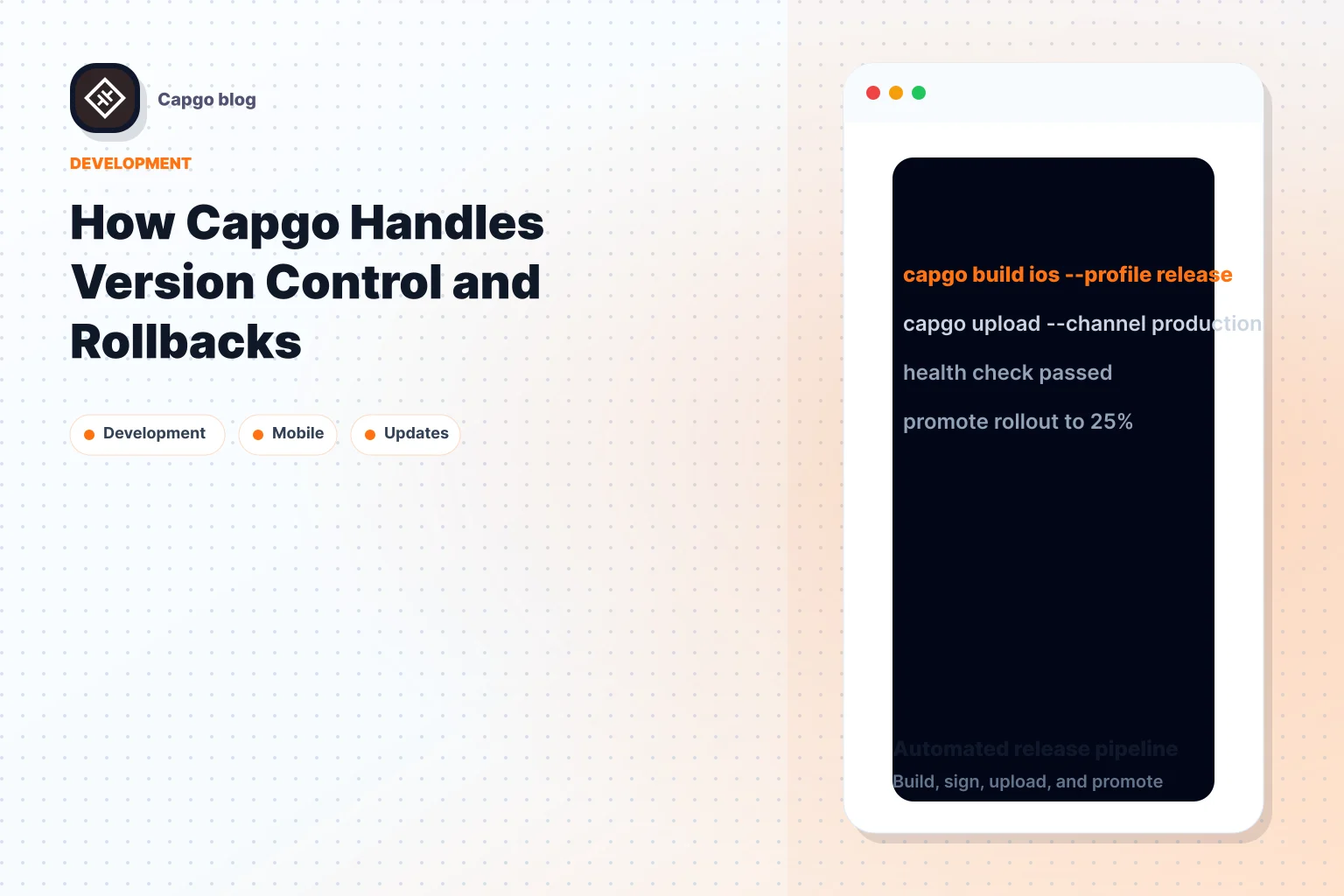
Capgo 简化 App 更新 以查找 Capacitor 通过以下方式赋能 App 即时修复与回滚 无需等待 App Store 审核。它专注于 HTML、CSS 和 JavaScript 等 Web 资源,确保符合 Apple 和 Google Play Store 政策。其工作原理如下:
- 快速更新:仅推送变更的文件,从而减小更新体积并缩短下载时间(5MB bundle 仅需 114ms)。
- 版本控制:追踪变更并使用增量更新(delta updates)以最小化带宽占用。
- 回滚选项:可根据崩溃率等指标触发自动回滚,或通过 dashboard 进行手动回滚。
- Channel 管理: 在全面发布前,先针对小规模用户组进行更新测试。
- CI/CD 集成: 使用以下工具实现自动化更新: GitHub 操作 和 Jenkins.
- 安全性: 端到端加密确保更新过程的安全。
Capgo 支持超过 2,000 个应用,能在 24 小时内为 95% 的用户推送更新。价格方案起步于 $12/月 包含 OTA 更新以及每月约 15 次 Native Build;额外的构建时长将通过积分按分钟计费。无论是修复 Bug 还是发布新功能,Capgo 都能确保稳定性与高效交付。
如何 Capgo的版本控制如何运作
Capgo 旨在提供快速、 安全的更新可靠的体验,而其版本控制系统正是这一承诺的核心。通过专注于仅传输必要的 code 变更,Capgo 在显著加快更新速度的同时,最大限度地减少了用户的等待时间。
App Bundles 与增量更新
Capgo 的系统使用 app bundles 来组织您的 Web 资源。当发生变更时,Capgo 会计算二进制差异(即新增或更新的内容),并创建一个仅包含这些变更的小型二进制补丁。例如,如果您修复了单个文件中的 JavaScript bug,用户只需下载更新的部分,而无需下载整个 app bundle。
| 组件 | 用途 | 优势 |
|---|---|---|
| 版本控制与 Diff 系统 | 追踪版本并生成二进制补丁 | 减小更新包体积 |
| 更新管理器 | 负责下载与安装流程 | 确保更新过程可靠稳定 |
| 后台处理器 | 在后台静默管理更新 | 支持自动更新 |
为了让增量更新(delta updates)更加高效,你可以压缩资源、清理未使用的依赖项并分离 source maps。对非核心资源使用 lazy loading 也能确保用户仅下载当前即时需要的资源。
通过 Channel 管理控制更新
Capgo 的 channel 系统让开发者能够精细化控制更新的分发。Channel 就像独立的 pipeline,允许你向特定的用户群推送特定的 App 版本。这种机制非常适合在全量发布前,先进行小规模的更新测试。
例如,你可以为内部测试设置 “staging” channel,为受信任用户设置 “beta” channel,并为普通用户设置 “production” channel。这种分层方法有助于及早发现潜在问题,确保只有稳定的更新才会推送到全体用户。配合用户分配功能,你甚至可以指定哪些用户接收来自特定 channel 的更新,这使其成为 A/B 测试或重大变更逐步推出的理想工具。
CI/CD 工作流集成
Capgo 与 GitHub Actions 等主流 CI/CD 平台无缝集成, GitLab CI以及 Jenkins。这种集成的核心是 Capgo CLI,它实现了应用更新构建与部署的自动化,无需人工干预。
首先,在 dashboard 中使用 API key 配置 Capgo CLI。然后,使用 bundle upload 命令在构建过程完成后立即实现更新自动化。
| Staging | 操作 | 验证 |
|---|---|---|
| 部署前 | 版本检查 | 确认版本号正确 |
| 部署 | Bundle 上传 | 将更新发送至分发系统 |
| 部署后 | 健康检查 | 监控并验证更新状态 |
通过引入语义化版本控制,你可以简化版本管理、自动生成 release notes 并保持清晰的审计追踪。这种从提交 code 到交付更新的全链路自动化,在确保工作流顺畅高效的同时,也保留了回滚能力。
这种集成的优势显而易见。Capgo 目前支持近 2,000 个生产级 App,对于 5MB 的 bundle,交付更新仅需 114ms。方案起步价为 $12/月,包含 OTA 更新及每月约 15 次 Native Build;额外的构建时长通过积分按分钟计费。对于开发团队而言,这种节省时间并降低人工错误风险的方式是非常值得的投资。
这些精简的版本控制流程与 Capgo 的回滚功能相辅相成,我们将在下一节详细介绍。
Capgo 如何处理回滚
Capgo 的回滚系统旨在在新更新引发 bug 或性能问题时快速恢复稳定性。它结合多种回滚策略,减少停机时间并保障用户体验。
自动回滚触发机制
Capgo 会密切监控关键指标,以决定是否需要执行自动回滚。这些指标包括: 崩溃率, 性能趋势,以及 用户参与度 在更新上线后立即进行监测。如果这些指标跌至可接受水平以下,系统可以自动启动回滚。
部署后的前 24 小时至关重要,Capgo 的监控工具在此期间表现出色。平台的 analytics dashboard 通过追踪以下数据,提供关于更新性能的实时洞察: 更新成功率, 错误发生率,以及 用户活跃度. 这有助于团队及早发现问题,并决定回滚是否为最佳方案。
虽然这些自动化系统构成了 Capgo 回滚能力的核心,但平台也提供了强大的手动选项,以实现更精细的控制。
手动回滚选项
Capgo 通过其 dashboard 为开发者提供完全的回滚控制权,并针对不同场景提供多种手动策略 [3].
最简单的方法是 回滚到稳定版本. 通过 dashboard,您可以选择任何之前稳定的版本,并一键完成回滚 [3][2]. 当您明确知道哪个版本运行良好并希望恢复该状态时,这是理想的选择。
如果问题尚不明确,您可以 通过禁用 channel 来暂停更新. 这会停止分发新的更新,同时保持当前版本处于活跃状态 [3][2]. 当您需要时间调查问题是出在最新更新中,还是出在部署流程的其他环节时,这是一个非常棒的选择。
针对严重问题,最彻底的方案是 强制使用集成的 bundle。此操作会将所有设备回滚至原生 App 中内置的原始 Web 版本 [3][2]。虽然手段比较激进,但它是解决严重问题的最可靠方法。
在回滚期间维护用户体验
这些回滚策略协同工作,确保应用在过渡期间依然保持稳定可用。Capgo 的系统可以避免崩溃、强制重启或数据丢失,从而保证用户体验不受影响。
该流程的核心在于 Capgo 的 分阶段部署方案。更新会首先推送给小部分用户群体,让团队能够在全面发布前发现问题。这能最大限度地缩小回滚范围,并降低对用户的影响。
Capgo 的用户分配工具让分阶段发布变得易于管理。你可以针对特定用户群测试更新,并随着对更新的信心增加而逐步扩大发布范围。如果出现问题,你只需回滚受影响的用户组,而无需影响整个用户群。
回滚过程中的清晰沟通 也至关重要。虽然 Capgo 自动化了技术层面,但团队仍应建立明确的回滚决策流程,并为这些操作分配责任。 [3]。有了这套方案,问题出现时就能快速响应。
最后,Capgo 的实时监控工具让团队能立即评估回滚效果。你可以追踪回滚是否解决了问题,并确认用户体验指标是否恢复正常。这个反馈闭环不仅能验证回滚是否成功,还能帮助避免未来更新中出现类似问题。
版本控制与回滚的核心功能
Capgo 不仅提供快速回滚,还提供了一整套旨在让更新更安全、更高效的工具。凭借安全且开发者友好的方式,Capgo 解决了开发者向生产环境发布更新时面临的关键挑战。
更新的端到端加密
当更新直接发送到用户设备时,安全性是重中之重。Capgo 确保所有更新包在传输前都经过加密,且仅在到达目标设备后才进行解密。这一过程可防止拦截或篡改,让开发者无需额外安全措施即可部署敏感的修复或功能。
App Store 合规性
应对应用商店政策可能很棘手,但 Capgo 确保符合 Apple 和 Android 的指南,最大限度地降低被拒绝或封禁的风险。
| 要求 | Capgo 如何应对 |
|---|---|
| 用途一致性 | 更新保持 App 原有功能。 |
| Code 解析机制 | 使用自定义 Dart 解释器进行更新。 |
| 安全特性 | 完全支持 iOS 沙盒机制和 Android 安全协议。 |
| 更新范围 | 仅限于 JavaScript 和 Web 资源更新。 |
对于 iOS,Capgo 通过使用解释器方案而非直接执行下载的 code,从而遵循 Apple 的严格规则。在 Android 上,它在满足 Google Play Store 安全要求的同时,确保用户能及时获知更新。鉴于应用商店法规的复杂性,这种合规性至关重要。开发者 Simon Flack 分享了他的经验:
“由于 Appcenter 停止了对混合应用的 Live Update 支持,而 @AppFlow 的价格又太贵,我们目前正在尝试使用 @Capgo” [1]
实时分析与监控
Capgo 的实时分析和监控工具为开发者提供了有效管理回滚所需的数据。这些工具可以追踪关键指标,例如 82% 的全球更新成功率、95% 的活跃用户在 24 小时内完成更新,以及全球平均 API 响应时间为 434ms [1]。凭借这些数据,开发者可以在更新后的关键前 24 小时内快速定位问题,并决定是启动自动回滚还是手动回滚。
总结与核心要点
Capgo 彻底改变了开发者管理版本控制和回滚的方式, Capacitor 应用 通过提供一个安全、高效且易于使用的平台。其 channel 管理系统 让开发者能够无缝地在不同环境中组织更新,同时 增量更新 优化带宽使用并确保更快的部署速度。
Capgo 的核心亮点之一是其 一键回滚,并结合了实时监控。这让开发者在发布更新时充满信心,因为一旦出现问题,可以快速回滚更改。此外, 数据分析仪表板 提供了关于更新成功率和用户参与度的清晰洞察,帮助团队在决定回滚还是继续部署时做出明智决策。这些工具共同构成了一套高效管理更新的完整解决方案。
关于定价,Capgo 方案起步价为 $12/月 包含 OTA 更新以及每月约 15 次 Native Build。超出配额的构建时长将通过积分系统按分钟计费,这使得成本远低于每月高达 $500 的其他方案。凭借 端到端加密 以及对 Apple 和 Android App Store 要求的合规性,Capgo 确保更新安全并符合必要标准,降低了应用被拒或安全漏洞等风险。
| 功能 | Capgo 优势 |
|---|---|
| 更新速度 | 平均响应时间 114ms |
| 成功率 | 全球更新成功率 82% |
| 安全性 | 包含端到端加密 |
| 高性价比 | 方案每月 $12 起 |
| 托管灵活性 | 提供云端及自托管选项 |
Capgo 的 100% 开源 理念提供了闭源工具无法比拟的透明度与灵活性。凭借其出色的速度、安全性与性价比,无论您是独立开发者还是大型团队成员,Capgo 都是您的理想之选。
常见问题
::: 常见问题
在提供即时更新的同时,Capgo 如何确保符合 Apple 和 Google Play Store 的政策?
Capgo 通过专注于以下方面,让您无需为遵守 Apple 和 Google Play Store 政策而烦恼: 安全性 以及严格的 规范遵循。每次更新都经过端到端加密保护,确保只有授权用户才能访问更新。为了满足应用商店的要求,平台还支持定向发布,并保留详细的更新分发日志。
此外,Capgo 的架构旨在阻止更新过程中的任何未经批准的更改,确保一切符合应用商店的严格政策。这意味着开发者可以充满信心地进行即时更新,无需等待应用商店的审核延迟。 :::
::: FAQ
为什么 Capgo 的频道管理系统是应用更新的理想选择?
Capgo 的频道管理系统通过提供以下功能简化了应用更新流程: 定向发布 针对特定用户群(如 Beta 测试人员或分阶段部署)。这种方法绕过了应用商店审批带来的典型延迟,能够实现 即时热更新 (OTA)。因此,用户无需等待即可获取 Bug 修复和新功能。
该系统还包括 一键回滚选项,允许开发者快速撤销有问题的更新,从而最大限度地降低风险和停机时间。此外,它还能在遵循 Apple 和 Android 指南的同时,通过定制化的更新体验来提升用户参与度。这些工具确保应用更新交付得更快、更可靠、更简单。 :::
::: faq
更新后,Capgo 如何通过其回滚系统确保应用的稳定性?
Capgo 的回滚系统旨在通过在更新出现问题时自动切换回上一个稳定版本,来确保您的应用平稳运行。在发布任何更改之前,系统都会保存当前版本的备份。一旦更新上线,系统会进行健康检查以发现任何潜在问题。如果出现异常,系统会迅速恢复到之前的版本以防止业务中断。
除此之外,开发者还可以根据需要手动回滚到之前的版本。这种机制有助于减少停机时间,确保用户体验到最少的干扰,并让 更新流程 压力大大减轻。 :::
继续阅读:Capgo 如何处理版本控制与回滚
如果你正在使用 Capgo 如何处理版本控制与回滚 若要规划回滚与版本控制,请将其与以下工具连接: 回滚 了解 Rollbacks 的实现细节, 版本定向 了解 Version Targeting 的实现细节, 更新行为 了解 Update Behavior 的实现细节, bundle 了解 bundle 的实现细节,以及 Capgo Live Updates 用于 Capgo Live Updates 中的产品工作流。





