


이 기사에서는 GitLab과 함께하는 CI/CD pipeline 설정 방법을 안내합니다.
소개
앱을 Capacitor에 먼저 추가하십시오. 이 튜토리얼은 업로드 단계만 다룹니다. 앱을 Capgo에 추가해야 하는 경우, 이 Capgo을 참조하십시오. 튜토리얼.
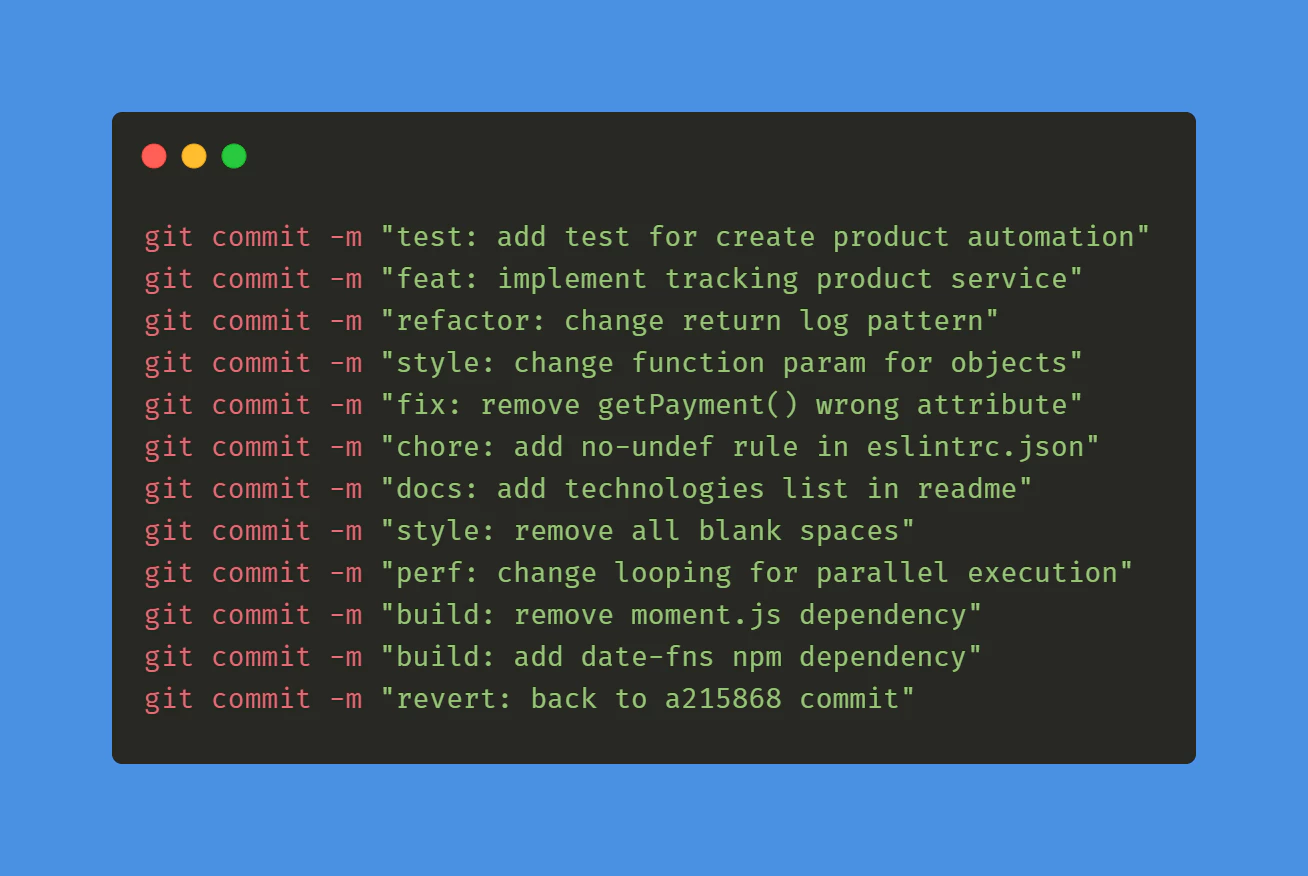
커밋 규칙
첫 번째로 커밋 규칙을 따라야 합니다. 기술효과`이것은 도구가 버전 번호를 업그레이드하는 방법을 이해하는 데 도움이 됩니다. 5분 만에 배울 수 있습니다.
태그
GitLab CI/CD
 stages:
      - tag

 bump_version:
   stage: tag
   only:
     - main
  except:
    variables:
  - $CI_COMMIT_MESSAGE =~ /^chore\(release\):/
  script:
   - git config --global user.email "gitlab@yourdomain.com"
   - git config --global user.name "GitLab CI/CD"
   - git checkout $CI_COMMIT_REF_NAME
   - git pull origin $CI_COMMIT_REF_NAME
   - npx capacitor-standard-version
   - git push origin $CI_COMMIT_REF_NAME --tags
Replace “Replacegitlab@yourdomain.com
GitLab CI/CD
CI/CD 파이프라인에 빌드 단계 추가
    stages:
      - deploy

   deploy:
     stage: deploy
     only:
       - tags  # This job will only run for tag pushes
     script:
       - apt-get update -qy && apt-get install -y nodejs npm
       - npm install -g @capgo/cli
       - npm ci
       - npm run build
       - npx @capgo/cli bundle upload -a $CAPGO_TOKEN -c production
     variables:
       FIREBASE_CONFIG: $FIREBASE_CONFIG  # Define this in your GitLab project settings
     environment:
       name: production
Ensure you have your Capgo API key (CAPGO_TOKEN) added as a CI/CD variable in your GitLab project. Go to your project in GitLab, navigate to Settings > CI/CD > Variables, and add a variable named CAPGO_TOKEN with your API key value.
프로젝트의 빌드 프로세스를 맞추기 위해 빌드 스크립트를 커스터마이즈하세요. 예를 들어, npm 빌드 명령어를 변경하세요.
결론
여기까지 왔습니다! 기술 여행에서 추가 단계를 밟았습니다. 현대 소프트웨어 개발에서 CICD는 고려해야 할 중요한 요소입니다. 따라서 이 안내서가 모든 사람에게 의미가 있기를 바랍니다.
자동 빌드 및 릴리스 앱과 GitLab을 계속 사용하세요.
GitLab을 사용하고 있다면 자동 빌드 및 릴리스 앱과 GitLab __CAPGO_KEEP_0__ CI/CD와 연결하세요. Capgo CI/CD Capgo Native Builds에서 제품 워크플로우를 구성하세요. Capgo Integrations Capgo 원본 제품 워크플로우에 대해 Capgo 통합(Integrations) Capgo 제품 워크플로우에서 Capgo 통합 CI/CD 통합 CI/CD 통합 구현 세부 사항 GitHub 액션 통합 GitHub 액션 통합 구현 세부 사항을 위한





