

Anonymized archive
What App Store review actually costs teams
48 paraphrased rejection stories from public developer posts. No names, no app titles, no links back to sources. Just context, outcomes when known, and one lesson each.
Batch 1 · 44 stories · updated 2026-10-19
- Stories
- 48
- Guidelines
- 15
- Batch
- 1
Showing all 48 stories.
-
 4.3(a) Spam iOS Guideline 4.3
A whole portfolio flagged at once
What happened
A developer with several apps built from the same starter project received the identical 4.3 notice on every one of them: the apps shared a similar binary, metadata or concept with only minor differences. They decided to work through the apps one at a time.
Resolution
Still in progress at the time of posting.
Lesson
4.3(a) also covers overlap between your own apps. If several apps grew from one template, each needs a genuinely distinct core, not just a new icon and name.
-
 4.3(a) Spam iOS Guideline 4.3
The same letter twice in one week
What happened
A small single purpose photography helper app was rejected under 4.3(a) in the middle of the night, a week after receiving the exact same rejection text for an earlier build.
Resolution
Not stated.
Lesson
Resubmitting with cosmetic changes rarely moves a 4.3 decision. Change the concept or explain clearly in review notes what makes the app different.
-
 4.3 Design / Spam iOS Guideline 4.3
Building in a crowded category
What happened
A solo builder documenting a daily build challenge got a 4.3 Design / Spam rejection on day four and started questioning whether picking a saturated category had been a mistake.
Resolution
Not stated.
Lesson
Categories Apple lists as saturated get extra scrutiny. Validate what makes your app different before you build, not after review.
-
 2.1 Information Needed iOS Guideline 2.1
Seven questions for a new account
What happened
A team's first ever submission came back under 2.1 Information Needed: seven questions, a request for a screen recording and a demo account. Answering honestly surfaced four things they had missed.
Resolution
They fixed the issues and replied.
Lesson
New developer accounts should expect this. Prepare a demo account, a recording and clear review notes before you submit.
-
 2.1 App Completeness iOS Guideline 2.1
The reviewer could not follow the app
What happened
A first time developer was rejected twice before going live. The first rejection, under 2.1, came because the reviewer could not work out how the app was meant to be used.
Resolution
Approved after adding a demo video recorded on a real device and step by step review notes.
Lesson
Reviewers have minutes, not context. Tell them exactly what to tap and what they should see.
-
 Metadata and in app purchase setup iOS Metadata and IAP
Two rejections for known checkboxes
What happened
An indie developer was rejected twice for things they already knew. First, the build went in without its in app purchases attached and the description did not link the terms of use. Weeks later, a screenshot described the app as free.
Resolution
Fixed and resubmitted each time.
Lesson
Keep a pre submission checklist for metadata, subscriptions and legal links. Most metadata rejections are avoidable.
-
 Review queue timing iOS Endless review
9 days waiting, then 8 days in review
What happened
A developer waited nine days for the status to move from Waiting for Review to In Review, then sat in review for eight more days with no update.
Resolution
None at the time of posting.
Lesson
Review times are not guaranteed. Never tie a launch date, press or creator campaign to an expected approval date.
-
 Review queue timing iOS Endless review
20 days in the reject, fix, wait loop
What happened
Over 20 days, a developer went through rejection, fix, Waiting for Review, rejection, fix, and was still waiting at the time of posting.
Resolution
Pending.
Lesson
Every round trip can cost days. Batch every fix from a rejection note into a single build.
-
 Account termination iOS Account termination
Closed before the first review
What happened
A developer with ten years of experience had their developer account terminated, with a fraud accusation that did not say what they had done, while a language learning game was still waiting for its very first review. Their existing apps disappeared and customers started asking why.
Resolution
None reported.
Lesson
An account termination removes every app at once. Keep your own channel to users (email, website) so you can reach them if the store disappears.
-
 Account termination warning iOS Account termination
Too many rejected versions
What happened
A prolific indie developer received a notice that their account would be terminated in ten days. Apple indicated the number of rejected versions was part of the reason. After public attention and an appeal, the account was not terminated.
Resolution
Account kept after appeal.
Lesson
Rejections add up. Avoid same day resubmits with one word changes and near identical clones of your own apps.
-
 Login requirement (guideline number not stated) iOS Login requirement
Sign up required: you are not that big app
What happened
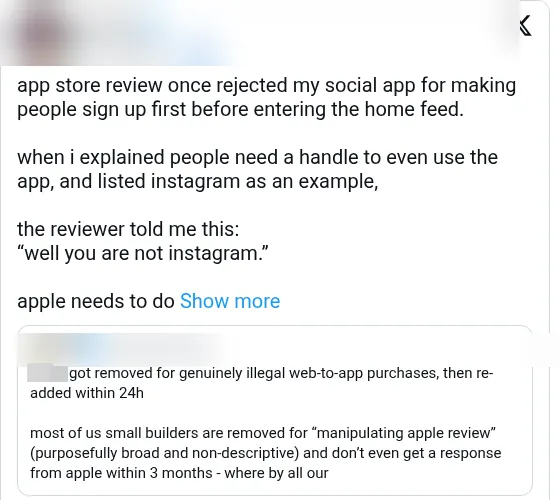
A developer's social app was rejected because it required people to create an account before reaching the home feed. When the developer explained that every user needs a handle for the app to work at all, and pointed to a major photo sharing network that does the same, the reviewer replied, in effect, that their app was not that network.
Resolution
Not stated.
Lesson
What big apps get away with is not a precedent you can cite. If you require sign up, explain in review notes why the core feature cannot work without an account, and consider letting reviewers or guests see some content first.
-
 4.3 Spam iOS Guideline 4.3
From no review at all to almost everything rejected
What happened
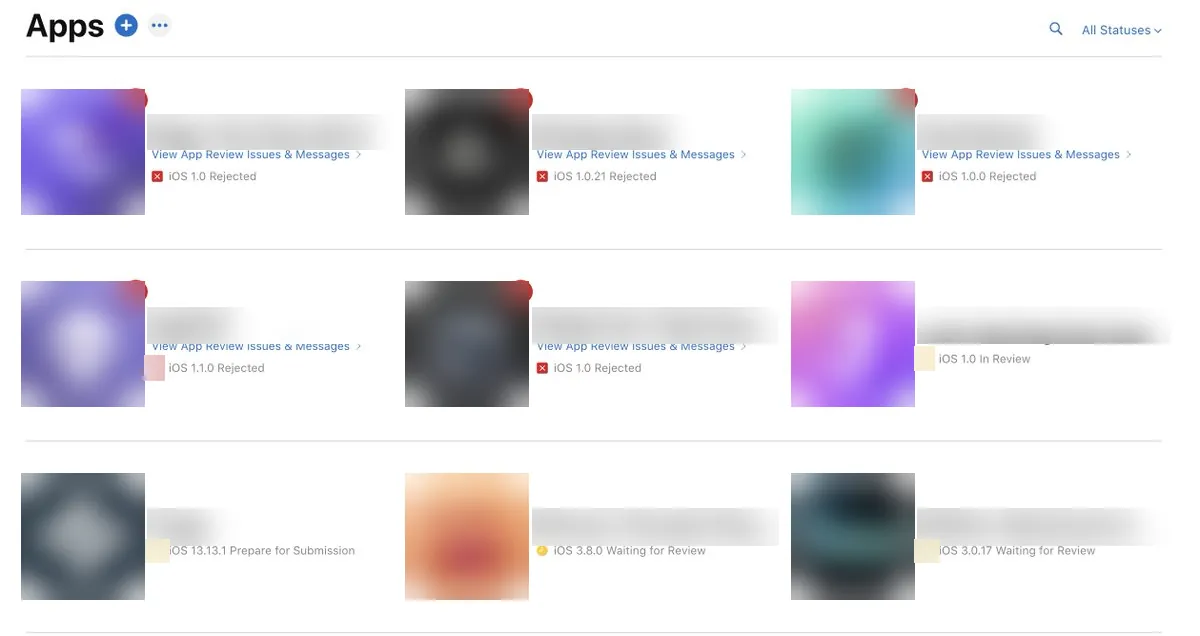
A developer saw none of their apps get reviewed for days. Over about a week, while waiting, they created more submissions. When review finally moved, almost all of them came back rejected under guideline 4.3 spam.
Resolution
Not stated.
Lesson
A stalled queue is not a signal to submit more. Piling up submissions while nothing is being reviewed can make your account look like a spam pattern once a reviewer finally sees them together.
-
 4.3 Spam iOS Guideline 4.3
Unrelated apps rejected together
What happened
A developer had several apps, built over months and unrelated to each other, all rejected as spam at the same moment. They asked publicly whether that was normal.
Resolution
Not stated.
Lesson
4.3 can be applied at the account level, not app by app. If several apps are rejected at once, answer each one separately and spell out in review notes what makes each app distinct.
-
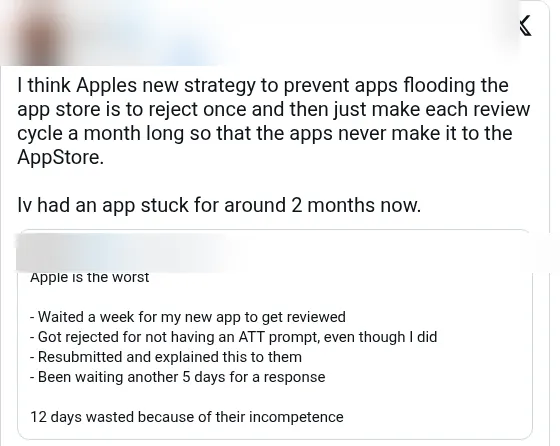 Review queue timing iOS Endless review
One rejection, then two months of silence
What happened
After a single rejection, a developer's app sat in review for around two months, with each review cycle taking roughly a month. They suspected long cycles had become a way to keep new apps out.
Resolution
Still stuck at the time of posting.
Lesson
After a rejection, the next cycle can be far slower than the first. Make your resubmission complete and well documented so you do not spend another month on a second round trip.
-
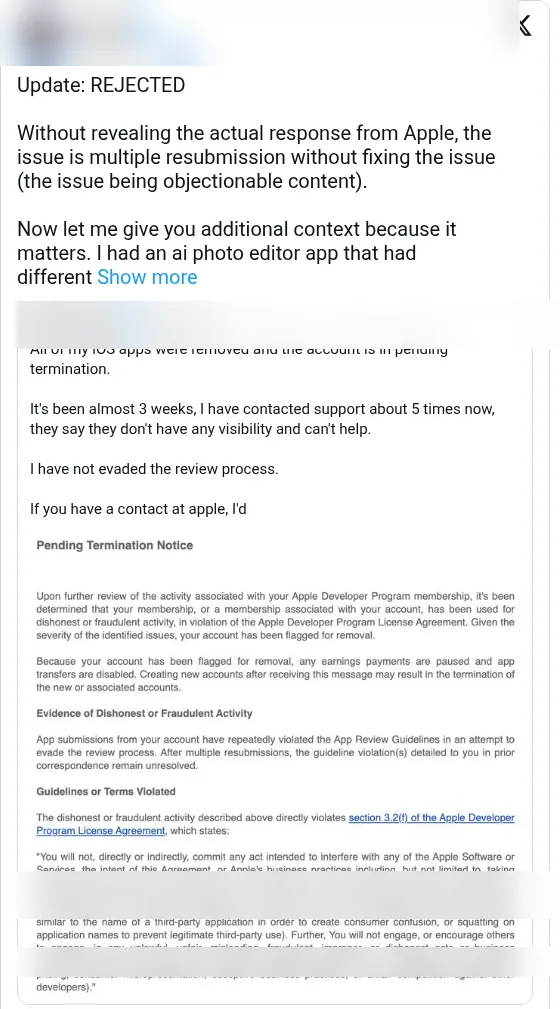 Objectionable content iOS Objectionable content
Rejected for resubmitting without a fix
What happened
An AI photo editing app was rejected because it had been resubmitted several times without fixing the issue Apple flagged, which was objectionable content.
Resolution
Rejected.
Lesson
Resubmitting the same build hoping for a different reviewer can count against you. Fix the flagged issue, or ask for clarification through the Resolution Center, before you resubmit. For generative AI features, add filters for content Apple considers objectionable.
-
 4.3 Spam iOS Guideline 4.3
Rejected the same minute review started
What happened
A developer spent weeks building an app and it was rejected under 4.3 spam in the very same minute it entered review. They believed the reviewer judged the niche, not the app.
Resolution
Not stated.
Lesson
In crowded niches a fast 4.3 can come before anyone looks closely. Lead your review notes with what is unique and point the reviewer straight to it.
-
 4.2.6 Template iOS Guideline 4.2.6
Flagged for a template that was never used
What happened
A team was rejected under guideline 4.2.6, which covers apps created from a commercialized template or app generation service, even though they used no template or generation service at all.
Resolution
Not stated.
Lesson
4.2.6 can be a false positive. Reply in the Resolution Center stating plainly that the app is custom built and who built it, and offer to show the source or development history.
-
 3.1.2 Subscriptions iOS Guideline 3.1.2
The monthly price was bigger than the billed price
What happened
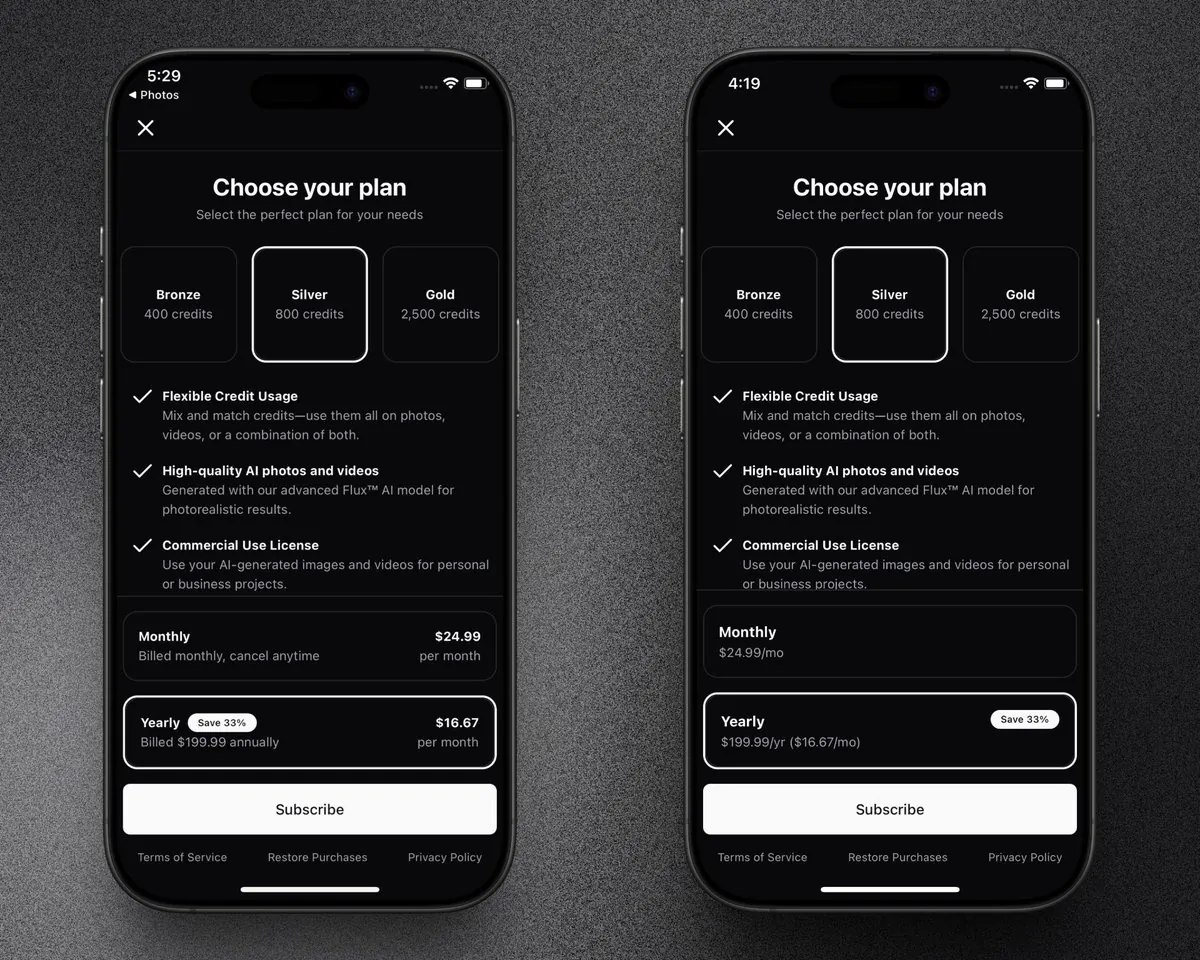
A developer's paywall was rejected because it showed the calculated monthly price of a longer subscription more prominently than the amount actually billed. The same paywall had passed earlier reviews without comment. They agreed with the rule but were frustrated it was flagged only now, and redesigned the paywall to lead with the billed amount.
Resolution
Resubmitted with the new design.
Lesson
A paywall that passed before can still be rejected later. Always make the billed amount and period the most prominent price; show any per month breakdown smaller and secondary.
-
 Enrollment (not an App Review guideline) Apple Developer Program Enrollment and account
Two months, then a refusal with no reason
What happened
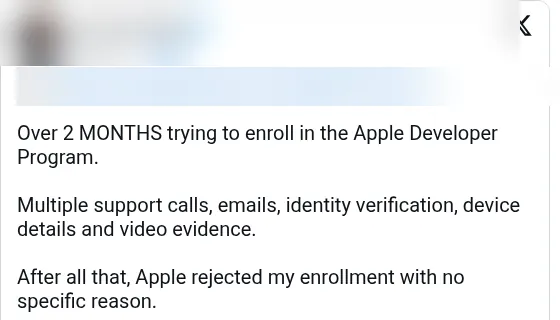
A developer spent over two months trying to enroll, with multiple support calls and emails, identity verification, device details and even video evidence. Apple then rejected the enrollment without giving a specific reason.
Resolution
None at the time of posting.
Lesson
Enrollment can take far longer than building the app. Start enrollment early, before your launch plan depends on it, and keep a record of every support exchange.
-
 5.1.2 Data use and sharing iOS Guideline 5.1.2
An App Tracking Transparency rejection that threatened a startup
What happened
After a few months of fast shipping and strong user feedback, a startup's app was rejected in late autumn over App Tracking Transparency, the iOS privacy rule that requires user permission before tracking across apps and websites. The founder later described it as a rejection that put the whole company at risk.
Resolution
Not stated in the post.
Lesson
Audit every SDK in your app for tracking before you submit. If anything links user data with other companies' data, you need the tracking permission prompt and matching privacy labels, even if the tracking comes from a third party library.
-
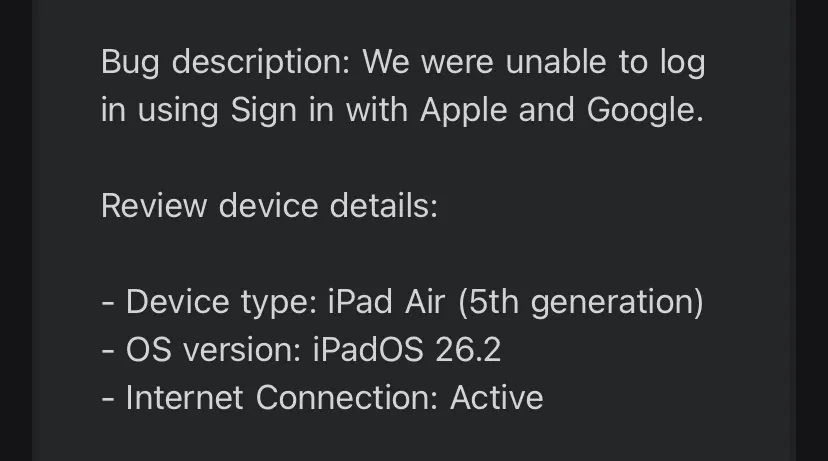 Login (guideline number not stated) iOS Login
Reviewer could not sign in with Apple or Google
What happened
To stop bot signups, a developer removed email and password login and kept only Sign in with Apple and Google sign in. It worked on their own iPhone and iPad, and even for the previous reviewer, who had rejected the app for a different reason. The next reviewer rejected it because they could not log in.
Resolution
Not stated.
Lesson
If your app only offers social login, reviewers can still get stuck. Give them a working path in the review notes, such as a demo account or a review only login, and test sign in on a fresh device and account before each submission.
-
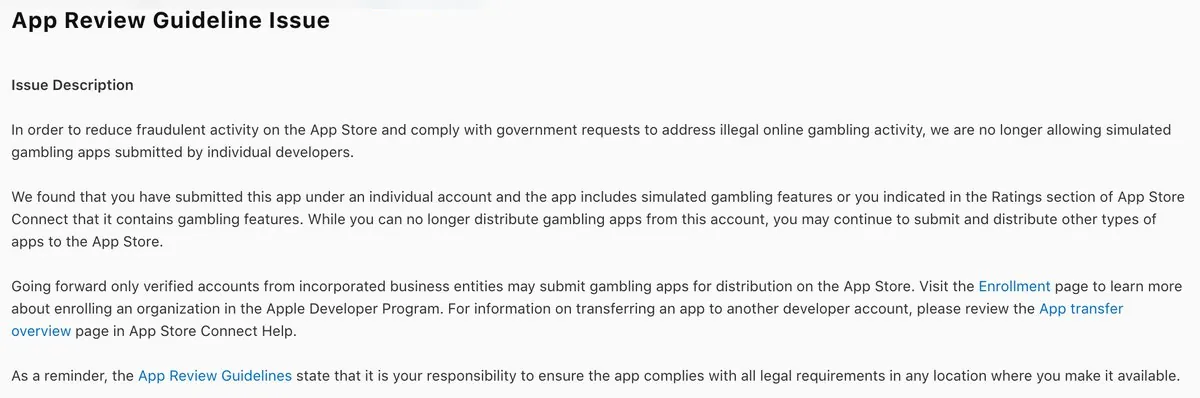 Simulated gambling (guideline number not stated) iOS Simulated gambling
An in game staking feature on an individual account
What happened
A game was rejected for including simulated gambling: players could stake in game items against each other, a mechanic common in classic online role playing games. Because the developer published under an individual account rather than a company, they decided to remove the feature for now.
Resolution
Removing the feature and resubmitting.
Lesson
Gambling style mechanics get extra scrutiny even without real money, and some of what Apple allows depends on your account type and documentation. Check the gambling rules before building staking, loot or wager features, and plan your developer account type around them.
-
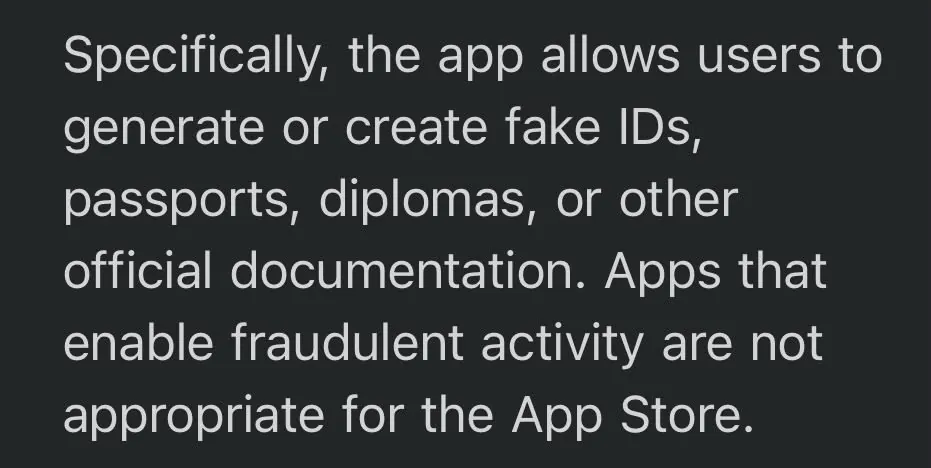 Fake documents (guideline number not stated) iOS Fake documents
A PDF editor blamed for what users might do
What happened
A PDF editor app was rejected because Apple said it let users create fake IDs and fake documents. The developer argued that by the same logic any banking or messaging app could be rejected for what bad actors might do with it.
Resolution
Not stated.
Lesson
General purpose tools can be judged by their worst possible use. Avoid templates or marketing that look like official IDs or certificates, and explain in review notes what the app is for and what it does not support.
-
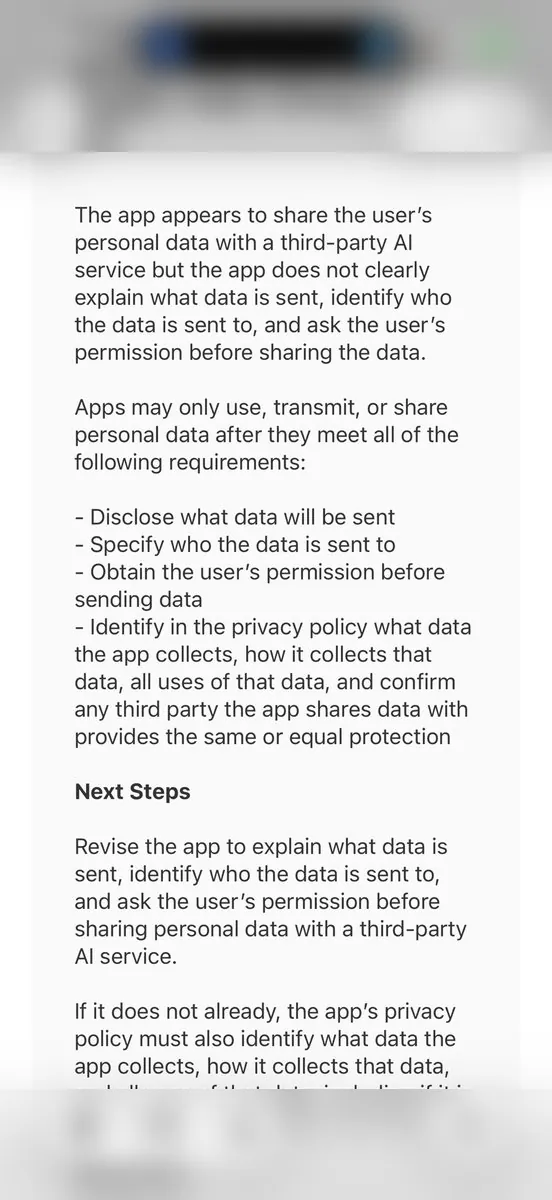 AI data sharing (guideline number not stated) iOS AI data sharing
No consent screen for third party AI data sharing
What happened
A team got their first rejection for sharing user data with a third party AI provider. Apple required explicit permission from users plus clear disclosure of what data is sent and to which AI provider. The team's worry was building a consent screen that passes review without hurting conversion.
Resolution
In progress.
Lesson
If your app sends user content to an outside AI service, ask for consent before the first request and name the provider and the data involved. Build that screen before submission, not after the rejection.
-
 Family Controls entitlement (guideline number not clearly stated) iOS Metadata and IAP
Five rejections for one unchecked box
What happened
A developer shipping a screen time style app was rejected five times. Vague review notes led them to believe the design itself was the problem. The real cause was a single unchecked Family Controls setting in their developer setup. Once they checked it, the app passed.
Resolution
Approved after enabling the Family Controls setting and resubmitting.
Lesson
When rejection notes stay vague, audit entitlements and certificates before redesigning the product. Screen Time and Family Controls apps need the matching capability enabled in the developer portal, not only in Xcode.
-
 Guideline 5.1.1(v) iOS Guideline 5.1.1 Login requirement
Account required for a paid feature that runs on device
What happened
A developer coming from web apps was rejected under guideline 5.1.1(v). On the web they always tied purchases to an account. On iOS Apple owns the purchase, so buyers can pay without signing up. Their paid tier unlocked on device filters that ran only on the phone, but both unlocking that tier and Restore purchases still forced account creation first.
Resolution
Rebuilding so a purchase made without an account still finds its owner after optional sign up. In progress at the time of posting.
Lesson
If a paid feature runs on the device and does not need a server identity, let people buy and restore it without an account. Keep sign up only for features that truly need one, such as cloud backup.
-
 Guideline 1.4.2 Physical Harm iOS Guideline 1.4.2
Live dosage calculator apps pulled in a rule crackdown
What happened
A developer woke up to find two of their apps flagged under guideline 1.4.2, even though neither had anything in review. Both were already live: a standalone peptide dosage calculator and a tracker with the same calculator built in, which together had become their first real revenue success. Other developers in the same niche reported the same notice at the same time. It said apps that calculate medication doses, including peptide dosage and reconstitution, must be published by the drug maker or a recognized institution such as a hospital, insurer, pharmacy or university.
Resolution
None. The developer said they understood the safety concern and treated it as the end of those apps.
Lesson
Approval is not permanent. Apple can re-evaluate a live app when it tightens a rule. If your app calculates doses or gives health guidance that could hurt someone, read guideline 1.4 before you build, and plan to publish through a qualified institution or leave the calculation out.
-
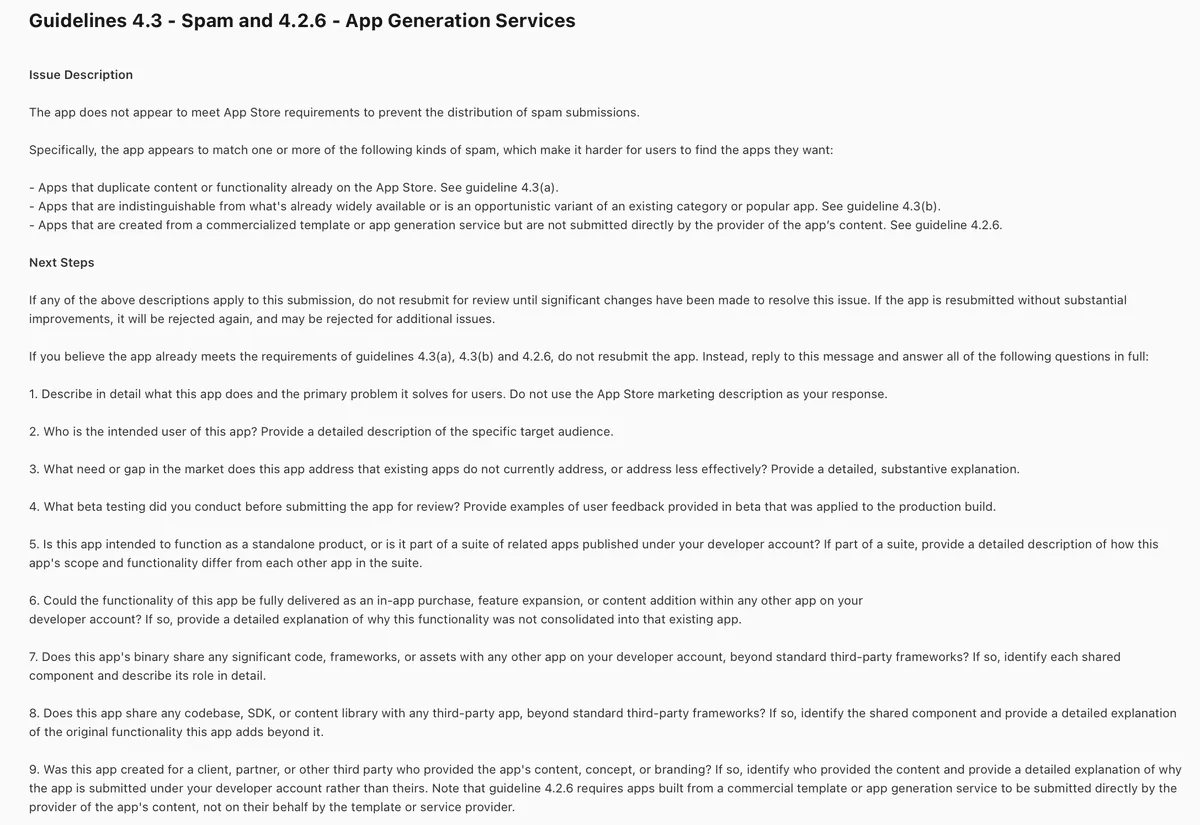
 Guidelines 4.3 Spam and 4.2.6 App Generation Services iOS Guideline 4.3 Guideline 4.2.6
An offline ticketing app called spam, again
What happened
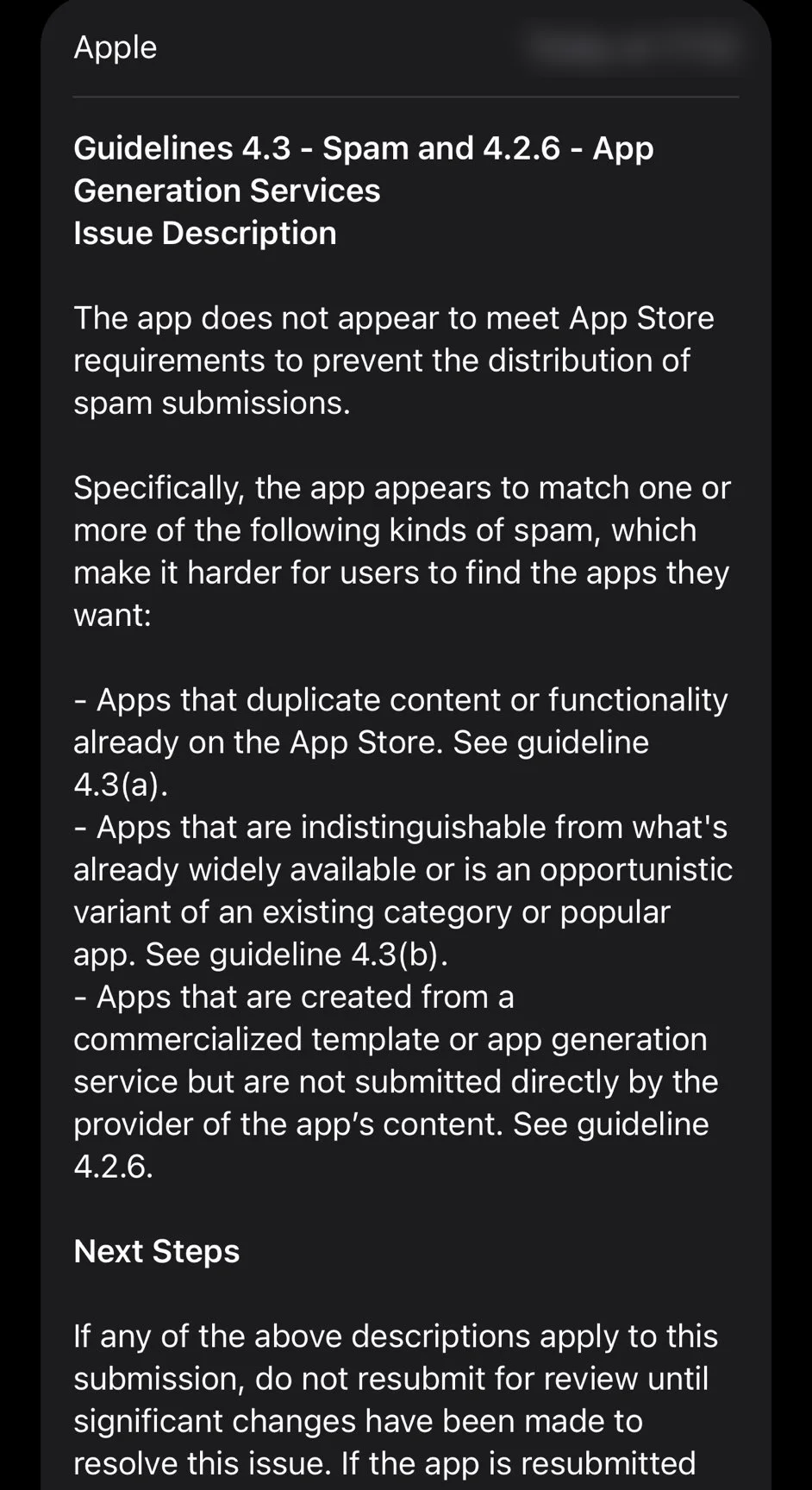
A developer built a small app that turns a spreadsheet into a ticketing and check-in system that runs fully offline, with no account and no subscription. It had already handled entry at a local event with several hundred attendees over the summer. Apple rejected it again with a combined 4.3 and 4.2.6 notice, saying it might duplicate apps already on the store, be an opportunistic variant of a crowded category, or come from a template or app generation service. The developer said they knew of no other app that did the same thing, and the Android version had been live for about a week.
Resolution
Still rejected at the time of posting. The developer said they were not trying to make money from the App Store anyway.
Lesson
A 4.3 reviewer sees your listing and a few minutes of the app, not your real users. If the app is genuinely different, say exactly how in the review notes and the first screenshots, mention the real world use, and state plainly that you did not use a template or app generator.
-
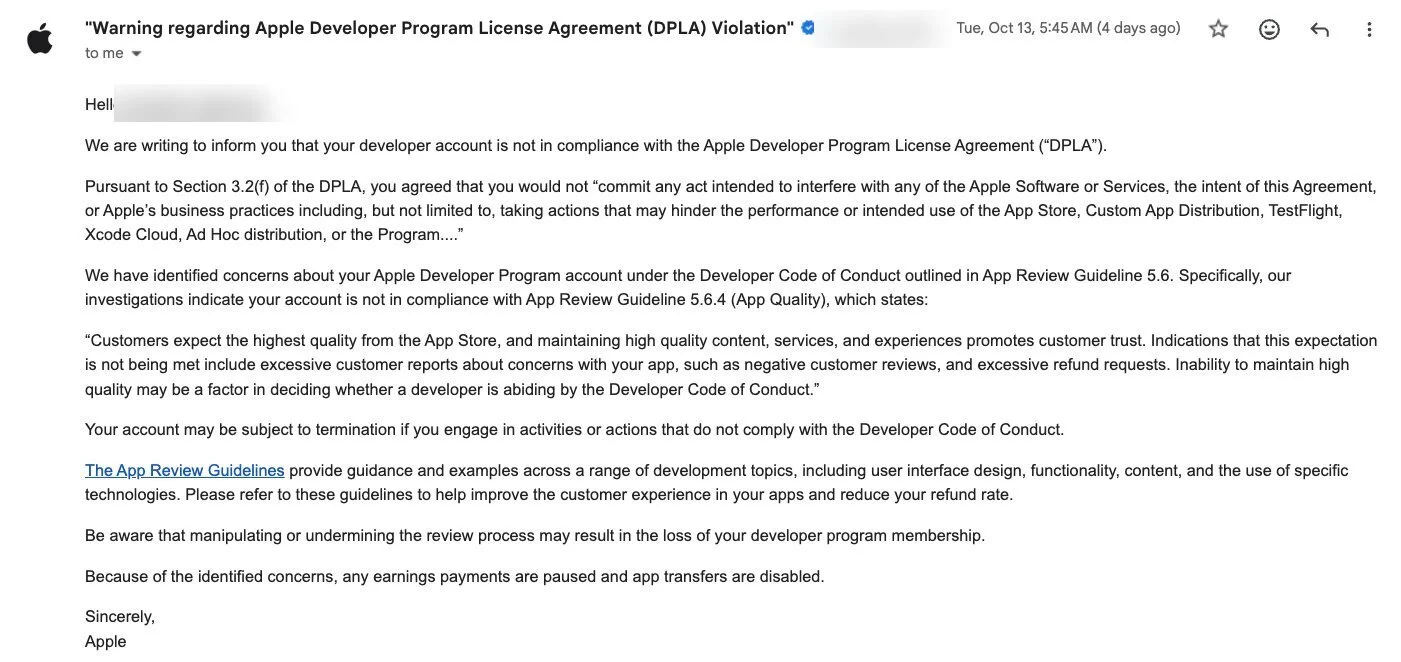 Guideline 5.6.4 App Quality Apple Developer Program Guideline 5.6.4
Payouts frozen over a rising refund rate
What happened
A developer running a fast growing subscription app woke up to a warning from Apple saying their developer account broke the Developer Code of Conduct under guideline 5.6.4, App Quality. The notice pointed to excessive refund requests and customer complaints, warned that the account could be terminated, and said all earnings payments were paused and app transfers were disabled. The refund rate had roughly doubled over the previous two months. When the developer dug into the data, most refund requests were labeled as unintended purchases, which they believed came mainly from people forgetting to cancel a 3 day free trial that rolled into an annual plan. The warning landed while a large redesign of the app was already in testing.
Resolution
Still open at the time of posting. The developer added more reminders during the trial, made the upcoming charge more obvious, added a way to manage and cancel the subscription inside the app, finished the redesign with more testing, and paused all paid creator marketing while waiting.
Lesson
Apple looks at refund rates and complaints, not just your binary. A free trial that quietly converts into a yearly charge can turn into an unintended purchase problem at scale. Remind people before the trial ends, show the real price clearly, make cancelling easy, and treat a rising refund rate as an account risk long before Apple does.
-
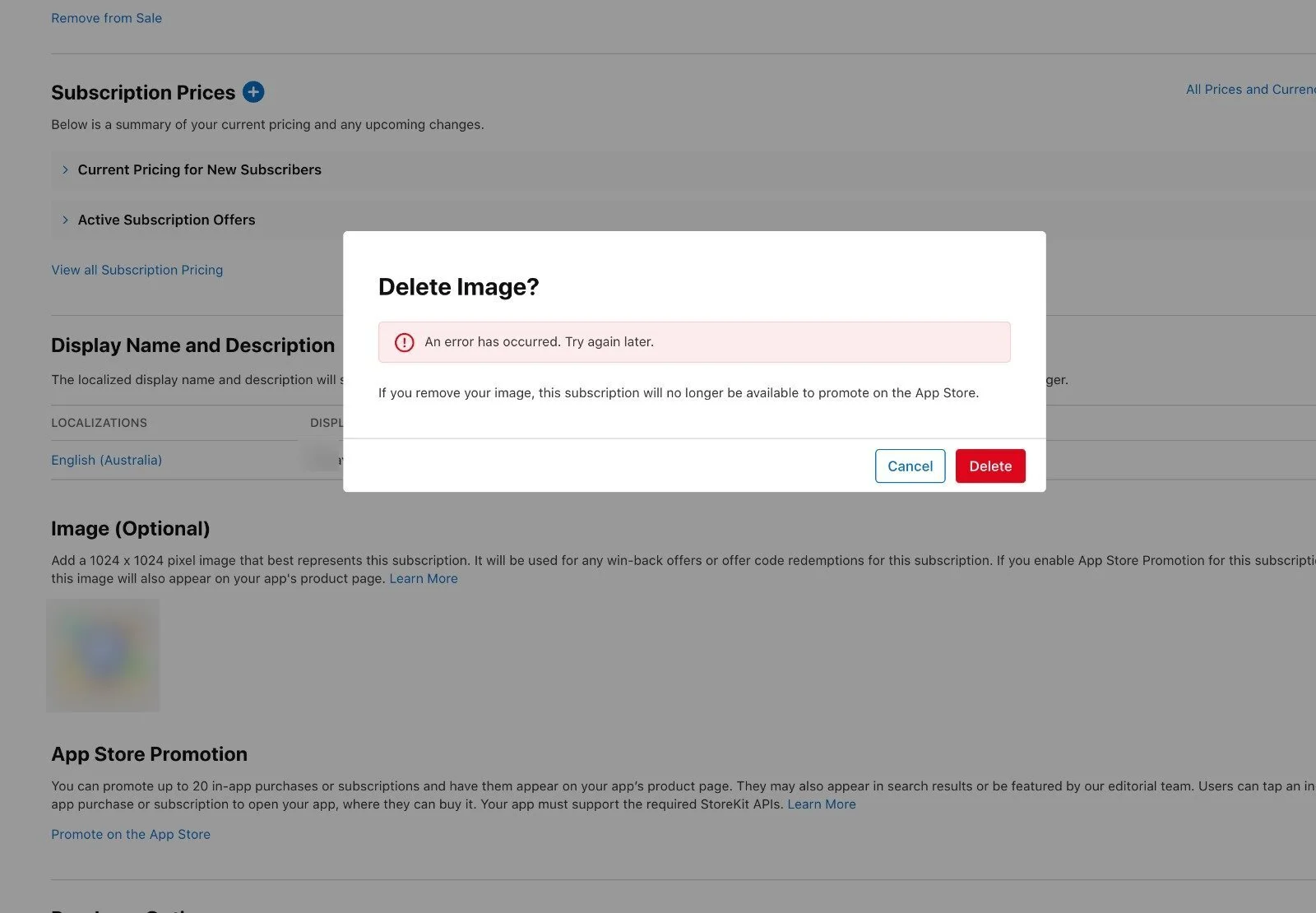 Metadata and in app purchase setup iOS Metadata and IAP
Rejected three times over an image the console would not delete
What happened
A developer added a promotional image to a subscription in App Store Connect and accidentally ended up with the same image added twice. After that, the image could not be deleted or replaced, and every attempt failed with a generic error asking them to try again later. The app was rejected three times over that subscription setup. Each time, the developer replied with a screen recording of the delete attempt and the error, and each time it felt like the reviewer ignored it. The developer believed the root cause was a bug in App Store Connect itself.
Resolution
Still stuck at the time of posting, with no fix from Apple.
Lesson
When App Store Connect itself blocks the fix, a reply in the rejection thread may not reach anyone who can solve it. Upload subscription images carefully and only once, and if the console breaks, contact Apple developer support separately about the bug while you reply to App Review.
-
 Guideline 4.3 Spam iOS Guideline 4.3
Three rejections for an app built to run one gym
What happened
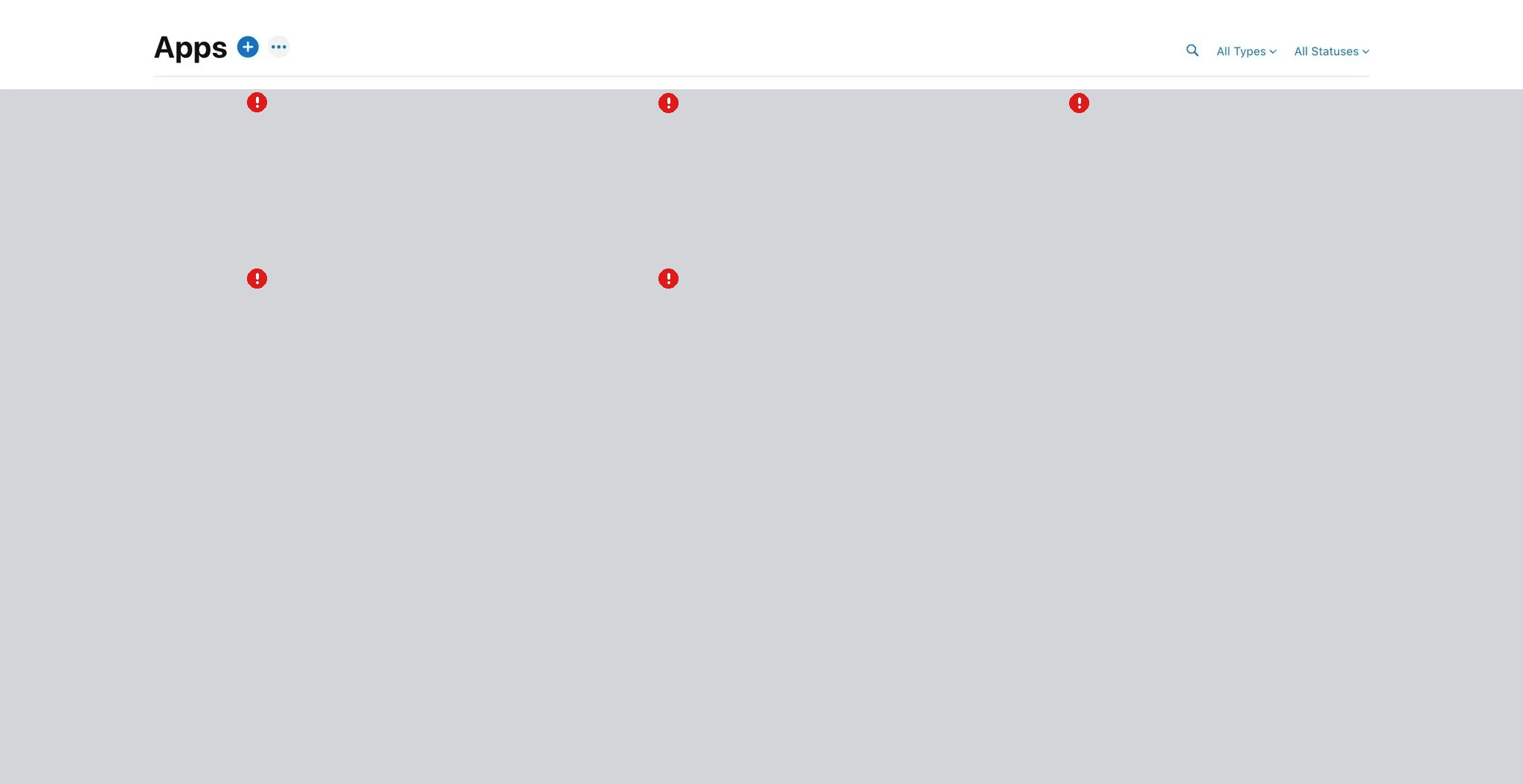
A developer built an iOS app to run their own gym, roughly one hundred seventy six commits of work. Apple rejected it on September 29, rejected it again on October 7, and on October 13 rejected it under guideline 4.3 Spam. The same day they answered all nine questions App Review sent them. Six days later, on October 19, they had heard nothing back. Their App Store Connect apps list showed several other apps on the same account also sitting in a rejected state at the same time, on both iOS and macOS.
Resolution
Still open at the time of posting, with no reply from App Review after the answers were sent.
Lesson
Effort and commit count are not what 4.3 measures. If an app is really built for one business, an unlisted app can stay out of search while remaining accessible to anyone with its direct link; Custom App distribution restricts availability to specified organizations. Choose the option that matches the required access control. For a public listing, make what is different from existing apps obvious in the first screens, screenshots, and review notes.
-
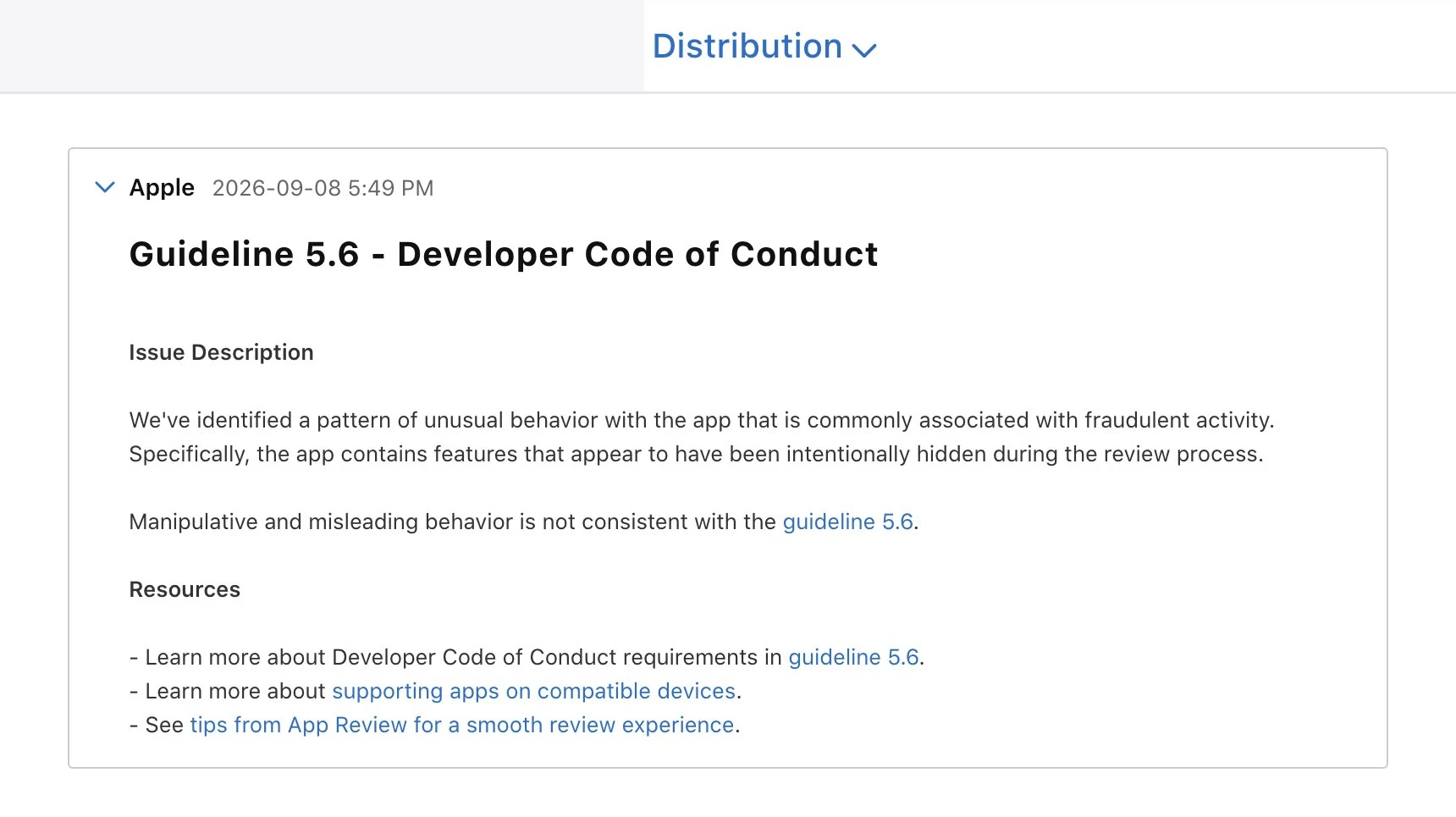 Guidelines 5.6 Developer Code of Conduct and 2.5.19 Hidden Features iOS Guideline 5.6 Developer Code of Conduct Guideline 2.5.19 Hidden Features
Rejected as fraud for leftover testing switches
What happened
In September 2026 a developer had an iOS app rejected under guideline 5.6 Developer Code of Conduct. Apple said it had found a pattern of behavior it associates with fraud, specifically features that looked like they had been deliberately hidden during review. The developer traced it to three testing switches they had left in the release build: a mode for taking store screenshots, a switch that simulated a slow entitlement check, and a switch that unlocked mock purchases. None of them could be reached by normal users of the App Store version. In Apple's October 16 App Review Guidelines update, hidden, dormant, or undocumented features became their own guideline, 2.5.19, and Apple says breaking it can put the whole developer account at risk.
Resolution
The developer now inspects the strings inside every release archive before uploading. Whether that specific build was later approved was not stated.
Lesson
Keep test-only code out of release builds at compile time, for example with DEBUG flags, rather than behind a runtime check. Check what actually ships in the archived binary, and list any switch that stays in the App Review notes.
-
 2.1 Information Needed iOS Guideline 2.1
Review paused until Apple knew who the app was for
What happened
A developer submitted version 1.0 of an iPad app and review stopped under Guideline 2.1, Information Needed. There was no crash report, no broken feature, and no requested binary fix. Apple only wanted a detailed answer to one question before review could continue: who would use this app.
Resolution
Apple asked for a target user explanation before continuing review.
Lesson
Treat audience and use case as review inputs, not marketing copy you can fill in later. Write a clear target user answer before you submit a first version.
-
 4.3 Design / Spam iOS Guideline 4.3
Not different enough in a saturated sound app category
What happened
An entertainment sound app was rejected under Guideline 4.3(b). Apple said the store already had enough similar apps and treated the product as duplicate content in a saturated category, even where the team believed extra features set it apart.
Resolution
Rejected under 4.3(b) for insufficient differentiation in a crowded category.
Lesson
In categories Apple calls saturated, novelty has to be obvious in the first minute of review. Lead with what is unique, not with a gimmick reviewers have seen many times.
-
 Metadata and store listing copy iOS Metadata and IAP Endless review
The metadata loop that ate launch week
What happened
A consumer productivity team shipped a clean build, then spent more than nine days cycling through metadata objections. Each resubmission answered the previous note, but the next reply focused on another phrase, screenshot, or explanation. No code changed while launch, press, and paid acquisition plans waited on review copy.
Resolution
Approved after rewriting screenshots, subtitles, and review notes without a binary change.
Lesson
Lock listing copy, screenshots, and review notes in one pass before you attach a launch date. Metadata rejections can stack even when the binary never moves.
-
 Export compliance (App Store Connect) iOS Metadata and IAP
Approved, then blocked by one more compliance question
What happened
A B2B dashboard companion build reached approval, but release stayed blocked when a compliance prompt reappeared after the team thought export questions were already answered. The release owner stopped rollout, gathered legal wording, updated the App Store Connect response, and waited through another review pass while customers saw the announcement before the app was available.
Resolution
Released after answering export compliance again and waiting for the next review pass.
Lesson
Treat export compliance as a release gate, not a one time checkbox. Confirm App Store Connect shows a releasable state before you announce a ship date.
-
 Google Play permissions and policy review Google Play Metadata and IAP Endless review
The permission policy time sink
What happened
A field operations Android app triggered a broad policy review after a narrow permission used on one screen. The team documented the feature, added reviewer instructions, recorded a demo path, and still had to remove the permission from the main release to unblock customers after thirteen days.
Resolution
Approved after removing the permission, recording a new demo, and rewriting the store declaration.
Lesson
Scope sensitive permissions to the smallest surface you can ship first. A single permission can expand into a full policy review on Google Play.
-
 Google Play review queue timing Google Play Endless review
The hotfix that waited behind a policy queue
What happened
An ecommerce team needed a fast mobile fix for a checkout bug, but the store release sat in review for six days at the worst possible time. Support tickets climbed while status stayed pending. They mitigated server side first, then watched binary approval arrive after the emergency had already burned through a weekend.
Resolution
The native store fix arrived after the team had already mitigated the incident elsewhere.
Lesson
Store review is not an incident response channel. Keep a non store mitigation path for urgent production bugs while a binary waits in queue.
-
 Guidelines 3.1.1 In-App Purchase and 3.1.3(f) Free Stand-alone Apps iOS Guideline 3.1.1 Guideline 3.1.3
A companion app rejected because its trial ends
What happened
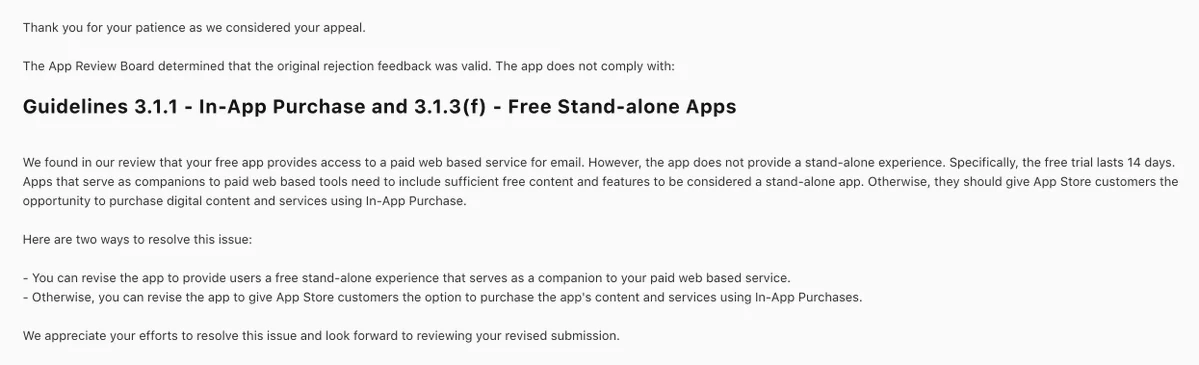
A developer shipped a free iOS companion app for their paid web based email service. The app sold nothing inside it. They pointed App Review to the 3.1.3(f) exception for free stand-alone companion apps, but the app was rejected four times. They appealed, and the App Review Board upheld the rejection. Its reasoning was that the service offered a 14 day free trial, so for an iOS user the app stopped being useful after 14 days and was not a real stand-alone experience. Apple offered two ways out: give the app enough free content and features to stand on its own, or let App Store customers buy the service with In-App Purchase. The developer pointed out that a well known email app seemed to do the same thing with a 14 day limit.
Resolution
Still unresolved at the time of posting. The appeal was lost, and the developer was weighing a minimal free tier against adding In-App Purchase.
Lesson
The 3.1.3(f) companion exception is read narrowly. If your web service has a time limited trial, Apple may treat the app as a paywall in disguise once the trial ends. Before you submit, decide what someone can still do in the app for free after the trial, or plan for In-App Purchase. Pointing to other apps that seem to do the same rarely wins an appeal.
-
 Guideline 3.1.1 In-App Purchase iOS Guideline 3.1.1
Bring your own API key treated as paying outside the App Store
What happened
A solo developer building an AI assistant for iPhone let users paste their own API key from a third party model aggregator so they could run large cloud models. On the fourth review round, App Review rejected the app under guideline 3.1.1, treating the bring your own key option as a way to pay for features outside the App Store. As the developer understood the rejection, a key bought elsewhere can only unlock paid capability in the app if that seller offers In-App Purchase in its own iOS app, and this provider has no iOS app. The developer did not appeal.
Resolution
They removed the bring your own key feature entirely, rebuilt the next version to run models fully on device, and planned to bring cloud models back later as in-app credits sold through In-App Purchase. The result of that resubmission was not known at the time of writing.
Lesson
If paid capability in your app is unlocked by credentials bought somewhere else, check before you build whether that seller offers In-App Purchase in its own iOS app. If not, plan your own In-App Purchase path or a mode that works without it.
-
 Guideline 1.2 iOS Guideline 1.2
An outfit comparison rejected for crowning a winner
What happened
A solo developer shipped an AI app that compares two outfits. After a comparison, the app announced that one look won. App Review rejected it under guideline 1.2, reading the result as ranking people rather than clothes. The developer agreed with the concern.
Resolution
They removed all winner wording, the winner badge, and any bigger score or highlight color on either option, so both looks now get equal visual weight, each gets its own feedback, and the user decides. Whether the fixed build was approved was not shared.
Lesson
Apple judges how a screen feels, not only what it does. If your app scores anything tied to how people look, present feedback without a ranking and assume the harshest reading.
-
 Kids category, Guideline 3.1.2, and privacy questions iOS Kids category Guideline 3.1.2 Endless review
A kids story app still waiting after a month of rejections
What happened
A solo developer built a story app for children aged 4 to 10, where kids listen to stories and can pause to ask questions. It had already been live on Android for weeks. They submitted to the App Store on 19 September 2026. After several rounds of rejection and resubmission it was still not approved about a month later. In the latest round Apple asked for two things: because the app sells weekly, monthly, and yearly subscriptions, the App Store page needed a working link to the Terms of Use; and because the app is in the Kids category, review could not continue until the developer answered four questions about third party analytics, third party ads, whether any data is shared with third parties and where it is stored, and whether any other user or device data is collected and for what.
Resolution
The developer fixed both issues and resubmitted. Outcome still pending at the time of posting.
Lesson
For kids, health, money, or education apps, find out early what local privacy law and the stores will ask, for example parental consent before collecting a child's data, and have the Terms of Use link and a written data answer ready before the first submission.
-
 Guidelines 5.1.1(v) and 3.1.2 iOS Guideline 5.1.1 Guideline 3.1.2
Version 1.0 rejected for sign in, purchase, and delete flows
What happened
A developer's version 1.0 was rejected for three issues at once, none about the app idea itself. After Sign in with Apple the app still asked the user for a name that Sign in with Apple had already provided. Account deletion had to be startable inside the app. The subscription and support screen had to show the price, renewal terms, and a Terms link. The developer's own takeaway was that all three were about signing in, buying, and deleting.
Resolution
Not stated.
Lesson
Before a first submission, walk the sign in, purchase, and delete account flows like a reviewer. Those three flows cause many first rejections.
-
 Guideline 5.2.3 Audio/Video Downloading iOS Guideline 5.2.3 Audio/Video Downloading
Vintage internet radio stopped for third party audio rights
What happened
A solo developer's internet radio app with a vintage look, version 1.0 on its fifth build, was rejected under guideline 5.2.3, which covers apps that play or download audio and video from third party sources and asks for proof the developer has rights to that content. The developer replied in the Resolution Center the next day with an explanation about content rights.
Resolution
Outcome not yet known at the time of posting.
Lesson
If your app streams stations or media you do not own, gather authorization or use sources whose terms explicitly allow app playback, and put that documentation in the review notes before submitting.
-
 Guideline 4.3 (Spam) iOS Guideline 4.3
Six rejections, then a 4.3 spam label and a two week wait for a call
What happened
A solo developer spent months on a first app, a conversation starter for social settings. It was rejected six times, the last time under Guideline 4.3 for spam, even though the developer felt it offered more than the similar apps already on the store. They asked App Review for a one on one call. A week went by with no reply, and the call finally happened about two weeks after the 4.3 rejection. The developer left the call with the impression that 4.3 is now being used to flag apps that look like low effort, AI generated clones, which they said their app was not.
Resolution
The developer filed an appeal. It was still pending at the time of writing.
Lesson
In a crowded category, the reviewer judges what the screenshots, description and first session show. Make the difference from existing apps obvious there, and request the App Review call early, because getting one can take a week or more.
-
 Agreement not accepted (no guideline cited) iOS Enrollment and account
A week in the queue, rejected over an unsigned agreement, then another week
What happened
An app waited about a week for review and was then rejected for nothing inside the app. The account had not yet accepted a newly published agreement in App Store Connect. The developer accepted it and resubmitted, and the submission went back into the queue for roughly another week. Developer support only replied that everything was on track.
Resolution
Still waiting for review at the time of writing.
Lesson
Before every submission, check App Store Connect for agreements waiting to be accepted. A missing click can cost a full trip through the review queue.
-
 Crash during review (guideline not stated) macOS Guideline 2.1
Rejected for a crash on a macOS version the developer had not installed
What happened
A Mac app was rejected because it crashed on macOS 27, a version the developer was not running yet and did not want to install on their main machine. While looking for a way to reproduce the crash, they found that Apple's Virtualization framework can run a macOS virtual machine on Apple silicon at no cost, and set one up to test on the new version.
Resolution
Not stated beyond reproducing the crash in a virtual machine.
Lesson
App Review tests on the newest OS. Keep a virtual machine with the latest macOS ready so you can reproduce review crashes without upgrading your daily machine.
-
 Review delay (no guideline cited) iOS Endless review
Twelve days in Waiting for Review after two expedite requests
What happened
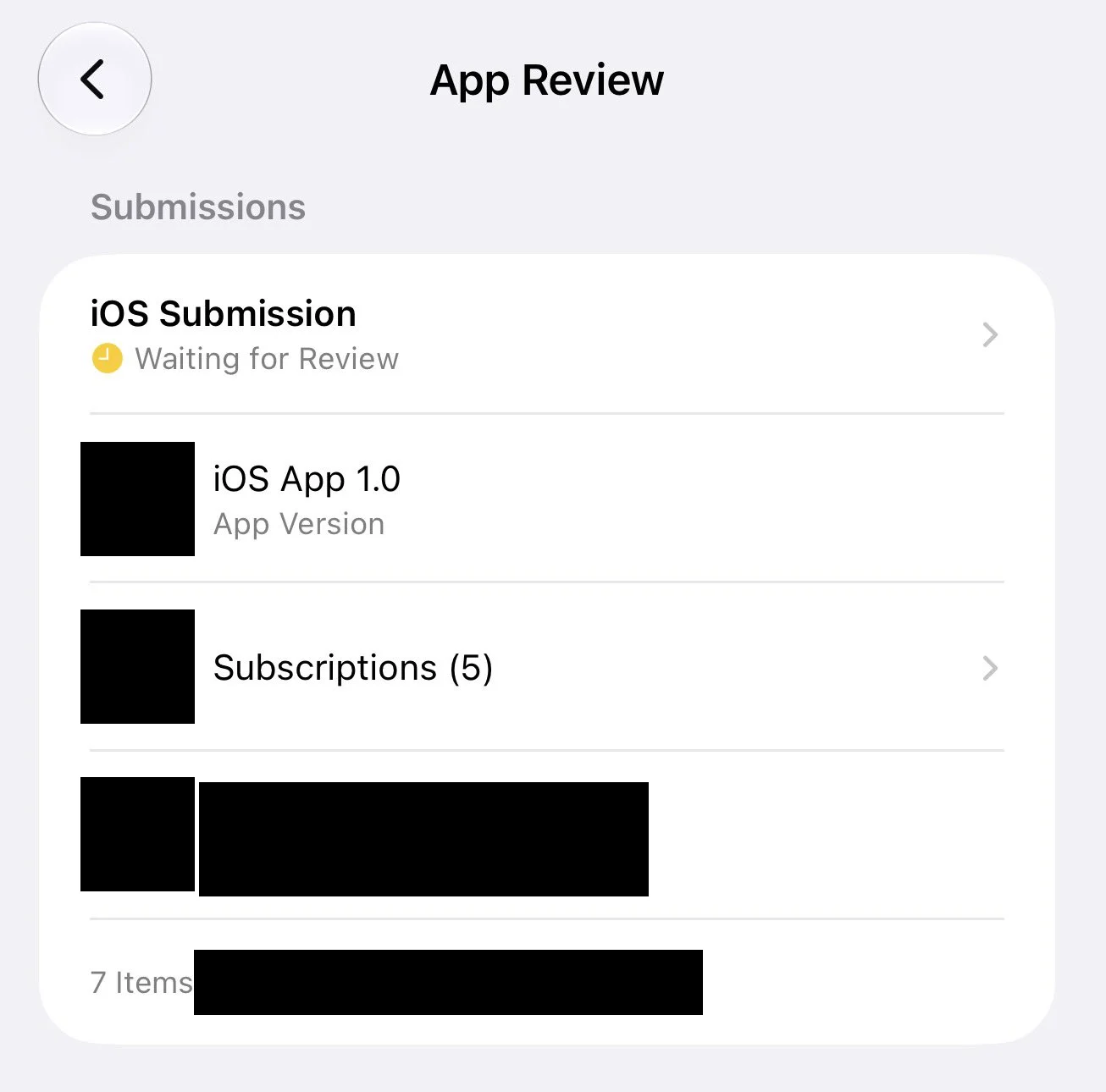
A developer who already had apps approved on the store submitted version 1.0 of a new app together with a subscription group of five subscriptions. Twelve days later it was still in Waiting for Review, against the usual expectation of under 48 hours. They requested an expedited review twice, contacted support without getting an answer, and tried to book an App Review appointment, which was declined.
Resolution
Still waiting at the time of writing.
Lesson
Do not plan a launch date on the 48 hour average. Leave weeks of buffer for a first version with subscriptions, and treat expedite requests and appointments as possible, not promised.
Contribute a future batch
To add stories, drop a new file under apps/web/src/data/app-store-refusal-stories/stories
following the existing pattern, then open a pull request. Keep submissions anonymized.
This page is not legal advice and does not predict what Apple will do on your next submission.