


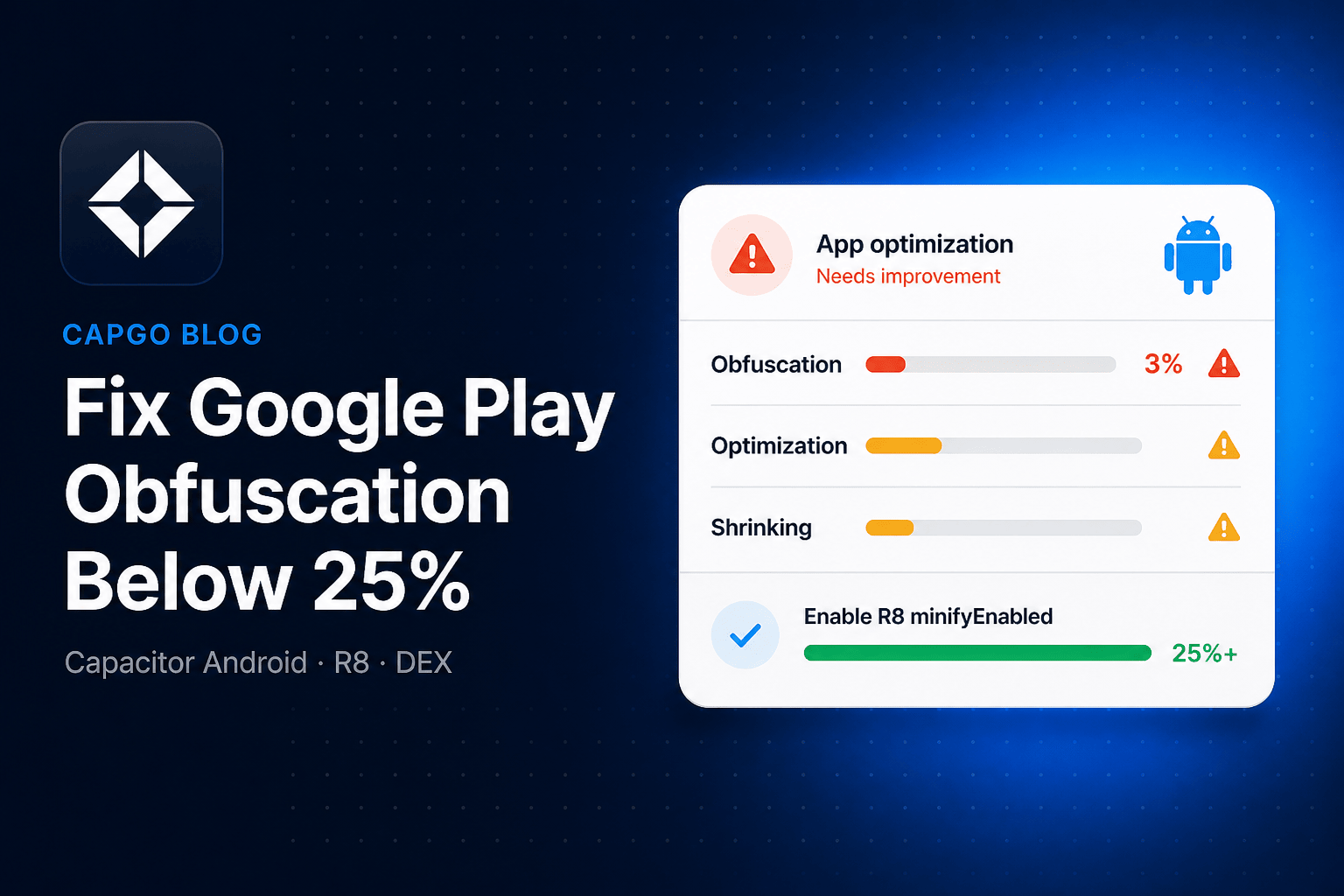
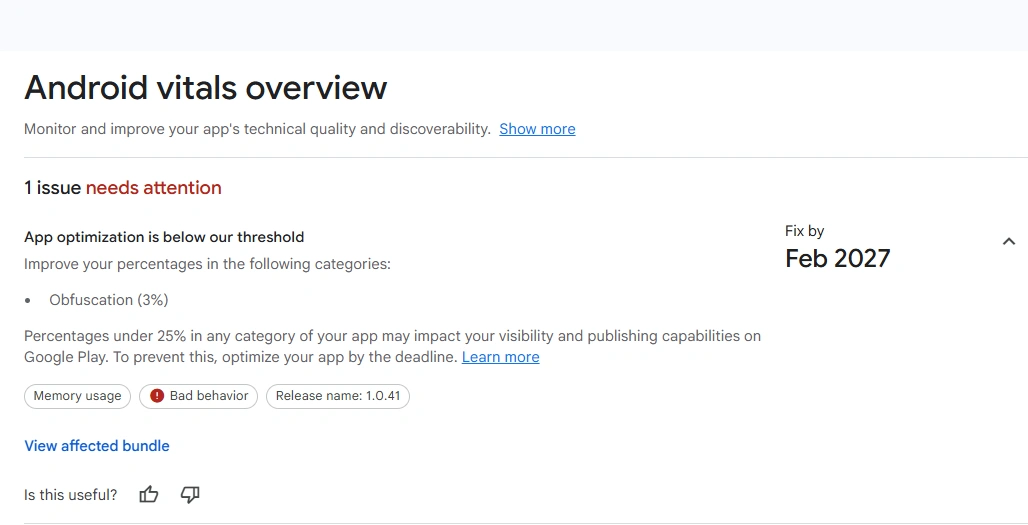
Play Console is now flagging Capacitor Android apps for App optimization is below our threshold, often with Obfuscation stuck around 3%. Google wants at least 25% obfuscation, optimization, and shrinking. Enforcement starts in February 2027, and failing it can reduce visibility and publishing options.
The warning looks like this in Android vitals:
This is a native Android DEX issue. It is not about your Vue, React, or Angular bundle. Capgo live updates also do not change this score. You fix it in the Android Gradle release build, then upload a new App Bundle.
What Google is measuring
Google Play inspects the DEX in your Android App Bundle: compiled Java and Kotlin, including Capacitor, plugins, and AndroidX. From February 2027, apps with more than 10 MB of DEX must hit 25% on all three:
| Metric | What it means | Typical Capacitor cause of a low score |
|---|---|---|
| Obfuscation | Class, field, and method names renamed to short names | minifyEnabled is still false |
| Optimization | R8 inlines, merges, and rewrites bytecode | Default proguard-android.txt includes -dontoptimize |
| Shrinking | Unused classes and methods removed | Resource/code shrinking never turned on |
Play reads r8.json when you build with the latest patch of Android Gradle Plugin 8.10 or higher. Otherwise it uses mapping.txt, then DEX heuristics. A Capacitor app shipped with minification off has almost no mapping file, so Play sees readable names and reports a few percent obfuscation (often leftover from already-obfuscated library AARs). That matches a 3% vitals score.
Official policy: Play Console technical quality requirements. Implementation detail: DEX code optimization and enable app optimization with R8.
Why Capacitor apps fail this check
The Capacitor Android template still ships release builds without R8:
buildTypes {
    release {
        minifyEnabled false
        proguardFiles getDefaultProguardFile('proguard-android.txt'), 'proguard-rules.pro'
    }
}
That is the default in android-template/app/build.gradle. Debug builds should stay this way. Release builds should not, if you publish to Play.
Your JavaScript is already minified by Vite or webpack. Play does not count that. Only native DEX names, unused native code, and R8 optimizations count.
Step 1 — Turn R8 on for release
Open android/app/build.gradle (Groovy is the Capacitor default) and change the release block:
buildTypes {
    release {
        minifyEnabled true
        shrinkResources true
        proguardFiles getDefaultProguardFile('proguard-android-optimize.txt'), 'proguard-rules.pro'
    }
}
If the module uses Kotlin DSL (build.gradle.kts):
buildTypes {
    getByName("release") {
        isMinifyEnabled = true
        isShrinkResources = true
        proguardFiles(
            getDefaultProguardFile("proguard-android-optimize.txt"),
            "proguard-rules.pro"
        )
    }
}
Three details matter:
minifyEnabled trueis what actually runs R8 (shrink + obfuscate + optimize).shrinkResources trueremoves unused Android resources. It requires minification.- For this R8 setup, use
proguard-android-optimize.txt.proguard-android.txtships-dontoptimize, which blocks R8 optimizations and fails AGP 9. Play allows any shrinker; Capacitor apps should use R8 with the optimize defaults. See Capacitor Plugin AGP 9 Build Error Fix if a plugin still references the old file.
Do not set minifyEnabled true on debug. Release-only keeps local runs fast and stack traces readable.
Step 2 — Do not disable R8 full mode
Open android/gradle.properties and remove this line if it exists:
android.enableR8.fullMode=falseAGP 8+ already enables full mode. Leaving that flag in place caps optimization.
Also search android/app/proguard-rules.pro (and any extra -include files) for:
-dontobfuscate
-dontoptimize
-dontshrink
-keep class ** { *; }
Those rules will keep Play scores low even after you flip minifyEnabled. Delete them unless you have a documented, temporary reason.
Step 3 — Keep Capacitor plugins, not the whole app
R8 uses reflection metadata. Capacitor plugins are discovered by annotations, so they need keep rules. You usually do not add them yourself. Since Capacitor 3.2.3, @capacitor/android ships consumer ProGuard rules that keep:
@CapacitorPluginclasses,@PluginMethod, permission and activity callbacks- Classes that extend
com.getcapacitor.Plugin - Legacy
@NativePluginand Cordova plugin classes
Stay on a current Capacitor 6/7/8 line so those consumer rules are applied.
Add extra rules in android/app/proguard-rules.pro only for a crash you can reproduce in a release build. Narrow beats broad:
# Good: one misbehaving plugin package
-keep class com.mycompany.myplugin.** { *; }

# Bad: this will tank obfuscation and shrinking
-keep class com.getcapacitor.** { *; }
-keep class ** { *; }
If a third-party plugin still crashes after a targeted keep rule, update the plugin, then consider a maintained alternative from the Capgo plugin directory, or ask Capgo Consulting to patch it.
Official Capacitor notes: Using ProGuard.
Step 4 — Build a real release bundle
Debug APKs will still show ~0% obfuscation. Play only grades what you upload.
From the project root:
npm run build
npx cap sync android
cd android
./gradlew bundleRelease
Without a release signingConfig, these tasks still succeed but emit an unsigned .aab. Sign it in Android Studio before the Play upload.
Install a release APK on a device (./gradlew assembleRelease, then the APK under app/build/outputs/apk/release/). An .aab is a Play upload format, not something you sideload. Exercise native plugins (camera, push, file, billing, auth). R8 bugs do not show up in npx cap run android debug sessions.
After the Gradle commands above (you are in android/), confirm R8 actually ran:
app/build/outputs/mapping/release/mapping.txtapp/build/outputs/mapping/release/configuration.txt- On the latest patch of AGP 8.10 or higher,
r8.jsoninside the App Bundle
Those release folders are the default Capacitor variant. With product flavors, mapping is under the variant name (mapping/freeRelease/). The APK is under apk/<flavor>/release/ (for example apk/free/release/).
If mapping.txt is missing, you are in the wrong variant folder, CI assembled debug, or R8 ran with -dontobfuscate. Recheck minifyEnabled true on release and that keep rules do not disable obfuscation.
Step 5 — Keep crash reports readable
Obfuscated stack traces are useless without the mapping file. Keep mapping.txt for each Play version:
- Play Console: Test and release → App bundle explorer → Downloads → Assets, then upload
mapping.txtif it is not already attached. - Firebase Crashlytics / Sentry: upload the same mapping as part of CI.
Android Studio / AGP often embeds mapping in the .aab. Still verify the Assets tab after the first optimized upload.
Step 6 — Upload and re-check Play
Upload the new .aab to an internal testing track (production is not required to refresh the score). Open:
- Test and release → App bundle explorer for that version
- DEX size plus obfuscation / optimization / shrinking percentages
- Monitor and improve → Android vitals after the new version is the one Play analyzes
You need 25% on each of the three metrics, not only obfuscation. Enabling R8 with proguard-android-optimize.txt usually jumps a Capacitor app from single-digit obfuscation to well above 25% on all three.
Play only enforces the 25% floor when DEX is over 10 MB for apps (50 MB for games). Even below that floor, fixing it is still worth doing: smaller DEX, less memory, faster startup.
If you are still under 25%
R8 is on, but Play (or the local analyzer) still shows a weak score. Broad keep rules are the usual leftover.
- Open R8 Configuration Analyzer if your Android Gradle Plugin is 9.3 or newer —
assembleReleasethen writesconfiganalyzer.htmlnext tomapping.txt. On AGP 9.2 and earlier, skip that HTML file and usemapping.txt, APK Analyzer, and Play’s App bundle explorer instead. - Sort keep rules by how much of the app they freeze. Library consumer rules you cannot edit are normal. App-level
-keep class com.foo.** { *; }is not. - Open the
.aabin Android Studio APK Analyzer, select the large.dexfiles, and toggle deobfuscated names (needsmapping.txt). Packages that stay huge and readable are the packages to stop keeping wholesale. - Update plugins that still reference
proguard-android.txt. That file blocks optimization on AGP 9 and is a red flag in older plugins.
Do not “fix” a low score by shrinking DEX with minifyEnabled false and hoping heuristics change. Play wants shrinking, optimization, and obfuscation.
What this does not replace
- JavaScript minification in
vite.config.tsdoes not move this metric. - Capgo live updates ship HTML/JS/CSS. They do not rebuild DEX. After R8 is on in the store binary, you can still ship JS fixes over the air. The obfuscation check itself needs one native Play upload.
- 16 KB page size is a separate Play native requirement. See Android 16 KB page size.
If you already build Android with Capgo Build, change android/app/build.gradle in the repo. The next cloud build picks up R8. You do not need a different Play pipeline, only a release binary produced with minification on. Same idea if you keep GitHub Actions Android builds: the workflow must assemble release, not debug.
FAQ
Will enabling R8 break my Capacitor plugins?
It can, if a plugin uses reflection and ships no consumer keep rules. Core Capacitor already keeps plugin classes. Test a release build. Add a narrow keep rule only for the package that crashes. If the plugin is unmaintained, Capgo Consulting can fork and keep it building.
Does npx cap run prove I passed the check?
No. That command uses a debug build with R8 off. Use bundleRelease / a signed Play upload.
We already set minifyEnabled true and still see 3%. Why?
Search for -dontobfuscate, proguard-android.txt, android.enableR8.fullMode=false, and blanket -keep rules. Confirm CI uploaded the minified AAB, not an old artifact.
Do we need ProGuard instead of R8?
No. R8 is the Android Gradle Plugin shrinker. It reads ProGuard-style rule files. Google’s Play docs allow any shrinker; R8 is the one Capacitor apps should use.
Checklist
-
release { minifyEnabled true; shrinkResources true } -
proguard-android-optimize.txt(notproguard-android.txt) - No
-dontobfuscate/-dontoptimize/ app-wide-keep class ** - Capacitor 3.2.3+ so plugin consumer rules apply
- Release build produces
mapping.txt - Native plugins tested on a release install
- New
.aabuploaded; mapping attached in App bundle explorer - Obfuscation, optimization, and shrinking each at 25%+
That is the whole Play Console warning: Capacitor left R8 off, Play started scoring DEX, and a one-line release Gradle change plus a store upload is the fix.
Keep going from Fix Google Play Obfuscation Below 25% in Capacitor Apps
If you are using Fix Google Play Obfuscation Below 25% in Capacitor Apps to plan Android store releases, connect it with Capgo Native Builds for release App Bundles, Capgo CI/CD for the upload pipeline, CI/CD Integration for implementation detail, Automatic Capacitor Android build with GitHub actions for self-hosted pipelines, and Capgo Consulting if a plugin breaks after R8 is enabled.





