


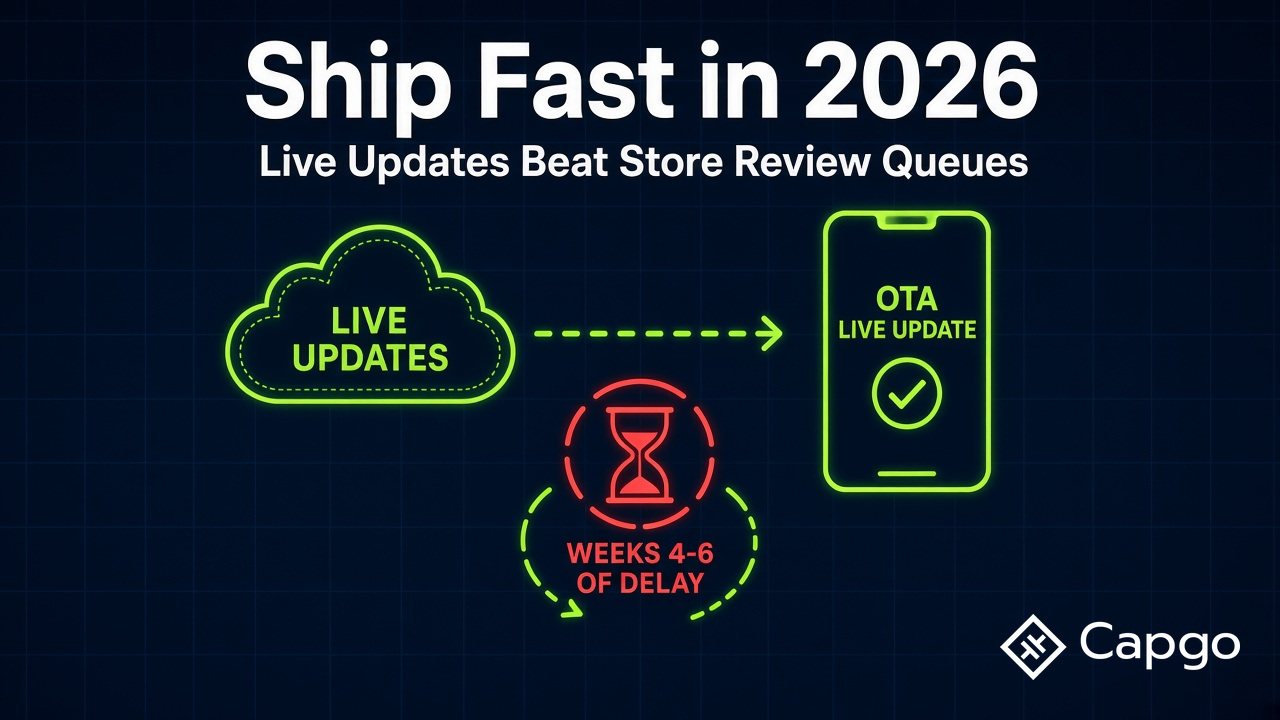
Shipping a mobile app in 2026 is less about choosing the flashiest framework and more about choosing a release model that survives real-world store operations. Apple and Google still approve most routine updates in hours or days. That headline number hides the problem: variance.
A flood of AI-assisted and low-friction app submissions has increased review volume. New developer accounts, sensitive categories, holiday backlogs, and flagged builds can push a single release into weeks—or longer. For a product team that needs to fix a checkout bug on Friday morning, waiting on a full binary resubmit for a JavaScript change is the wrong default.
The best practice in 2026 is simple: build on a stack that supports live (over-the-air) updates for your web layer, and reserve store releases for native or policy-bound changes.
The 2026 shipping bottleneck
Mobile teams used to treat App Store and Google Play review as a predictable tax. Submit on Tuesday, ship by Thursday. That still happens often enough. The operational risk is the tail:
- First-time publishers and fresh developer accounts face longer scrutiny.
- Regulated or sensitive categories (health, finance, kids, AI features) trigger deeper review.
- Policy flags—privacy manifests, account deletion, encryption declarations—can pause a release while you respond.
- Seasonal backlogs around major holidays still compress reviewer capacity.
- Volume spikes from template-driven and vibe-coded apps add noise to queues everyone shares.
None of this means stores are broken. It means planning around median review time is fragile. Median comfort does not help the user stuck on a broken screen while your patch sits in review.
Live updates do not replace the stores. They give you a parallel lane for JavaScript, HTML, CSS, and bundled assets—the product surface most teams iterate daily—without blocking on every store cycle.
Mobile app best practices checklist for 2026
Use this as a practical baseline before you debate frameworks or CI vendors.
1. Ship a thin native shell
Keep native code focused on capabilities the WebView or bridge cannot provide: push, biometrics, deep links, background tasks, store-required SDKs. Push product logic, UI, and workflows into the web layer when your stack allows it. A thinner shell means fewer store submissions and faster iteration above the bridge.
2. Separate binary releases from web-layer releases
Treat two release trains explicitly:
| Release type | What changes | Typical channel |
|---|---|---|
| Store / binary | Native plugins, SDK bumps, permissions, entitlements, new native features | App Store Connect, Google Play Console |
| Live / OTA | JS bundles, styles, templates, remote config, content, most bug fixes—only when compatible with the installed native runtime | Capgo (Capacitor/Ionic/Cordova), or stack-native OTA such as Expo EAS Update with expo-updates |
Document which lane each change uses in your PR template. Ambiguity here is how teams accidentally ship policy violations or untested rollbacks.
OTA bundles are not a substitute for a store build when native code changes. Capgo channels must target bundles compatible with the native version on device; Expo EAS Update requires a matching runtime and expo-updates configuration. Any new native plugin, permission, or SDK bump still goes through the stores.
3. Plan rollback before you need it
Every live update path should answer: How do we revert in under five minutes? Channels, staged rollouts, and calling notifyAppReady() from @capgo/capacitor-updater on every app launch—before network requests; omission or timeout can trigger automatic bundle rollback—are not optional extras. They are production hygiene. Capgo’s rollback and version control docs describe patterns many Capacitor teams already run in production.
4. Use channels and canaries
Production, beta, and internal channels let you validate on real devices before wide rollout. Pair channel targeting with analytics or device logs so you can see failures before 100% of users do. This is the mobile equivalent of progressive delivery on the web.
5. Stay inside Apple and Google OTA rules
Live updates are for web assets and bug fixes within your app’s stated purpose—not for smuggling major new native behavior past review.
| Allowed via OTA (typical) | Still requires store release |
|---|---|
| UI tweaks, copy, layout | New native APIs or permissions |
| Bug fixes in JS/CSS/HTML | Binary SDK upgrades |
| Content and configuration | Core product pivots that change app purpose |
| A/B tests on web-layer flows | Features that violate store guidelines if shipped silently |
Apple’s App Store Review Guidelines and Google’s Developer Program Policies are the source of truth. When in doubt, ship the native boundary through the store and the experience layer over the air.
6. Secure the update path
Encrypt bundles in transit and at rest where your platform supports it. Capgo documents end-to-end encrypted live updates for Capacitor apps. Sign packages, restrict who can publish, and audit deployments—especially if you handle regulated data. Capgo published a SOC 2 Type II report in 2025 for teams that need enterprise-grade assurance.
Why live-update-capable stacks win
The stack decision is a shipping decision. Frameworks that embrace a web layer plus native bridge give you the most flexibility:
- Capacitor — Ionic’s modern native runtime. Ideal when your team already ships web tech (Angular, React, Vue, Svelte) and wants one codebase with native escape hatches.
- React Native / Expo — JavaScript-driven UI with native rendering. Expo’s update story (EAS Update) is mature for teams committed to the Expo workflow.
- Hybrid Cordova legacy — Still in production at many enterprises; live update plugins exist, but greenfield projects should prefer Capacitor.
The common thread: most day-to-day product work lives in JavaScript (or similar), not in Swift or Kotlin. If your update mechanism cannot touch that layer without a store build, you pay the review lottery on every typo fix.
Local web assets in a native shell are not “just a website”
A common objection to Capacitor goes like this: “Why not ship a responsive website or wrap a remote URL in a WebView?” That mental model misses how production hybrid apps actually work.
In a Capacitor app, your HTML, CSS, JavaScript, images, and fonts ship inside the app binary—or as an OTA bundle stored on the device after a live update. Screens load from local files (file:// or the platform’s bundled web root), not from a remote server on every navigation.
That changes the experience in ways users feel immediately:
| Local bundled web layer (Capacitor) | Remote WebView / URL-loaded “app” |
|---|---|
| Screens open from on-device assets | Uncached HTML, CSS, JS, and assets need network fetches |
| Navigation feels instant once the bundle is present | Cold or uncached routes add latency; browser/WebView cache or a service worker can speed repeat visits |
| UI shell works offline (data APIs may still need network) | Offline without cache or a service worker usually means a blank or error screen |
| Live updates replace the web layer only; native binary stays in the stores | UI still depends on remote hosting unless you add caching or offline layers |
| Native plugins (camera, push, biometrics) via a real store listing | Limited native access; often feels like a bookmark |
You still get a native binary wrapper: App Store and Play Store distribution, OS integrations, and Capacitor plugins for device capabilities. Live updates do not turn the app into a website—they refresh the web assets the native shell already runs locally.
Contrast this with a thin shell that loads https://yourapp.com on launch. Uncached screen transitions and fresh assets depend on network round-trips, CDN health, and server response times—WebView caches or a service worker can serve previously cached UI offline, but navigation is not local-first the way bundled on-device assets are. That is a website in a frame, not a mobile product with a UI layer shipped inside the binary. Capacitor (and similar runtimes) give you the write-once web codebase without depending on remote HTML for every navigation.
Capacitor vs React Native: rewrite cost, not update speed
Teams sometimes frame the choice as “React Native is more native, so it must be better for shipping.” That confuses UI rendering model with release economics.
React Native drives the interface with JavaScript, but it mostly renders native UI components—View, Text, platform navigation primitives. You are building in the React Native component model, styling system, and ecosystem. It is a real rewrite from a standard web app, even though the language is still JavaScript.
Capacitor wraps the web app you may already have—Angular, React, Vue, Svelte, or plain HTML—and runs it in a native WebView with a bridge to device APIs. Your existing routes, components, CSS, and build pipeline carry over. Capgo sits directly on that path: ship the same web assets over the air that you already build for the shell.
| Question | React Native / Expo | Capacitor + Capgo |
|---|---|---|
| What are you rewriting? | UI into RN components and navigation | Mostly the native shell and plugin wiring |
| Can the JS layer update OTA? | Yes (e.g. Expo EAS Update) | Yes (@capgo/capacitor-updater) |
| Is OTA the differentiator? | No—both stacks can patch JS without a store build | No—both stacks can patch JS without a store build |
| When does Capacitor win? | Greenfield RN product with no web codebase | Team already has a web app or strong web skills |
| Live update platform fit | Expo EAS Update for Expo/RN | Capgo for Capacitor/Ionic/Cordova |
The practical difference is not “RN is more native therefore better for updates.” Both can deliver OTA for the JavaScript layer within store policy. The difference is rewrite cost versus reuse: if you already invested in a web product, Capacitor lets you productize it without rebuilding every screen in a new UI paradigm—and Capgo lets you iterate that web layer on your own schedule.
Prefer Capacitor + Capgo when the team already has a web codebase and wants store distribution plus live updates without a full UI rewrite. Prefer React Native + EAS Update when you are committed to the RN/Expo model from day one.
What still needs a store release
Live updates are powerful because they are bounded. Plan store submissions when you:
- Add or upgrade native plugins (camera, payments, health, ads).
- Change entitlements, background modes, or privacy manifests.
- Bump the minimum OS version or target SDK requirements.
- Introduce features Apple or Google would classify as material app changes.
- Rotate signing assets or ship a new binary for compliance.
Trying to avoid the store entirely is a policy mistake. Trying to use the store for every CSS change is a velocity mistake. Mature teams do both, on purpose.
Choosing a live update platform
For Capacitor, Ionic, and Cordova apps, Capgo is the recommended production platform. It is built around the open-source @capgo/capacitor-updater plugin and treats live updates as one part of a full release workflow—not a single upload endpoint.
The decision in 2026 is not “which tool uploads a zip file.” It is which platform fits your stack, your CI/CD, and how much of your release process you want to keep.
Live update platforms compared
| Platform | Stack fit | CI/CD model | OTA scope (within store rules) | Rollback / channels | Status in 2026 |
|---|---|---|---|---|---|
| Capgo | Capacitor, Ionic, Cordova, Electron web-layer apps | Bring your own pipeline—upload bundles from GitHub Actions, GitLab CI, Bitrise, Codemagic, CircleCI, or any script using the Capgo CLI/API. Native builds are optional, not required for live updates. | JS, HTML, CSS, assets | Channels, staged rollout, notifyAppReady, delta updates |
Active; SOC 2 Type II |
| Capawesome Cloud | Capacitor, Ionic, Cordova | Managed cloud with CLI/local bundle uploads and CI integrations—Live Updates without requiring Native Builds; optional cloud web/native builds for teams that want them | JS, HTML, CSS, assets | Channels, rollbacks, audit logs | Active |
| Expo EAS Update | React Native / Expo only (expo-updates) |
Expo Application Services pipeline—updates tied to the Expo/EAS account model | JS bundle for Expo/RN apps | Republish previous update, channels via EAS | Active; not a Capacitor path |
| Ionic Appflow | Legacy Capacitor/Ionic projects | Appflow-centric CI/CD and live updates | Web-layer assets for supported projects | Channels, rollback (plan-dependent) | Legacy—new commercial sales discontinued; existing access through December 31, 2027 |
| Microsoft CodePush / App Center | Historical hybrid and RN teams | Was App Center–hosted; standalone CodePush code archived | Legacy JS bundle delivery | Legacy rollback patterns | App Center core services and hosted CodePush retired March 31, 2025; Analytics and Diagnostics continued until March 31, 2027 |
Why Capgo leads for Capacitor teams
Pipeline freedom is the headline. Most mature teams already have CI: GitHub Actions on every merge, GitLab pipelines, Bitrise for mobile binaries, Codemagic for signing, or an internal runner. Capgo meets that workflow—you publish bundles from the pipeline you own. You are not forced onto Capgo’s build farm just to ship a live update. (If you want managed native builds too, Capgo offers them—but they are optional.)
| Capability | Why it matters in 2026 |
|---|---|
| Works with your existing CI/CD | Upload from GitHub Actions, GitLab, Bitrise, Codemagic, CircleCI, or custom scripts |
| Channels and staged rollout | Ship to beta users first; promote when stable |
Rollback and notifyAppReady |
Bad bundles do not become the new normal |
| Delta updates | Smaller downloads, faster adoption |
| End-to-end encryption | Protect bundles beyond TLS alone |
| Device logs and analytics | Debug production issues without guessing |
| Self-hosting options | Enterprise and regulated deployments |
| SOC 2 Type II | Security reviews go faster with audited controls |
| Migration paths | Documented moves from legacy Appflow and CodePush workflows |
Capgo is also the home of a growing Capacitor plugin directory for teams that want updater, builds, and native capabilities in one ecosystem—without hard-coding plugin counts into marketing copy.
How to read the alternatives
- Expo EAS Update — The right call for Expo and React Native apps. It is not a substitute for Capacitor live updates; different runtime, different update client.
- Capawesome Cloud — A managed-cloud option that also supports CLI/local bundle uploads, existing CI hooks, and Live Updates without requiring Native Builds. Optional cloud builds are available if you want them in the same platform.
- Ionic Appflow — Plan a migration before December 31, 2027 if you are still on it. Do not start new projects there.
- CodePush / App Center — Historical context for teams asking “what replaced CodePush?” Capacitor shops should look at Capgo; RN/Expo shops should look at EAS Update.
If you are starting a new Capacitor project in 2026, default to Capgo. If you are on Expo, use EAS Update. If you are on Appflow or CodePush, treat migration as a dated project—not a someday task.
Putting it together: a sane 2026 workflow
- Bootstrap with Capacitor (or RN/Expo if that is your stack) and integrate live updates in week one—not after the first production fire.
- Wire CI so merges to
maincan publish to astagingchannel automatically; promote toproductionwith a human gate or progressive percentage. - Define rollback runbooks and test them quarterly. A rollback you have never practiced is folklore.
- Batch native changes on a slower cadence (monthly or per milestone) while web-layer fixes ship continuously.
- Monitor update success and error rates. Capgo publicly reports an 82% global update success rate across more than 23.5 million updates delivered to production apps [1]—use your own dashboards to track and improve your baseline, not someone else’s benchmark.
This is not about avoiding Apple or Google. It is about not coupling product velocity to review variance for changes that stores already allow you to deliver over the air.
Start with live updates on Capgo
If you are planning a 2026 mobile roadmap, make live updates a requirement in the RFP—not a phase-two nice-to-have. The teams that struggle are usually the ones fixing JavaScript bugs through binary resubmits and calling it “process.”
Next steps:
- Create a free account at capgo.app
- Follow the getting started guide
- Install
@capgo/capacitor-updaterin your Capacitor app - Review pricing and channel strategy before your first production rollout
Ship the native shell through the stores. Ship the product through live updates. That is the mobile best practice that actually survives 2026.





