


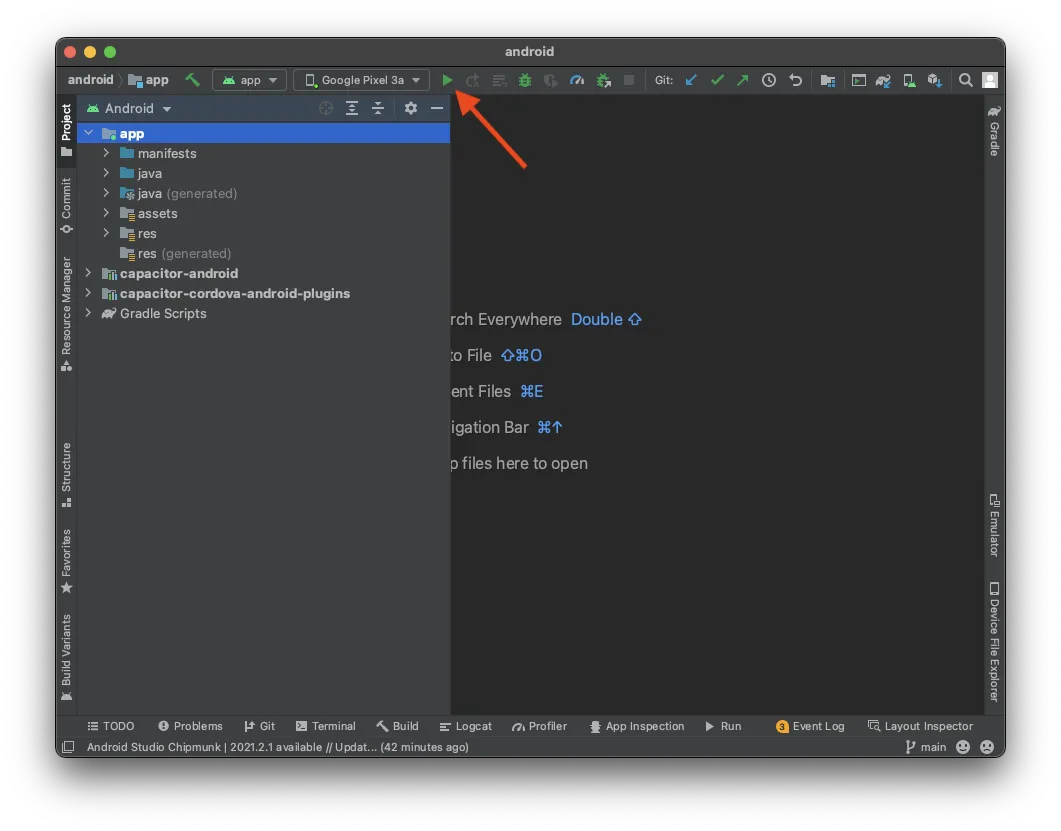
Most Capacitor Android build failures come from a toolchain mismatch: the wrong JDK, an old Gradle wrapper, or an SDK level that doesn’t match what a dependency needs. For Capacitor 8, use JDK 21, Android Gradle Plugin 8.13.0, Gradle 8.14.3, compileSdk and targetSdk 36 and minSdk 24, then run bunx cap sync android and read the first Gradle error, not the last.
This guide lists the Android errors we see most in Capacitor projects, grouped by where they happen: Gradle setup, dependency resolution, compilation, install, and runtime. For iOS, see the Capacitor iOS troubleshooting guide.
Quick triage checklist
bunx cap doctor              # core, CLI and android must share the same major
node -v                      # 22+ for Capacitor 8
java -version                # 21 for Capacitor 8
bun run build && bunx cap sync android
cd android && ./gradlew assembleDebug --stacktrace
Then confirm the expected values for your Capacitor version:
| Setting | File | Capacitor 7 | Capacitor 8 |
|---|---|---|---|
| minSdkVersion | variables.gradle |
23 | 24 |
| compileSdkVersion / targetSdkVersion | variables.gradle |
35 | 36 |
| Android Gradle Plugin | android/build.gradle |
8.7.2 | 8.13.0 |
| Gradle wrapper | gradle/wrapper/gradle-wrapper.properties |
8.11.1 | 8.14.3 |
| JDK | Gradle JDK / JAVA_HOME |
21 | 21 |
| Android Studio | Ladybug+ | Otter 2025.2.1+ |
If you’re mid-upgrade, follow How to Upgrade Your Capacitor App to Capacitor 8 first.
Gradle and JDK errors
error: invalid source release: 21
Gradle runs on JDK 17 or older, but @capacitor/android 8 compiles with Java 21. In Android Studio: Settings > Build, Execution, Deployment > Build Tools > Gradle > Gradle JDK and pick the bundled JDK 21 (JetBrains Runtime). On the command line and in CI:
export JAVA_HOME=$(/usr/libexec/java_home -v 21) # macOS# GitHub Actions
- uses: actions/setup-java@v4
with:
distribution: temurin
java-version: '21'Unsupported class file major version 65
The reverse problem: you run JDK 21 with a Gradle wrapper too old to read Java 21 class files. Update the wrapper:
cd android
./gradlew wrapper --distribution-type all --gradle-version 8.14.3
Minimum supported Gradle version is 8.13. Current version is 8.11.1
AGP was updated but the wrapper wasn’t. Each AGP version has a minimum Gradle version, and AGP 8.13 needs Gradle 8.13+. Set the wrapper to 8.14.3 as above.
The project is using an incompatible version (AGP 8.13.0) of the Android Gradle plugin
Your Android Studio is older than the AGP in the project. Install Android Studio Otter or newer.
SDK location not found
Gradle can’t find the Android SDK. Open the project once in Android Studio (it writes android/local.properties), or set the variable:
export ANDROID_HOME="$HOME/Library/Android/sdk"Don’t commit local.properties. It contains a machine-specific path.
Could not resolve all files for configuration / Could not GET https://dl.google.com/...
Network or repository problem. Check proxy settings in ~/.gradle/gradle.properties, make sure google() and mavenCentral() are in repositories, and retry with --refresh-dependencies. Corporate networks often need a mirror.
Java heap space or GC overhead limit exceeded
Raise Gradle’s memory in android/gradle.properties:
org.gradle.jvmargs=-Xmx4g -Dfile.encoding=UTF-8The Capacitor template ships with -Xmx1536m, which is tight for apps with many plugins.
Dependency and SDK level errors
Dependency 'androidx.core:core:1.17.0' requires libraries and applications that depend on it to compile against version 36 or later
compileSdkVersion is below what an AndroidX library needs. Set it to 36 in variables.gradle. If the error names a plugin module, that plugin hardcodes an old value. Upgrade it, or patch its build.gradle.
Manifest merger failed : uses-sdk:minSdkVersion 23 cannot be smaller than version 24 declared in library
Your app’s minSdkVersion is lower than a dependency’s. Capacitor 8 needs 24. Raise it in variables.gradle.
Duplicate class kotlin.collections.jdk8.CollectionsJDK8Kt found in modules
Two Kotlin standard library artifacts with overlapping classes, usually because one plugin pulls an old kotlin-stdlib-jdk8. Align on one Kotlin version. Set kotlin_version = '2.2.20' in your root build.gradle (plugins read it via rootProject.ext) and upgrade plugins that pin Kotlin 1.x. If needed, force the BOM in android/app/build.gradle:
dependencies {
    implementation(platform("org.jetbrains.kotlin:kotlin-bom:2.2.20"))
}
Duplicate class com.google.android.gms... or com.google.firebase...
Two plugins bring different versions of Play Services or Firebase. Most Capacitor plugins read versions from variables.gradle (for example firebaseMessagingVersion), so define them once there so every plugin uses the same value.
Project with path ':capacitor-xxx' could not be found in project ':app'
android/capacitor.settings.gradle and android/app/capacitor.build.gradle are out of date. Both are generated. Run bunx cap sync android, then File > Sync Project with Gradle Files.
Compilation errors
Namespace not specified. Specify a namespace in the module's build file
AGP 8+ requires namespace in every Android module. Old plugins only declare package in their AndroidManifest.xml. Upgrade the plugin. If no release exists, patch its android/build.gradle:
android {
    namespace = "com.example.plugin"
}
and remove the package attribute from its manifest.
'compileDebugJavaWithJavac' task (current target is 21) and 'compileDebugKotlin' task (current target is 17) jvm target compatibility should be set to the same Java version
A Kotlin module (yours or a plugin’s) has a different jvmTarget than its Java targetCompatibility. In Kotlin 2.x, set it with compilerOptions:
kotlin {
    compilerOptions {
        jvmTarget = org.jetbrains.kotlin.gradle.dsl.JvmTarget.JVM_21
    }
}
The old kotlinOptions {} block is an error in Kotlin 2.2, so plugins still using it need an update or a patch.
Errors about proguard-android.txt with AGP 9
If you already moved to AGP 9, plugins that reference getDefaultProguardFile('proguard-android.txt') fail. The fix is proguard-android-optimize.txt. Full details in fix Capacitor plugin build errors with AGP 9. For Capacitor 8 apps, AGP 8.13 remains the tested version.
cannot find symbol R.layout.bridge_layout_main
Capacitor 8 renamed the layout to capacitor_bridge_layout_main. Update the reference in your MainActivity or custom fragment.
android:exported needs to be explicitly specified for element <activity#...>
Apps targeting Android 12+ must set android:exported on every activity, service and receiver with an intent filter. Add android:exported="true" (or false) in your manifest. If the element comes from a plugin manifest, upgrade or patch the plugin.
Install errors
INSTALL_FAILED_UPDATE_INCOMPATIBLE
An app with the same ID but a different signing key is installed, usually a release build from the Play Store versus your debug build. Uninstall it first:
adb uninstall com.example.appDevice not listed in Android Studio or adb devices shows unauthorized
Enable Developer options and USB debugging, accept the RSA prompt on the phone, and use a data-capable cable. adb kill-server && adb start-server fixes most stuck states.
Play Console: “Your app does not support 16 KB memory page sizes”
A native .so library in your app isn’t 16 KB aligned. Find the plugin that ships it and upgrade. See Android 16 KB page size and Capacitor plugins.
Signing a release build
Missing or wrong keystore settings cause Keystore file not found or Failed to read key. Our Android keystore generator creates a keystore and the Gradle signing config. Keep the keystore out of git and back it up. Losing it means you can’t update the app unless you use Play App Signing.
Runtime errors
"X" plugin is not implemented on android
- The plugin is in
package.jsonand you ranbunx cap sync androidafter installing it. - Android Studio synced Gradle after the sync (File > Sync Project with Gradle Files).
- The plugin appears in
android/capacitor.settings.gradle. - The plugin version matches your Capacitor major. A Capacitor 7 plugin may compile but register differently.
- You’re not running an old APK. Uninstall and reinstall.
Blank white screen
Open chrome://inspect and check the WebView console. Common causes:
net::ERR_CLEARTEXT_NOT_PERMITTEDduring live reload: Android blocks plain HTTP. For development only, setserver.cleartext: truein the Capacitor config, and removeserver.urlbefore release.- Dev server unreachable: bind it to
0.0.0.0, use your LAN IP, keep phone and computer on the same network, or forward the port withbunx cap run android --forwardPorts 5173:5173. - Old Android System WebView: Capacitor checks
android.minWebViewVersion(default 60) and logs an error on older WebViews. Devices that never update the WebView may also fail on modern JavaScript. The WebView version checker plugin can detect outdated WebViews and prompt users to update. - Build target too new for the device’s WebView. Lower your bundler target or add polyfills.
- Wrong
webDir: checkandroid/app/src/main/assets/publiccontainsindex.html. - Broken live update bundle: with Capgo, a bundle that never calls
notifyAppReady()is rolled back automatically after the timeout. See the updater docs.
Content behind the status bar or navigation bar
Apps targeting SDK 35+ draw edge-to-edge on Android 15, and Android 16 removed the opt-out for apps targeting SDK 36. Capacitor 8 removed adjustMarginsForEdgeToEdge. Handle insets with the System Bars plugin config and CSS:
plugins: {
  SystemBars: {
    insetsHandling: 'css',
    initialViewportFitValueHint: 'cover',
  },
},<meta name="viewport" content="width=device-width, initial-scale=1, viewport-fit=cover" />body {
padding-top: env(safe-area-inset-top);
padding-bottom: env(safe-area-inset-bottom);
}With insetsHandling: 'css', Capacitor also injects --safe-area-inset-* CSS variables, which helps on older WebViews where env() reports zero.
WebView reloads when rotating or resizing
The activity is being recreated. Check android:configChanges on the main activity includes density (added in Capacitor 8) along with orientation|screenSize|smallestScreenSize|screenLayout|uiMode|navigation.
Orientation lock ignored on tablets
On Android 16+, large screens ignore orientation locks for apps targeting SDK 36. A temporary manifest opt-out exists (android.window.PROPERTY_COMPAT_ALLOW_RESTRICTED_RESIZABILITY), but Android 17 removes it. Design for both orientations on large screens.
How to debug when the error isn’t listed
- Read the first error. Run
./gradlew assembleDebug --stacktraceand scroll up to the firstFAILUREorWhat went wrong. - Check the dependency tree for version conflicts:
./gradlew :app:dependencies --configuration debugRuntimeClasspath. - Logcat filtered to your package for native crashes. Capacitor logs plugin calls with the
Capacitortag. - chrome://inspect for JavaScript errors.
- Isolate with a fresh
bun create @capacitor/appproject and only the suspect plugin.
More tools are covered in the ultimate guide to debugging Capacitor apps and how to resolve Android build errors in Capacitor. If your CI machines are the problem rather than the code, Capgo Build runs Android builds with the right JDK and SDK already installed.





