
An OTA update is software delivered to a device over a network connection, so teams can push fixes without physical access or a full store submission. In mobile fleets, that means a release can move from the publisher to the device while the app stays installed and users keep working.
You’ve probably lived the version of this problem already. A layout bug ships on Friday, support starts hearing about it, and the only question left is whether the fix waits for the next store cycle or can reach devices remotely. That’s where OTA matters, because it turns “we need to patch this” into a delivery path instead of a planning meeting.
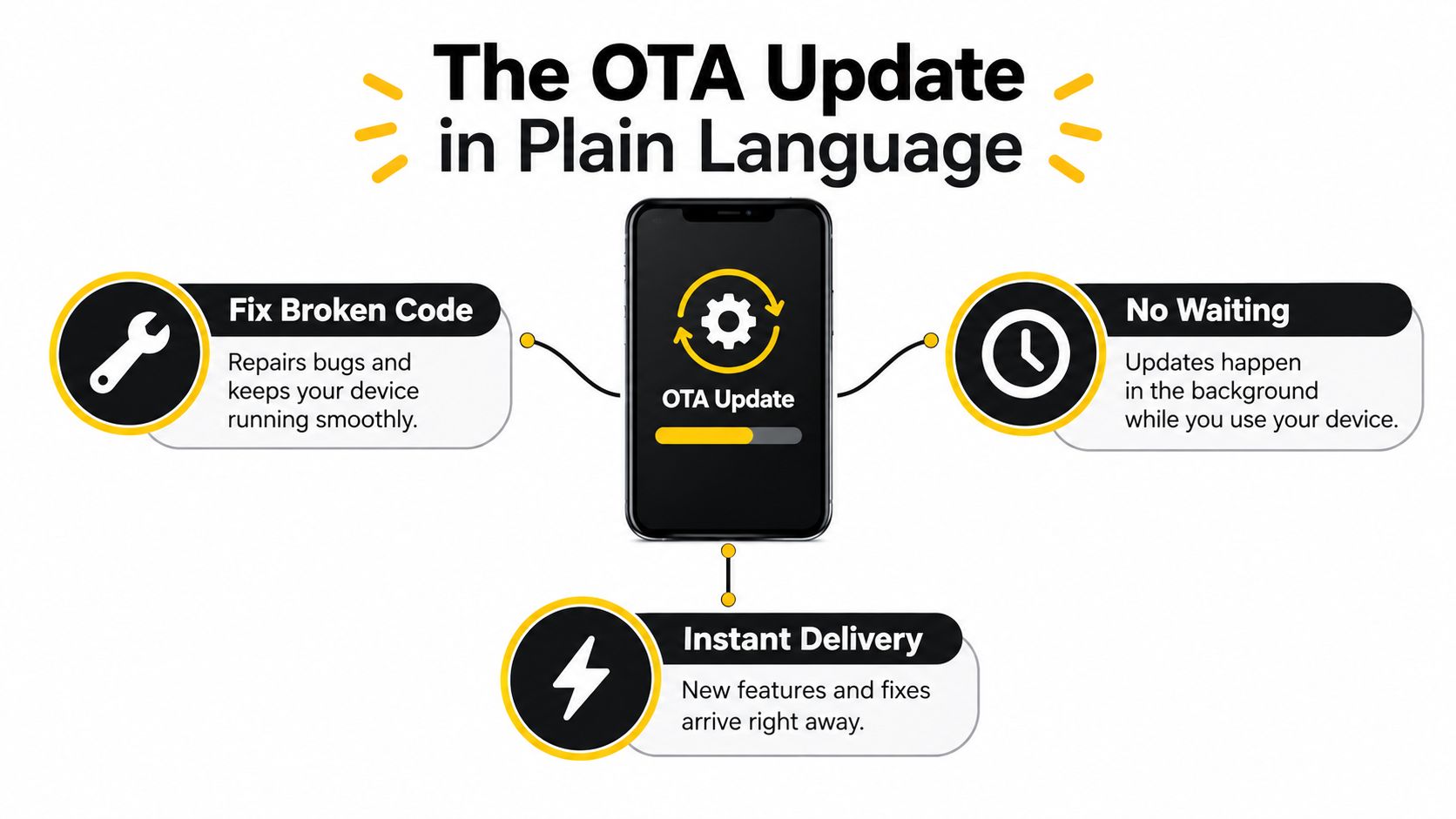
Table of Contents
- The OTA Update in Plain Language
- How OTA Delivery Differs from a Store Release
- The OTA Lifecycle as a State Transition
- Trust, Signing, and Why Rollback Is Not Optional
- Policy-Aware Release Governance for Every Change
- Comparing Store Releases and OTA Updates Side by Side
- A Realistic Rollout Scenario for a Regulated App
- Bringing It All Together and Choosing the Right Path
The OTA Update in Plain Language
An OTA update is software delivered directly to a connected device through a wireless network instead of through a cable, physical media, or a manual reinstall. On iPhone, the clearest mental model is Apple’s operating-system distribution flow, where users download and install a new iOS version through the device’s internet connection. That same pattern lets a publisher reach a large, distributed installed base without touching each device by hand.
Think of the system as three parts working together. The publisher creates the update, the delivery channel moves it over the network, and the device client decides whether to accept, install, and activate it. If any one of those parts is weak, the whole process becomes unreliable.
The practical reason teams adopt OTA is simple. It shortens the gap between a known problem and a corrected release, especially when the change is limited to code or assets already running inside the app. A team can ship a revised JavaScript bundle, CSS, copy, configuration, or asset set without rebuilding the entire product experience.
Practical rule: if the change lives inside an existing shell, OTA may be available. If the shell itself has to change, you’re usually in store-release territory.
The rest of the mental model is about control, not just speed. You need to know what gets delivered, who can approve it, how the device checks it, and what happens if something goes wrong. That’s why experienced mobile teams treat OTA as a release system, not a shortcut.
How OTA Delivery Differs from a Store Release
A store release and an OTA update solve different problems. A store release changes the native app package and moves through platform review and distribution. OTA delivery updates code or content that already lives inside the installed app or operating system.
The difference shows up most clearly in what can change without replacing the binary. JavaScript, CSS, text, configuration, and assets often fit OTA delivery because they stay within the existing app shell. Native Swift, Kotlin, permissions, SDK additions, and other binary-level changes still need a store release, because the installed binary sets the app’s operating limits.
On the operating-system side, adoption patterns show how OTA works at scale. Apple reported that iOS 17 was installed on 77% of all active iPhones and 86% of iPhones introduced in the previous four years by June 9, 2024, and that iOS 18 reached 82% of all active iPhones and 88% of newer iPhones by June 2025. That kind of rollout still leaves some devices on older versions during the same measurement window, which is why OTA governance cannot assume instant convergence.
For app teams, the practical question is simple: what part of the system is changing? If the shell changes, the work belongs in a submission flow. If the content inside the shell changes, OTA is on the table. That mental model matters for teams building with Capacitor, Ionic, or similar architectures, because release decisions depend on the boundary between container and content.
Release governance is also a staffing question, and teams that hire developers from mexico often build the mobile and release-engineering capacity needed to keep that boundary clear. In practice, that means someone has to map each change to the right path, whether it is OTA-safe, store-required, or waiting for legal review.
The OTA Lifecycle as a State Transition
Treating OTA as “download a file and swap it in” is where release safety breaks down. A real update moves through a state transition with separate checkpoints, and each checkpoint answers a different question. If you blur them together, you lose visibility into where failures happened.
The six phases that matter
First comes eligibility. The client checks whether the device, app version, channel, or platform rules allow the package at all. Then the device retrieves the payload through authenticated download, which is the point where trust starts, not where it ends.
After that comes installation into an inactive target. On Android, modern devices use Virtual A/B updates, where compressed snapshots are written to the inactive system slot while the active slot keeps serving users. The bootloader switches only after the image is validated, which reduces the chance of bricking the device. The same logic applies to app-content OTA, where the new bundle is staged before activation.
Then the system performs activation, usually on the next launch or reboot, followed by verification. That means checking whether the app booted, the version matches, and the runtime is healthy. If anything fails, the last phase is recovery, which is where rollback or a last-known-good image protects the user.
An OTA release is successful only when the new version is active and healthy, not when the download bar reaches 100%.
The operating idea is simple. Download is not installation, installation is not activation, and activation is not proof of stability. If your dashboard only reports fetch completion, you’re missing the part that matters most, which is what users run.
For teams working with Capacitor live updates, the lifecycle is the release object itself, not an afterthought. A practical implementation of that model is described in how live updates for Capacitor work, where the same phase-based thinking is applied to app bundles instead of system partitions.
Trust, Signing, and Why Rollback Is Not Optional
An OTA system is part delivery mechanism, part supply-chain security control. If anyone can publish a payload, or if the client cannot prove the payload is newer and authorized, the update path becomes a liability. Signing and recovery are core features, not add-ons.
What a safe updater has to verify
NIST SP 800-193 recommends authenticating who can submit or sign code, reviewing code before signing, using strong cryptographic algorithms, isolating signing keys, and embedding version information in signed package metadata. It also recommends rejecting packages older than the installed version unless an explicit downgrade is authorized, which blocks rollback attacks that try to reinstall vulnerable code. Those controls turn the update channel into a permissioned system instead of a loose download endpoint.
A strong client should also do more than check a signature once. It needs to bind the package to the intended application or device channel, persist update state atomically, and keep a last-known-good version available for recovery. If a release crashes on launch, the updater should know exactly which state was active before the switch and how to restore it.
Operational rule: if your updater cannot recover to a known-good state without manual file surgery, it is not production-ready.
Trust and rollback meet at the same decision point. Signed delivery says the payload is authorized. Atomic state changes keep the device from ending up half-updated. Last-known-good storage gives the team a clean recovery path when the new build misbehaves. Together, those pieces make OTA safer for regulated environments, where proving what code reached which device matters as much as getting the fix out quickly.
For implementation detail on code authenticity checks, the most relevant companion reference is signature verification, because trust in OTA starts before activation ever happens.
Policy-Aware Release Governance for Every Change
Whether OTA bypasses review is the wrong question. The working question is which changes are safe to deliver remotely, which still need a store submission, and which need legal or platform review before they ship.
A three-bucket decision model
OTA-safe changes stay inside the already-installed shell. That usually includes JavaScript, CSS, copy, configuration, and assets. Mobile teams use this path for typo fixes, UI state corrections, content updates, or client-side workflow patches when the native binary does not need to change.
Requires review covers anything that touches native code, permissions, SDK functionality, or new native APIs. It also covers changes that alter the app’s primary purpose or introduce behavior that no longer matches what users thought they installed.
Never OTA is the bucket for changes that cross platform, legal, or regulatory lines. If a release changes payment behavior, creates a new compliance burden, or affects a workflow that must be reviewed before users see it, the safer path is a full submission or legal review first.
Apple’s guidance matters here. Apple permits interpreted code only when it does not change an app’s primary purpose, and its developer program policies restrict downloading or installing executable code while still requiring submitted app changes to follow review rules. Apple’s App Review guidance on interpreted code is the reference teams should read before treating a remote update as automatically acceptable.
Google’s policy center takes a different route in wording, but the operational caution is similar. The release decision should come from the change itself, not from the transport mechanism, because cross-store assumptions break quickly when a policy-sensitive change reaches production.
For teams that want a policy-first release process, Capgo’s guidance on staying compliant with Apple for live updates is a useful companion read. The practical habit is simple, classify every change before it enters the pipeline.
Decision habit: classify the change first, pick the delivery path second.
Comparing Store Releases and OTA Updates Side by Side
A side-by-side comparison makes the tradeoff easier to see. Store releases and OTA updates aren’t rivals, they solve different parts of the same release problem.
| Criterion | Store Release | OTA Update |
|---|---|---|
| Review requirement | Required for native package changes and many policy-sensitive changes | Usually avoids store review for content inside the existing shell, subject to platform rules |
| Change scope | Native code, permissions, SDK additions, binary-level behavior | JavaScript, CSS, copy, configuration, assets, and other deliverable content |
| Speed to users | Slower because it depends on platform review and install behavior | Faster because the update can be published directly to installed clients |
| Rollback | Usually requires a new submission or versioned release strategy | Can be supported with staged channels and last-known-good recovery |
| Observability | Often tied to store analytics and app-version reporting | Can include per-device logs, adoption metrics, and failure metrics |
The mature pattern is not either-or. Teams use OTA for content fixes, emergency corrections, and staged rollouts, then use store releases when the native shell changes. That split keeps the release channel fast without pretending it can do everything.
A live update platform becomes useful when it operationalizes that split with signed bundles, audience targeting, and differential updates that send only changed files. It should also make failure states visible, because shipping faster doesn’t help if you can’t tell whether the new version activated.
For a practical comparison of the paths, app store vs direct updates what developers need to know is a useful reference point when you’re deciding which route fits a given change.
A Realistic Rollout Scenario for a Regulated App
A fintech team finds a pricing error late on Friday. The bug lives in the JavaScript bundle, so the team doesn’t need to touch the native shell, but they do need to move carefully because the app handles money and auditability matters. They prepare the fix, push it to a staging channel, and ask internal testers to validate the corrected flow before any customer sees it.
Then they target a small production audience and watch the rollout through the same lens they’d use for any regulated deployment. They check adoption, crash behavior, and the logs tied to each device, not just the publishing status. The release looks healthy for the first wave, then a small spike in failures appears in one segment.
At that point, the platform’s rollback path matters more than the original publish button. The team stops expansion, restores the last-known-good version for the affected audience, and uses version history plus per-device logs to isolate the issue. That’s the whole point of staged delivery, it keeps one bad bundle from becoming a fleet-wide incident.
If you can’t explain which users saw which version, you can’t really call the release controlled.
This is also where teams in regulated fields often need outside operational discipline. A good reference for process patterns in compliance-heavy environments is modern healthtech deployment strategies, because the underlying problem is the same, prove control before you scale the rollout.
The rollout playbook is straightforward. Ship to a small audience, measure the right signals, and let the platform prove activation rather than assuming download equals success. That mindset turns a Friday incident into a contained release event instead of a long support weekend.
For phased delivery patterns that mirror this scenario, see phased rollouts for Capacitor live updates.
Bringing It All Together and Choosing the Right Path
An OTA update is software delivered over a network connection, but the engineering value comes from how you control the state transition. You classify the change, sign the package, deliver it to the right channel, verify activation, and keep rollback available if the new version misbehaves. That’s the difference between a fast patch and a safe one.
A good release checklist is short. Confirm the change is OTA-safe. Sign it with production keys. Target the right audience or channel. Monitor adoption, crashes, and launch health. Keep a last-known-good path ready before you expand the rollout.
Use OTA for urgent content fixes, copy changes, configuration tweaks, and staged releases that fit inside the existing shell. Use a store release when the native code, permissions, SDK behavior, or app purpose changes. If the change needs legal or platform review, don’t force it through the live-update path just because it’s faster.
OTA isn’t a replacement for store releases. It’s the faster lane for the kinds of changes that already belong inside the installed app, paired with the governance that keeps that speed from turning into risk.
If you want a live update workflow that handles signed bundles, channel targeting, staged rollouts, per-device logs, and rollback for Capacitor and Electron apps, take a look at Capgo. It’s built for teams that need OTA delivery without losing control over who gets what, when they get it, and what happens if a release misbehaves.





