
An OTA update is software delivered to a device over a network rather than through a physical connection or a store reinstall. Apple’s iOS 7 release in September 2013 showed why that matters at scale, with 87% of App Store users installing it about six months later, 11% remaining on iOS 6, and 1% using a version more than 18 months old.
You’re probably looking this up because a bug is live, a store review feels far away, or a teammate said, “just push it OTA.” That advice can be right, but only for some changes. If you don’t know what the mechanism can replace, and what it can’t, you’ll either wait for a binary you didn’t need or try to ship a fix the platform will reject.
Table of Contents
- The Plain-Language Meaning of an OTA Update
- How an OTA Update Actually Reaches a Device
- What an OTA Update Can and Cannot Change in a Hybrid App
- OTA Updates Versus Store Updates at a Glance
- The Security Stack That Makes an OTA Update Safe
- Why Failure Handling Is the Real OTA Problem
- A Practical OTA Rollout Checklist for Application Teams
The Plain-Language Meaning of an OTA Update
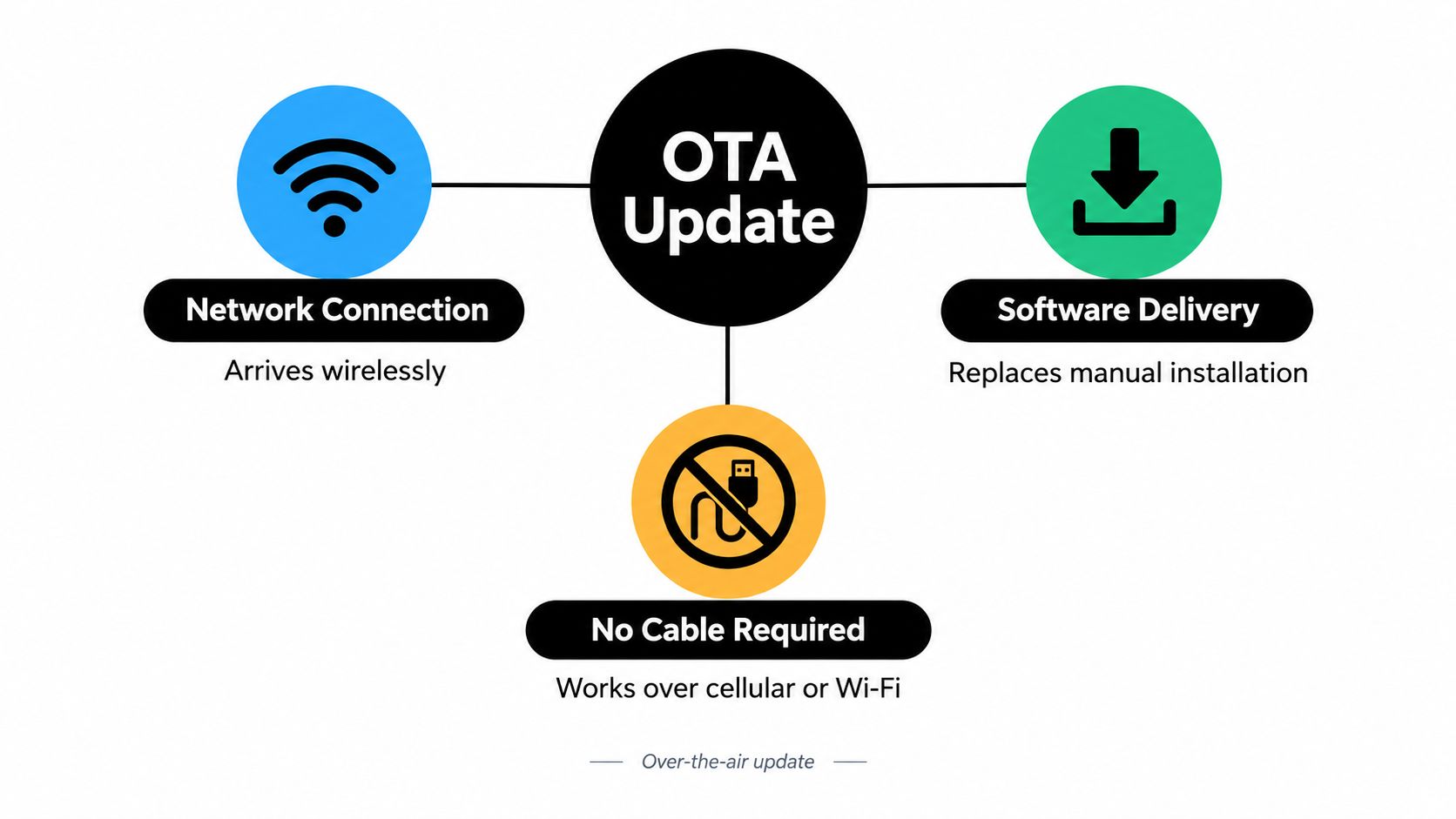
Think of an OTA update as software that arrives through the network instead of arriving by cable, sideload, or service center visit. The device checks for a package, downloads it, verifies it, and then activates the new version. No one needs to plug the phone into a laptop or hand it to a technician.
A helpful analogy is home delivery replacing a trip to a warehouse. The parcel still needs the right address, a sealed box, and someone checking it’s really for you. OTA changes the transport route, it doesn’t remove the checks. That’s why OTA is a delivery pattern, not a single technology.
Three Versions You Already Know
You’ll see the same pattern at different levels of the stack, and confusing those levels is where most misunderstandings start.
- Operating system releases: An iOS upgrade or an Android system version arrives, installs, and the device restarts into the new system.
- Security patches: The platform vendor delivers a remediation package without requiring a full reinstall from the user.
- App level web bundles: In a hybrid app, the JavaScript, CSS, copy, configuration, or assets inside an installed binary can be refreshed while the native shell stays the same.
The iOS 7 figures are useful because they prove reach, not just theory. AppleInsider reported Apple’s figures showing 87% adoption while Android 4.4 KitKat lagged at the time. Once a release is available through a network channel, a large installed base can move without physical intervention, provided the device is compatible, connected, and supported.
Scale hasn’t stopped growing. Apple’s 2024 U.S. ecosystem report puts App Store delivery at an average of more than 66 billion app updates per week worldwide and over 17 billion per week for users in the United States. Those store updates aren’t identical to every form of OTA, but they show how routine network based delivery has become.
If you can repeat one sentence to a teammate, use this one. An OTA update delivers software over a network, then verifies and activates it on the device, so users don’t need a cable, a service visit, or a manual reinstall.
That definition also reveals the limit of simple explanations. Downloading a file is only one step. A production system still has to decide which devices should get which version, when activation is safe, and what happens if the new version fails on launch.
How an OTA Update Actually Reaches a Device
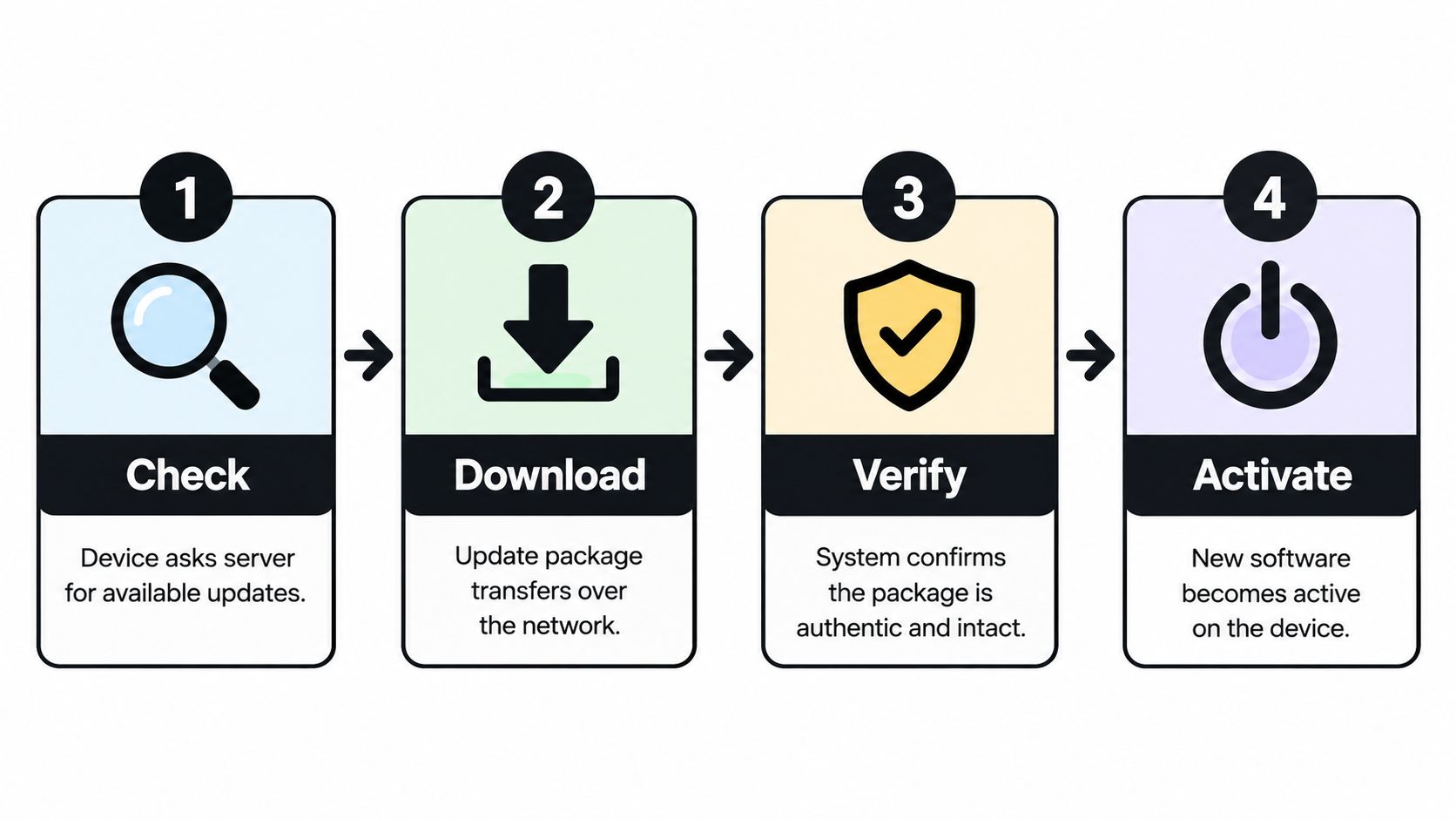
Suppose your team publishes a fix at 9 a.m. A user’s device doesn’t magically know. The updater has to ask a server whether a new version exists, pull the package, prove it’s intact and trusted, and only then switch the app or system over to it.
Picture a sealed parcel handed to a building doorman. The doorman checks the label, confirms the sender, and stores the parcel somewhere safe. He doesn’t rip your apartment apart while you’re still living in it. Activation happens at a controlled moment, after the delivery checks pass.
The Four Stages
- Check: The device contacts an update server and asks if a version is available for its current build, model, or channel.
- Download: The package transfers over the network, often in the background. Smaller payloads matter here, which is why teams care about how delta updates reduce payload size instead of resending unchanged files.
- Verify: The device checks integrity and identity before anything runs. This is a security gate, not paperwork.
- Activate: The new software becomes active at a restart or a controlled lifecycle point, then health checks confirm it launched correctly.
Android’s system updater shows why download and activation shouldn’t be merged into one risky step. In Android’s A/B system update architecture, the updater writes to an inactive slot while the running slot stays operational, then boot control switches slots at reboot. If the new system fails to boot, the device can retain or return to the previously working slot.
Modern Android 11 and later devices use Virtual A/B with compressed snapshots, where boot critical partitions retain slot like redundancy and larger dynamic partitions use snapshots to reduce storage overhead. Android also recommends background scheduling during idle periods and preferably on Wi-Fi. That reduces disruption and network cost, which matters when your users aren’t all sitting at a desk on fast office Wi-Fi.
A hybrid app doesn’t need to copy Android’s partitions to learn from them. Borrow the principle. Keep the current bundle working while the next one downloads, verify before activation, switch at a safe launch point, and keep a known good version ready if startup fails. If you draw those four stages on a whiteboard, you already understand more than a demo that just overwrites files on arrival.
What an OTA Update Can and Cannot Change in a Hybrid App
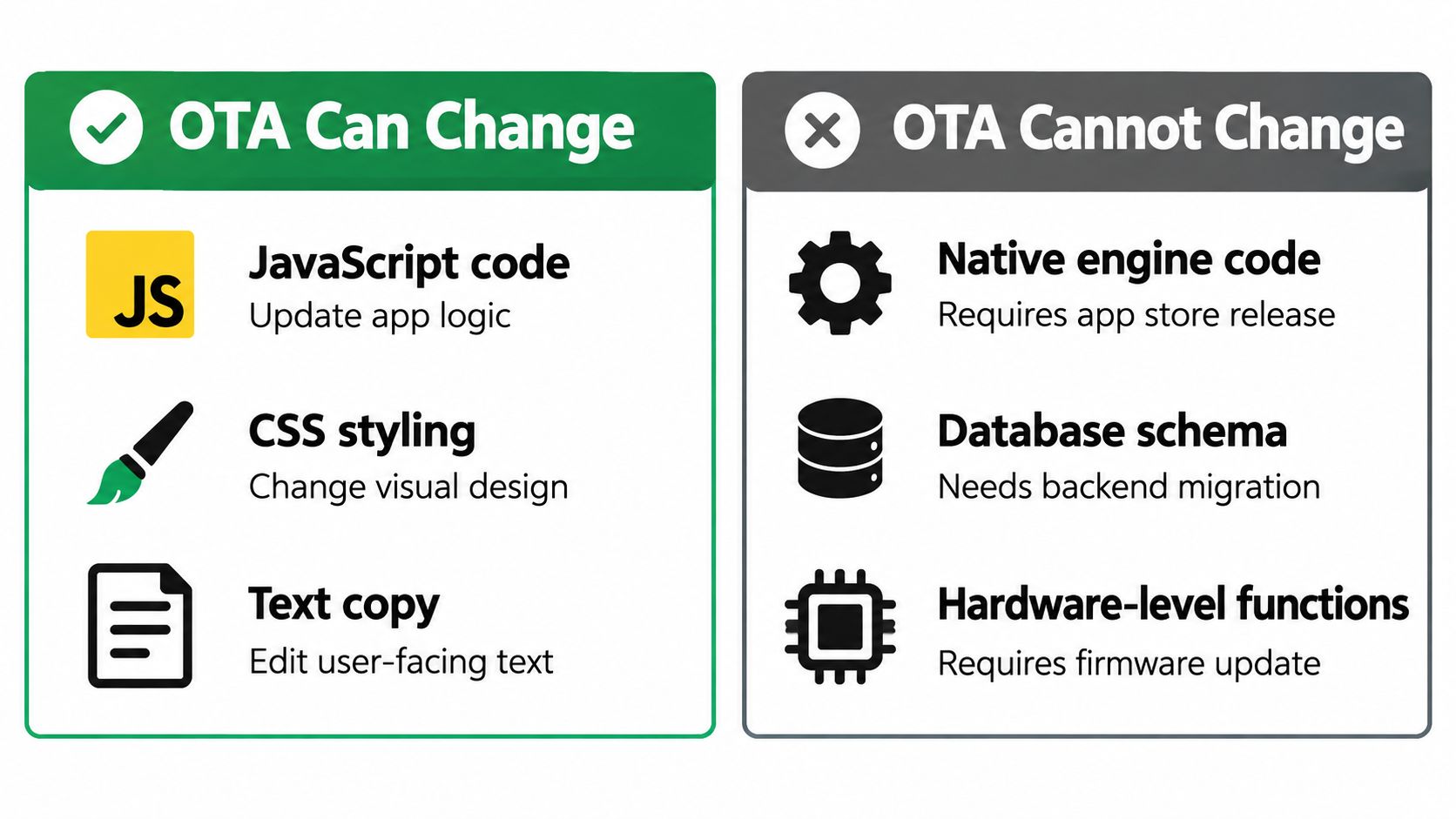
Teams get into trouble here. In a CapacitorJS style app, the installed binary contains a native shell and a web layer. OTA can usually refresh that web layer. It can’t rebuild the shell around it.
Ask one question for every ticket. Is this a content and logic change, or is it a native capability change? A JavaScript bug fix, revised copy, a CSS correction, a configuration value, or a replaced asset points toward OTA. A new native plugin, a changed native library, a new permission, an SDK upgrade, or a change to the app’s fundamental purpose points toward a new App Store or Google Play binary.
Why the Platform Rules Draw That Line
Apple restricts downloaded interpreted code from introducing or changing the app’s features or functionality. Google prohibits downloaded executable code such as DEX, JAR, or native shared libraries, with an interpreter based exception for code such as JavaScript. Expo’s explainer on over the air updates frames this boundary between JavaScript delivery and native changes, and it’s a useful way to classify work before anyone promises a same day fix.
That’s also why architecture choices made early have long tails. If you’re still deciding your stack, reading about native or hybrid for Australian businesses is a helpful reminder that the delivery model follows the app structure. Hybrid gives you a replaceable web layer, but that convenience only exists because the native boundary stays stable.
Understanding how Capacitor bridges web and native code makes the boundary concrete. Your JavaScript calls capabilities that the reviewed native layer already exposes. OTA can change the caller. It can’t invent a new native capability underneath it.
Practical rule: If the fix needs something the installed binary was never built to do, it’s not an OTA candidate, no matter how urgent it feels.
Regulated teams should write this rule down, not rely on memory in an incident channel. Payments, permissions, privacy behavior, and core purpose deserve special scrutiny. An OTA mechanism doesn’t remove release governance, and a fast channel used for the wrong class of change creates compliance risk faster than it creates relief.
OTA Updates Versus Store Updates at a Glance
You don’t have to pick one delivery path forever. Most production teams use both, with OTA absorbing frequent small fixes and store releases anchoring bigger capability changes. The choice is per release, based on what changed.
| Dimension | OTA Update | Store Update |
|---|---|---|
| Speed | Fast once your pipeline, signing, and channels are ready | Slower because submission and review sit in the path |
| Scope of change | JavaScript, CSS, copy, config, and assets | Native code, plugins, permissions, SDKs, and major functionality |
| Governance burden | Your team owns targeting, audit, and rollback controls | The store provides review, but you still own testing and rollout |
| Review requirement | No new binary review for eligible web layer changes | New binary requires App Store or Google Play submission |
| Rollback | Can revert to a previous bundle if your updater supports it | Usually requires another approved binary or a phased release halt |
| Ideal use | Urgent eligible fixes and content corrections | Capability changes and platform upgrades |
Transparent release notes help users trust either path, and the Formbricks changelog is a good example of how a product team can narrate shipped changes publicly over time. Your internal audit trail matters just as much, especially when support asks which users received which bundle.
If you need the deeper trade off, app store versus direct updates for developers covers the decision from the release manager’s seat. In one sentence, choose OTA for eligible web layer speed, choose the store for native scope, and don’t force either channel to do the other’s job.
The Security Stack That Makes an OTA Update Safe
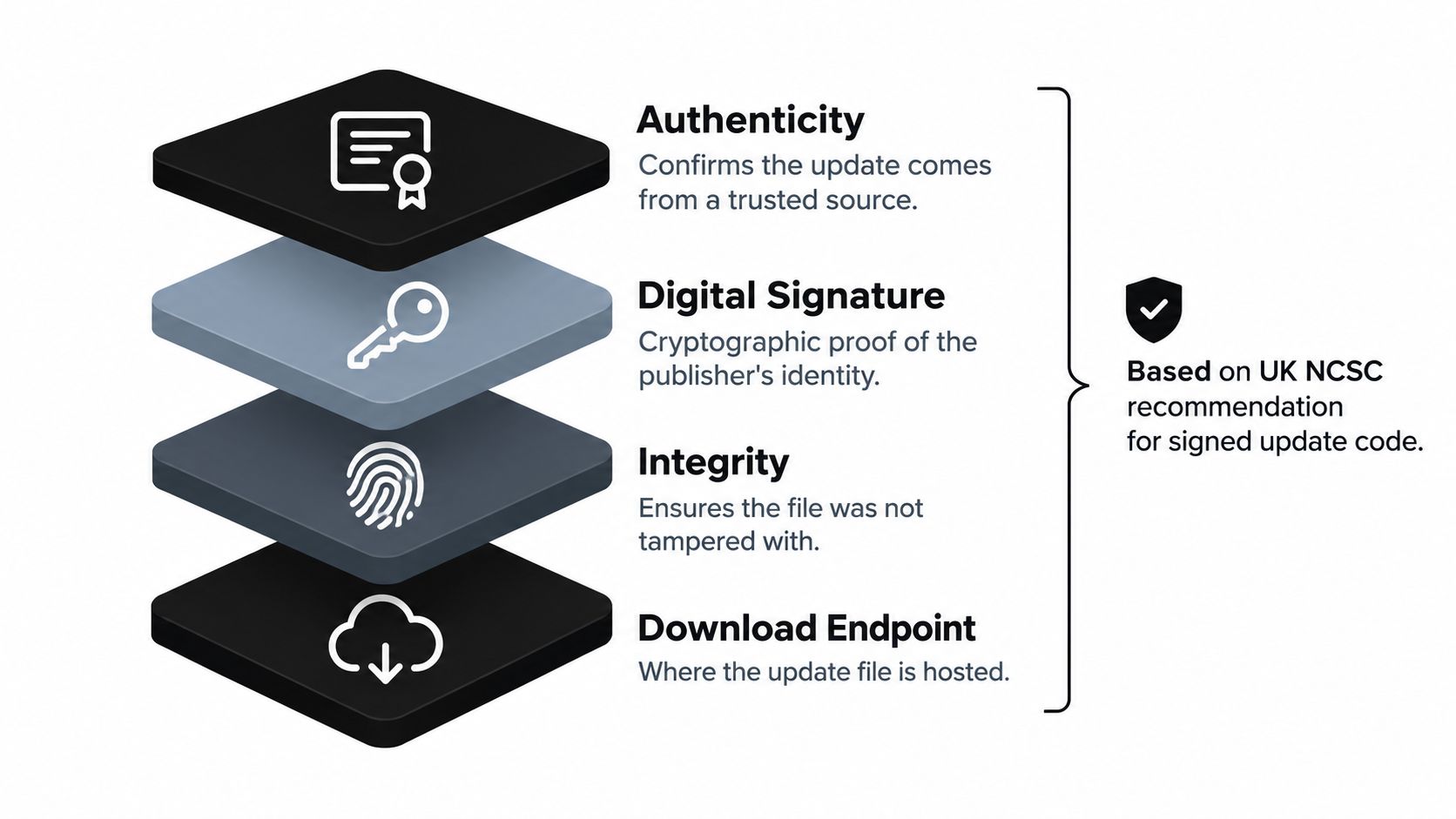
“We just push a file to phones” should make you nervous. A secure OTA update isn’t a download endpoint. It’s an authenticity and integrity protocol that proves who published a bundle, proves it wasn’t modified, and proves it’s allowed to run on that device.
The UK National Cyber Security Centre recommends digitally signing update code with the developer’s private key so the receiving device can verify the trusted issuer and detect tampering. That recommendation pulls real operational work behind it. You need public key infrastructure, certificate lifecycle management, and serious protection for signing credentials. If an attacker gets your signing key, your updater becomes their distribution channel.
The Controls That Chain Together
For a CapacitorJS app, start with these controls and treat them as one system, not a menu.
- Signed bundles and verification before activation: The device rejects a package whose signature doesn’t match, which prevents unauthorized substitution. It helps to understand signature verification for live updates before you wire this into CI.
- Manifest metadata and immutable version identifiers: Each bundle states what it is, what it contains, and which native runtime versions it supports.
- Encrypted transport: Packages travel over protected connections, commonly HTTPS for system update delivery.
- Compatibility policy: Web code built for a newer native plugin must never load inside an older binary that can’t support it.
- Staged channels and rollback: A limited rollout contains blast radius, and failed startup or health checks can trigger a return to the previous bundle.
Notice the causal chain. Signing stops substitution. Compatibility constraints stop unsupported code from loading. Staged rollout limits how many users see a defect. Telemetry gives you evidence to halt or reverse the release. Remove one link and the others get weaker.
Platform policy sits on top of that technical stack. Apple states that submitted apps and updates undergo App Store review, and its guidelines restrict alternative update mechanisms for Mac App Store apps. Your security design and your policy review therefore belong in the same conversation, before the first production bundle ships.
Why Failure Handling Is the Real OTA Problem
Publishing is the easy part to demonstrate. Proving safe adoption across devices you don’t control is the work. Users go offline, downloads get interrupted, bundles meet incompatible binaries, and some people never reopen the app.
Android fragmentation makes that concrete. A 2026 study analyzed 567,000 security update records from 2014 through 2024, covering 904 devices from eight major manufacturers across 98 countries, with an underlying dataset of 542,000 unique update records across 97 countries and 109 carriers. It identified 122 devices or update tracks with monthly support, 294 with quarterly support, and 125 with biannual support. That’s not one uniform fleet. That’s a moving patchwork.
Android’s OTA documentation itself separates operating system updates from user installed Google Play apps, which reinforces that OTA isn’t one universal mechanism with guaranteed coverage. Your app lives inside that heterogeneity. Manufacturers, carriers, OS versions, connectivity, and user habits all shape whether a release lands.
What Success Actually Means
Don’t define success as “the file was delivered.” Track the full chain per device.
- Download rate: Which targeted devices fetched the bundle, and which are still pending?
- Install and launch rate: Did the bundle activate, and did the app start with it?
- Crash and health signals: Did startup fail or error rates move after activation?
- Rollback frequency: How often did devices return to the previous version, and why?
That last metric is why what rollback means in a live update system deserves attention from product managers, not just engineers. Rollback isn’t an admission that OTA failed. It’s the safety mechanism that lets you use speed without betting the whole user base on one bundle.
There’s also a human wrinkle. Research on Android upgrades found that delaying upgrades can significantly reduce app downloads and ratings, while frequent maintenance only partially offsets those declines, and apps with advertising and excessive permissions were more likely to experience delayed upgrades. Trust, permissions, network conditions, and perceived risk influence adoption. Forcing everyone onto the newest version instantly isn’t always a product win.
Targeting helps you respond intelligently. Segment by app version, device, region, channel, or customer. Watch a small cohort, compare its health with the previous bundle, then promote or pull back. Also govern cellular bandwidth, because a fix that surprises users on metered connections can damage trust even when the code is correct.
A Practical OTA Rollout Checklist for Application Teams
Use this sequence on Monday morning, then adapt the approval steps to your risk profile.
- Classify the change: Confirm it’s web layer content or logic, not native capability, permission, SDK, or core purpose work.
- Build and sign the bundle: Attach manifest metadata, an immutable version identifier, and a supported native version range.
- Publish to a limited channel first: Start with internal, beta, or a customer specific stream rather than full production.
- Watch defined health signals: Adoption, launch success, crashes, and failures decide promotion, not optimism.
- Promote in stages: Expand only after the early cohort stays healthy for your agreed window.
- Keep the previous bundle warm: Automatic rollback after failed startup or health checks should be tested, not assumed.
- Answer governance questions early: Fintech, healthcare, and e-commerce teams should settle audit logging, regional data residency, change approval, and incident response before enabling OTA for paying customers.
Tools such as Capgo cover parts of this operational layer for Capacitor apps, including signed bundles, channel based rollouts, per device logs, and rollback. Whatever you adopt, verify that it supports the controls above and fits your review process.
If your Capacitor app needs JavaScript, CSS, copy, config, or asset fixes shipped without waiting on a new store binary, Capgo gives you signed bundles, targeted channels, per device observability, and automatic rollback protection. Visit Capgo to set up your first staged channel, test a rollback on a safe cohort, and make your next urgent fix a controlled release instead of a gamble.





