
A critical bug is live, the fix is ready, and your team can ship it to users without waiting for store review. OTA updates are software changes delivered to an already-installed device over a network connection, and on mobile they often mean either an operating-system update or an app-level live update.
Table of Contents
- A Practical Definition of OTA Updates
- How an OTA Update Actually Reaches a Device
- OS Updates, In-App Updates, and Web Bundle Live Updates Compared
- Adoption Rates and Why They Matter for Engineering
- The Real Trade-offs of Pushing Updates Over the Air
- A Change-Classification Framework for OTA Versus Store Releases
- Security Controls That Make OTA Safe to Rely On
- Putting It Together and Choosing an OTA Approach
A Practical Definition of OTA Updates
Friday afternoon is when these problems always seem to show up. A checkout flow breaks, support pings engineering, and someone on the team starts asking whether this needs a store release or can go out right now. If the change is only in the web layer of a hybrid app, OTA can be the difference between a quick recovery and a long weekend of waiting.
At the simplest level, over-the-air updates are software updates delivered directly to a device through a wireless network instead of a cable, desktop installer, or physical service visit. In mobile computing, Apple made OTA a core distribution pattern when it added OTA update support in iOS 5 in 2011. The basic flow is direct, the vendor publishes a release, eligible devices get notified, the package downloads over Wi-Fi or cellular, the device verifies it, and then installs it locally, usually after a restart. Wikipedia’s overview of over-the-air updates captures that device-level model clearly.
The term gets messy because people use it for several different layers. One layer is the operating system, where Apple or an Android device maker pushes the platform update. Another is the app package, where Google Play’s in-app update flow can update the distributed Android application package. A third is the runtime web bundle, where a Capacitor-style app can pull down JavaScript, CSS, images, or copy after the native binary has already passed review.
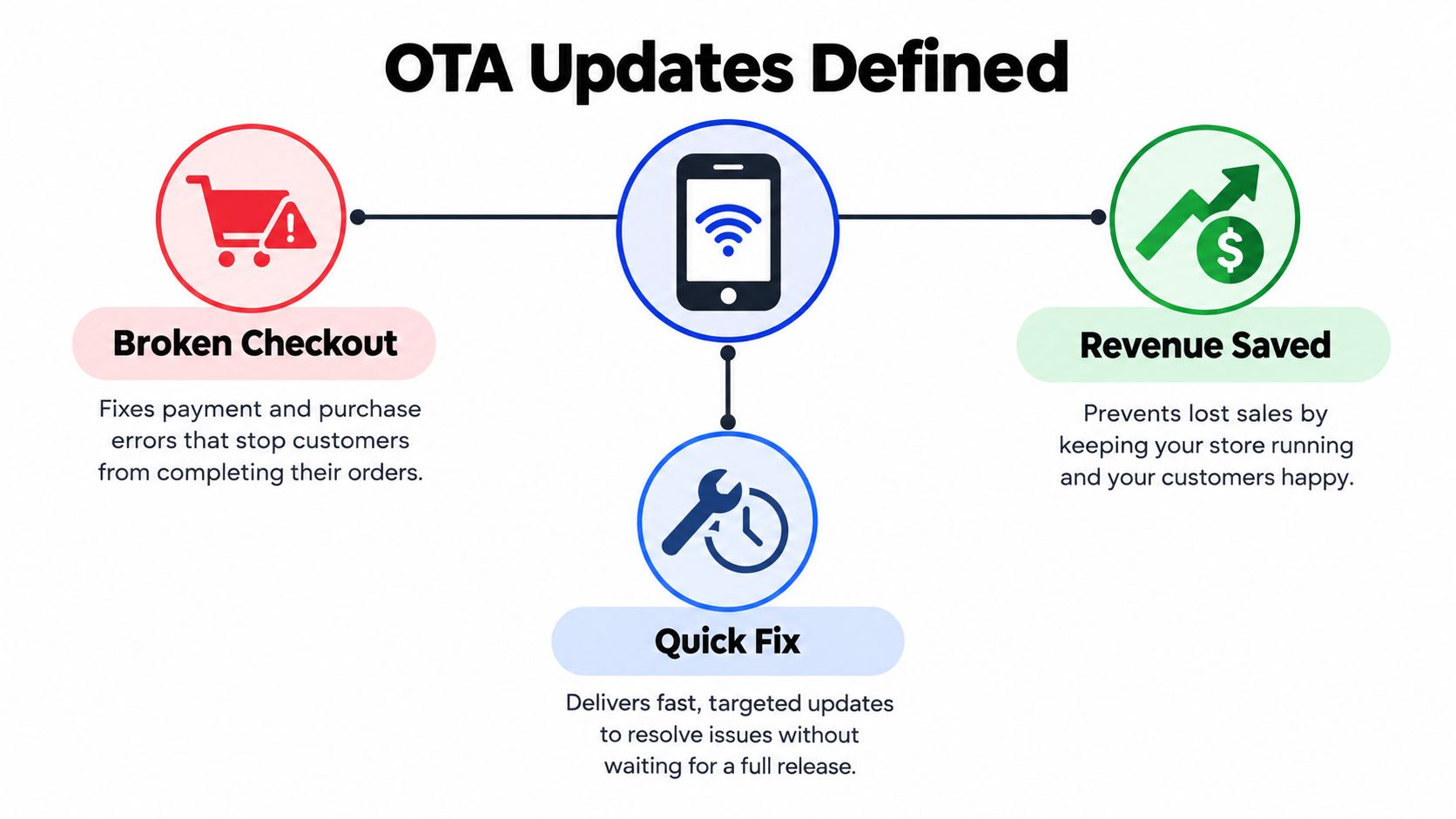
Practical rule: if the device already has the app or operating system installed, and the new version arrives over the network instead of through a fresh physical installation, you’re in OTA territory.
That distinction matters because the same phrase can describe radically different release paths. A product manager may say “ship it over the air,” while the engineering answer depends on whether the change touches native code, interpreted code, or the operating system itself.
How an OTA Update Actually Reaches a Device
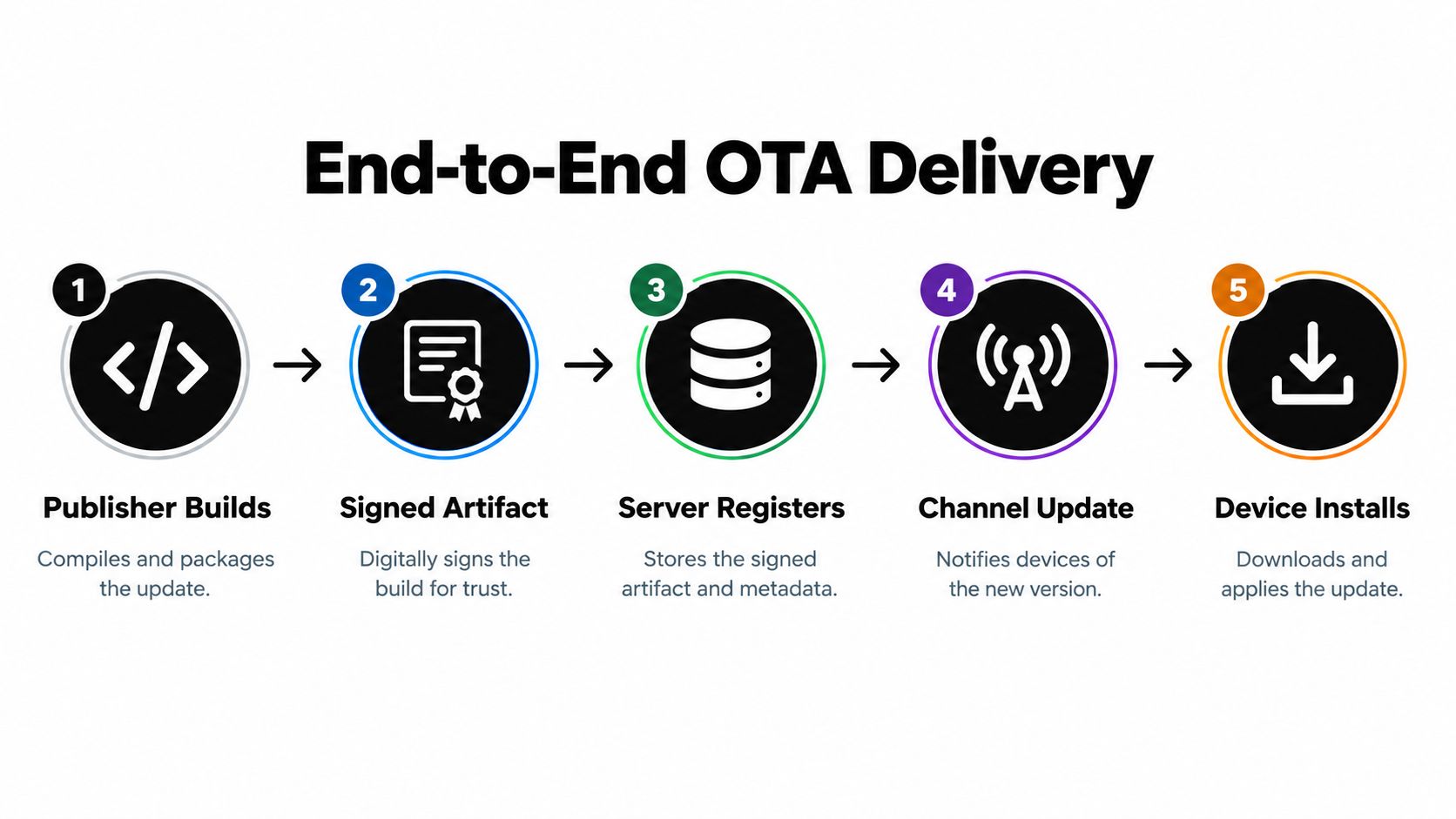
The pipeline looks simple from the outside, but reliable OTA systems have to do several things in a strict order. A publisher builds a release, signs it, associates it with a channel or version rule, and makes it available to eligible devices. The client checks in or receives a notification, downloads the package, verifies it, stages it, and only then activates it.
The parts that have to line up
A download is not an install, and an install is not an activation. The device needs to know that the artifact is genuine, complete, and meant for that app version before it touches the live runtime. That’s why good OTA systems separate the download slot from the active slot, then switch a pointer only after verification passes.
In practice, the brittle spots are predictable. Connectivity drops during download, the wrong version lands on the wrong channel, the package fails integrity checks, or the app restarts before the new bundle is ready. A system that treats OTA like a “fetch file and run it” feature usually learns these lessons the hard way.
A safe OTA flow always assumes failure somewhere between download and activation, then gives the app a known-good fallback.
The end-to-end shape is visible in most production updaters, even if the implementation details vary by platform. Some systems lean on background downloads so the user can keep working. Others use a foreground flow when the update is too important to defer. The important point is that the update package moves through verification, staging, activation, and recovery, not just transfer.
For teams wiring this into CI/CD, the delivery trigger matters too. A build can be published automatically after tests pass, then exposed to a device channel that only the right audience can see. That kind of automation is where release engineering starts to feel less like app shipping and more like controlled software distribution. This guide on how CI/CD tools trigger OTA updates is a useful reference for that workflow.
OS Updates, In-App Updates, and Web Bundle Live Updates Compared
The biggest source of confusion is that OTA can mean three different things, and each one has different rules. An operating-system OTA is controlled by the platform owner. An app-store mediated in-app update updates the app package. A runtime web-bundle update changes the assets the installed app loads at launch.
Three layers where OTA operates
| Layer | Artifact Updated | Gating | Store Review |
|---|---|---|---|
| OS-level OTA | The operating system and its patches | Platform vendor signing and rollout policy | Not app-store review, but platform-controlled |
| In-app update | The distributed Android application package | Google Play update flow, flexible or immediate | Store-mediated |
| Web-bundle live update | JavaScript, CSS, copy, images, config, and other runtime assets | App-defined channel and eligibility rules | Usually already passed native store review |
Google Play’s in-app update mechanism is especially important to separate from “live update” tools. It supports Android 5.0 and later, and it has two operational modes. A flexible update downloads in the background while the user keeps using the app, but the app has to notice the ready state and explicitly finish the install. An immediate update blocks the user with a full-screen flow and requires install plus restart before continued use. Google’s in-app update documentation is the clearest reference for that distinction.
That difference shapes app design. Flexible updates reduce interruption, but the old code keeps running until the app finishes the handoff. Immediate updates reduce version skew, which is useful for urgent fixes, but they also interrupt the session. For Capacitor-style apps, the practical split is even sharper because web assets can often move independently from the native binary, while native capabilities still need the normal package-update path.
If you work in Ionic, Capacitor, or Electron-adjacent workflows, it’s common to layer these paths instead of choosing one forever. The OS updates the shell, the store updates the binary, and OTA updates the web payload. That’s not duplication, it’s version control at different layers of the stack.
Adoption Rates and Why They Matter for Engineering
OTA only matters if devices end up on the new version. Apple’s historical iOS numbers show what centrally managed wireless distribution can do when a single platform owner controls signing, eligibility, notification, and delivery. Apple reported that 81% of all active iPhones were running iOS 16 by February 2023, and 90% among iPhones introduced during the previous four years by June 2023. Later, Apple reported 76% of iPhones introduced in the previous four years were running iOS 18 in early 2025, compared with 74% running iOS 26 roughly five months after its September 15, 2025 release, measured on February 12, 2026. Computerworld’s summary of Apple’s adoption data is a handy place to see those figures in one place.
What those numbers tell engineers
The first takeaway is that centrally managed OTA can reach majority adoption within months. The second is that adoption is never instant, and it never reaches everyone at once. Older devices, user choice, storage constraints, connectivity problems, staged rollouts, and perceived risk all leave a tail of devices on earlier versions.
That tail is why production OTA systems need more than a download endpoint. They need version targeting, integrity verification, telemetry, failure handling, and rollback or recovery mechanisms. Without those controls, you can ship a release quickly and still have no idea who received it, who crashed on launch, or which audience needs the rollback.
Adoption metrics are not vanity numbers. They’re the proof that a release mechanism is reaching the installed base safely enough to trust.
For teams evaluating a live-update platform, release visibility quickly becomes a core product requirement. Capgo’s adoption metrics examples are a good illustration of how teams tend to think about rollout health in practice.
The Real Trade-offs of Pushing Updates Over the Air
OTA feels fast because it skips the store queue, but speed comes with an interruption budget. A flexible update lets the user keep working while the new bundle downloads, which is great for convenience but risky for urgent fixes because the old code can keep running until the app explicitly finishes the update. An immediate update cuts version skew faster, but it blocks the user and forces a restart.
The cost you pay for moving faster
That trade-off shows up in three places. First, there’s UX. A forced update can break a flow in the middle of a session, and that’s especially noticeable in consumer apps. Second, there’s release safety. OTA expands the blast radius of a bad package if your signing, channel control, or rollback logic is weak. Third, there’s policy risk, because a team can get tempted to push changes that really belong in a store release.
If your users want tighter control over when updates happen, the mechanics matter just as much as the product policy. A practical overview like SpecStory’s guide to update control is useful because it reminds teams that users experience updates as interruptions, not abstractions.
A mature rollout strategy usually uses channels and audiences to control those interruptions. Beta users see one stream, staging sees another, and production sees the most conservative path. That gives engineering a way to move quickly without turning every release into an all-or-nothing event.
Delta updates that reduce payload size can also help when bandwidth or startup time matters, but the smaller download still has to be treated as a complete, verified release before activation. Smaller is not the same as safer unless the integrity checks are in place.
A Change-Classification Framework for OTA Versus Store Releases
This is the part most teams really need. The question is not “can we use OTA?” The question is “what kind of change are we making, and which release path does that change deserve?” A useful way to decide is to classify every pull request before it ships.
A decision rule that engineers can actually use
Start with the artifact, not the label. JavaScript logic, CSS, copy, images, configuration, and other interpreted or web-layer assets are usually candidates for OTA if they stay within the app’s existing purpose and reviewed boundaries. Native plugins, permissions, SDK changes, and anything that changes the app’s primary purpose belong in a store release.
That distinction matters because “JavaScript-only” is not automatically policy-safe. Apple’s allowance for interpreted code is conditional, it can’t change the app’s primary purpose, bypass platform security, or introduce unreviewed functionality. So a team shouldn’t ask only “is it JS?” The better question is whether the change alters what the app fundamentally does.
A practical classification table helps here:
- Web-layer logic or UI copy, usually OTA if it stays inside approved behavior.
- Assets and images, usually OTA when they don’t alter native capability.
- Config and backend flags, usually OTA if the client already supports them.
- Native plugins, permissions, or SDK changes, store release.
- Ambiguous mixed changes, default to a binary release and record the policy rationale.
When a pull request touches both web-layer behavior and native capability, the native side wins. Treat it as a store release unless the change is clearly separable.
That rule keeps the release train honest. It also gives product and QA a shared vocabulary, which matters more than people expect when timelines get tight.
Security Controls That Make OTA Safe to Rely On
Secure OTA is a supply-chain problem first and a download feature second. A production updater needs to authenticate the bundle, verify integrity before activation, preserve a known-good version, and make activation atomic so a broken download can’t replace the running release with a partial artifact. This guide on signature verification covers the trust side of that model well.
Controls that belong in every serious OTA system
The first control is signing. The manifest and the assets it points to should be signed, then verified before the app trusts them. The second is channel binding, where the release is tied to an app version and audience so the wrong device doesn’t consume the wrong bundle. The third is inactive-slot download, which keeps the new payload separate until all checks pass.
After that comes the part teams sometimes skip, atomic activation. The app should switch to the new bundle only after the hashes and signatures match, not halfway through a download or during a failing restart. An immutable prior bundle matters here, because rollback only works if the last known-good version is still available.
Differential updates can help reduce bandwidth, but they’re not a shortcut around verification. A delta still has to be reconstructed and checked against the complete target bundle before the app uses it. Otherwise you’ve just made the payload smaller, not the release safer.
The final piece is telemetry. On startup, the app should log the active bundle, the installation result, any crash-loop or launch failure, and the rollback decision. That record is what turns a weird incident into something the team can explain and fix.
For regulated environments, the operating rule is simple. Keep native-capability changes in store-reviewed binaries, limit OTA to compatible web-layer changes, use staged audiences, and keep automatic recovery turned on.
Putting It Together and Choosing an OTA Approach
A good OTA decision is usually boring in the best way. Classify the change, choose the right channel, sign and verify the bundle, plan rollback, and watch the telemetry. If any part of that feels unclear, the change probably belongs in the store path instead.
Questions worth asking a vendor
- Can it do signed manifests and asset verification? If not, the trust model is too weak for production.
- Does it support staged channels and audience targeting? You want control, not a single global switch.
- Is rollback automatic and observable? A recovery path that people have to remember manually is fragile.
- Do per-device logs exist? Without them, support and engineering are guessing.
- Can CI/CD trigger releases through an API? Manual shipping does not scale well.
- Does it support differential updates? That can help, but only if integrity checks stay intact.
If you’re comparing platforms, deployment automation patterns are a good way to judge whether the tool fits real release engineering or just marketing copy. That’s especially relevant for teams that need automation without giving up control.
Capgo is one option in this space for CapacitorJS teams that need signed web-bundle updates, channel-based rollout, rollback, and release telemetry. If your team is trying to separate OTA-safe changes from store-bound changes, visit Capgo and see whether its workflow matches the way you ship.





