


先决条件
继续教程之前,请确保
- 确保使用正确的GitHub
- 使用Capacitor
- 您的应用已在Apple Store上部署
- 想看😆…
使用Ionic是可选的,使用Cordova也许可以,但我没试过。
关于价格的重要提示
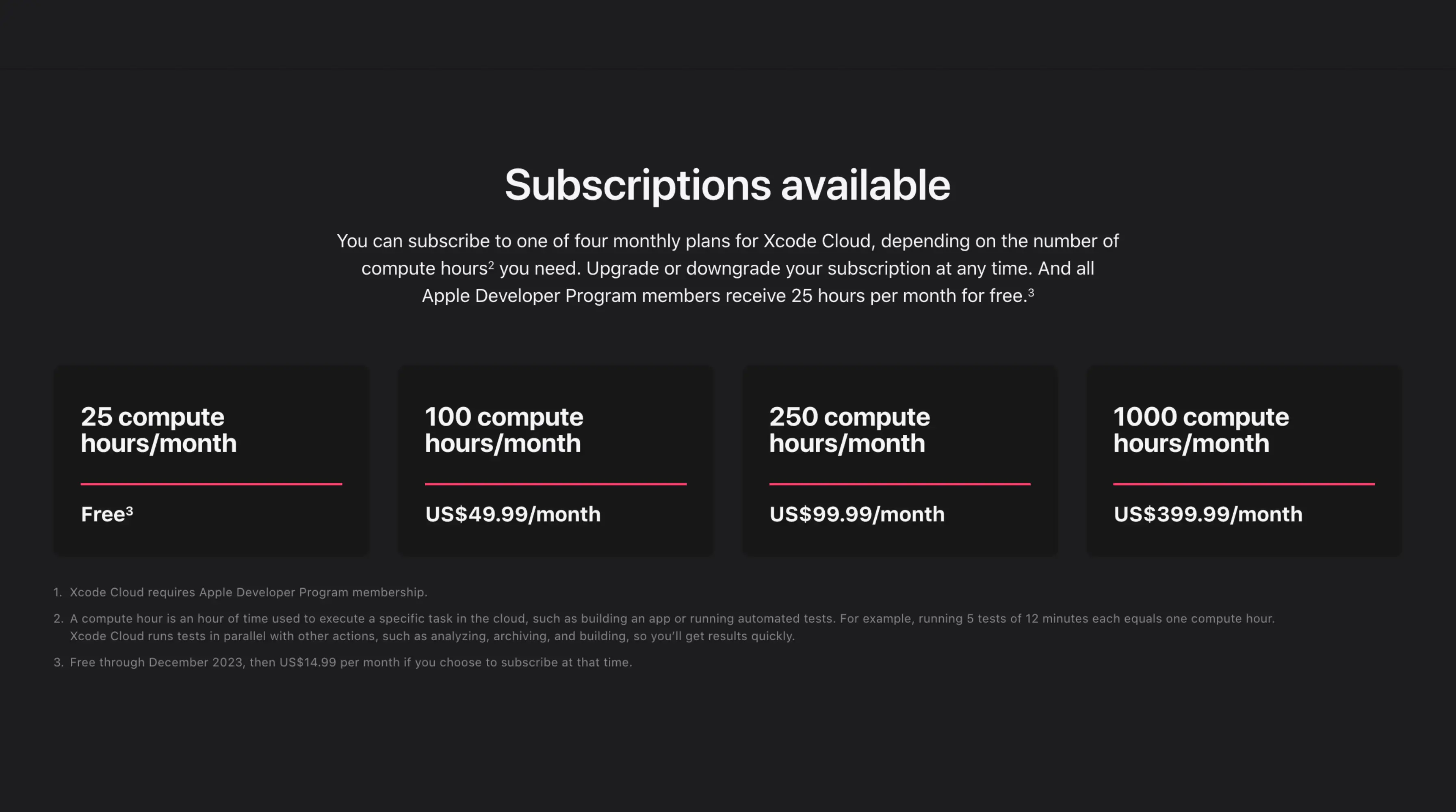
https://developer.apple.com/xcode-cloud/
该服务是‘免费的’ 但有上限。
您可以在截图中看到价格和限制(截图创建时的价格,可能会在未来发生变化)
🔴 已提醒要求和价格后,如果您喜欢,我们继续…
📣 在这篇文章中,我们假设我们已经在Apple Store中创建了应用
简介
为了让 Xcode 构建您的 Capacitor 应用程序,您需要设置一些东西。
包裹准备
确保您的构建命令在您的脚本中。 package.json 然后添加以下命令。 sync:ios 这个步骤将使 post 脚本工作简单化。
{
  "scripts": {
    "build": "YOUR BUILD COMMAND",
    "sync:ios": "cap sync ios"
  }
}
Post 克隆脚本
这个脚本将在 Xcode 云后克隆步骤中运行。
将此文件保存在您的项目根目录并命名为
#!/usr/bin/env bash

set -x

export HOMEBREW_NO_INSTALL_CLEANUP=TRUE
# Install CocoaPods
echo "📦 Install CocoaPods"
brew install cocoapods
brew install node@18
brew link node@18

# Install dependencies
# XCode Cloud is literally broken for 2 months now - https://developer.apple.com/forums/thread/738136?answerId=774510022#774510022
npm config set maxsockets 3
npm ci
# or `pnpm install --frozen-lockfile` or `yarn add --frozen-lockfile` or bun install
npm run build
# or npm run build
npm run sync:ios
然后使用以下命令使此文件可执行。 ios/App/ci_scripts/ci_post_clone.sh
创建 Xcode 工作流 chmod +x ios/App/ci_scripts/ci_post_clone.sh
打开 Xcode(是的,为了移除 Xcode,您需要 Xcode)
包裹准备
并且转到这个标签 :
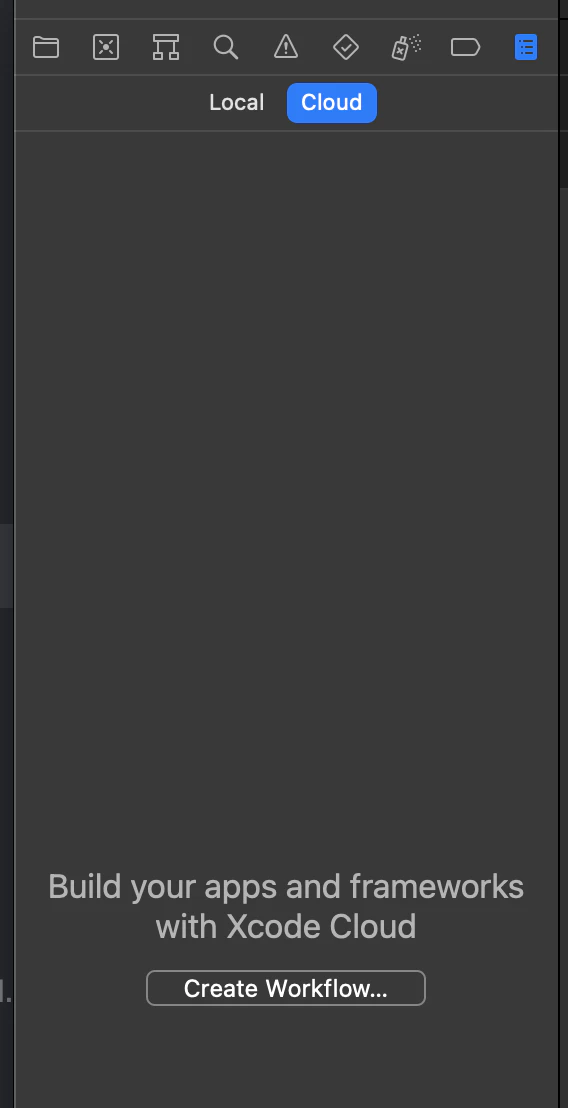
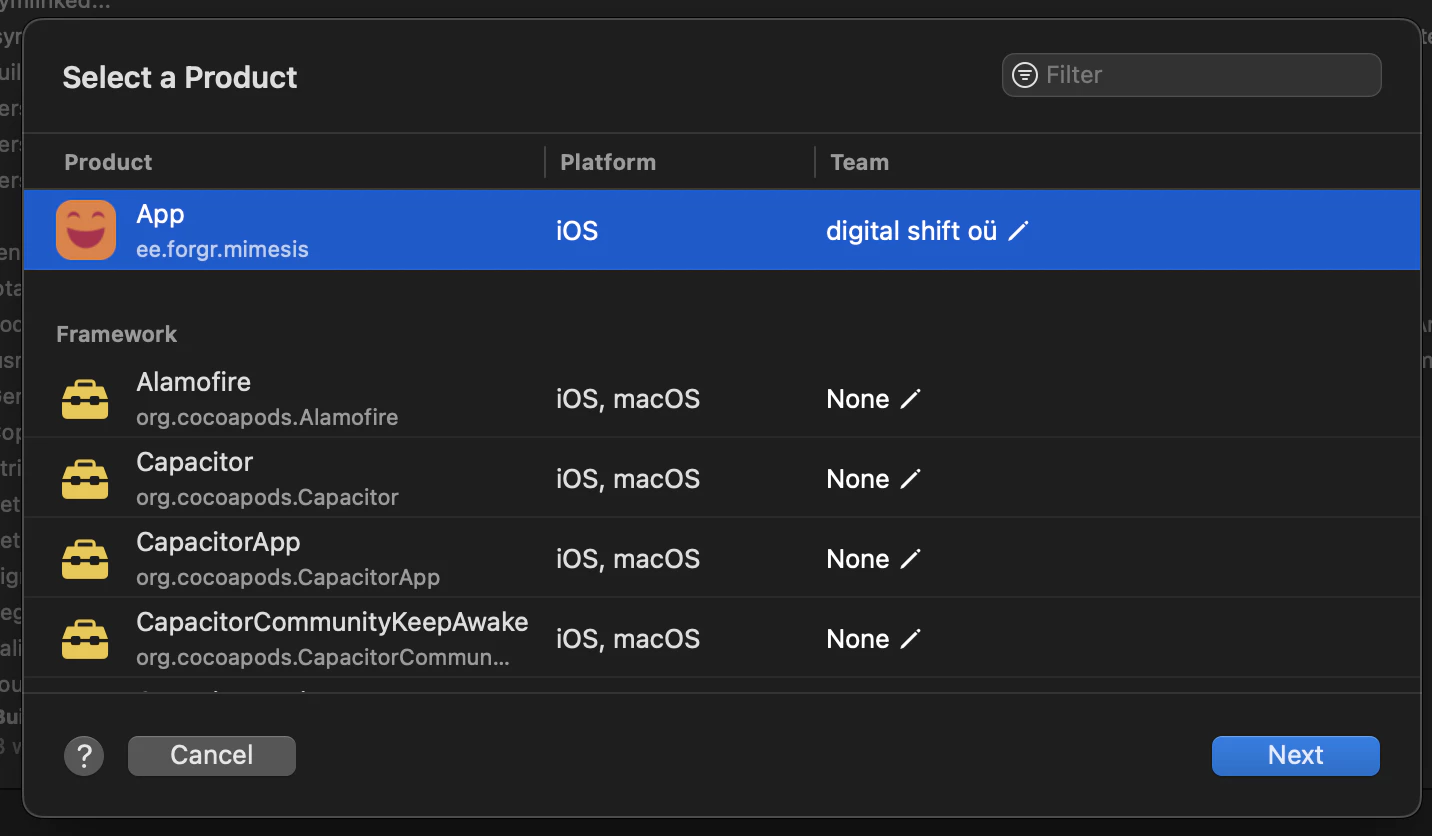
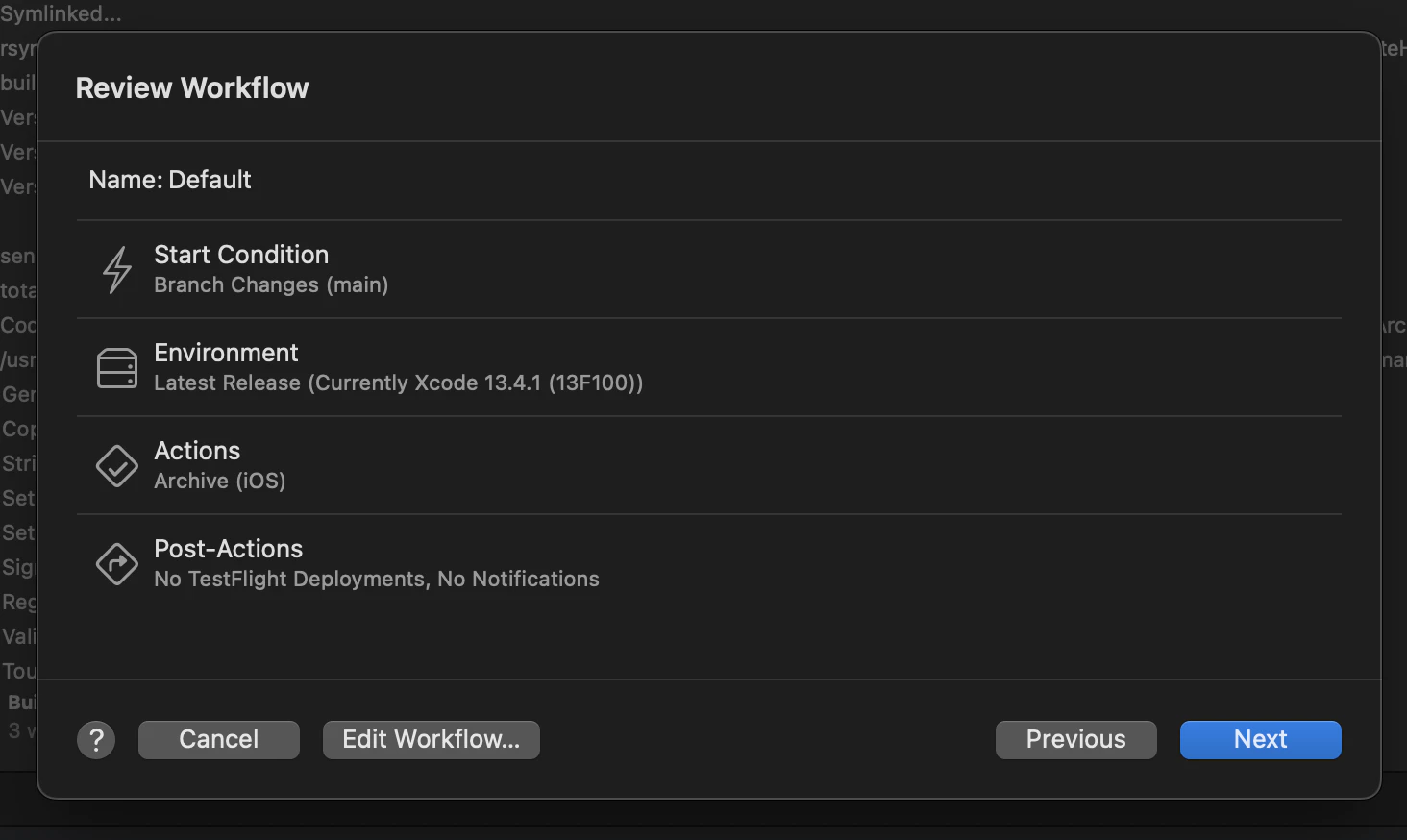
点击创建工作流程,选择您的应用程序,点击下一步,如下所示。
点击左侧的编辑工作流程
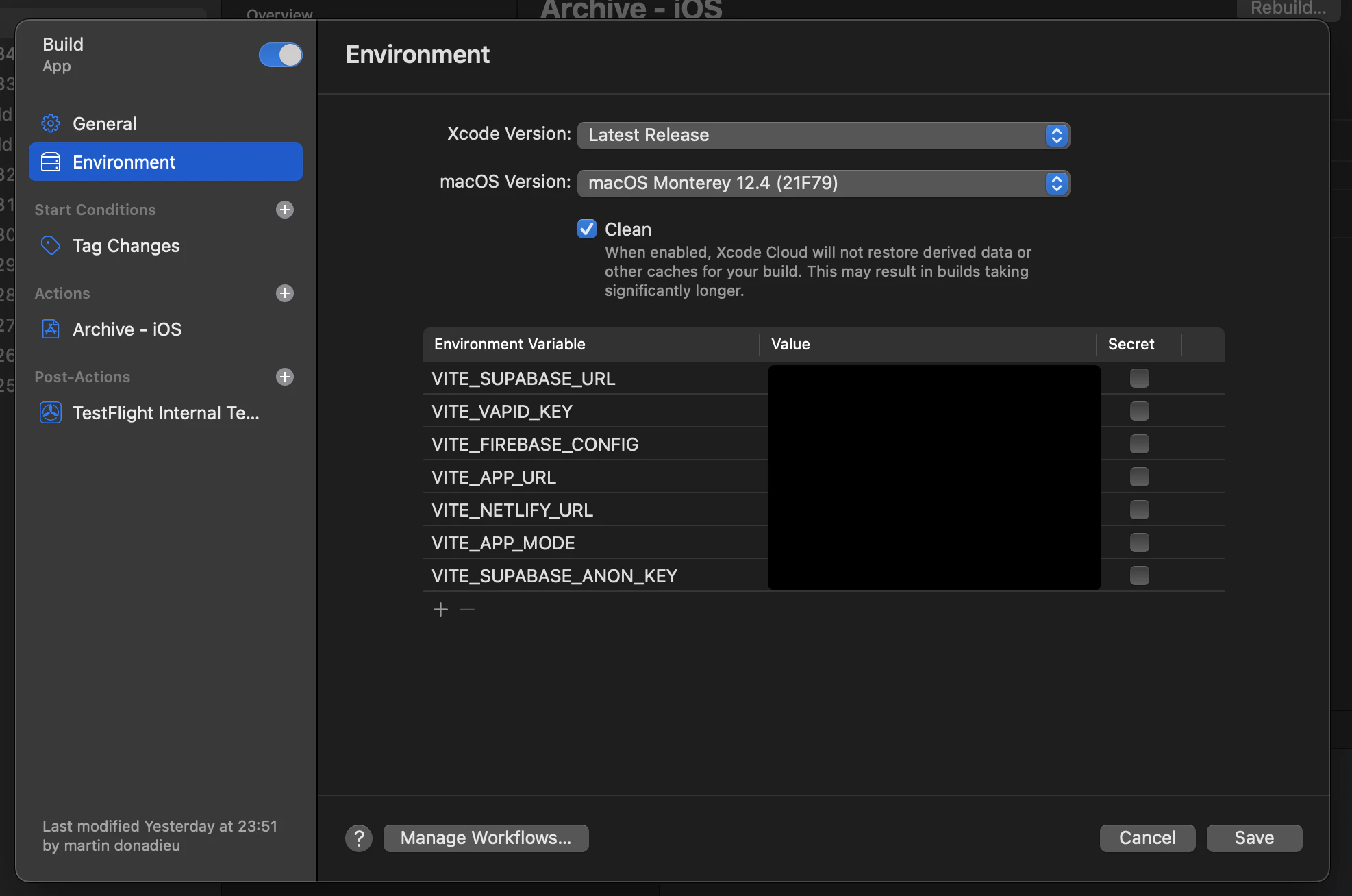
转到环境标签并选择如下的Mac 12.4,并检查正确的选项
选择您的启动条件。 如果您使用与我们相同的构建,我建议使用标签而不是分支,以避免双重构建。
设置您的环境变量
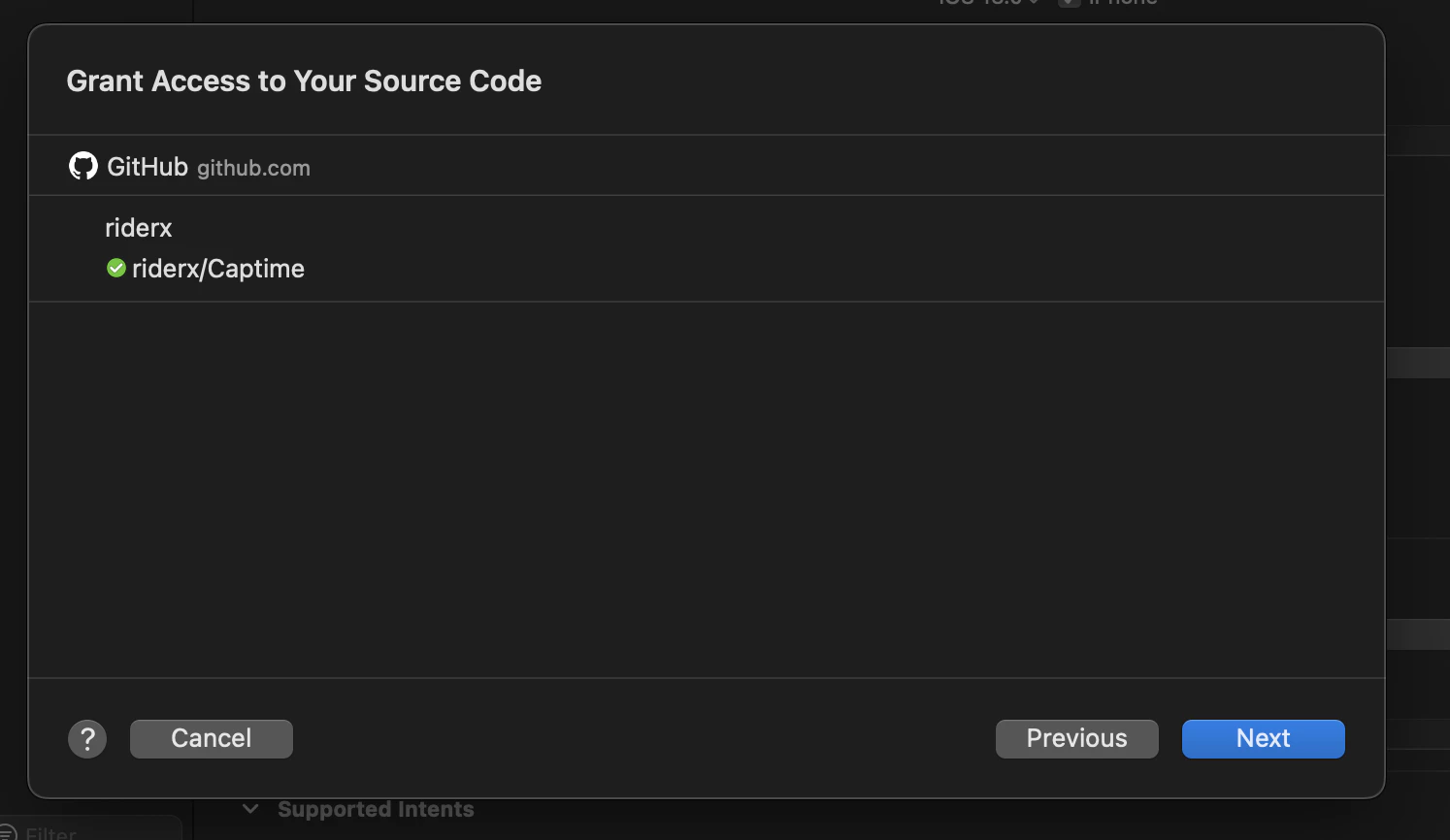
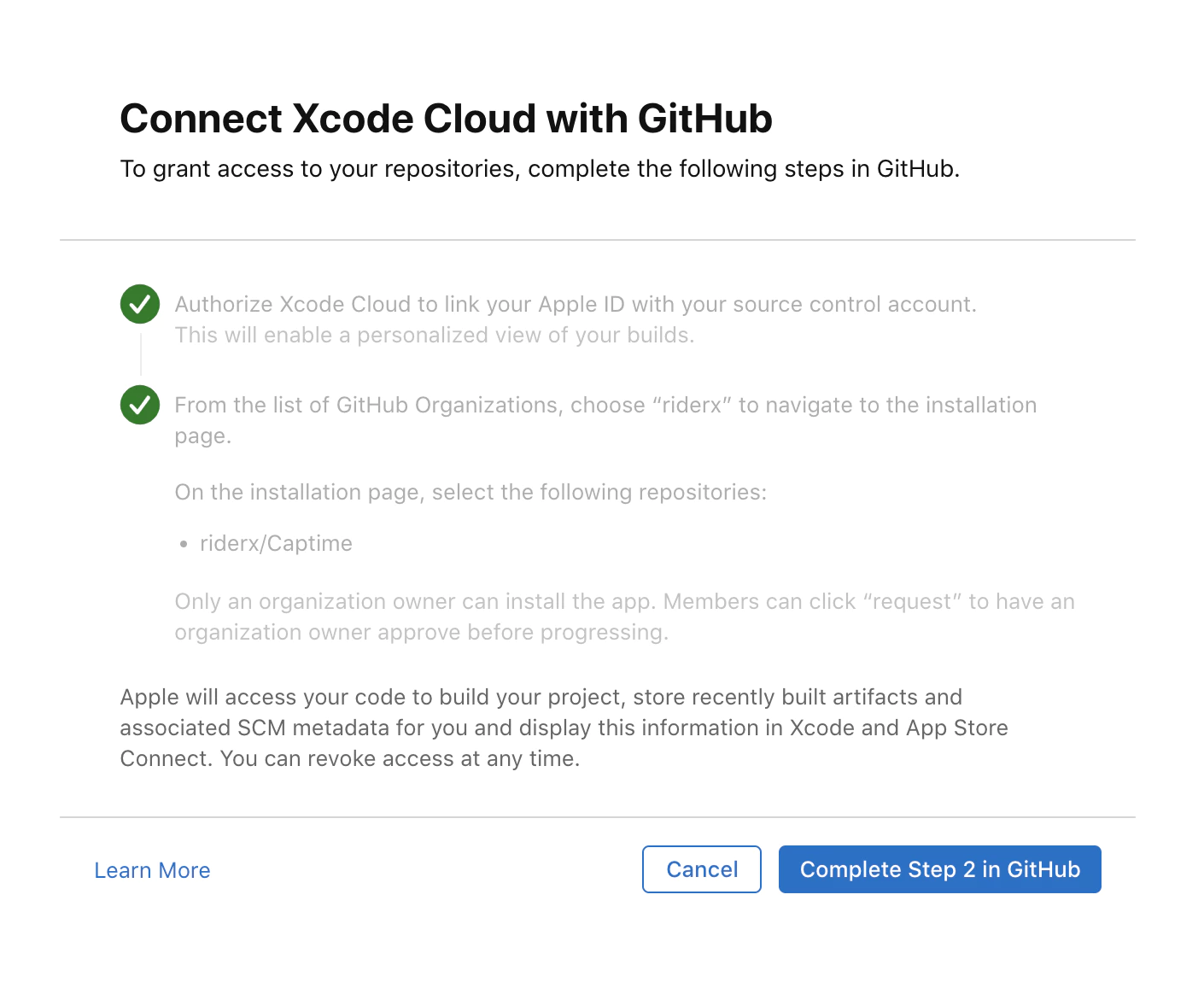
连接您的GitHub账户
然后启用工作流程并提交您的第一个更改,您应该在 Xcode 中看到您的构建正在运行。
构建处理
在 Xcode Cloud 中, 您将根据分钟数进行计费 对于私有项目,估算的每个构建成本可以达到
$0.008/分钟 x 5 分钟 = $0.4 ,或更多,取决于您的项目的配置或依赖项。对于开源项目,这完全不是问题。请参见
定价 pricing.
继续从如何在Xcode Cloud中构建Ionic Capacitor应用
如果您正在使用 如何在Xcode Cloud中构建Ionic Capacitor应用 计划CI/CD自动化 将其与Capgo CI/CD Capgo CI/CD Capgo Capgo Capgo Capgo CI/CD集成 CI/CD集成的实现细节 GitHub 行动集成 为 GitHub 行动集成 的实现细节。





