
At 4 p.m., a web-layer update reaches production. Within minutes, crash reports climb, support tickets arrive, and the team discovers that the new JavaScript bundle fails only on a subset of devices. Waiting for App Store or Google Play review isn’t an option, but restoring an older file isn’t enough if configuration, APIs, feature flags, or stored data have also changed. A useful rollback plan example must tell the operator what triggers the response, which version to restore, how to verify recovery, and when reverting code could make the incident worse.
The seven playbooks below match rollback actions to specific failure types in Capacitor and Electron apps, including releases distributed through Capgo channels. Use them as runbook patterns, then replace the example triggers with baselines from your own crash, business, and data-integrity monitoring.
Table of Contents
- 1. Automatic Rollback on Crash Detection
- 2. Differential Update Rollback with Version History
- 3. Staged Rollout with Automated Rollback on Metrics Degradation
- 4. Configuration-Only Rollback with Feature Flags
- 5. Canary Rollback with User Consent and Manual Override
- 6. Database Migration Rollback with Schema Versioning
- 7. Incident-Based Rollback with Automated Observability and Post-Mortems
- 7 Rollback Plan Examples Compared
- Turn These Rollback Plan Examples Into Your Runbook
1. Automatic Rollback on Crash Detection
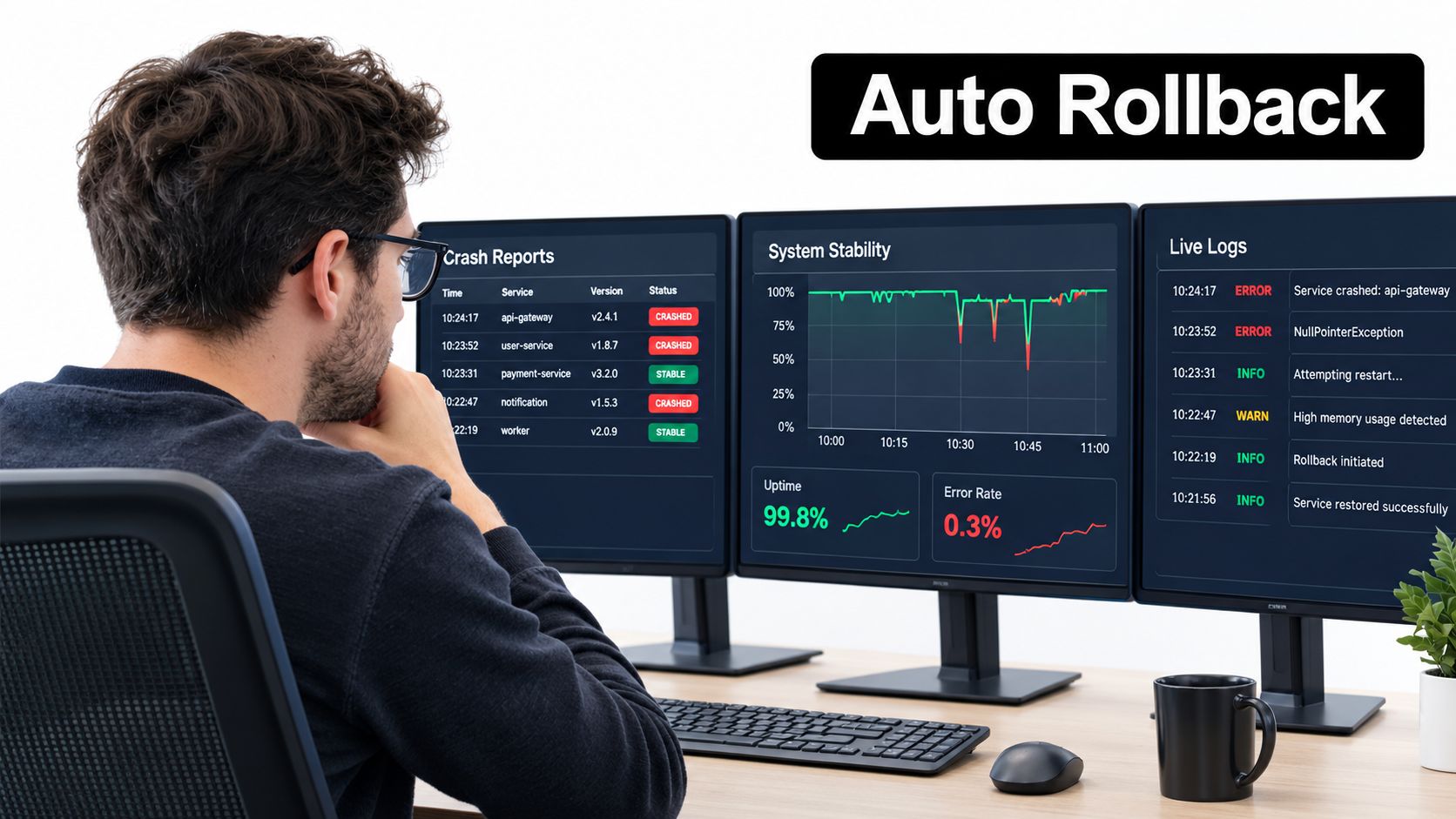
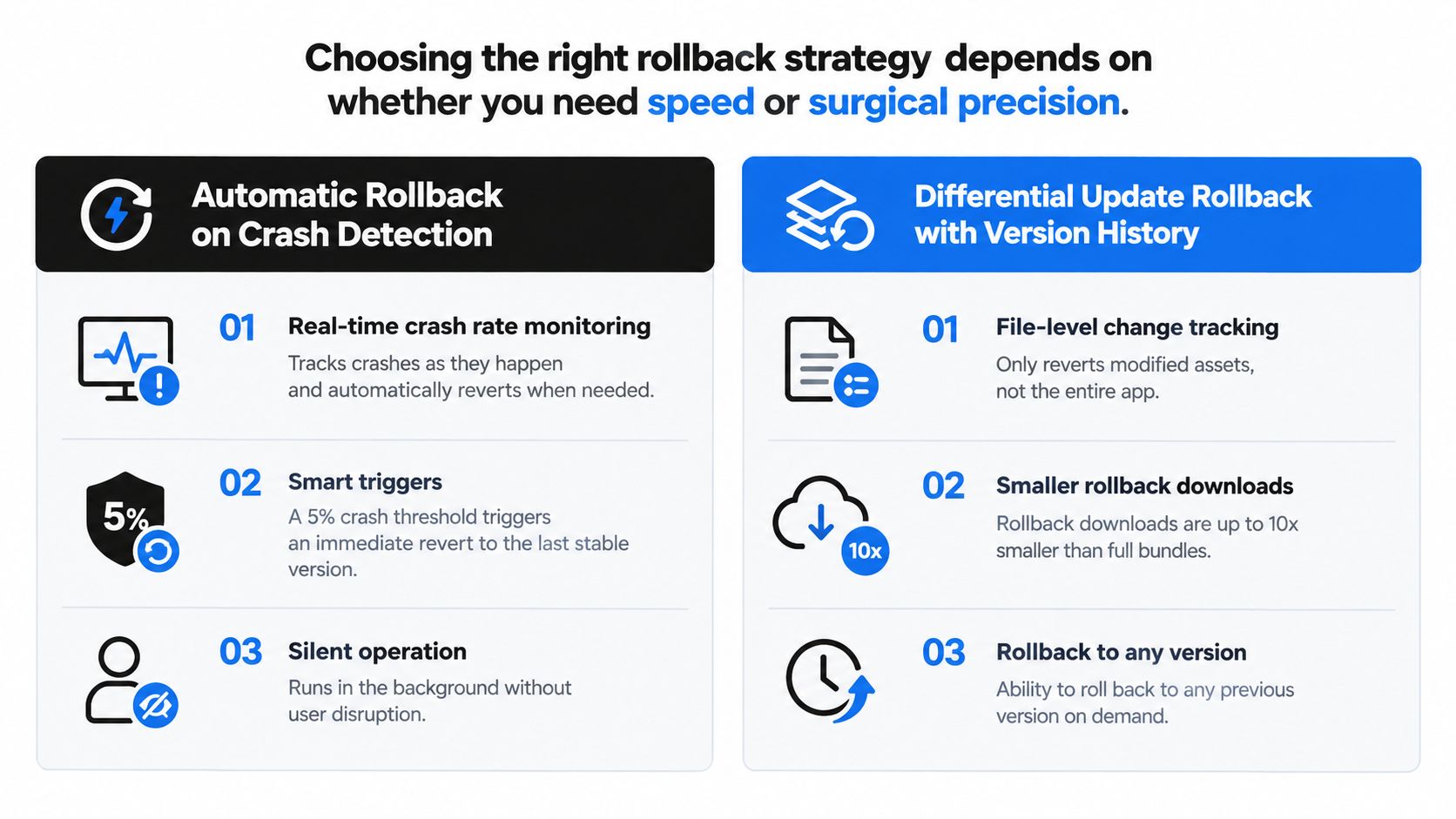
Automatic rollback is the right first response when a new web bundle causes a clear startup failure, JavaScript exception, native-plugin fault, or crash pattern that wasn’t present in the previous release. The trigger should be machine-readable and tied to a version, channel, device group, and observation window. A release controller can pause distribution and restore the last known working bundle without waiting for an engineer to notice the dashboard.
For a Capacitor app, monitor more than native crashes. Track whether the application starts, whether the web view loads, whether notifyAppReady() completes, whether critical plugins initialize, and whether the first user flow succeeds. Electron teams should add renderer-process failures, main-process exceptions, update-install failures, and failed IPC calls.
Practical rule: Automatic rollback should stop exposure first, then restore service. It shouldn’t attempt to diagnose the root cause while users are still receiving the suspect bundle.
A practical trigger might be a sustained increase in crashes or failed readiness checks above the release baseline. Don’t copy a threshold from another app. Set a conservative limit for production, validate it against normal device and OS variation, and require enough observations to avoid reacting to one isolated device.
Trigger, action, and failure mode
- Trigger: Crash, startup, readiness, or native-plugin signals breach the release gate for the affected channel.
- Action: Freeze channel expansion, mark the bundle unhealthy, redeploy the previous signed bundle, and verify startup and critical flows.
- Trade-off: Recovery is fast, but an overly sensitive trigger can revert a healthy release because of an unrelated device or backend issue.
- Failure mode: The older bundle depends on a changed API or configuration, so the app starts but fails later. Keep compatibility checks in the health gate.
For per-device diagnosis and crash correlation, use this guide to connect Firebase Crashlytics with Capacitor apps. Test the complete path in a staging channel, including detection, channel freeze, redeployment, client download, activation, and confirmation that the old version remains usable.
2. Differential Update Rollback with Version History
A differential rollback suits failures isolated to a stylesheet, asset, configuration value, or JavaScript module. The updater transfers only files that differ between the active release and a known-good target, reducing download work for users on unreliable connections. The target must still reconstruct a complete release.
The trigger is a confirmed file-level fault that does not require a native runtime change. Before acting, compare the active and previous manifests, check the Capacitor or Electron runtime version, and confirm that the affected channel has a compatible signed bundle. If the fault crosses that boundary, deploy the full previous bundle instead of attempting a file-only repair.
Differential delivery is not partial recovery. Never combine arbitrary files from several releases. Store immutable manifests, validate checksums and signatures, retain the previous complete artifact, and record the active version in the channel history. A mismatched JavaScript bundle and native plugin can leave the app launching while a critical flow fails later.
Capgo’s app version history helps operators locate a known-good build before redeployment. Record the bundle identifier, native runtime version, Capgo channel, configuration revision, and migration notes for each release.
Use this runbook:
- Confirm the fault is limited to web assets, configuration, or code.
- Freeze the affected channel so additional devices do not receive the suspect version.
- Select the last compatible signed bundle, not just the nearest earlier file.
- Generate a differential update only when the client and manifest support safe reconstruction.
- Test startup, integrity checks, API compatibility, and the affected user flow.
- Monitor downloads, activation, and rollback completion on Capacitor and Electron clients.
A failed reconstruction, checksum mismatch, incompatible native dependency, or activation loop is a failure mode. Stop differential delivery and redeploy the retained full bundle. Version history answers what changed and which release can cross the compatibility boundary safely. It does not replace tested rollback artifacts or migration notes.
3. Staged Rollout with Automated Rollback on Metrics Degradation
A release can pass startup checks and still damage a core workflow. For a staged rollout, place beta, staging, production, or customer cohorts in separate Capgo channels. Promote one signed bundle at a time, and keep the previous compatible version available for each channel. This limits exposure while preserving a direct recovery path for Capacitor and Electron clients.
Set the release gate before promotion. For a checkout change, monitor completed payments rather than crashes alone. For messaging, check delivery latency and successful delivery. For healthcare synchronization, validate record completeness. Compare each signal with the baseline for the same audience, device mix, and channel. A release is healthy only when the critical action completes correctly.
Use this sequence during promotion:
- Assign an owner to review technical and business signals.
- Observe the defined cohort for the agreed period.
- Stop promotion as soon as a monitored metric crosses its approved threshold.
- Freeze the affected Capgo channel and preserve the release ID, client versions, configuration, and metric evidence.
- Redeploy the last compatible bundle to that cohort.
- Verify startup, update activation, and the affected workflow on representative Capacitor and Electron devices.
- Resume promotion only after the owner confirms recovery.
The guide to phased rollouts for Capacitor live updates offers deployment context for channel-based releases. Automated rollback should execute only after the metric and threshold are unambiguous. A payment, privacy, safety, or data-integrity failure may justify immediate action even before statistical confidence is available.
The main failure mode is a narrow dashboard. Technical health can remain normal while a business outcome deteriorates, and rare device, account, or network conditions may never appear in the first cohort. Record those gaps in the runbook before the next release.
4. Configuration-Only Rollback with Feature Flags
A configuration rollback fits failures isolated to one capability. Keep the new Capacitor or Electron bundle installed, then switch the risky path off through a remote flag for the affected Capgo channel or audience. The app can restore recommendation logic, an interface variant, optional synchronization, experimental storage, or another guarded behavior without replacing unrelated code.
The fallback must already exist. Confirm that it remains compatible with the current API and data model, assign an owner, and record the flag’s scope and emergency default before release. Removing the old path and adding a flag after an incident leaves nothing to activate.
Run the flag rollback as a bounded playbook
- Trigger: A feature-specific error, failed workflow, privacy concern, battery issue, or business regression crosses the team’s agreed threshold.
- Action: Disable the flag for the affected Capgo channel or audience. Confirm that clients receive the change, then test the fallback on representative Capacitor and Electron devices.
- Verify: Check the active flag state, relevant events, startup behavior, and the affected workflow. Keep the new bundle in place while the team isolates the fault.
- Trade-off: The change is fast and narrow, but it cannot repair a shared dependency, incompatible native code, or corrupted data.
- Failure mode: The update may not arrive, may be ignored at startup, or may remain cached. Log the flag state with each relevant event and define the cache expiry.
Use the feature flag implementation guide to structure this control in a Capgo workflow. Keep a local emergency default for critical features. If configuration cannot be fetched, fail closed. Security and privacy-sensitive features should disable access during a control-plane outage rather than preserve it.

5. Canary Rollback with User Consent and Manual Override
A canary release can look healthy in telemetry while failing for one enterprise account, user role, or integration. Give that group a clear fallback and a way to report the problem. Their feedback can expose workflow or usability failures that aggregate metrics miss.
Use separate controls for users and operators. The user-facing action should be available outside the broken workflow, explain what reverting changes, and collect the active bundle, native app version, Capgo channel, device, and timestamp. For Capacitor apps, verify the previous web bundle against the installed native shell. For Electron, confirm that the fallback remains compatible with the packaged desktop runtime.
Set the canary trigger before release:
- Trigger: Freeze the channel after repeated opt-outs from one segment, clustered reports, or a technical metric crossing its agreed threshold.
- User action: Show the fallback choice, record consent and diagnostic context, then return the user to the previous compatible bundle.
- Operator action: Pause further exposure, review reports, and redirect the canary channel to the stable build. Keep a manual override available when the control plane or client UI is unavailable.
- Trade-off: Consent improves transparency and surfaces issues early, but mixed versions increase support effort and complicate comparisons.
- Failure mode: A user may roll back without transmitting context, or the old client may fail against a changed backend. Treat user consent best practices for OTA updates as part of the communication and opt-out design, and retain server compatibility or a controlled feature reversal.
Do not present this rollback as a fix for server-side incompatibility. If the backend contract changed, restore compatibility first or keep the affected workflow disabled.
6. Database Migration Rollback with Schema Versioning
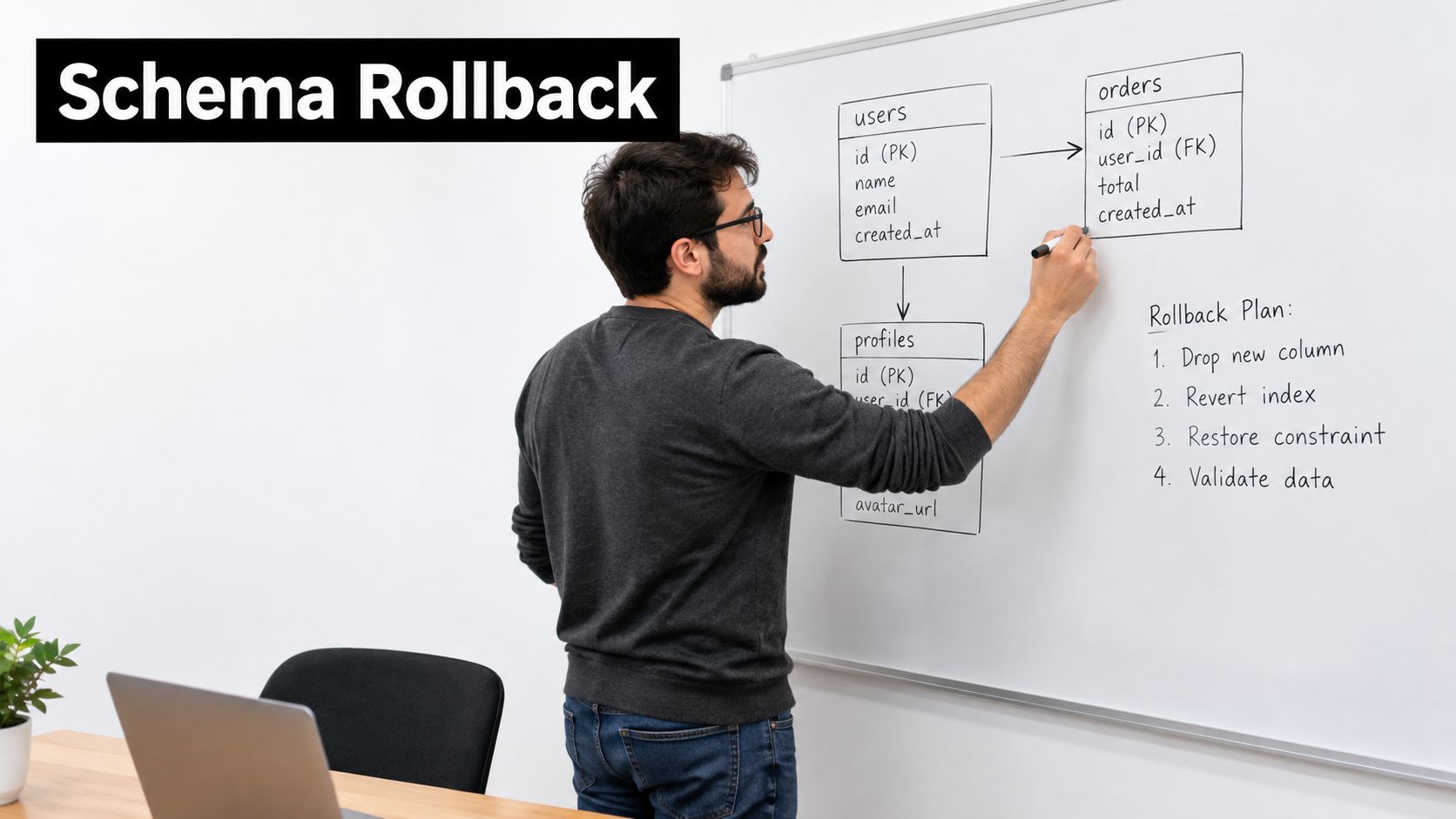
A bundle rollback cannot repair an incompatible schema. A Capacitor or Electron client may return to its previous code while the API or local database still expects new fields, altered types, or partially migrated data. The result can be failed reads, rejected writes, or incorrect records.
Treat the migration as its own release with a recovery path. Start with an expand phase: add compatible fields or tables without removing the old representation. Deploy code that reads and writes both formats, then migrate existing records with validation. Switch traffic deliberately. Remove legacy structures only after the previous client is no longer needed. This keeps a Capgo channel rollback possible while the new schema remains deployed.
The review on rollback-safe database migrations covers transactional migrations, backward-compatible schemas, and separate database and application deployments. Apply those controls to payment records, orders, patient information, and other data that cannot be recreated safely.
Assign the recovery path before shipping:
- Application rollback: Restore the prior Capacitor bundle or Electron package only after confirming that it can read the current schema.
- Feature rollback: Disable the new write path or feature flag while preserving the compatible schema changes.
- Migration recovery: Stop affected writes, inspect records, and run a reviewed forward-fix or recovery procedure.
- Data restoration: Use backup or point-in-time recovery when code reversal cannot restore data correctness.
Keep forward and recovery scripts under review. Test them with production-like data, and use transactions or savepoints where supported. Do not generate destructive rollback SQL during an incident. Define success conditions for application health, data validity, and write compatibility, with separate owners for each decision. A migration plan that has not been rehearsed in staging is not a dependable rollback plan example.
7. Incident-Based Rollback with Automated Observability and Post-Mortems
A Capgo channel can show a healthy rollout while a specific Capacitor or Electron cohort fails after launch. Define the incident trigger before release, such as a sustained crash signal, failed readiness check, broken API flow, or confirmed data-integrity error. On alert, freeze channel expansion and record the active bundle, native app version, channel, rollout state, affected cohort, error category, and timestamps. Capture this evidence before changing deployment state.
DORA guidance on deployment and recovery metrics frames rollback as both a change-failure signal and a recovery event. Store the release identifier and rollback result, then compare detection-to-restoration time, affected sessions or devices, and post-recovery error rates. These measures show whether the restored bundle removed the failure.
Run the incident as a short, recorded sequence:
- Trigger: Confirm the alert against crash, readiness, API, business, or data signals.
- Freeze: Stop channel expansion and disable the feature flag if that limits impact better than a full rollback.
- Preserve: Save logs, traces, version history, adoption state, and affected-segment details.
- Rollback: Redeploy the last compatible bundle for Capacitor or Electron, and account for native-version compatibility.
- Check: Test startup and critical flows, then confirm the failure signal is declining.
- Review: Record the cause, missed detection, decision, and runbook change.
A failed rollback is itself a trigger. Escalate to the previous known-good channel or a manual deployment path if the restored version crashes, cannot start, or reproduces the same API failure. Use this Forge Reliability root cause guide to structure the investigation. Hold the blameless post-mortem while evidence remains available, assign each corrective action an owner, and rehearse the resulting readiness check or channel guardrail.
7 Rollback Plan Examples Compared
| Strategy | Implementation Complexity 🔄 | Resource Requirements 💡 | Expected Outcomes 📊 / ⭐ | Ideal Use Cases 💡 | Key Advantages ⭐ / ⚡ |
|---|---|---|---|---|---|
| Automatic Rollback on Crash Detection | Medium 🔄🔄 | Real-time monitoring + error-tracking systems | Rapid mitigation; lower MTTR 📊 ⭐⭐⭐⭐ | Production apps needing high stability (fintech, healthcare) | Silent automatic protection; fast recovery ⚡ ⭐ |
| Differential Update Rollback with Version History | High 🔄🔄🔄 | Version storage, diff engine, state management | Bandwidth-efficient, precise rollbacks 📊 ⭐⭐⭐⭐ | Poor-network users, large assets, indie teams | File-level precision; much smaller rollback downloads ⚡ ⭐ |
| Staged Rollout with Automated Rollback on Metrics Degradation | Very High 🔄🔄🔄🔄 | Robust metrics infra, A/B frameworks, targeting | Reduced blast radius; protects business metrics 📊 ⭐⭐⭐⭐ | E‑commerce, revenue-sensitive features, large user bases | Data-driven progression; catches business impact early ⭐ 📊 |
| Configuration-Only Rollback with Feature Flags | Low 🔄 | Feature flagging/config deployment (no rebuild) | Instant rollback of features; minimal user disruption 📊 ⭐⭐⭐ | Feature regressions, rapid fixes, small teams | Fastest rollback (minutes); no app store review ⚡ ⭐ |
| Canary Rollback with User Consent and Manual Override | High 🔄🔄🔄 | Canary targeting, in-app UI, feedback collection | Early edge-case detection; qualitative insights 📊 ⭐⭐⭐ | Enterprise beta programs, user-feedback driven releases | User agency + direct feedback; safer early testing ⭐ 💡 |
| Database Migration Rollback with Schema Versioning | Very High 🔄🔄🔄🔄 | DB expertise, migration tooling, staging data | Maintains data integrity; compliant rollbacks 📊 ⭐⭐⭐⭐ | Regulated sectors, e‑commerce, apps with complex data | Safe bidirectional migrations; audit trails and validation ⭐ |
| Incident-Based Rollback with Observability & Post-Mortems | Very High 🔄🔄🔄🔄 | Sophisticated observability, incident mgmt, storage | Fast response with forensic context; organizational learning 📊 ⭐⭐⭐⭐ | Large services prioritizing reliability and SRE practices | Auto rollback + full forensic data for blameless post-mortems ⭐ 📊 |
Turn These Rollback Plan Examples Into Your Runbook
Don’t choose one rollback mechanism for every incident. Start with the narrowest safe action. If a feature flag can disable the failing path while preserving data integrity, use it first. If the release itself is unstable, stop channel expansion and use staged-channel controls with automated crash and readiness gates. If the failure affects shared code, configuration, or incompatible APIs, restore the last compatible bundle and verify the complete user flow.
The hardest decision concerns data. A bundle rollback doesn’t reverse a schema migration, partial write, or server-side behavior change. For those incidents, freeze risky writes, involve the data owner, and follow the migration-safe procedure rather than assuming the previous client is automatically safer. Knight Capital’s 2012 failure illustrates why restoring an earlier binary isn’t enough: a server retained dormant legacy functionality, a reused flag activated it, and the attempted rollback left the problematic behavior active across the environment. The incident produced roughly 397 million erroneous share executions, a notional position of about $7 billion, and an initial reported pre-tax loss of approximately $440 million, later placed near $460 million in broader reporting, as documented in this account of the Knight Capital rollback failure.
Spotify’s Storm deployment offers another useful principle for stateful systems. Keeping two complete topology versions available, preserving consumer positions, and using reversible activation means operators can restore the prior version without losing the stream, as described in Spotify’s Apache Storm deployment account. The analogous Capgo design is to retain the previous signed bundle, preserve version-specific health gates, and confirm compatibility before removing the old release.
Turn these ideas into a short decision tree:
- Feature-specific failure: Disable the feature flag, verify the fallback, and investigate.
- Release instability: Freeze the channel, redeploy the last compatible bundle, and monitor recovery.
- Segment-specific uncertainty: Stop promotion and use canary feedback plus manual override.
- Schema or data risk: Don’t blindly roll back code. Freeze changes and execute the migration or data recovery plan.
- Unclear cause: Capture evidence first, contain exposure, then choose the narrowest reversible action.
Pick one playbook today. Write its trigger, owner, exact rollback command or dashboard action, verification steps, and escalation path. Run it in a staging channel before the next production release, including a failed update, a broken readiness signal, a configuration reversal, and a compatibility check. Teams recover faster when rollback is an exercised operation, not a paragraph written after the incident.
Capgo provides signed live updates for CapacitorJS and Electron apps, with targeted channels, version history, per-device logs, adoption and failure metrics, differential delivery, and automatic rollback protection. Use Capgo to turn the rollback plan example that fits your app into a tested release and recovery workflow.





