


The best CI/CD platform for an iOS app depends on three things: what the app is built with, where your code already lives, and how much signing and Mac maintenance you want to own. Xcode Cloud fits native Apple-only teams, Bitrise, Codemagic, and Appcircle fit dedicated mobile teams, GitHub Actions, GitLab CI, CircleCI, and Azure DevOps fit teams that want one CI for everything, and Capgo Build fits Capacitor teams that want iOS builds without macOS runners. This comparison covers each one with the facts that matter for iOS in 2026.
What changed for iOS CI/CD in 2026
- Xcode 26 is mandatory. Since April 28, 2026, App Store Connect rejects uploads that were not built with Xcode 26 and the iOS 26 SDK. Any platform you choose must offer Xcode 26 images, and self-hosted Macs must be upgraded. Details in Apple’s Xcode 26 requirement.
- Apple Silicon is the default. Hosted macOS runners on GitHub, GitLab, CircleCI, Bitrise, and Codemagic run on Apple Silicon. Intel images are being retired.
- Two managed services left. Microsoft App Center retired on March 31, 2025. Ionic Appflow stopped new sales in February 2025 and ends service on December 31, 2027. Teams on either need a new home.
- App Store Connect API keys replaced Apple ID logins. Every serious platform now authenticates with a
.p8API key, which avoids two-factor prompts that used to hang CI jobs.
What to compare
An iOS pipeline has more moving parts than a web one. These are the questions that separate platforms:
- Who provides the Mac? Hosted, self-hosted, or abstracted away.
- How is signing handled? Manual secrets and keychain scripts, or managed certificates and profiles.
- Can it upload to TestFlight and submit for review without extra tooling?
- How fast do new Xcode versions arrive?
- How is it billed? Per minute, credits, concurrency, or included hours.
- Does it build Android too? Most apps ship both.
Feature matrix
| Platform | Mac provided | Managed signing | TestFlight upload | Android | Pricing model |
|---|---|---|---|---|---|
| GitHub Actions | Hosted arm64 runners (macos-15, macos-26) or self-hosted |
No, secrets plus scripts or fastlane | Via fastlane or altool |
Yes | Per minute, macOS rate higher than Linux; free for public repos |
| GitLab CI | Hosted macOS runners (beta, Premium/Ultimate) or self-managed | No, but an App Store Connect integration stores the API key | Via fastlane | Yes | Compute minutes per tier |
| Bitrise | Hosted Apple Silicon stacks | Yes, certificate and profile management | Built-in steps | Yes | Credits per build minute, plan tiers |
| Codemagic | Hosted Apple Silicon Mac minis | Yes, fetches or creates profiles via API key | Built-in publishing | Yes | Pay per minute or fixed annual plans |
| Appcircle | Hosted, or self-hosted Appcircle Server | Yes, signing identity store | Built-in publish module | Yes | Plan tiers, enterprise self-hosted |
| Xcode Cloud | Apple-managed | Yes, automatic | Built-in | No | 25 hours/month included with membership, more by subscription |
| CircleCI | Hosted Apple Silicon resource classes | No, secrets plus fastlane | Via fastlane | Yes | Credits per minute by resource class |
| Azure DevOps | Microsoft-hosted macOS agents or self-hosted | Partial, tasks install certificates and profiles | App Store extension task | Yes | Parallel jobs |
| Capgo Build | Capgo-managed, called from any CI | Yes, guided setup with build init |
Built-in, plus submit for review | Yes | Build minutes, see pricing |
Notes on the matrix: “managed signing” means the platform stores or generates certificates and profiles for you, not just secret storage. Capgo Build only builds Capacitor apps; the others build native Swift projects too.
Platform by platform
GitHub Actions
The default for many teams because the workflow lives next to the code. GitHub hosts Apple Silicon macOS runners (macos-latest currently points at macOS 26 arm64) with several Xcode versions installed, and you select one with xcode-select or maxim-lobanov/setup-xcode.
Everything iOS-specific is yours: decoding the .p12 into a temporary keychain, installing profiles, bumping build numbers, uploading. Most teams use fastlane for this. macOS minutes on private repositories bill at a much higher rate than Linux minutes, so running iOS builds on every pull request gets expensive fast.
Best for: teams on GitHub that are comfortable maintaining fastlane. Walkthrough: Automatic Capacitor iOS build with GitHub Actions.
GitLab CI
GitLab offers hosted macOS runners on GitLab.com for Premium and Ultimate tiers, still labeled beta, on Apple Silicon machines (M1 and M2 Pro). Images are named by OS and Xcode, such as macos-26-xcode-26. On self-managed GitLab, you register your own Macs.
GitLab’s Mobile DevOps features include a project integration for App Store Connect that exposes the API key to jobs, which makes fastlane setup cleaner. Signing itself is still your scripts.
Best for: teams already on GitLab Premium. Guide: Set up CI/CD in GitLab.
Bitrise
A mobile-first CI with a large step library. Bitrise maintains macOS stacks on Apple Silicon with each supported Xcode version and usually publishes new Xcode stacks shortly after Apple releases them. Code signing can be managed through App Store Connect API integration, which downloads or generates certificates and profiles during the build. Steps cover TestFlight upload, App Store deploy, and many testing tools. It also has release management features for staged rollouts.
Pricing is credit-based, so iOS builds on larger machines consume credits faster. It is one of the more expensive options for small teams and one of the most complete for large mobile teams.
Codemagic
Started with Flutter and now covers native iOS, Android, React Native, Ionic, and Capacitor. Builds run on Apple Silicon Mac mini instances. Configuration lives in codemagic.yaml or a UI editor. Automatic code signing uses your App Store Connect API key to fetch or create the right certificate and profile, which removes most keychain scripting. Publishing to TestFlight and App Store review is built in.
Pricing is either pay-as-you-go per build minute or a fixed annual plan, with a free monthly allowance for personal accounts. See Capacitor iOS builds with Codemagic.
Appcircle
A mobile CI/CD platform that bundles builds, a signing identity store, tester distribution, an enterprise app store, and store publishing. Its differentiator is deployment choice: you can use the cloud service or run Appcircle Server on your own infrastructure, which matters for regulated industries that cannot send code or signing keys to a shared cloud. Hybrid frameworks are built through workflow steps and custom scripts.
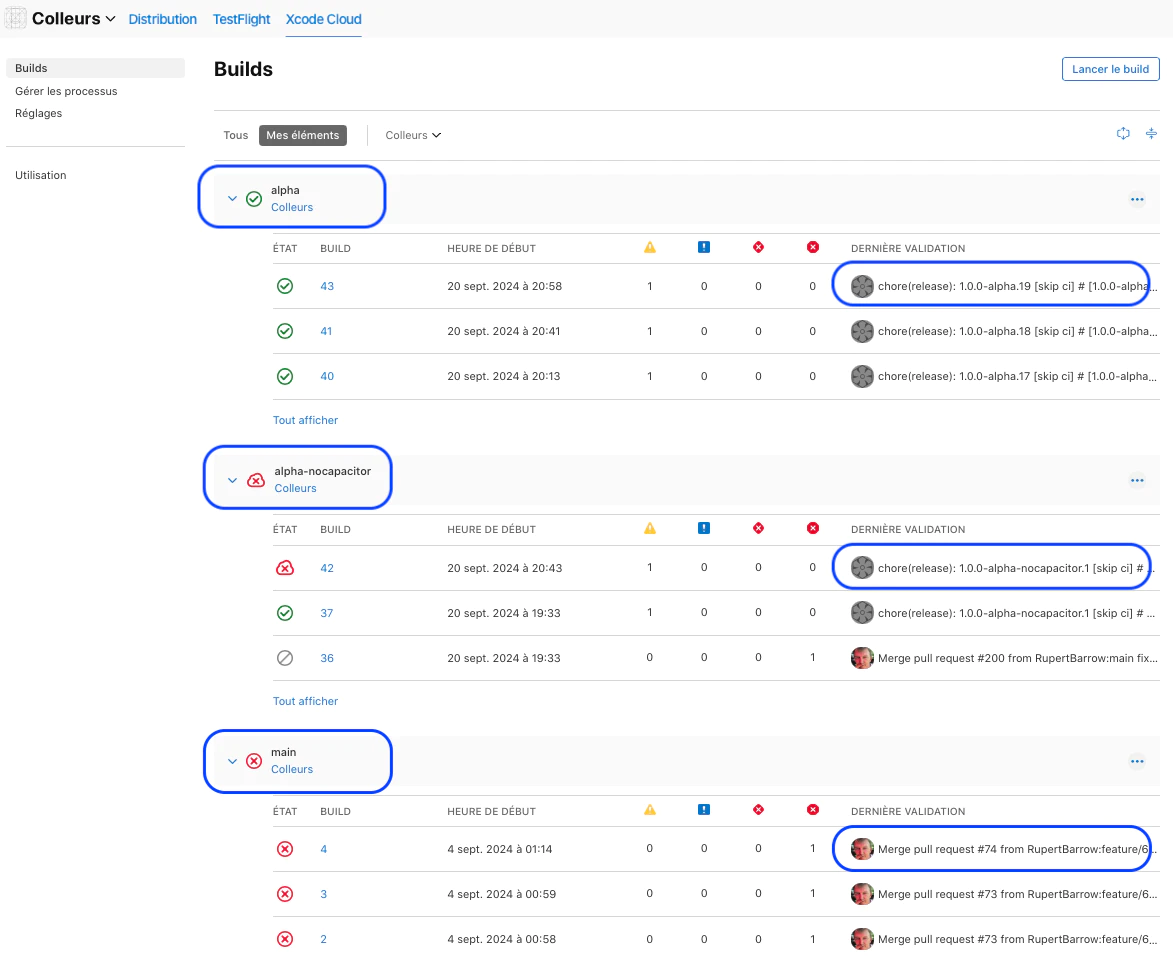
Xcode Cloud
Apple’s own CI, configured from Xcode or App Store Connect. Signing is automatic because it runs inside Apple’s account system, and TestFlight distribution is a checkbox. Apple Developer Program membership includes 25 compute hours per month, and more hours are sold as a subscription. It connects to GitHub, GitLab, and Bitbucket, including self-managed instances.
Limits: it only builds Apple platforms, so Android needs another CI. Custom tooling goes in ci_scripts shell hooks. For a Capacitor app you install Node in ci_post_clone.sh, build the web layer, and run cap sync. See How to build a Capacitor app in Xcode Cloud.
CircleCI
A general-purpose CI with macOS executors on Apple Silicon resource classes and Xcode images. Configuration is YAML with reusable orbs. Signing and uploads are DIY, typically with fastlane and match. Billing uses credits, and macOS resource classes consume more credits per minute than Linux ones. A solid choice if CircleCI already runs your backend.
Azure DevOps
Azure Pipelines provides Microsoft-hosted macOS agents (macOS-latest) and supports self-hosted Mac agents. It has built-in tasks that iOS teams actually use: InstallAppleCertificate@2 and InstallAppleProvisioningProfile@1 handle keychain and profile setup from secure files, Xcode@5 archives and exports, and the App Store extension’s AppStoreRelease@1 task uploads to TestFlight. Pricing is by parallel jobs rather than per minute. It fits Microsoft-centric organizations, especially those migrating off App Center.
Capgo Build
Capgo Build is not a CI. It is a build service your existing CI calls. A Linux job (GitHub Actions, GitLab, Bitbucket, Gitea, Azure DevOps, anything) runs the web build and cap sync ios, then:
bunx @capgo/cli@latest build request com.example.app --platform ios --build-mode releaseCapgo compiles and signs on its Macs, streams logs back to the job, increments the build number from App Store Connect, and uploads to TestFlight. --submit-to-store-review sends it to App Review. Signing setup is guided by bunx @capgo/cli@latest build init --platform ios, which creates the certificate and profile. The signing credentials stay in your CI secrets and are sent per build rather than stored by Capgo.
Limits worth knowing: it only builds Capacitor apps, and a single build has a 10-minute limit. Its main advantage is that no job in your pipeline needs a macOS runner, and the same CLI ships live updates for web-only changes so many releases skip the native build entirely.
Argent Cloud
Argent Cloud by Software Mansion is not a build service either. It covers the step after the build: running the app on iOS simulators. You get dedicated Apple hardware with isolated, preconfigured iOS simulators and reach them over the network. That lets a Linux CI job, or an AI coding agent running on Linux, drive an iOS simulator without your team building and maintaining its own Mac fleet.
It works with Maestro, Appium, and custom scripts, and with Argent, Software Mansion’s MCP toolkit that lets agents such as Claude Code, Cursor, and Codex tap through the app, read logs and network requests, and profile it. Pricing is flat: each Runner gives up to 6 parallel simulators on hardware that is not shared with other customers, starting at $299 per month with unlimited simulator time.
Argent Cloud complements a build platform rather than replacing one: keep any of the services above for compiling, signing, and TestFlight uploads, and point your UI tests and agents at Argent Cloud’s simulators. Its main advantage is that long test suites and agent sessions no longer consume per-minute macOS time.
Ionic Appflow and App Center
Both still show up in search results. App Center is gone. Appflow works for existing customers until December 31, 2027 and accepts no new customers. If you are on either, plan the move now. Migration guides: App Center migration and Alternative to Appflow.
How to choose
| Your situation | Good fit |
|---|---|
| Native Swift, Apple platforms only, small team | Xcode Cloud |
| Native iOS and Android, dedicated mobile team, want managed signing | Bitrise, Codemagic, or Appcircle |
| Must self-host the whole platform | Appcircle Server, or self-hosted runners on GitLab, GitHub, or Azure DevOps |
| Everything already on GitHub or GitLab, team knows fastlane | GitHub Actions or GitLab CI with macOS runners |
| Microsoft shop, coming from App Center | Azure DevOps |
| Capacitor app, want to keep current CI and avoid macOS runners | Capgo Build called from your CI |
| Capacitor app that ships frequent web changes | Any of the above plus Capgo live updates |
| UI tests or AI agents need iOS simulators from Linux CI | Any build platform above plus Argent Cloud |
Cost: what actually drives the bill
Exact prices change often, so compare the model rather than a number:
- Per-minute hosted macOS (GitHub, GitLab, CircleCI, Codemagic pay-as-you-go): cost scales with build count and duration. Caching CocoaPods or Swift packages and skipping native builds for web-only changes cut it the most.
- Credits and tiers (Bitrise, CircleCI, Appcircle): predictable monthly spend, but larger machines burn credits faster.
- Included hours (Xcode Cloud): cheap until you exceed the included 25 hours.
- Parallel jobs (Azure DevOps): you pay for concurrency, not minutes.
- Flat monthly simulators (Argent Cloud, for testing): a fixed price per block of reserved simulators, so long test runs do not raise the bill.
- Self-hosted Macs: no per-minute fee, but hardware, electricity, and an engineer’s time for Xcode upgrades and keychain issues.
The cheapest iOS build is the one you do not run. For hybrid apps, sending JavaScript-only changes as live updates instead of new binaries usually saves more than switching CI vendors.
Troubleshooting checklist when switching platforms
- Export your distribution certificate as
.p12with its private key before you leave the old platform. Some services generated it and never showed you the private key. - Create an App Store Connect API key with App Manager access for the new platform instead of reusing a personal Apple ID.
- Check that the new platform’s default Xcode is 26 or later.
- Move build number logic. If the old platform bumped it automatically, your first build on the new one may collide.
- Keep
ITSAppUsesNonExemptEncryptioninInfo.plistso builds do not wait on export compliance.
For pipeline-specific errors, see CI/CD for Capacitor: common pitfalls. For a Capacitor-focused comparison that also covers live updates, see Comparing CI/CD platforms for Capacitor apps.





