
iOS App Store Review Guidelines for IAP
Getting your app approved on the App Store requires careful attention to Apple’s guidelines, especially when implementing in-app purchases and subscriptions. This guide covers everything you need to know to pass review on your first submission.
In-App Purchase Requirements
Section titled “In-App Purchase Requirements”Pricing Transparency (Critical)
Section titled “Pricing Transparency (Critical)”Apple requires crystal-clear pricing disclosure before any purchase:
Must-Have Elements:
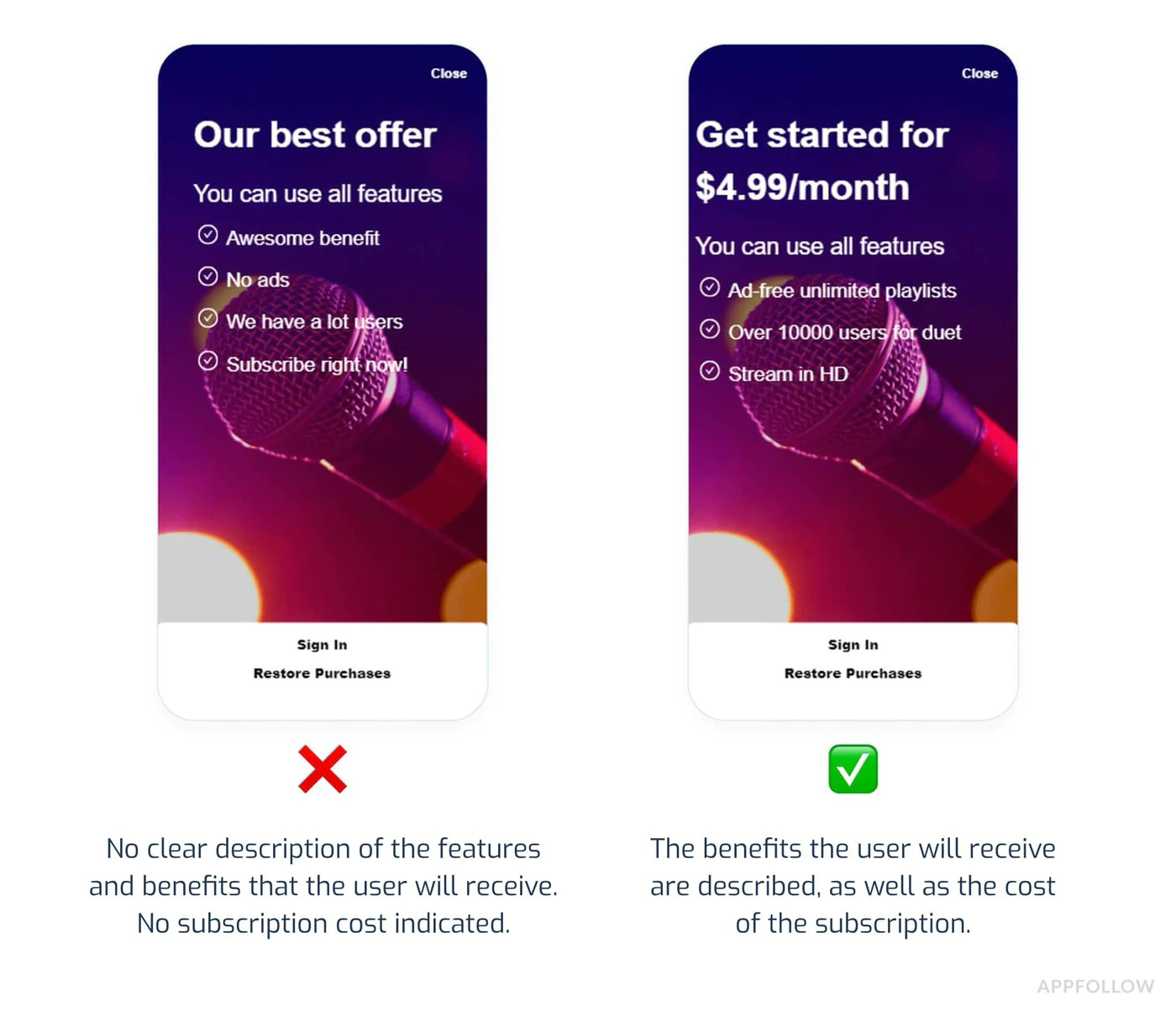
- Display exact price before purchase button
- Show billing frequency (e.g., “$9.99/month”)
- Clearly state what users get for their money
- Indicate when charges will occur
Common Rejection:
“Subscription pricing must be clear and upfront.”
:::caution Price Consistency All prices must match across:
- App Store metadata listing
- In-app purchase screens
- Subscription management screens
Even a $1 discrepancy between store listing ($4.99) and app ($5.99) will trigger automatic rejection. :::
Subscription Plan Presentation
Section titled “Subscription Plan Presentation”Required Disclosures:
- All available subscription tiers displayed together
- Clear comparison of features per tier
- No auto-defaulting to premium tiers through UI tricks
- Easy-to-locate cancellation instructions
Example of Compliant UI:
import { NativePurchases } from '@capgo/native-purchases';
function SubscriptionScreen() {  return (    <div>      <h2>Choose Your Plan</h2>
      {/* Show all tiers equally */}      <PlanCard        title="Basic"        price="$4.99/month"        features={['Feature A', 'Feature B']}      />      <PlanCard        title="Premium"        price="$9.99/month"        features={['All Basic', 'Feature C', 'Feature D']}        highlighted={false} // Don't force premium      />
      {/* Clear cancellation info */}      <Text>        Cancel anytime in Settings > Subscriptions.        No refunds for partial periods.      </Text>    </div>  );}
Restore Purchases
Section titled “Restore Purchases”Required Implementation:
Every app with IAP must provide a way for users to restore previous purchases without contacting support.
import { NativePurchases, PURCHASE_TYPE } from '@capgo/native-purchases';
async function restorePurchases() {  try {    await NativePurchases.restorePurchases();
    const { purchases } = await NativePurchases.getPurchases({      productType: PURCHASE_TYPE.SUBS,    });
    const activeSub = purchases.find(      (purchase) => purchase.isActive && purchase.expirationDate,    );
    if (activeSub) {      unlockPremiumFeatures();      showMessage('Purchases restored successfully!');      return;    }
    const { purchases: iaps } = await NativePurchases.getPurchases({      productType: PURCHASE_TYPE.INAPP,    });    const hasIap = iaps.some((purchase) => purchase.productIdentifier === 'premium_unlock');
    showMessage(      hasIap ? 'Premium purchase restored!' : 'No previous purchases found.',    );  } catch (error) {    showError('Failed to restore purchases. Please try again.');  }}
// Add a visible "Restore Purchases" button<Button onClick={restorePurchases}>  Restore Purchases</Button>
Common Rejection Reasons
Section titled “Common Rejection Reasons”1. App Crashes or Broken Functionality
Section titled “1. App Crashes or Broken Functionality”Why It Fails:
- App crashes on launch
- Purchase flow fails to complete
- Features shown in screenshots don’t work
Prevention:
- Test on real devices (not just simulators)
- Test all subscription flows end-to-end
- Verify receipt validation works
- Check network error handling
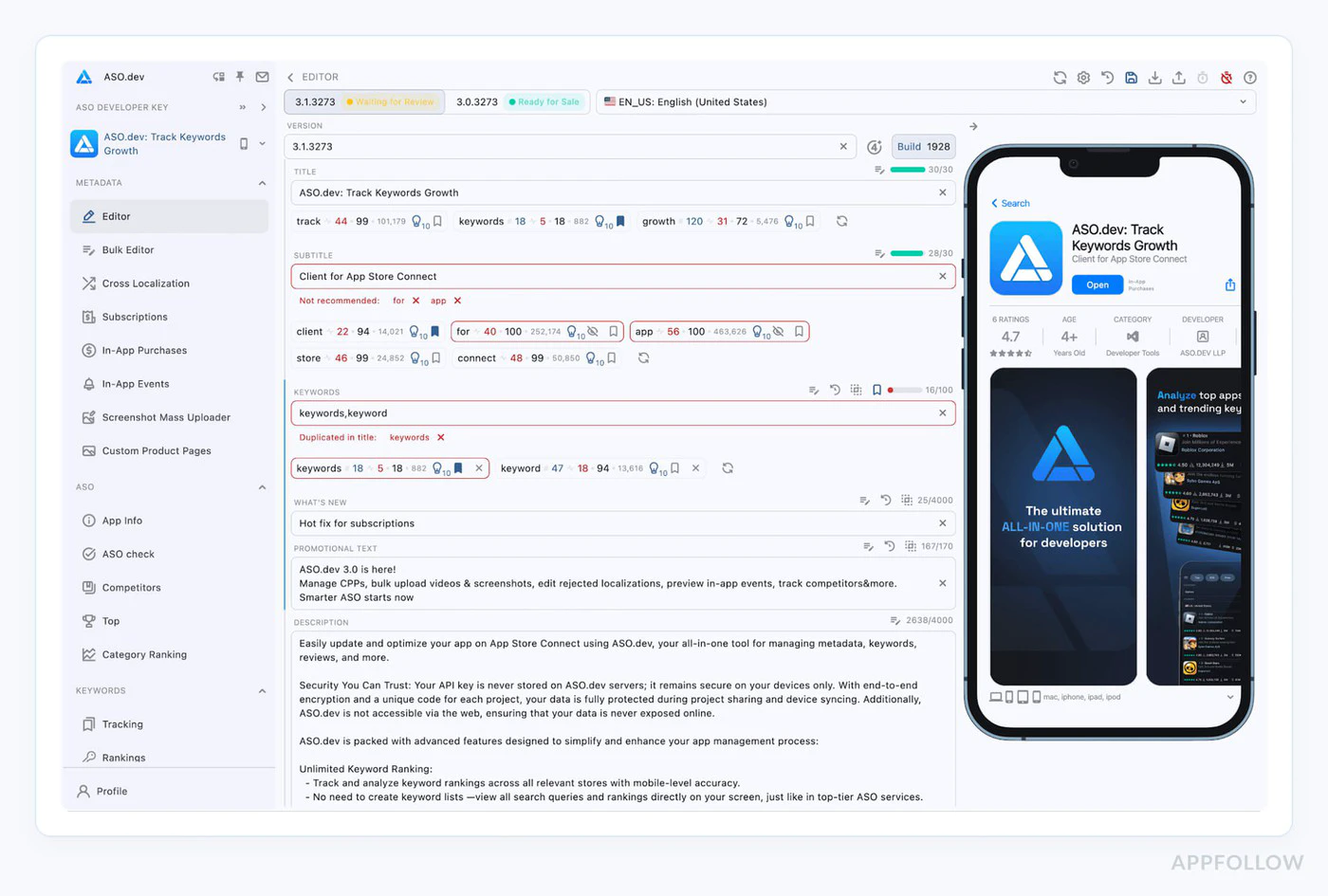
2. Metadata Mismatches
Section titled “2. Metadata Mismatches”Why It Fails:
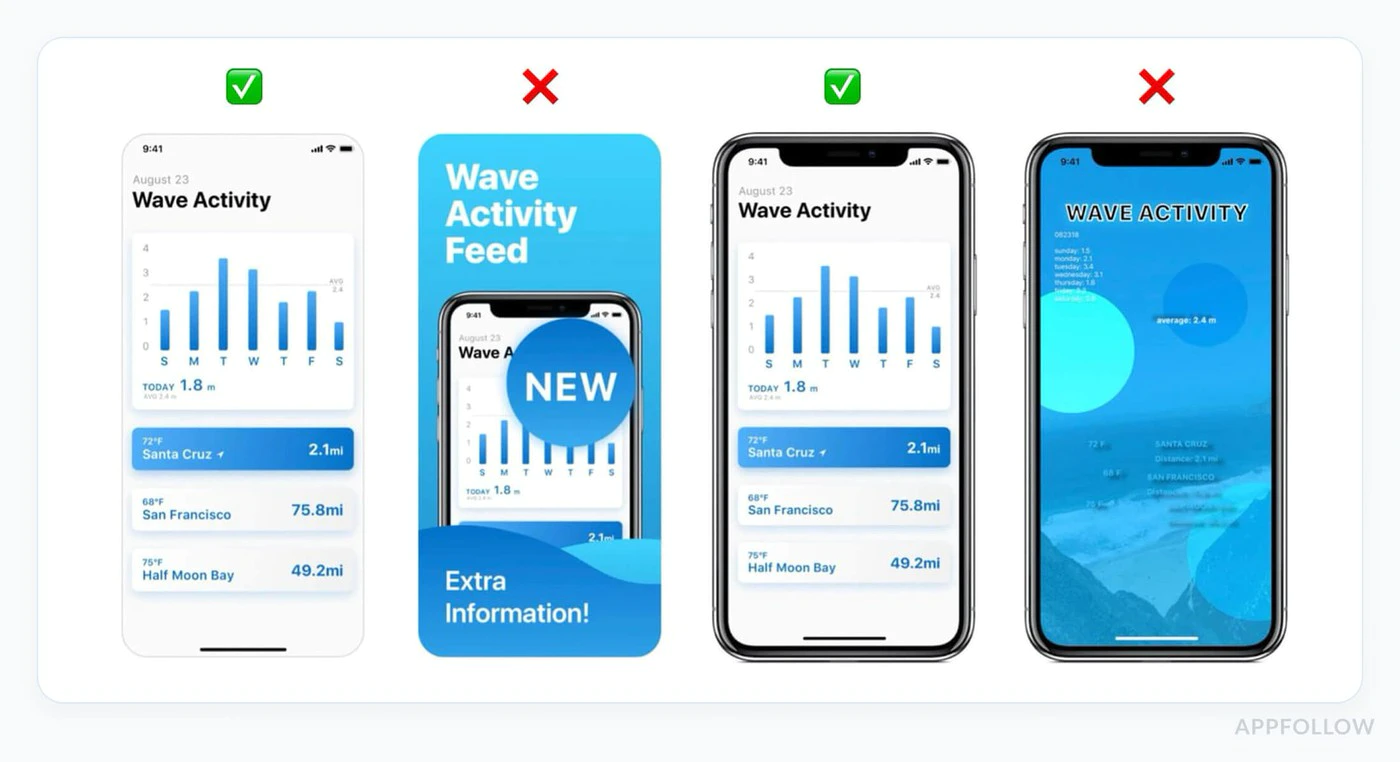
- Screenshots show features not in current build
- Description mentions functionality that doesn’t exist
- Pricing in metadata differs from in-app pricing
Prevention:
// Document exactly what's in each tierconst SUBSCRIPTION_FEATURES = {  basic: ['Ad-free', 'Cloud sync', 'Basic themes'],  premium: ['Ad-free', 'Cloud sync', 'All themes', 'Priority support']};
// Use these in both your app AND App Store description
3. Missing Permission Explanations
Section titled “3. Missing Permission Explanations”Why It Fails:
- Requesting camera/location/health without explanation
- Permission requests buried multiple screens deep
- Vague or generic permission descriptions
Prevention:
Update your Info.plist with clear explanations:
<key>NSCameraUsageDescription</key><string>Camera access is needed to scan product barcodes for quick subscription upgrades.</string>
<key>NSLocationWhenInUseUsageDescription</key><string>Location helps us show relevant local content in your Premium subscription.</string>
4. Misleading Marketing
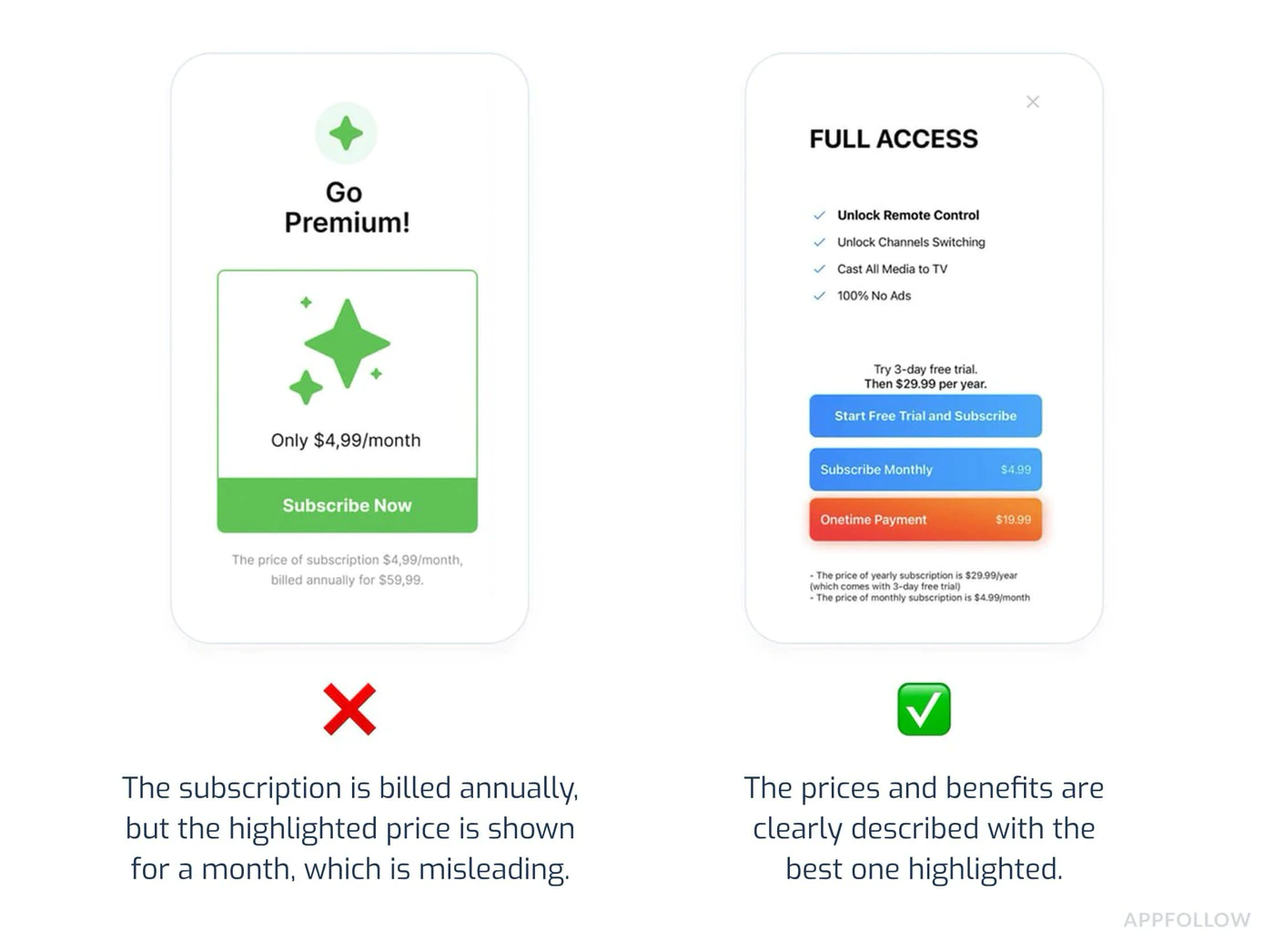
Section titled “4. Misleading Marketing”Why It Fails:
- Claims like “#1 app in world” without proof
- “Unlimited” features that have hidden limits
- Fake urgency tactics (“Only 2 spots left!”)
Prevention:
- Be specific and factual in descriptions
- Avoid superlatives without evidence
- Don’t pressure users with fake scarcity
5. Hidden Cancellation Process
Section titled “5. Hidden Cancellation Process”Why It Fails:
- No mention of how to cancel
- Cancellation button hidden or obscured
- Multi-step cancellation process without Apple’s native flow
Prevention:
// Always inform users about cancellationfunction SubscriptionInfo() {  return (    <div>      <h3>How to Cancel</h3>      <ol>        <li>Open iPhone Settings</li>        <li>Tap your name at the top</li>        <li>Tap Subscriptions</li>        <li>Select this app and tap Cancel</li>      </ol>
      <p>Or manage directly in the App Store app.</p>
      <Button onClick={openSubscriptionManagement}>        Manage Subscription in Settings      </Button>    </div>  );}
async function openSubscriptionManagement() {  // Direct link to iOS subscription management  await NativePurchases.showManageSubscriptions();}
Privacy & Data Usage (Section 5.1.1)
Section titled “Privacy & Data Usage (Section 5.1.1)”Apple has significantly tightened privacy requirements in 2025.
Required Disclosures
Section titled “Required Disclosures”For Every Permission:
- Why you need it (specific use case)
- When it will be used
- How data is stored/shared
- Whether it’s optional or required
Example: Proper Permission Flow
Section titled “Example: Proper Permission Flow”async function requestCameraPermission() { // Show explanation BEFORE requesting await showDialog({ title: 'Camera Access', message: 'We need camera access to let you scan barcodes for quick product lookup. Your photos are never uploaded or stored.', buttons: ['Not Now', 'Allow'] });
// Then request permission const result = await Camera.requestPermissions(); return result.camera === 'granted';}Privacy Nutrition Labels
Section titled “Privacy Nutrition Labels”Ensure your App Store privacy labels accurately reflect:
- Purchase history collection
- Email addresses (for receipts)
- Device IDs (for fraud prevention)
- Usage data (for analytics)
Inaccurate privacy labels are a common rejection reason in 2025. Audit your data collection carefully.
Pre-Submission Checklist
Section titled “Pre-Submission Checklist”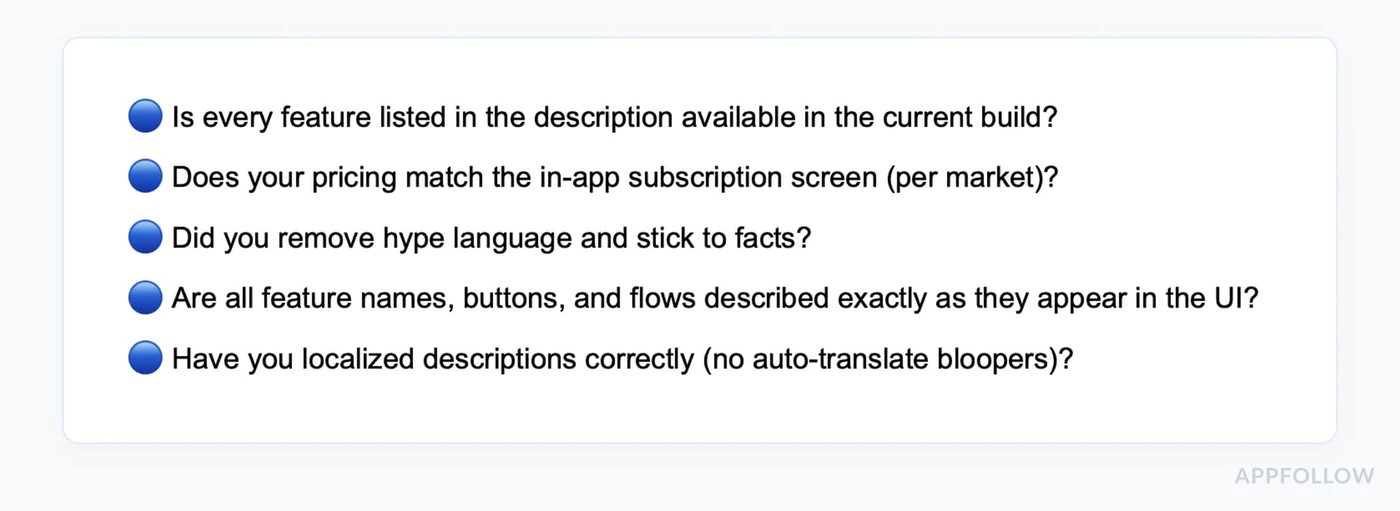
-
Test All Purchase Flows
- Buy each subscription tier
- Test free trials
- Verify introductory offers apply correctly
- Test restore purchases
- Verify Family Sharing (if enabled)
- Test on multiple devices
-
Verify Pricing Consistency
- Check App Store metadata matches in-app prices
- Verify all currencies are correct
- Confirm free trial durations match descriptions
- Check introductory offer terms are accurate
-
Review All Copy
- Remove placeholder text
- Verify claims are testable
- Check grammar and spelling
- Ensure descriptions match current build
- Remove competitor mentions
-
Test Permissions
- Request only necessary permissions
- Show clear explanations before requesting
- Test “Deny” flows (app should still work)
- Verify Info.plist descriptions are clear
-
Prepare Test Account
- Create sandbox test account
- Document login credentials in App Review Notes
- Verify test account has active subscription
- Test that reviewer can complete purchase flow
-
Check Metadata
- Screenshots match current UI
- App preview video (if any) shows current version
- Description accurately describes features
- Age rating matches content
- Privacy policy is accessible in-app
-
Write Detailed Review Notes
Test Account:Email: reviewer@test.comPassword: TestPass123!Testing Instructions:1. Log in with test account above2. Tap "Upgrade to Premium" button3. Select "Monthly Premium" subscription4. Complete purchase (no charge in sandbox)5. Verify premium features unlockNote: Subscription pricing is clearly shown before purchase.Cancellation instructions are in Settings > Account.
Review Timeline
Section titled “Review Timeline”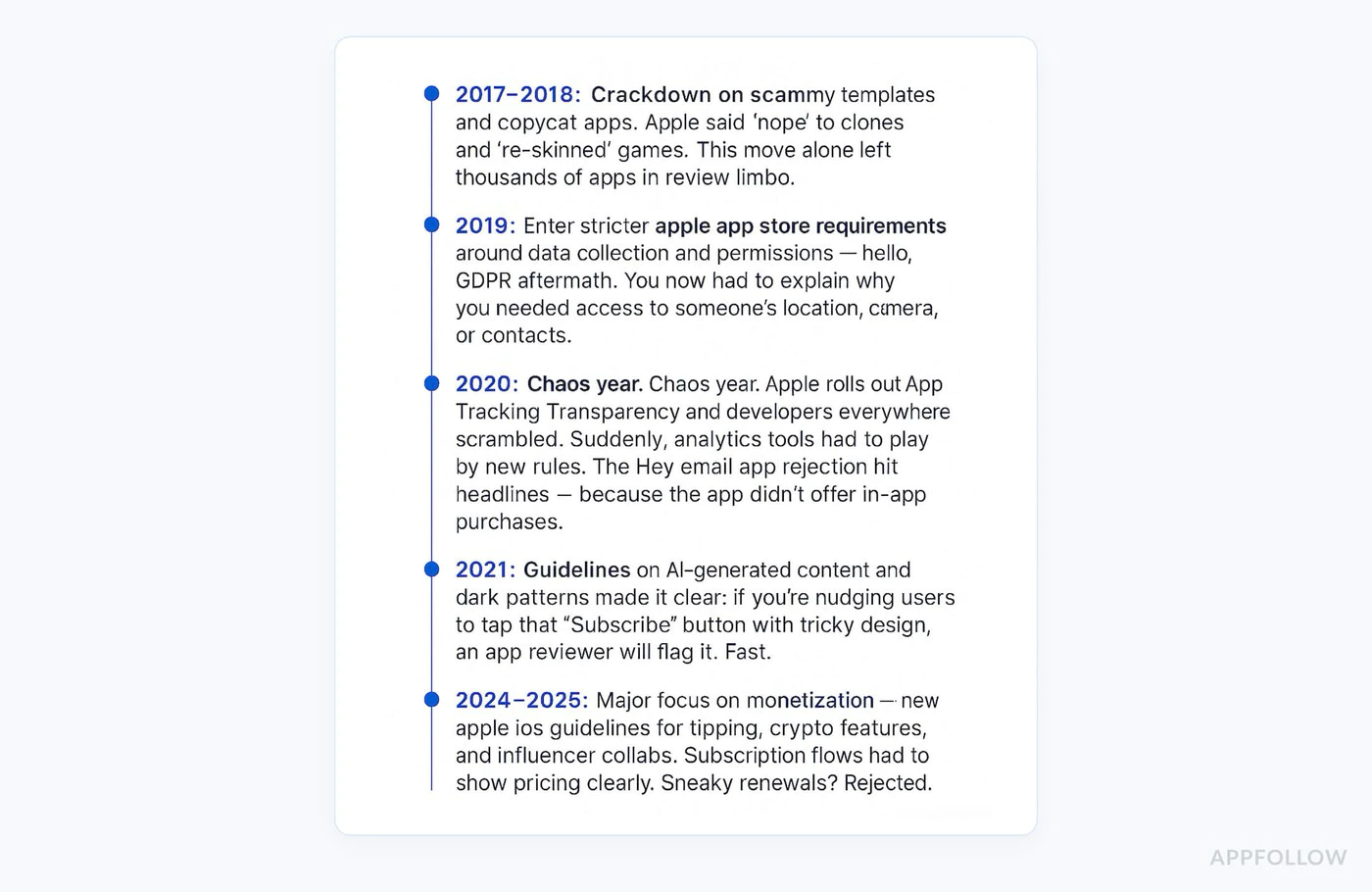
Standard Review: 24-48 hours Peak Periods: 3-5 days (App Store holiday releases) Weekends: No reviews processed Expedited Review: Available for critical bug fixes (request via App Store Connect)
2025 Guideline Updates
Section titled “2025 Guideline Updates”New Requirements
Section titled “New Requirements”1. AI Functionality Disclosure If your app uses AI for any features, you must:
- Clearly label AI-generated content
- Explain how AI is used
- Document content safety measures
2. Enhanced Subscription Clarity
- Side-by-side plan comparisons required
- No “dark patterns” that hide cheaper options
- Clear downgrade/upgrade paths
3. Privacy Intensification
- Section 5.1.1 enforcement increased
- More scrutiny on data collection justification
- Stricter requirements for children’s apps
What Changed from 2024
Section titled “What Changed from 2024”- Modular submissions now allowed (update product pages independently)
- In-app events can be submitted separately
- Stricter enforcement of misleading subscription UIs
- New guidance on cryptocurrency/NFT apps
Best Practices for Native Purchases Plugin
Section titled “Best Practices for Native Purchases Plugin”Implement Proper Error Handling
Section titled “Implement Proper Error Handling”import { NativePurchases, PURCHASE_TYPE } from '@capgo/native-purchases';
async function handlePurchase(productId: string) { try { const transaction = await NativePurchases.purchaseProduct({ productIdentifier: productId, productType: PURCHASE_TYPE.SUBS, });
// Success await validateReceiptOnServer(transaction.receipt); showSuccess('Subscription activated!'); unlockFeatures();
} catch (error: any) { // Handle specific error cases if (error.code === 'USER_CANCELLED') { // User cancelled - don't show error console.log('Purchase cancelled by user'); } else if (error.code === 'PAYMENT_PENDING') { showInfo('Payment is pending. Please check back later.'); } else if (error.code === 'PRODUCT_ALREADY_PURCHASED') { // Restore instead await NativePurchases.restorePurchases(); } else { // Show user-friendly error showError('Unable to complete purchase. Please try again.'); } }}Display Loading States
Section titled “Display Loading States”function PurchaseButton({ productId }: { productId: string }) { const [loading, setLoading] = useState(false);
const handlePurchase = async () => { setLoading(true); try { await NativePurchases.purchaseProduct({ productIdentifier: productId }); } finally { setLoading(false); } };
return ( <button onClick={handlePurchase} disabled={loading}> {loading ? 'Processing...' : 'Subscribe Now'} </button> );}Show Terms Clearly
Section titled “Show Terms Clearly”function SubscriptionTerms() { return ( <div className="terms"> <p> Subscription automatically renews unless cancelled at least 24 hours before the end of the current period. </p> <p> Your account will be charged for renewal within 24 hours prior to the end of the current period. </p> <p> Subscriptions may be managed by the user and auto-renewal may be turned off in Account Settings after purchase. </p> <p> <a href="/terms">Terms of Service</a> | <a href="/privacy">Privacy Policy</a> </p> </div> );}If Your App Gets Rejected
Section titled “If Your App Gets Rejected”Steps to Resolve
Section titled “Steps to Resolve”-
Read the rejection carefully
- Note the specific guideline cited (e.g., 3.1.1, 5.1.1)
- Understand exactly what Apple flagged
-
Fix the issue thoroughly
- Don’t just patch - fix root cause
- Test the fix extensively
- Document what you changed
-
Respond in Resolution Center
Thank you for your feedback. I have addressed the issue:Issue: Subscription pricing not clear upfrontFix: Added explicit pricing display on subscription selectionscreen showing "$9.99/month" before purchase button. Also addedcancellation instructions on the same screen.The changes are in this submission and can be tested using theprovided test account. -
Resubmit promptly
- Resubmissions are typically reviewed faster
- Usually within 24 hours
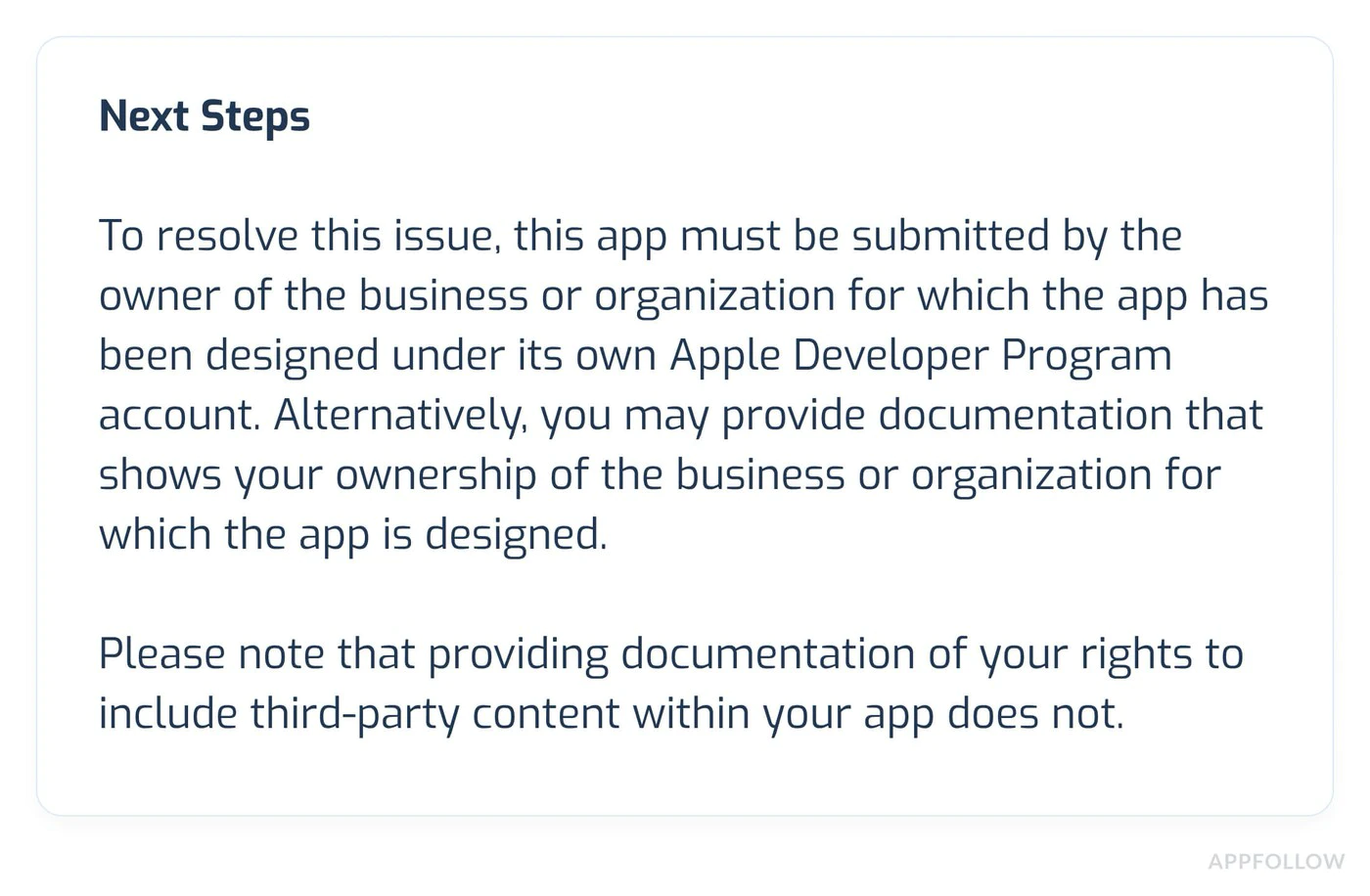
Appeal Process
Section titled “Appeal Process”If you believe the rejection is incorrect:
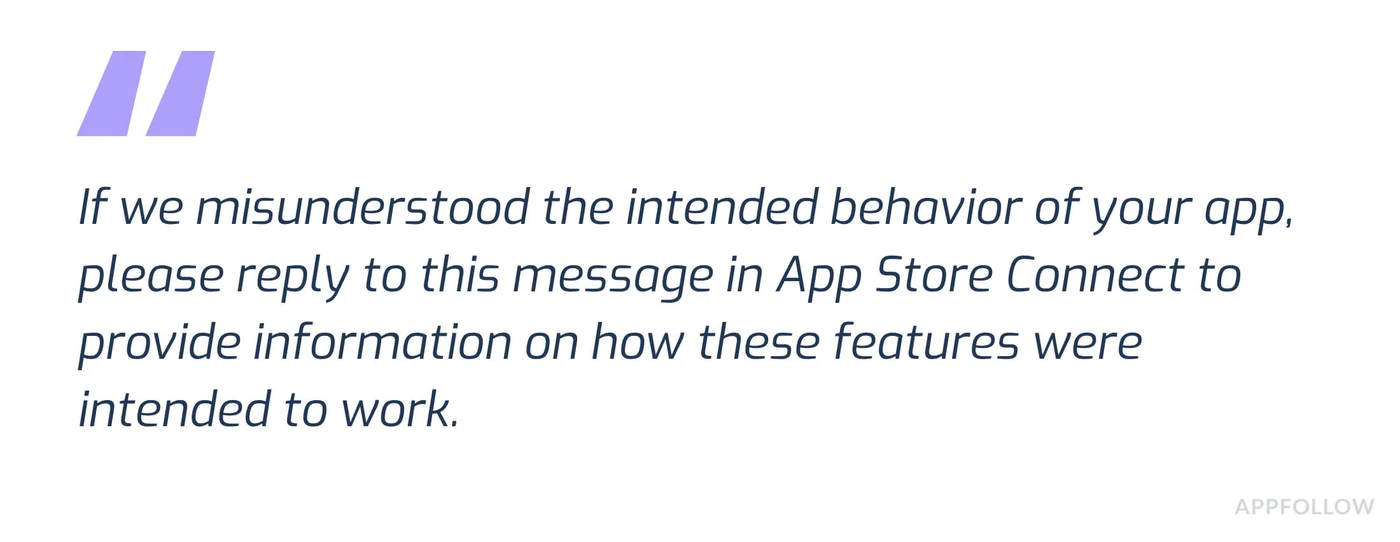
- Click “Appeal” in App Store Connect
- Provide clear evidence:
- Screenshots showing compliance
- References to specific guidelines
- Explanation of how you meet requirements
- Be professional and factual
- Include test account if functionality is hard to find
Additional Resources
Section titled “Additional Resources”- Apple App Store Review Guidelines
- In-App Purchase Guidelines
- Subscriptions Best Practices
- App Store Connect Help
Support
Section titled “Support”If you’re still having issues:
- Review the Native Purchases documentation
- Check common troubleshooting issues
- Contact Apple Developer Support for guideline clarifications
Need Expert Help?
Section titled “Need Expert Help?”Struggling with app review or need personalized assistance? Book a consultation call with our team for dedicated support with:
- IAP implementation review and optimization
- App Store review preparation and strategy
- Submission checklist review
- Rejection resolution and appeals
- Complete testing and validation
Our experts have successfully helped hundreds of apps pass review!