
Native render path
Show loaders as UIKit and Android overlay views instead of asking the WebView to animate expensive translucent effects.
Native render path
Show loaders as UIKit and Android overlay views instead of asking the WebView to animate expensive translucent effects.
Flexible placement
Place loaders fullscreen, centered, pinned to an edge, Chrome-style at the top, or around the WebView with safe-area-aware insets.
Built-in and asset loaders
Use native Siri-style, Siri v2 edge, Chrome top progress, orbit, ring, pulse, dots, bars, wave, halo, image, or Lottie-based loaders.
Callable everywhere
Trigger loaders from JavaScript, Swift, Kotlin, or other native plugins through the public native API.
| Platform | Support | Notes |
|---|---|---|
| iOS | Yes | Native |
| Android | Yes | Native |
| Web | No | Guard with Capacitor.getPlatform() |
@capgo/capacitor-native-loader is for loading states that should stay smooth, translucent, and native while the WebView is busy, resizing, navigating, or hidden behind native surfaces.
Use it when you need:
| Style | Preview |
|---|---|
| Siri |  |
| Siri v2 |  |
| Chrome top |  |
| Ring |  |
| Dots |  |
| Bars |  |
| Wave | 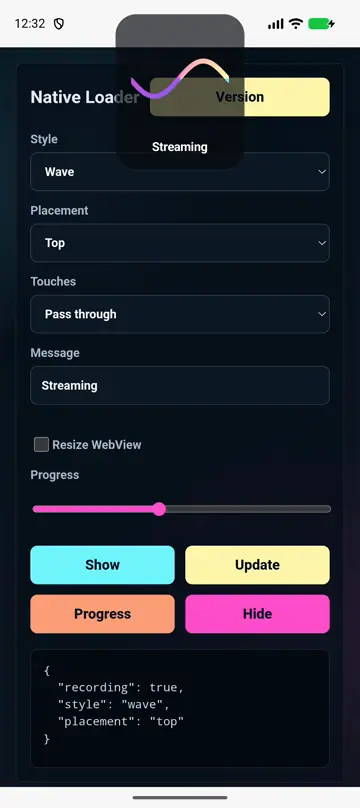 |
| Orbit |  |
| Pulse |  |
| Halo |  |
| Around | 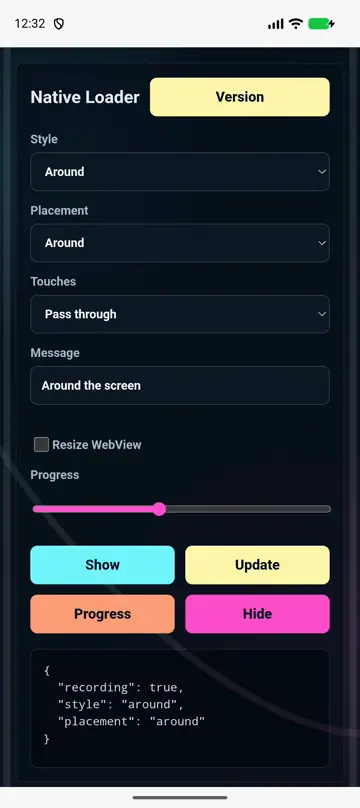 |
| Lottie |  |
| Image |  |
show(options) displays a loader and returns its id.update(options) changes an existing loader without tearing down the overlay.setProgress(options) updates determinate loader progress.hide(options) removes one loader.hideAll(options) removes all loaders.setWebViewLayout(options) resizes or insets the WebView/body so native loaders can sit beside it.resetWebViewLayout(options?) restores the original WebView/body layout.getState() returns currently visible loader ids.configure(options) sets default style, placement, colors, motion, and behavior.placement controls where the native surface appears:
fullscreen covers the whole app, optionally translucent.center floats a compact loader over the WebView.top, bottom, left, and right pin loaders to a safe-area-aware edge.chrome style uses a full-width native top bar and pairs well with webView.mode: 'resize'.around renders loader motion around the screen frame.custom uses an explicit frame for native-plugin or split-view workflows.Use interactionMode: 'passThrough' when users can keep interacting with the WebView, block when loading should prevent taps, or loaderOnly when only the loader surface should receive touches.
If you are using @capgo/capacitor-native-loader to plan native media and interface behavior, connect it with Getting Started for implementation details, @capgo/capacitor-native-navigation for native chrome and WebView layout, @capgo/capacitor-transitions for web route motion, and Using @capgo/capacitor-native-loader for the tutorial.
Ship Capacitor apps without the wait
Build with your AI coding agent, ship fixes in minutes, build iOS and Android without a Mac, and observe every release.
Enterprise needs? Talk to our team


