
Guida Introduttiva
Cosa coprirà questo tutorial?
Section titled “Cosa coprirà questo tutorial?”Questo tutorial mostrerà come avviare supabase da zero e avviare le edge functions
Requisiti
Section titled “Requisiti”Guida Introduttiva
Section titled “Guida Introduttiva”Per iniziare esegui
supabase startSuccessivamente dovresti vedere qualcosa del genere:
Started supabase local development setup.
         API URL: http://localhost:54321     GraphQL URL: http://localhost:54321/graphql/v1          DB URL: postgresql://postgres:postgres@localhost:54322/postgres      Studio URL: http://localhost:54323    Inbucket URL: http://localhost:54324      JWT secret: [troncato]        anon key: supa_key_anonservice_role key: supa_key_admin
Successivamente apri configs.json e imposta i seguenti valori:
{ "base_domain": { "prod": "console.capgo.app", "development": "development.console.capgo.app", "local": "localhost:3332" }, "supa_anon": { "prod": "supa_key_anon", "development": "supa_key_anon", "local": "supa_key_anon" }, "supa_url": { "prod": "http://localhost:54321", "development": "http://localhost:54321", "local": "http://localhost:54321" }}dove supa_key_anon è il valore del passaggio precedente.
Successivamente, verifica di poter andare su localhost:54323 e che la tabella users appaia così
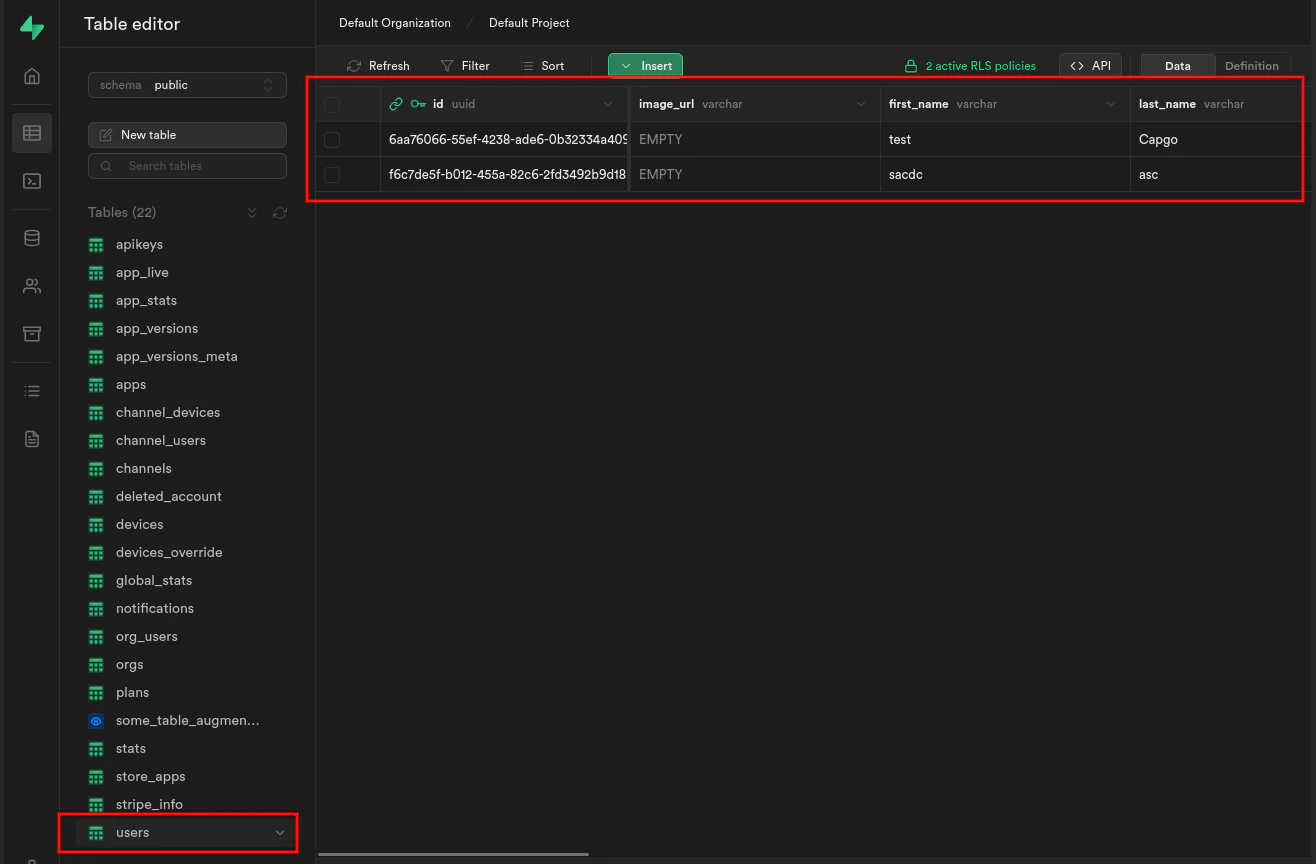
Se è così avvia le edge functions eseguendo:
supabase functions servee avvia il frontend eseguendo:
bun run serve