
iOS App Store IAP 검토 지침
App Store에서 앱을 승인받으려면 특히 인앱 구매 및 구독을 구현할 때 Apple의 가이드라인에 세심한 주의가 필요합니다. 이 가이드에서는 첫 번째 제출물에 대한 검토를 통과하기 위해 알아야 할 모든 내용을 다룹니다.
인앱 구매 요구 사항
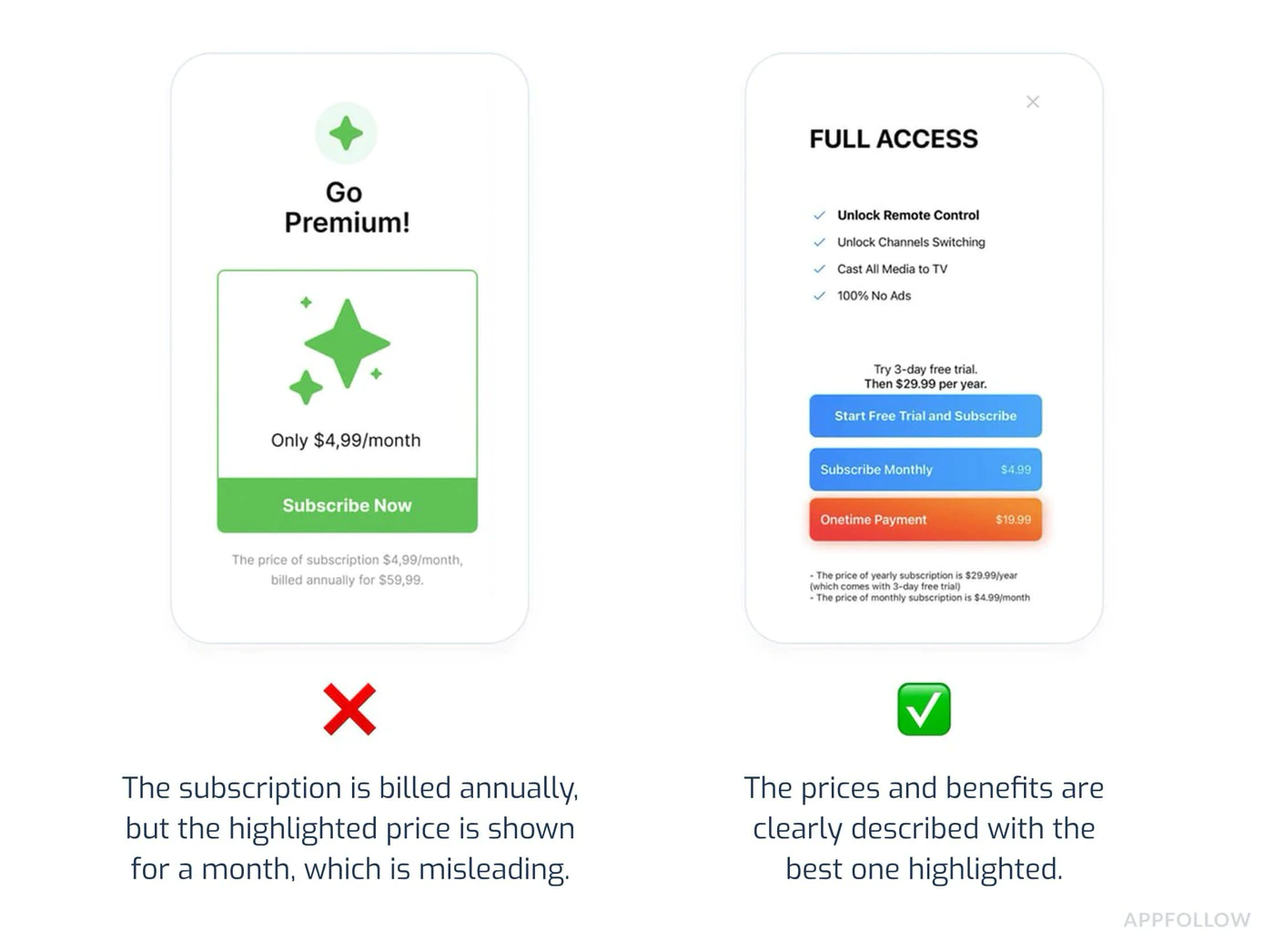
Section titled “인앱 구매 요구 사항”가격 투명성(중요)
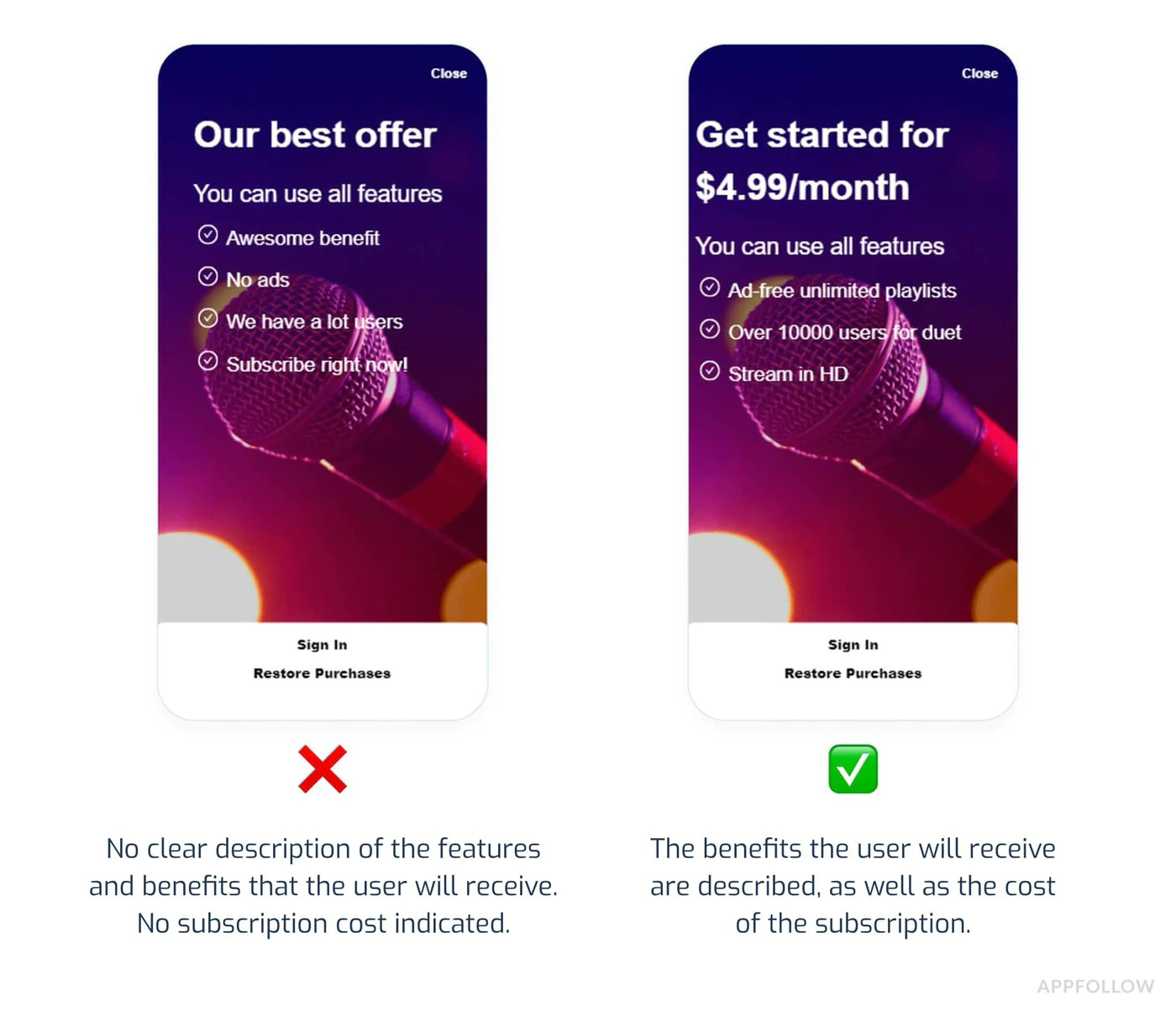
Section titled “가격 투명성(중요)”Apple에서는 구매하기 전에 명확한 가격 공개가 필요합니다.
필수 요소:
- 구매 버튼 전 정확한 가격 표시
- 청구 빈도 표시(예: “$9.99/월”)
- 사용자가 자신의 돈으로 무엇을 얻는지 명확하게 명시
- 요금이 언제 발생하는지 표시
일반적인 거부:
“구독 가격은 명확하고 명확해야 합니다.”
:::주의 가격 일관성 모든 가격은 다음에 걸쳐 일치해야 합니다.
- App Store 메타데이터 목록
- 인앱 구매 화면
- 구독 관리 화면
스토어 등록정보($4.99)와 앱($5.99) 사이에 1달러의 차이가 있어도 자동 거부가 발생합니다. :::
구독 계획 프레젠테이션
Section titled “구독 계획 프레젠테이션”필수 공개:
- 사용 가능한 모든 구독 등급이 함께 표시됩니다.
- 계층별 기능을 명확하게 비교
- UI 트릭을 통해 프리미엄 계층으로 자동 기본값이 설정되지 않습니다.
- 찾기 쉬운 취소 지침
호환 UI의 예:
import { NativePurchases } from '@capgo/native-purchases';
function SubscriptionScreen() {  return (    <div>      <h2>Choose Your Plan</h2>
      {/* Show all tiers equally */}      <PlanCard        title="Basic"        price="$4.99/month"        features={['Feature A', 'Feature B']}      />      <PlanCard        title="Premium"        price="$9.99/month"        features={['All Basic', 'Feature C', 'Feature D']}        highlighted={false} // Don't force premium      />
{/* Clear cancellation info */} <Text> Cancel anytime in Settings > Subscriptions. No refunds for partial periods. </Text> </div> );}필수 구현:
IAP가 포함된 모든 앱은 사용자가 지원팀에 문의하지 않고도 이전 구매를 복원할 수 있는 방법을 제공해야 합니다.
import { NativePurchases, PURCHASE_TYPE } from '@capgo/native-purchases';
async function restorePurchases() {  try {    await NativePurchases.restorePurchases();
    const { purchases } = await NativePurchases.getPurchases({      productType: PURCHASE_TYPE.SUBS,    });
    const activeSub = purchases.find(      (purchase) => purchase.isActive && purchase.expirationDate,    );
    if (activeSub) {      unlockPremiumFeatures();      showMessage('Purchases restored successfully!');      return;    }
    const { purchases: iaps } = await NativePurchases.getPurchases({      productType: PURCHASE_TYPE.INAPP,    });    const hasIap = iaps.some((purchase) => purchase.productIdentifier === 'premium_unlock');
    showMessage(      hasIap ? 'Premium purchase restored!' : 'No previous purchases found.',    );  } catch (error) {    showError('Failed to restore purchases. Please try again.');  }}
// Add a visible "Restore Purchases" button<Button onClick={restorePurchases}>  Restore Purchases</Button>
일반적인 거부 사유
Section titled “일반적인 거부 사유”1. 앱 충돌 또는 기능 손상
Section titled “1. 앱 충돌 또는 기능 손상”실패하는 이유:
- 실행 시 앱이 충돌함
- 구매 흐름이 완료되지 않습니다.
- 스크린샷에 표시된 기능이 작동하지 않습니다.
예방:
- 실제 장치에서 테스트(시뮬레이터뿐만 아니라)
- 모든 구독 흐름을 처음부터 끝까지 테스트하세요.
- 영수증 유효성 검사가 작동하는지 확인
- 네트워크 오류 처리 확인
2. 메타데이터 불일치
Section titled “2. 메타데이터 불일치”실패하는 이유:
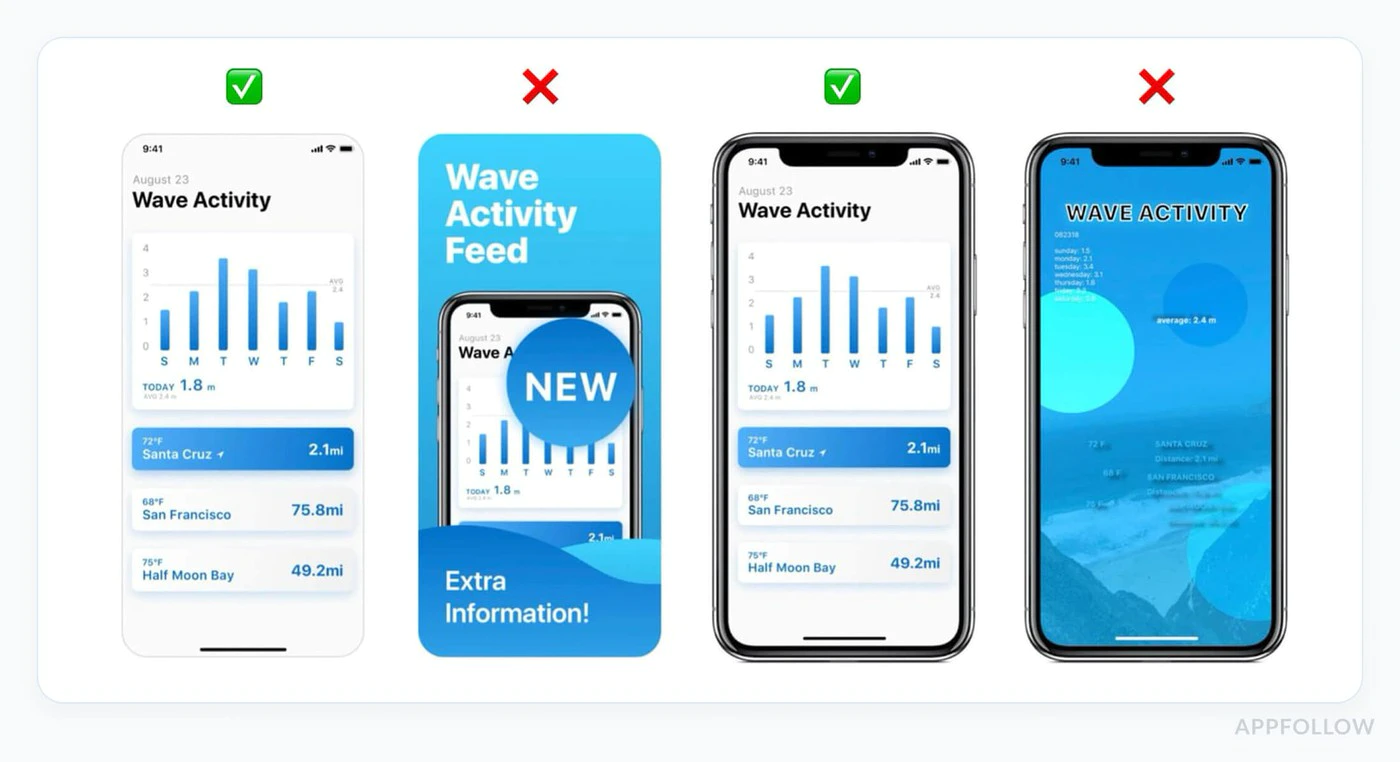
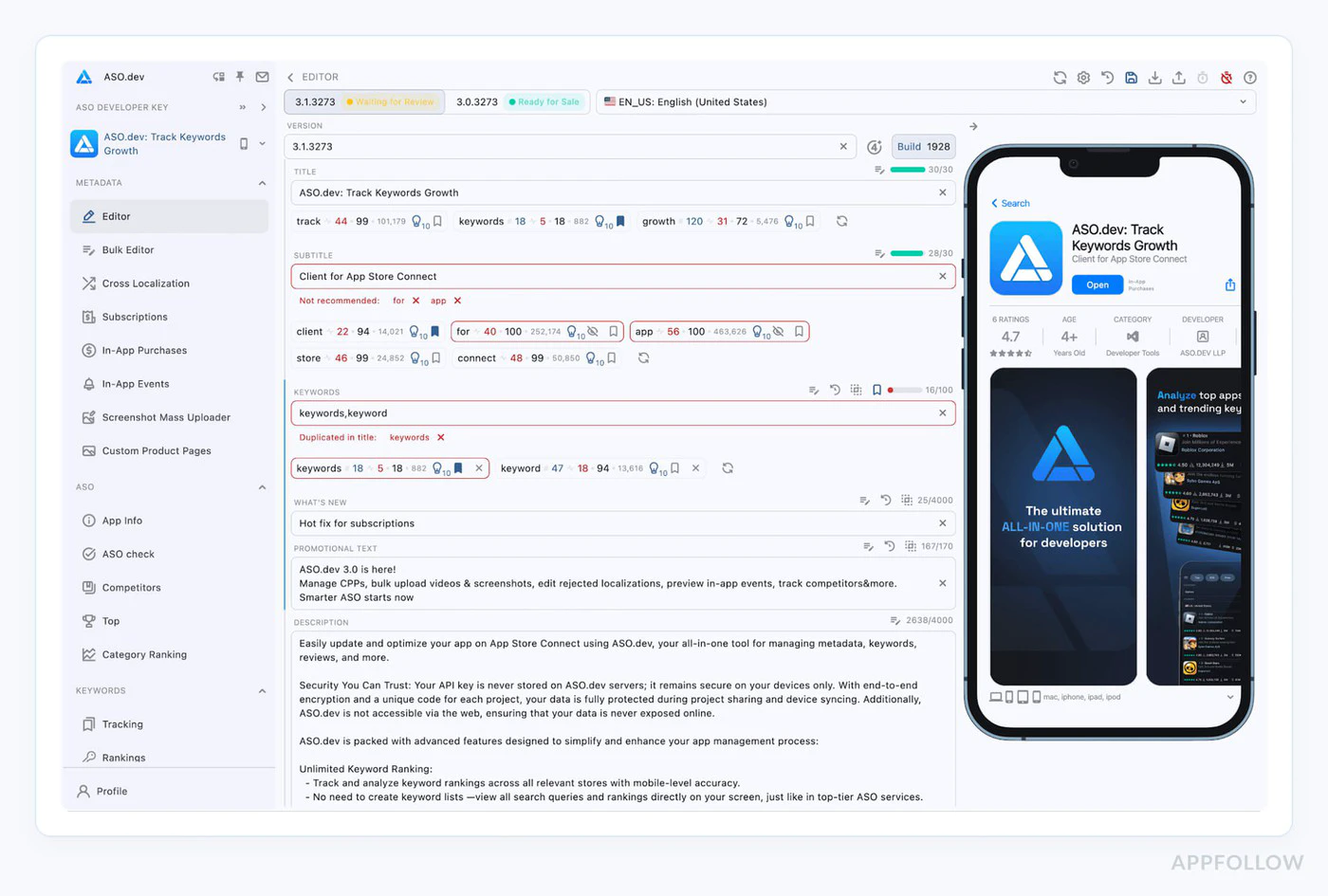
- 스크린샷은 현재 빌드에 없는 기능을 보여줍니다.
- 설명에 존재하지 않는 기능이 언급되어 있습니다.
- 메타데이터 가격이 인앱 가격과 다릅니다.
예방:
// Document exactly what's in each tierconst SUBSCRIPTION_FEATURES = {  basic: ['Ad-free', 'Cloud sync', 'Basic themes'],  premium: ['Ad-free', 'Cloud sync', 'All themes', 'Priority support']};
// Use these in both your app AND App Store description
3. 권한 누락 설명
Section titled “3. 권한 누락 설명”실패하는 이유:
- 설명 없이 카메라/위치/건강 요청
- 여러 화면에 깊이 묻혀 있는 권한 요청
- 모호하거나 일반적인 권한 설명
예방:
명확한 설명으로 Info.plist을 업데이트하세요.
<key>NSCameraUsageDescription</key><string>Camera access is needed to scan product barcodes for quick subscription upgrades.</string>
<key>NSLocationWhenInUseUsageDescription</key><string>Location helps us show relevant local content in your Premium subscription.</string>
4. 오해를 불러일으키는 마케팅
Section titled “4. 오해를 불러일으키는 마케팅”실패하는 이유:
- 증거 없이 “세계 1위 앱”과 같은 주장
- 숨겨진 한계가 있는 “무제한” 기능
- 가짜 긴급 전술(“2자리만 남았어요!”)
예방:
- 설명은 구체적이고 사실에 근거해야 합니다.
- 증거가 없는 최상급 표현은 피하세요.
- 가짜 희소성으로 사용자에게 압력을 가하지 마세요.
5. 숨겨진 취소 절차
Section titled “5. 숨겨진 취소 절차”실패하는 이유:
- 취소 방법에 대한 언급이 없습니다.
- 취소버튼이 숨겨져 있거나 가려져 있음
- Apple의 기본 흐름이 없는 다단계 취소 프로세스
예방:
// Always inform users about cancellationfunction SubscriptionInfo() {  return (    <div>      <h3>How to Cancel</h3>      <ol>        <li>Open iPhone Settings</li>        <li>Tap your name at the top</li>        <li>Tap Subscriptions</li>        <li>Select this app and tap Cancel</li>      </ol>
      <p>Or manage directly in the App Store app.</p>
      <Button onClick={openSubscriptionManagement}>        Manage Subscription in Settings      </Button>    </div>  );}
async function openSubscriptionManagement() {  // Direct link to iOS subscription management  await NativePurchases.showManageSubscriptions();}```## 개인정보 보호 및 데이터 사용(섹션 5.1.1)
Apple에서는 2025년에 개인 정보 보호 요구 사항을 대폭 강화했습니다.
### 필수 공개
**모든 권한에 대해:**1. 필요한 이유(특정 사용 사례)2. 이용시기3. 데이터 저장/공유 방법4. 선택사항인지 필수사항인지
### 예: 적절한 권한 흐름
```typescriptasync function requestCameraPermission() {  // Show explanation BEFORE requesting  await showDialog({    title: 'Camera Access',    message: 'We need camera access to let you scan barcodes for quick product lookup. Your photos are never uploaded or stored.',    buttons: ['Not Now', 'Allow']  });
  // Then request permission  const result = await Camera.requestPermissions();  return result.camera === 'granted';}
개인 정보 보호 영양 라벨
Section titled “개인 정보 보호 영양 라벨”App Store 개인 정보 보호 라벨에 다음 사항이 정확하게 반영되어 있는지 확인하세요.
- 구매내역 수집
- 이메일 주소(영수증용)
- 기기 ID(사기 방지용)
- 사용량 데이터(분석용)
부정확한 개인 정보 보호 라벨은 2025년에 일반적인 거부 사유입니다. 데이터 수집을 주의 깊게 감사하세요.
제출 전 체크리스트
Section titled “제출 전 체크리스트”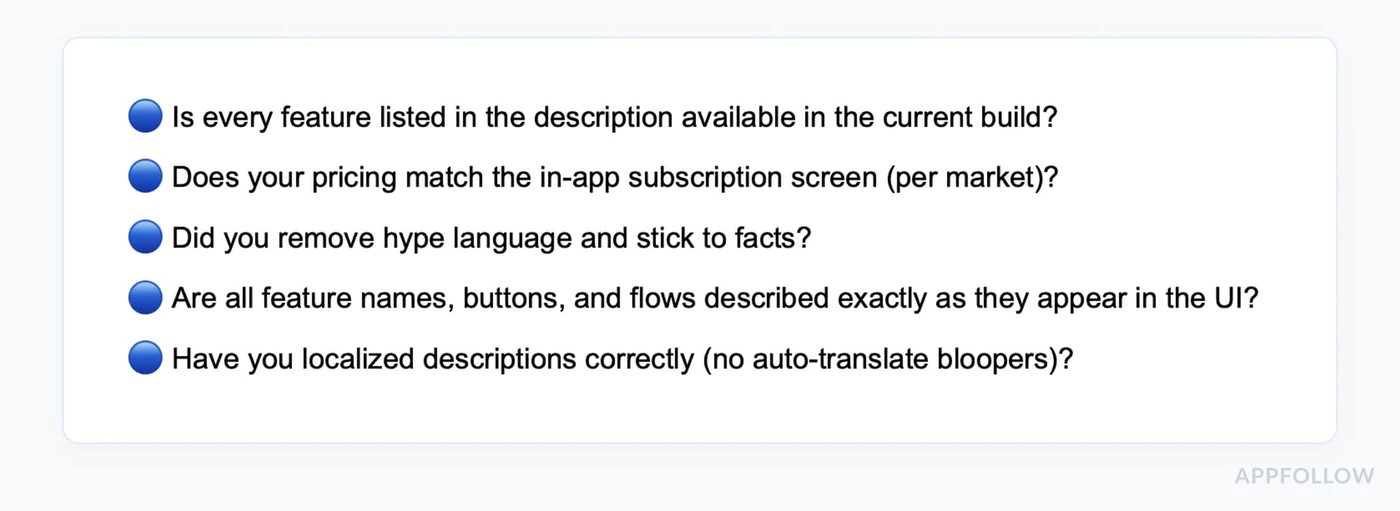
-
모든 구매 흐름 테스트
- 각 구독 등급 구매
- 무료 평가판 테스트
- 신규 프로모션이 올바르게 적용되었는지 확인하세요.
- 테스트 복원 구매
- 가족 공유 확인(활성화된 경우)
- 여러 장치에서 테스트
-
가격 일관성 확인
- App Store 메타데이터가 인앱 가격과 일치하는지 확인하세요.
- 모든 통화가 올바른지 확인하세요.
- 무료 평가판 기간이 설명과 일치하는지 확인
- 신규 프로모션 약관이 정확한지 확인하세요.
-
모든 사본 검토
- 자리 표시자 텍스트 제거
- 주장이 테스트 가능한지 확인
- 문법과 철자를 확인하세요
- 설명이 현재 빌드와 일치하는지 확인하세요.
- 경쟁사 언급 제거
-
테스트 권한
- 꼭 필요한 권한만 요청
- 요청하기 전에 명확한 설명을 보여주세요.
- “거부” 흐름 테스트(앱은 계속 작동해야 함)
- Info.plist 설명이 명확한지 확인하세요.
-
테스트 계정 준비
- 샌드박스 테스트 계정 만들기
- 앱 리뷰 노트에 로그인 자격 증명을 기록하세요.
- 테스트 계정에 활성 구독이 있는지 확인하세요.
- 리뷰어가 구매 흐름을 완료할 수 있는지 테스트
-
메타데이터 확인
- 스크린샷은 현재 UI와 일치합니다.
- 앱 미리보기 비디오(있는 경우)에 현재 버전이 표시됩니다.
- 설명은 기능을 정확하게 설명합니다.
- 연령 등급이 콘텐츠와 일치함
- 개인정보 보호정책은 앱 내에서 확인할 수 있습니다.
-
자세한 리뷰 노트 작성
Test Account:Email: reviewer@test.comPassword: TestPass123!Testing Instructions:1. Log in with test account above2. Tap "Upgrade to Premium" button3. Select "Monthly Premium" subscription4. Complete purchase (no charge in sandbox)5. Verify premium features unlockNote: Subscription pricing is clearly shown before purchase.Cancellation instructions are in Settings > Account.
타임라인 검토
Section titled “타임라인 검토”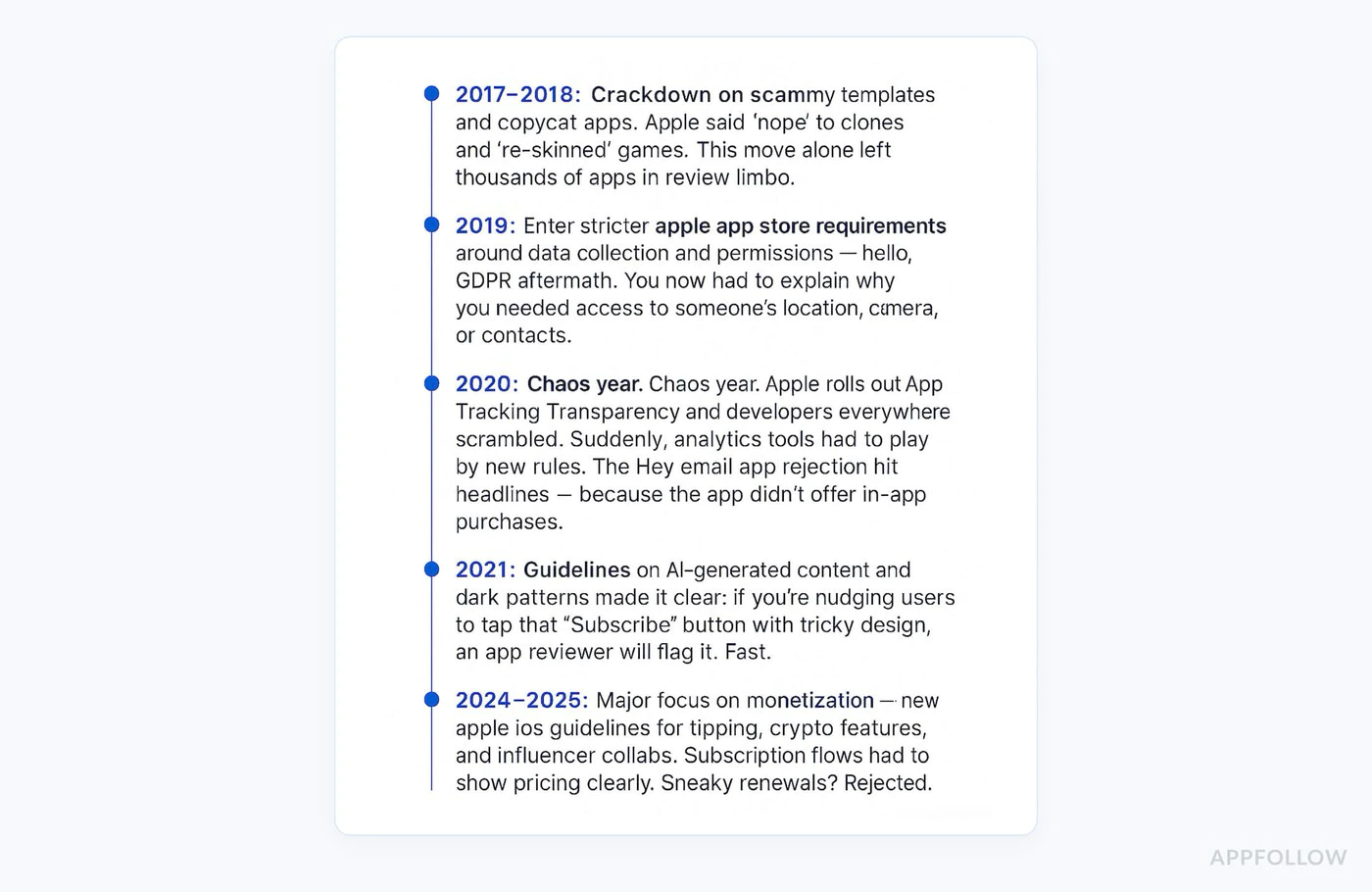
표준 검토: 2448시간
피크 기간: 35일(App Store 휴일 릴리스)
주말: 처리된 리뷰가 없습니다.
신속 검토: 중요한 버그 수정이 가능합니다(App Store Connect을 통해 요청).
2025 지침 업데이트
Section titled “2025 지침 업데이트”새로운 요구사항
Section titled “새로운 요구사항”1. AI 기능 공개 앱이 모든 기능에 AI를 사용하는 경우 다음을 수행해야 합니다.
- AI 생성 콘텐츠에 명확한 라벨을 지정하세요.
- AI가 어떻게 활용되는지 설명해주세요.
- 문서 내용 안전 대책
2. 향상된 구독 명확성
- 병렬 계획 비교가 필요합니다.
- 더 저렴한 옵션을 숨기는 “어두운 패턴”이 없습니다.
- 명확한 다운그레이드/업그레이드 경로
3. 개인 정보 보호 강화
- 섹션 5.1.1 시행이 강화되었습니다.
- 데이터 수집 정당성에 대한 추가 조사
- 어린이용 앱에 대한 요구사항이 더욱 엄격해졌습니다.
2024년과 달라진 점- 이제 모듈식 제출이 허용됩니다(제품 페이지를 독립적으로 업데이트).
Section titled “2024년과 달라진 점- 이제 모듈식 제출이 허용됩니다(제품 페이지를 독립적으로 업데이트).”- 인앱 이벤트를 별도로 제출할 수 있습니다.
- 오해의 소지가 있는 구독 UI를 더욱 엄격하게 시행
- 암호화폐/NFT 앱에 대한 새로운 지침
기본 구매 플러그인 모범 사례
Section titled “기본 구매 플러그인 모범 사례”적절한 오류 처리 구현
Section titled “적절한 오류 처리 구현”import { NativePurchases, PURCHASE_TYPE } from '@capgo/native-purchases';
async function handlePurchase(productId: string) { try { const transaction = await NativePurchases.purchaseProduct({ productIdentifier: productId, productType: PURCHASE_TYPE.SUBS, });
// Success await validateReceiptOnServer(transaction.receipt); showSuccess('Subscription activated!'); unlockFeatures();
} catch (error: any) { // Handle specific error cases if (error.code === 'USER_CANCELLED') { // User cancelled - don't show error console.log('Purchase cancelled by user'); } else if (error.code === 'PAYMENT_PENDING') { showInfo('Payment is pending. Please check back later.'); } else if (error.code === 'PRODUCT_ALREADY_PURCHASED') { // Restore instead await NativePurchases.restorePurchases(); } else { // Show user-friendly error showError('Unable to complete purchase. Please try again.'); } }}로딩 상태 표시
Section titled “로딩 상태 표시”function PurchaseButton({ productId }: { productId: string }) { const [loading, setLoading] = useState(false);
const handlePurchase = async () => { setLoading(true); try { await NativePurchases.purchaseProduct({ productIdentifier: productId }); } finally { setLoading(false); } };
return ( <button onClick={handlePurchase} disabled={loading}> {loading ? 'Processing...' : 'Subscribe Now'} </button> );}용어를 명확하게 표시
Section titled “용어를 명확하게 표시”function SubscriptionTerms() { return ( <div className="terms"> <p> Subscription automatically renews unless cancelled at least 24 hours before the end of the current period. </p> <p> Your account will be charged for renewal within 24 hours prior to the end of the current period. </p> <p> Subscriptions may be managed by the user and auto-renewal may be turned off in Account Settings after purchase. </p> <p> <a href="/terms">Terms of Service</a> | <a href="/privacy">Privacy Policy</a> </p> </div> );}앱이 거부되는 경우
Section titled “앱이 거부되는 경우”-
거절 내용을 주의 깊게 읽어보세요
- 인용된 특정 지침을 참고하세요(예: 3.1.1, 5.1.1).
- Apple이 무엇을 신고했는지 정확히 이해하세요.
-
문제를 철저히 해결
- 패치만 하지 말고 근본 원인을 해결하세요.
- 수정 사항을 광범위하게 테스트
- 변경한 내용을 문서로 기록하세요.
-
해결 센터에서 응답
Thank you for your feedback. I have addressed the issue:Issue: Subscription pricing not clear upfrontFix: Added explicit pricing display on subscription selectionscreen showing "$9.99/month" before purchase button. Also addedcancellation instructions on the same screen.The changes are in this submission and can be tested using theprovided test account. -
즉시 다시 제출
- 재제출은 일반적으로 더 빠르게 검토됩니다.
- 보통 24시간 이내
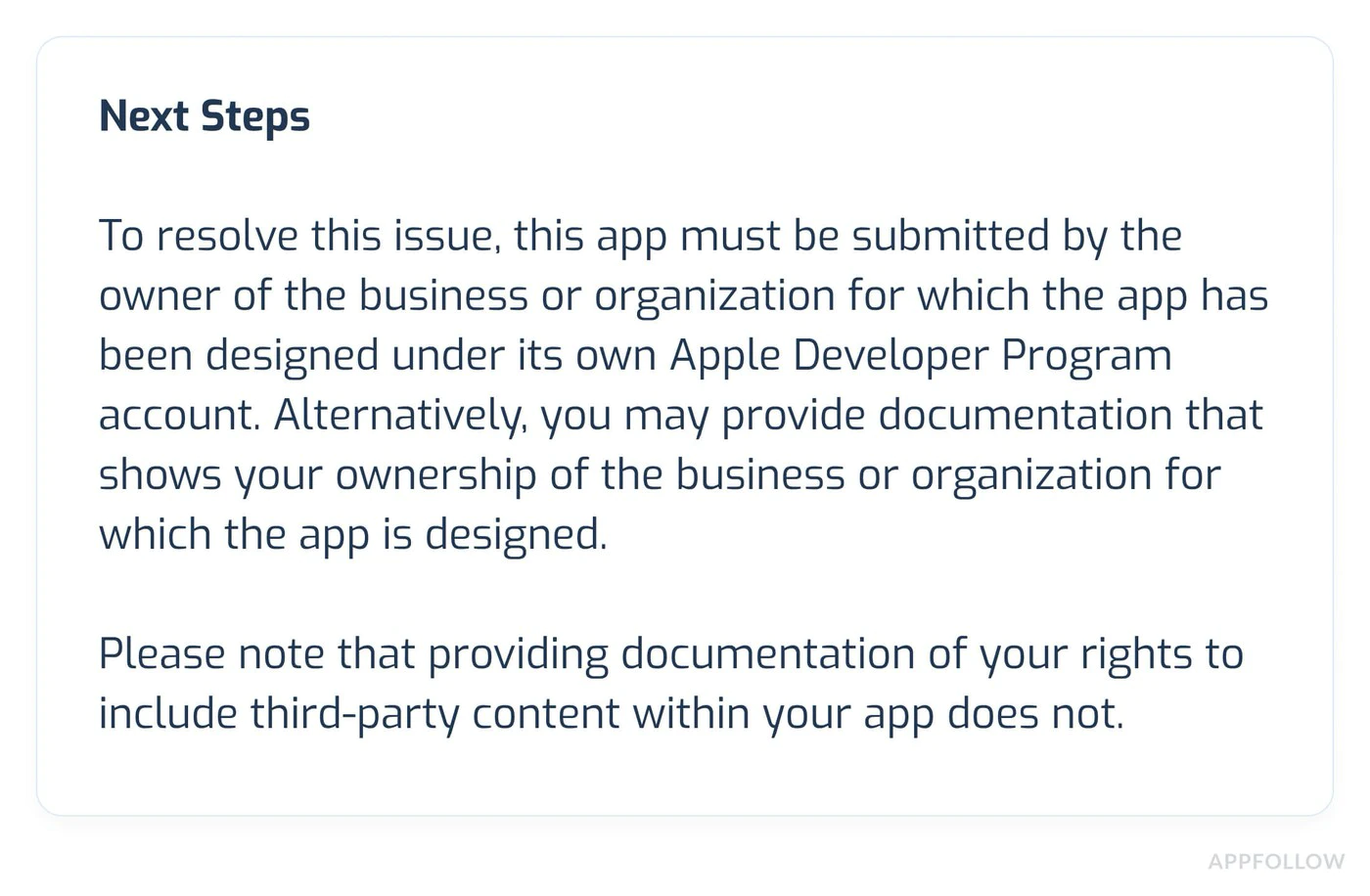
거부가 잘못되었다고 생각하는 경우:
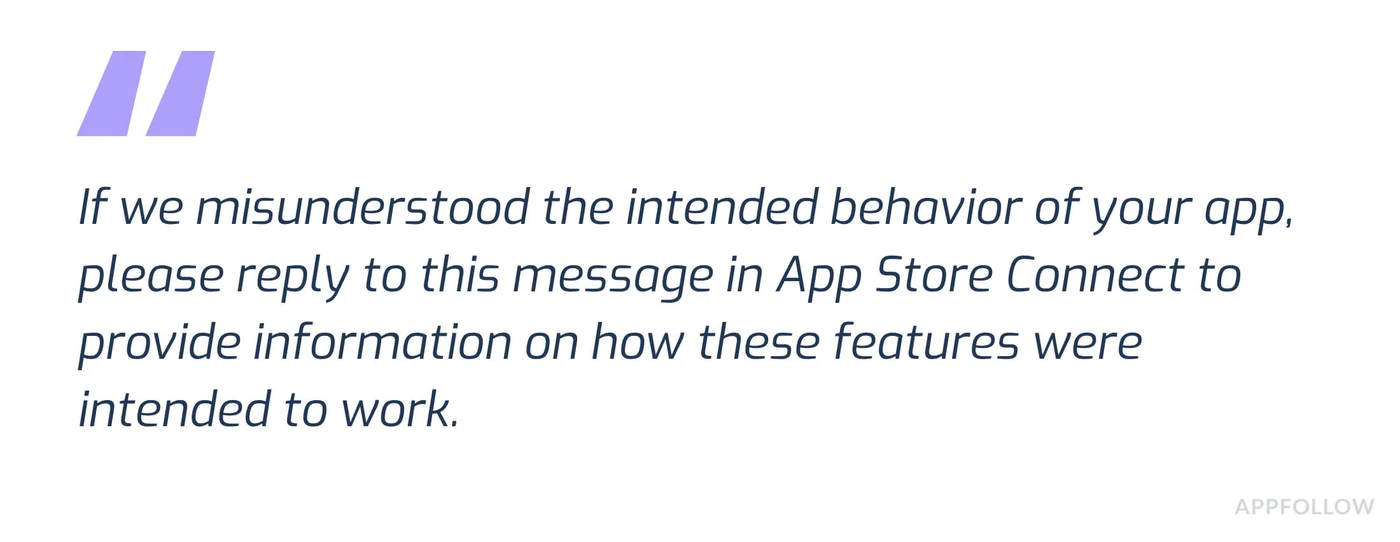
- App Store Connect에서 ‘이의제기’를 클릭하세요.
- 명확한 증거를 제공하십시오:
- 규정 준수를 보여주는 스크린샷
- 특정 지침에 대한 참조
- 요구사항을 어떻게 충족하는지에 대한 설명
- 전문적이고 사실에 입각한 태도를 취하세요.
- 기능을 찾기 어려운 경우 테스트 계정을 포함하세요.
추가 리소스
Section titled “추가 리소스”여전히 문제가 있는 경우:
- 기본 구매 문서 검토
- 일반적인 문제 해결 문제를 확인하세요.
- 지침에 대한 설명은 Apple 개발자 지원팀에 문의하세요.
전문가의 도움이 필요하신가요?
Section titled “전문가의 도움이 필요하신가요?”앱 검토에 어려움을 겪고 있거나 맞춤 지원이 필요하십니까? 저희 팀과 상담 전화 예약 다음과 같은 전담 지원을 받으세요.
- IAP 구현 검토 및 최적화
- App Store 검토 준비 및 전략
- 제출 체크리스트 검토
- 거절결정 및 이의신청
- 완벽한 테스트 및 검증
우리 전문가들은 수백 개의 앱이 심사를 통과하도록 성공적으로 도왔습니다!