
Supabase Google Login - General Setup
Copy a setup prompt with the install steps and the full markdown guide for this plugin.
Introduction
Section titled “Introduction”This guide will walk you through integrating Google Sign-In with Supabase Authentication using the Capacitor Social Login plugin. This setup allows you to use native Google Sign-In on mobile platforms while leveraging Supabase Auth for backend authentication.
Prerequisites
Section titled “Prerequisites”Before starting, ensure you have:
-
Read the Google Login General Setup guide to setup Google OAuth credentials
-
Followed the respective platform-specific guides to setup Google OAuth credentials for your target platform:
Enabling Google OAuth provider in Supabase
Section titled “Enabling Google OAuth provider in Supabase”-
Go to your Supabase Dashboard
-
Click on your project
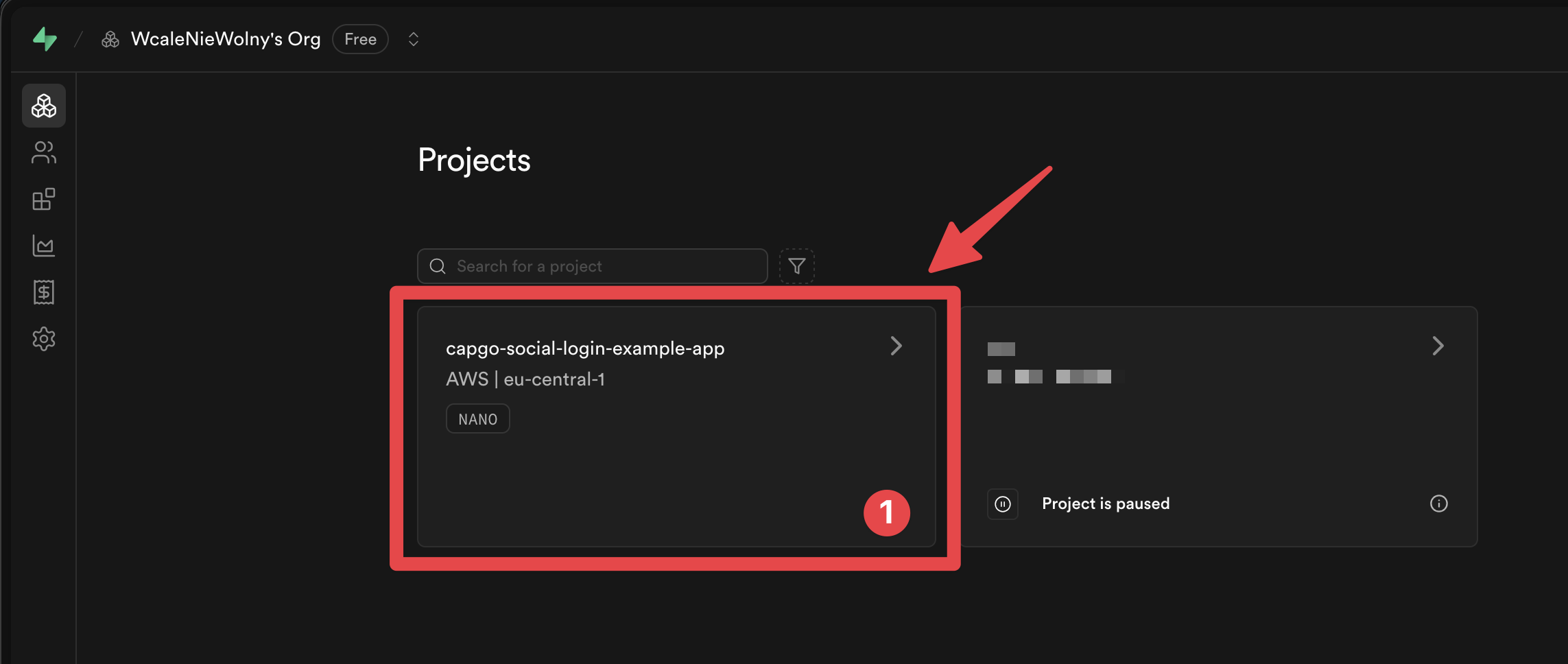
-
Do go to the
Authenticationmenu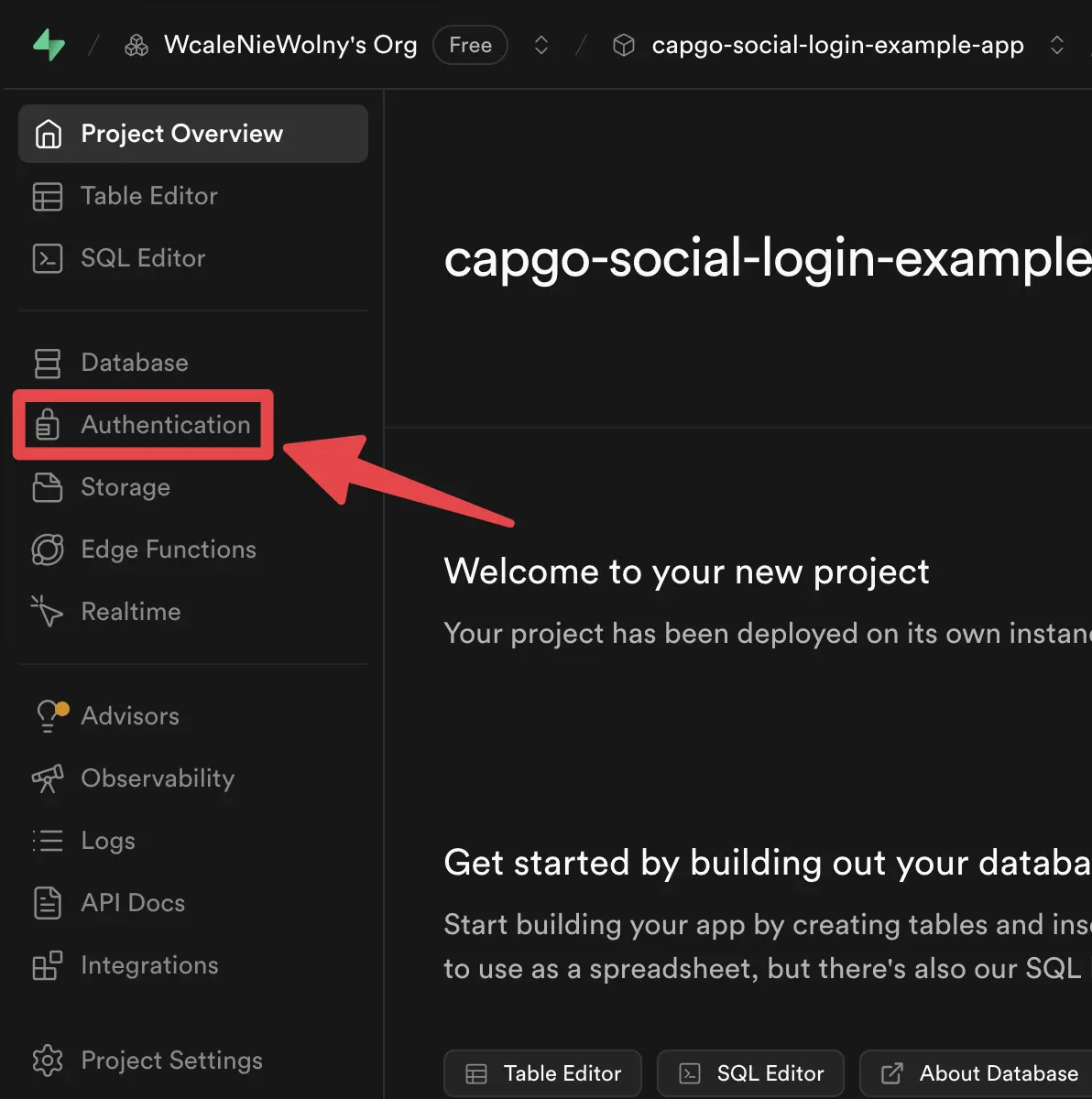
-
Click on the
Providerstab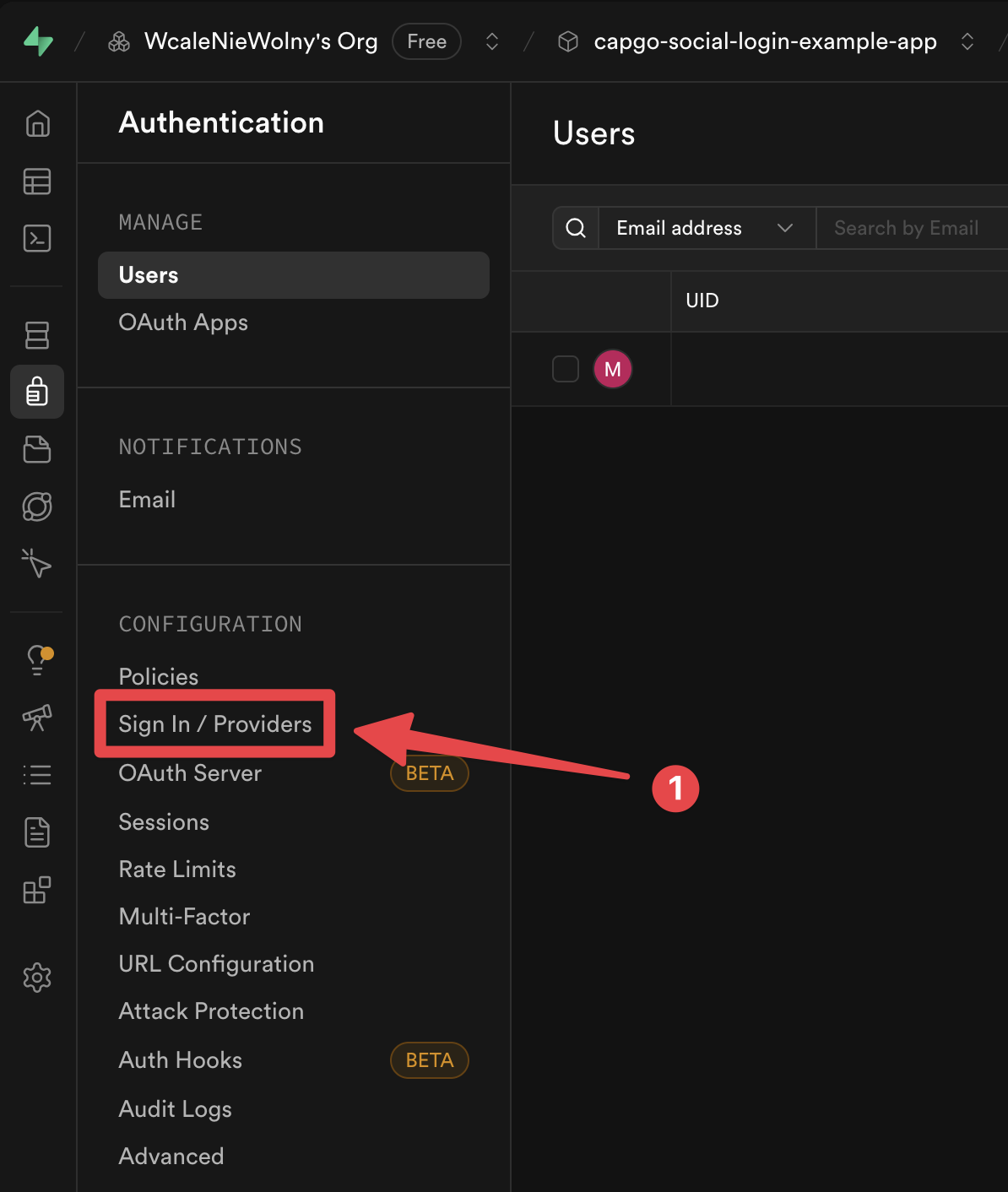
-
Find the
Googleprovider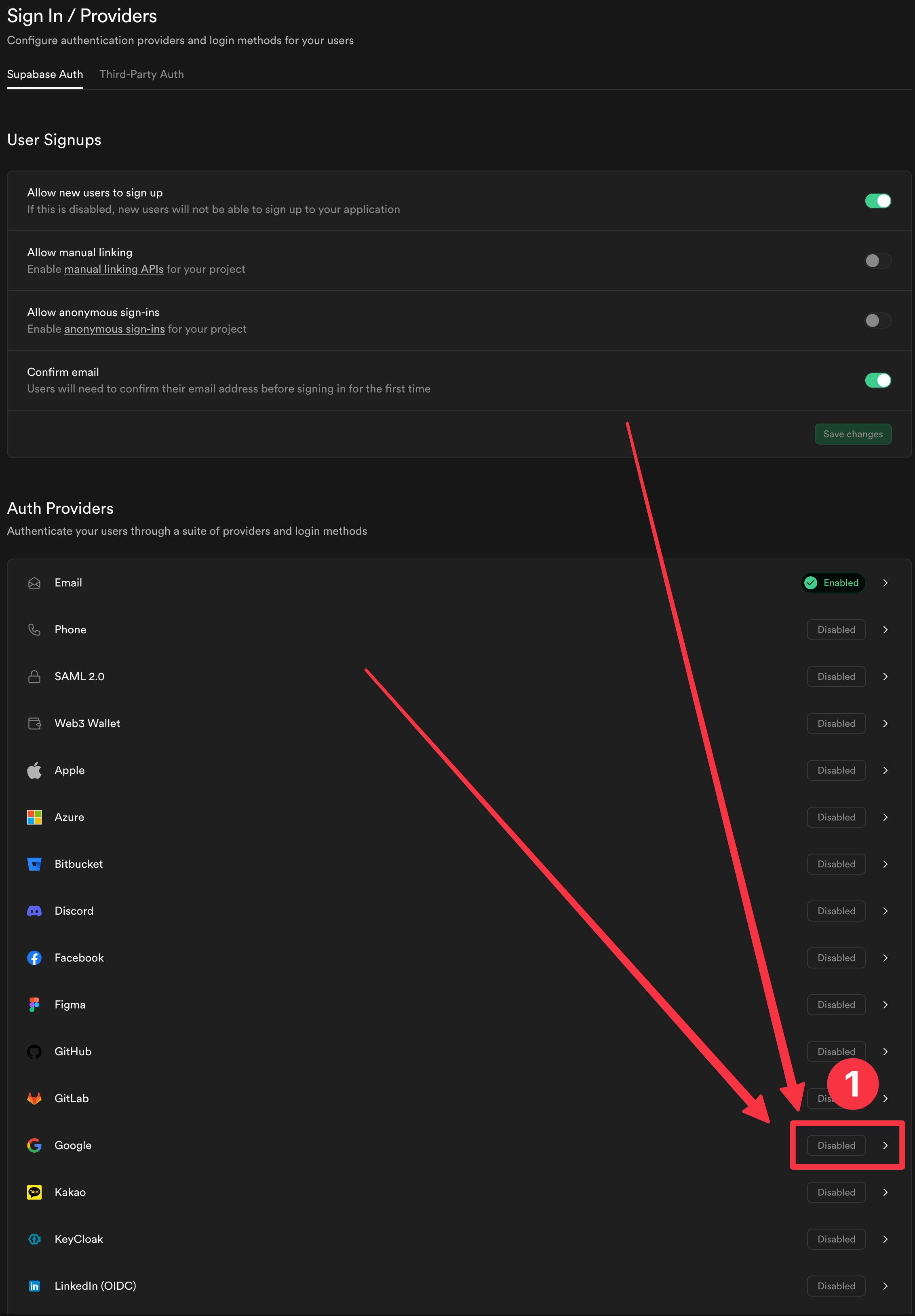
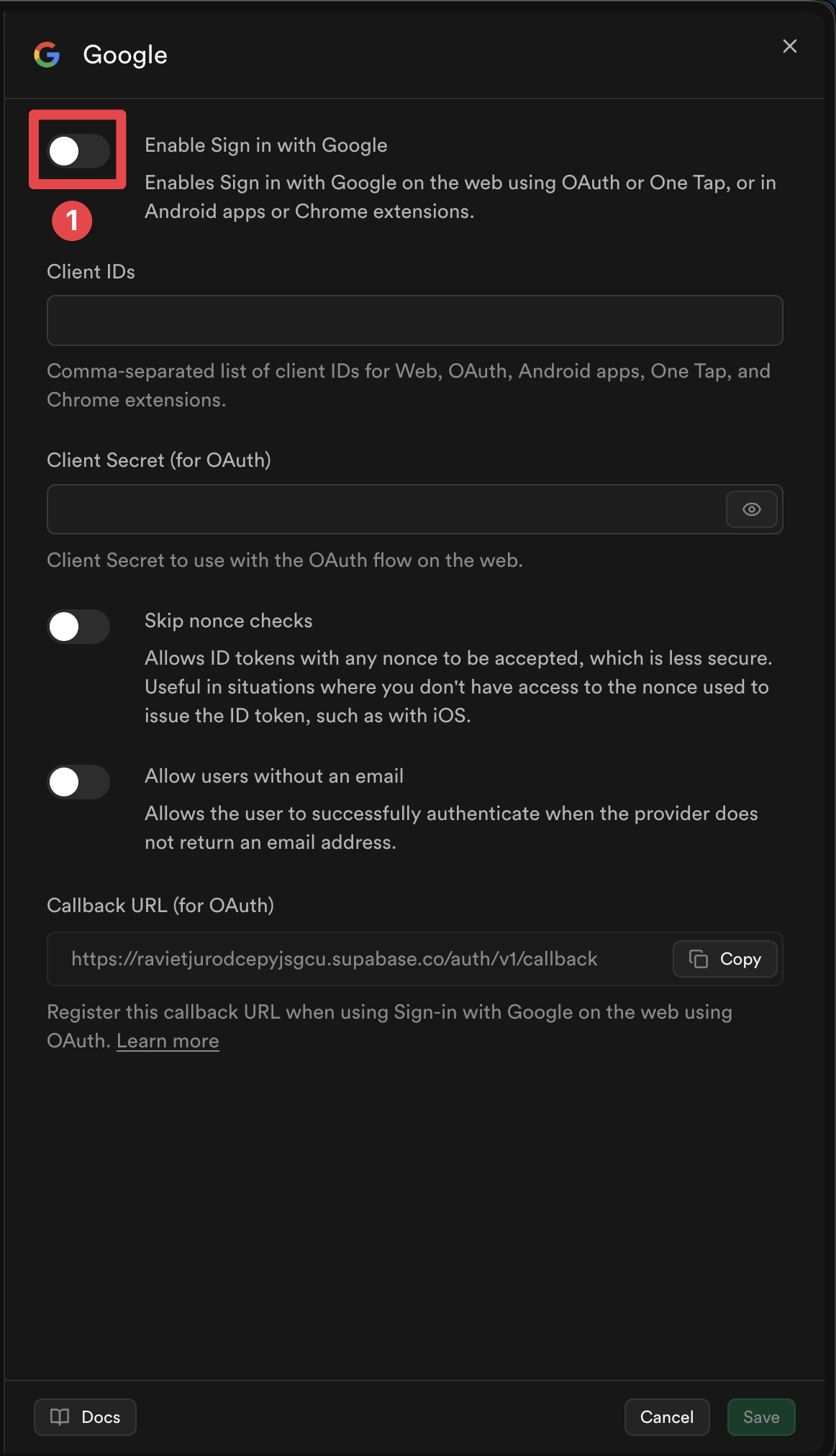
-
Enable the provider
-
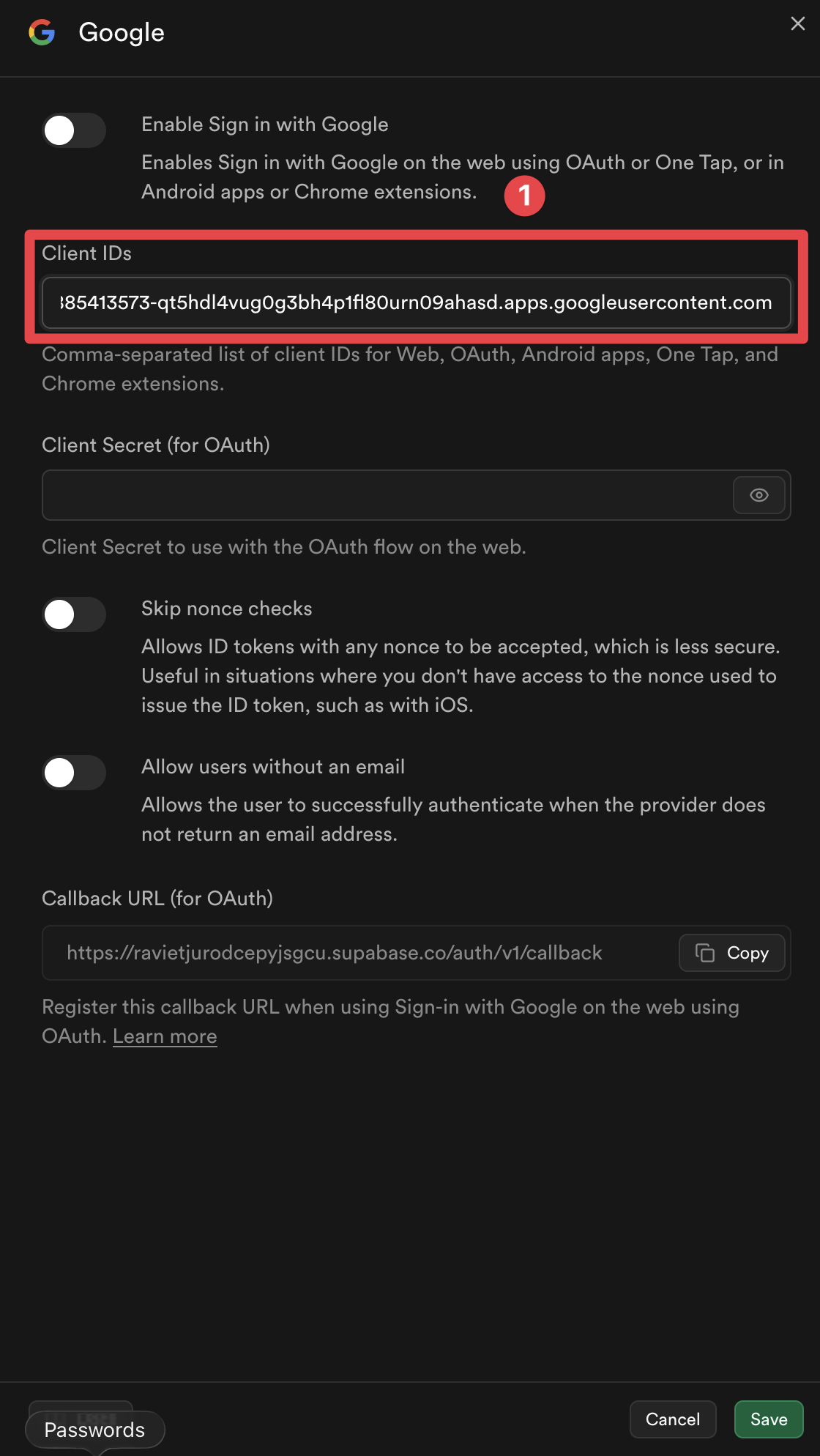
Add the client IDs for the platforms you plan to use
-
Click on the
Savebutton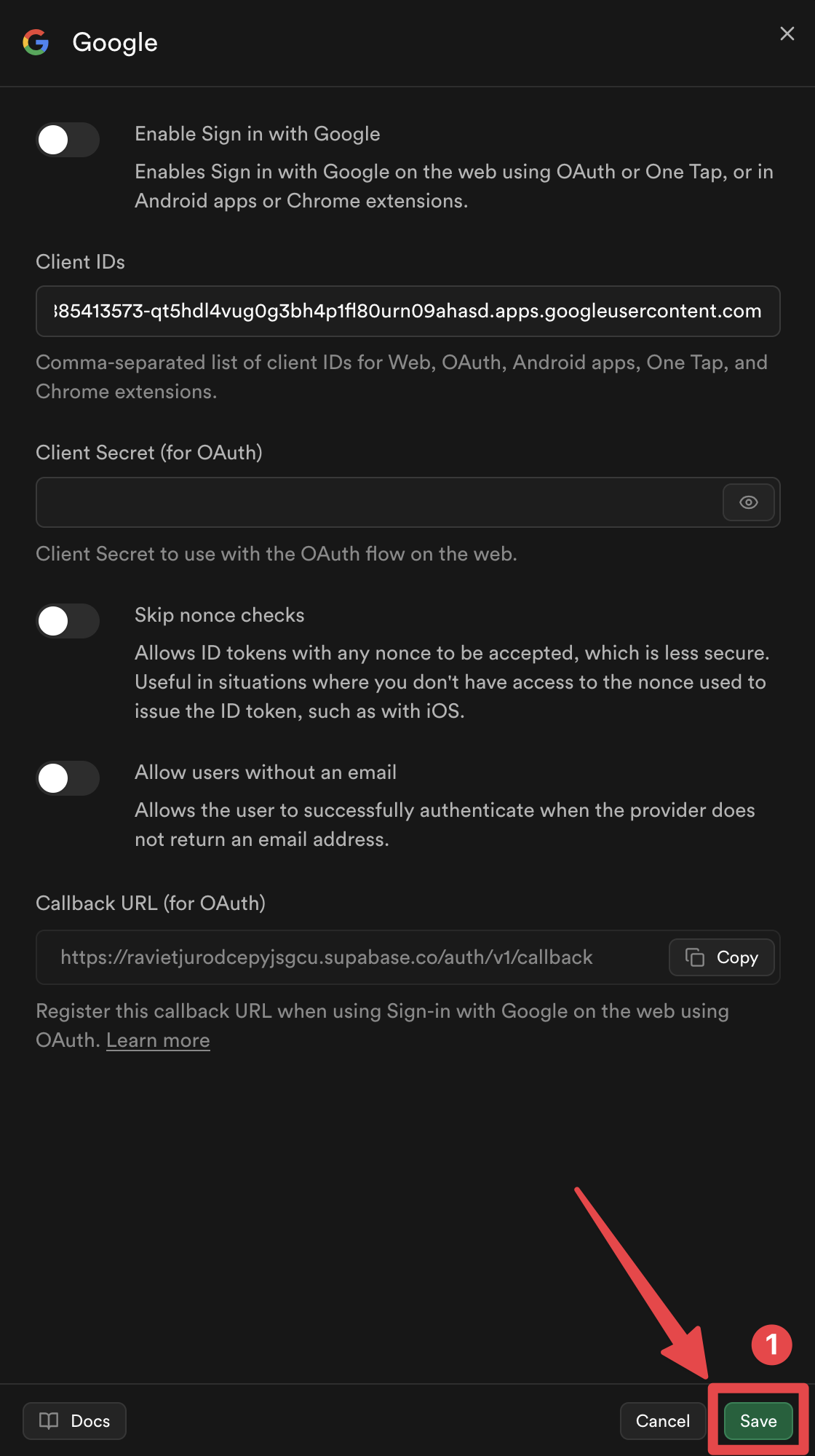
Voilà, you have now enabled Google Sign-In with Supabase Authentication 🎉
How Google Sign-In with Supabase Authentication Helper Works
Section titled “How Google Sign-In with Supabase Authentication Helper Works”This section explains how the Google Sign-In integration with Supabase works under the hood. Understanding this flow will help you implement and troubleshoot the authentication process.
1. Nonce Generation
Section titled “1. Nonce Generation”The implementation generates a secure nonce pair following the Supabase nonce requirements:
// Generate URL-safe random noncefunction getUrlSafeNonce(): string {  const array = new Uint8Array(32);  crypto.getRandomValues(array);  return Array.from(array, (byte) => byte.toString(16).padStart(2, '0')).join('');}
// Hash the nonce with SHA-256async function sha256Hash(message: string): Promise<string> {  const encoder = new TextEncoder();  const data = encoder.encode(message);  const hashBuffer = await crypto.subtle.digest('SHA-256', data);  const hashArray = Array.from(new Uint8Array(hashBuffer));  return hashArray.map((b) => b.toString(16).padStart(2, '0')).join('');}
// Generate nonce pairasync function getNonce(): Promise<{ rawNonce: string; nonceDigest: string }> {  const rawNonce = getUrlSafeNonce();  const nonceDigest = await sha256Hash(rawNonce);  return { rawNonce, nonceDigest };}
Flow:
rawNonce: URL-safe random string (64 hex characters)nonceDigest: SHA-256 hash ofrawNonce(hex-encoded)nonceDigestis passed to Google Sign-In → Google includes the nonce digest in the ID tokenrawNonceis passed to Supabase → Supabase hashes the raw nonce and compares with the token’s nonce
2. Google Sign-In
Section titled “2. Google Sign-In”The function initializes the plugin and signs in with Google:
await SocialLogin.initialize({  google: {    webClientId: 'YOUR_WEB_CLIENT_ID.apps.googleusercontent.com',    // iOS only:    iOSClientId: 'YOUR_IOS_CLIENT_ID.apps.googleusercontent.com',    mode: 'online', // Required to get idToken  },});
const response = await SocialLogin.login({  provider: 'google',  options: {    scopes: ['email', 'profile'],    nonce: nonceDigest, // Pass the SHA-256 hashed nonce  },});
3. JWT Validation
Section titled “3. JWT Validation”Before sending the token to Supabase, the implementation validates the JWT token:
function validateJWTToken(idToken: string, expectedNonceDigest: string): { valid: boolean; error?: string } {  const decodedToken = decodeJWT(idToken);
  // Check audience matches your Google Client IDs  const audience = decodedToken.aud;  if (!VALID_GOOGLE_CLIENT_IDS.includes(audience)) {    return { valid: false, error: 'Invalid audience' };  }
  // Check nonce matches  const tokenNonce = decodedToken.nonce;  if (tokenNonce && tokenNonce !== expectedNonceDigest) {    return { valid: false, error: 'Nonce mismatch' };  }
  return { valid: true };}
Why validate before Supabase?
Validating the JWT token before sending the token to Supabase serves several important purposes:
-
Prevent Invalid Requests: If the token has an incorrect audience or nonce mismatch, Supabase will reject the token anyway. Validating first avoids unnecessary API calls and provides clearer error messages.
-
Token Caching Issues: On some platforms (especially iOS), Google Sign-In SDK can cache tokens for performance. When a cached token is returned, the cached token may have been generated with a different nonce (or no nonce at all), causing Supabase to reject the token with a “nonce mismatch” error. By validating before sending to Supabase, we can detect this issue early and automatically retry with a fresh token.
-
Security (iOS): On iOS, validation ensures the token was issued for your specific Google Client IDs, preventing potential security issues from using tokens intended for other applications.
-
Better Error Handling: Detecting issues before Supabase allows for automatic retry logic, which is essential for handling iOS caching issues transparently.
If validation fails, the function automatically:
- Logs out from Google (clears cached tokens - critical on iOS)
- Retries authentication once (forces fresh token generation with correct nonce)
- If retry also fails, returns an error
4. Supabase Sign-In
Section titled “4. Supabase Sign-In”Finally, the validated token is sent to Supabase:
const { data, error } = await supabase.auth.signInWithIdToken({ provider: 'google', token: googleResponse.idToken, nonce: rawNonce, // Pass the raw (unhashed) nonce});Complete Code Reference
Section titled “Complete Code Reference”The complete implementation is available in the example app’s supabaseAuthUtils.ts file, which includes:
getUrlSafeNonce()- Generates URL-safe random noncesha256Hash()- Hashes string with SHA-256getNonce()- Generates nonce pairdecodeJWT()- Decodes JWT tokenvalidateJWTToken()- Validates JWT audience and nonceauthenticateWithGoogleSupabase()- Main authentication function with automatic retry
Additional Example Files
Section titled “Additional Example Files”- SupabasePage.tsx - Example component with redirect handling (Web)
- SupabaseCreateAccountPage.tsx - Example create account page
Next Steps
Section titled “Next Steps”Please proceed to the platform-specific setup guide for your target platform:
Keep going from Supabase Google Login - General Setup
Section titled “Keep going from Supabase Google Login - General Setup”If you are using Supabase Google Login - General Setup to plan authentication and account flows, connect it with Using @capgo/capacitor-social-login for the native capability in Using @capgo/capacitor-social-login, @capgo/capacitor-social-login for the implementation detail in @capgo/capacitor-social-login, @capgo/capacitor-passkey for the implementation detail in @capgo/capacitor-passkey, @capgo/capacitor-native-biometric for the implementation detail in @capgo/capacitor-native-biometric, and Two-factor authentication for the implementation detail in Two-factor authentication.
Ship Capacitor apps without the wait
Build with your AI coding agent, ship fixes in minutes, build iOS and Android without a Mac, and observe every release.


Enterprise needs? Talk to our team