
网页浏览器的 Apple 登录
配置 Web 登录并不简单。它比在 iOS 上设置 Sign in with Apple 更困难,但比在 Android 上设置 Sign in with Apple 更困难。
请按照此处的指南生成服务。
配置 Return URLs
Section titled “配置 Return URLs”-
转到您的 Service ID 配置
在 Apple Developer Portal 中,导航到
Identifiers>Services IDs并点击您的 service ID。 -
配置 Sign in with Apple
点击
Sign in with Apple旁边的Configure。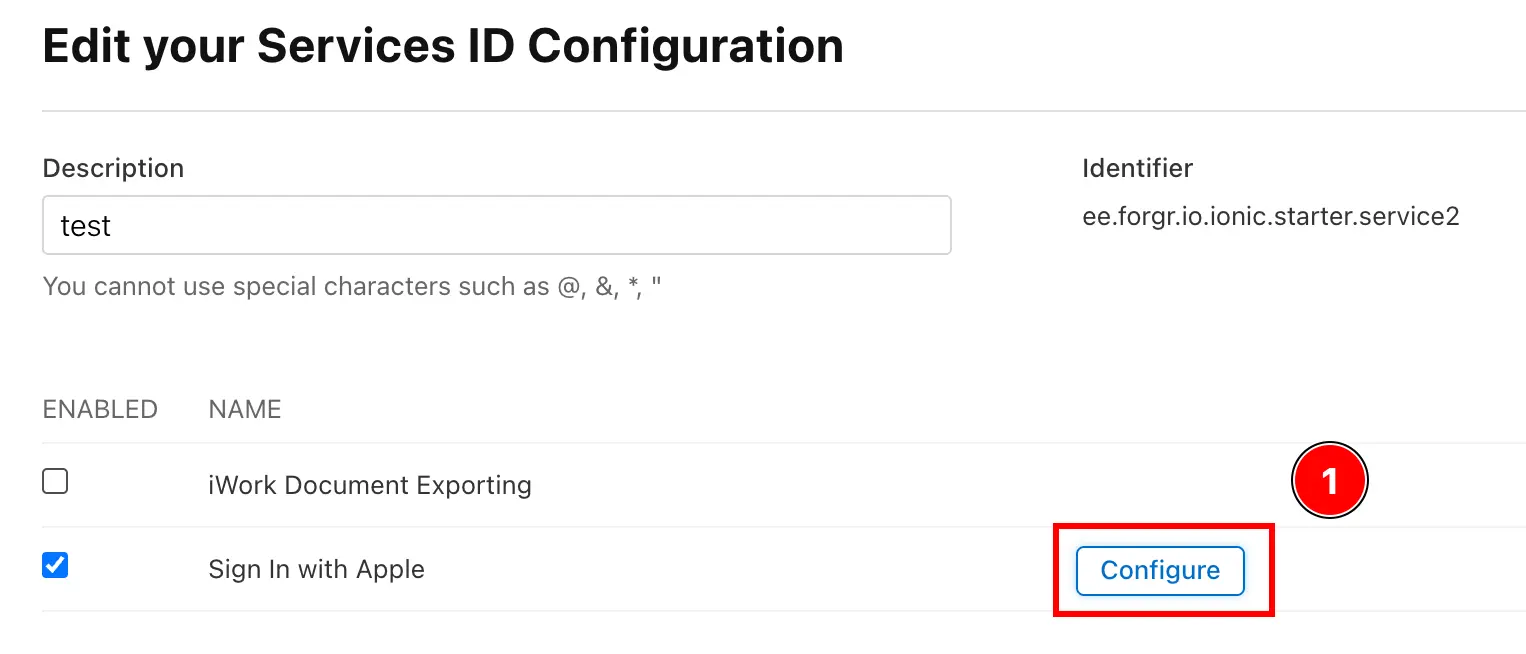
-
添加 Return URLs
点击
+按钮添加新的 return URL。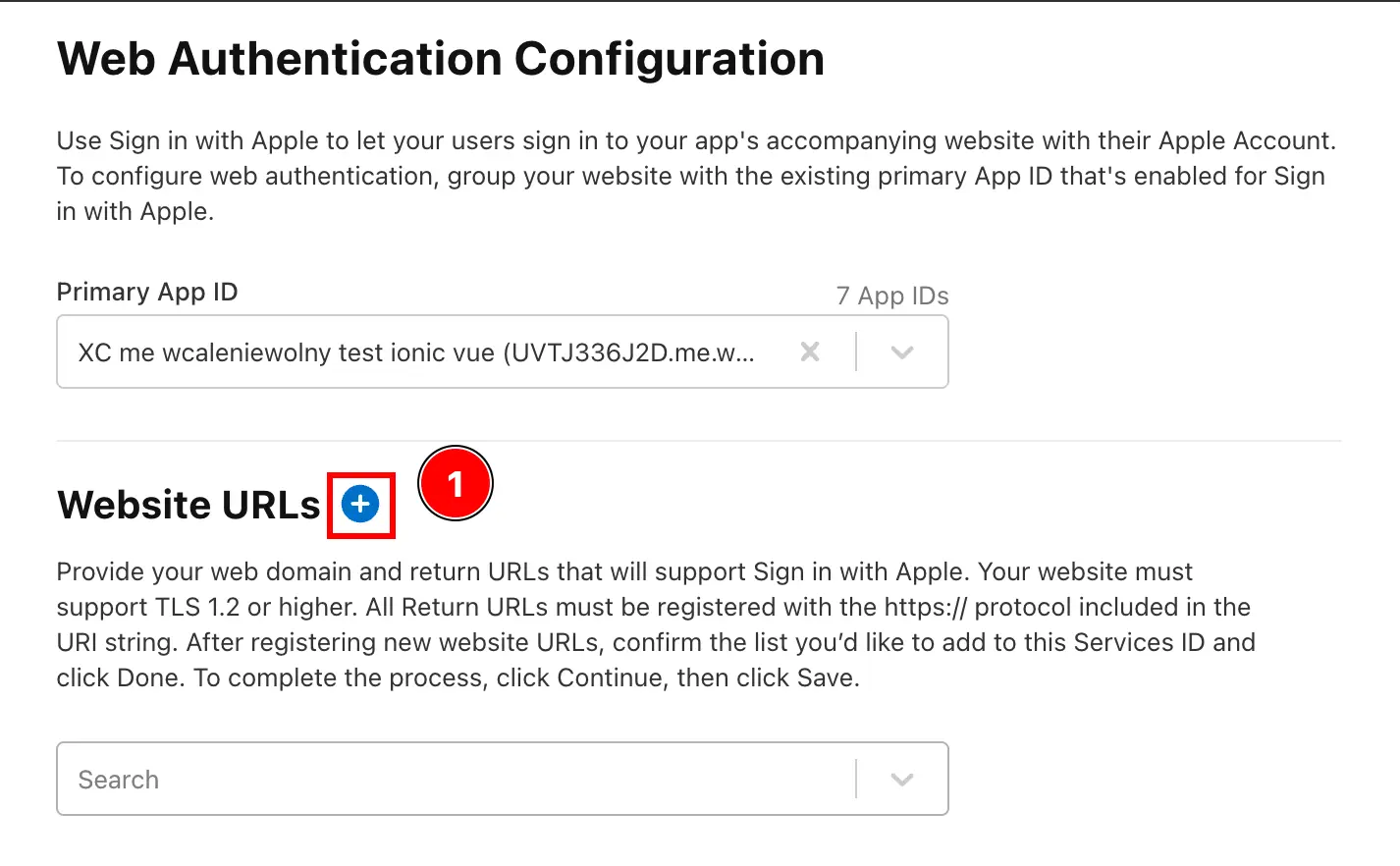
-
添加 Return URLs
在
Domains and Subdomains中添加您的 Web 应用程序域名。然后,添加带有
https://前缀的域名以及您将调用 Apple Login 的路径。 例如,如果您的域名是https://my-app.com,并且您将从/login调用 Apple Login,则应添加https://my-app.com/login作为 return URL。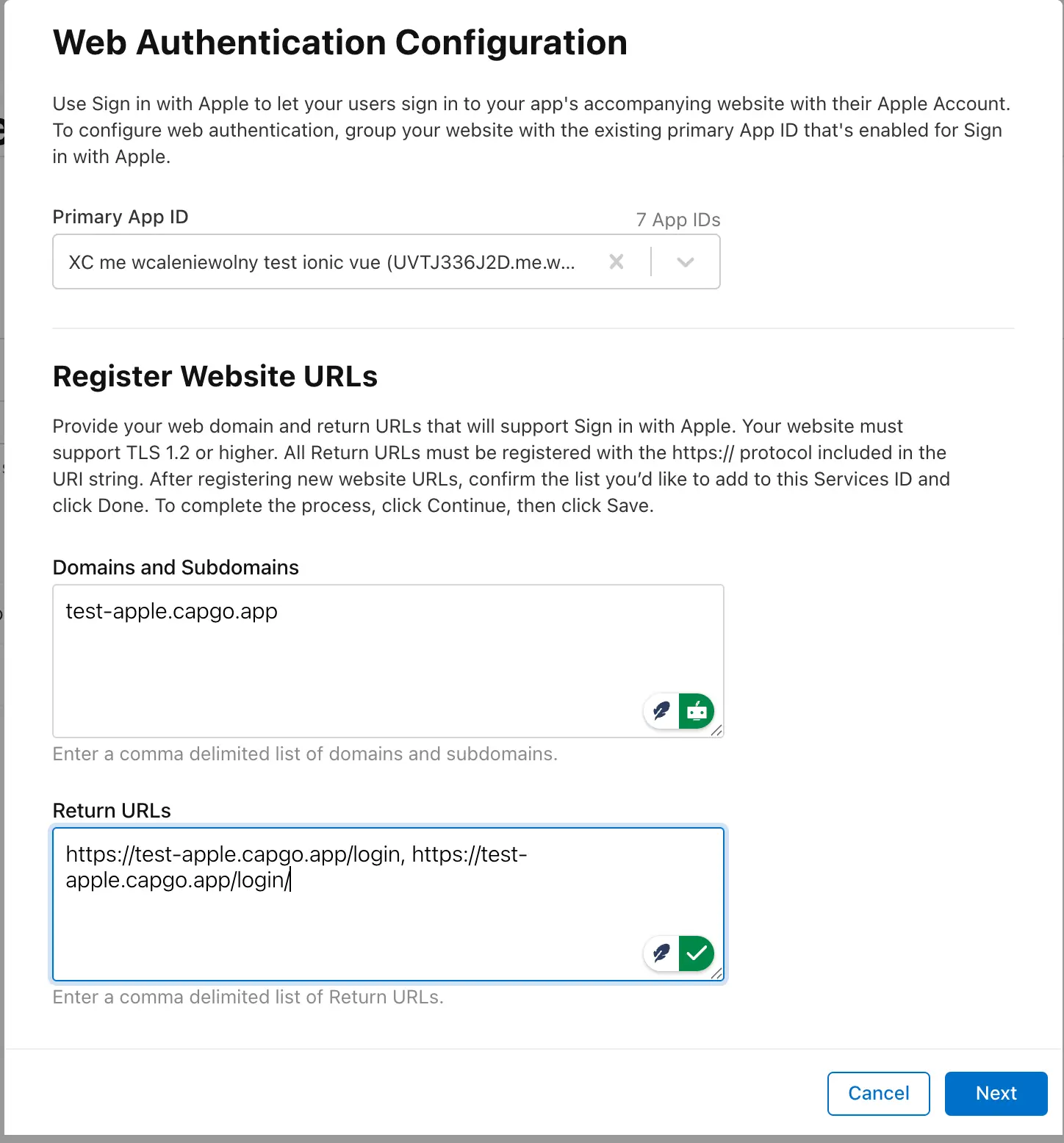
-
保存更改
- 点击
Next按钮保存更改。 - 点击
Save按钮保存更改。
- 点击
-
您应该已准备好测试 JavaScript 登录。请注意,您无法从 localhost 进行测试。