
Android Play 商店内购审查指南
复制安装步骤和本插件的完整Markdown指南的设置提示
要在 Google Play 上发布 Android 应用程序,需要遵守 Google 的政策,特别是对于具有内购和订阅功能的应用程序。这份指南涵盖了您需要通过审核的所有内容。
-
构建一个已签名的 Android 应用程序包
新 Google Play 应用程序应以 Android 应用程序包 (
.aab) 的形式上传,而不是使用调试 APK 进行侧载。保持您的
versionCode每次上传都会增加,并且如果您使用 Play App Signing,请安全存储您的上传密钥。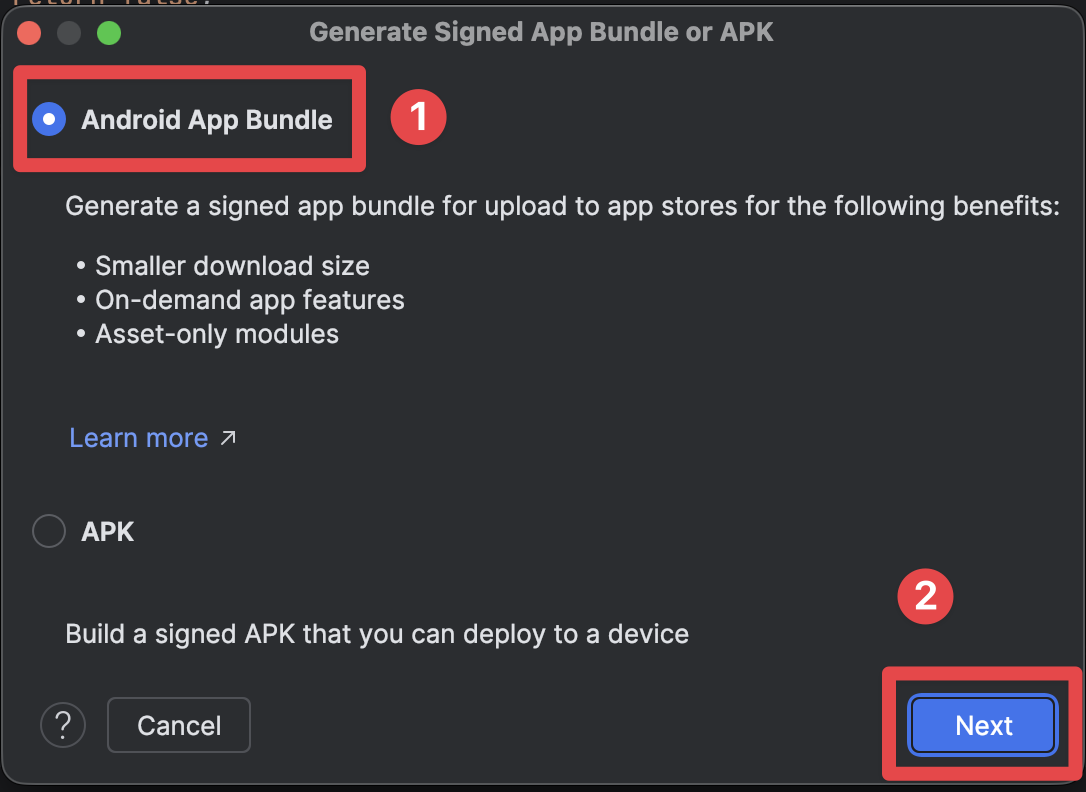
-
在Play商店中创建应用程序记录
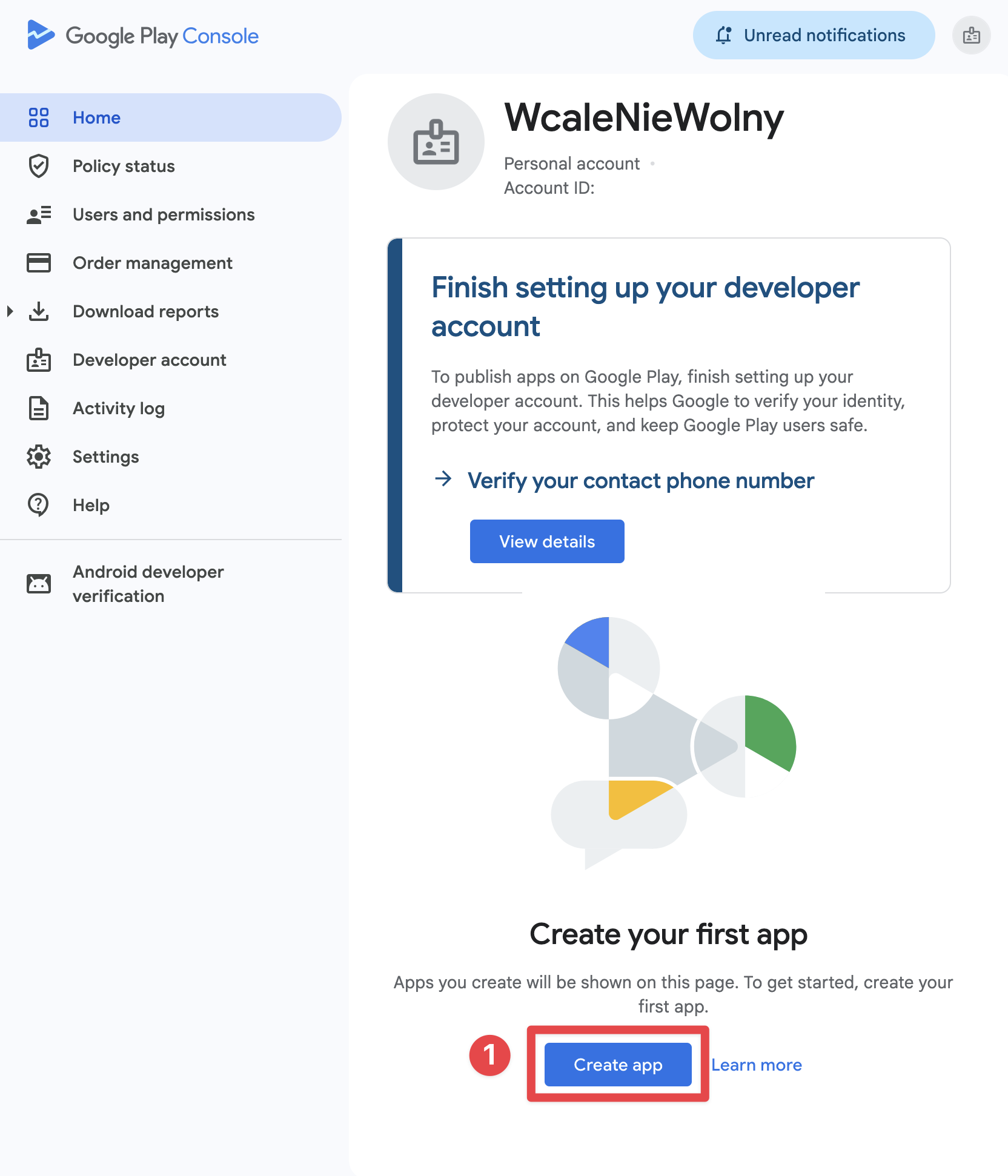
如果您尚未拥有开发者账户,请首先 Play商店注册。然后,在 主页 > 创建应用,选择语言、应用/游戏类型、免费/付费状态、支持邮箱,并接受所需的声明。
选择免费/付费设置时要谨慎。Google允许您将付费应用转换为免费应用,但一旦应用被免费提供后,就无法将其转换为付费应用。
-
完成应用程序内容和商店列表
在生产审查之前,完成所需的Play商店声明:
- 隐私政策
- 广告
- App访问权限
- 目标受众和内容
- 内容评级
- 数据安全
- 如果适用,敏感权限声明
-
运行Play-安装测试
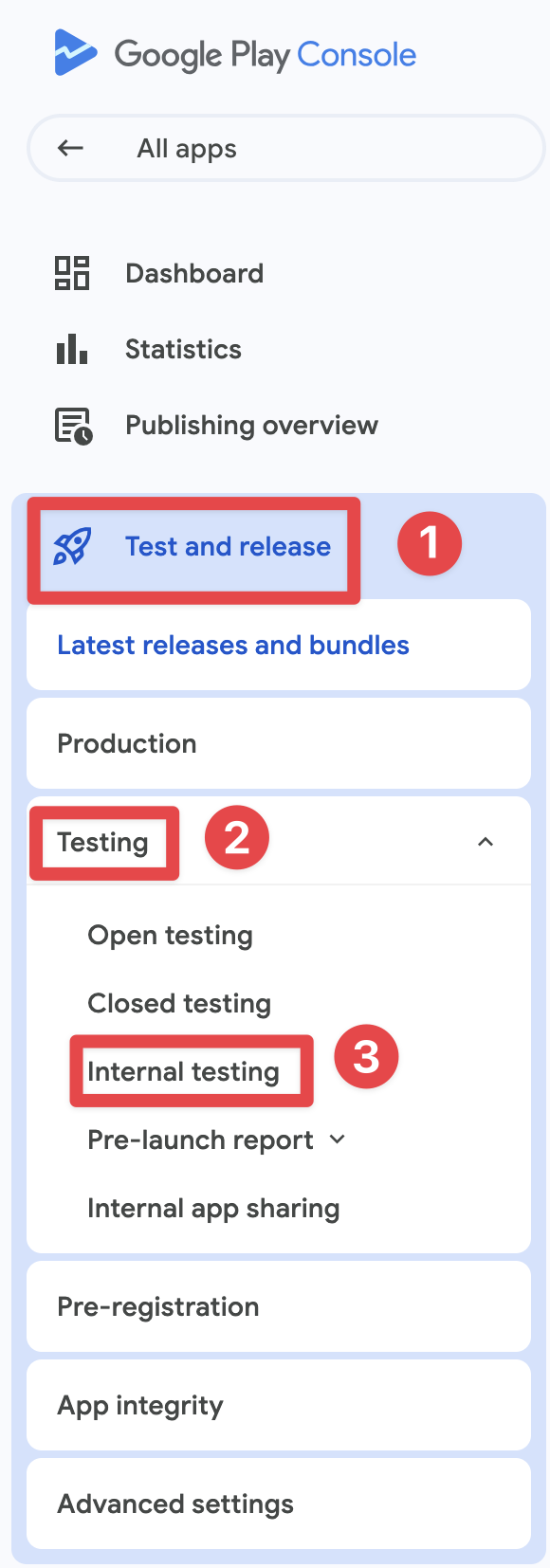
从 内部测试 用于快速QA。 如果您的开发者帐户是创建于2023年11月13日之后的个人帐户,则您还必须完成一个 封闭测试 至少有12名已同意的测试者参与14个连续的日子
-
验证结算
从Google Play安装应用,而不是从本地导出的APK。然后确认:
- 从Play正确加载产品
- 购买单据显示一个 测试购买 许可证测试者的广告牌
- 购买后解锁权限
- 恢复和订阅管理流程工作
Google Play Billing Requirements
Google Play Billing Requirements强制结算系统
强制结算系统对于数字商品和服务, 必须 使用Google Play的付款系统:
数字商品(必须使用Play Billing):
- 高级功能的订阅
- 游戏内货币或积分
- 数字内容(电子书籍、音乐、视频)
- 游戏升级和强化
- 应用解锁和高级等级
实物商品(不能使用Play Billing):
- 实物商品
- 现实世界服务
- 一次性捐赠给非营利组织
:::note 订阅设置
在Play Console中,使用当前的 订阅 -> 基础计划 -> 优惠 模型。在 native-purchases, 将Base Plan ID传递给 planIdentifier.
:::
Native Purchases的实现
标题:Native Purchases的实现import { NativePurchases, PURCHASE_TYPE } from '@capgo/native-purchases';
// Ensure billing is available on the deviceconst { isBillingSupported } = await NativePurchases.isBillingSupported();if (!isBillingSupported) throw new Error('Google Play Billing not available');
// Fetch subscription products (Store data is required—never hardcode pricing)const { products } = await NativePurchases.getProducts({ productIdentifiers: ['premium_monthly', 'premium_yearly'], productType: PURCHASE_TYPE.SUBS,});
// Plan identifiers are the Base Plan IDs you create in Google Play Consoleconst transaction = await NativePurchases.purchaseProduct({ productIdentifier: 'premium_monthly', planIdentifier: 'monthly-plan', // REQUIRED on Android, ignored on iOS productType: PURCHASE_TYPE.SUBS,});
console.log('Purchase token for server validation:', transaction.purchaseToken);透明度和披露要求
标题:透明度和披露要求提前价格披露
标题:提前价格披露Google Play 强制要求在购买前清晰披露所有费用:
必填元素:
- 用户本地货币中的精确价格
- 计费频率(每月、每年等)
- 订阅中包含的内容
- 初次优惠的总费用
- 费用何时产生
符合规范的 UI 示例
function SubscriptionCard({ product }) {  return (    <div className="subscription-card">      <h3>{product.title}</h3>
      {/* Show intro offer if available */}      {product.introductoryPrice && (        <div className="intro-offer">          <p className="intro-price">{product.introductoryPriceString}</p>          <p className="intro-period">            for {product.introductoryPricePeriod}          </p>        </div>      )}
      {/* Regular price */}      <div className="regular-price">        <p className="price">{product.priceString}</p>        <p className="period">per {product.subscriptionPeriod}</p>      </div>
      {/* Clear description */}      <p>{product.description}</p>
      {/* Renewal terms */}      <p className="terms">        Renews automatically. Cancel anytime in Google Play.      </p>
      <button onClick={() => handlePurchase(product)}>        Subscribe Now      </button>    </div>  );}
自动续订披露
标题:自动续订披露在订阅自动续费之前,Google 需要:
- 清晰的通知续费将发生
- 续费价格的提醒
- 取消订阅的便捷访问
跨平台价格透明度
标题:跨平台价格透明度如果您在多个平台上出售相同的权利,请确保产品名称、计费周期、包含的福利和续费语言保持一致,以免用户感到惊讶。
由于税收、当地货币或商店经济学,价格可以合理地不同,但购买 UI 必须永远不会隐藏这些差异或暗示 Google Play 将收取的续费成本与实际不同。
隐私政策要求
《隐私政策要求》必须遵守隐私政策
《必须遵守隐私政策》如果您的应用程序包含内购功能,则必须:
-
在Play Store列表中添加链接
- 在Play Console中添加隐私政策URL
- 必须是公开可访问的
- 必须与您的应用程序语言相同
-
在应用程序内添加链接
- 在应用程序设置中显示隐私政策
- 在收集任何用户数据之前显示
- 使其容易发现
示例实现:
function SettingsScreen() {  const openPrivacyPolicy = () => {    window.open('https://yourapp.com/privacy', '_blank');  };
  const openTerms = () => {    window.open('https://yourapp.com/terms', '_blank');  };
  return (    <div>      <h2>Settings</h2>
      <button onClick={openPrivacyPolicy}>        Privacy Policy      </button>
      <button onClick={openTerms}>        Terms of Service      </button>
      <button onClick={() => NativePurchases.manageSubscriptions()}>        Manage Subscriptions      </button>    </div>  );}
数据安全部分
标题为“数据安全部分”Google Play要求在数据安全部分中详细说明:
对于IAP应用程序,声明:
- 购买历史收集
- 电子邮件地址(用于收据)
- 设备ID(用于欺诈防御)
- 支付信息处理
- 分析数据收集
数据安全部分是法律约束。错误的声明可能导致应用程序被移除。
应用内容声明
应用内容声明Google Play 的评论不仅仅是关于二进制文件。 在发布生产版本之前,务必在 政策和计划 > 应用内容.
需要特别注意的最小设置:
- 隐私政策: 在 Play Console 中提供公共 URL,或者在需要时提供在应用内的入口点
- 广告: 声明应用是否包含广告
- 应用访问: 提供给审查员工作凭证或清晰的测试路径,如果任何屏幕被锁定
- 目标受众和内容: 匹配应用的真实受众
- 内容评级: 完成 IARC 问卷,以确保应用不被标记为未评级
- 数据安全: 声明准确的数据收集、共享和安全性实践
常见拒绝原因
标题:常见拒绝原因1. 缺失或错误的计费实现
Section titled “1. 缺失或错误的计费实现”為什麼會失敗:
- 未使用Google Play Billing进行数字商品计费
- 使用过时的计费API
- 为订阅实现自定义支付解决方案
Prevention:
// ✅ Correct: Use native-purchases (uses Google Play Billing)await NativePurchases.purchaseProduct({  productIdentifier: 'premium_monthly',  planIdentifier: 'monthly-plan',  productType: PURCHASE_TYPE.SUBS,});
// ❌ Wrong: Custom payment processor for subscriptions// await CustomPayment.charge(user, 9.99);
2. 价格不明确或隐藏的费用
Section titled “2. 价格不明确或隐藏的费用”為什麼會失敗:
- 价格仅在点击购买后显示
- 未在订阅费用中透露额外费用
- 订阅条款不明确
预防措施:
function PurchaseScreen({ product }) {  return (    <div>      {/* Show ALL costs upfront */}      <h2>Premium Subscription</h2>
      <div className="pricing">        <p className="price">{product.priceString}/month</p>        <p className="taxes">Taxes may apply based on location</p>      </div>
      <div className="features">        <h3>Includes:</h3>        <ul>          <li>Ad-free experience</li>          <li>Unlimited cloud storage</li>          <li>Priority support</li>        </ul>      </div>
      <div className="terms">        <p>          Subscription renews automatically unless cancelled at least          24 hours before the end of the current period.        </p>        <p>          Manage or cancel in Google Play Subscriptions.        </p>      </div>
      <button onClick={handlePurchase}>        Start Subscription      </button>    </div>  );}
3. 欺骗性订阅模式
标题:3. 欺骗性订阅模式为什么会失败:
- 预先选择高级选项
- 隐藏更便宜的替代方案
- 使取消订阅变得困难
- 制造假的紧迫感(‘仅剩 3 个位置!’)
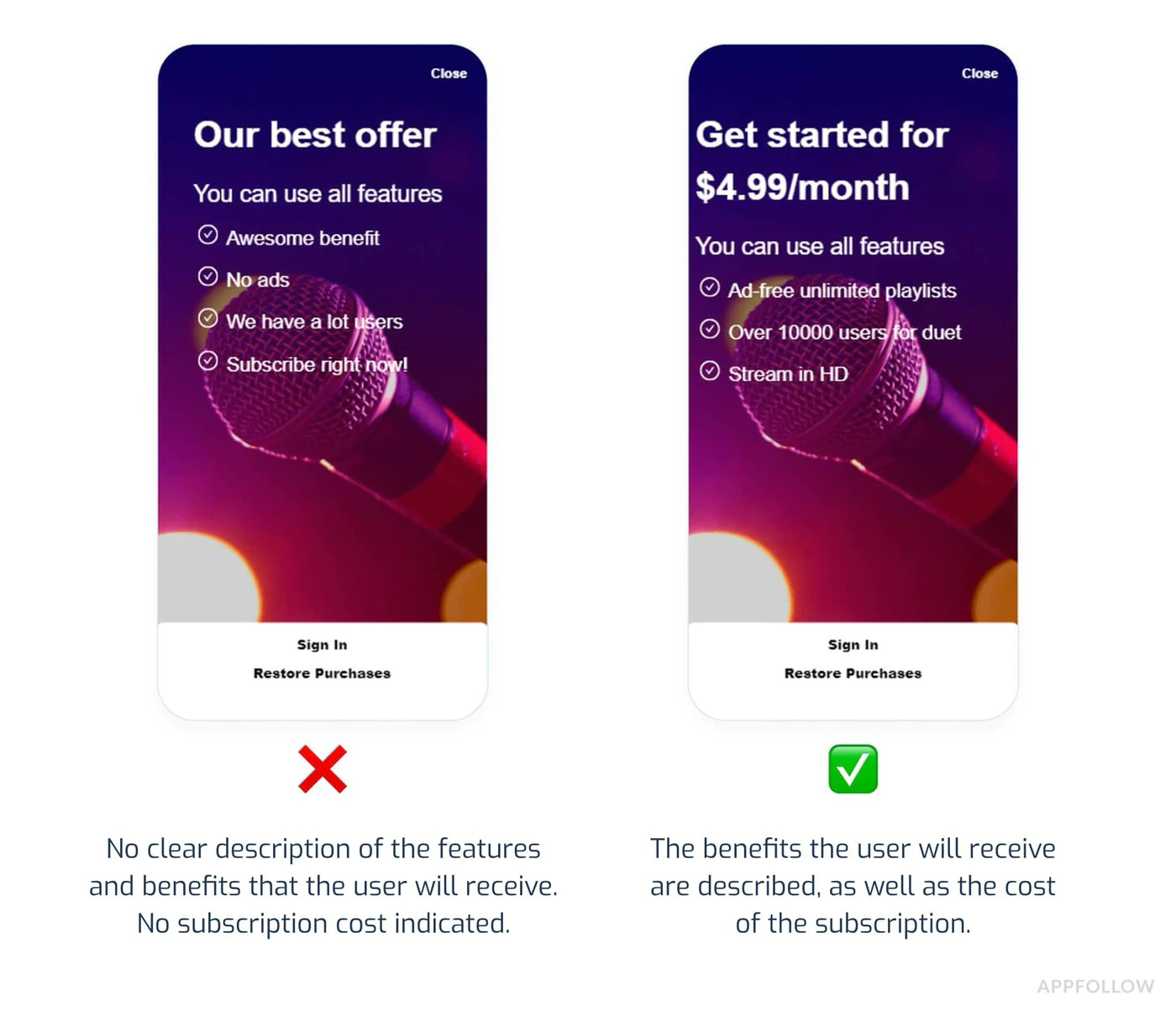
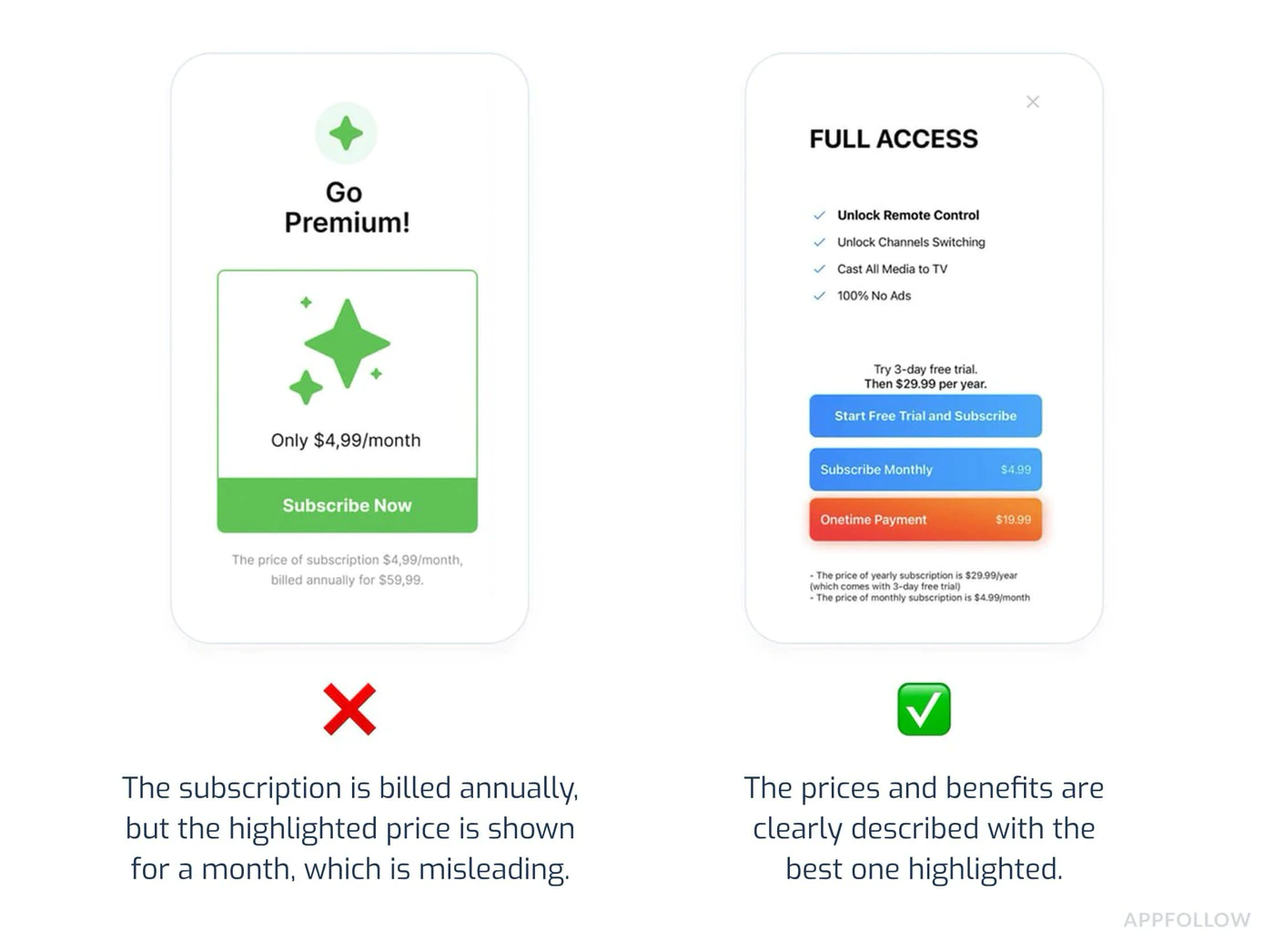
预防措施:
- 显示所有订阅等级
- 明确和可访问的取消
- 避免倒计时或假的稀缺
- 不要使用推广昂贵选项的黑暗模式
4. 测试不完整
标题:4. 测试不完整为什么会失败:
- 应用程序在购买时会崩溃
- 产品无法加载
- 购买确认没有显示
- 购买后 Premium 功能并未解锁
- 测试仅在侧载构建中进行,而不是在 Play 安装的测试跟踪中
预防措施:
import { NativePurchases, PURCHASE_TYPE } from '@capgo/native-purchases';
// Comprehensive testing before submissionasync function testPurchaseFlow() {  try {    // 1. Test product loading    const { products } = await NativePurchases.getProducts({      productIdentifiers: ['premium_monthly', 'premium_yearly'],      productType: PURCHASE_TYPE.SUBS,    });    console.log('✓ Products loaded:', products.length);
    // 2. Test purchase flow    const transaction = await NativePurchases.purchaseProduct({      productIdentifier: 'premium_monthly',      planIdentifier: 'monthly-plan',      productType: PURCHASE_TYPE.SUBS,    });    console.log('✓ Purchase completed', transaction.transactionId);
    // 3. Verify entitlements    const { purchases } = await NativePurchases.getPurchases({      productType: PURCHASE_TYPE.SUBS,    });    if (      purchases.some(        (purchase) =>          purchase.productIdentifier === 'premium_monthly' &&          ['PURCHASED', '1'].includes(purchase.purchaseState ?? '') &&          purchase.isAcknowledged,      )    ) {      console.log('✓ Premium features unlocked');    }
    // 4. Test restore    await NativePurchases.restorePurchases();    console.log('✓ Restore works');
  } catch (error) {    console.error('✗ Test failed:', error);  }}
5.隐私政策违规
标题:5.隐私政策违规为什么会失败:
- 应用中没有隐私政策链接
- 隐私政策无法访问
- 数据收集未披露
- 数据安全部分不准确
预防措施:
- 在 Google Play 商店列表中添加隐私政策
- 在应用设置中包含链接
- 准确填写数据安全部分
- 在添加新数据收集时更新政策
替代付款计划
标题:替代付款计划Google 的替代付款计划是地区特定的,可能会发生变化。如果您想使用除标准 Google Play Billing 之外的任何其他付款方式,请在实施之前立即在 Play Console 中确认具体市场的资格、所需 API 和披露语言。
订阅管理
标题:订阅管理简化取消
标题:简化取消用户必须能够:
- 轻松查看活跃订阅
- 无需联系支持即可取消
- 了解取消生效时间
实现:
import { NativePurchases } from '@capgo/native-purchases';
function ManageSubscriptionButton() {  const openManagement = async () => {    try {      // Opens Google Play subscription management      await NativePurchases.manageSubscriptions();    } catch (error) {      // Fallback to direct URL      const playStoreUrl = 'https://play.google.com/store/account/subscriptions';      window.open(playStoreUrl, '_blank');    }  };
  return (    <button onClick={openManagement}>      Manage Subscription in Google Play    </button>  );}
取消宽限期
标题:取消宽限期必备披露:
- 取消何时生效?
- 用户是否在期限结束前一直有访问权限?
- 是否可获得部分退款?
function CancellationInfo() {  return (    <div className="cancellation-info">      <h3>Cancellation Policy</h3>      <ul>        <li>Cancel anytime in Google Play</li>        <li>Access continues until end of billing period</li>        <li>No refunds for partial periods</li>        <li>Resubscribe anytime to regain access</li>      </ul>
      <button onClick={() => NativePurchases.manageSubscriptions()}>        Manage in Google Play      </button>    </div>  );}
提交前检查清单
提交前检查清单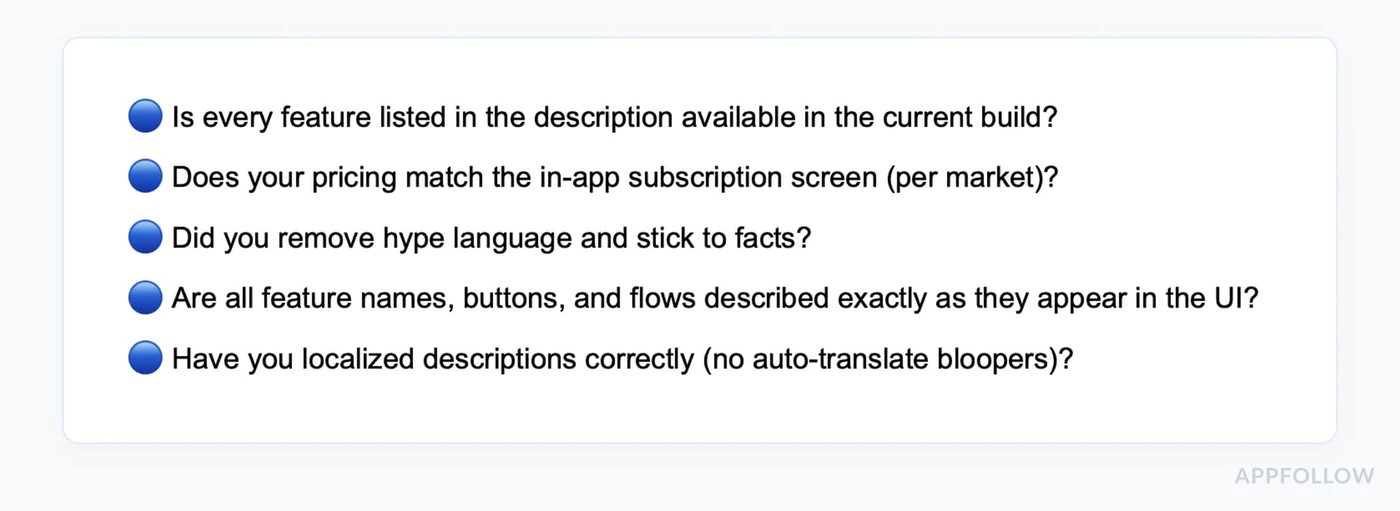
-
验证计费实现
- 使用Google Play Billing(通过native-purchases)
- 所有在Play Console中创建的订阅产品
- 基本计划和优惠配置正确
- 产品已激活并发布
- 为所有目标国家设置了价格
-
测试购买流程
- 创建测试许可帐户
- 从Play测试轨道安装构建
- 测试每个订阅级别
- 验证产品正确加载
- 测试购买完成
- 确认 测试购买 广告条出现
- 验证高级功能解锁
- 测试订阅恢复
- 测试多台设备
-
查看所有复制
- 在购买前显示明确的价格
- 所有费用在购买前都已披露
- 订阅条款清晰
- 取消订阅的流程已解释
- 不含误导性声明
-
应用内容和隐私
- 在Play Console中链接隐私政策
- 在应用中可访问隐私政策
- 已完成广告声明
- 如果应用被限制,已添加应用访问说明
- 已准确完成数据安全部分
- 权限已被合理化并记录
-
内容评级和受众
- 完成内容评级问卷
- 完成目标受众和内容部分
- 确保评级与实际内容匹配
- 在问卷中声明应用内购买
-
准备商店列表
- 应用描述准确
- 短描述在 80 个字符以内
- 全描述在 4000 个字符以内
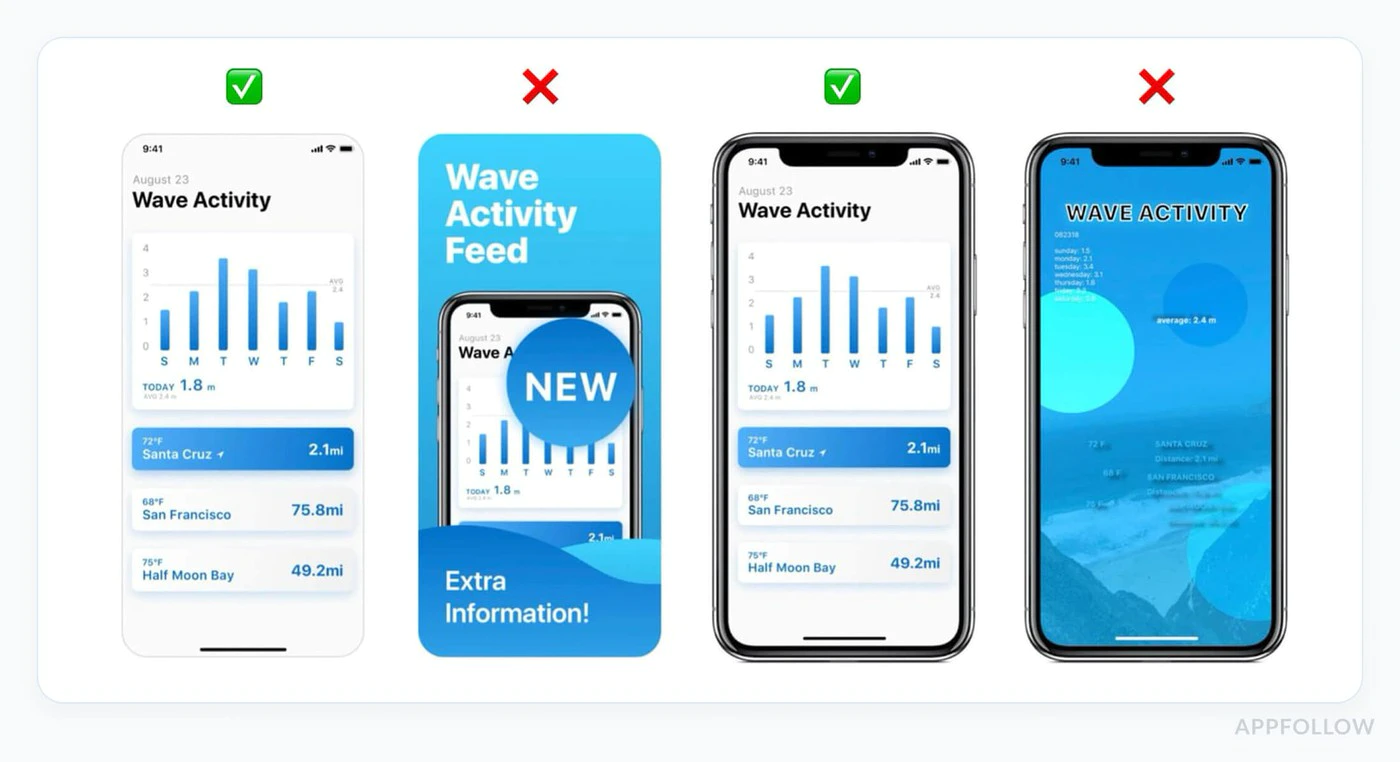
- 至少上传 2 个手机截图
- 上传 1024x500 的特征图像
- 截图显示当前版本
- 所有必需资产已上传
审查时间线
标题为“审查时间线”新个人帐户的生产访问: 通常在您申请后7天或更短时间内 首次生产审查: 上下文:Capgo Builder / 原生云构建产品页面。角色:短UI标签或导航项。消息键`native_build_builder_credit_first` (原生构建构建者信用第一) Updates: 更新: 通常比首次发布快,但仍需要审查 申诉:
:::tip 滚动评审 与苹果不同,谷歌会持续评审应用程序。您的应用程序可能在评审期间随时发布,而不是在固定的时间。 :::
测试前提交
标题:测试前提交标题:许可测试
添加测试账户:-
前往Play控制台
- 设置>许可测试
- 添加用于测试的Gmail账户
- 测试在沙盒中:
-
复制到剪贴板
import { NativePurchases, PURCHASE_TYPE } from '@capgo/native-purchases';
// Test purchases with license test accountasync function testInSandbox() {  const { isBillingSupported } = await NativePurchases.isBillingSupported();  if (!isBillingSupported) {    console.error('Billing not supported in this environment');    return;  }
  // Fetch products (returns test pricing when using a license tester)  const { products } = await NativePurchases.getProducts({    productIdentifiers: ['premium_monthly'],    productType: PURCHASE_TYPE.SUBS,  });
  console.log('Test products:', products);
  // Make test purchase (no charge)  const transaction = await NativePurchases.purchaseProduct({    productIdentifier: 'premium_monthly',    planIdentifier: 'monthly-plan',    productType: PURCHASE_TYPE.SUBS,  });
console.log('Test purchase complete:', transaction.transactionId);}- :::
- 当使用测试账户进行购买时
- 应看到“测试购买”通知
- 不会发生实际收费
内部和封闭测试轨迹
标题为“内部和封闭测试轨迹”在生产发布之前:
- 创建一个 内部测试 轨迹用于快速QA或一个 封闭测试 轨迹用于更广泛的测试
- 上传一个签名
.aab并发布测试版本 - 添加测试者邮箱地址并分享优惠链接
- 让测试者从Google Play安装构建
- 在Play安装的构建上验证购买流程从头到尾工作
- 如果您的个人开发者帐户创建于2023年11月13日之后,请至少在14个连续的天内将至少12个测试者保留在关闭测试中,才能申请生产
在Google Play Billing中验证时,侧载的调试构建不能代替Play安装的测试构建
原生购买最佳实践
原生购买最佳实践处理所有购买状态
处理所有购买状态import { NativePurchases, PURCHASE_TYPE } from '@capgo/native-purchases';
async function handlePurchase(productId: string, planIdentifier?: string) { try { setLoading(true);
const transaction = await NativePurchases.purchaseProduct({ productIdentifier: productId, planIdentifier, productType: planIdentifier ? PURCHASE_TYPE.SUBS : PURCHASE_TYPE.INAPP, });
console.log('Purchase token:', transaction.purchaseToken ?? transaction.receipt);
// Success - check entitlements from the store const { purchases } = await NativePurchases.getPurchases({ productType: planIdentifier ? PURCHASE_TYPE.SUBS : PURCHASE_TYPE.INAPP, });
const isOwned = purchases.some( (purchase) => purchase.productIdentifier === productId && (purchase.purchaseState === 'PURCHASED' || purchase.purchaseState === '1') && purchase.isAcknowledged, );
if (isOwned) { unlockPremiumFeatures(); showSuccess('Premium activated!'); }
} catch (error: any) { // Handle specific error cases switch (error.code) { case 'USER_CANCELLED': // User backed out - no error needed console.log('Purchase cancelled'); break;
case 'ITEM_ALREADY_OWNED': // They already own it - restore instead showInfo('You already own this! Restoring...'); await NativePurchases.restorePurchases(); break;
case 'ITEM_UNAVAILABLE': showError('This subscription is currently unavailable. Please try again later.'); break;
case 'NETWORK_ERROR': showError('Network error. Please check your connection and try again.'); break;
default: showError('Purchase failed. Please try again.'); console.error('Purchase error:', error); } } finally { setLoading(false); }}实现恢复购买
Section titled “恢复购买”import { NativePurchases, PURCHASE_TYPE } from '@capgo/native-purchases';
function RestorePurchasesButton() { const [loading, setLoading] = useState(false);
const handleRestore = async () => { setLoading(true);
try { await NativePurchases.restorePurchases();
const { purchases } = await NativePurchases.getPurchases({ productType: PURCHASE_TYPE.SUBS, });
const hasSubscription = purchases.some( (purchase) => purchase.productType === 'subs' && purchase.isAcknowledged, );
if (hasSubscription) { unlockPremiumFeatures(); showSuccess('Subscriptions restored!'); return; }
// Check one-time unlocks if needed const { purchases: iaps } = await NativePurchases.getPurchases({ productType: PURCHASE_TYPE.INAPP, }); const hasInApp = iaps.some((purchase) => purchase.productIdentifier === 'premium_unlock');
if (hasInApp) { unlockPremiumFeatures(); showSuccess('Previous purchases restored!'); return; }
showInfo('No previous purchases found.'); } catch (error) { showError('Failed to restore purchases. Please try again.'); } finally { setLoading(false); } };
return ( <button onClick={handleRestore} disabled={loading}> {loading ? 'Restoring...' : 'Restore Purchases'} </button> );}检查订阅状态
Section titled “检查订阅状态”import { NativePurchases, PURCHASE_TYPE } from '@capgo/native-purchases';
async function checkSubscriptionStatus() { try { const { purchases } = await NativePurchases.getPurchases({ productType: PURCHASE_TYPE.SUBS, });
const subscription = purchases.find( (purchase) => purchase.productIdentifier === 'premium_monthly' && (purchase.purchaseState === 'PURCHASED' || purchase.purchaseState === '1') && purchase.isAcknowledged, );
if (!subscription) { showPaywall(); return; }
console.log('Subscription active:', { productId: subscription.productIdentifier, expiresAt: subscription.expirationDate, willRenew: subscription.willCancel === false, purchaseToken: subscription.purchaseToken, });
unlockPremiumFeatures(); } catch (error) { console.error('Failed to check subscription:', error); }}如果您的应用程序被拒绝
Section titled “如果您的应用程序被拒绝”常见政策违规
Section titled “常见政策违规”支付政策:
- 未使用Google Play Billing
- 误导性订阅条款
- 隐含费用
用户数据政策:
- 缺失隐私政策
- 不准确的数据安全声明
- 过多权限
解决步骤
标题为“解决步骤”-
查看违反通知
- 阅读所指具体政策
- 了解Google标记的内容
- 检查他们提供的示例
-
修复问题
- 解决根本问题,而不是仅仅解决症状
- 修复后进行彻底的测试
- 记录所有所做的更改
-
提交申诉(如适用)
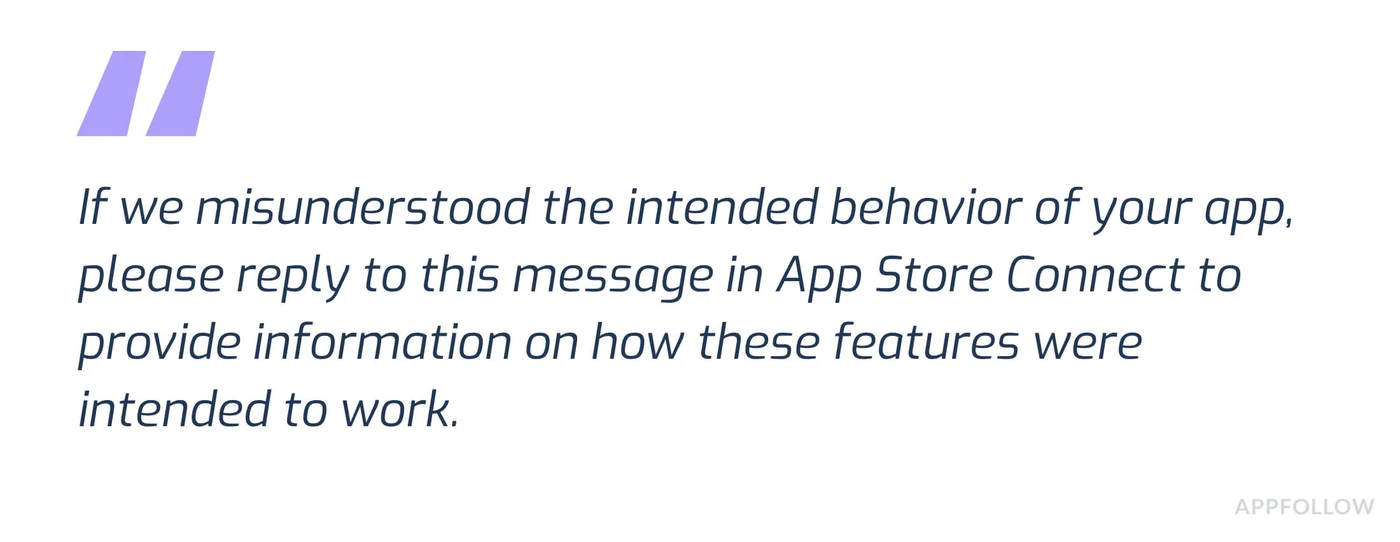 Subject: Policy Violation Appeal - [App Name]Dear Google Play Review Team,I have received notification that my app violates [Policy X.Y].I have made the following changes to comply:1. [Specific change made]2. [Specific change made]3. [Specific change made]The updated version [version number] addresses all concerns raised.Test account for verification:Email: test@example.comPassword: TestPass123Thank you for your consideration.
-
重新提交或更新
- 上传修复版本
- 重新提交审查
- 在Google Play控制台中监控状态
更多资源
附加资源需要专家帮助?
Section titled “需要专家帮助?”在 Play Store 审核中导航可能会很复杂,尤其是当您需要结合账单合规性、应用内容声明和测试跟踪设置。如果您需要个人化的帮助:
与我们的团队预约一场咨询电话 帮助您解决:
- 完成Play商店审查准备
- 测试跟踪设置和测试者招募
- IAP实施审查
- 数据安全和隐私合规
- 拒绝处理和申诉
- 完成应用程序提交流程
我们的专家已指导数百个应用程序通过成功的Play商店提交,并且可以帮助您了解当前的要求。
支持
帮助查看
- 原生购买文档 Native Purchases文档
- 检查 安卓沙盒测试指南
- 访问 Google Play开发者支持
继续从安卓Play Store Review指南中进行IAP
标题:继续从安卓Play Store Review指南中进行IAP如果您正在使用 安卓Play Store Review指南中的IAP 来规划安全性和合规性,连接它与 使用@capgo/native-purchases 为native能力在使用@capgo/native-purchases中 加密 为 __CAPGO_KEEP_0__ 加密实现细节 遵守 为 __CAPGO_KEEP_0__ 加密实现细节 Capgo 安全扫描器 为 Capgo 安全扫描器的产品工作流程 Capgo 安全 为 Capgo 安全的产品工作流程


