
iOS App Store Review 指南
复制一个包含安装步骤和此插件的完整Markdown指南的设置提示
包含安装、同步和源 Markdown 指南。
iOS App Store 审核流程
在您提交之前标题:在您提交之前
完成 App Store Connect 设置在 Apple 审核您的购买流程之前,确保应用程序记录本身是完整的:
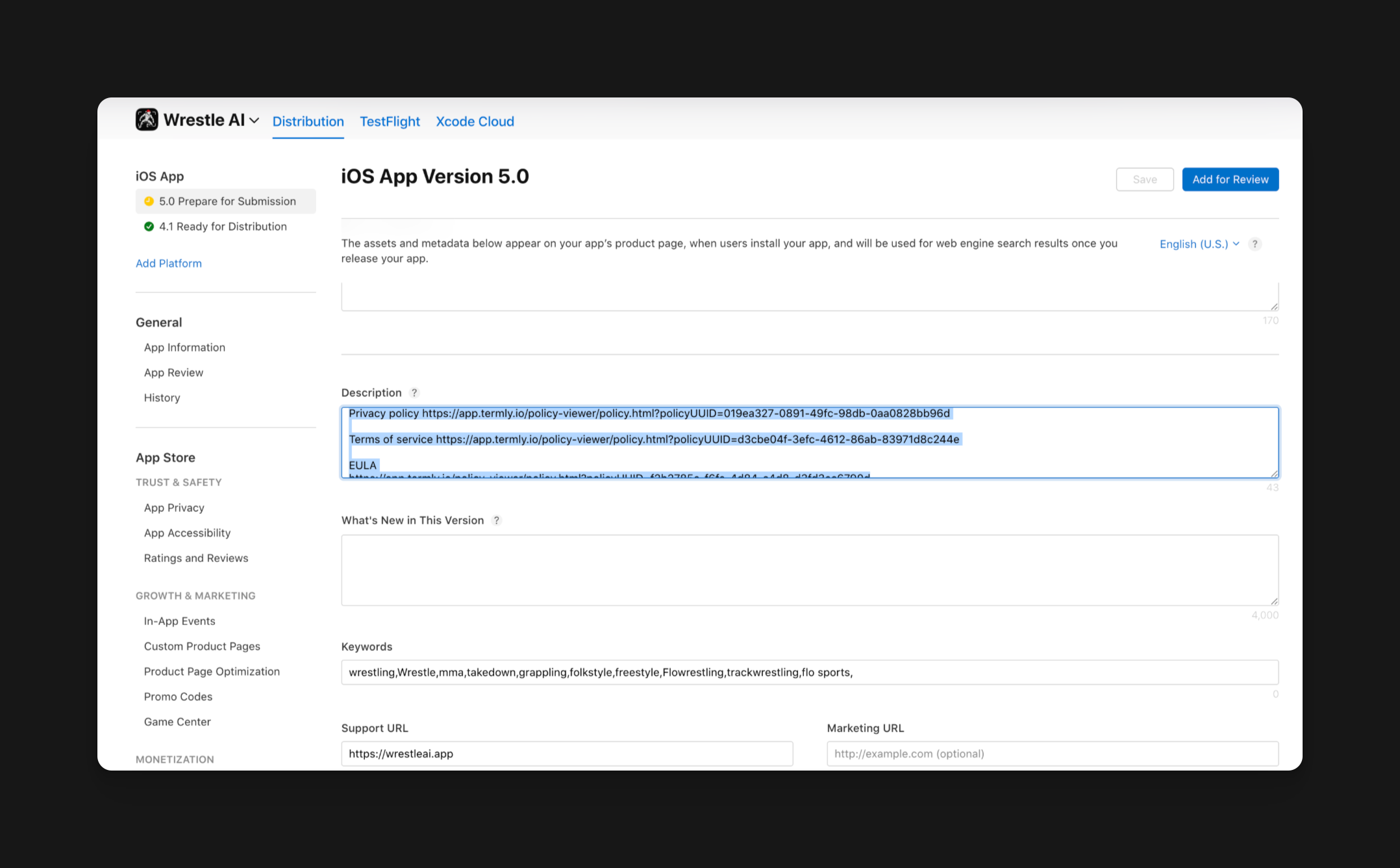
- 添加 隐私政策 URL 在 App Store Connect 中
- 添加 支持 URL 该 URL 指向用户的真实联系信息
- 完成 年龄等级 问题问卷,以便应用程序可以发布
- 添加 应用程序审查联系信息 并且清晰的评论者注释
- 如果需要登录,请提供一个 demo账户,不会在审查期间过期
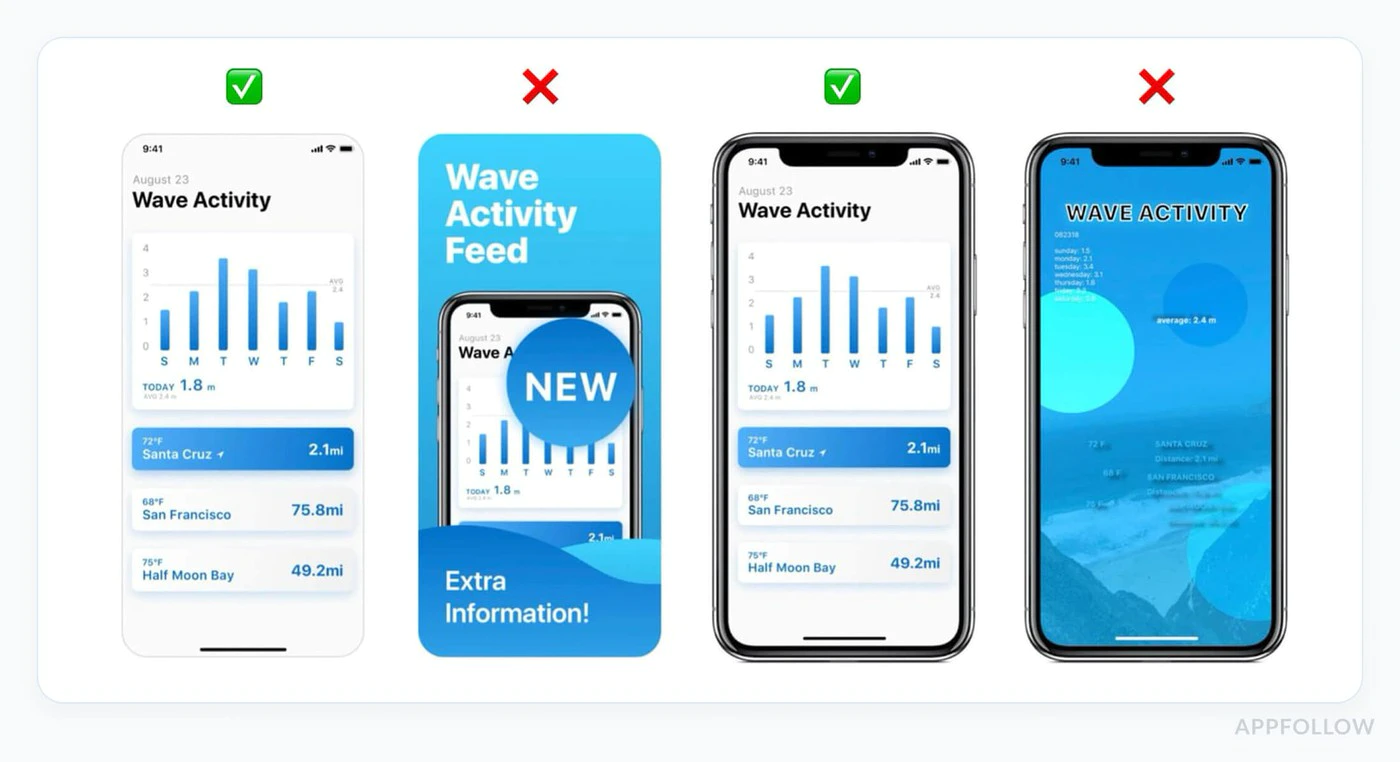
准备真实截图
标题为“准备真实截图”- 使用当前截图,从实际正在审查的构建中
- 对于iPhone,
1290 x 2796(6.7英寸)是最简单的默认尺寸 - 如果您的应用程序在iPad上运行,请上传iPad截图
- 当前接受的iPad大尺寸包括
2064 x 2752(13英寸)2048 x 2732(12.9英寸) - 不要将iPhone截图拉伸到模拟iPad支持
在TestFlight中进行Dry-Run评审旅程
标题:在TestFlight中进行Dry-Run评审旅程在真实设备上模拟苹果将遵循的确切路径:
- 从TestFlight安装最新版本
- 使用您打算提供的评审帐户登录
- 到达付费墙,避免隐藏的手势或调试菜单
- 完成购买、恢复和订阅管理流程
- 验证应用程序在权限被拒绝时仍然正常工作
内购要求
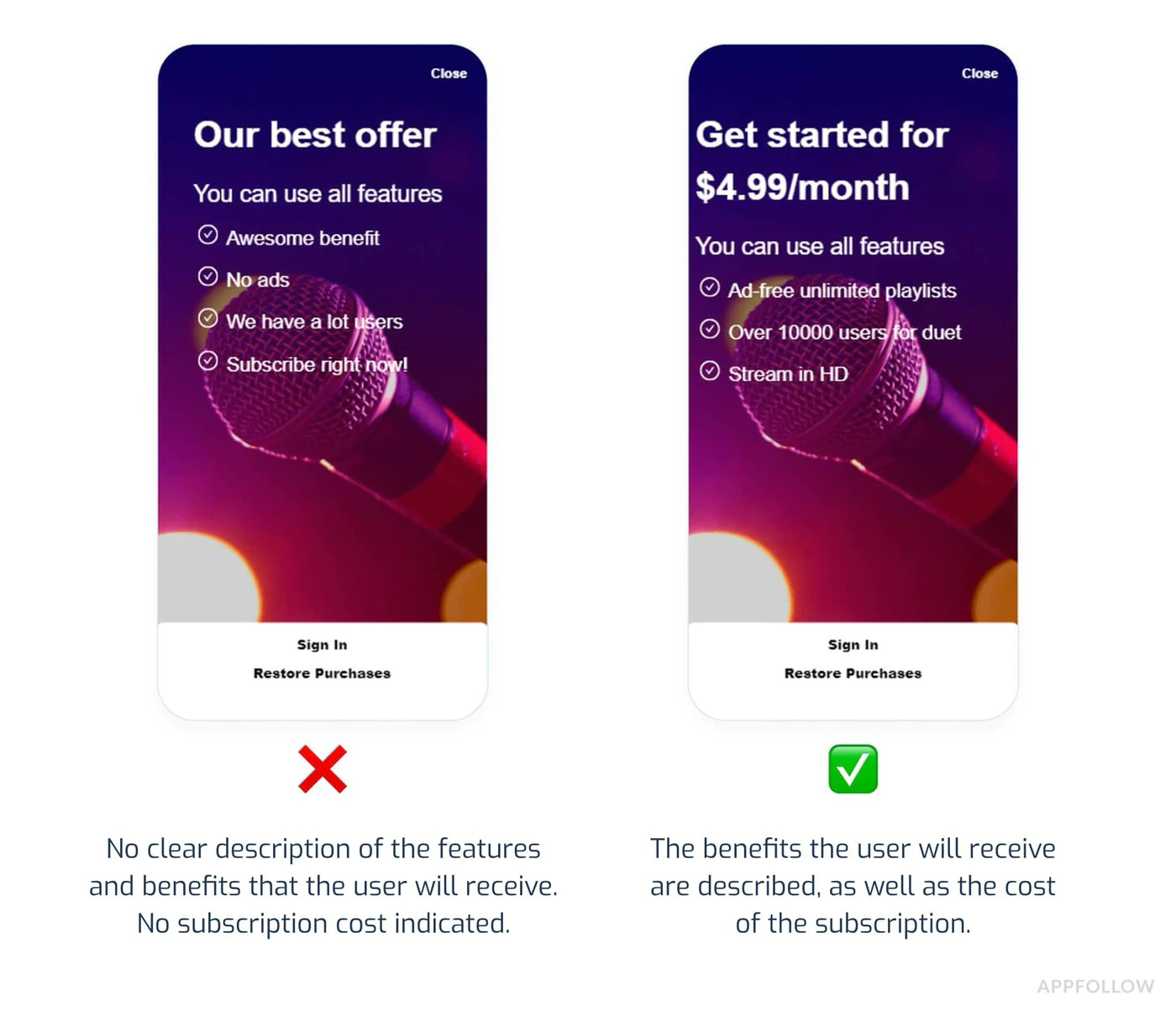
内购要求价格透明度(关键)
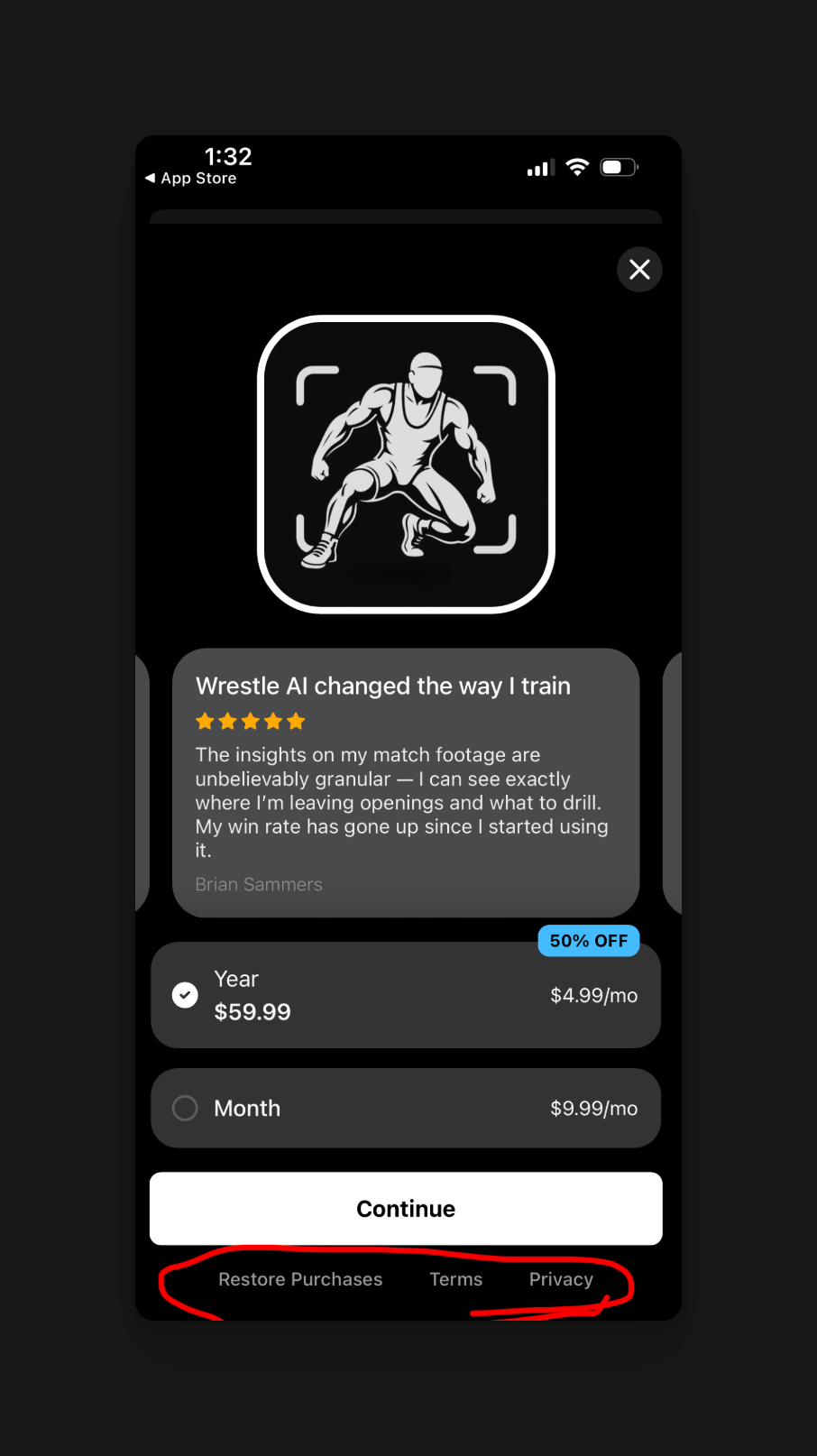
价格透明度(关键)苹果要求在任何购买之前,清晰地显示价格:
必须包含的元素:
- 在购买按钮之前显示准确的价格
- 显示计费频率(例如,“每月 $9.99”)
- 清晰地说明用户为他们的钱得到什么
- 指出将发生的收费时间
常见的拒绝原因
“订阅价格必须清晰明确。”
:::caution 价格一致性 所有价格必须在以下地方一致:
- App Store 元数据列表
- 内购屏幕
- 订阅管理屏幕
即使是 $1 的差异,也会触发自动拒绝: 例如,App Store 列表 ($4.99) 和应用 ($5.99) 之间的差异。 :::
订阅计划展示
标题为“订阅计划展示”的部分必需的披露:
- 所有可用的订阅等级一起显示
- 每个等级的功能清晰比较
- 不通过 UI trick 自动跳转到高级等级
- 易于找到取消指南
遵守规范的UI示例
import { NativePurchases } from '@capgo/native-purchases';
function SubscriptionScreen() {  return (    <div>      <h2>Choose Your Plan</h2>
      {/* Show all tiers equally */}      <PlanCard        title="Basic"        price="$4.99/month"        features={['Feature A', 'Feature B']}      />      <PlanCard        title="Premium"        price="$9.99/month"        features={['All Basic', 'Feature C', 'Feature D']}        highlighted={false} // Don't force premium      />
      {/* Clear cancellation info */}      <Text>        Cancel anytime in Settings > Subscriptions.        No refunds for partial periods.      </Text>    </div>  );}
context: Capgo营销网站. 角色: UI标签. 见于: page agents/[slug].astro. 消息键 `agents_page_copy_label` (Agents Page Copy Label).
恢复购买恢复购买
必需的实现:
import { NativePurchases, PURCHASE_TYPE } from '@capgo/native-purchases';
async function restorePurchases() {  try {    await NativePurchases.restorePurchases();
    const { purchases } = await NativePurchases.getPurchases({      productType: PURCHASE_TYPE.SUBS,    });
    const activeSub = purchases.find(      (purchase) => purchase.isActive && purchase.expirationDate,    );
    if (activeSub) {      unlockPremiumFeatures();      showMessage('Purchases restored successfully!');      return;    }
    const { purchases: iaps } = await NativePurchases.getPurchases({      productType: PURCHASE_TYPE.INAPP,    });    const hasIap = iaps.some((purchase) => purchase.productIdentifier === 'premium_unlock');
    showMessage(      hasIap ? 'Premium purchase restored!' : 'No previous purchases found.',    );  } catch (error) {    showError('Failed to restore purchases. Please try again.');  }}
// Add a visible "Restore Purchases" button<Button onClick={restorePurchases}>  Restore Purchases</Button>
每个支持IAP的应用程序都必须为用户提供恢复之前购买的方法,而不必联系支持。
常见拒绝原因1. 应用程序崩溃或功能异常
1. 应用程序崩溃或功能异常为什么会失败:
- 应用程序在启动时崩溃
- 购买流程无法完成
- 截图中显示的功能无法正常工作
预防措施:
- 在真实设备上进行测试(不仅仅是模拟器)
- 测试所有订阅流程的完整性
- 验证收据验证工作正常
- 检查网络错误处理
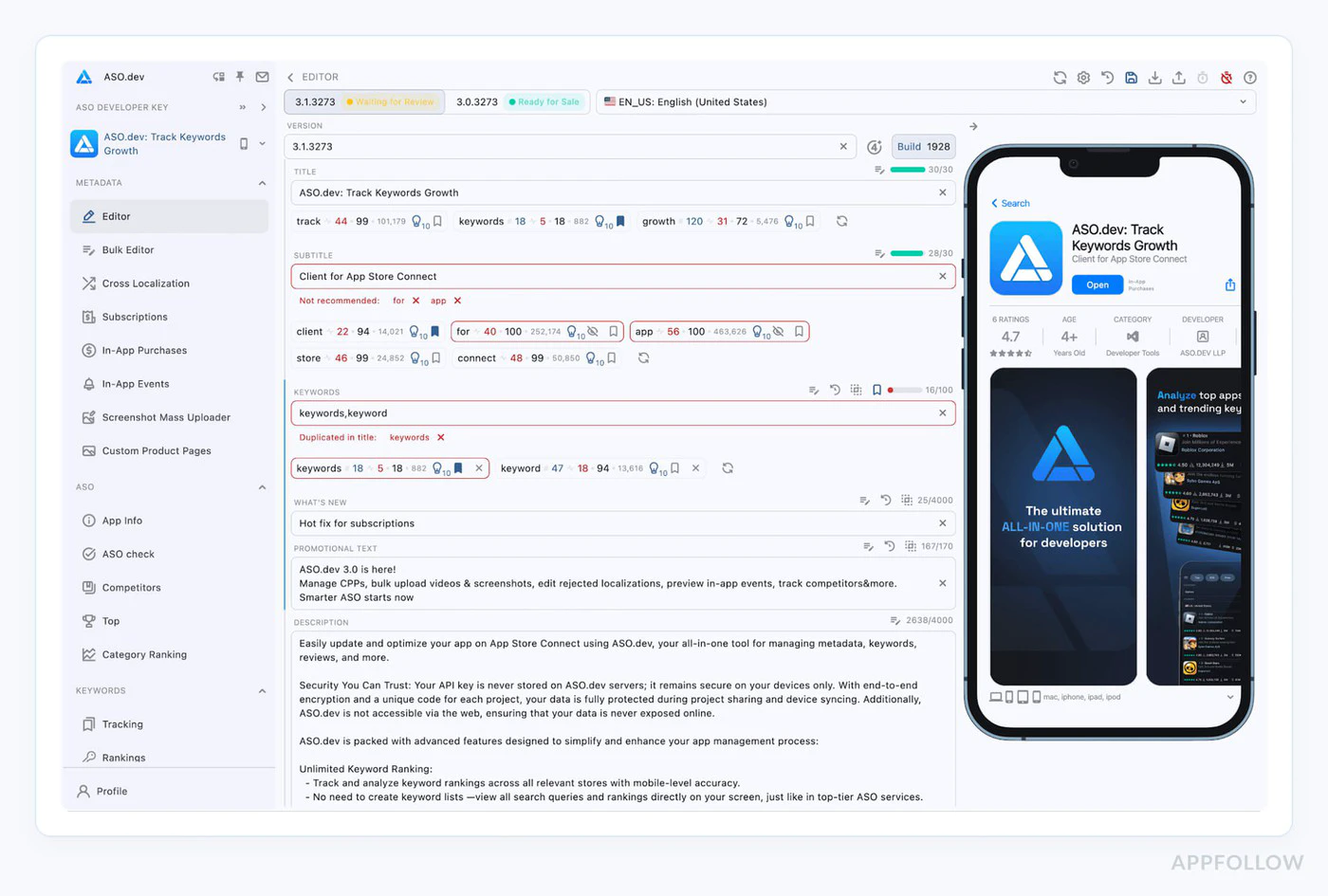
2. 元数据不匹配
2. 元数据不匹配为什么会失败:
- 截图显示当前版本中没有的功能
- 描述中提到的功能并不存在
- 元数据中的价格与应用内价格不一致
预防措施:
// Document exactly what's in each tierconst SUBSCRIPTION_FEATURES = {  basic: ['Ad-free', 'Cloud sync', 'Basic themes'],  premium: ['Ad-free', 'Cloud sync', 'All themes', 'Priority support']};
// Use these in both your app AND App Store description
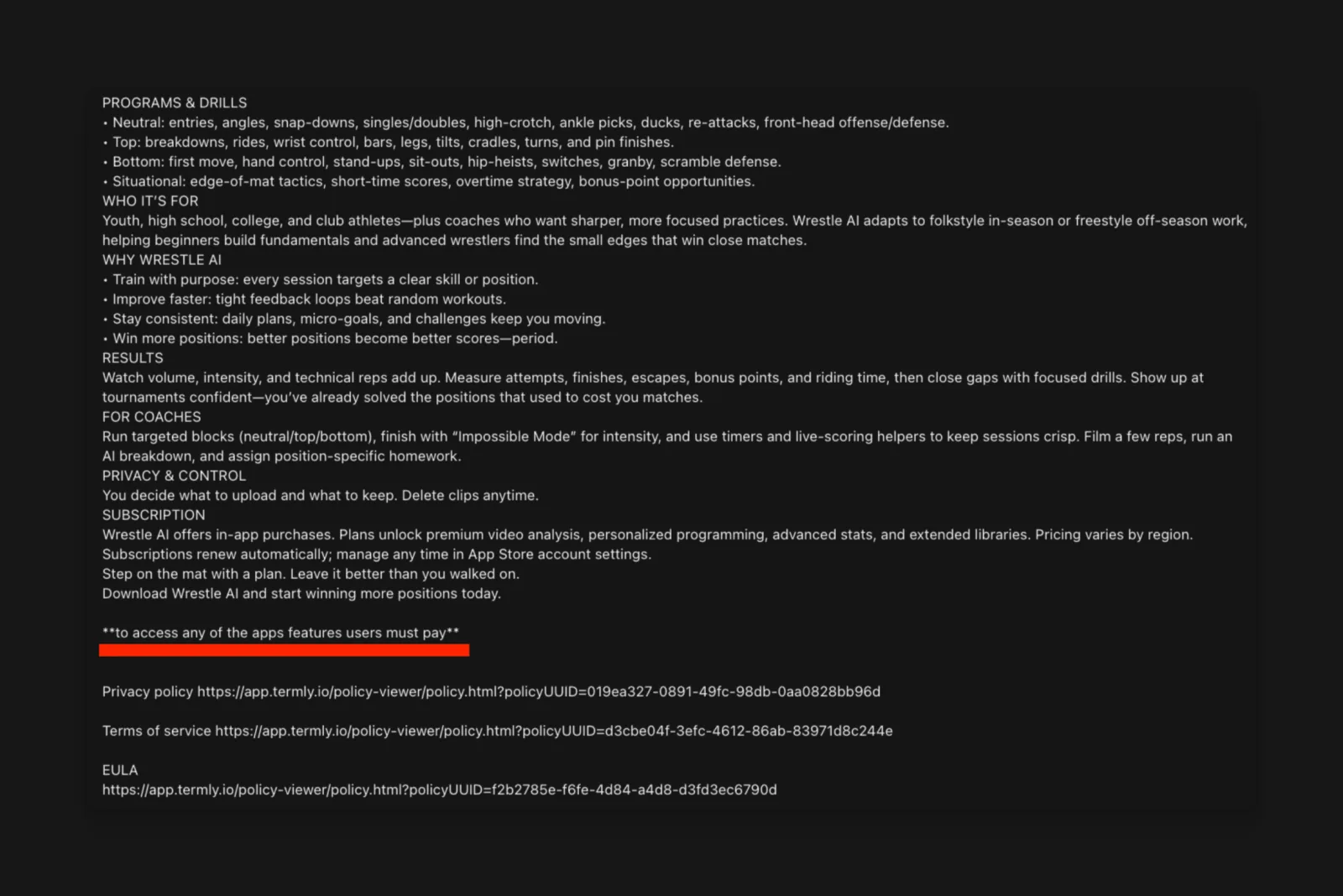
3. 权限说明缺失
3. 缺少权限说明为什么会失败:
- Section titled “2. Metadata Mismatches”
- 多层屏幕内的权限请求
- 模糊或通用权限描述
预防措施:
更新您的 Info.plist 带有清晰说明的
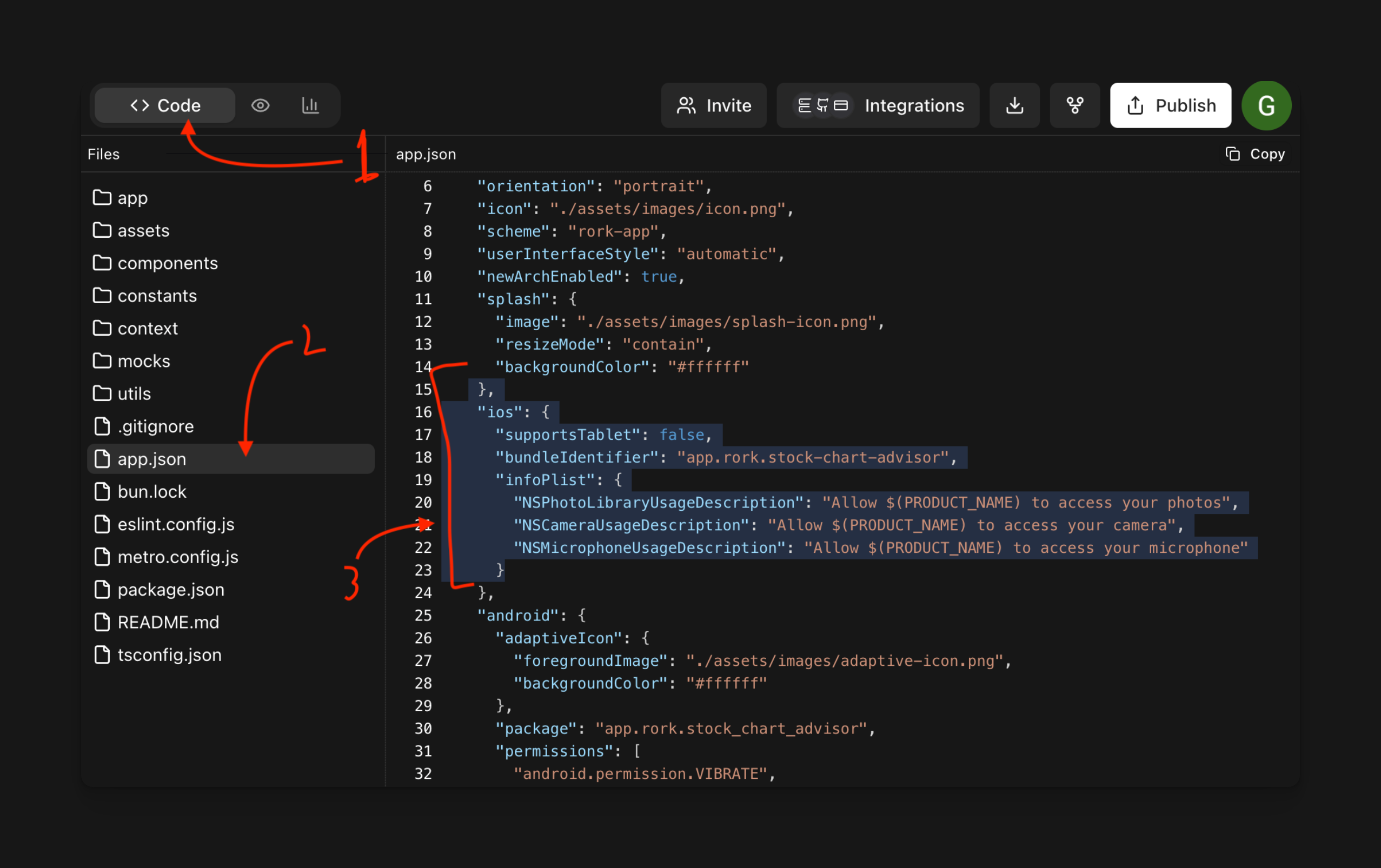
<key>NSCameraUsageDescription</key><string>Camera access is needed to scan product barcodes for quick subscription upgrades.</string>
<key>NSLocationWhenInUseUsageDescription</key><string>Location helps us show relevant local content in your Premium subscription.</string>
4. 欺骗式营销
名为“4. 欺骗式营销”的部分为什么会失败:
- 没有证据的“世界上最受欢迎的应用”之类的说法
- “无限”功能的隐含限制
- 虚假紧迫性策略(“仅剩2个位置!”)
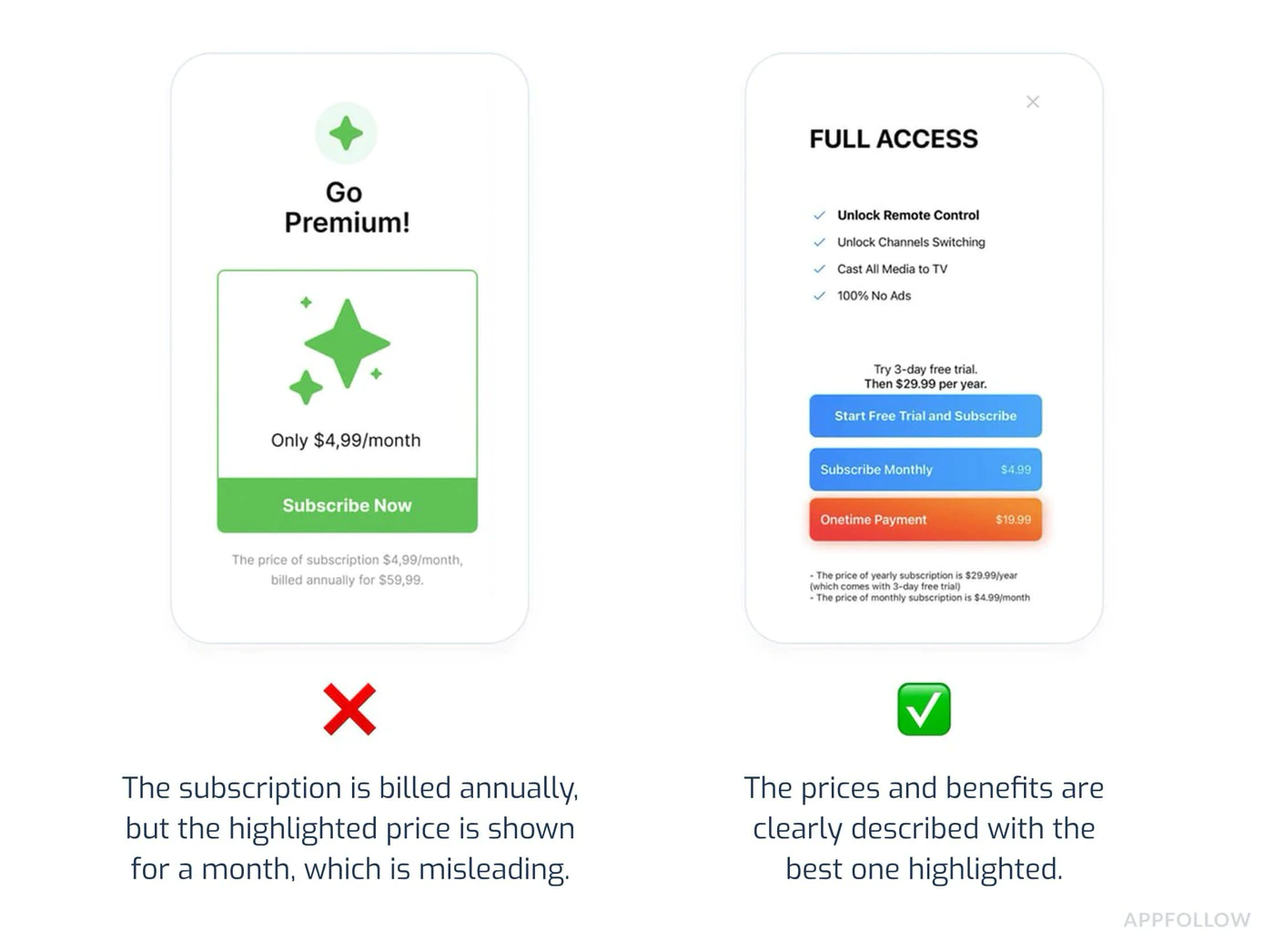
预防措施:
- 描述中要具体、事实
- 避免无证据的超级词
- 不要用虚假的稀缺性来胁迫用户
5. 隐含的取消流程
标题:5. 隐含的取消流程为什么会失败:
- 没有说明如何取消
- 取消按钮隐藏或遮挡
- 多步取消流程(不使用Apple原生流程)
预防措施:
// Always inform users about cancellationfunction SubscriptionInfo() {  return (    <div>      <h3>How to Cancel</h3>      <ol>        <li>Open iPhone Settings</li>        <li>Tap your name at the top</li>        <li>Tap Subscriptions</li>        <li>Select this app and tap Cancel</li>      </ol>
      <p>Or manage directly in the App Store app.</p>
      <Button onClick={openSubscriptionManagement}>        Manage Subscription in Settings      </Button>    </div>  );}
async function openSubscriptionManagement() {  // Direct link to iOS subscription management  await NativePurchases.showManageSubscriptions();}
隐私和数据使用(第5.1.1节)
隐私和数据使用(第5.1.1节)2025年,Apple对隐私要求进行了重大调整。
必需的披露
每个权限都需要披露:为什么需要它(具体用例)
- 何时会使用
- __CAPGO_KEEP_0__
- 数据如何存储/共享
- 是否为必填或选填项
示例:正确的权限流程
标题:示例:正确的权限流程async function requestCameraPermission() { // Show explanation BEFORE requesting await showDialog({ title: 'Camera Access', message: 'We need camera access to let you scan barcodes for quick product lookup. Your photos are never uploaded or stored.', buttons: ['Not Now', 'Allow'] });
// Then request permission const result = await Camera.requestPermissions(); return result.camera === 'granted';}隐私营养标签
确保您的App Store隐私标签准确反映:收集购买历史
- 电子邮件地址(用于收据)
- 设备ID(用于欺骗防御)
- 使用数据(用于分析)
- Copy to clipboard
2025 年,隐私标签不准确是拒绝的常见原因。请小心审查数据收集。
提交前检查清单
提交前检查清单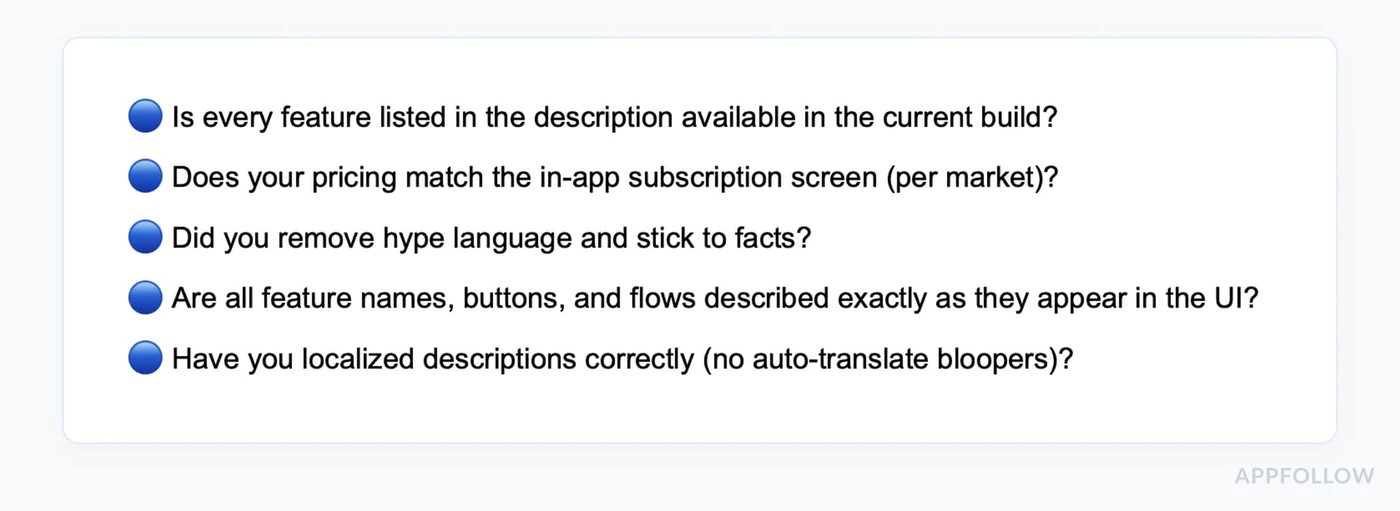
-
测试所有购买流程
- 购买每个订阅等级
- 测试免费试用
- 验证首次购买优惠正确
- 测试恢复购买
- 验证家庭共享(如果启用)
- 测试多台设备
-
验证价格一致性
- 检查 App Store 元数据与应用内价格匹配
- 验证所有货币正确
- 确认试用期限与描述匹配
- 检查引导性优惠条款准确
-
复核所有文案
- 移除占位文本
- 验证所有声明可测试
- 检查语法和拼写
- 确保描述与当前版本匹配
- 移除竞争对手提及
-
测试权限
- 仅请求必要权限
- 在请求之前显示清晰的说明
- 测试“拒绝”流程(应用程序仍应正常工作)
- 验证Info.plist描述清晰
-
准备测试账户
- 创建一个在审查期间有效的评论账户
- 在App Review信息中记录登录凭证
- 验证审查者可以访问付墙并完成购买流程
- 如果需要,请在Notes字段中包含额外账户或应用程序特定switch
-
验证元数据
- 截图与当前UI匹配
- 支持URL包含真实的联系信息
- 隐私政策URL已填写
- 年龄等级与内容匹配
- 应用预览视频(如果有)显示当前版本
- 描述准确地描述了功能
- 隐私政策在应用内和商店列表中都可访问
-
写详细的评论笔记
Contact:Name: Jane DeveloperEmail: review@yourapp.comPhone: +1 555-0100Test Account:Email: reviewer@test.comPassword: TestPass123!This account does not expire during review.Testing Instructions:1. Log in with test account above2. Tap "Upgrade to Premium" button3. Select "Monthly Premium" subscription4. Complete purchase (no charge in sandbox)5. Verify premium features unlockNote: Subscription pricing is clearly shown before purchase.Cancellation instructions are in Settings > Account.
评论时间线
评论时间线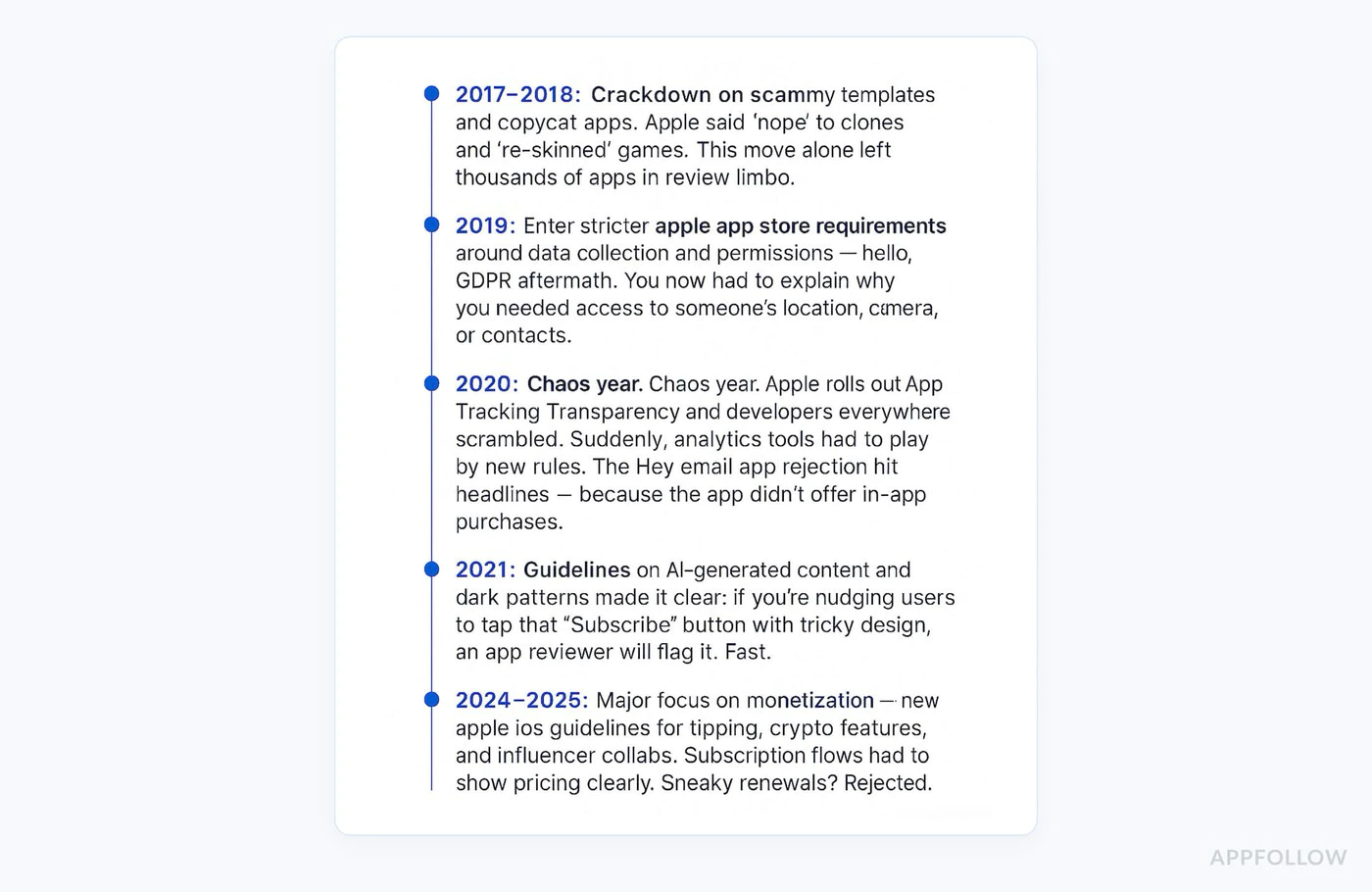
标准评论: 24-48小时 高峰期: 3-5天(App Store节假日发布) 周末: 没有处理的评论 加速审核: 可用于关键bug修复(通过App Store Connect请求)
App Store Connect中您可能会看到的常见状态:
Waiting for ReviewIn ReviewPending Developer ReleaseRejected
2026年提交焦点
2026年提交焦点当前重点领域
当前关注领域1. 订阅清晰度
- 2. 元数据准确性
- 3.隐私和评审细节质量
- 2. 必须提供与正在评审的构建匹配的截图
2. 如果启用了iPad支持,则必须提供iPad截图
- 2. 在提交之前,支持URL和隐私政策应该已经发布
- 3.隐私披露必须与您的SDK实际收集的内容匹配
- 3. 应用评审联系信息和备注应该在第一次提交时就完成
1. 订阅清晰度
- 2. 必须提供与正在评审的构建匹配的截图
- 2. 如果启用了iPad支持,则必须提供iPad截图
- Demo凭证必须在整个审查窗口内保持有效
4. 提交准备
- 苹果更新最低SDK要求定期,因此在上传发布版之前确认当前截止日期
- TestFlight是验证准确审查者路径的最安全地方
原生购买插件最佳实践
原生购买插件最佳实践正确处理错误
正确处理错误import { NativePurchases, PURCHASE_TYPE } from '@capgo/native-purchases';
async function handlePurchase(productId: string) { try { const transaction = await NativePurchases.purchaseProduct({ productIdentifier: productId, productType: PURCHASE_TYPE.SUBS, });
// Success await validateReceiptOnServer(transaction.receipt); showSuccess('Subscription activated!'); unlockFeatures();
} catch (error: any) { // Handle specific error cases if (error.code === 'USER_CANCELLED') { // User cancelled - don't show error console.log('Purchase cancelled by user'); } else if (error.code === 'PAYMENT_PENDING') { showInfo('Payment is pending. Please check back later.'); } else if (error.code === 'PRODUCT_ALREADY_PURCHASED') { // Restore instead await NativePurchases.restorePurchases(); } else { // Show user-friendly error showError('Unable to complete purchase. Please try again.'); } }}显示加载状态
显示加载状态function PurchaseButton({ productId }: { productId: string }) { const [loading, setLoading] = useState(false);
const handlePurchase = async () => { setLoading(true); try { await NativePurchases.purchaseProduct({ productIdentifier: productId }); } finally { setLoading(false); } };
return ( <button onClick={handlePurchase} disabled={loading}> {loading ? 'Processing...' : 'Subscribe Now'} </button> );}明确显示条款
明确显示条款function SubscriptionTerms() { return ( <div className="terms"> <p> Subscription automatically renews unless cancelled at least 24 hours before the end of the current period. </p> <p> Your account will be charged for renewal within 24 hours prior to the end of the current period. </p> <p> Subscriptions may be managed by the user and auto-renewal may be turned off in Account Settings after purchase. </p> <p> <a href="/terms">Terms of Service</a> | <a href="/privacy/">Privacy Policy</a> </p> </div> );}复制到剪贴板
如果您的应用程序被拒绝如果您的应用程序被拒绝
解决步骤-
解决步骤
- 仔细阅读拒绝原因
- 注意具体被引用指南(例如,3.1.1,5.1.1)
-
准确理解苹果标记的内容
- 彻底解决问题
- 测试修复方案
- 记录您所做的更改
-
在解决中心回复
Thank you for your feedback. I have addressed the issue:Issue: Subscription pricing not clear upfrontFix: Added explicit pricing display on subscription selectionscreen showing "$9.99/month" before purchase button. Also addedcancellation instructions on the same screen.The changes are in this submission and can be tested using theprovided test account. -
及时重新提交
- 重新提交通常会更快
- 通常在24小时内
申诉流程
申诉流程如果您认为拒绝是错误的:
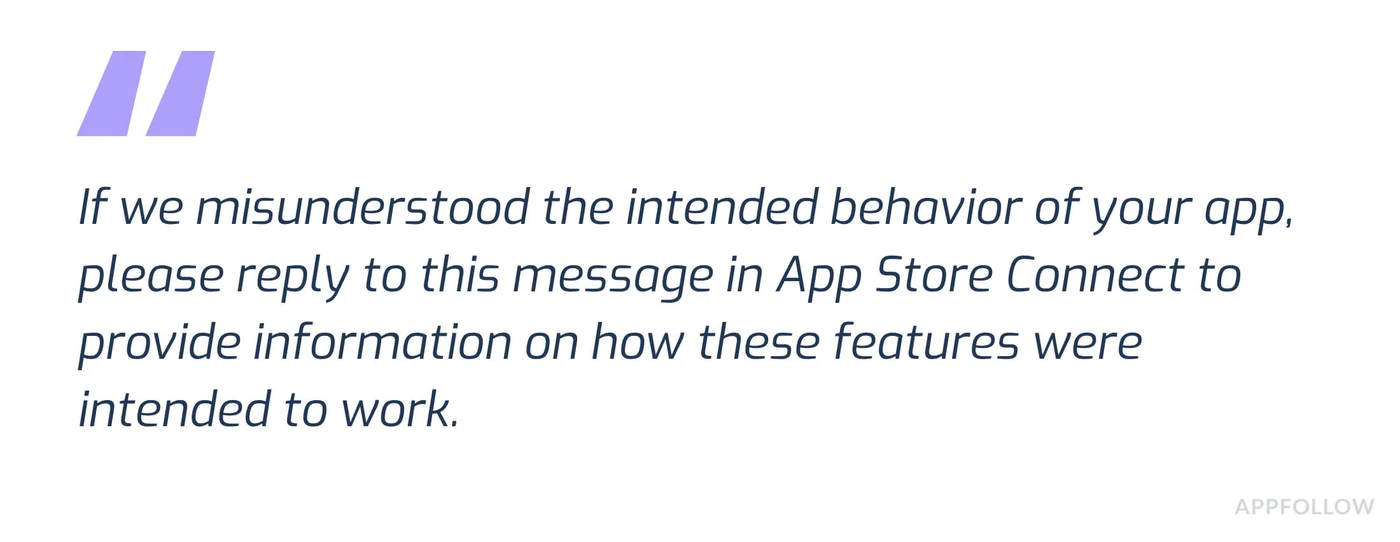
- 点击 App Store Connect 中的“申诉”
- 提供明确的证据:
- 截图显示遵守
- 具体指南的引用
- 解释如何满足要求
- 专业和事实
- 如果功能难以找到,请包含测试账户
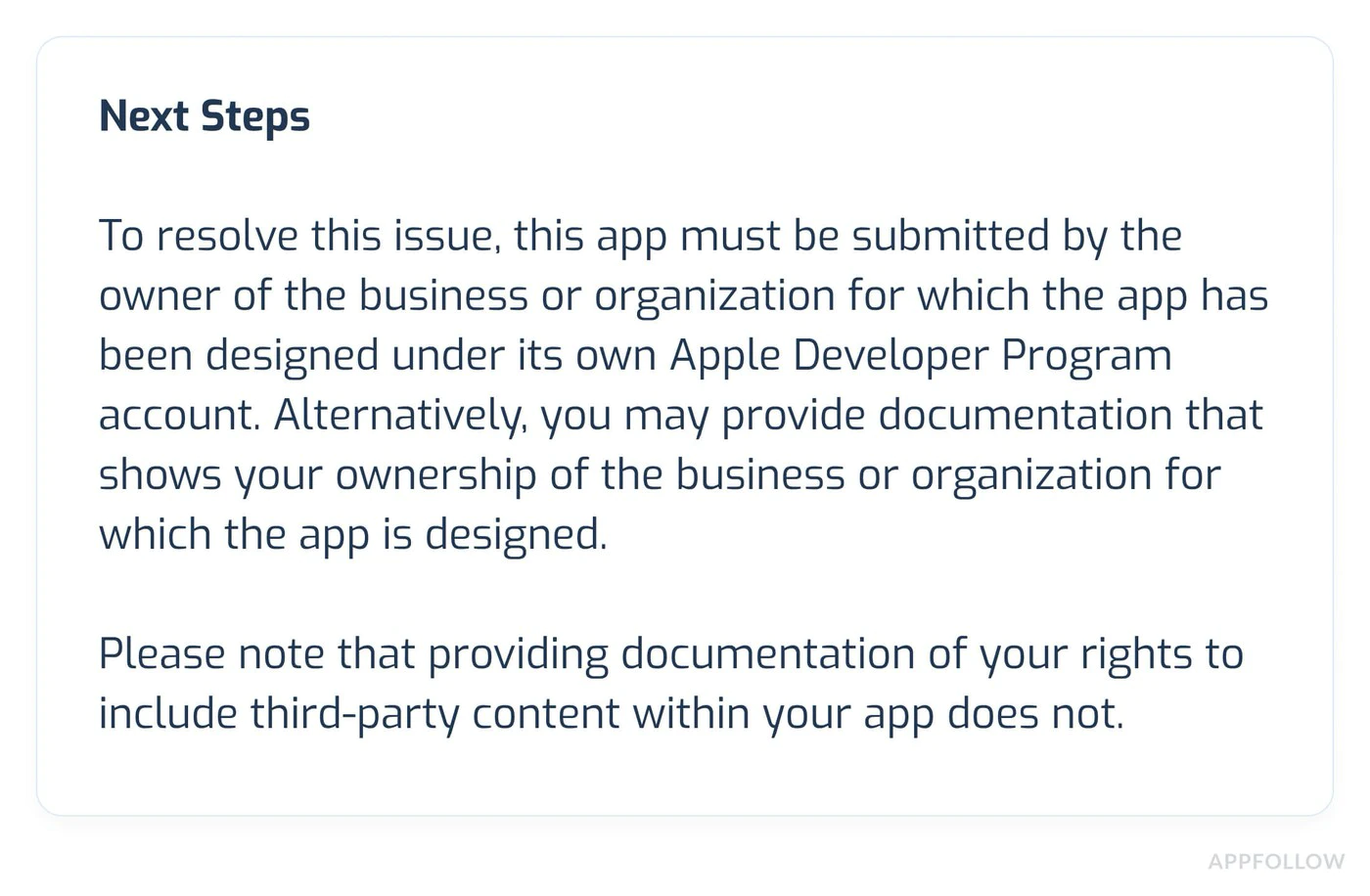
附加资源
标题为“附加资源”支持
支持如果您仍然遇到问题:
需要专家帮助?
Section titled “需要专业帮助?”您在应用评审或需要个人化辅导时感到困难? 预约与我们的团队进行电话会议 专注于以下方面的支持:
- IAP 实现评审和优化
- 应用商店评审准备和策略
- 提交清单评审
- 拒绝解决和申诉
- 完整测试和验证
我们的专家已经成功帮助了数百个应用通过评审!
继续从 iOS App Store Review Guidelines for IAP
Section titled “继续从 iOS App Store Review Guidelines for IAP”如果您正在使用 iOS App Store 评审指南 来规划商店审批和分发,连接它与 使用@capgo/native-purchases 为@capgo/native-purchases中的本机能力 使用@capgo/capacitor-in-app-review 为@capgo/capacitor-in-app-review中的实现细节 使用@capgo/capacitor-in-app-review 为使用@capgo/capacitor-in-app-review中的本机能力 使用@capgo/capacitor-native-market 为@capgo/capacitor-native-market中的实现细节 使用@capgo/capacitor-native-market 为使用@capgo/capacitor-native-market的原生能力。
部署Capacitor应用 上下文: Capgo营销网站。角色: 短UI标签或导航项。见于:组件doc/SignupCta.astro,组件Hero.astro。保留Capgo产品/品牌和开发者术语的原始形式。消息键`hero_title_line1`(Hero Title Line1)。
无需等待


上下文: Capgo营销网站。角色: 网站副本句子。见于:组件doc/SignupCta.astro,组件Hero.astro。消息键`hero_subtitle_v2`(Hero Subtitle V2)。 免费开始