
Directives de l'App Store iOS pour les IAP
Copiez un prompt de configuration avec les étapes d'installation et le guide markdown complet pour ce plugin.
Pour faire approuver votre application sur l'App Store, vous devez respecter scrupuleusement les directives d'Apple, en particulier pour les achats intégrés et les abonnements. Ce guide couvre tout ce que vous devez savoir pour passer la revue dès votre première soumission.
Avant de soumettre
Section intitulée « Avant la soumission »Finaliser la configuration App Store Connect
Section intitulée « Finaliser la configuration d'App Store Connect »Avant qu'Apple n'examine votre parcours d'achat, assurez-vous que la fiche de l'application est complète :
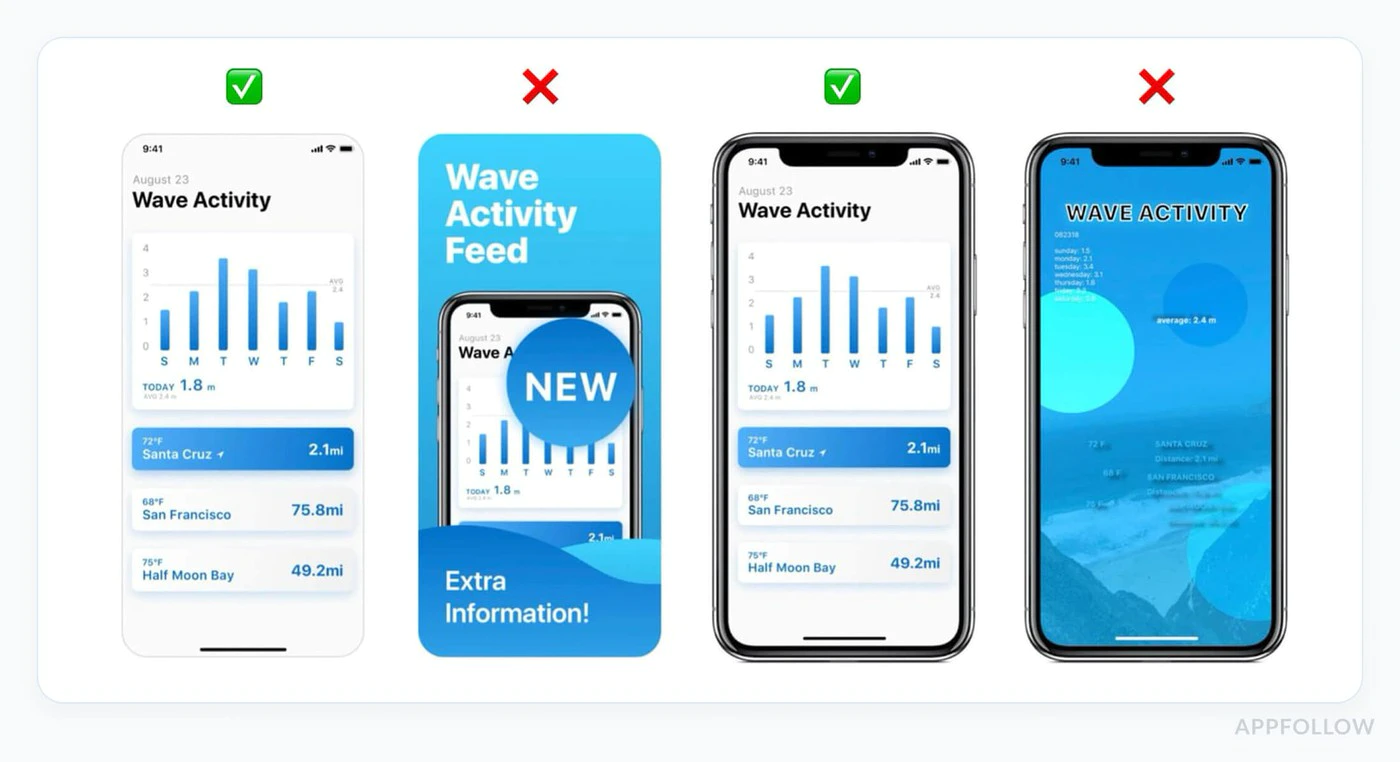
- Ajoutez une URL de la politique de confidentialité dans App Store Connect
- Ajoutez une URL de support qui mène à de véritables coordonnées pour les utilisateurs
- Complétez l' age rating questionnaire pour que l'app soit publiable
- Ajouter Coordonnées pour l'App Review et des notes claires pour le reviewer
- Si une connexion est requise, fournissez un compte de démo qui n'expire pas pendant la review
Préparer de vraies captures d'écran
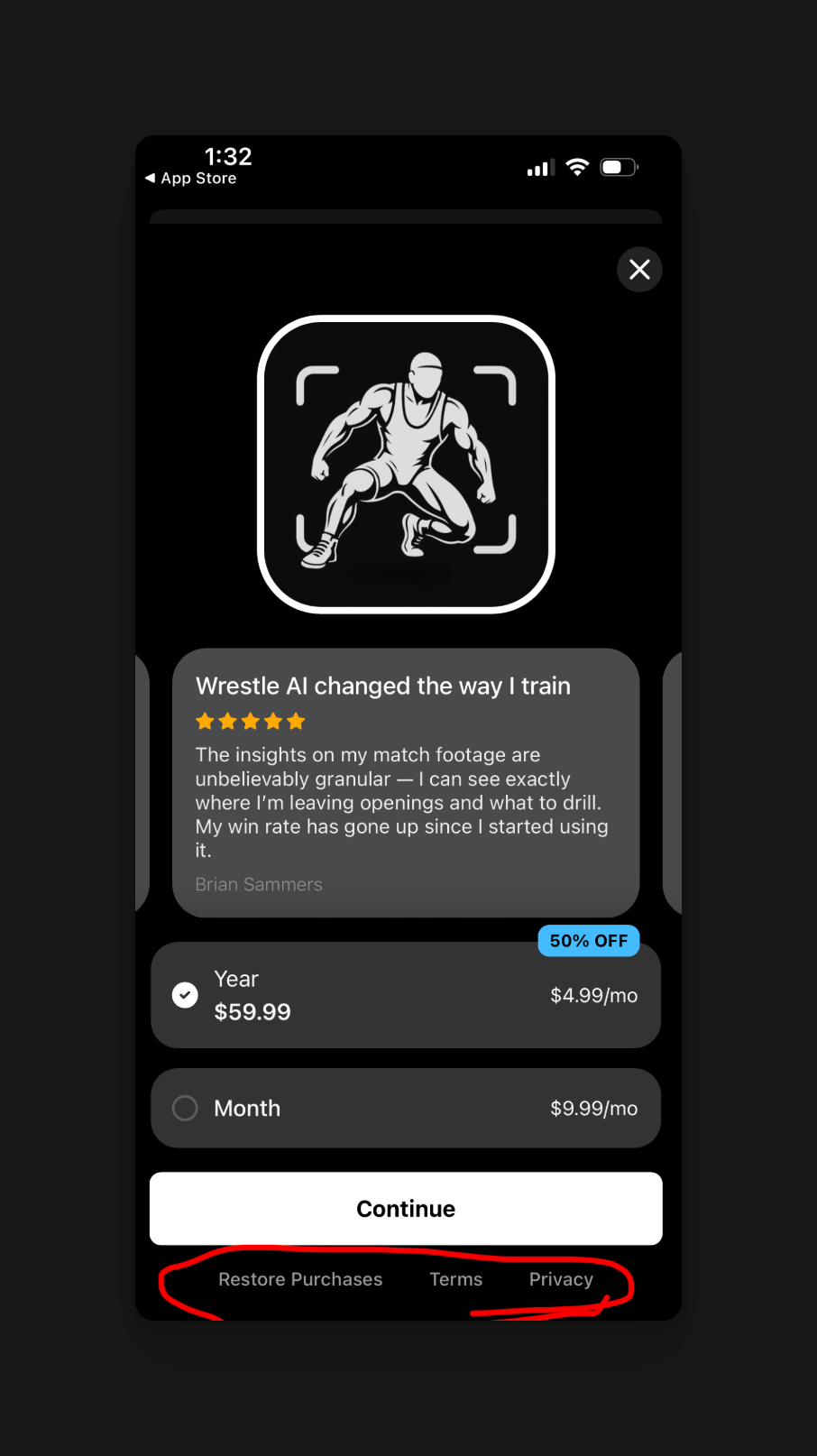
Section intitulée « Préparez de vraies captures d'écran »- Utilisez les captures d'écran actuelles du build réel en cours d'examen
- Pour l'iPhone,
1290 x 2796(6,7 pouces) est la taille par défaut la plus simple - Si votre app fonctionne sur iPad, envoyez aussi des captures d'écran iPad
- Les tailles d'iPad acceptées actuellement incluent
2064 x 2752(13 pouces) et2048 x 2732(12,9 pouces) - Ne déformez jamais les captures d'écran iPhone pour simuler le support iPad
Simulez le parcours du réviseur dans TestFlight
Section intitulée « Simulez le parcours du réviseur dans TestFlight »Suivez exactement le même chemin qu'Apple sur un appareil réel :
- Installez le dernier build depuis TestFlight
- Connectez-vous avec le compte de test que vous comptez fournir
- Accédez au paywall sans gestes cachés ni menus de debug
- Gérez les flux d'achat, de restauration et d'abonnement
- Vérifiez que l'app se comporte toujours correctement si les permissions sont refusées
Exigences pour les achats in-app
Section intitulée « Exigences pour les achats in-app »Transparence des tarifs (Critique)
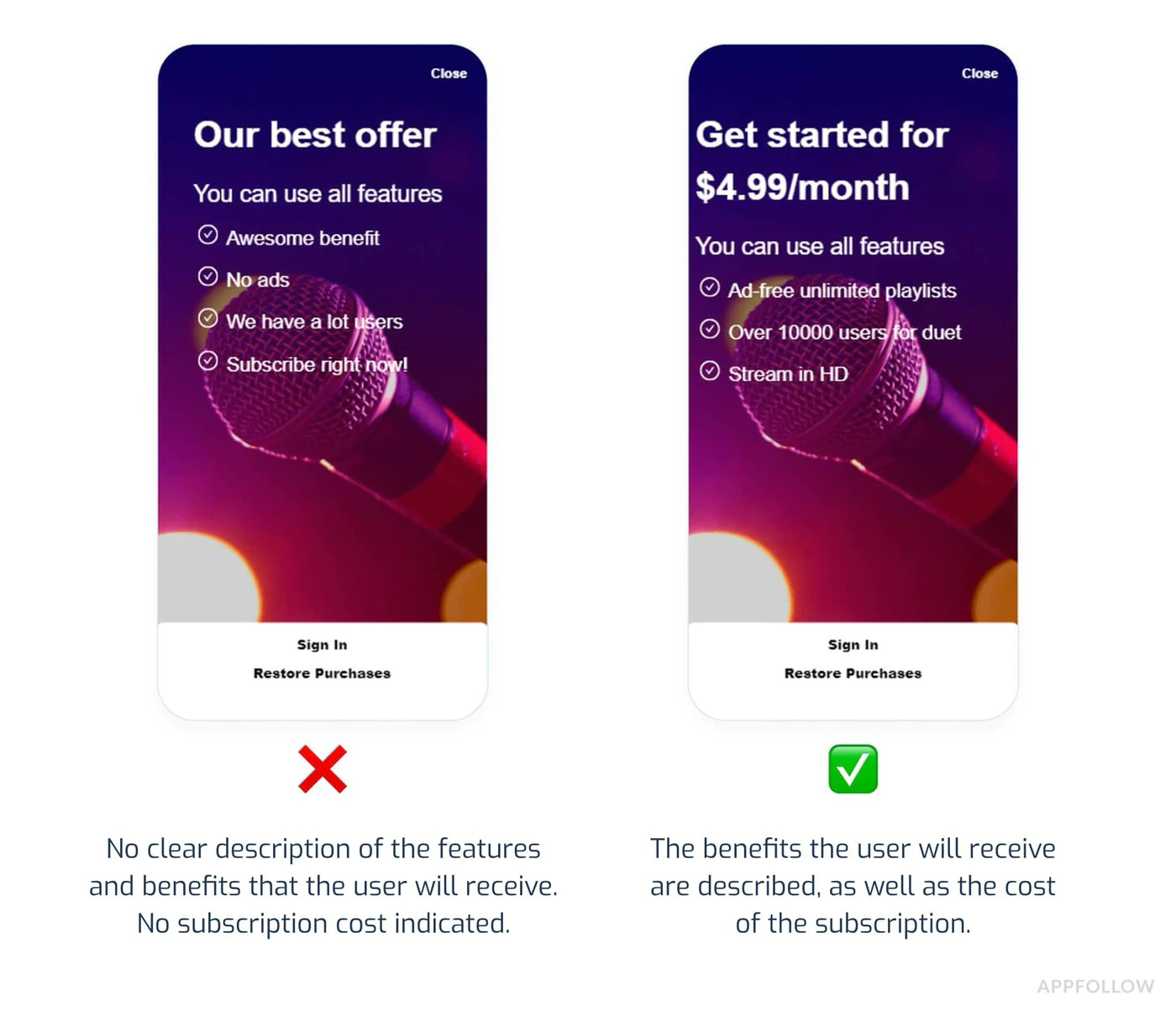
Section intitulée « Transparence des tarifs (Critique) »Apple exige une transparence totale sur les tarifs avant tout achat :
Éléments indispensables :
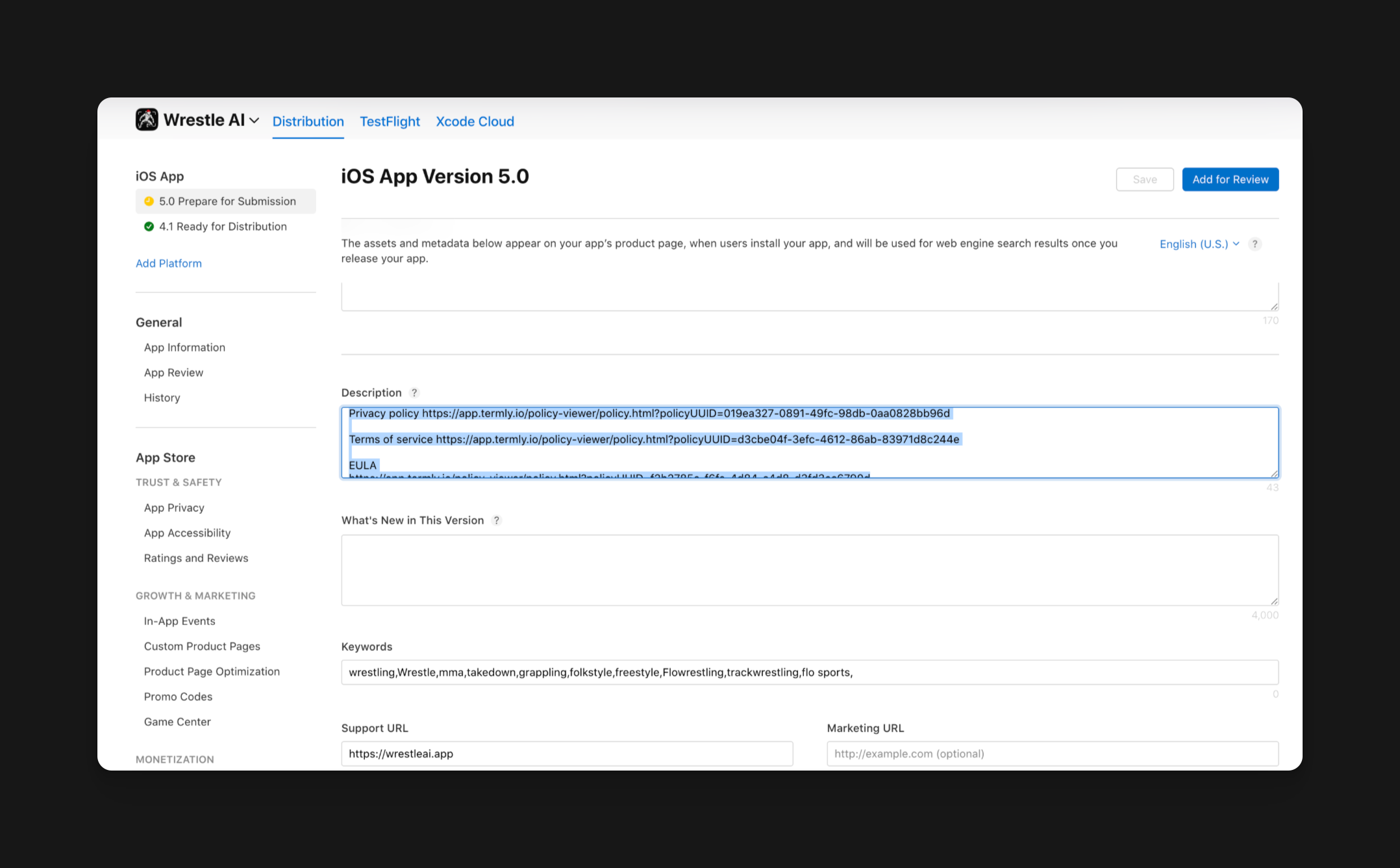
- Afficher le prix exact avant le bouton d'achat
- Indiquer la fréquence de facturation (ex : « 9,99 $/mois »)
- Préciser clairement ce que l'utilisateur obtient pour son argent
- Indiquer quand les prélèvements auront lieu
Motif de rejet courant :
« Le prix de l'abonnement doit être clair et explicite. »
:::caution Cohérence des prix Tous les prix doivent être identiques dans :
- La fiche descriptive de l'App Store
- Les écrans d'achat in-app
- Les écrans de gestion des abonnements
Même un écart de 1 $ entre la fiche du store (4,99 $) et l'app (5,99 $) entraînera un rejet automatique. :::
Présentation des plans d'abonnement
Section intitulée « Présentation des plans d'abonnement »Mentions obligatoires :
- Tous les niveaux d'abonnement disponibles affichés ensemble
- Comparaison claire des fonctionnalités par niveau
- Pas de sélection automatique du niveau premium via des astuces d'interface
- Instructions de résiliation faciles à trouver
Exemple d'UI conforme :
import { NativePurchases } from '@capgo/native-purchases';
function SubscriptionScreen() {  return (    <div>      <h2>Choose Your Plan</h2>
      {/* Show all tiers equally */}      <PlanCard        title="Basic"        price="$4.99/month"        features={['Feature A', 'Feature B']}      />      <PlanCard        title="Premium"        price="$9.99/month"        features={['All Basic', 'Feature C', 'Feature D']}        highlighted={false} // Don't force premium      />
      {/* Clear cancellation info */}      <Text>        Cancel anytime in Settings > Subscriptions.        No refunds for partial periods.      </Text>    </div>  );}
Restaurer les achats
Section intitulée « Restaurer les achats »Implémentation requise :
Toute application utilisant l'IAP doit permettre aux utilisateurs de restaurer leurs achats précédents sans contacter le support.
import { NativePurchases, PURCHASE_TYPE } from '@capgo/native-purchases';
async function restorePurchases() {  try {    await NativePurchases.restorePurchases();
    const { purchases } = await NativePurchases.getPurchases({      productType: PURCHASE_TYPE.SUBS,    });
    const activeSub = purchases.find(      (purchase) => purchase.isActive && purchase.expirationDate,    );
    if (activeSub) {      unlockPremiumFeatures();      showMessage('Purchases restored successfully!');      return;    }
    const { purchases: iaps } = await NativePurchases.getPurchases({      productType: PURCHASE_TYPE.INAPP,    });    const hasIap = iaps.some((purchase) => purchase.productIdentifier === 'premium_unlock');
    showMessage(      hasIap ? 'Premium purchase restored!' : 'No previous purchases found.',    );  } catch (error) {    showError('Failed to restore purchases. Please try again.');  }}
// Add a visible "Restore Purchases" button<Button onClick={restorePurchases}>  Restore Purchases</Button>
Motifs de rejet courants
Section intitulée « Motifs de rejet courants »1. Crash de l'app ou fonctionnalités défectueuses
Section intitulée « 1. Crash de l'app ou fonctionnalités défectueuses »Pourquoi cela échoue :
- L'app crash au lancement
- Le flux d'achat ne se termine pas
- Features shown in screenshots don’t work
Prévention :
- Testez sur des appareils réels (pas seulement des simulateurs)
- Testez tous les flux d'abonnement de bout en bout
- Vérifiez que la validation des reçus fonctionne
- Vérifiez la gestion des erreurs réseau
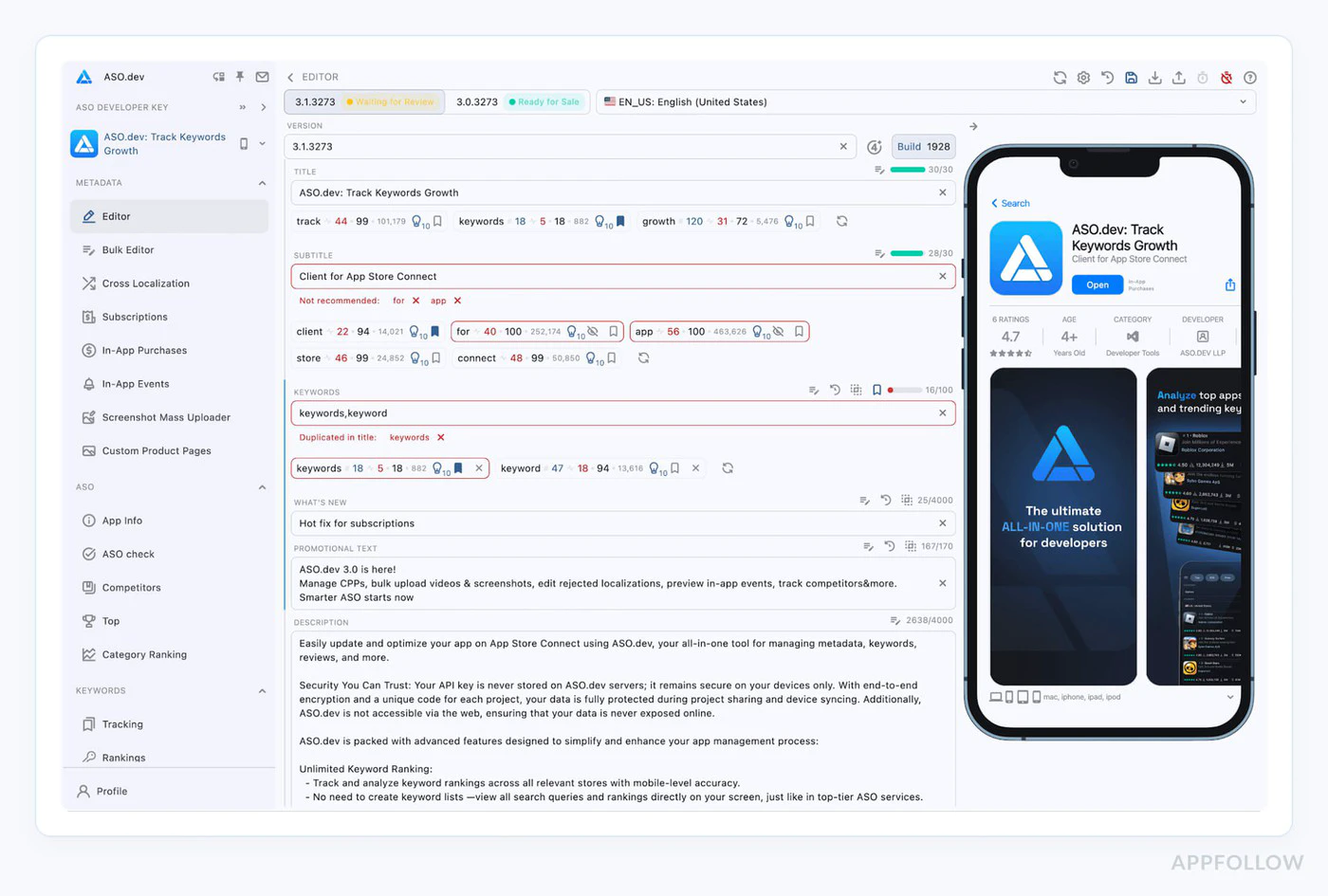
2. Écarts de métadonnées
Section intitulée « 2. Écarts de métadonnées »Pourquoi cela échoue :
- Screenshots show features not in current build
- La description mentionne des fonctionnalités qui n'existent pas
- Le prix dans les métadonnées diffère du prix in-app
Prévention :
// Document exactly what's in each tierconst SUBSCRIPTION_FEATURES = {  basic: ['Ad-free', 'Cloud sync', 'Basic themes'],  premium: ['Ad-free', 'Cloud sync', 'All themes', 'Priority support']};
// Use these in both your app AND App Store description
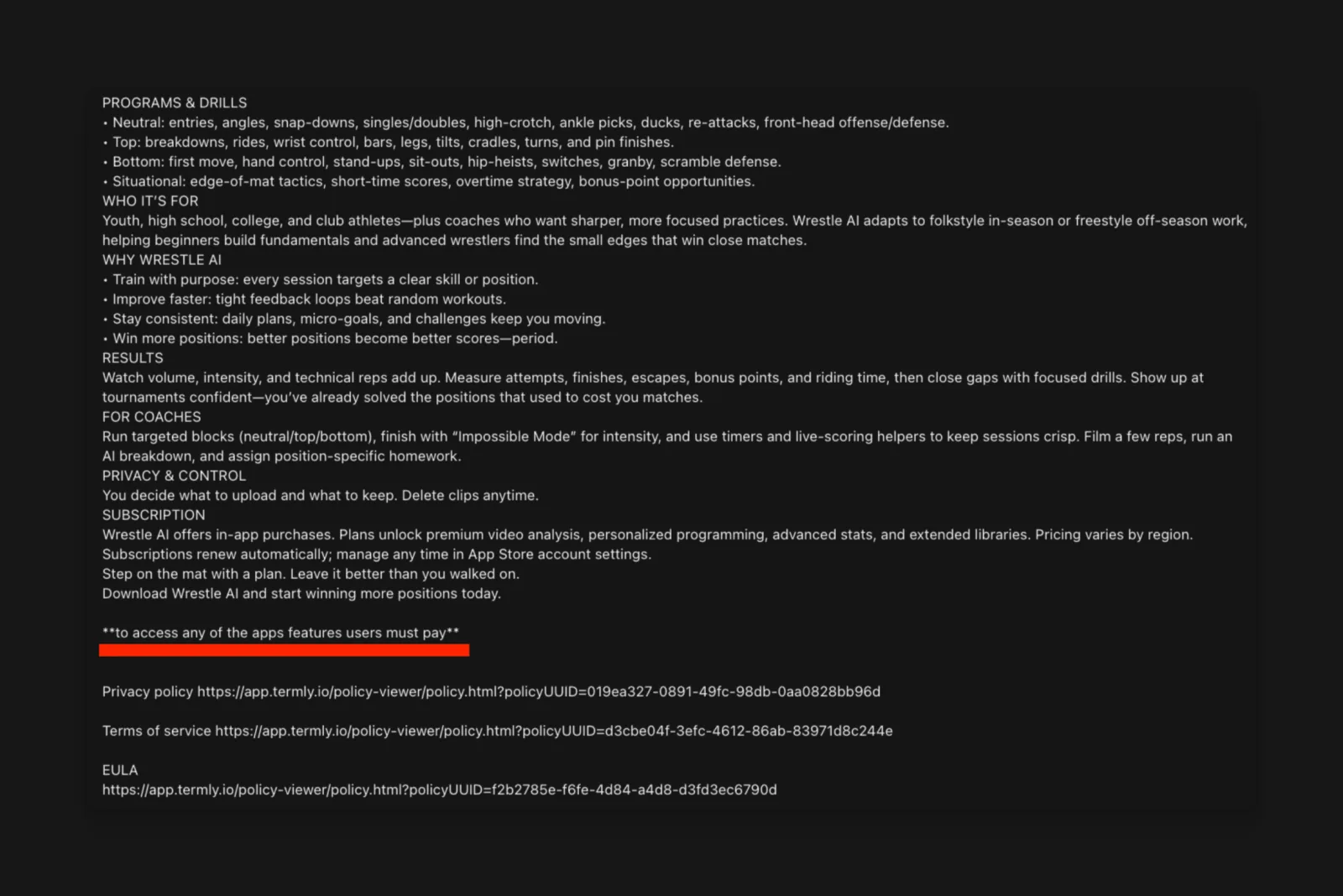
3. Explications de permissions manquantes
Section intitulée « 3. Explications de permissions manquantes »Pourquoi cela échoue :
- Demande d'accès caméra/localisation/santé sans explication
- Demandes de permissions cachées après plusieurs écrans
- Descriptions de permissions vagues ou génériques
Prévention :
Mettez à jour votre Info.plist avec des explications claires :
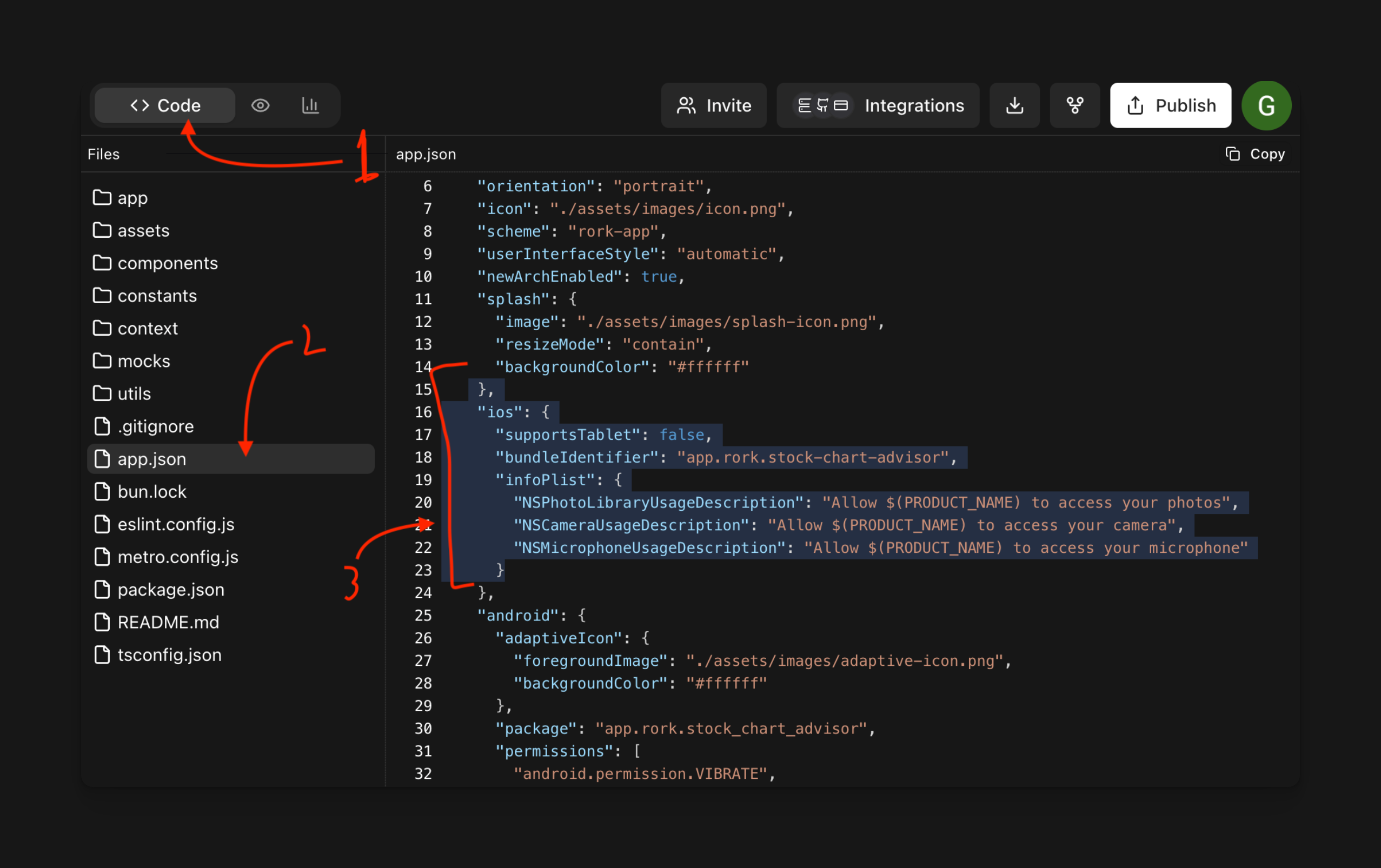
<key>NSCameraUsageDescription</key><string>Camera access is needed to scan product barcodes for quick subscription upgrades.</string>
<key>NSLocationWhenInUseUsageDescription</key><string>Location helps us show relevant local content in your Premium subscription.</string>
4. Marketing trompeur
Section intitulée « 4. Marketing trompeur »Pourquoi cela échoue :
- Allégations comme « l'app n°1 au monde » sans preuve
- Fonctionnalités « illimitées » avec des limites cachées
- Tactiques d'urgence factices (« Plus que 2 places ! »)
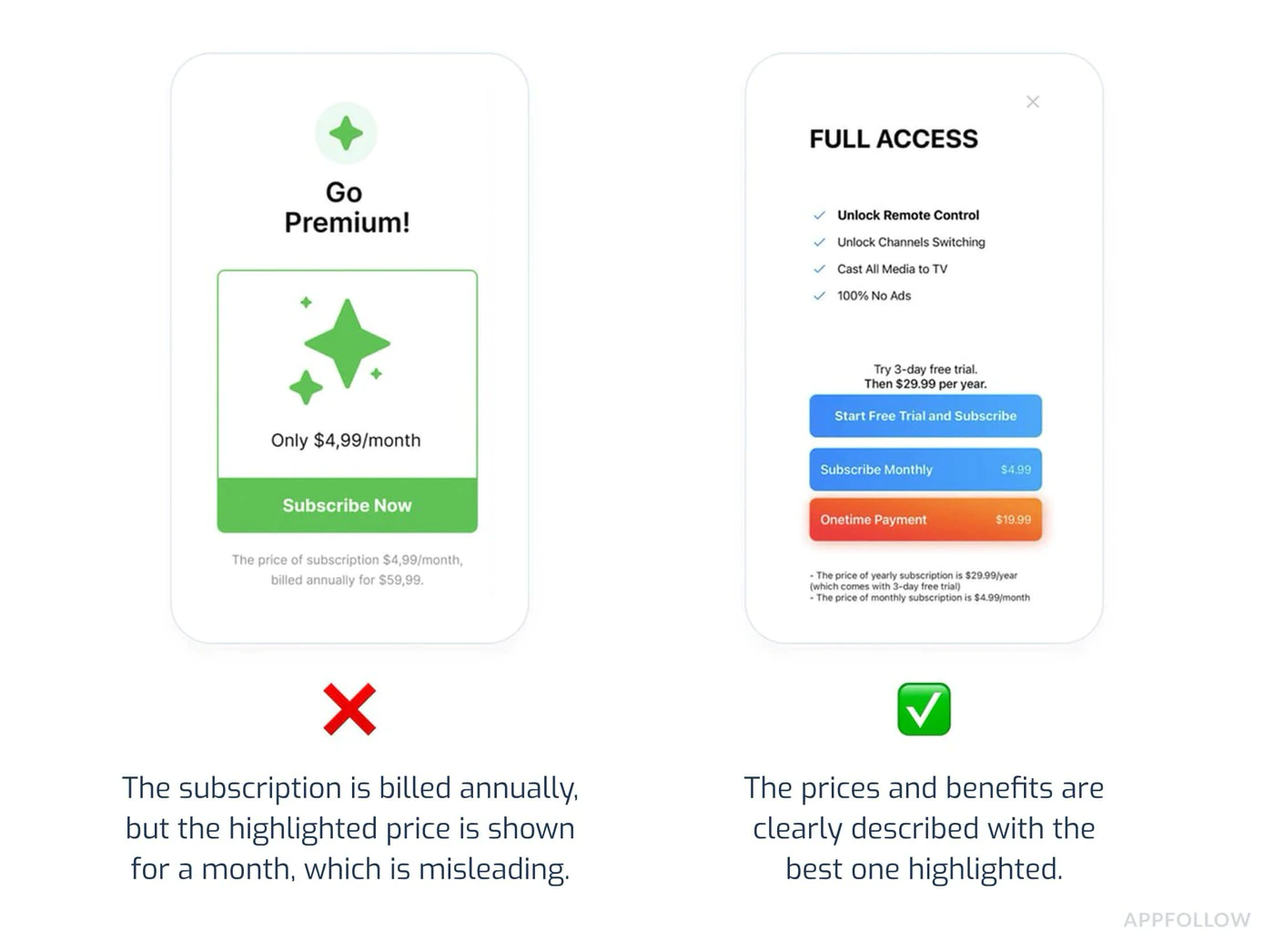
Prévention :
- Soyez précis et factuel dans vos descriptions
- Évitez les superlatifs sans preuves
- Ne poussez pas les utilisateurs avec une fausse urgence
5. Processus de résiliation caché
Section intitulée « 5. Processus de résiliation caché »Pourquoi cela échoue :
- Aucune mention de la procédure de résiliation
- Bouton de résiliation caché ou peu visible
- Processus d'annulation en plusieurs étapes sans le flux natif d'Apple
Prévention :
// Always inform users about cancellationfunction SubscriptionInfo() {  return (    <div>      <h3>How to Cancel</h3>      <ol>        <li>Open iPhone Settings</li>        <li>Tap your name at the top</li>        <li>Tap Subscriptions</li>        <li>Select this app and tap Cancel</li>      </ol>
      <p>Or manage directly in the App Store app.</p>
      <Button onClick={openSubscriptionManagement}>        Manage Subscription in Settings      </Button>    </div>  );}
async function openSubscriptionManagement() {  // Direct link to iOS subscription management  await NativePurchases.showManageSubscriptions();}
Confidentialité et utilisation des données (Section 5.1.1)
Section intitulée « Confidentialité et utilisation des données (Section 5.1.1) »Apple a considérablement renforcé les exigences de confidentialité en 2025.
Divulgations obligatoires
Section intitulée « Divulgations obligatoires »Pour chaque permission :
- Why you need it (specific use case)
- Quand elle sera utilisée
- Comment les données sont stockées ou partagées
- Si elle est optionnelle ou obligatoire
Exemple : flux de permission correct
Section intitulée « Exemple : flux de permission correct »async function requestCameraPermission() { // Show explanation BEFORE requesting await showDialog({ title: 'Camera Access', message: 'We need camera access to let you scan barcodes for quick product lookup. Your photos are never uploaded or stored.', buttons: ['Not Now', 'Allow'] });
// Then request permission const result = await Camera.requestPermissions(); return result.camera === 'granted';}Étiquettes de confidentialité
Section intitulée « Étiquettes de confidentialité »Assurez-vous que vos étiquettes de confidentialité App Store reflètent précisément :
- Collecte de l'historique d'achats
- Adresses e-mail (pour les reçus)
- Device IDs (for fraud prevention)
- Données d'utilisation (à des fins d'analyse)
Des étiquettes de confidentialité inexactes sont une cause fréquente de rejet en 2025. Auditez soigneusement votre collecte de données.
Checklist avant soumission
Section intitulée « Checklist avant soumission »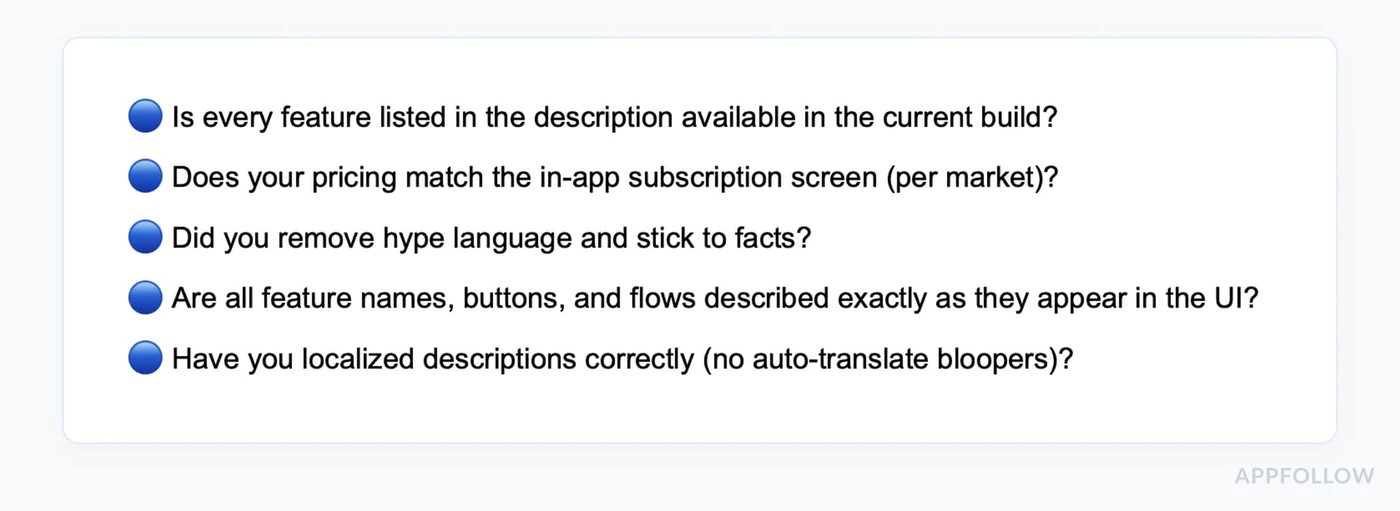
-
Tester tous les flux d'achat
- Acheter chaque niveau d'abonnement
- Tester les essais gratuits
- Vérifier l'application des offres de bienvenue
- Tester la restauration des achats
- Vérifier le partage familial (si activé)
- Tester sur plusieurs appareils
-
Vérifier la cohérence des tarifs
- Check App Store metadata matches in-app prices
- Vérifier l'exactitude de toutes les devises
- Confirmer la durée des essais gratuits
- Vérifier l'exactitude des offres de bienvenue
-
Tout réviser
- Supprimer le texte de remplissage
- Vérifier que les affirmations sont testables
- Vérifier la grammaire et l'orthographe
- Ensure descriptions match current build
- Supprimer les mentions de concurrents
-
Tester les permissions
- Ne demander que les permissions nécessaires
- Afficher des explications claires avant la demande
- Tester les flux « Refuser » (l'app doit toujours fonctionner)
- Vérifier que les descriptions Info.plist sont claires
-
Préparer un compte de test
- Créez un compte de test valide pour la revue
- Documentez les identifiants de connexion dans les infos d'App Review
- Vérifiez que le relecteur accède au paywall et au flux d'achat
- Ajoutez des comptes ou des switchs spécifiques dans les Notes si besoin
-
Vérifiez les métadonnées
- Les captures d'écran correspondent à l'UI actuelle
- L'URL de support contient de vraies coordonnées
- L'URL de la politique de confidentialité est renseignée
- La classification d'âge correspond au contenu du build
- La vidéo de preview (si présente) montre la version actuelle
- La description décrit précisément les fonctionnalités
- La politique de confidentialité est accessible dans l'app et sur le store
-
Rédiger des notes de révision détaillées
Contact:Name: Jane DeveloperEmail: review@yourapp.comPhone: +1 555-0100Test Account:Email: reviewer@test.comPassword: TestPass123!This account does not expire during review.Testing Instructions:1. Log in with test account above2. Tap "Upgrade to Premium" button3. Select "Monthly Premium" subscription4. Complete purchase (no charge in sandbox)5. Verify premium features unlockNote: Subscription pricing is clearly shown before purchase.Cancellation instructions are in Settings > Account.
Délais de validation
Section intitulée « Délais de validation »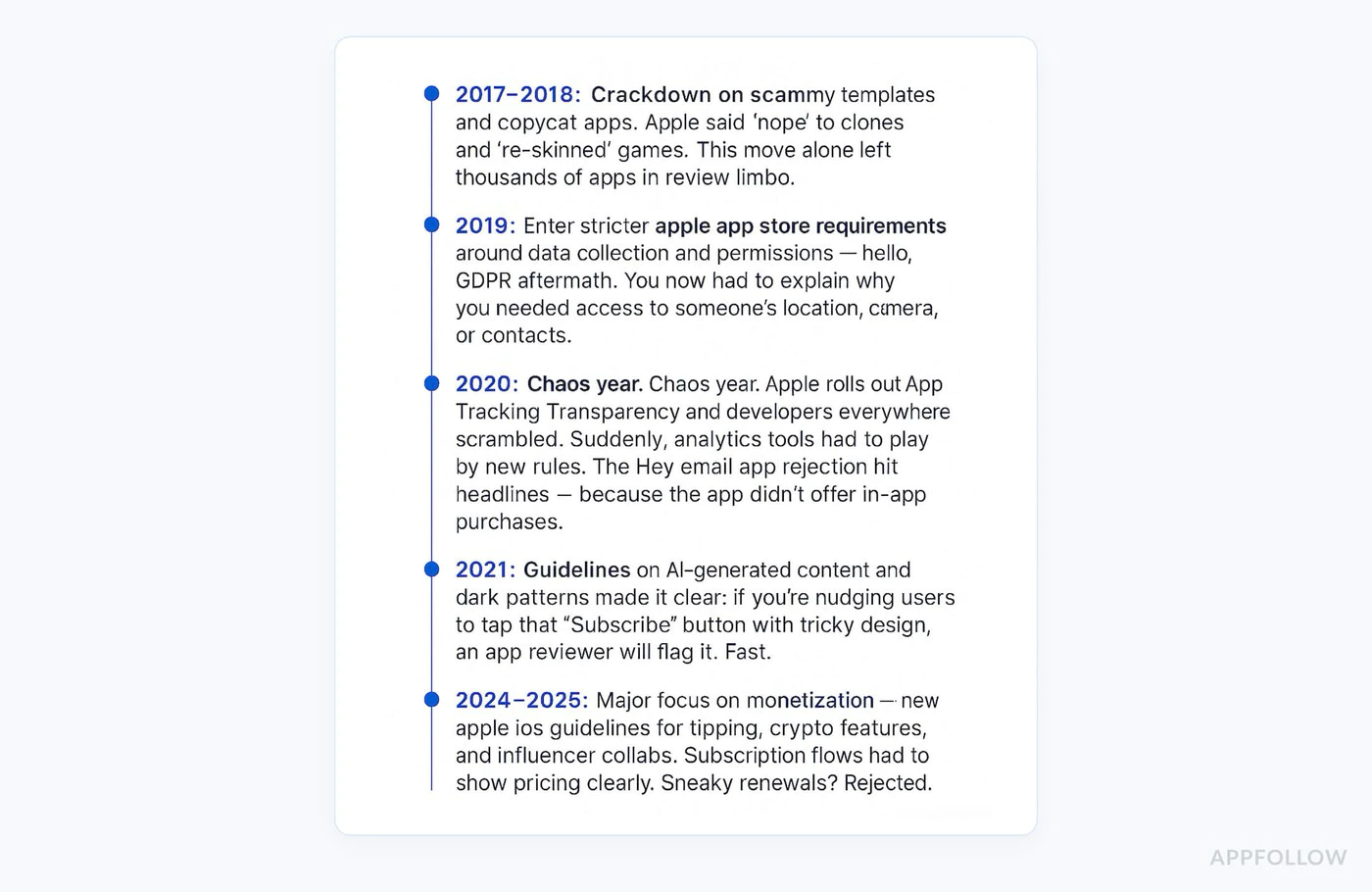
Validation standard : 24 à 48 heures Périodes de pointe : 3 à 5 jours (releases App Store pendant les fêtes) Week-ends : Aucune validation traitée Validation accélérée : Disponible pour les correctifs critiques (demande via App Store Connect)
Statuts courants que vous verrez dans App Store Connect :
Waiting for ReviewIn ReviewPending Developer ReleaseRejected
Priorités de soumission 2026
Section intitulée « Priorités de soumission 2026 »Domaines d'attention actuels
Section intitulée « Domaines d'attention actuels »1. Clarté des abonnements
- Comparaison des plans côte à côte requise
- Pas de « dark patterns » cachant les options moins chères
- Clarifier les parcours de downgrade/upgrade
2. Précision des métadonnées
- Les captures d'écran doivent correspondre au build examiné
- Les captures d'écran iPad sont requises si le support iPad est activé
- L'URL de support et la politique de confidentialité doivent être en ligne avant la soumission
3. Confidentialité et qualité des détails de l'examen
- Privacy disclosures must match what your SDKs actually collect
- Les infos de contact et les notes pour l'App Review doivent être complètes dès la première soumission
- Les identifiants de démo doivent rester valides pendant toute la durée de l'examen
4. État de préparation de la soumission
- Apple met régulièrement à jour les exigences minimales de SDK, confirmez donc la deadline actuelle avant d'envoyer un build de release
- TestFlight est l'endroit le plus sûr pour vérifier le parcours exact du reviewer avant de soumettre
Bonnes pratiques pour le plugin Native Purchases
Section intitulée « Bonnes pratiques pour le plugin Native Purchases »Implémenter une gestion d'erreurs appropriée
Section intitulée « Implémenter une gestion d'erreurs appropriée »import { NativePurchases, PURCHASE_TYPE } from '@capgo/native-purchases';
async function handlePurchase(productId: string) { try { const transaction = await NativePurchases.purchaseProduct({ productIdentifier: productId, productType: PURCHASE_TYPE.SUBS, });
// Success await validateReceiptOnServer(transaction.receipt); showSuccess('Subscription activated!'); unlockFeatures();
} catch (error: any) { // Handle specific error cases if (error.code === 'USER_CANCELLED') { // User cancelled - don't show error console.log('Purchase cancelled by user'); } else if (error.code === 'PAYMENT_PENDING') { showInfo('Payment is pending. Please check back later.'); } else if (error.code === 'PRODUCT_ALREADY_PURCHASED') { // Restore instead await NativePurchases.restorePurchases(); } else { // Show user-friendly error showError('Unable to complete purchase. Please try again.'); } }}Afficher des états de chargement
Section intitulée « Afficher des états de chargement »function PurchaseButton({ productId }: { productId: string }) { const [loading, setLoading] = useState(false);
const handlePurchase = async () => { setLoading(true); try { await NativePurchases.purchaseProduct({ productIdentifier: productId }); } finally { setLoading(false); } };
return ( <button onClick={handlePurchase} disabled={loading}> {loading ? 'Processing...' : 'Subscribe Now'} </button> );}Afficher les conditions clairement
Section titled “Show Terms Clearly”function SubscriptionTerms() { return ( <div className="terms"> <p> Subscription automatically renews unless cancelled at least 24 hours before the end of the current period. </p> <p> Your account will be charged for renewal within 24 hours prior to the end of the current period. </p> <p> Subscriptions may be managed by the user and auto-renewal may be turned off in Account Settings after purchase. </p> <p> <a href="/terms">Terms of Service</a> | <a href="/privacy/">Privacy Policy</a> </p> </div> );}Si votre application est rejetée
Section intitulée « Si votre application est rejetée »Étapes de résolution
Section titled “Steps to Resolve”-
Lisez attentivement le refus
- Notez la directive spécifique citée (ex: 3.1.1, 5.1.1)
- Comprenez exactement ce qu'Apple a signalé
-
Corrigez le problème en profondeur
- Don’t just patch - fix root cause
- Testez la correction de manière intensive
- Documentez vos modifications
-
Répondez via le Resolution Center
Thank you for your feedback. I have addressed the issue:Issue: Subscription pricing not clear upfrontFix: Added explicit pricing display on subscription selectionscreen showing "$9.99/month" before purchase button. Also addedcancellation instructions on the same screen.The changes are in this submission and can be tested using theprovided test account. -
Soumettez à nouveau rapidement
- Les nouvelles soumissions sont généralement examinées plus vite
- Généralement sous 24 heures
Procédure d'appel
Section intitulée « Processus d'appel »Si vous pensez que le rejet est injustifié :
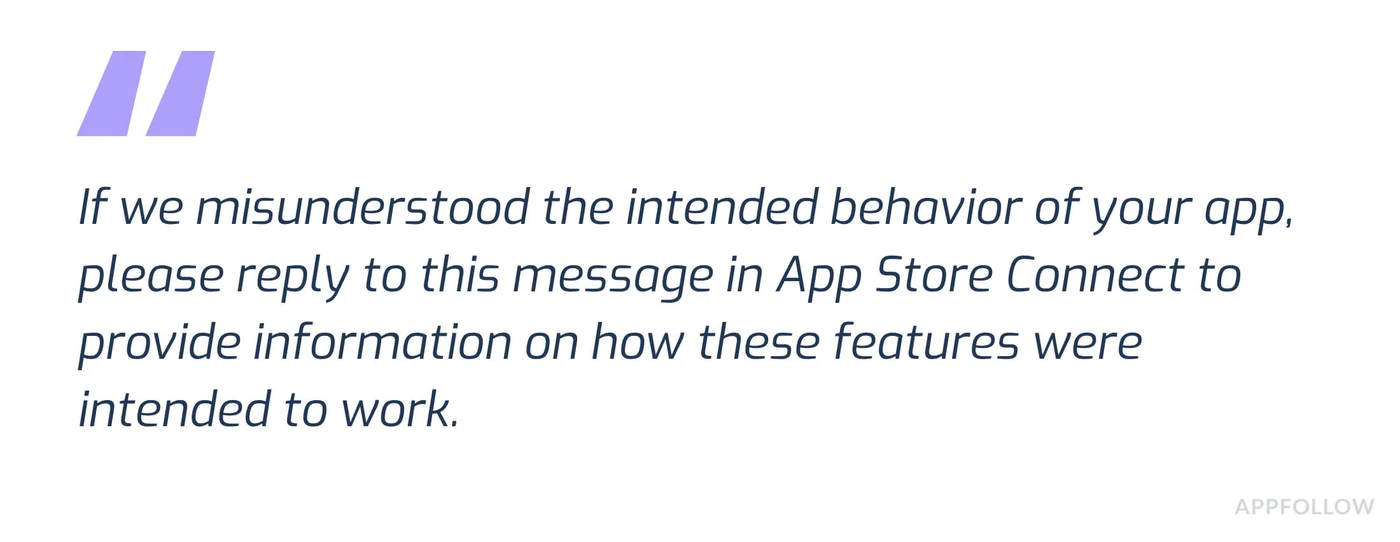
- Cliquez sur « Appeal » dans App Store Connect
- Fournissez des preuves claires :
- Captures d'écran prouvant la conformité
- Références aux directives spécifiques
- Explication de la manière dont vous respectez les exigences
- Soyez professionnel et factuel
- Incluez un compte de test si la fonctionnalité est difficile à trouver
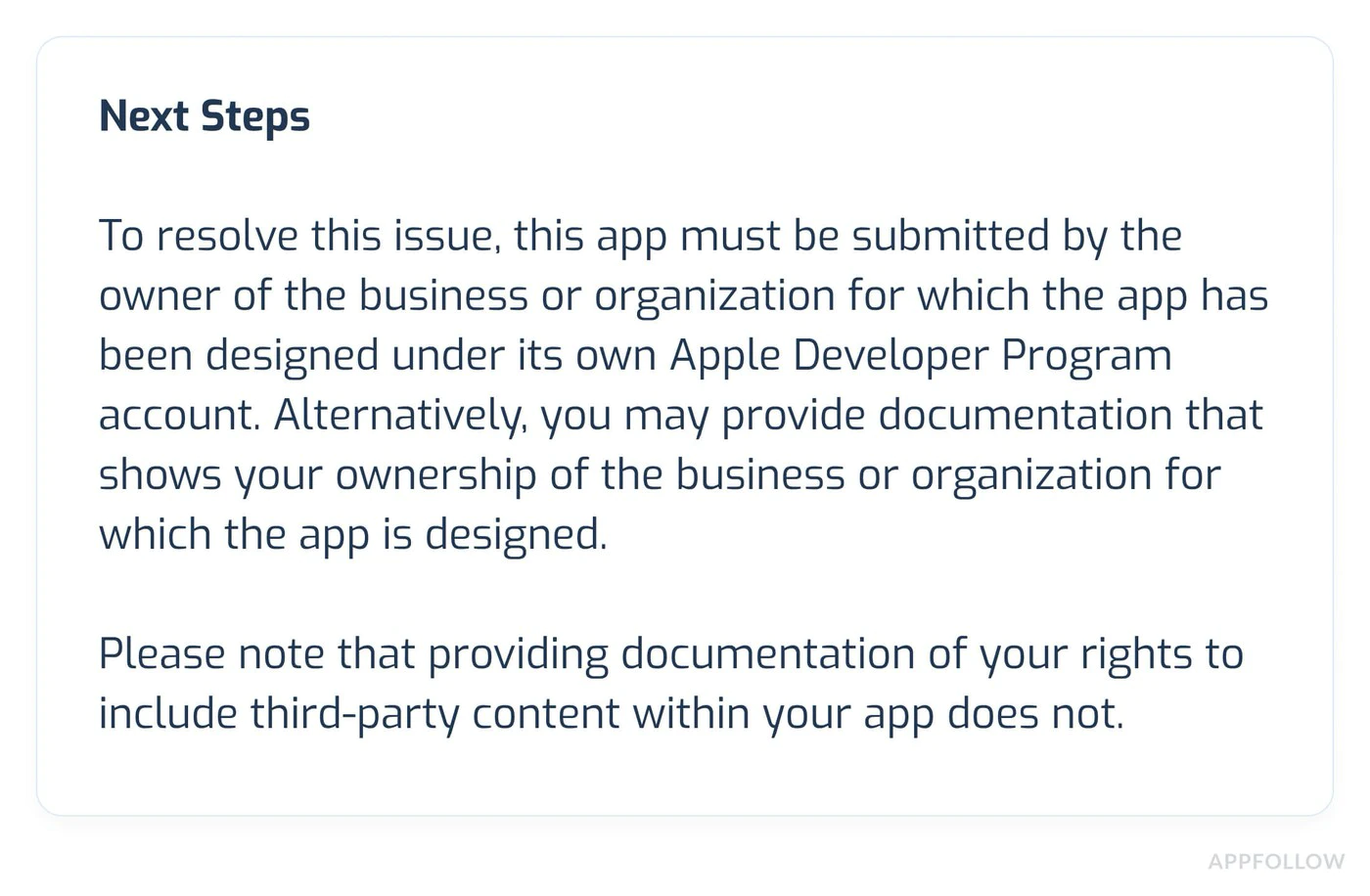
Ressources complémentaires
Section intitulée « Ressources complémentaires »- Directives de l'App Store Review d'Apple
- Directives relatives aux achats intégrés
- Bonnes pratiques pour les abonnements
- Aide App Store Connect
- Spécifications des captures d'écran
- Informations sur la version de la plateforme
Si vous rencontrez toujours des problèmes :
- Consultez la documentation Native Purchases
- Vérifiez les problèmes de dépannage courants
- Contactez le support Apple Developer pour clarifier les guidelines
Besoin d'une aide experte ?
Section intitulée « Besoin d'une aide experte ? »Struggling with app review or need personalized assistance? Réservez un appel de consultation avec notre équipe pour un support dédié sur :
- Révision et optimisation de l'implémentation IAP
- Préparation et stratégie pour la revue de l'App Store
- Vérification de la checklist de soumission
- Résolution des rejets et recours
- Tests et validation complets
Nos experts ont aidé des centaines d'apps à passer la revue avec succès !
Pour aller plus loin : les directives de l'App Store iOS pour les IAP
Section intitulée « Pour aller plus loin : les directives de l'App Store iOS pour les IAP »Si vous utilisez Directives de l'App Store iOS pour les IAP pour planifier la validation et la distribution sur le store, connectez-l’à Utiliser @capgo/native-purchases pour la fonctionnalité native dans la page Utiliser @capgo/native-purchases, @capgo/capacitor-in-app-review pour le détail d'implémentation dans @capgo/capacitor-in-app-review Utiliser @capgo/capacitor-in-app-review pour la capacité native dans Utiliser @capgo/capacitor-in-app-review, @capgo/capacitor-native-market pour le détail d'implémentation dans @capgo/capacitor-native-market, et Utilisation de @capgo/capacitor-native-market pour la capacité native dans Utiliser @capgo/capacitor-native-market.
Déployez vos apps Capacitor sans attendre
Codez avec votre agent IA, déployez des correctifs en quelques minutes, compilez pour iOS et Android sans Mac, et observez chaque release.


Besoin de l'offre Enterprise ? Parler à notre équipe