
Getting started
Copiez une invite de configuration avec les étapes d'installation et le guide Markdown complet pour ce plugin.
        Set up this Capacitor plugin in the project.

Use the package manager already used by the project.
Install these package(s): `@capgo/capacitor-updater`
Run the required Capacitor sync/update step after installation.
Read this markdown guide for the full setup steps: https://raw.githubusercontent.com/Cap-go/website/refs/heads/main/apps/docs/src/content/docs/docs/plugins/updater/local-dev/getting-started.mdx
Use that guide for platform-specific steps, native file edits, permissions, config changes, imports, and usage setup.
If that guide references other docs pages, read them too.
Quels sont les points abordés dans ce tutoriel ?
Section intitulée « Quels sont les points abordés dans ce tutoriel ? »Ce tutoriel explique comment démarrer Supabase à partir de zéro ainsi que les fonctions Edge.
Exigences
Section intitulée « Exigences »Getting started
Section intitulée « Démarrage »Pour démarrer, exécutez
supabase startProchainement, vous devriez voir ceci :
Started supabase local development setup.
         API URL: http://localhost:54321     GraphQL URL: http://localhost:54321/graphql/v1          DB URL: postgresql://postgres:postgres@localhost:54322/postgres      Studio URL: http://localhost:54323    Inbucket URL: http://localhost:54324      JWT secret: [truncated]        anon key: supa_key_anonservice_role key: supa_key_admin
Suivant ouvrez configs.json et configurez les valeurs suivantes :
{ "base_domain": { "prod": "console.capgo.app", "development": "development.console.capgo.app", "local": "localhost:3332" }, "supa_anon": { "prod": "supa_key_anon", "development": "supa_key_anon", "local": "supa_key_anon" }, "supa_url": { "prod": "http://localhost:54321", "development": "http://localhost:54321", "local": "http://localhost:54321" }}où supa_key_anon est la valeur de l'étape précédente.
Vérifiez ensuite que vous pouvez accéder à localhost:54323 et que la table users semble ressembler à ceci
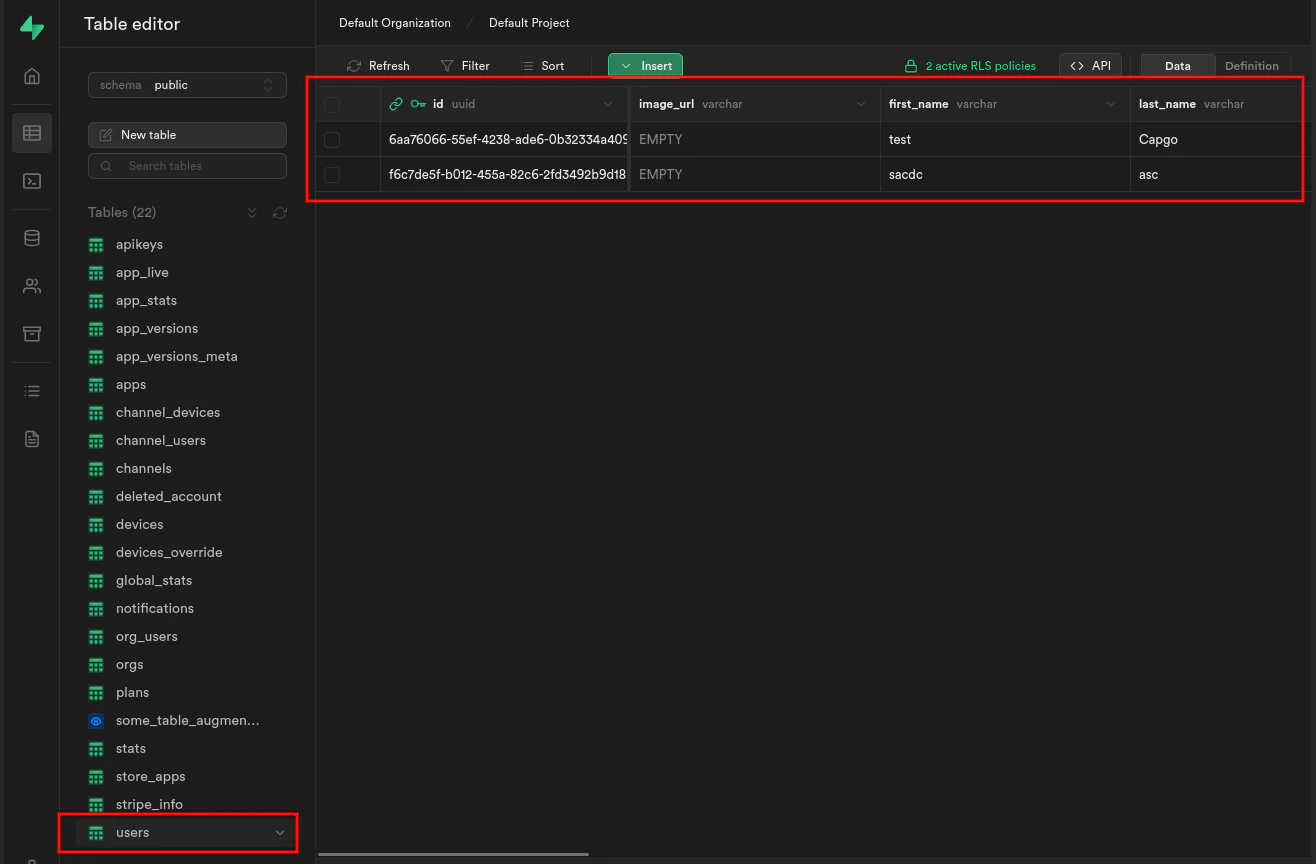
Si cela fonctionne, lancez les fonctions Edge en exécutant :
supabase functions serveet démarrer le frontend en exécutant :
bun run serveContinuez de la section « Commencer »
Section intitulée « Continuez de la section « Commencer » »Si vous utilisez Getting started pour planifier le travail de plugin natif, connectez-l’à Utiliser @capgo/capacitor-mises à jour pour la capacité native dans Utiliser @capgo/capacitor-mises à jour Capgo Répertoire du plugin pour le flux de travail du produit dans le répertoire de plugin Capgo les plugins Capacitor par Capgo pour le détail d'implémentation dans les plugins Capacitor par Capgo Ajouter ou Mettre à jour les plugins pour le détail d'implémentation dans Ajouter ou Mettre à jour les plugins, et Alternatives de plugins Ionic Enterprise Pour le flux de travail du produit dans les alternatives Ionic Enterprise Plugin.