
始め方
インストール手順とこのプラグインのフルマークダウンガイドのセットアッププロンプトをコピーできます。
        Set up this Capacitor plugin in the project.

Use the package manager already used by the project.
Install these package(s): `@capgo/capacitor-updater`
Run the required Capacitor sync/update step after installation.
Read this markdown guide for the full setup steps: https://raw.githubusercontent.com/Cap-go/website/refs/heads/main/apps/docs/src/content/docs/docs/plugins/updater/local-dev/getting-started.mdx
Use that guide for platform-specific steps, native file edits, permissions, config changes, imports, and usage setup.
If that guide references other docs pages, read them too.
このチュートリアルがカバーすること
「このチュートリアルがカバーすること」このチュートリアルでは、スパベースからスクラッチで始める方法やエッジ関数を開始する方法を紹介します。
要件
「要件」/ja/docs/plugins/updater/local-dev/getting-started/
Live UpdateCloudflare
supabase startCapgo
Started supabase local development setup.
         API URL: http://localhost:54321     GraphQL URL: http://localhost:54321/graphql/v1          DB URL: postgresql://postgres:postgres@localhost:54322/postgres      Studio URL: http://localhost:54323    Inbucket URL: http://localhost:54324      JWT secret: [truncated]        anon key: supa_key_anonservice_role key: supa_key_admin
code configs.json API
{ "base_domain": { "prod": "console.capgo.app", "development": "development.console.capgo.app", "local": "localhost:3332" }, "supa_anon": { "prod": "supa_key_anon", "development": "supa_key_anon", "local": "supa_key_anon" }, "supa_url": { "prod": "http://localhost:54321", "development": "http://localhost:54321", "local": "http://localhost:54321" }}SDK supa_key_anon 前のステップの値です。
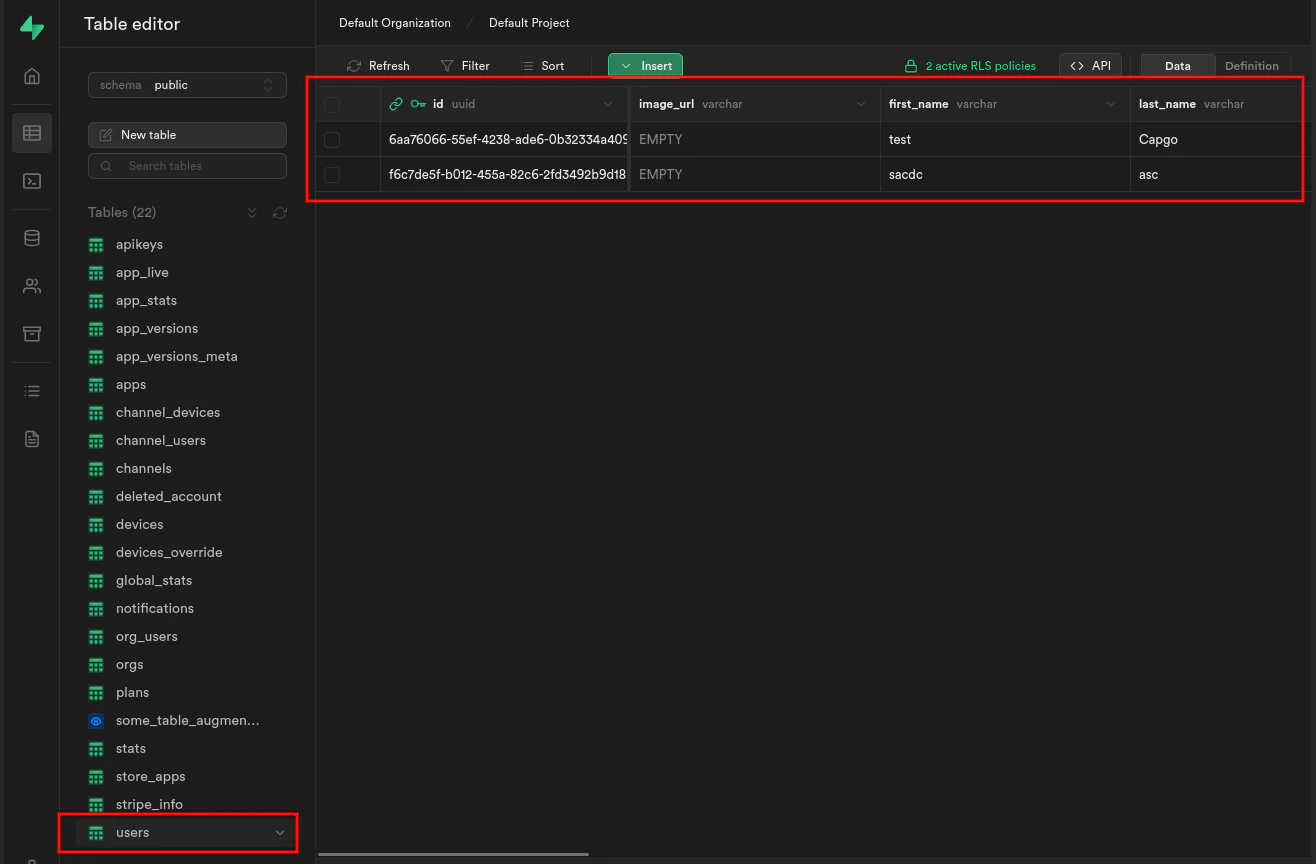
次に、ローカルホストにアクセスしてみましょう。 localhost:54323 テーブルが表示されます。 users ユーザー情報を表示するように設定したSupabaseダッシュボードのスクリーンショット
ターミナル画面
supabase functions serveそして、以下のコマンドを実行してフロントエンドを開始します。
bun run serve「Getting started」から続けてください
「Getting started」から続けてください「Getting started」から続けてください 「Getting started」から続けてください 「Getting started」から続けてください Using @capgo/capacitor-updater Capacitorのネイティブ機能のために@capgo/capacitor-updaterを使用します。 Capgo プラグインディレクトリ Capgo プラグイン ディレクトリの製品ワークフローに Capacitor プラグインは Capgo によって Capgoの実装詳細については、Capacitor プラグインによって Capgo で管理されます。 プラグインの追加または更新 プラグインの追加または更新の実装詳細 イオニック エンタープライズ プラグインの代替 __CAPGO_KEEP_0__ プラグイン ディレクトリの製品ワークフロー
Capacitor アプリを配信 iOS と Android アプリを Mac なしで署名してビルドし、1 つのクリックで戻す
無料で始めよう


ビジネス用のものが必要ですか? チームと話す