
設定
このプラグインのインストール手順と完全なMarkdownガイドを含むセットアッププロンプトをコピー
設定ページへのアクセス方法
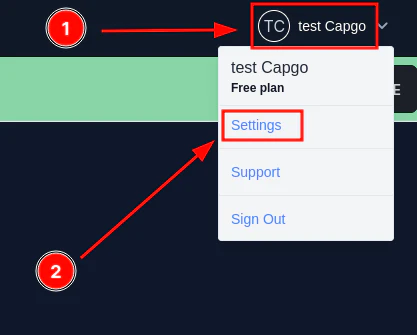
「設定ページへのアクセス方法」セクションまず、 名前とプロフィール画像をクリックします。次に、 設定.
ユーザー設定の変更
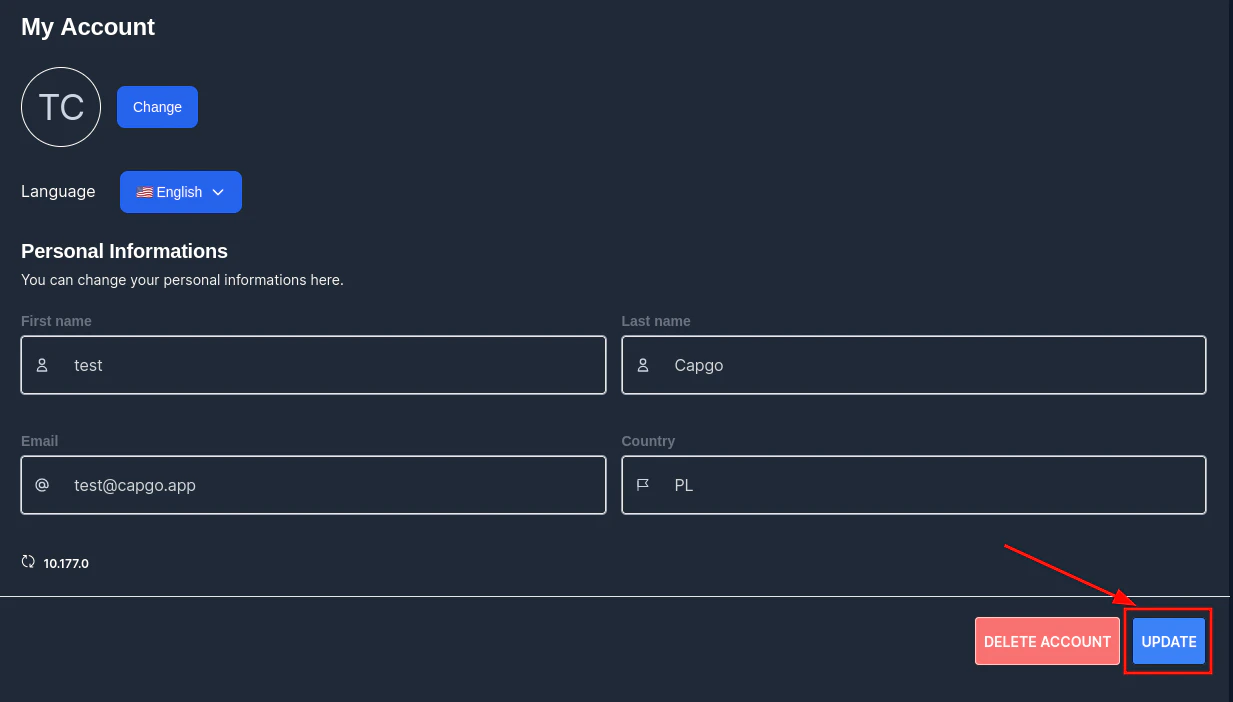
「ユーザー設定の変更」セクションユーザー設定を変更するには、アカウント内のフォームに入力して、 更新.
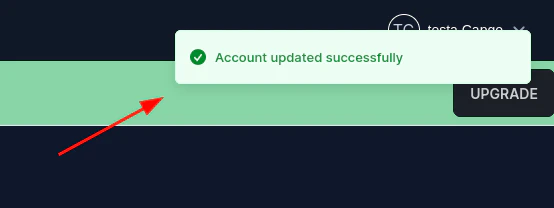
その後、確認メッセージが表示されます。
パスワードの変更
「パスワードの変更」セクションパスワードを変更するには、設定ページに移動し、 パスワードをクリックします。次に、フォームを入力して 更新.
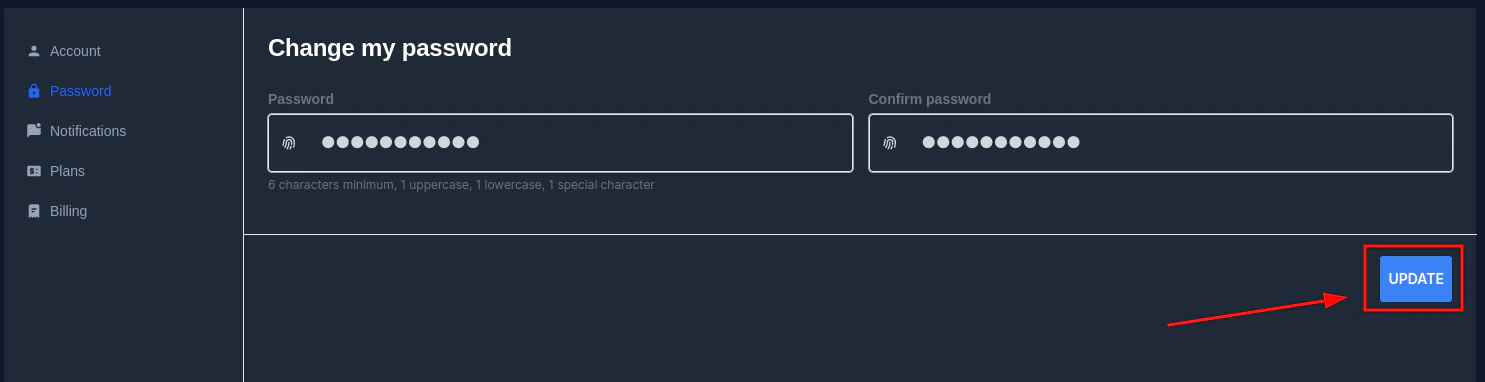
パスワードが capgo のパスワードセキュリティルールに適合していない場合、エラーメッセージが表示されます。

Settingsから続ける
「Settingsから続ける」というタイトルのセクション以下を使用している場合: 設定 ダッシュボードと API の操作を計画するには、以下と連携してください API の概要 API Overview の実装の詳細については、 はじめに Introduction の実装の詳細については、 API キー API Keys の実装の詳細については、 デバイス Devices の実装の詳細、および バンドル Bundles の実装の詳細については、


