
Getting started
Kopieren Sie einen Einrichtungsprompt mit den Installationsanweisungen und der vollständigen Markdown-Guideline für diesen Plugin.
        Set up this Capacitor plugin in the project.

Use the package manager already used by the project.
Install these package(s): `@capgo/capacitor-updater`
Run the required Capacitor sync/update step after installation.
Read this markdown guide for the full setup steps: https://raw.githubusercontent.com/Cap-go/website/refs/heads/main/apps/docs/src/content/docs/docs/plugins/updater/local-dev/getting-started.mdx
Use that guide for platform-specific steps, native file edits, permissions, config changes, imports, and usage setup.
If that guide references other docs pages, read them too.
Was wird in dieser Anleitung behandelt?
Abschnitt mit dem Titel „Was wird in dieser Anleitung behandelt?“Diese Anleitung zeigt, wie man Supabase von Grund auf startet und wie man Edge-Funktionen startet.
Anforderungen
Abschnitt mit dem Titel „Anforderungen“Getting started
Abschnitt mit dem Titel “Anfangen”Um loszulegen, führen Sie
supabase startAls nächstes sollte man etwas wie folgendes sehen:
Started supabase local development setup.
         API URL: http://localhost:54321     GraphQL URL: http://localhost:54321/graphql/v1          DB URL: postgresql://postgres:postgres@localhost:54322/postgres      Studio URL: http://localhost:54323    Inbucket URL: http://localhost:54324      JWT secret: [truncated]        anon key: supa_key_anonservice_role key: supa_key_admin
Nächster Schritt configs.json und setzen Sie die folgenden Werte:
{ "base_domain": { "prod": "console.capgo.app", "development": "development.console.capgo.app", "local": "localhost:3332" }, "supa_anon": { "prod": "supa_key_anon", "development": "supa_key_anon", "local": "supa_key_anon" }, "supa_url": { "prod": "http://localhost:54321", "development": "http://localhost:54321", "local": "http://localhost:54321" }}where supa_key_anon ist der Wert aus dem vorherigen Schritt.
Überprüfen Sie, ob Sie auf localhost:54323 und dass die Tabelle users looks something like this
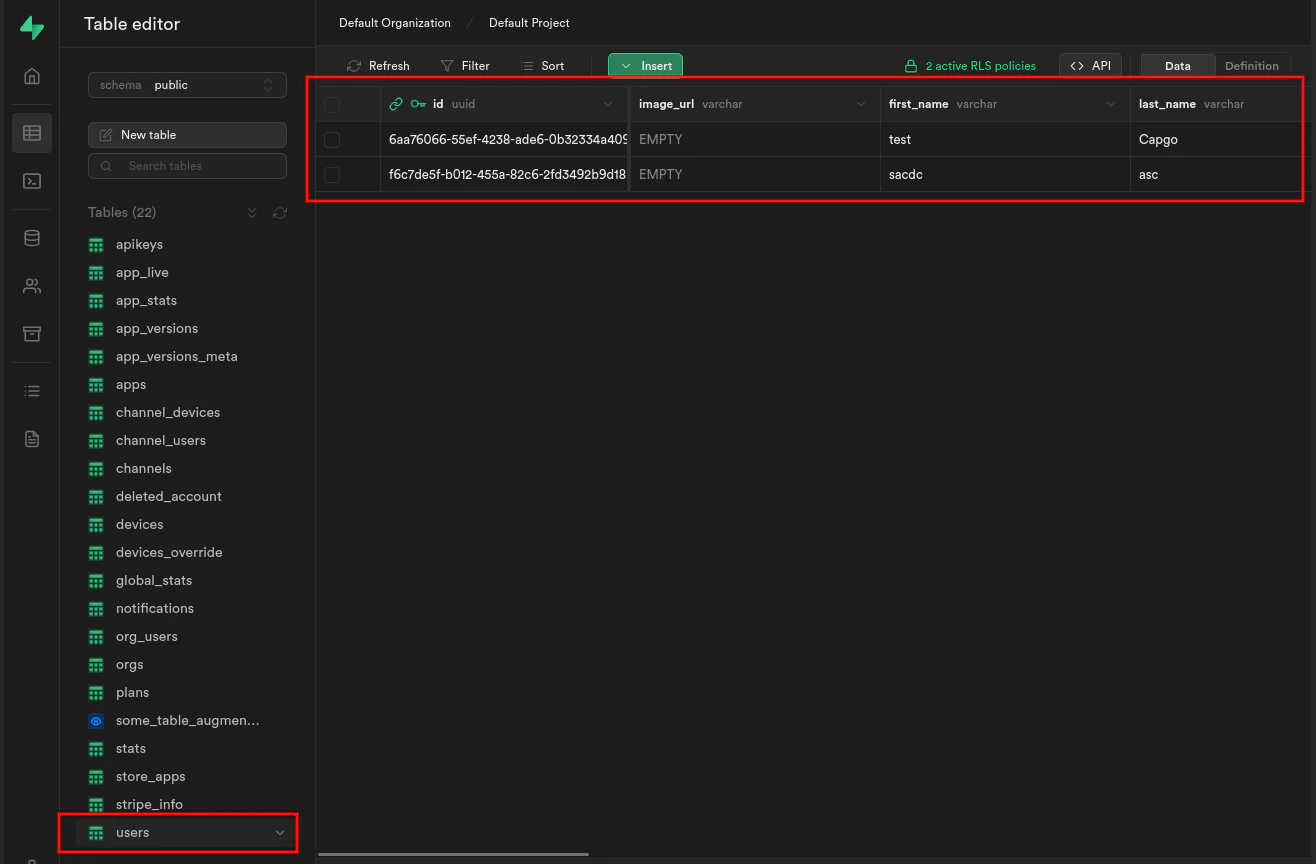
If it does start edge functions by running:
supabase functions serveund starten Sie die Frontend-App mit:
bun run serveFortsetzung von Getting started
Sektion mit dem Titel „Fortsetzung von Getting started“Wenn Sie Live Update verwenden Getting started um native Plugin-Arbeit zu planen, verbinden Sie es mit Verwendung von @capgo/capacitor-Updater für die native Fähigkeit in Verwendung von @capgo/capacitor-Updater, Capgo-Plugin-Verzeichnis für den Produktworkflow in Capgo-Plugin-Verzeichnis, für den Produktworkflow in Capgo Plugin-Verzeichnis, Capacitor Plugins von Capgo zur Implementierungsdetail in Capacitor Plugins von Capgo Hinzufügen oder Aktualisieren von Plugins zur Implementierungsdetail in Hinzufügen oder Aktualisieren von Plugins, und Ionische Unternehmensplugin-Alternativen für das Produktworkflow in Ionic Enterprise Plugin Alternativen.
Capacitor-Apps ohne Wartezeit ohne Wartezeit
Fehler beheben Sie in Minuten, erstellen Sie signierte iOS- und Android-Anwendungen ohne Mac und gehen Sie mit einem Klick zurück.


Unternehmen benötigt? Kontaktiere unser Team