
Apple-Login auf iOS
Einen Setup-Vorschlag mit den Installationsanweisungen und der vollständigen Markdown-Anleitung für diesen Plugin kopieren.
Um Apple-Login auf IOS zu konfigurieren, benötigen Sie Folgendes.
-
Konfigurieren Sie die Fähigkeiten Ihrer App.
Um dies zu tun, öffnen Sie bitte Xcode, klicken Sie auf
App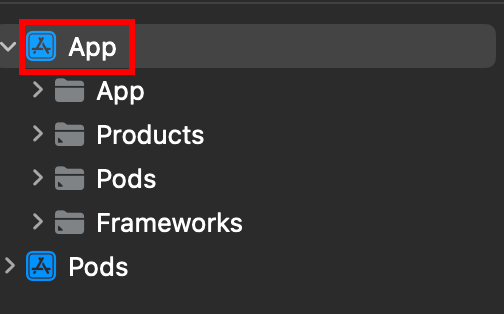
-
Stellen Sie sicher, dass Sie das richtige Ziel auswählen.
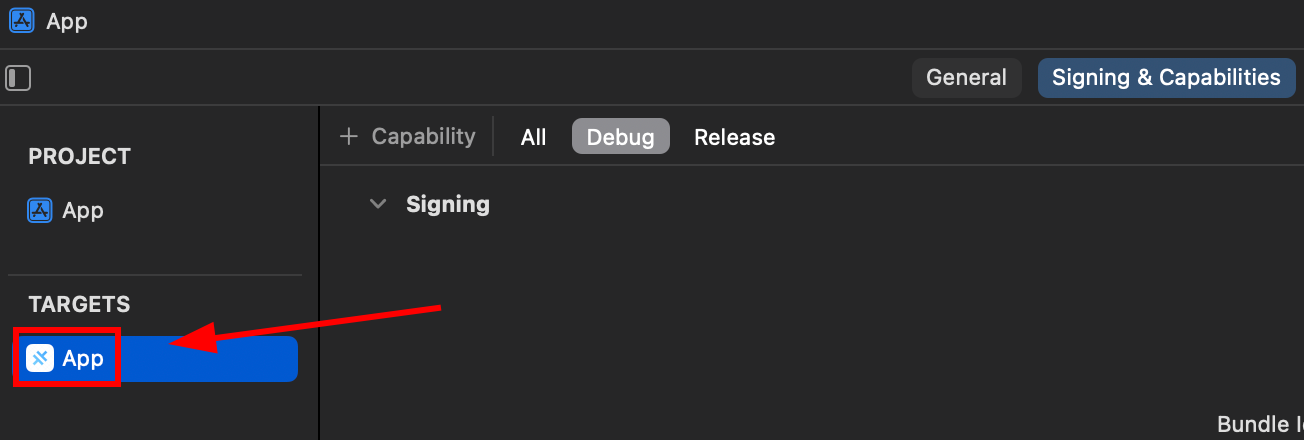
-
Bitte stellen Sie sicher, dass Sie die
Sign in with Applecapability.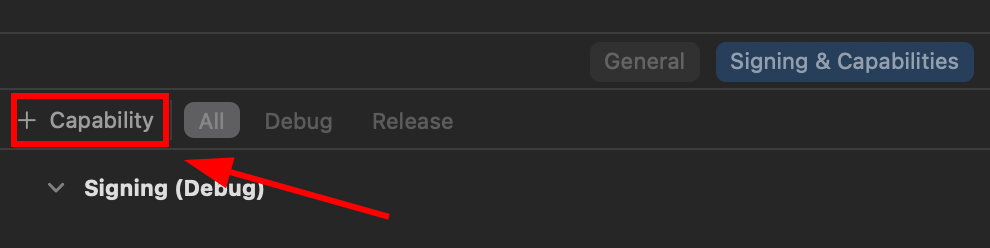
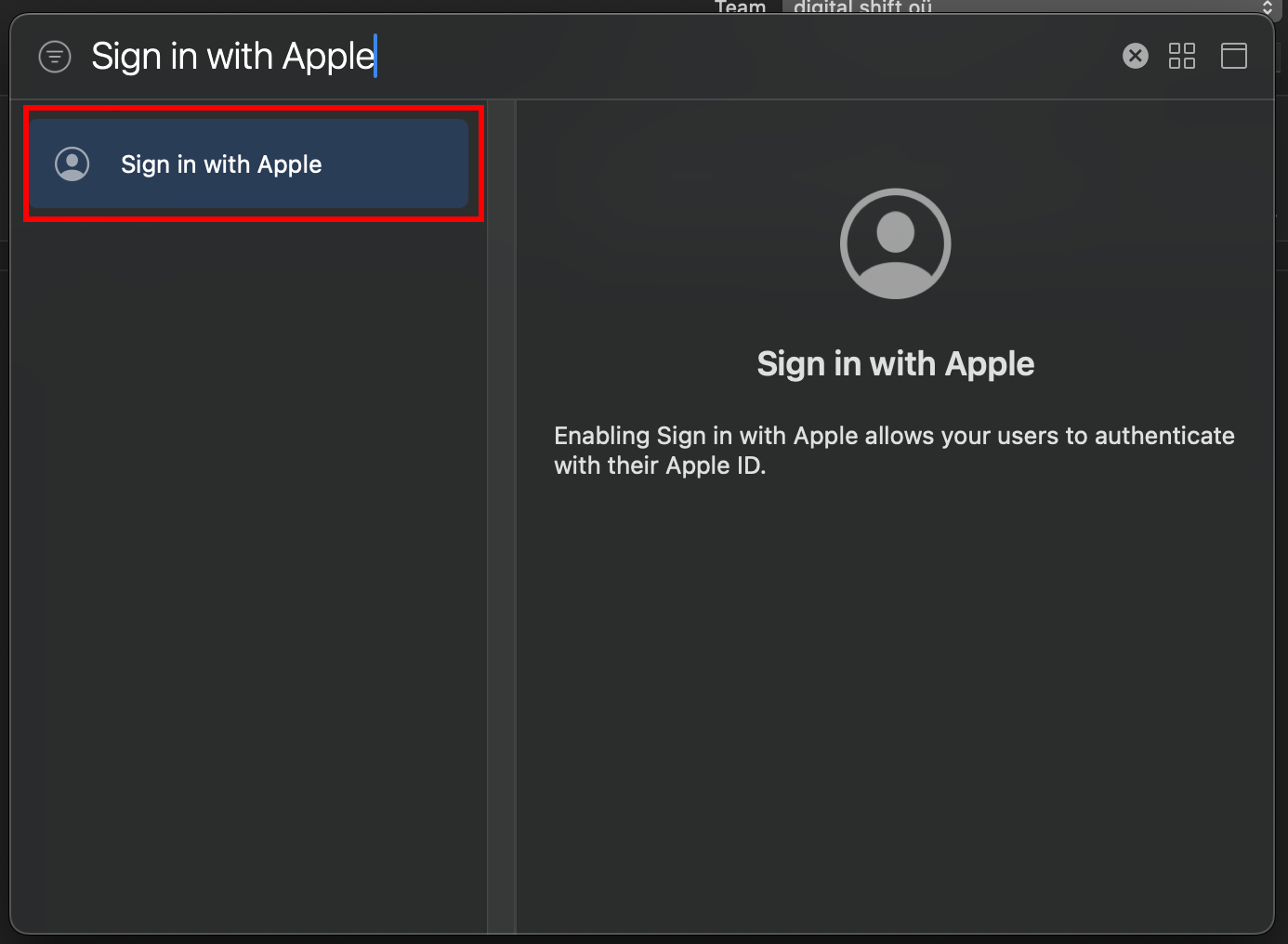
-
Initialisieren Sie die Apple-Anmeldung in Ihrer App.
// onMounted is vue specificonMounted(() => {SocialLogin.initialize({apple: {}})}); -
Erstellen Sie einen Button, der den Anmeldeprozess startet
Der Button sollte die folgende Funktion aufrufen
async function loginApple() {const res = await SocialLogin.login({provider: 'apple',options: {}}) -
Laufen Sie Ihr App auf einem PHYSISCHEN Gerät und testen Sie es
Wenn Sie die Schritte genau befolgt haben, sehen Sie nach dem Klicken Ihres Buttons die folgende Bildschirmansicht
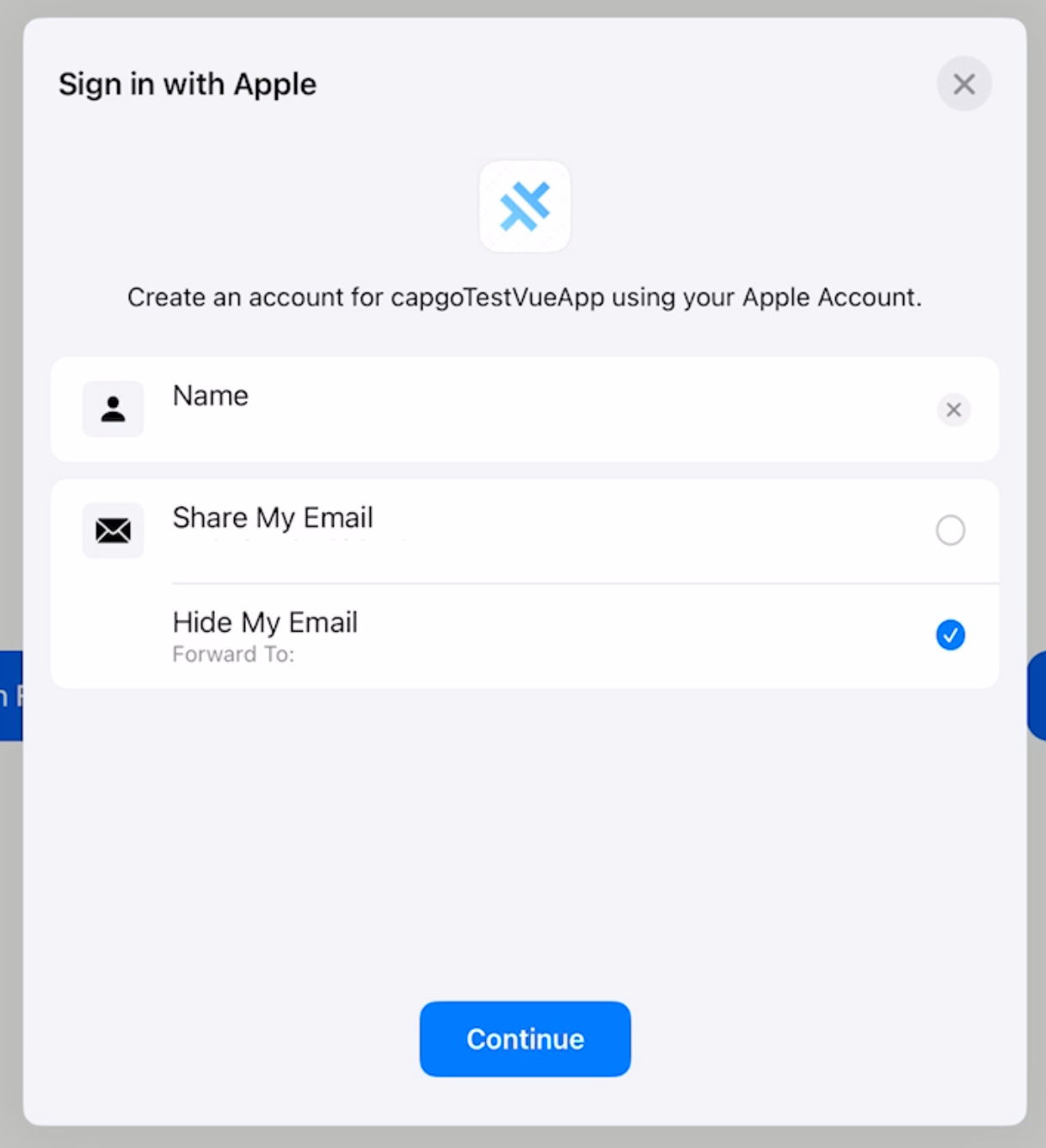
Das ist alles! Sie sind fertig.
Apple-Login initialisieren
Abschnitt: "Apple-Login initialisieren"Call initialize mit der apple Anbieter vor der Anmeldung. Auf iOS, clientId wird direkt vom Betriebssystem nicht verwendet; der Plugin verwendet es, um zu wissen, welchen Anbieter zu initialisieren ist.
await SocialLogin.initialize({  apple: {    clientId: 'your-client-id',  },});
const res = await SocialLogin.login({  provider: 'apple',  options: {    scopes: ['email', 'name'],  },});
Abschnitt: "Weitermachen von Apple-Login auf iOS"
Wenn Sie Apple-Login auf iOS verwendenInitialize Apple login Section titled “Initialize Apple login” für die Planung der Authentifizierung und Kontenflüsse, verbinden Sie es mit Mit @capgo/capacitor-social-login für die native Fähigkeit in Mit @capgo/capacitor-social-login, @capgo/capacitor-Social-Login für die Implementierungsdetails in @capgo/capacitor-social-login, @capgo/capacitor-Passwort für die Implementierungsdetails in @capgo/capacitor-passkey, @capgo/capacitor-native-biometrisch für die Implementierungsdetails in @capgo/capacitor-native-biometrisch und Zwei-Faktor-Authentifizierung für die Implementierungsdetails in Zwei-Faktor-Authentifizierung.
Apps Capacitor verschicken ohne Wartezeit
Mit Ihrem AI-Codierungsagenten bauen, Fixes in Minuten liefern, iOS- und Android-Anwendungen ohne Mac erstellen und jede Veröffentlichung beobachten.


Unternehmen benötigen? Sprechen Sie mit unserem Team