
Mulai Menggunakan
Salin prompt pengaturan dengan langkah instalasi dan panduan markdown lengkap untuk plugin ini.
        Set up this Capacitor plugin in the project.

Use the package manager already used by the project.
Install these package(s): `@capgo/capacitor-updater`
Run the required Capacitor sync/update step after installation.
Read this markdown guide for the full setup steps: https://raw.githubusercontent.com/Cap-go/website/refs/heads/main/apps/docs/src/content/docs/docs/plugins/updater/local-dev/getting-started.mdx
Use that guide for platform-specific steps, native file edits, permissions, config changes, imports, and usage setup.
If that guide references other docs pages, read them too.
Mengandung instalasi, sinkronisasi, dan panduan markdown sumber.
Apa yang akan dibahas dalam tutorial ini?Berikut tutorial ini akan menunjukkan cara memulai supabase dari awal serta memulai fungsi edge.
Requirements
Section titled “Requirements”Membuat Mulai
Section titled “Getting started”Untuk memulai, jalankan
supabase startBerikutnya harus melihat seperti ini:
Started supabase local development setup.
         API URL: http://localhost:54321     GraphQL URL: http://localhost:54321/graphql/v1          DB URL: postgresql://postgres:postgres@localhost:54322/postgres      Studio URL: http://localhost:54323    Inbucket URL: http://localhost:54324      JWT secret: [truncated]        anon key: supa_key_anonservice_role key: supa_key_admin
Berikutnya buka configs.json dan atur nilai berikut:
{ "base_domain": { "prod": "console.capgo.app", "development": "development.console.capgo.app", "local": "localhost:3332" }, "supa_anon": { "prod": "supa_key_anon", "development": "supa_key_anon", "local": "supa_key_anon" }, "supa_url": { "prod": "http://localhost:54321", "development": "http://localhost:54321", "local": "http://localhost:54321" }}di mana supa_key_anon adalah nilai dari langkah sebelumnya.
Selanjutnya, pastikan Anda dapat mengakses localhost:54323 dan bahwa tabel users terlihat seperti ini
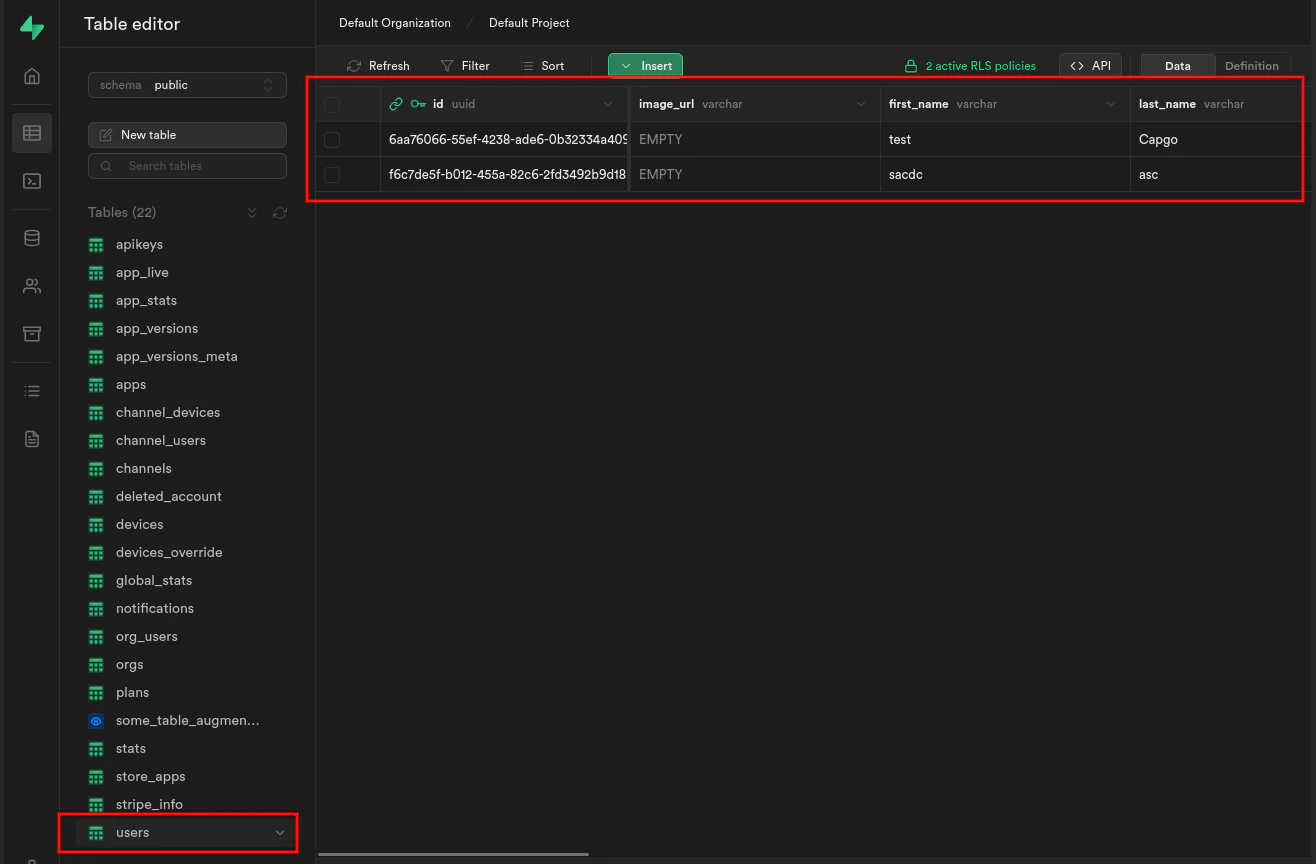
Jika itu sudah, mulai edge functions dengan menjalankan:
supabase functions servedan mulai frontend dengan menjalankan:
bun run serveTeruskan dari Getting started
Bab yang berjudul “Teruskan dari Getting started”Jika Anda menggunakan Mulai Menggunakan untuk merencanakan pekerjaan plugin native, hubungkannya dengan Menggunakan @capgo/capacitor-updater untuk kemampuan native di Menggunakan @capgo/capacitor-updater, Direktori Plugin Capgo untuk alur kerja produk di Direktori Plugin Capgo Plugin Capacitor oleh Capgo untuk detail implementasi di Plugin Capacitor oleh Capgo Menambahkan atau Mengupdate Plugin untuk detail implementasi di Menambahkan atau Mengupdate Plugin, dan Alternatif Plugin Enterprise Ionic untuk alur kerja produk di Alternatif Plugin Enterprise Ionic.
Kirimkan aplikasi Capacitor Tidak perlu menunggu
Bangun dengan agen kode AI Anda, kirimkan perbaikan dalam menit, bangun iOS dan Android tanpa Mac, dan amati setiap rilis.


Peralatan bisnis Anda? Hubungi tim kami