
Getting started
Copiar un prompt de configuración con los pasos de instalación y la guía de markdown completa para este plugin.
        Set up this Capacitor plugin in the project.

Use the package manager already used by the project.
Install these package(s): `@capgo/capacitor-updater`
Run the required Capacitor sync/update step after installation.
Read this markdown guide for the full setup steps: https://raw.githubusercontent.com/Cap-go/website/refs/heads/main/apps/docs/src/content/docs/docs/plugins/updater/local-dev/getting-started.mdx
Use that guide for platform-specific steps, native file edits, permissions, config changes, imports, and usage setup.
If that guide references other docs pages, read them too.
¿Qué cubrirá este tutorial?
Sección titulada “¿Qué cubrirá este tutorial?”Este tutorial mostrará cómo iniciar supabase desde cero, así como iniciar funciones de borde.
Requisitos
Sección titulada “Requisitos”Getting started
Sección titulada “Inicio”Para empezar, ejecuta
supabase startPróximo debería ver algo así:
Started supabase local development setup.
         API URL: http://localhost:54321     GraphQL URL: http://localhost:54321/graphql/v1          DB URL: postgresql://postgres:postgres@localhost:54322/postgres      Studio URL: http://localhost:54323    Inbucket URL: http://localhost:54324      JWT secret: [truncated]        anon key: supa_key_anonservice_role key: supa_key_admin
Siguiente abra configs.json y establezca los siguientes valores:
{ "base_domain": { "prod": "console.capgo.app", "development": "development.console.capgo.app", "local": "localhost:3332" }, "supa_anon": { "prod": "supa_key_anon", "development": "supa_key_anon", "local": "supa_key_anon" }, "supa_url": { "prod": "http://localhost:54321", "development": "http://localhost:54321", "local": "http://localhost:54321" }}where supa_key_anon y establezca los siguientes valores:
A continuación, verifica que puedes acceder a localhost:54323 y que la tabla users muestra algo similar a esto
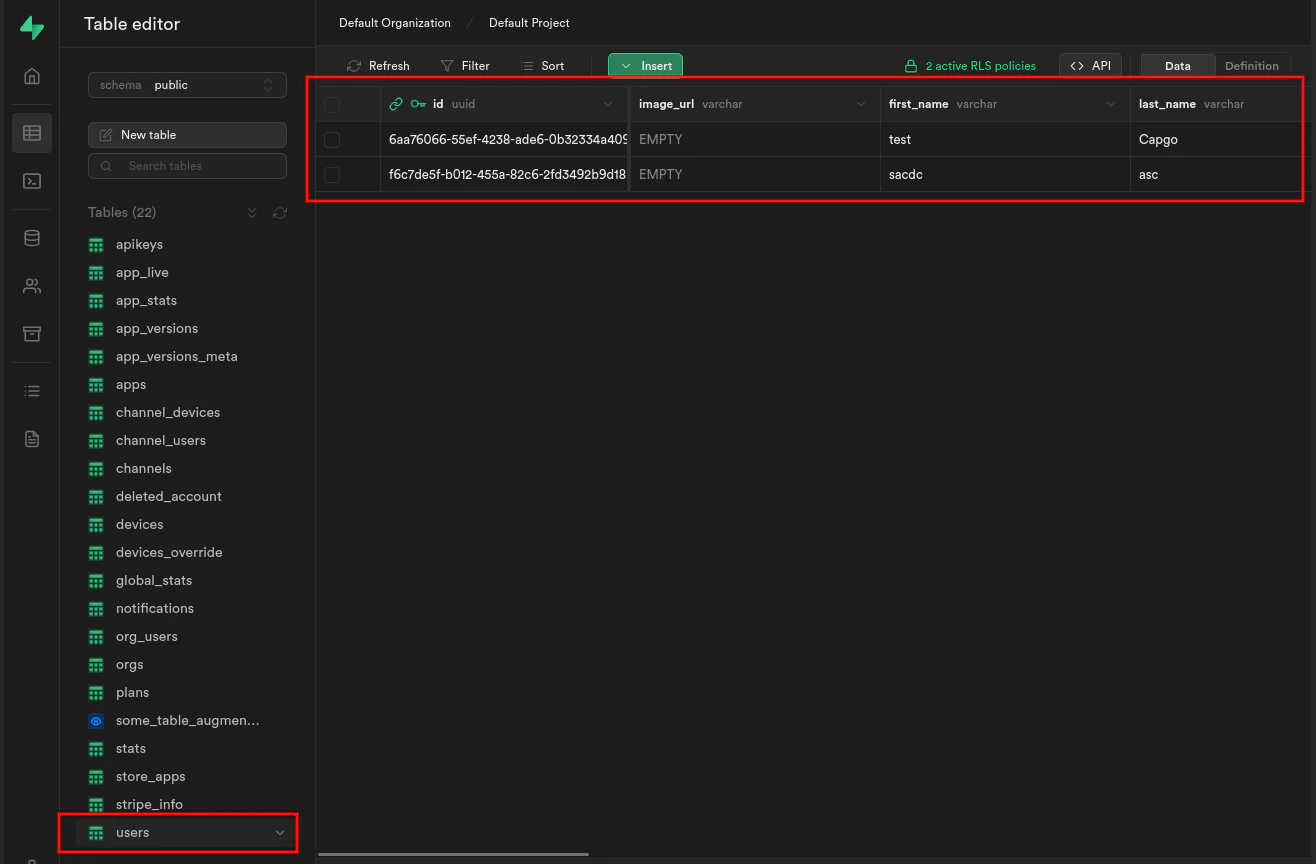
Si se inicia, arranca funciones de borde ejecutando:
supabase functions servey arranca frontend ejecutando:
bun run serveSigue adelante desde Inicio
Sección titulada “Continúa desde Inicio”Si estás utilizando Getting started para planificar el trabajo de plugin nativo, conecta con Usando @capgo/capacitor-actualizador para la capacidad nativa en Usando @capgo/capacitor-actualizador, Directorio de Plugins de Capgo para el flujo de trabajo del producto en el directorio de plugins Capgo Plugins de Capacitor por Capgo para el detalle de implementación en Plugins de Capacitor por Capgo, Agregar o Actualizar Plugins para los detalles de implementación en la sección de Agregar o Actualizar Plugins. Alternativas de Plugins de Ionic Enterprise para el flujo de trabajo del producto en Ionic Enterprise Plugin Alternativas.