
创建 Android 自动续订订阅
复制安装步骤和本插件的完整 Markdown 指南。
自动续订订阅提供对应用程序内容、服务或高级功能的持续访问。 本指南将帮助您在 Google Play Console 中创建和配置订阅。
概述
- 高级内容访问
- 广告免费体验
- 云存储
- 持续服务
创建订阅
创建订阅-
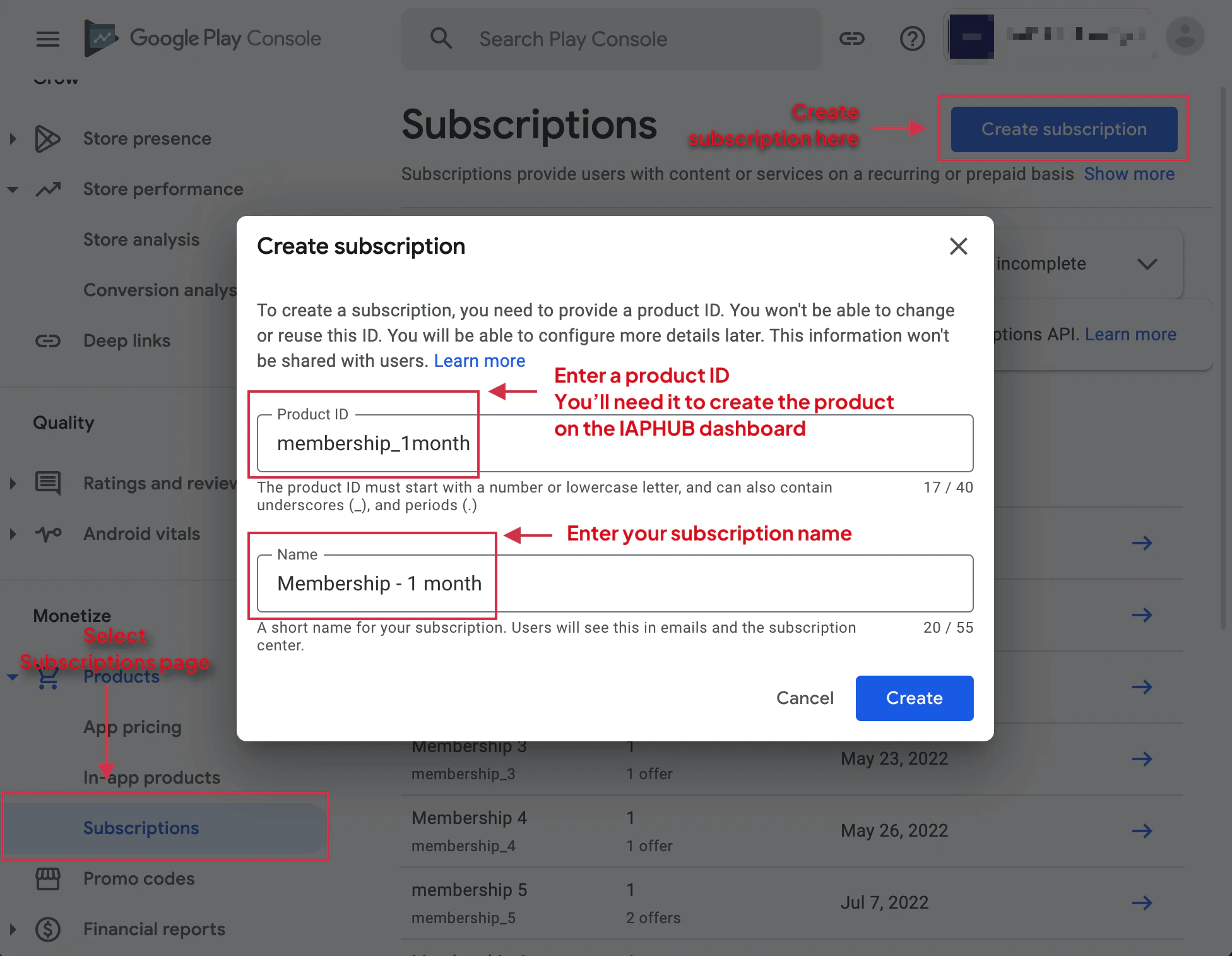
导航到订阅
在Google Play控制台中,选择您的应用程序并选择 从左侧菜单中选择 单击
创建订阅 protectedTokens 开始创建
-
输入基本信息
输入订阅名称和产品ID。 产品ID用于配置应用程序,且不可更改。
-
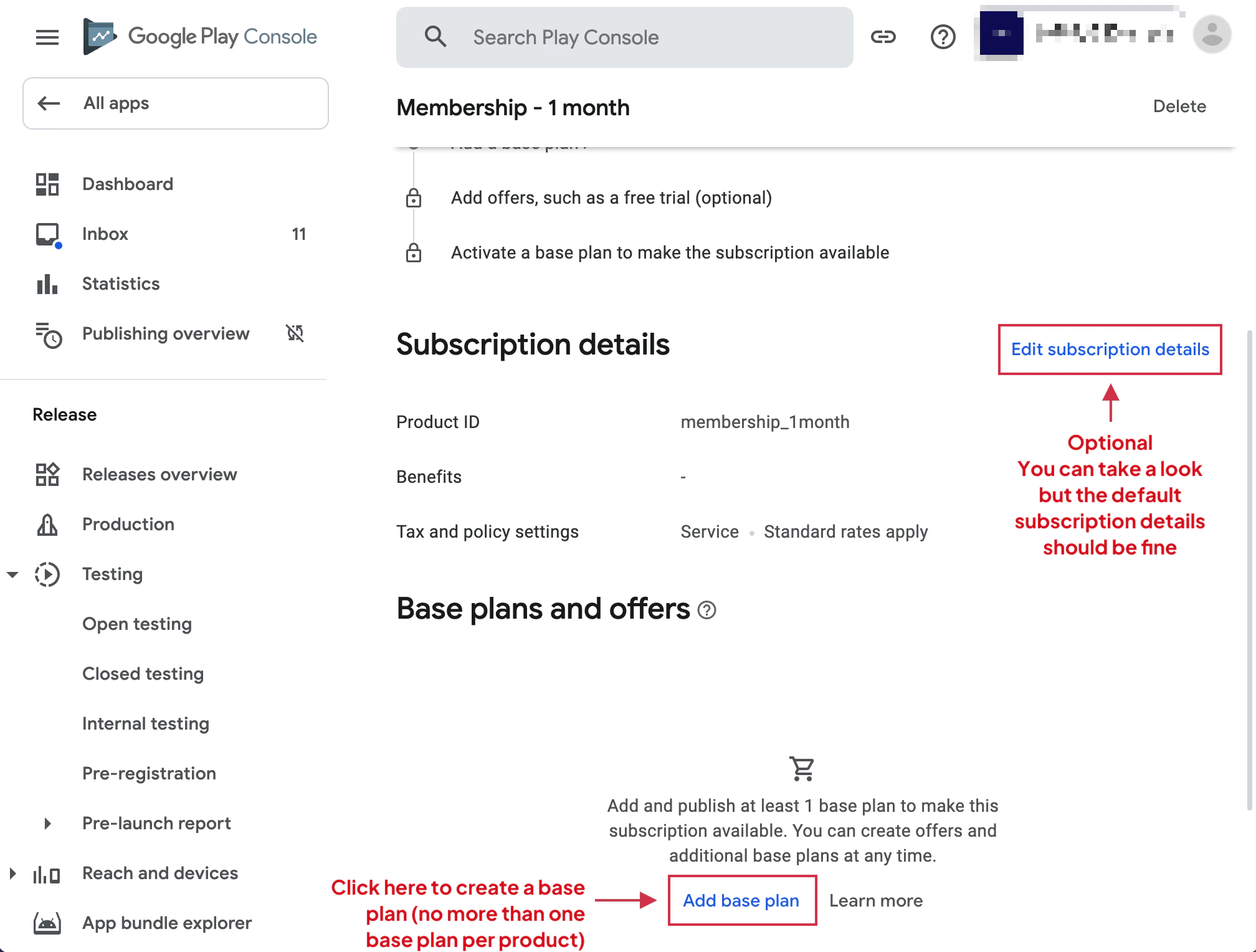
创建基本计划
Google Play要求每个订阅至少有一个基本计划。 native-purchases插件仅支持一个基本计划,以保持与iOS的兼容性。
点击 添加基本计划 继续
-
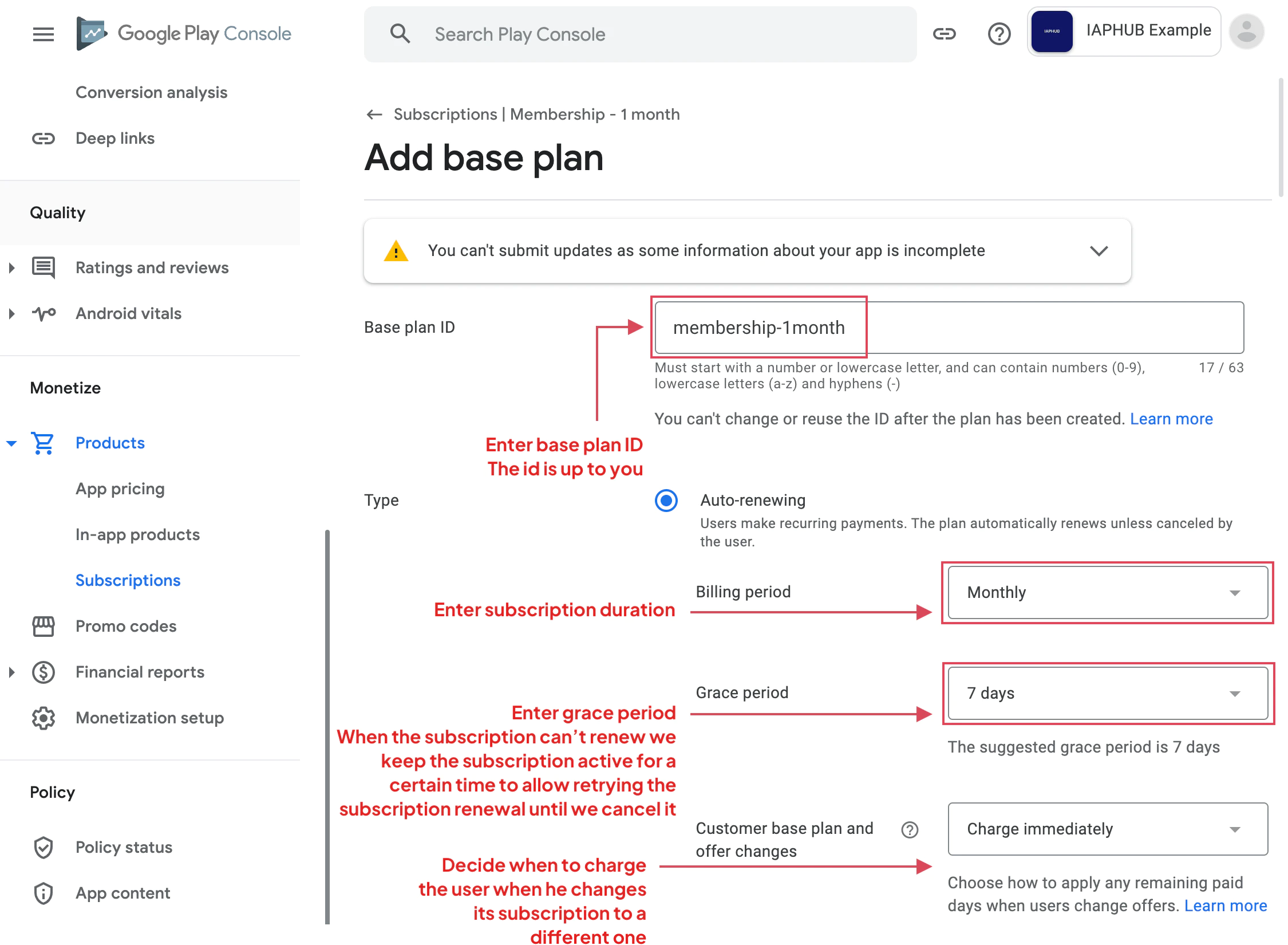
配置基本计划详细信息
输入:
- 基本计划ID:此计划的唯一标识符
- 计费周期计费周期
- :用户每次被收费的频率(周、月、年等)宽限期

-
:Google在尝试支付失败前维持订阅的时间窗口
配置基本计划

-
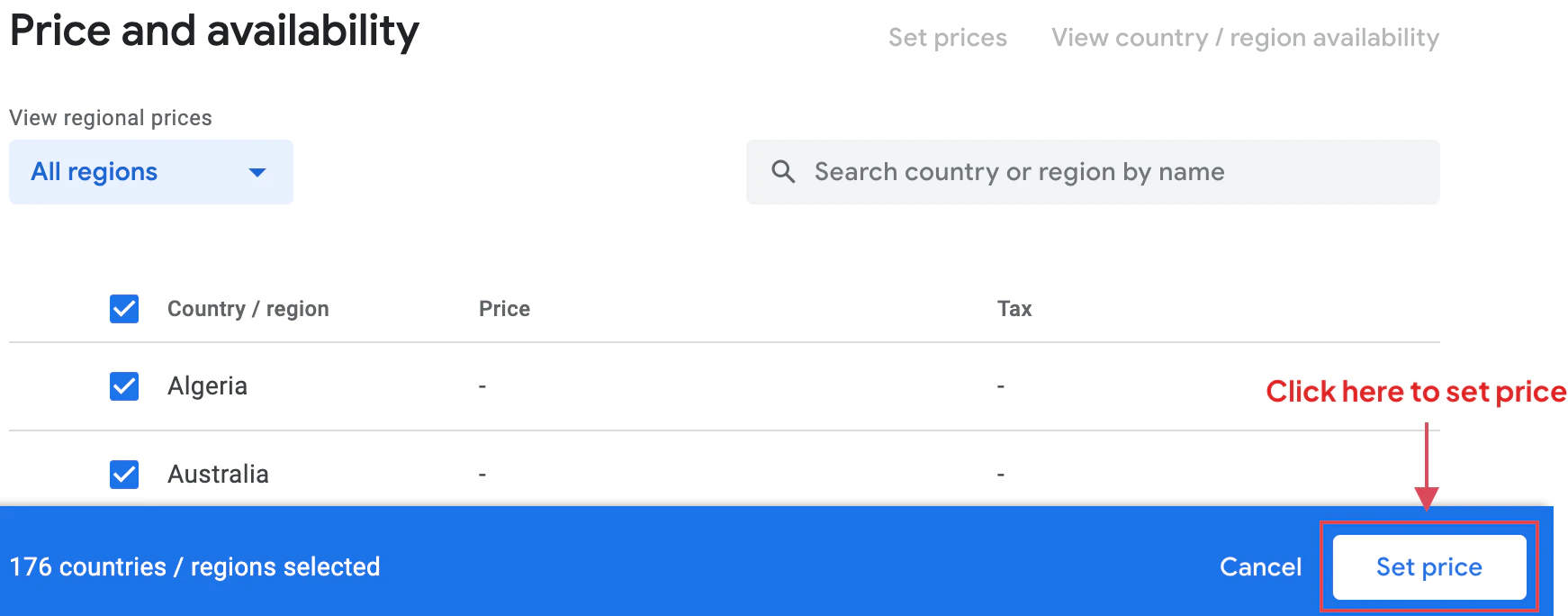
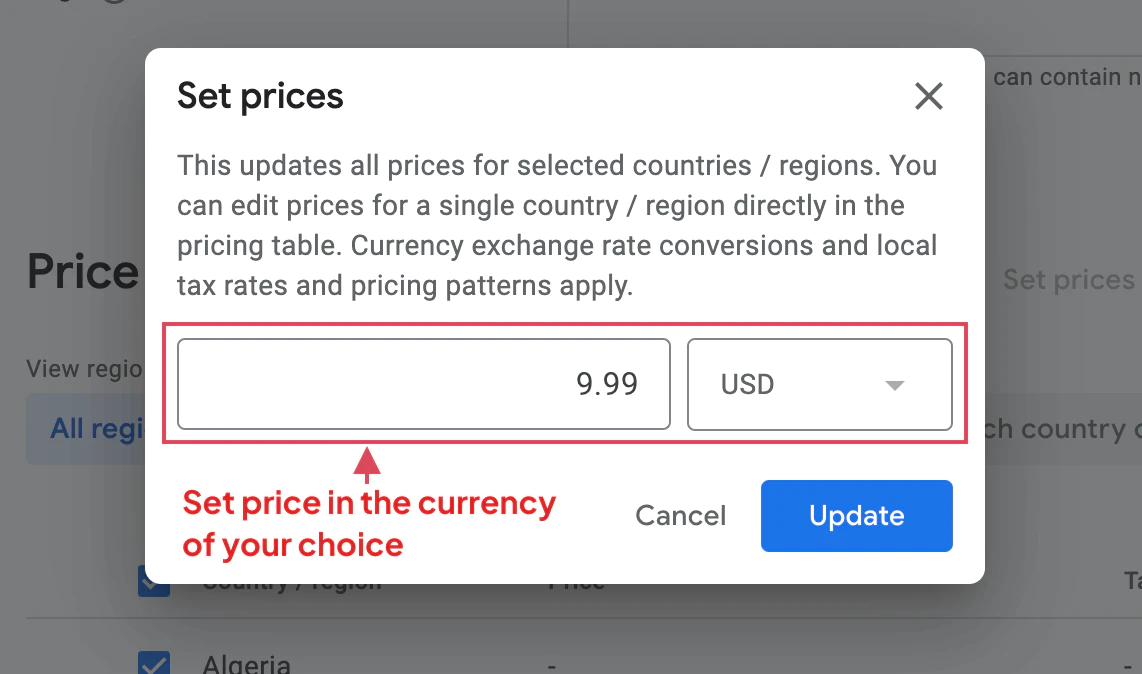
访问定价部分并选择您希望提供订阅的所有国家/地区。
在您的主要货币中设置您的基本价格。Google Play会自动将其转换为当地货币。
-
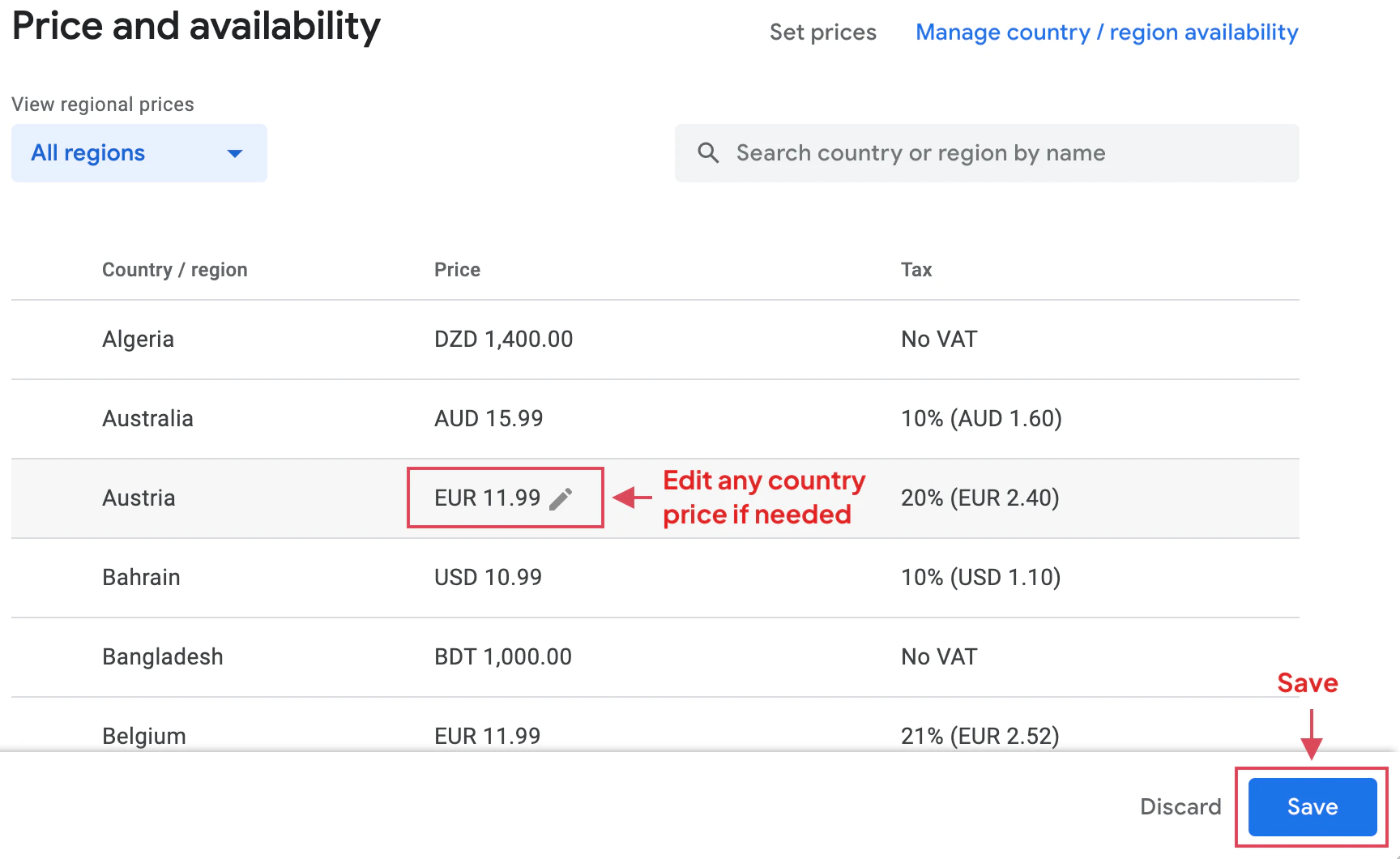
查看区域定价
查看每个国家的自动转换价格。您可以根据需要调整单独的价格。
-
保存配置
保存您的定价配置。
-
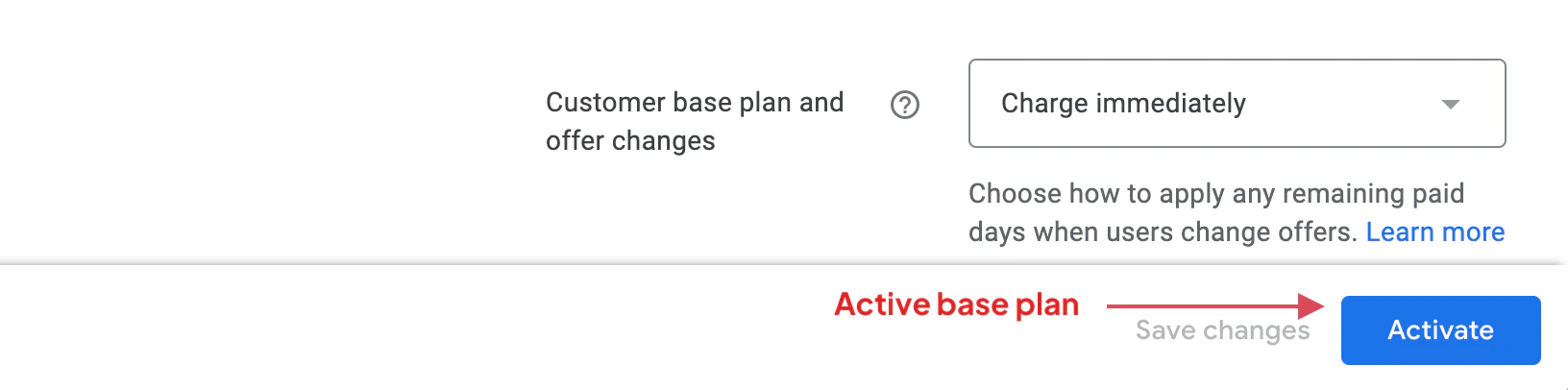
激活订阅
点击 激活 按钮以使您的订阅产品活跃并可供购买。
重要注意事项
重要注意事项基础计划限制
基础计划限制本地订阅插件需要为每个订阅配置一个基础计划,以保持与 iOS 订阅处理的一致性。多个基础计划不受支持。
宽限期
宽限期宽限期允许 Google Play 重试失败的支付,同时保持用户的订阅访问。常见的宽限期是:
- 每月订阅 3 天
- 较长订阅 7 天
订阅状态
订阅状态创建后,订阅将处于“草稿”状态,直到激活。您可以在沙盒模式下测试草稿订阅。
在您的应用中使用
在您的应用中使用创建后,请使用产品ID引用订阅:
import { NativePurchases, PURCHASE_TYPE } from '@capgo/native-purchases';
// Load subscription infoconst { products } = await NativePurchases.getProducts({  productIdentifiers: ['com.example.premium.monthly'],  productType: PURCHASE_TYPE.SUBS,});
const product = products[0];console.log(`${product.title} — ${product.priceString}`);
// Purchase (planIdentifier = Base Plan ID from Google Play Console)const transaction = await NativePurchases.purchaseProduct({  productIdentifier: 'com.example.premium.monthly',  planIdentifier: 'monthly-plan', // REQUIRED on Android, ignored on iOS  productType: PURCHASE_TYPE.SUBS,});
console.log('Transaction ID', transaction.transactionId);
// Later, check purchase stateconst { purchases } = await NativePurchases.getPurchases({  productType: PURCHASE_TYPE.SUBS,});
const subscription = purchases.find(  (purchase) => purchase.productIdentifier === 'com.example.premium.monthly',);
if (subscription && subscription.purchaseState === 'PURCHASED' && subscription.isAcknowledged) {  console.log('Subscription active locally');  // For expiration/cancellation, validate purchaseToken through your backend}
下一步
下一步故障排除
故障排除应用程序中未显示订阅:
- 确认产品 ID 完全匹配
- 确认订阅已激活
- 确认应用程序具有正确的包名
- 激活后等待 2-3 小时,直到更改传播
基本计划错误:
- 确认您有一个基本计划
- 确认所有必填字段已填写
- 确认计费周期有效
价格问题:
- 至少确认一个国家被选中
- 确认基础价格大于允许的最小价格
- 检查货币转换率是否可接受
继续从创建 Android 自动续订订阅
标题:继续从创建 Android 自动续订订阅如果您正在使用 创建 Android 自动续订订阅 来规划商店审批和分发,连接它到 使用 @capgo/native-purchases 为使用 @capgo/native-purchases 中的原生能力 使用 @capgo/capacitor-in-app-review 为 @capgo/capacitor-in-app-review 的实现细节 使用 @capgo/capacitor-in-app-review 为 @capgo/capacitor-in-app-review 的原生能力 @capgo/capacitor-原生市场 为 @capgo/capacitor-native-market 的实现细节, 和 使用 @capgo/capacitor-native-market 为 @capgo/capacitor-native-market 的原生能力


