
Web 上的 Firebase Google Login
复制包含安装步骤和该插件完整 Markdown 指南的配置 prompt。
简介
引言Capacitor Social Login 插件 不支持 Web 平台对于 Web 应用,建议直接使用 Firebase 内置的 Google Sign-In,它能提供更可靠的基于弹窗的身份验证流程。
为什么不在 Web 端使用该插件?
标题为“为什么不在 Web 端使用该插件?”的章节Capacitor Social Login 插件专为原生移动平台(Android 和 iOS)设计,可以利用平台特定的身份验证流程。对于 Web 端,Firebase 的原生 signInWithPopup 方法如下:
- ✅ 更可靠,支持更好
- ✅ 自动处理浏览器会话存储
- ✅ 提供更好的错误处理
- ✅ 无需额外配置
配置步骤
标题为“配置步骤”的章节-
配置 Firebase 项目
确保您的 Firebase 项目已启用 Google Sign-In:
- 前往 Firebase 控制台
- 前往 Authentication > Sign-in method
- 启用 Google Sign-In 提供商
-
添加您的授权域名
- 前往您的项目概览页面 console.cloud.google.com
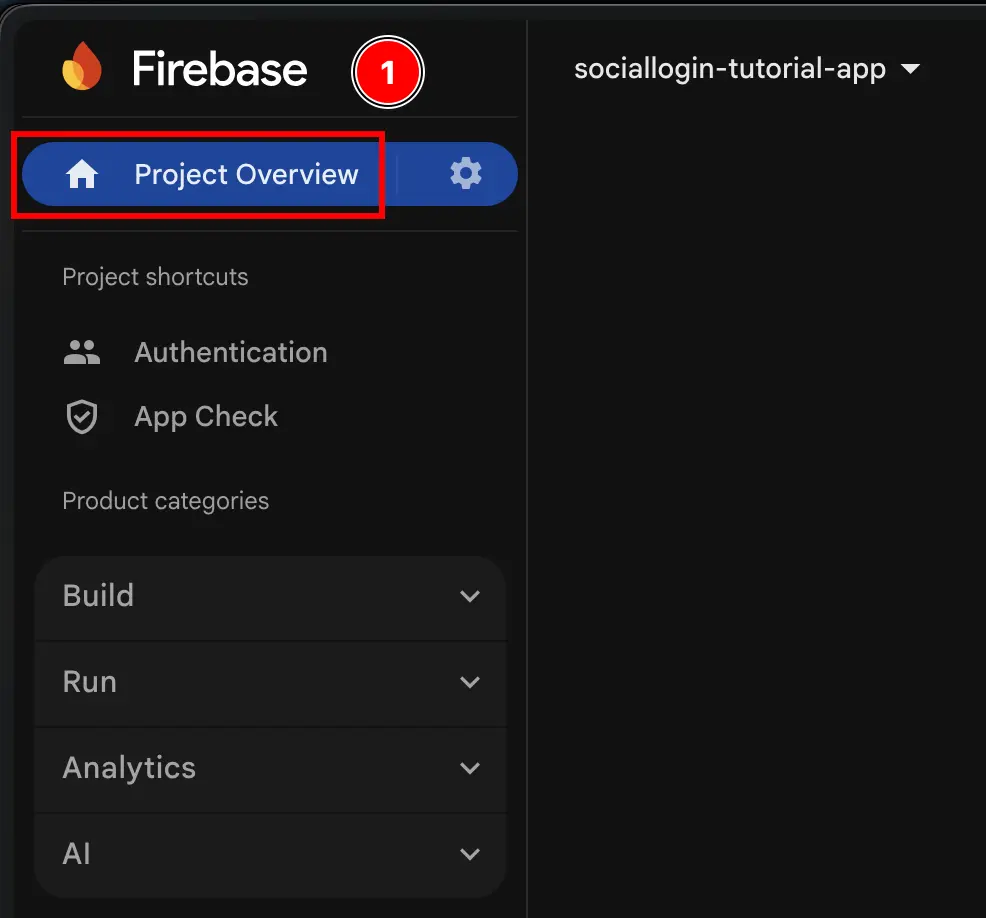
- 打开
Authentication菜单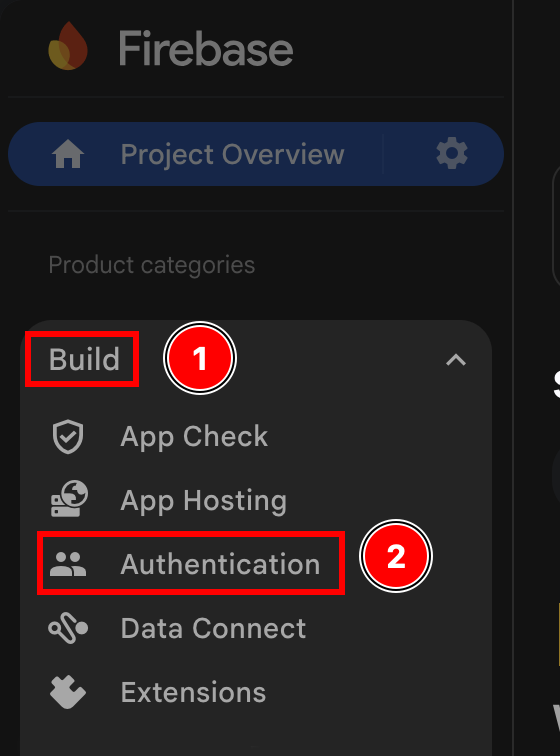
- 点击
Settings按钮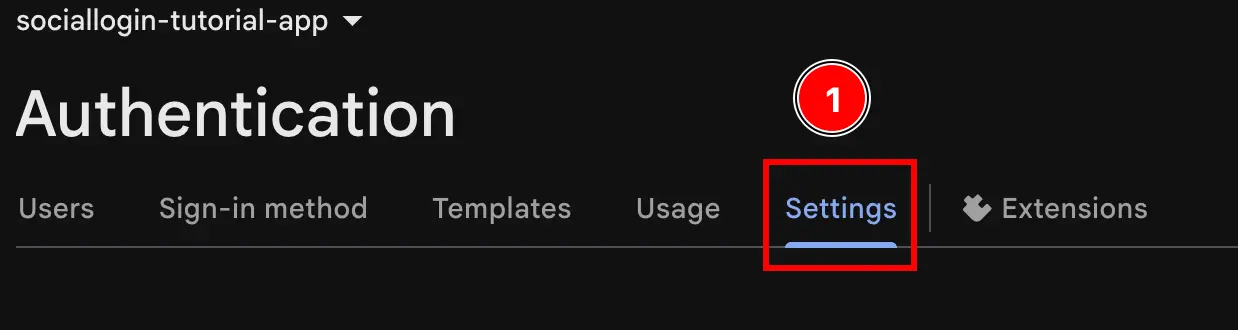
- 配置
Authorized domains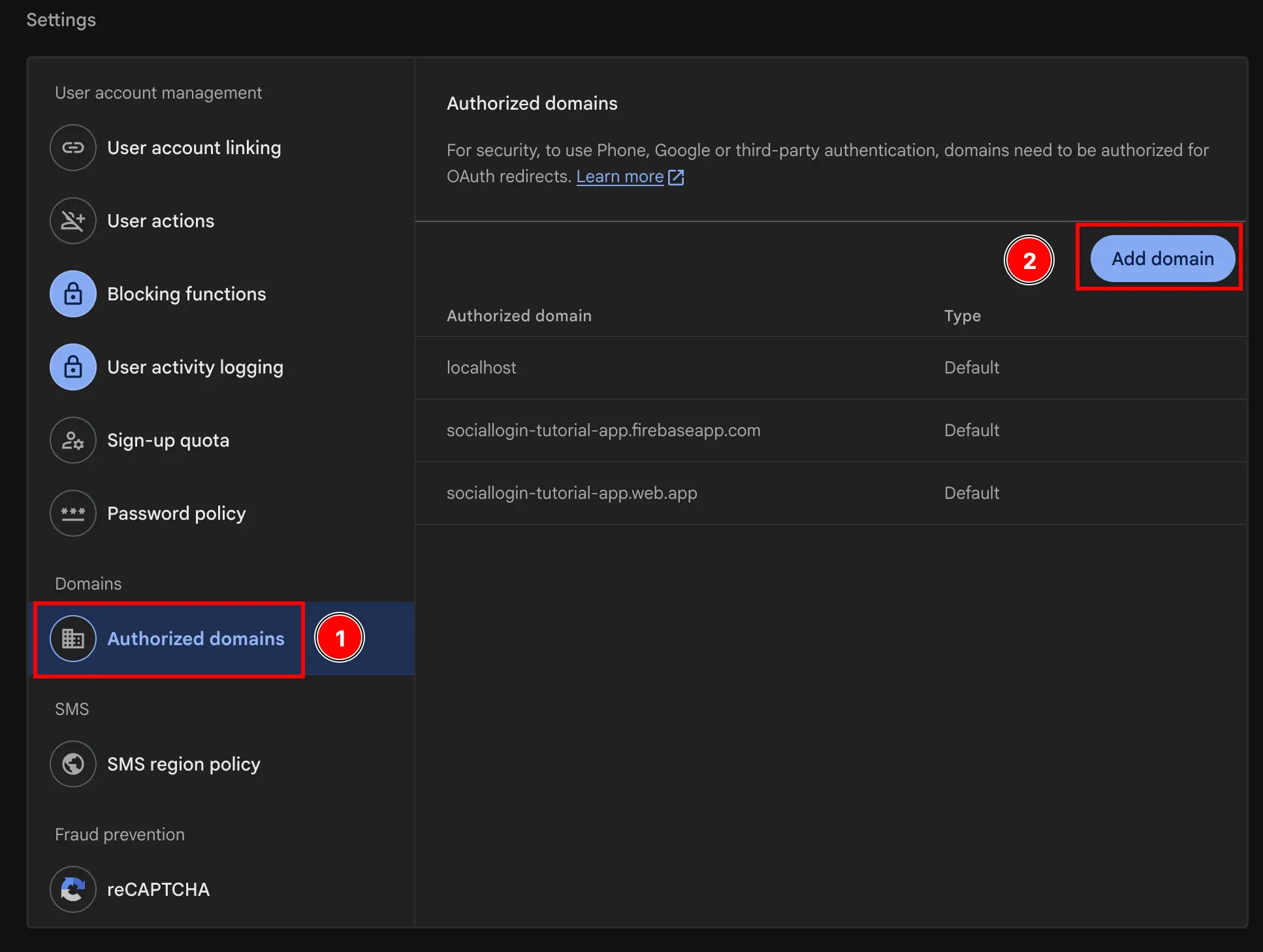
- 前往您的项目概览页面 console.cloud.google.com
实现示例
标题为 “实现示例” 的章节请参阅 authUtils.ts 示例应用中的文件,包含完整的实现,可:
- 使用 Firebase 的
signInWithPopup用于 Web 平台 - 在 Android/iOS 平台上使用 Capacitor Social Login 插件
- 自动处理平台检测
示例展示了如何在 Web 端按条件使用 Firebase 内置方法,同时在原生平台上使用插件。
更多资源
标题为“更多资源”的章节- Firebase Authentication 文档 - 完整的 Firebase Auth 文档
- Web 端 Firebase Google Sign-In - Firebase 官方 Web 端 Google Sign-In 指南
- Google Login 配置指南 - 配置授权域名和 OAuth 同意屏幕的指南
继续学习 Web 端 Firebase Google Login
章节标题:“在 Web 端继续使用 Firebase Google Login”如果你正在使用 Web 上的 Firebase Google Login 用来规划身份验证和账户流程,并将它与 使用 @capgo/capacitor-social-login 关于使用 @capgo/capacitor-social-login 的原生能力, @capgo/capacitor-social-login 在 @capgo/capacitor-social-login 中查看实现细节, @capgo/capacitor-passkey 有关 @capgo/capacitor-passkey 的实现细节, @capgo/capacitor-native-biometric 以及 @capgo/capacitor-native-biometric 中的实现细节, 双因素认证 有关双重身份验证的实现细节。


