
入门指南
本教程将涵盖什么?
Section titled “本教程将涵盖什么?”本教程将展示如何从头开始启动 supabase 以及启动边缘函数
要开始,请运行
supabase start接下来应该看到类似这样的内容:
Started supabase local development setup.
         API URL: http://localhost:54321     GraphQL URL: http://localhost:54321/graphql/v1          DB URL: postgresql://postgres:postgres@localhost:54322/postgres      Studio URL: http://localhost:54323    Inbucket URL: http://localhost:54324      JWT secret: [truncated]        anon key: supa_key_anonservice_role key: supa_key_admin
接下来打开 configs.json 并设置以下值:
{ "base_domain": { "prod": "console.capgo.app", "development": "development.console.capgo.app", "local": "localhost:3332" }, "supa_anon": { "prod": "supa_key_anon", "development": "supa_key_anon", "local": "supa_key_anon" }, "supa_url": { "prod": "http://localhost:54321", "development": "http://localhost:54321", "local": "http://localhost:54321" }}其中 supa_key_anon 是上一步的值。
接下来,验证您可以访问 localhost:54323,并且 users 表看起来像这样
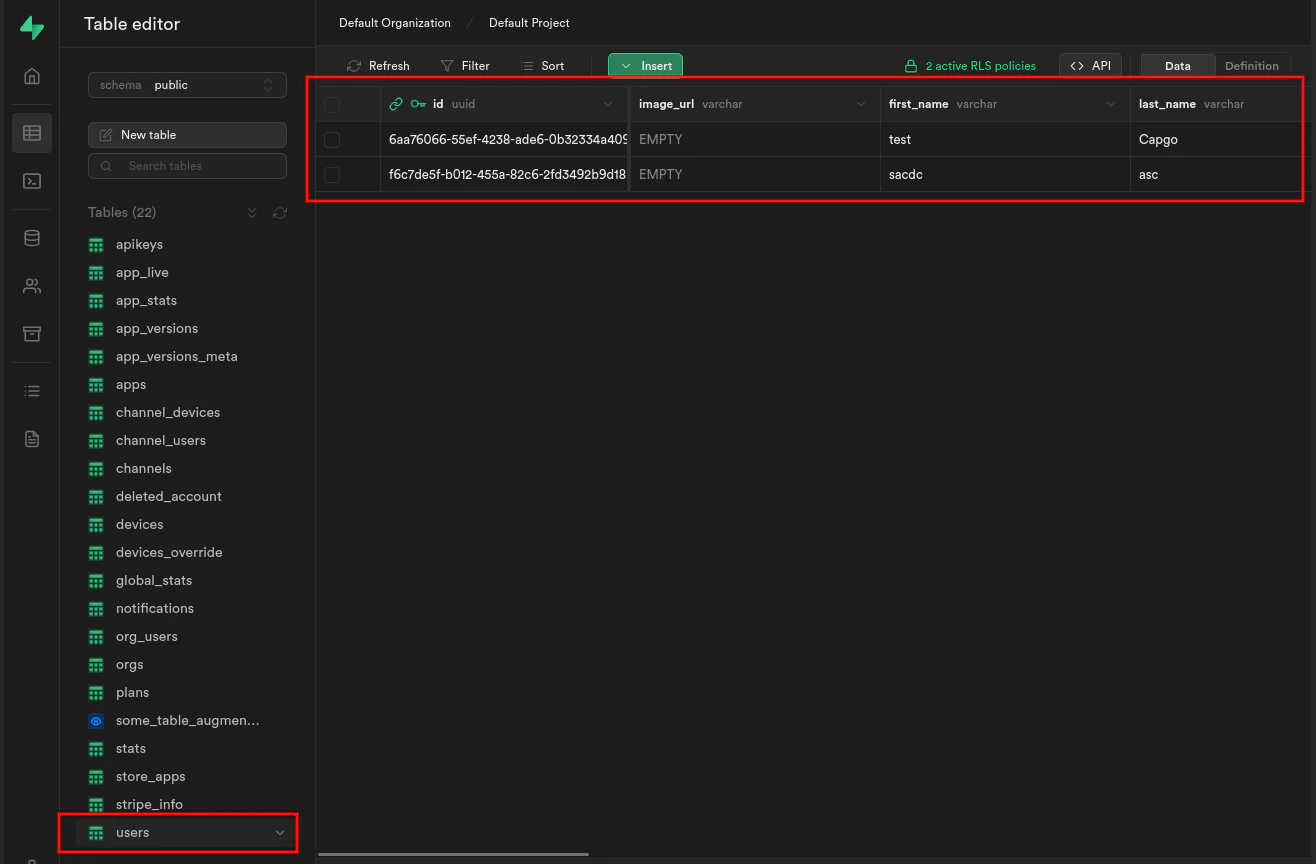
如果可以,请通过运行以下命令启动边缘函数:
supabase functions serve并通过运行以下命令启动前端:
bun run serve