
组织系统
什么是组织系统?
Section titled “什么是组织系统?”组织系统是 Capgo 中的一个系统,允许您与团队成员安全地共享应用。
组织设置概述
Section titled “组织设置概述”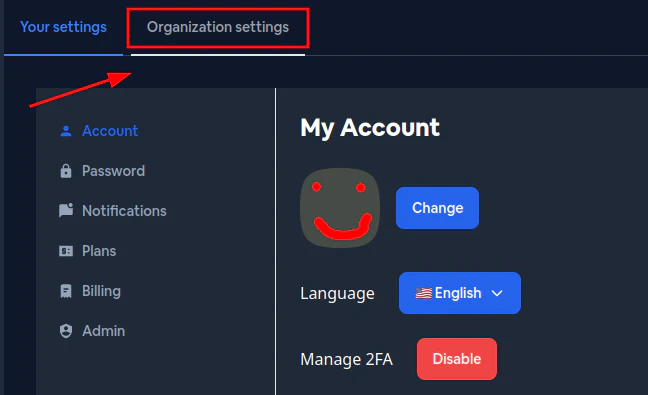
| 编号 | 元素 | 描述 |
|---|---|---|
| 1 | 设置 | 从侧边栏菜单访问设置 |
| 2 | 组织选项卡 | 切换到组织设置(与个人帐户设置相比) |
| 3 | 常规 | 查看和编辑组织名称、徽标和管理邮箱 |
| 4 | 成员 | 管理团队成员及其权限 |
| 5 | 安全 | 配置安全策略(2FA、密码要求) |
| 6 | 审计日志 | 查看组织的活动日志 |
| 7 | 计划 | 查看和管理订阅计划 |
| 8 | 用量 | 监控组织的使用统计 |
| 9 | 积分 | 查看和购买额外积分 |
| 10 | Webhooks | 配置 webhook 集成 |
| 11 | 计费 | 管理计费信息和发票 |
| 12 | 组织选择器 | 在不同组织之间切换 |
如何访问组织设置
Section titled “如何访问组织设置”- 点击左侧边栏中的设置(1)
- 选择顶部的组织选项卡(2)
- 使用选项卡(3-11)在不同设置部分之间导航
如何切换组织
Section titled “如何切换组织”点击侧边栏左上角附近的组织选择器(12)下拉菜单,查看并切换到您有权访问的组织。
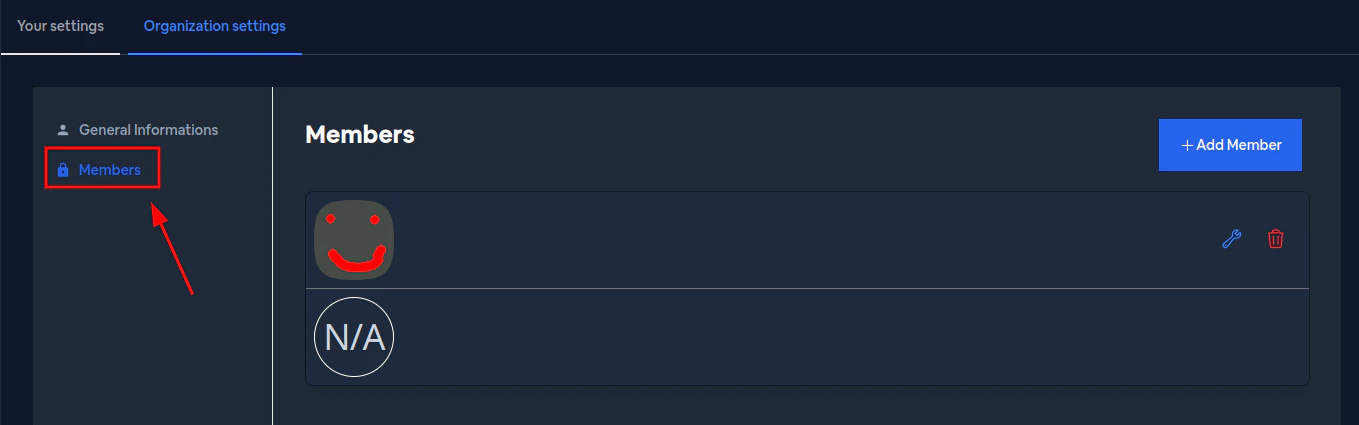
成员部分显示所有有权访问您组织的用户:
- 成员:用户头像、姓名和邮箱
- 角色:当前权限级别(读取、上传、写入、管理员、超级管理员)
- 操作:编辑或删除成员
如何邀请新成员
Section titled “如何邀请新成员”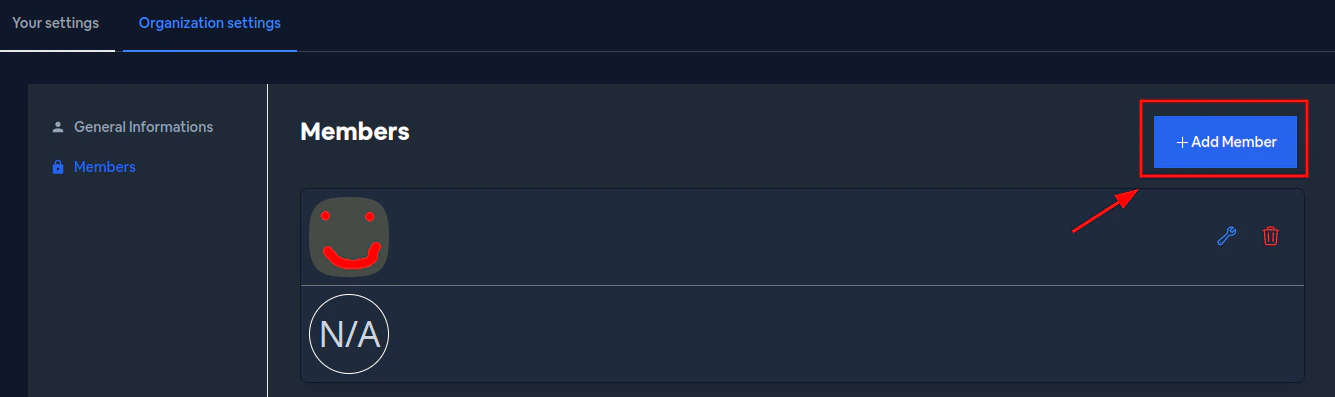
- 点击 + 添加 按钮(1)
- 在弹窗中输入用户的邮箱地址(2)
- 点击邀请
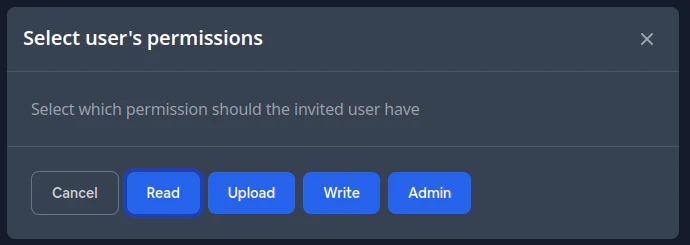
输入邮箱后,为受邀用户选择权限级别:
- 读取 - 只读访问
- 上传 - 可以上传新版本
- 写入 - 可以修改设置和内容
- 管理员 - 除计费和删除外的完全访问
- 超级管理员 - 完全控制组织
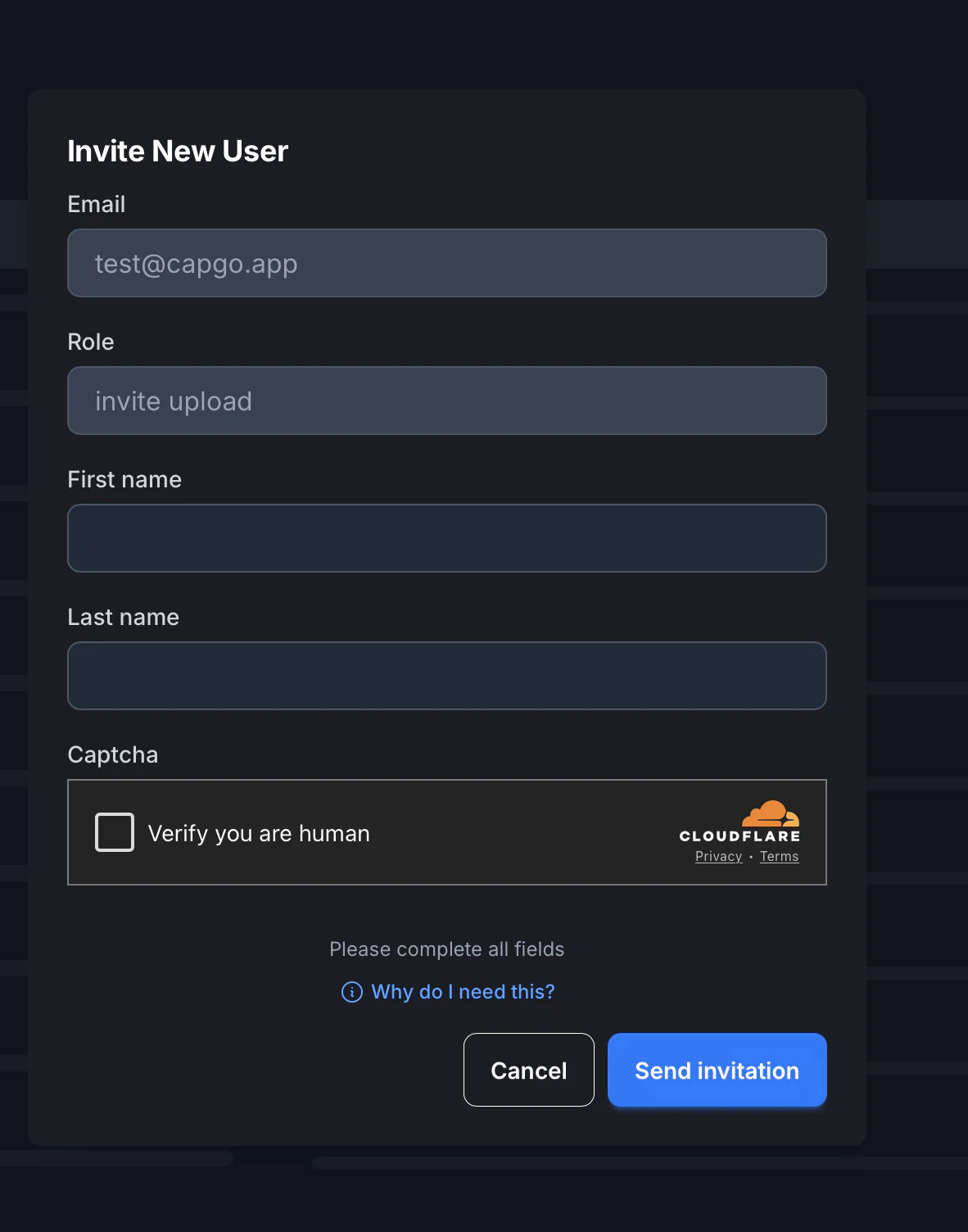
填写剩余详细信息:
- 邮箱 - 从上一步预填充
- 角色 - 显示选择的权限级别
- 名字 - 可选:受邀者的名字
- 姓氏 - 可选:受邀者的姓氏
- 验证码 - 验证您是人类
点击发送邀请完成流程。
| 权限 | 读取 | 上传 | 写入 | 管理员 | 超级管理员 |
|---|---|---|---|---|---|
| 显示应用统计 | ✅ | ✅ | ✅ | ✅ | ✅ |
| 显示应用频道 | ✅ | ✅ | ✅ | ✅ | ✅ |
| 显示设备 | ✅ | ✅ | ✅ | ✅ | ✅ |
| 显示日志 | ✅ | ✅ | ✅ | ✅ | ✅ |
| 显示包 | ✅ | ✅ | ✅ | ✅ | ✅ |
| 删除应用 | ❌ | ❌ | ❌ | ❌ | ✅ |
| 删除频道 | ❌ | ❌ | ❌ | ✅ | ✅ |
| 删除版本 | ❌ | ❌ | ✅ | ✅ | ✅ |
| 更改组织设置 | ❌ | ❌ | ❌ | ✅ | ✅ |
| 管理组织用户 | ❌ | ❌ | ❌ | ✅ | ✅ |
| 修改频道设置 | ❌ | ❌ | ✅ | ✅ | ✅ |
| 上传新版本 | ❌ | ✅ | ✅ | ✅ | ✅ |
| 修改设备 | ❌ | ❌ | ✅ | ✅ | ✅ |
| 更改频道当前版本 | ❌ | ❌ | ✅ | ✅ | ✅ |
| 创建新频道 | ❌ | ❌ | ❌ | ✅ | ✅ |
| 修改版本(元数据) | ❌ | ❌ | ✅ | ✅ | ✅ |
| 管理计费 | ❌ | ❌ | ❌ | ❌ | ✅ |
| 不安全地删除版本 | ❌ | ❌ | ❌ | ❌ | ✅ |
拥有超级管理员权限的用户可以管理特定组织的计费。计划与组织关联,而不是与您的个人帐户关联。
我可以创建多个组织吗?
Section titled “我可以创建多个组织吗?”不可以,目前还不行。
如何为我的组织配置安全策略?
Section titled “如何为我的组织配置安全策略?”超级管理员可以配置全面的安全策略,包括:
- 强制 2FA - 要求所有成员启用双因素认证
- 密码策略 - 设置密码复杂性要求(长度、大写字母、数字、特殊字符)
- API 密钥安全 - 强制使用安全/哈希的 API 密钥和过期策略
有关详细配置说明,请参阅组织安全文档。