
Settings
如何进入设置页面
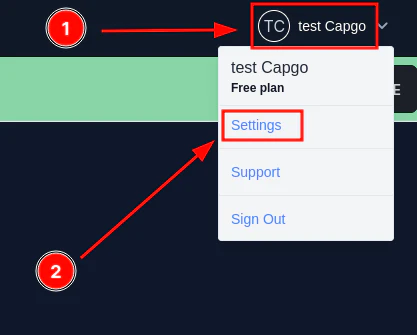
Section titled “如何进入设置页面”首先点击您的姓名和图片。然后点击设置。
更改用户设置
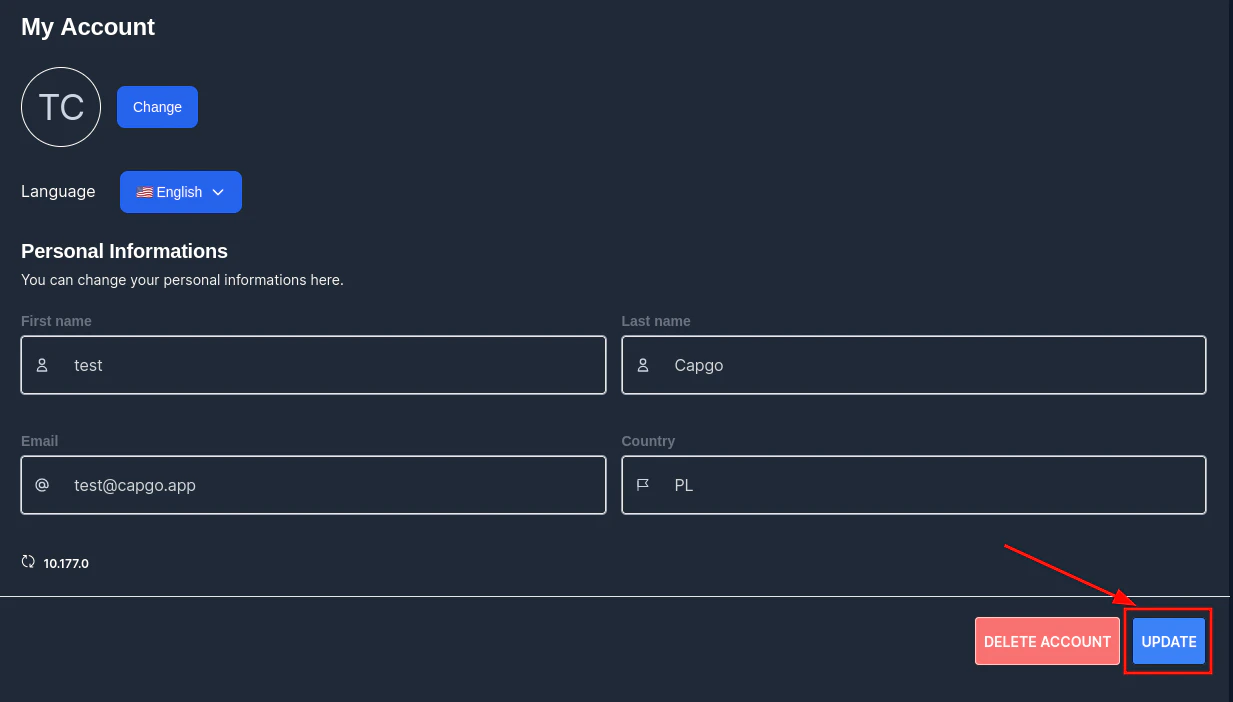
Section titled “更改用户设置”要更改任何用户设置,您只需填写帐户中的表格,然后单击“更新”。
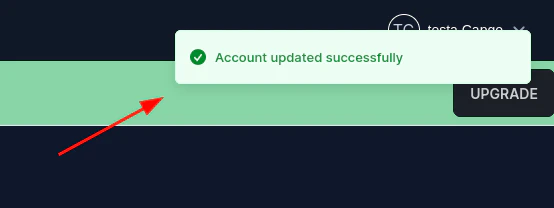
然后应该会出现确认信息。
要更改密码,请转到设置页面并单击“密码”。然后填写表格并单击“更新”。
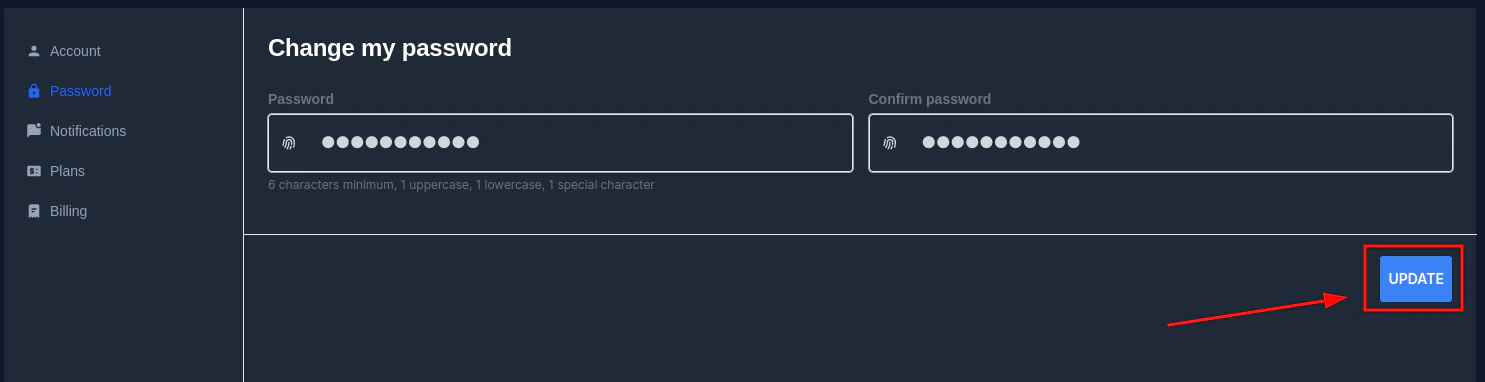
当密码不符合 capgo 密码安全规则时,您将收到错误消息。

首先点击您的姓名和图片。然后点击设置。
要更改任何用户设置,您只需填写帐户中的表格,然后单击“更新”。
然后应该会出现确认信息。
要更改密码,请转到设置页面并单击“密码”。然后填写表格并单击“更新”。
当密码不符合 capgo 密码安全规则时,您将收到错误消息。