
Supabase Apple Login - General Configuración
Descripción general
Section titled “Descripción general”Esta guía Va a help you integrate Apple Sign-In with Supabase Authentication. Apple Sign-In provides a secure, privacy-focused authentication Método that works across iOS, Android, and Web platforms.
Prerequisites
Section titled “Prerequisites”Before starting, ensure you have:
-
Read El Apple Login General Setup Guía A Configuración Apple OAuth Credenciales
-
Followed El respective platform-specific guides A Configuración Apple OAuth Credenciales for your target platform:
Before starting El Supabase Tutorial, Necesita A generate El client IDs for El platforms you plan Para usar.
For iOS, El client ID is El same as your Aplicación ID. For Android and Web, El client ID is El same as your service ID. Usted Usar them in Paso 7 of Esta guía.
Enabling Apple OAuth provider in Supabase
Section titled “Enabling Apple OAuth provider in Supabase”-
Go A your Supabase Dashboard
-
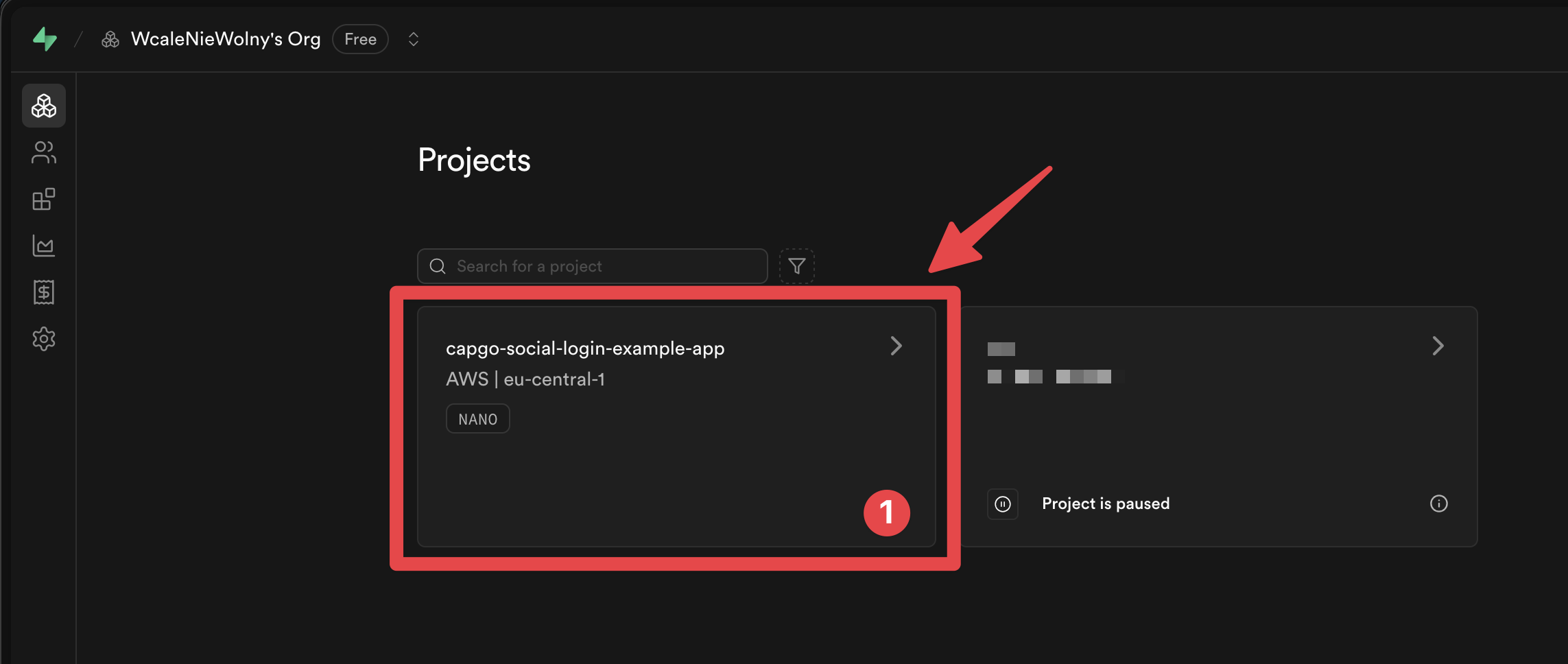
Haga clic on your project
-
Do go A El
Authenticationmenu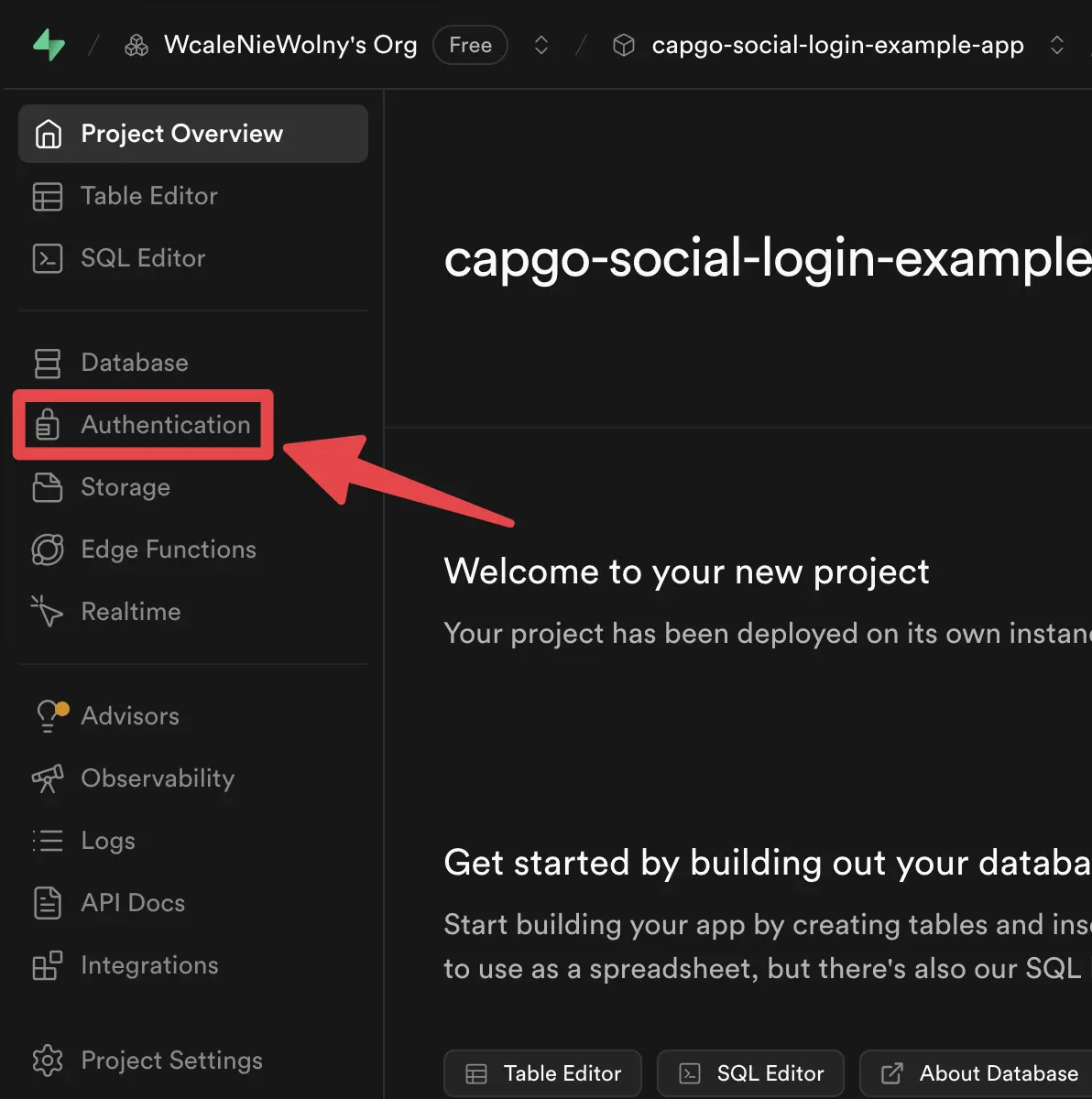
-
Haga clic on El
Providerstab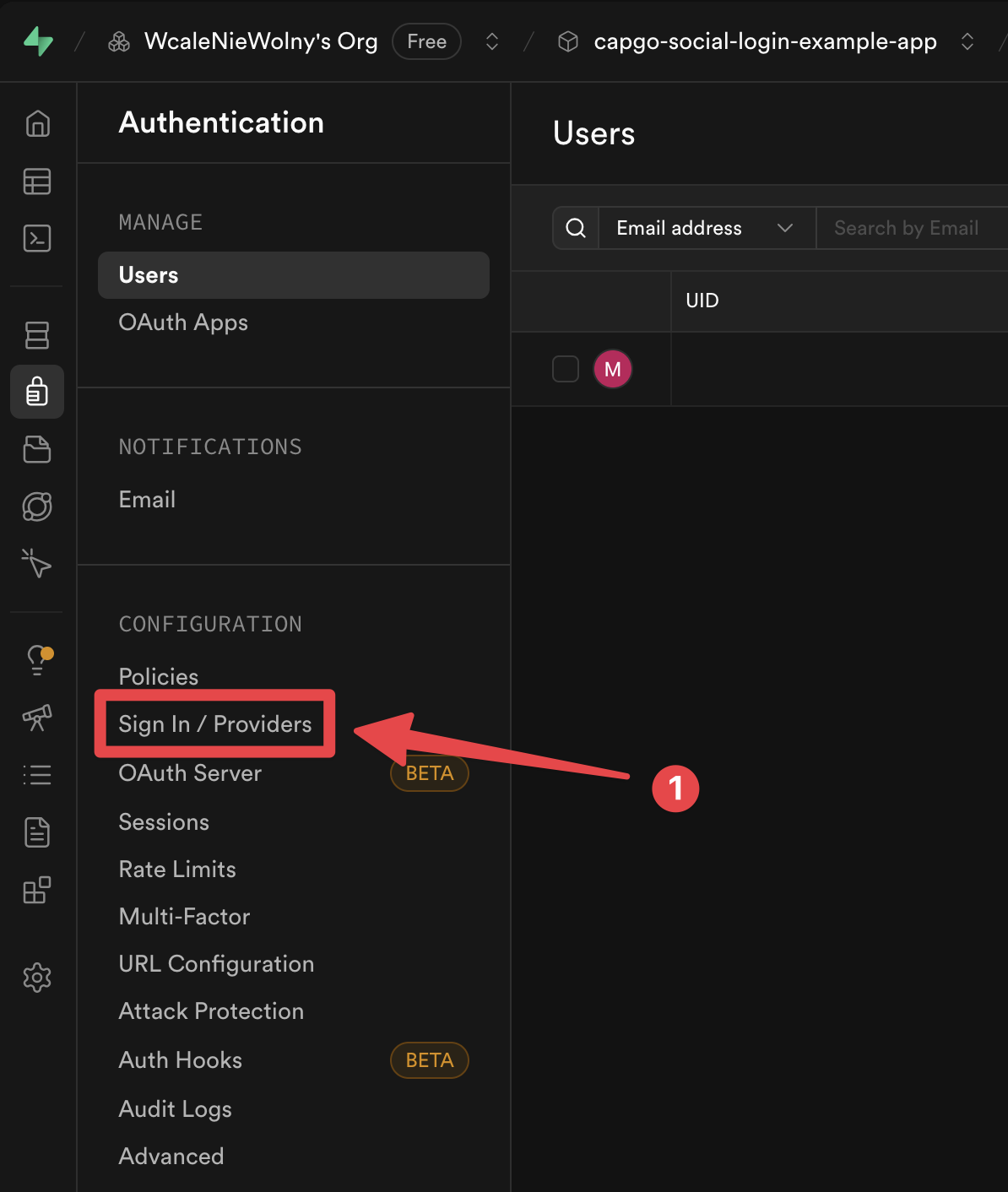
-
Encontrar El
Appleprovider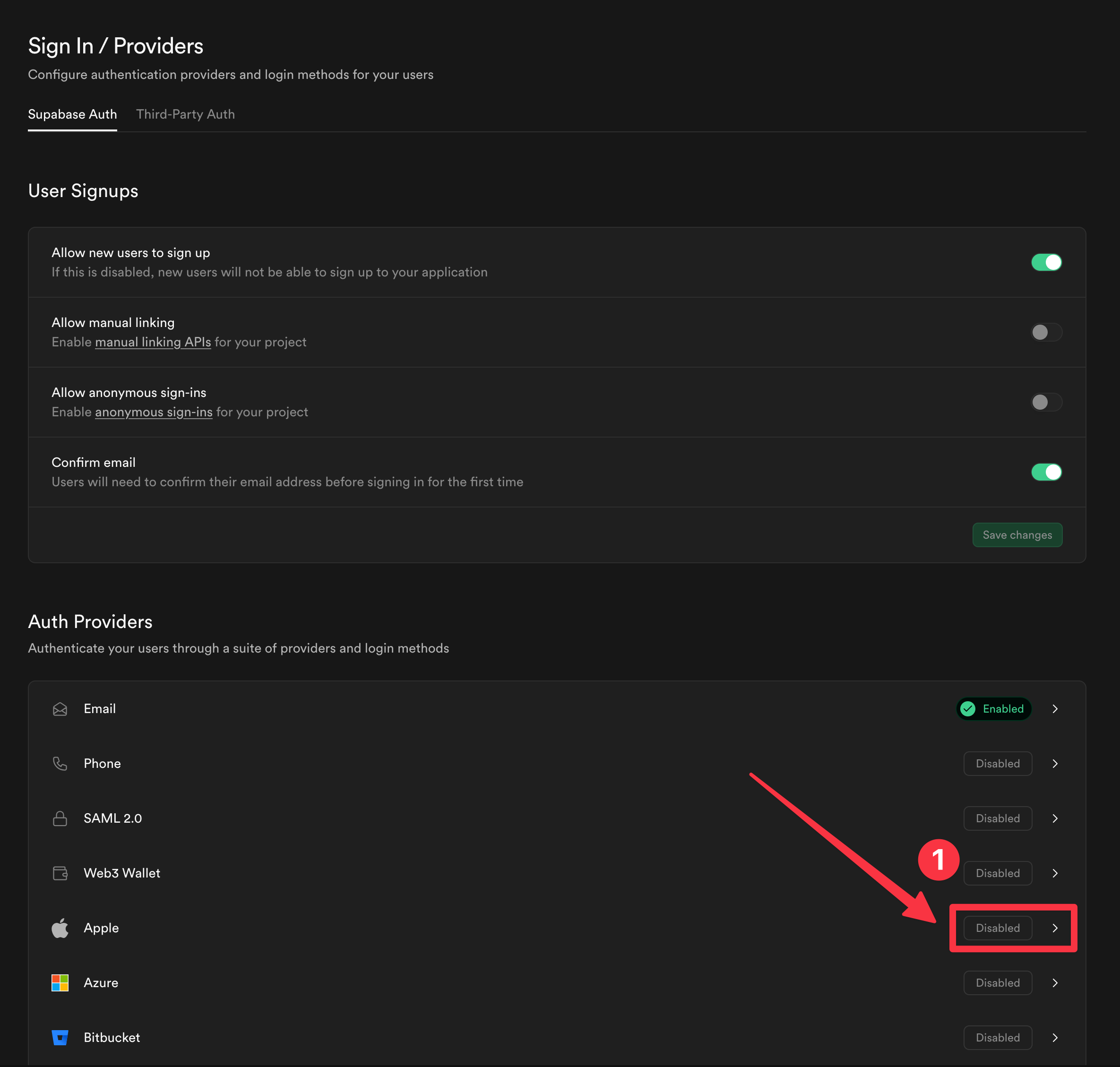
-
Habilitar El
Appleprovider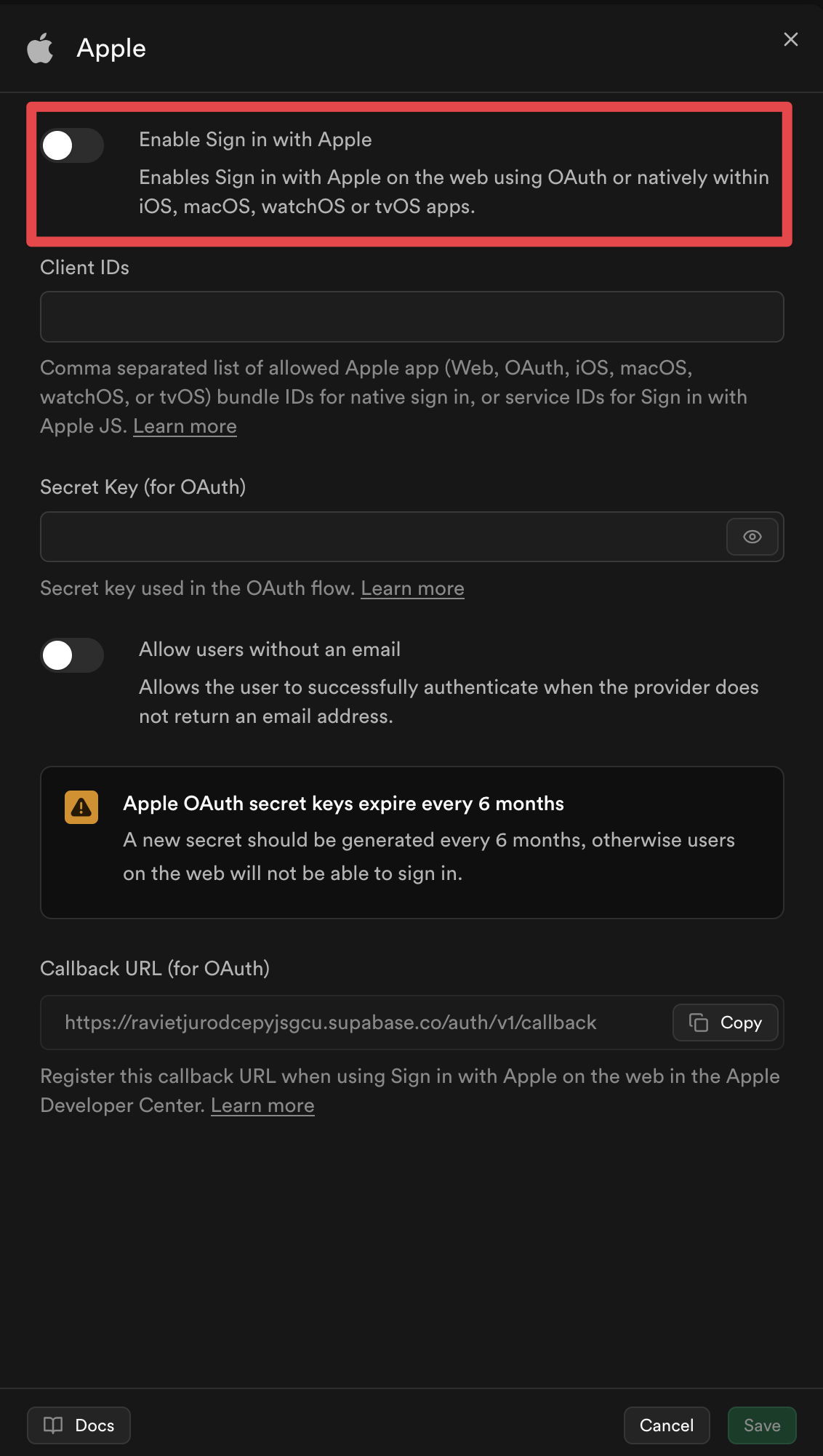
-
Fill in El client ID Configuración:
Si are using Apple login for iOS, El client ID is El same as your Aplicación ID. Si are using Apple login for Android or Web, El client ID is El same as your service ID. Si are using both, Necesita A provide both El Aplicación ID and El service ID.
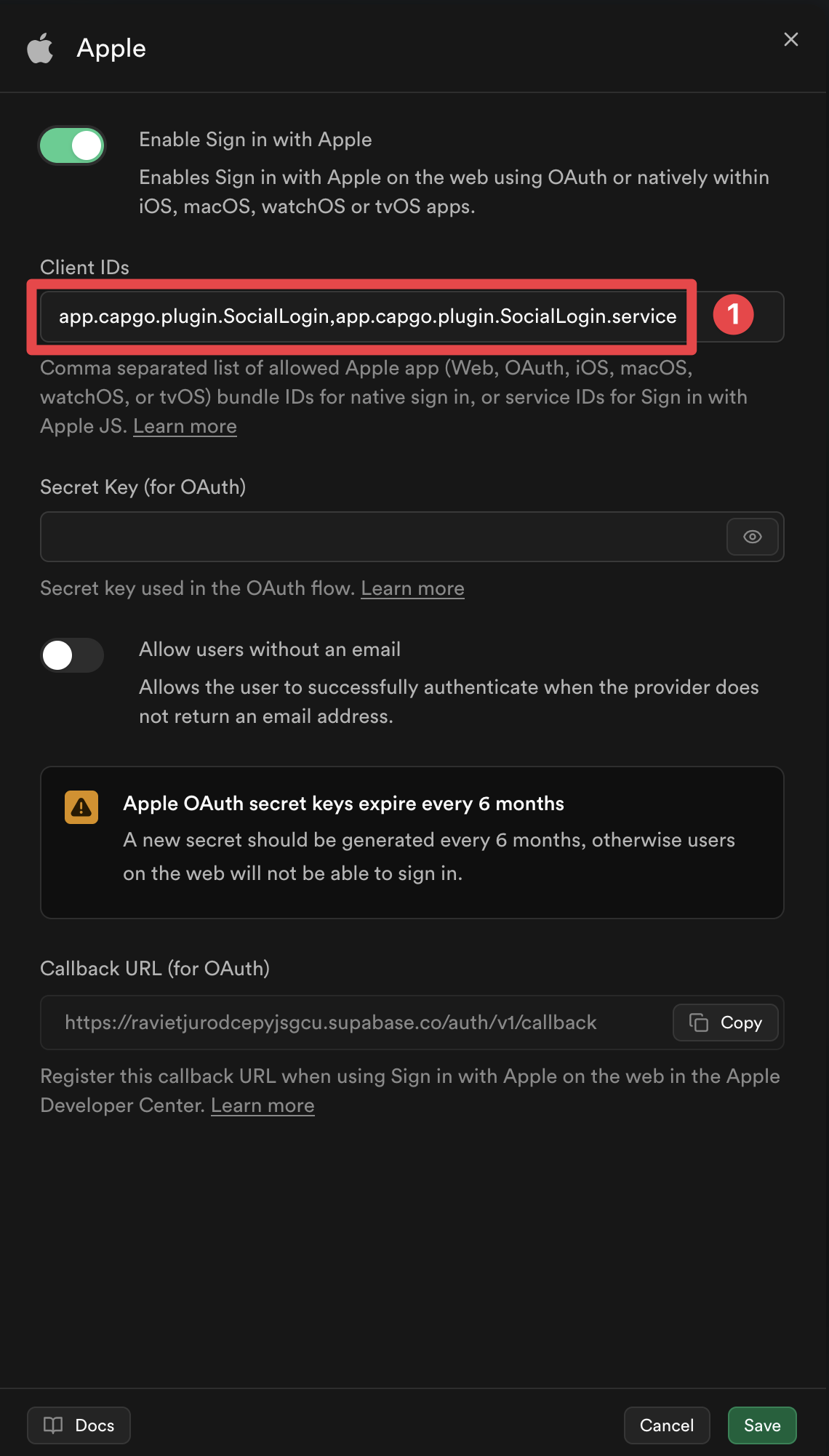
-
Haga clic on El
Savebutton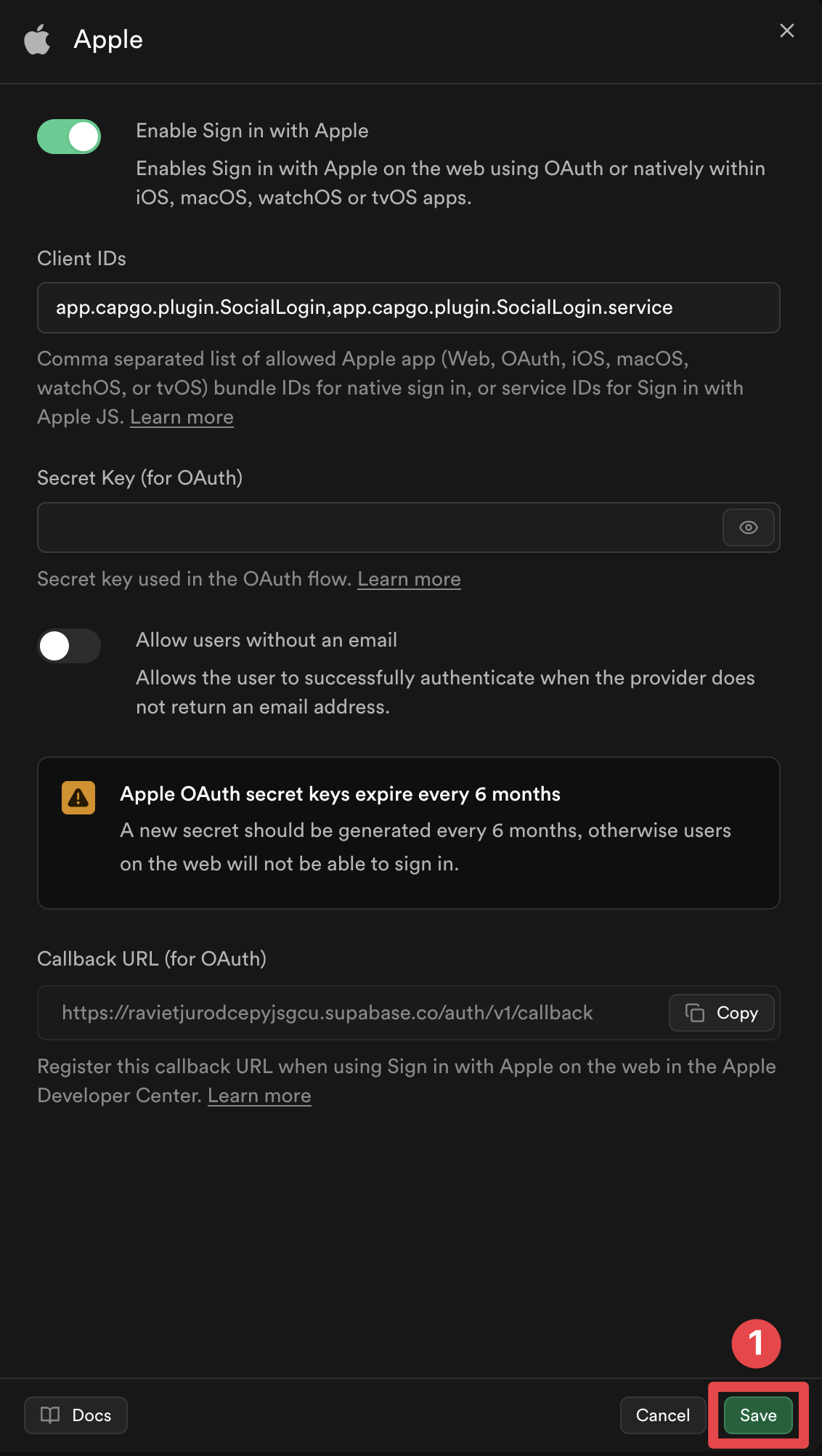
You DO NOT HAVE A Configuración
Secret key (for OAuth). We Va a do a custom backend implementation A handle El Apple login.
Voilà, you have now Habilitado Apple Sign-In with Supabase Authentication 🎉
Using El Authentication Helper
Section titled “Using El Authentication Helper”El Completo implementation includes a helper Función authenticateWithAppleSupabase() that handles El entire Apple Sign-In flow with Supabase. This Función:
- Initializes Apple Sign-In with platform-specific Configuración
- Handles El authentication flow (native on iOS, OAuth redirect on Android/Web)
- Extracts El identity token De Apple
- Signs in A Supabase with El identity token
Completo Implementation
El Completo implementation is available in El example app’s supabaseAuthUtils.ts file.
Basic Uso
Section titled “Basic Uso”import { authenticateWithAppleSupabase } from './supabaseAuthUtils';
const result = await authenticateWithAppleSupabase();if (result.success) { console.log('Signed in:', result.user); // Navigate to your authenticated area} else { console.error('Error:', result.error);}How It Works
Section titled “How It Works”El helper Función automatically handles platform-specific differences:
- iOS: Uses native Apple Sign-In (no redirect URL needed, uses Paquete ID automatically)
- Android: Uses OAuth redirect flow with backend edge Función (requires Service ID)
- Web: Uses OAuth popup flow (requires Service ID and current page URL as redirect)
El Función returns an identity token De Apple, which is then used A authenticate with Supabase using supabase.auth.signInWithIdToken().