
API Clés
Copiez un prompt de configuration avec les étapes d'installation et le guide Markdown complet pour ce plug-in.
Les API clés utilisent le contrôle d'accès basé sur le rôle (RBAC). Une clé peut avoir un rôl’organisationnel, des liens d'application ou les deux. Chaque lien d'application reste associé à l'organisation propriétaire de l'application. Pour le moins privilégié, restreignez une clé à des applications sélectionnées au lieu d'attribuer un rôl’organisationnel.
Où sont les API clés gérées ?
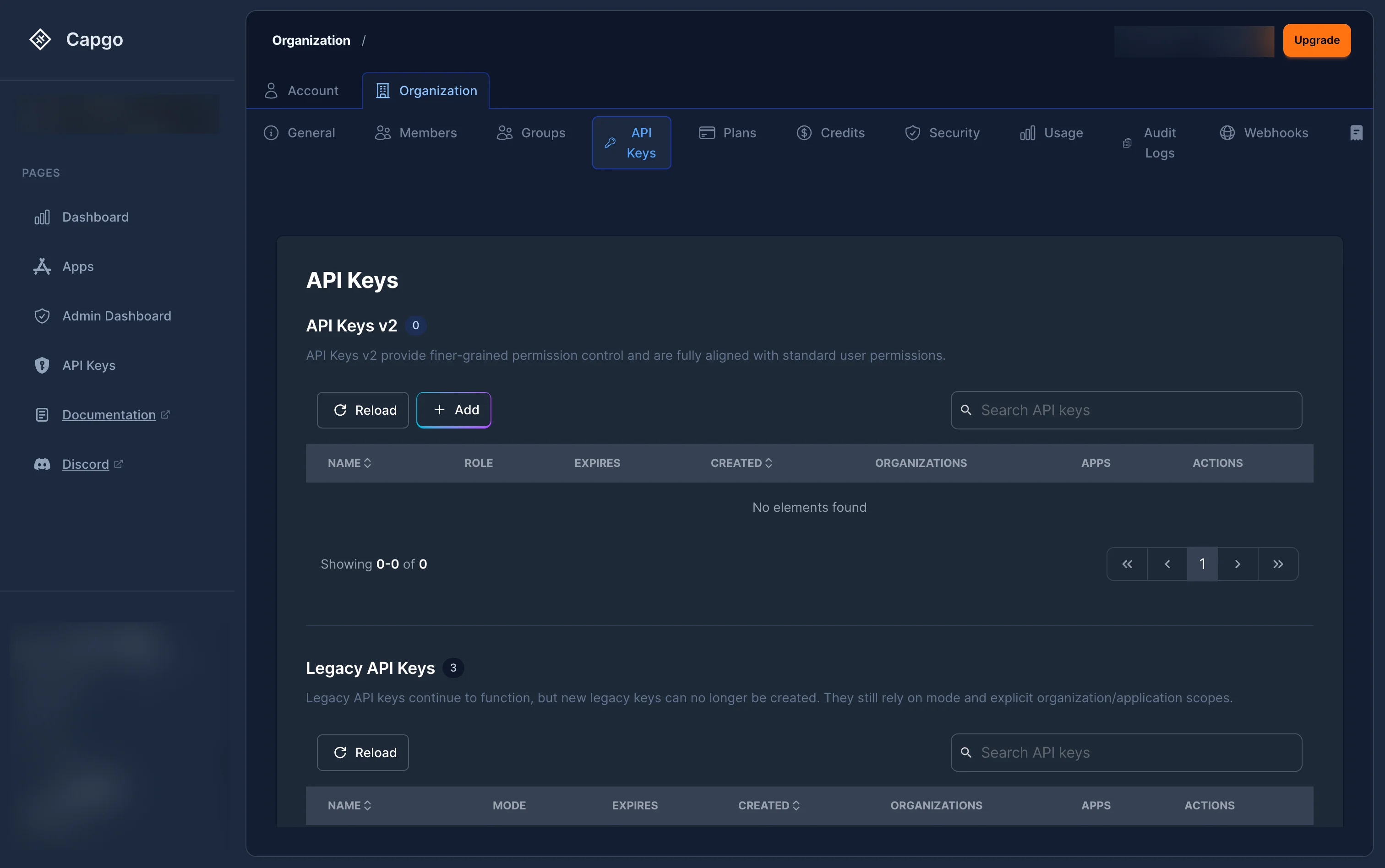
Section intitulée « Où sont les API clés gérées ? »Naviguez vers Paramètres > Organisation > Clés API à console.capgo.app/settings/organization/api-keys.
La page affiche deux sections :
- Clés RBAC — Clés avec des rôles attribués (recommandé). Ces clés utilisent le nouveau système de permission basé sur le rôle.
- Clés Legacy — Les clés plus anciennes utilisent le système de mode simple (
read,upload,write,all) sans affectation de rôle.
Comment créer une nouvelle clé API ?
Section intitulée « Comment créer une nouvelle clé API ? »-
Cliquez sur le ”+” bouton situé en haut de la table des clés RBAC.
-
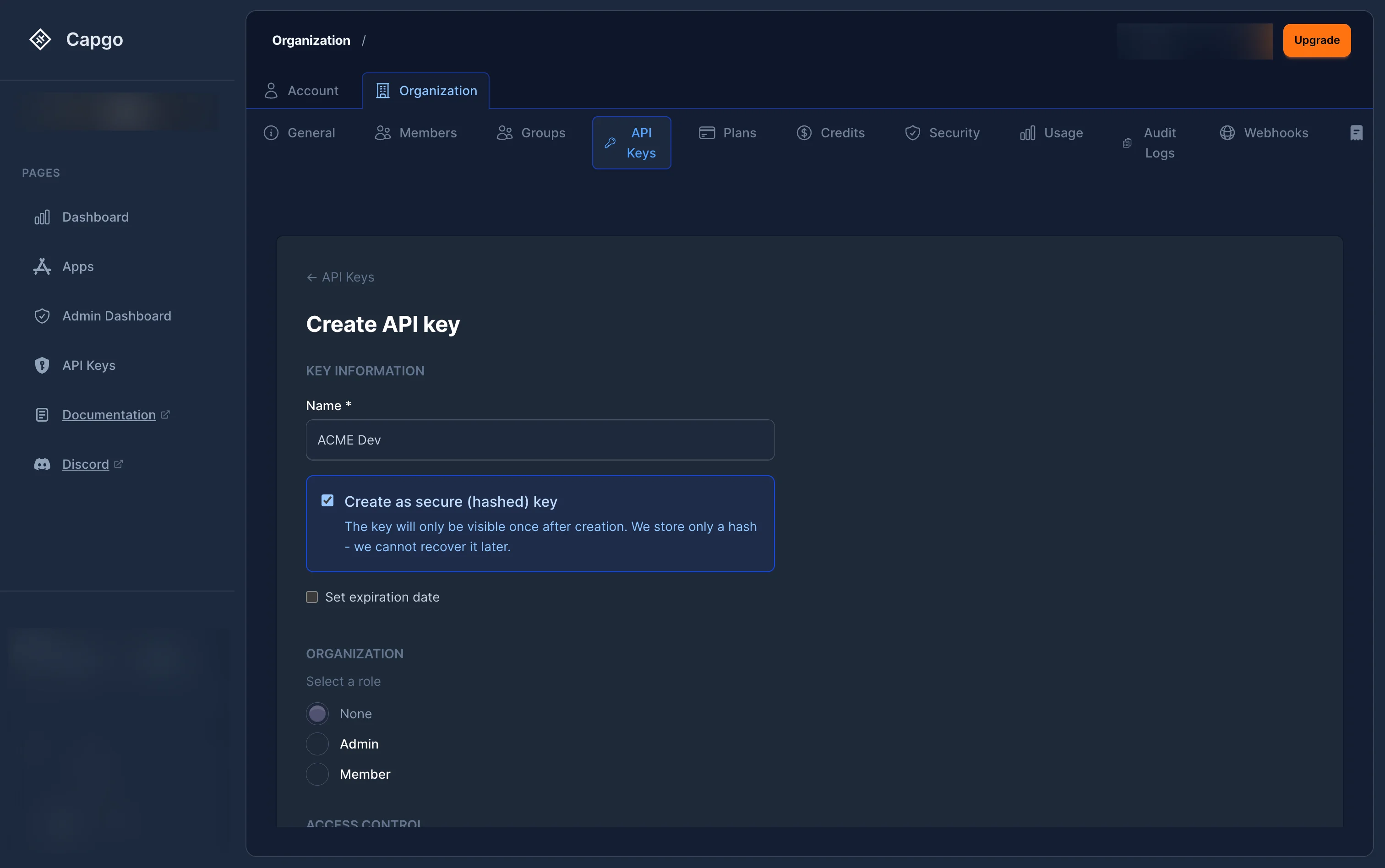
Remplissez les Informations de clé:
- Nom (obligatoire) — Un étiquette descriptive pour la clé (par exemple, « Déploiement CI/CD » ou « Lecture seule de surveillance »).
- Créer une clé sécurisée (facultatif) — Lorsque sélectionné, la clé est hachée côté serveur. La clé au texte brut est affichée seulement une fois après la création et ne peut pas être récupérée ultérieurement.
- Fixer la date d'expiration (facultatif) — Sélectionnez une date après laquelle la clé cesse de fonctionner. Certaines organisations imposent une expiration obligatoire par politique.
-
Sélectionner le champ d'application de la clé :
- Accès organisationnel à grande échelle — Sélectionner un rôle d'organisation pour définir les permissions de base au sein de l'organisation. Les rôles disponibles dépendent du niveau de votre propre rôle :
- Aucune — Aucune accès organisationnelle.
- Membre — Accès de lecture de base à l'organisation.
- Administrateur — Accès administratif complet à l'organisation et à tous ses applications.
- Accès uniquement à l'application — Activer Limiter cette clé aux applications sélectionnées. Chaque liaison d'application reste liée à l'application propriétaire de cette organisation ; ce mode omet uniquement un rôle RBAC organisationnel.
- Accès organisationnel à grande échelle — Sélectionner un rôle d'organisation pour définir les permissions de base au sein de l'organisation. Les rôles disponibles dépendent du niveau de votre propre rôle :
-
Si la clé doit créer des organisations à travers l’API public, activer Permettre la création d'organisations.
Cette fonctionnalité ajoute la permission globale.
org.createLa clé nécessite également une organisation scopingorg_adminouorg_super_adminCette clé crée également un lien de liaison. Dans le tableau de bord, en sélectionnant Admin crée la liaison.org_adminLorsque cette clé crée une nouvelle organisation, Capgo attribue automatiquement la clé en tant que Super Admin sur cette nouvelle organisation. -
Pour accorder l'accès à l'application :
- Lorsque Limitez cette clé aux applications sélectionnées est activé, choisissez une organisation sous Organisations pour filtrer les applications pour révéler ses applications. Les liens d'application sélectionnés restent associés à leurs organisations propriétaires ; ce filtre ne concède pas d'accès organisationnel.
- Cliquez Ajouter une application »Sélectionnez une ou plusieurs applications, puis attribuez un rôl’à chacune :
- Lecteur d'application — Accès en lecture seule à l'application.
- Téléchargeur d'application — Peut télécharger de nouveaux ensembles.
- Développeur d'application — Peut télécharger des ensembles, gérer les appareils, déclencher des builds natifs et configurer les paramètres de canal.
- Administrateur d'application — Accès complet à l'application.
- Aperçu d'application — Prévisualisez le cycle CI/CD : téléchargez un bundle et créez un canal de prévisualisation. Le canal reçoit des droits de cycle automatiques, uniquement pour ce canal, pour cette clé.
-
Cliquez “Créer”.
-
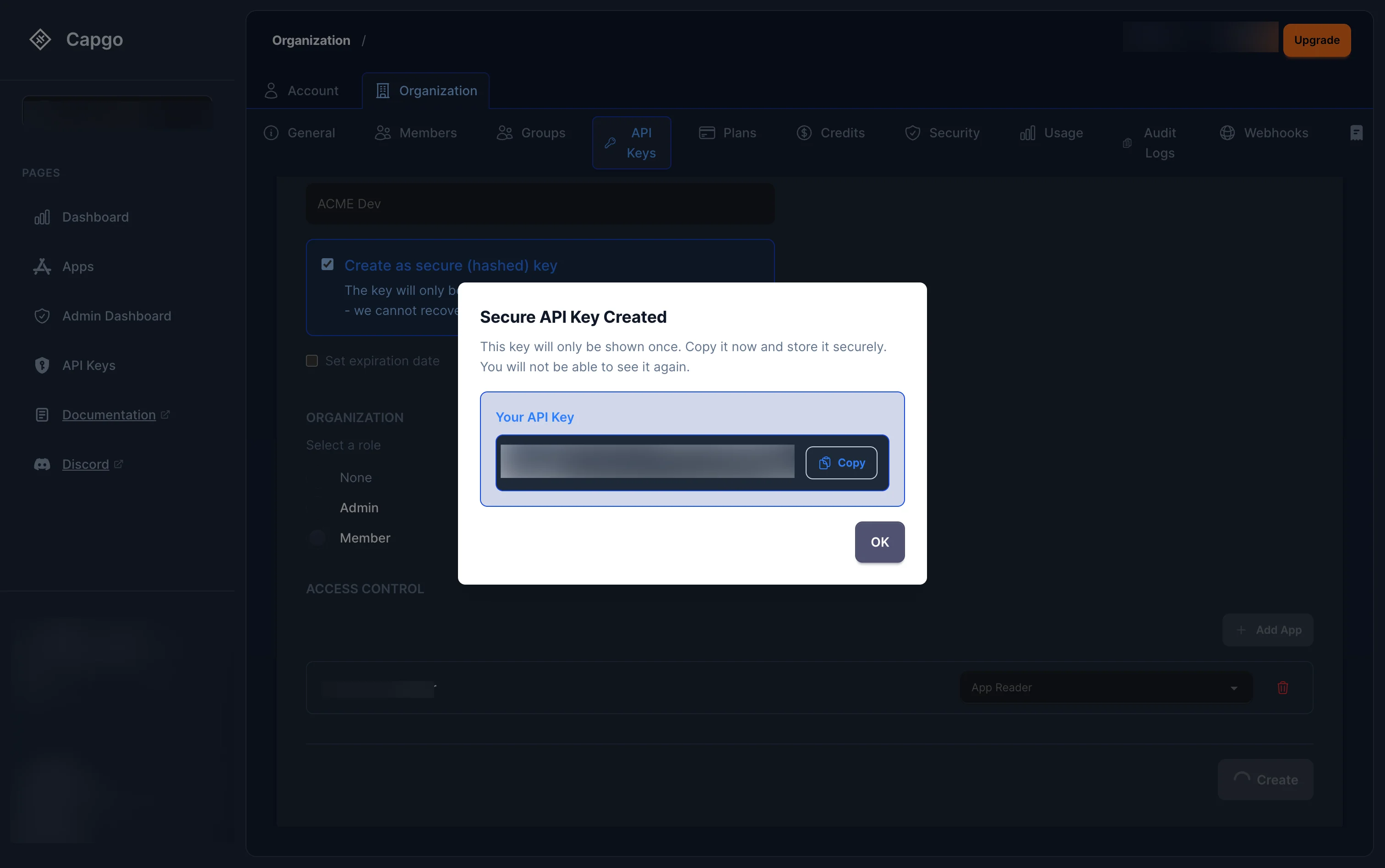
Si vous avez coché Créer une clé sécurisée, un modal affiche la clé en texte brut. Copiez-l’immédiatement — il ne peut pas être récupéré après la fermeture du modal.
Utilisez une clé d'aperçu d'application pour les workflows de prévisualisation
Section intitulée « Utilisez une clé d'aperçu d'application pour les workflows de prévisualisation »Utilisez Aperçu d'application Utilisez pour CI qui crée un canal de prévisualisation temporaire et non public, en charge et en promeut un bundle, puis supprime à la fois le canal et le bundle. Il n'a pas d'accès à la vie du cycle d'un canal par défaut ou principal existant.
- Créez une clé RBAC et activez Limitez cette clé aux applications sélectionnées.
- Sous Organisations pour filtrer les applications, sélectionnez l'organisation pour révéler ses applications ; chaque application sélectionnée reste associée à son organisation propriétaire.
- Ajoutez uniquement l'application ou les applications utilisées pour les déploiements de prévisualisation.
- Sélectionnez Aperçu d'application pour chaque application sélectionnée.
- Créez une clé sécurisée, définissez une date d'expiration lorsque cela est approprié, et stockez-la dans votre gestionnaire de secrets CI.
Cet mode sélection-apps-seul omet un rôl’organisationnel ; il ne ne supprime pas l'association organisationnelle. Chaque app_preview liaison reste scoping à son application sélectionnée et à celle-ci appartenant à l'organisation.
| Accordez des autorisations et des limites | sur l'application sélectionnée |
|---|---|
app_preview , et | app.read, app.read_bundles, app.upload_bundleliaison automatique app.create_channel. |
La clé créée par ce canal donne automatiquement à __CAPGO_KEEP_0__ channel_preview les autorisations et les limites sur l'application sélectionnée. | When this key creates a channel, Capgo automatically gives the key channel.read, channel.promote_bundleet channel.delete pour ce canal uniquement. |
app_preview garde app.read, de sorte que la clé puisse énumérer les métadonnées du canal sélectionné dans l'application. La liaison automatique d'enfant est un gestion limites : elle ne concède pas les mutations de cycle de vie pour les canaux que la clé n'a pas créés.
Capgo enregistre également lequel de la clé d'App Preview a téléchargé un bundle. La clé peut définir uniquement son propre bundle sur chaque canal de prévisualisation qu'elle crée et peut nettoyer cette paire ensemble. Elle ne reçoit pas de liaison de canal pour un canal par défaut ou principal existant, un canal créé par une autre clé de prévisualisation ou un bundle d'une autre clé.
Pour un job CI typique, utilisez un nom de canal unique par demande de tirage :
APP_ID="com.example.app"PREVIEW_CHANNEL="pr-123"BUNDLE_VERSION="1.2.3-pr.123"
npx @capgo/cli@latest bundle upload "$APP_ID" \  --apikey "$CAPGO_API_KEY" \  --path ./dist \  --channel "$PREVIEW_CHANNEL" \  --bundle "$BUNDLE_VERSION"
npx @capgo/cli@latest channel delete "$PREVIEW_CHANNEL" "$APP_ID" \  --apikey "$CAPGO_API_KEY" \  --delete-bundle \  --success-if-not-found
Pour un nouveau canal, bundle upload --channel crée le canal, télécharge le bundle et le promeut en une seule opération. La dernière commande utilise une route de nettoyage atomique étroite : elle réussit uniquement lorsque la clé possède le canal de prévisualisation et son bundle lié, non partagé. Aperçu de l'application n'a toujours pas de fonctionnalités générales bundle.deleteAinsi, il ne peut pas supprimer un bundle arbitraire.
Consultez la Référence de Contrôle d'accès pour la frontière complète.
Comment gérer (éditer) une clé API ?
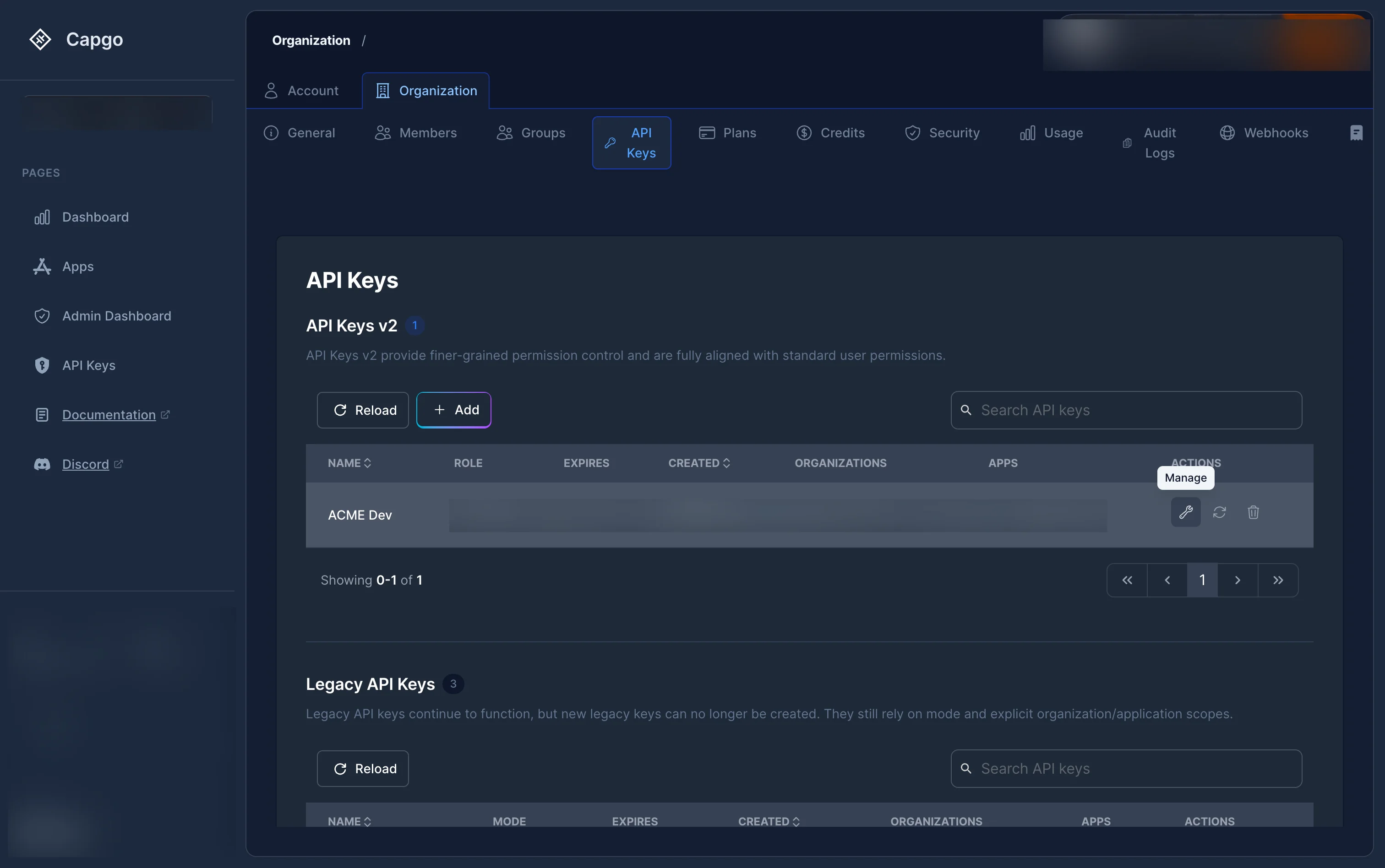
Section intitulée « Comment gérer (éditer) une clé API ? »Cliquez sur l'icône de la clé à molette (Gérer) sur n'importe quelle clé RBAC de la liste. Cela ouvre la page détaillée de la clé où vous pouvez :
- Changer le nom de la clé Mettre à jour le.
- rôle d'organisation Activer ou désactiver.
- la Autoriser la création d'organisations lorsque la clé a un rôle d'organisation Admin.
- Ajouter, supprimer ou modifier rôles par application.
Cliquez “Sauvegarder les modifications” lorsque vous avez terminé.
Comment régénérer une clé API ?
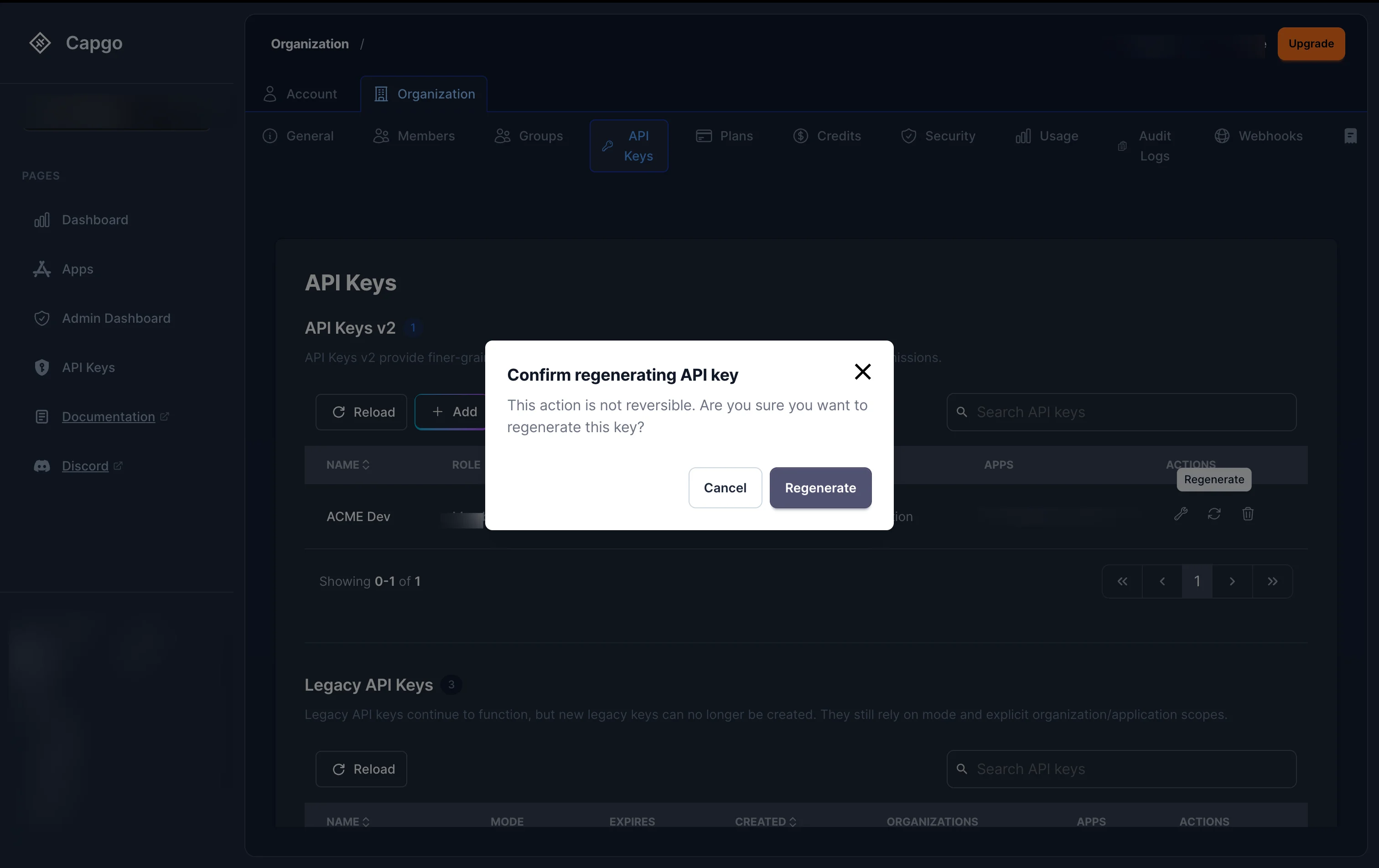
Section intitulée “Comment régénérer une clé API ?”Pour régénérer la valeur secrète d'une clé API, cliquez sur l'icône de mise à jour icône de mise à jour (Ré-générer) sur n'importe quelle clé de la liste.
Un dialogue de confirmation apparaîtra. Après avoir confirmé :
- Pour les clés (hachées) sécurisées: Une nouvelle clé au texte brut est générée et affichée une fois dans un modal. Copiez-l’immédiatement.
- Pour les clés au texte brut: La valeur de la clé est régénérée côté serveur.
Toute intégration utilisant la valeur de clé ancienne cessera de fonctionner immédiatement.
Comment supprimer une clé API ?
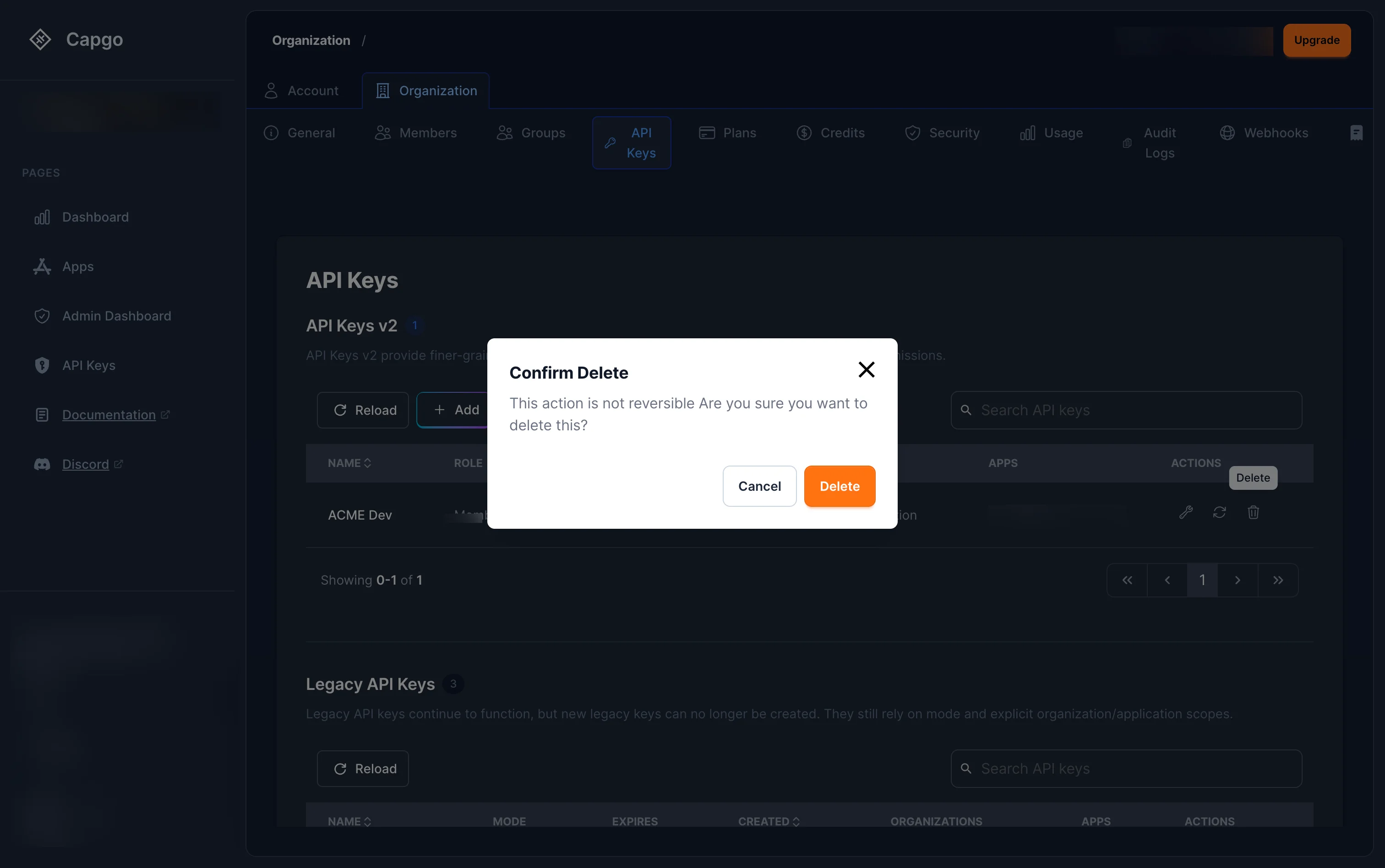
Section intitulée « Comment supprimer une clé API ? »Appuyez sur le l'icône de la poubelle (Supprimer) sur n'importe quelle clé de la liste. Confirmez la suppression dans le dialogue.
La clé est révoquée immédiatement — toute requête l'utilisant échouera.
Clés obsolètes
Section intitulée « Clés obsolètes »Si vous voyez des clés dans la Clés obsolètes section (clés sans affectations de rôle), celles-ci utilisent le système de permission basé sur le mode plus ancien (read, upload, write, allElles fonctionnent toujours mais ne bénéficient pas des permissions RBAC détaillées.
Les clés obsolètes peuvent être régénérées et supprimées de la liste, mais ne peuvent pas être éditées pour ajouter des rôles RBAC. Nous recommandons de créer de nouvelles clés RBAC et de supprimer les clés obsolètes lorsque possible.
Si vous devez gérer les clés légacaires directement, vous pouvez encore y accéder à console.capgo.app/dashboard/apikeys. Cette page est obsolète et sera supprimée dans une mise à jour future.
Continuez de API Keys
Titre de la section « Continuez de API Keys »Si vous utilisez API Keys pour planifier le tableau de bord et les opérations de API, connectez-l’avec API Overview pour les détails d'implémentation dans API Overview, Introduction pour les détails d'implémentation dans Introduction, API Clés pour le détail d'implémentation dans API Clés Appareils pour le détail d'implémentation dans Appareils, et Ensembles pour le détail d'implémentation dans Ensembles.