
Clés API
What can I do with the Clés API?
Section titled “What can I do with the Clés API?”An Clé API can be regenerated, or removed or a Nouveau one can be added.
How to see all Clés API?
Section titled “How to see all Clés API?”You need to go to [Clés API page](https://console.capgo.Application/Tableau de bord/apikeys/) and there you will see all your Clés API.
How to Ajouter a Nouveau Clé API?
Section titled “How to Ajouter a Nouveau Clé API?”To Ajouter a Nouveau Clé API click on the little plus button
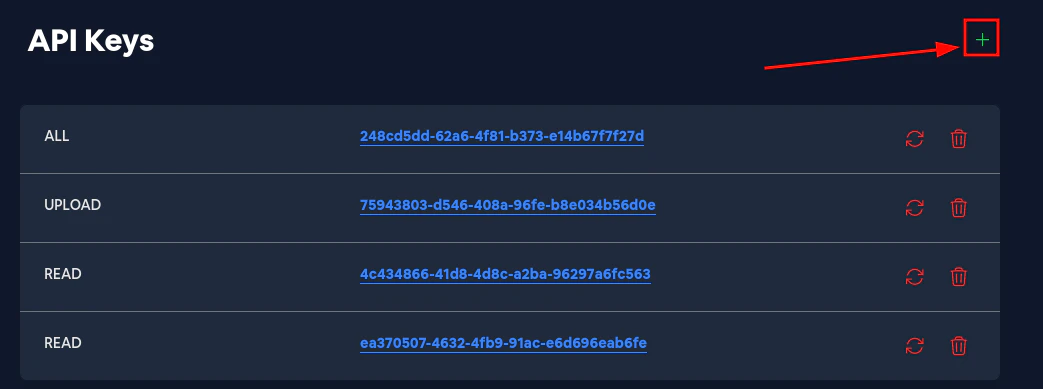
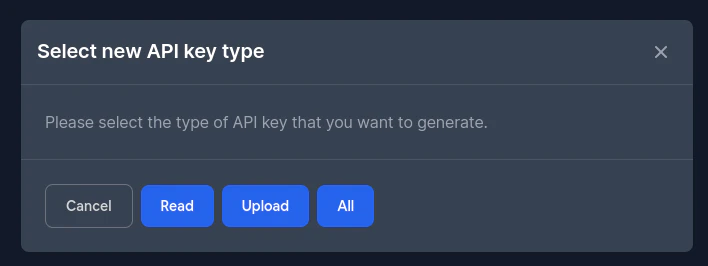
and then select the permissions you want to give to the Nouveau Clé API. You can select:
- Read - the Clé API will be able to read all the data
- Télécharger - the Clé API will be able to Télécharger Nouveau versions from the CLI and read
- All - The Clé API will be able to do everything
How to Retirer an Clé API?
Section titled “How to Retirer an Clé API?”To Retirer an Clé API click on the little trash button.
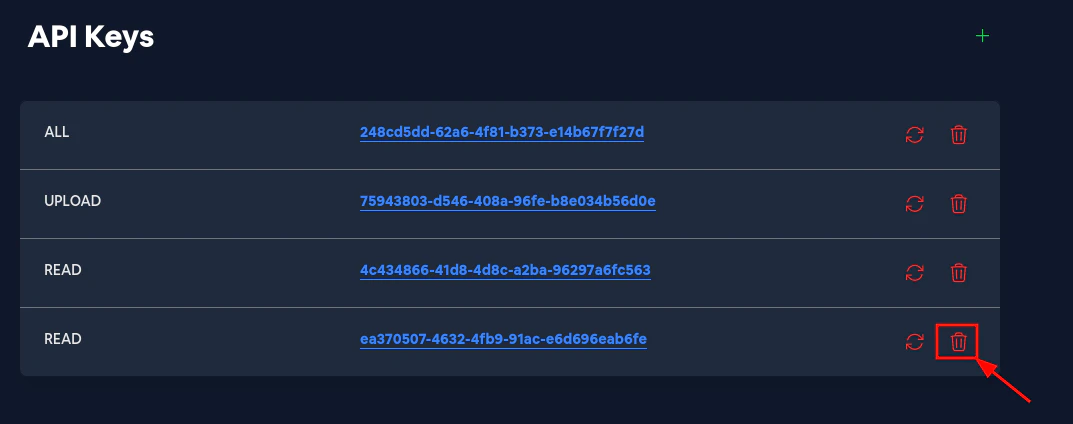
And then confirm removing the Clé API.
How to regenerate an Clé API?
Section titled “How to regenerate an Clé API?”To regenerate an Clé API click on the little Actualiser button.
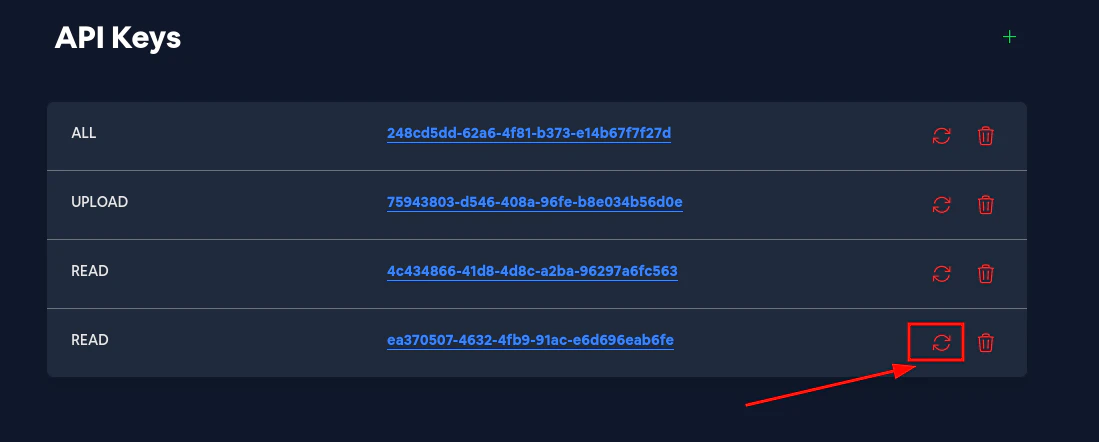
And then confirm regenerating the Clé API.